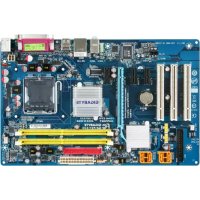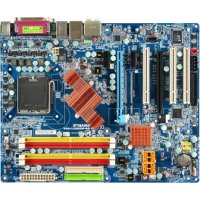
GAN650SLIDS4 - Motherboard GIGABYTE - Free user manual and instructions
Find the device manual for free GAN650SLIDS4 GIGABYTE in PDF.


User questions about GAN650SLIDS4 GIGABYTE
0 question about this device. Answer the ones you know or ask your own.
Ask a new question about this device
Download the instructions for your Motherboard in PDF format for free! Find your manual GAN650SLIDS4 - GIGABYTE and take your electronic device back in hand. On this page are published all the documents necessary for the use of your device. GAN650SLIDS4 by GIGABYTE.
USER MANUAL GAN650SLIDS4 GIGABYTE
| Declaration of Conformity Vie, Manufacturer/Importer (full address) | ||
| G.B.T. Technology Trading GmbH Ausschlager Weg 41, 1F 20637 Hamburg, Germany declare that the product (description of the apparatus, system, installation to which it refers) Motherboard GA-N650SLI-DS4 is in conformity with (reference to the specification under which conformity is declared) in accordance with 89/336 EEC-EMC Directive | ||
| EN 55011 Limits and methods of measurement of radio disturbance characteristics of industrial, scientific and medical (ISM) high frequency equipment | EN 61000-3-2 Disturbances in supply systems caused EN 61000-3-3 Disturbances in supply systems caused by household appliances and similar electrical equipment "Voltage fluctuations" | |
| EN 55013 Limits and methods of measurement of radio disturbance characteristics of broadcast receiver and associated equipment | EN 55024 Information Technology equipment - Immunity characteristics-Limits and methods of measurement | |
| EN 55014-1 Limits and methods of measurement of radio disturbance characteristics of household electrical appliances, portable tools and similar electrical apparatus | EN 50082-1 Generic immunity standard Part 1: Residual, commercial and light industry | |
| EN 50082-2 Generic immunity standard Part 2: Industrial environment | ||
| EN 55015 Limits and methods of measurement of radio disturbance characteristics of fluorescent lamps and luminaries | EN 55014-2 Immunity requirements for household appliances tools and similar apparatus | |
| EN 55020 Immunity from radio interference of broadcast receivers and associated equipment | EN 50091-2 EMC requirements for uninterruptible power systems (UPS) | |
| EN 55022 Limits and methods of measurement of radio disturbance characteristics of information technology equipment | ||
| DIN VDE 0855 Cabled distribution systems: Equipment part 10 for receiving and/or distribution from sound and television signals | ||
| CE marking The manufacturer also declares the conformity of above mentioned product with the actual required safety standards in accordance with LVD 2006/95/EC (EC conformity marking) | ||
| EN 60065 Safety requirements for mains operated electronic and related apparatus for household and similar general use | EN 60950 Safety for information technology equipment including electrical business equipment | |
| EN 60335 Safety of household and similar electrical appliances | EN 50091-1 General and Safety requirements for uninterruptible power systems (UPS) | |
| Manufacturer/Importer Signature: Timmy Huang | ||
| (Stamp) Date March 15, 2007 Name: Timmy Huang | ||

版权
© 2007 GIGA-BYTE TECHNOLOGY CO., LTD. All rights reserved.
1-6 SL建Sable Link Interface)
,可擴充連結介面 系統
nVIDIA® SLI 掀VDA由連接兩張支援
:BIOS Setup/Dual BIOS
按DELQMOSSetup 設定畫面。
| Standard CMOS Features Advanced BIOS Features Integrated Peripherals Power Management Setup PnP/PCI Configurations PC Health Status MB Intelligent Tweaker(M.I.T.) | Load Fail-Safe Defaults Load Optimized Defaults Set Supervisor Password Set User Password Save & Exit Setup Exit Without Saving |
| Esc: Quit F8: Dual BIOS/Q-Flash F10: Save & Exit Setup | F11: Save CMOS to BIOS F12: Load CMOS from BIOS |
| Time, Date, Hard Disk Type... | |

F11: Save CMOS to BIOS
F12: Load CMOS from BIOS
Integrated Peripherals (整合週邊設定
| Date (mm:dd:yy) | Mon, Jan 8 2007 | |
| Time (hh:mm:ss) | 22:31:24 | |
| IDE Channel 0 Master | [None] | |
| IDE Channel 0 Slave | [None] | |
| IDE Channel 1 Master | [None] | |
| IDE Channel 1 Slave | [None] | |
| IDE Channel 2 Master | [None] | |
| IDE Channel 3 Master | [None] | |
| IDE Channel 4 Master | [None] | |
| IDE Channel 5 Master | [None] | |
| Drive A | [1.44M, 3.5"] | |
| Floppy 3 Mode Support | [Disabled] | |
| Halt On | [All, But Keyboard] | |
| Base Memory | 1664K | |
| Extended Memory | 511M | |
| ↑↓→←: Move Enter: Select +/-/PU/PD: Value F10: Save ESC: Exit F1: General Help F5: Previous Values F6: Fail-Safe Defaults F7: Optimized Defaults | ||
Date (mm:dd:yy) (日/期) (hh:mm:ss) () 時間設定
| CMOS Setup Utility-Copyright (C) 1984-2007 Award Software Advanced BIOS Features | |||
| Hard Disk Boot Priority | [Press Enter] | Item Help | |
| First Boot Device | [Floppy] | Menu Level | |
| Second Boot Device | [Hard Disk] | ||
| Third Boot Device | [CDROM] | ||
| Password Check | [Setup] | ||
| HDD S.M.A.R.T. Capability | [Disabled] | ||
| CPU Hyper-Threading (3) | [Enabled] | ||
| Limit CPUID Max. to 3 (2) | [Disabled] | ||
| No-Execute Memory Protect (3) | [Enabled] | ||
| CPU Enhanced Halt (C1E) (3) | [Enabled] | ||
| CPU Thermal Monitor 2(TM2) (3) | [Enabled] | ||
| CPU EIST Function (3) | [Enabled] | ||
| Virtualization Technology (3) | [Enabled] | ||
| Full Screen LOGO Show | [Enabled] | ||
| Robust Graphics Booster | [Disabled] | ||
| VGA Core Clock | +1% | ||
| Init Display First | [PEG] | ||
| ↑↓→←: Move Enter: Select +/-/PU/PD: Value F10: Save ESC: Exit F1: General Help F5: Previous Values F6: Fail-Safe Defaults F7: Optimized Defaults | |||
Hard Disk Boot Priority (選擇開機硬碟
First/Second/Third Boot Device(第)二三開機裝置
Limit CPUID Max. to 3 (掌
CPU Enhanced Halt (C1E)
▶ Enabled CPU Enhanced Half (C1E) () 功能。預設值
Disabled 關閉此功能。
CPU Thermal Monitor 2 (TM2)
Virtualization Technology
SATA-II 1 Primary RAID
SATA-II 1 Secondary RAID
SATA-II 2 Primary RAID
IDE DMA transfer access
NV Serial-ATA Controller
USB Keyboard Support (USB 规格键盤
Legacy USB storage detect
Onboard Parallel Port (内建並列插座)
Power On by Mouse (滑鼠開機功能
Power On by Keyboard (鍵盤開機功能
3,4,5,7,9,10,11,12,14,15
3,4,5,7,9,10,11,12,14,15
3,4,5,7,9,10,11,12,14,15
| CMOS Setup Utility-Copyright (C) 1984-2007 Award Software PC Health Status | |||||
| Reset Case Open Status | [Disabled] | Item Help | |||
| Case Opened Yes | Menu Level ▶ | ||||
| Vcore | OK | ||||
| DDR2 1.8V | OK | ||||
| +3.3V | OK | ||||
| +12V | OK | ||||
| Current System Temperature | 32°C | ||||
| Current CPU Temperature | 45°C | ||||
| Current CPU FAN Speed | 3245 RPM | ||||
| Current SYSTEM FAN Speed | 0 RPM | ||||
| Current POWER FAN Speed | 0 RPM | ||||
| CPU Warning Temperature | [Disabled] | ||||
| CPU FAN Fail Warning | [Disabled] | ||||
| SYSTEM FAN Fail Warning | [Disabled] | ||||
| POWER FAN Fail Warning | [Disabled] | ||||
| CPU Smart FAN Control | [Enabled] | ||||
| CPU Smart FAN Mode | [Auto] | ||||
| System Smart FAN Control | [Enabled] | ||||
| ↑↓→←: Move Enter: Select +/-/PU/PD: Value F10: Save ESC: Exit F1: General Help F5: Previous Values F6: Fail-Safe Defaults F7: Optimized Defaults | |||||
Reset Case Open Status
Current CPU/SYSTEM/POWER FAN Speed (RPM) (偵測風扇轉速
CPU Warning Temperature (CPU 温度警告
System Clock Setting
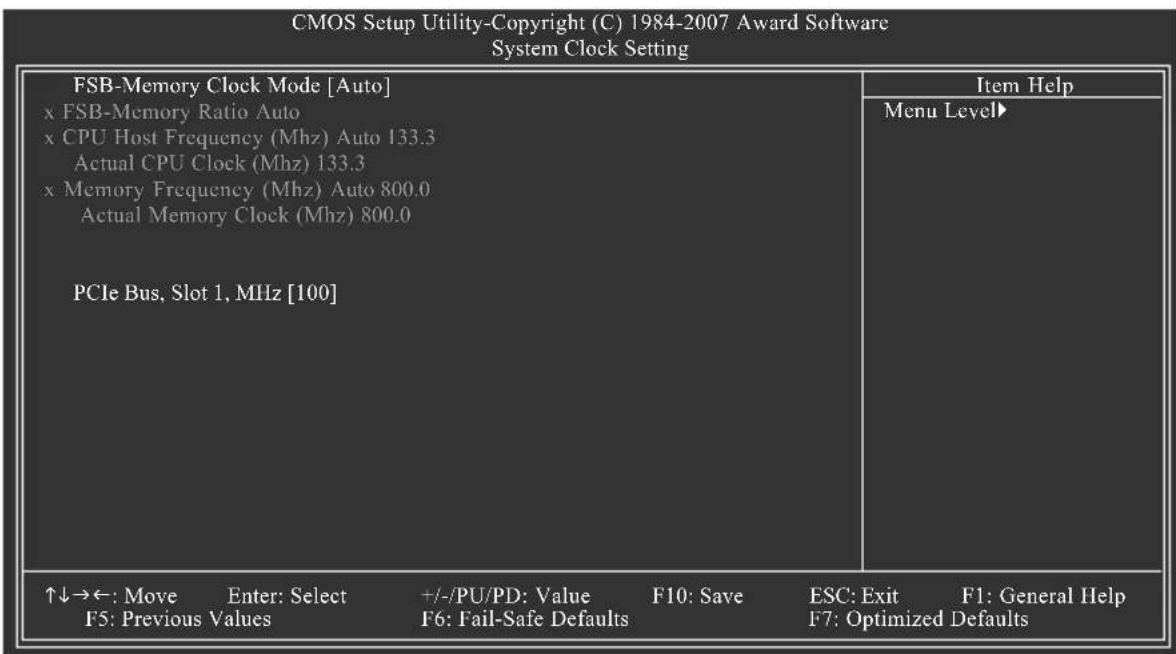
CPU Host Frequency (Mhz)
CPU Clock Ratio (23)
South Bridge Voltage
2-9 Load Optimized Defaults (Optimized)
預設值
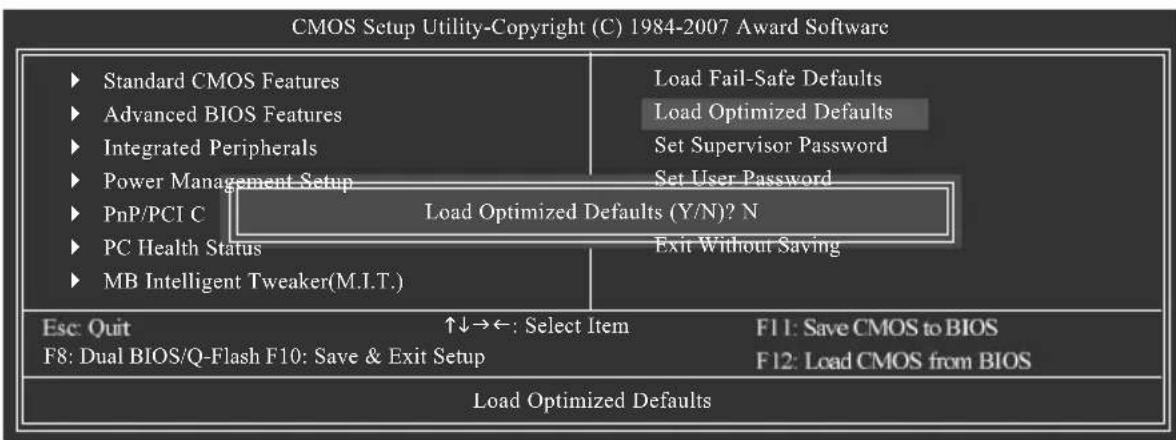
2-11 Save & Exit Setup (S#P)
並儲存設定結果
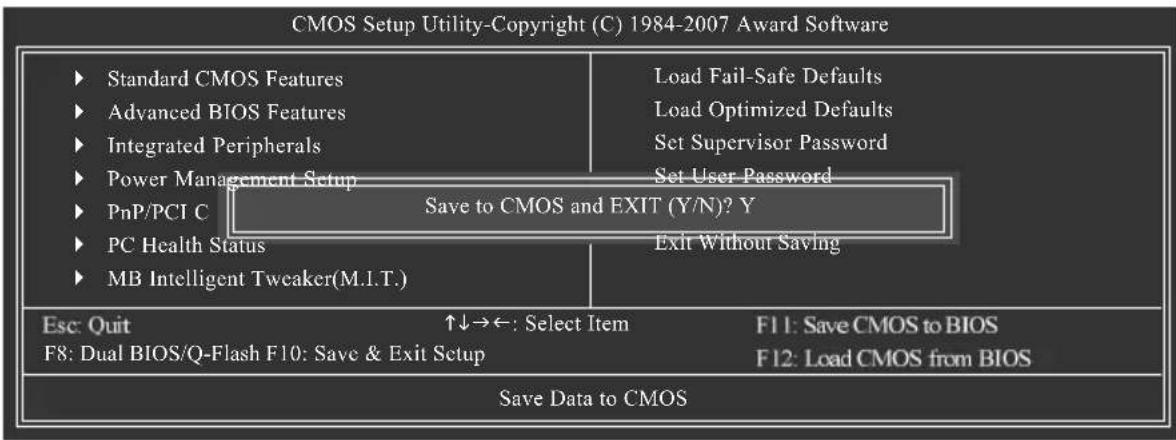
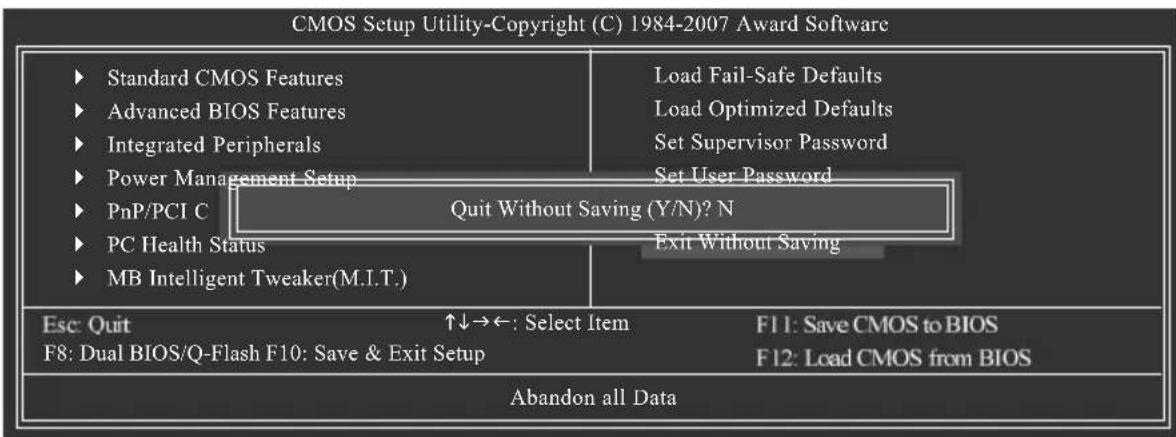
2-12 Exit Without Saving ( S
但不儲存設定結果
- Intel x86 platform
- 64M bytes memory
- VESA supported VGA cards
使用方法:
利用CD-ROM执行及開機畫面 功能
Press any key to startup XpressRecovery2....
Boot from CD/DVD:
Award Modular BIOS v6.00PG, An Energy Star Ally Copyright (C) 1984-2007, Award Software, Inc.
GA-N650SLI-DS4 D12


BIOS Setup/Dual BIOS

a. PATA IDE primary channel
b. PATA IDE secondary channel
c. SATA IDE channel 1
d. SATA IDE channel 2
e. SATA IDE channel 3
f. SATA IDE channel 4
注意事项:
Standard CMOS Features
Advanced BIOS Features
Integrated Peripherals
Power Management Setup
PnP/PCI Configurations
PC Health Status
MB Intelligent Tweaker(M.1.T.)
Load Fail-Safe Defaults
Load Optimized Defaults
Set Supervisor Password
SetUserPassword
Save & Exit Setup
Exit Without Saving
ESC:Qut
↑↓→←: Select Item
F10: Save & Exit Setup
F11: Save CMOS to BIOS
F12: Load CMOS from BIOS
Time, Date, Hard Disk Type...
b. Dual BIOS QFlash 程式畫面
| Dual BIOS Utility V2.02 | |||
| Boot From............ | Main Bios | ||
| Main ROM Type/Size............ | SST 25LF040A | 512K | |
| Backup ROM Type/Size............ | SST 25LF040A | 512K | |
| Wide Range Protection | Disable | ||
| Boot From | Main Bios | ||
| Auto Recovery | Enable | ||
| Halt On Error | Disable | ||
| Keep DMI Data | Enable | ||
| Copy Main ROM Data to Backup | |||
| Load Default Settings | |||
| Save Settings to CMOS | |||
| Q-Flash Utility | |||
| Update Main BIOS from Drive | |||
| Update Backup BIOS from Drive | |||
| Save Main BIOS to Drive | |||
| Save Backup BIOS to Drive | |||
| PgDn/PgUp: Modify | ↑↓: Move | ESC: Reset | F10: Power Off |
c. Dual BIOS 程式選項說明
Wide Range Protection: Disable(Enable,
狀況1:
Copy Main ROM Data to Backup
BIOS Recovery: Backup to Main
Save Settings to CMOS
將修改過後的設定值存入CMOS中。

方法一:Q-FlashTM
Integrated Peripherals
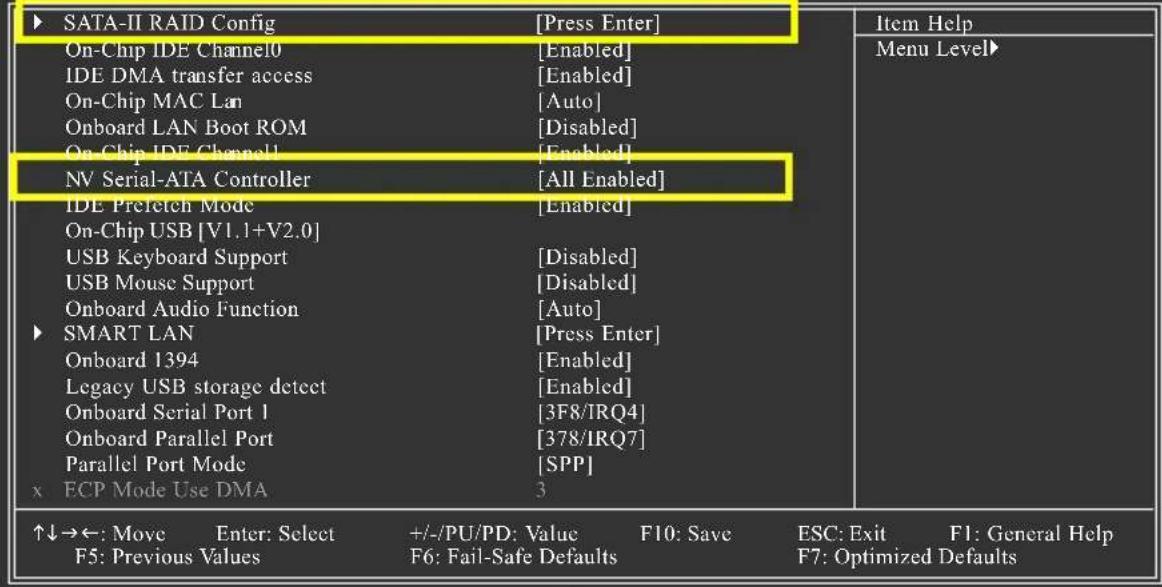
圖1
Press F10 to enter RAID setup utility ...
圖4
步骤2:
按
您可以按
選擇RAID模式Mode)
Press F6 if you need to install a 3rd party SCSI or RAID driver.
图13
步骤2:
Setup could not determine the type of one or more mass storage devices installed in your system, or you have chosen to manually specify an adapter. Currently, Setup will load support for the following mass storage devices(s)
- To specify additional SCSI adapters, CD-ROM drives, or special disk controllers for use with Windows, including those for which you have a device support disk from a mass storage device manufacturer, press S.
- If you do not have any device support disks from a mass storage device manufacturer, or do not want to specify additional mass storage devices for use with Windows, press ENTER.
S=Specify Additional Device ENTER=Continue F3=Exit
圖14
步骤3:
若您欲製作RAID159NVIADIAI RAIDCLASSDRIVER择
You have chosen to configure a SCSI Adapter for use with Windows, using a device support disk provided by an adapter manufacturer.
Select the SCSI Adapter you want from the following list, or press ESC to return to the previous screen.
NVIDIA RAID CLASS DRIVER (required)
NVIDIA nForce Storage Controller (required)
ENTER=Select F3=Exit
图15
Windows Setup
Setup will load support for the following mass storage device(s):
NVIDIA RAID CLASS DRIVER (required)
- To specify additional SCSI adapters, CD-ROM drives, or special disk controllers for use with Windows, including those for which you have a device support disk from a mass storage device manufacturer, press S.
- If you do not have any device support disks from a mass storage device manufacturer, or do not want to specify additional mass storage devices for use with Windows, press ENTER.
S=Specify Additional Device Enter=Continue F3=Exit

图16
G.B.T. TECHNOLOGY TRADING GMBH
Representative Office Of GIGA-BYTE Technology Co., Ltd. in
CZECH REPUBLICO
網址:http://www.gigabyte.cz
土耳其
Representative Office Of GIGA-BYTE Technology Co., Ltd. in TURKEY
Moscow Representative Office Of GIGA-BYTE Technology Co., Ltd.
Office of GIGA-BYTE TECHNOLOGY Co., Ltd. in POLAND
Representative Office Of GIGA-BYTE Technology Co., Ltd. in
Romania
Representative Office Of GIGA-BYTE Technology Co., Ltd. in
SERBIA & MONTENEGRO
Management Methods on Control of Pollution from Electronic Information Products
(China RoHS Declaration)