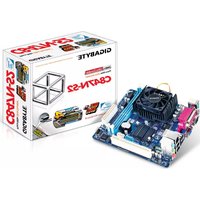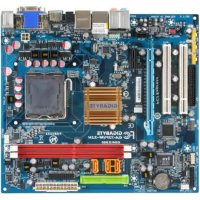
GA73PVMS2H - Motherboard GIGABYTE - Free user manual and instructions
Find the device manual for free GA73PVMS2H GIGABYTE in PDF.


User questions about GA73PVMS2H GIGABYTE
0 question about this device. Answer the ones you know or ask your own.
Ask a new question about this device
Download the instructions for your Motherboard in PDF format for free! Find your manual GA73PVMS2H - GIGABYTE and take your electronic device back in hand. On this page are published all the documents necessary for the use of your device. GA73PVMS2H by GIGABYTE.
USER MANUAL GA73PVMS2H GIGABYTE
5-3-1 93
5-3-2 故障排除 94
管理声明 96
清點配件
"SATA is found running at IDE MODE!"
Standard CMOS Features
Advanced BIOS Features
Integrated Peripherals
Power Management Setup
PnP/PCI Configurations
PC Health Status
MB Intelligent Tweaker(M.I.T.)
Load Fail-Safe Defaults
Load Optimized Defaults
Set Supervisor Password
SetUserPassword
Save & Exit Setup
Exit Without Saving
Esc: Quit
F8:0-Flash
: Select Item
F10: Save & Exit Setup
Time, Date, Hard Disk Type...
Integrated Peripherals (整合週邊設定
| CMOS Setup Utility-Copyright (C) 1984-2007 Award Software Standard CMOS Features | ||||
| Date (mm:dd:yy) Time (hh:mm:ss) | Mon, Oct 1 2007 22:31:24 | Item Help Menu Level | ||
| IDE Channel 0 Master | [None] | |||
| IDE Channel 0 Slave | [None] | |||
| IDE Channel 2 Master | [None] | |||
| IDE Channel 2 Slave | [None] | |||
| IDE Channel 3 Master | [None] | |||
| IDE Channel 3 Slave | [None] | |||
| Drive A Floppy 3 Mode Support | [1.44M, 3.5"] [Disabled] | |||
| Halt On | [All, But Keyboard] | |||
| Base Memory | 640K | |||
| Extended Memory | 510M | |||
| ↑↓→←: Move Enter: Select +/-/PU/PD: Value F10: Save ESC: Exit F1: General Help F5: Previous Values F6: Fail-Safe Default F7: Optimized Defaults | ||||
Date (mm:dd:yy) (日期設定)
CMOS Setup Utility-Copyright (C) 1984-2007 Award Software Advanced BIOS Features
Hard Disk Boot Priority [Press Enter]
First Boot Device [Floppy]
Second Boot Device [Hard Disk]
Third Boot Device [CDROM]
Password Check [Setup]
HDD S.M.A.R.T. Capability [Disabled]
CPU Multi-Threading [Ena] [Ena]
Limit CPUID Max. to 3 [Dis] [Ena]
No-Execute Memory Protect [Ena] [Ena]
CPU Enhanced Halt (CIE) [Ena] [Ena]
CPU Thermal Monitor 2(TM2) [Ena] [Ena]
CPU EIST Function [Ena] [Ena]
Virtualization Technology [Ena] [Ena]
Onboard GPU [Ena] [Ena If No Ext GPU]
Frame Buffer Size [128 MB]
Init Display First [PCI Slot] Move Enter: Select +/-/PU/PD: Value F10: Save ESC: Exit F1: General Hclp F5: Previous Values F6: Fail-Safe Defaults F7: Optimized Defaults
Hard Disk Boot Priority (選擇開機硬碟
CPU Multi-Threading (多核心技術)
CPU Enhanced Halt (C1E) (Intel® C1E 功能) (3)
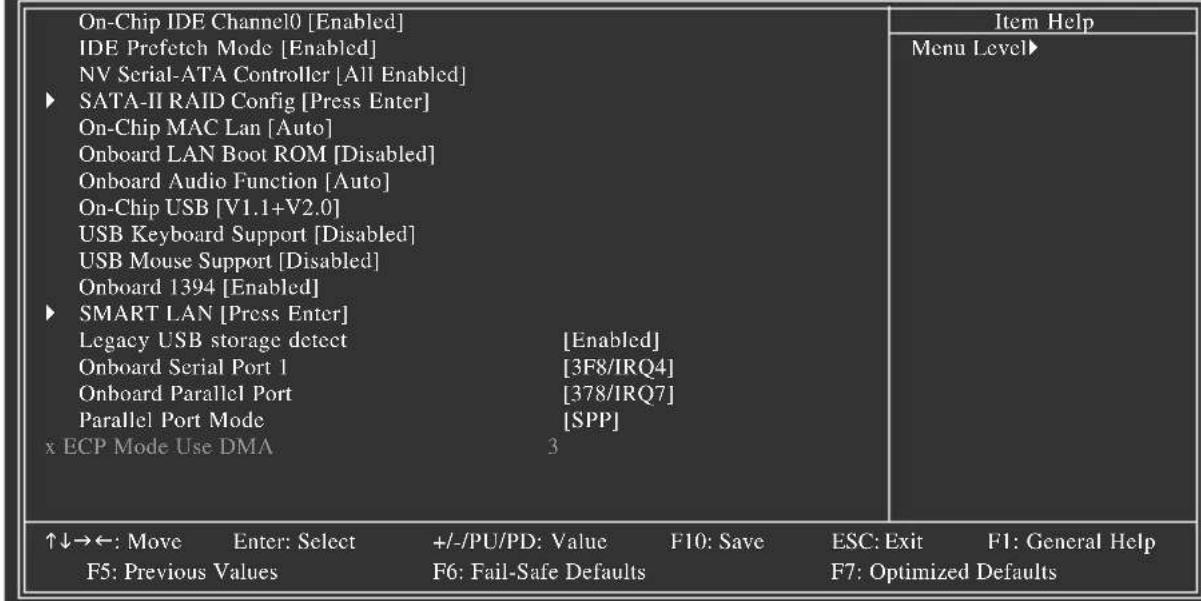
CMOS Setup Utility-Copyright (C) 1984-2007 Award Software Integrated Peripherals
例:Pair1-2 Status = Short / Length = 1.6m
Onboard Parallel Port (内建並列埠
Power-On by Alarm (定時開機
Power On By Keyboard (鍵盤開機功能
F7: Optimized Defaults
3,4,5,7,9,10,11,12,14,15
3,4,5,7,9,10,11,12,14,15
Case Opened (機殼被開啟狀況)
Current CPU Freq, MHz
顯示CPU的速度。
FSB-Memory Clock Mode
CPU Host Frequency (Mhz) (CPU 外頻調整
CPU Clock Ratio (CPU 倍频调整)
Standard CMOS Features
Advanced BIOS Features
Integrated Peripherals
Power Management Setup
PnP/PCIC Enter Password:
PC Health Status
MB Intelligent Tweaker(M.I.T.)
Load Fail-Safe Defaults
Load Optimized Defaults
Set Supervisor Password
SetUserPassword
Esc: Quit
F8:0-Flash
Exit Without Saving
: Select Item
F10: Save & Exit Setup
Change/Set/Disable Password
"Xpress Install " is now analyzing your computer...99%
CMOS Setup Utility-Copyright (C) 1984-2007 Award Software Integrated Peripherals
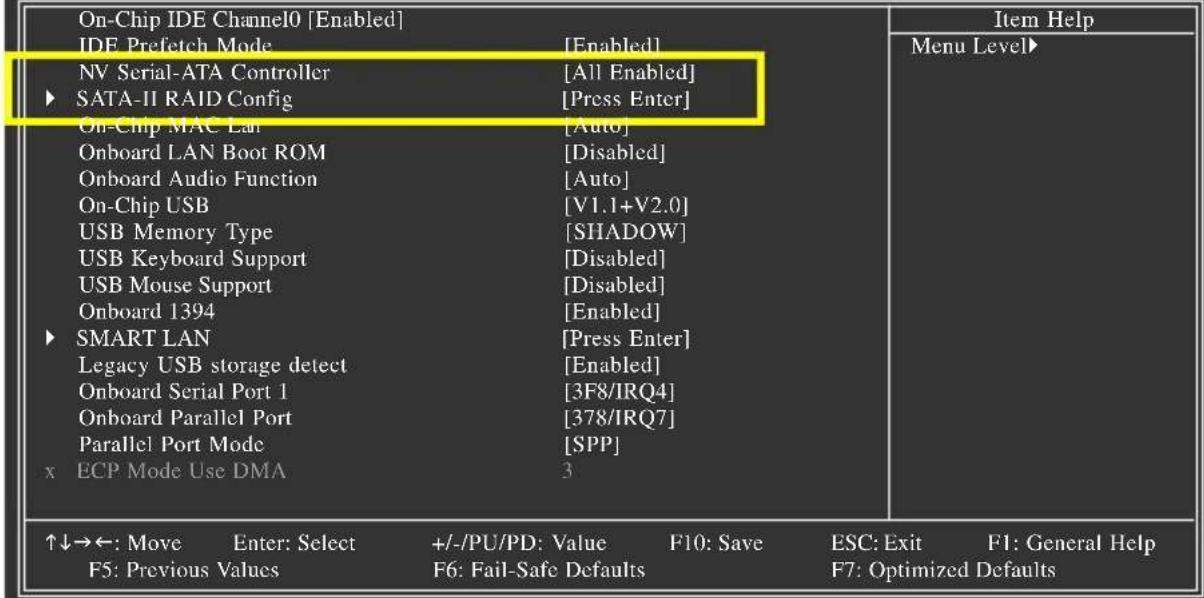
图1
Copyright (C) 2007 NVIDIA Corp.
Detecting array ...
Press F10 to enter RAID setup utility ...
图3
步骤二:
You have chosen to configure a SCSI Adapter for use with Windows, using a device support disk provided by an adapter manufacturer.
Select the SCSI Adapter you want from the following list, or press ESC to return to the previous screen.
NVIDIA RAID Driver (required)
NVIDIA nForce Storage Controller (required)
ENTER=ScIcct F3=Exit
圖3
Windows Setup
Setup will load support for the following mass storage device(s): NVIDIA RAID Driver (required)
- To specify additional SCSI adapters, CD-ROM drives, or special disk controllers for use with Windows, including those for which you have a device support disk from a mass storage device manufacturer, press S.
- If you do not have any device support disks from a mass storage device manufacturer, or do not want to specify additional mass storage devices for use with Windows, press ENTER.
S=Specify Additional Device Enter=Continue F3=Exit

图4
Setup will load support for the following mass storage device(s):
NVIDIA RAID Driver (required)
NVIDIA nForce Storage Controller (required)
- To specify additional SCSI adapters, CD-ROM drives, or special disk controllers for use with Windows, including those for which you have a device support disk from a mass storage device manufacturer, press S.
- If you do not have any device support disks from a mass storage device manufacturer, or do not want to specify additional mass storage devices for use with Windows, press ENTER.
S=Specify Additional Device ENTER=Continue F3=Exit
图5
步骤四:
Management Methods on Control of Pollution from Electronic Information Products
(China RoHS Declaration)
产品中有毒有害物质或元素的名称及含量
| 部件名称(Parts) | 有毒有害物质或元素(Hazardous Substances) | |||||
| 铅(Pb) | 汞(Ng) | 镉(Cd) | 六价铬(Cr (VI)) | 多溴联苯(PBB) | 多溴二苯醚(PBDE) | |
| PCB板PCB | ○ | ○ | ○ | ○ | ○ | ○ |
| 结构件及风扇Mechanical parts and Fan | × | ○ | ○ | ○ | ○ | ○ |
| 芯片及其他主动零件Chip and other Active components | × | ○ | ○ | ○ | ○ | ○ |
| 连接器Connectors | × | ○ | ○ | ○ | ○ | ○ |
| 被动电子元器件Passive Components | × | ○ | ○ | ○ | ○ | ○ |
| 线材Cables | ○ | ○ | ○ | ○ | ○ | ○ |
| 焊接金属Soldering metal | ○ | ○ | ○ | ○ | ○ | ○ |
| 助焊剂,散热膏,标签及其他耗材Flux, Solder Paste, Lebel and other Consumable Materials | ○ | ○ | ○ | ○ | ○ | ○ |
| ○:表示该有毒有害物质在该部件所有均质材料中的含量均在SJ/T11363-2006标准规定的限量要求以下。Indicates that this hazardous substance contained in all homogenous materials of this part is below the limit requirement SJ/T 11363-2006 | ||||||
| ×:表示该有毒有害物质至少在该部件的某一均质材料中的含量超出SJ/T11363-2006标准规定的限量要求。Indicates that this hazardous substance contained in at least one of the homogenous materials of this part is above the limit requirement in SJ/T 11363-2006 | ||||||
| 对销售之日的所受售产品,本表显示我公司供应链的电子信息产品可能包含这些物质。注意:在所售产品中可能会也可能不会含有所有所列的部件。This table shows where these substances may be found in the supply chain of our electronic information products, as of the date of the sale of the enclosed products. Note that some of the component types listed above may or may not be a part of the enclosed product. | ||||||