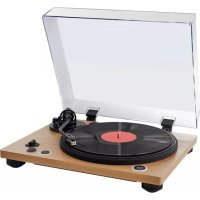
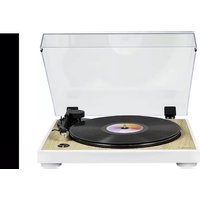
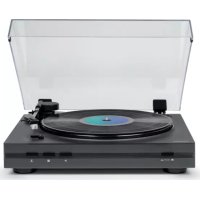
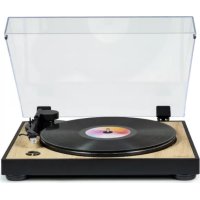
TT450BT - Turntable THOMSON - Free user manual and instructions
Find the device manual for free TT450BT THOMSON in PDF.

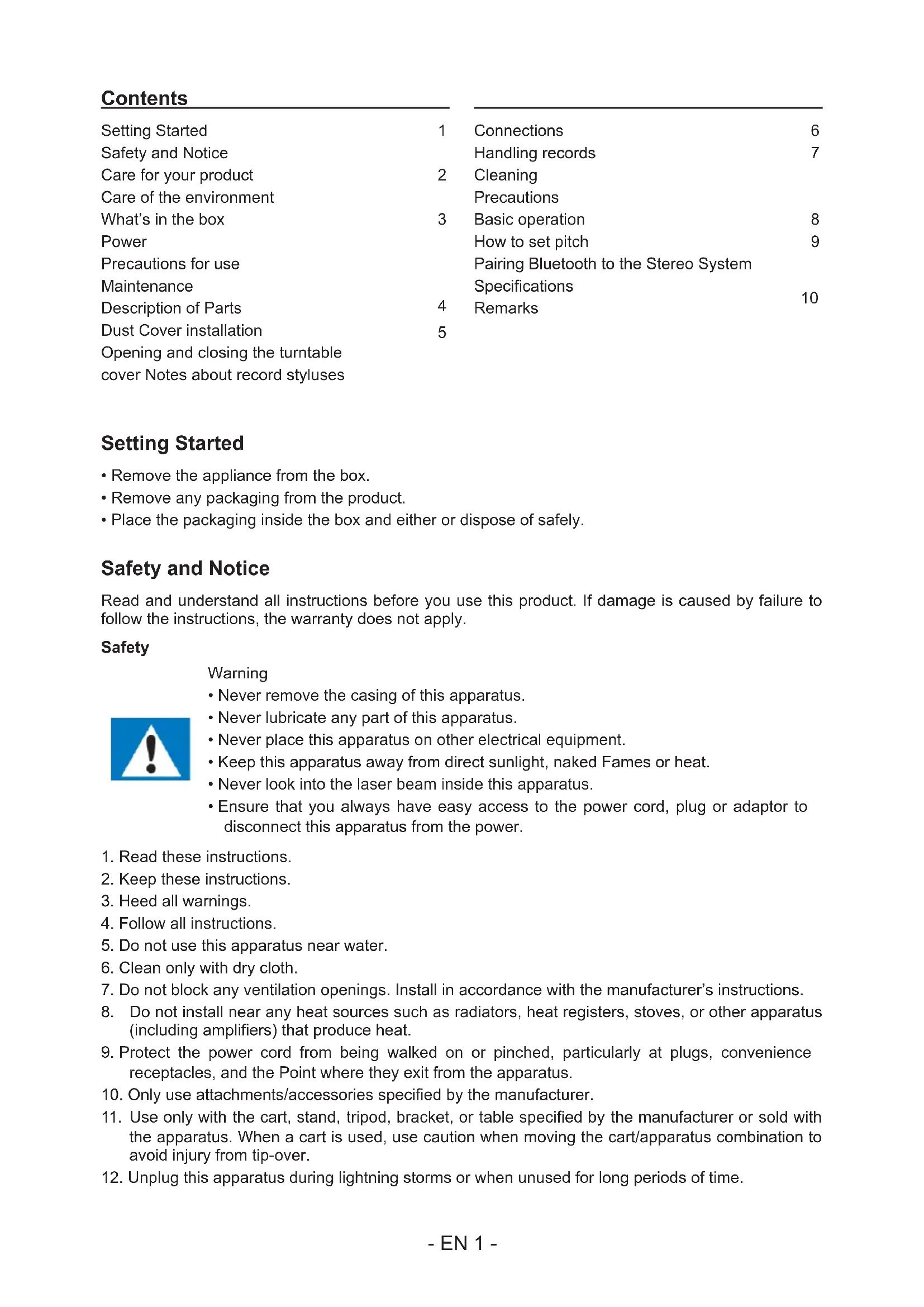


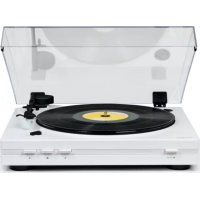
| Product type | Belt-driven turntable |
| Brand | Thomson |
| Model | TT450BT |
| Dimensions (W x D x H) | 450 x 145 x 360 mm |
| Weight | 4.58 kg |
| Power supply | DC 12V 1A via included mains adapter (230V) |
| Power consumption | 0.5 W standby; 1.5 W operating |
| Speeds | 33⅓ and 45 RPM |
| Cartridge type | MM (Moving Magnet) |
| Stylus | Audio Technica AT-3600L |
| Signal-to-noise ratio | 35 dB |
| Bluetooth | Yes, for wireless connection to a stereo system |
| Audio outputs | RCA jacks (left/right) with PHONO/LINE selector |
| Speed adjustment (pitch) | Yes, +/- 50% |
| Anti-skating | Yes, adjustable |
| Counterweight | Yes, adjustable |
| Cover | Removable with hinges |
| 45 RPM adapter included | Yes |
| Maintenance and cleaning | Unplug before cleaning; use a soft, damp cloth; for records, use a specific cleaner |
| Safety | Do not expose to moisture or heat sources; unplug during storms; do not remove the casing |
| Spare parts and repairability | Replaceable stylus (Audio Technica AT-3600L); contact customer service for any repairs |
| General information | Manufactured by Bigben Interactive France; compliant with Directive 2014/53/EU; operates in tropical and temperate climates |
Frequently Asked Questions - TT450BT THOMSON
User questions about TT450BT THOMSON
0 question about this device. Answer the ones you know or ask your own.
Ask a new question about this device
Download the instructions for your Turntable in PDF format for free! Find your manual TT450BT - THOMSON and take your electronic device back in hand. On this page are published all the documents necessary for the use of your device. TT450BT by THOMSON.
USER MANUAL TT450BT THOMSON
natural_image
Exterior view of a beige vintage typewriter with a black circular head and open lid, no visible text or symbols.MODE D'EMPLOI
LISEZ COMPLÈTEMENT CE MANUEL D'UTILISATION AVANT D'UTILISER CET APPAREIL ET CONSERVEZ CE LIVRET POUR VOUS Y RÉFÉRER ULTÉRIEUREMENT.
Table des matières
natural_image
Technical line drawing of a mechanical connector assembly (no text or symbols)natural_image
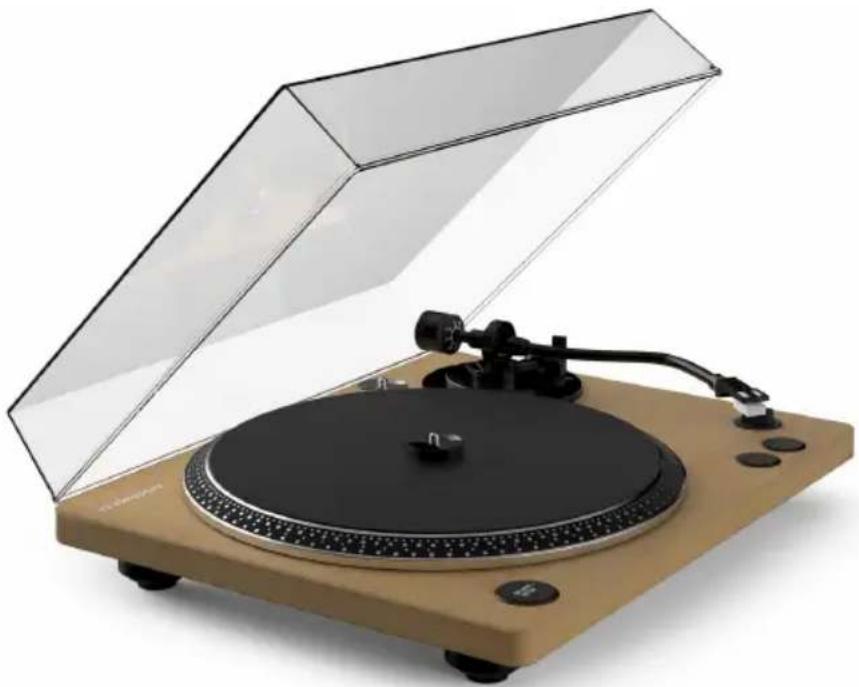
Two hand-drawn diagrams showing a circular object with concentric rings and a small dot on the inner ring, no text or symbols present.ANALOG TURNTABLE WITH BUILT-IN PHONO PRE-AMPLIFIER
natural_image
Exterior view of a beige vintage T-shirt with open lid and black buttons (no visible text or symbols)OPERATING INSTRUCTIONS
PLEASE READ THIS USER MANUAL CAREFULLY BEFORE OPERATING THIS UNIT AND RETAIN FOR FUTURE REFERENCE
Contents
| Setting Started | 1 |
| Safety and Notice | |
| Care for your product | 2 |
| Care of the environment | |
| What's in the box | 3 |
| Power | |
| Precautions for use | |
| Maintenance | |
| Description of Parts | 4 |
| Dust Cover installation | 5 |
| Opening and closing the turntable cover Notes about record styluses |
| Connections | 6 |
| Handling records | 7 |
| Cleaning | |
| Precautions | |
| Basic operation | 8 |
| How to set pitch | 9 |
| Pairing Bluetooth to the Stereo System Specifications | |
| Remarks | 10 |
Setting Started
- Remove the appliance from the box.
- Remove any packaging from the product.
- Place the packaging inside the box and either or dispose of safely.
Safety and Notice
Read and understand all instructions before you use this product. If damage is caused by failure to follow the instructions, the warranty does not apply.
Safety
Warning
- Never remove the casing of this apparatus.
- Never lubricate any part of this apparatus.
- Never place this apparatus on other electrical equipment.
- Keep this apparatus away from direct sunlight, naked Fames or heat.
- Never look into the laser beam inside this apparatus.
-
Ensure that you always have easy access to the power cord, plug or adaptor to disconnect this apparatus from the power.
-
Read these instructions.
- Keep these instructions.
- Heed all warnings.
- Follow all instructions.
- Do not use this apparatus near water.
- Clean only with dry cloth.
- Do not block any ventilation openings. Install in accordance with the manufacturer's instructions.
- Do not install near any heat sources such as radiators, heat registers, stoves, or other apparatus (including amplifiers) that produce heat.
- Protect the power cord from being walked on or pinched, particularly at plugs, convenience receptacles, and the Point where they exit from the apparatus.
- Only use attachments/accessories specified by the manufacturer.
- Use only with the cart, stand, tripod, bracket, or table specified by the manufacturer or sold with the apparatus. When a cart is used, use caution when moving the cart/apparatus combination to avoid injury from tip-over.
- Unplug this apparatus during lightning storms or when unused for long periods of time.

- Refer all servicing to qualified service personnel. Servicing is required when the apparatus has been damaged in anyway, such as power-supply cord or plug is damaged, liquid has been spilled or objects have fallen into the apparatus, apparatus has been exposed to rain or moisture, does not operate normally, or has been dropped.
- Apparatus shall not be exposed to dripping or splashing.
- Do not place any sources of danger on the apparatus (e.g. liquid filled objects, lighted candles).
- Where the MAINS plug or an appliance coupler is used as the disconnect device, the disconnect device shall remain readily operable.
- Make sure there is enough free space around the product for ventilation.
- Batteries (battery pack or batteries installed) shall not be exposed to excessive heat such as sunshine, fire or the like.
Care for your product
- Always unplug the appliance when not in use and before cleaning.
- Do not use this unit in wet or damp conditions.
- Always disconnect the unit from the mains power supply before cleaning. Clean the appliance with a soft, damp, lint free cloth. Do not use abrasives or harsh cleaners.
Care of the environment

Your product is designed and manufactured with high quality materials and components, which can be recycled and reused.
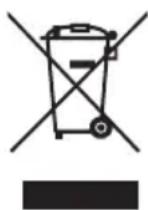
When this crossed-out wheeled bin symbol is attached to a product it means that the product is covered by the European Directive 2002/96/EC. Please inform yourself about the local separate collection system for electrical and electronic products. Please act according to your local rules and do not dispose of your old products with your normal household waste. Correct disposal of your old product helps to prevent potential negative consequences for the environment and human health.
What's in the box
Check and identify the contents of your package:
- Main unit
- Platter
- Platter mat
• 45 RPM adapter
• Dust cover for the main unit - RCA cable
- AC adapter
- User manual
Power

CAUTION
- Risk of product damager! Make sure that the power voltage corresponds to the voltage printed on the back label.
- Risk of electric shock! When you unplug the AC power cord always pull the plug from the socket. Never pull the cord.
- Before connecting the AC power cord, ensure you have completed all other connections.
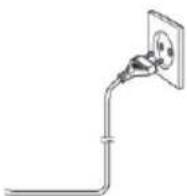
Place the unit in the desired position and unravel the mains cable. Insert the cable into the supply socket and switch on if applicable.
Precautions for use
- Do not place anything on the turntable cover. Objects on the cover might cause noise due to vibrations or fall off, especially during playback.
- Avoid placing the unit in direct sunlight, close to a source of heat or in other similar conditions. Do not place the unit on top of an amplifier or other equipment that might generate heat that exceeds the operating temperature range of this unit. Doing so could cause discoloration, deformation or malfunction.
- As the unit could become warm during operation, always leave sufficient space around it for ventilation. When installing this unit, leave a little space between it and other devices and walls to allow good heat dissipation.
- When placing it in a rack, for example, leave at least 35 cm open above it and 10 cm open behind it. Failure to provide these gaps could cause heat to build up inside and result in fire.
- Do not move the unit during playback. During playback, the record rotates. Do not lift or move the unit during playback. Doing so may damage the record, the stylus, the cartridge or the unit.
- Always remove the record before relocating or moving this unit. Moving the unit with a record on the turntable could damage the record, the stylus and the cartridge or could cause a malfunction.
- The voltage supplied to the unit should match the voltage as printed on the rear panel. If you are in any doubt regarding this matter, consult an electrician.
Caution
For safety, disconnect the power cord from the socket before cleaning.
Description of Parts
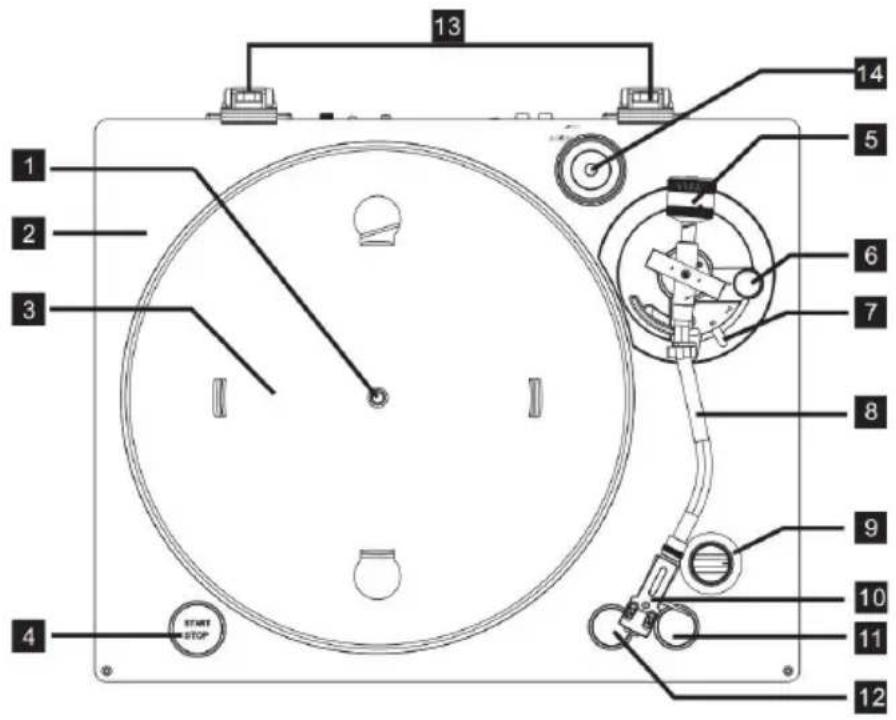
- Center spindle
- Finishing
- Platter
-
START/STOP button
-
Counterweight
- Anti skating
- Cueing lever
- Tone arm
- Pitch control knob
-
Headshell
-
45 RPM speed
- 33 RPM speed
- Hinges
- 45 RPM adapter
Dust Cover installation
Attaching the turntable cover
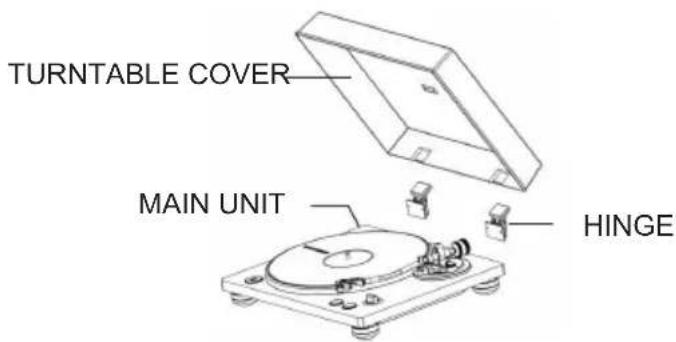
- Insert the hinges completely into the hinge holders at the left and right ends of the back of the main unit.
- Align the tops of the hinges with the turntable cover hinge holders and insert them.
Removing the dust cover
- Hold both edges of the turntable cover and lift it slowly to remove it along with the hinges from the unit. Then, remove the hinges from the turntable cover.
Opening and closing the turntable cover
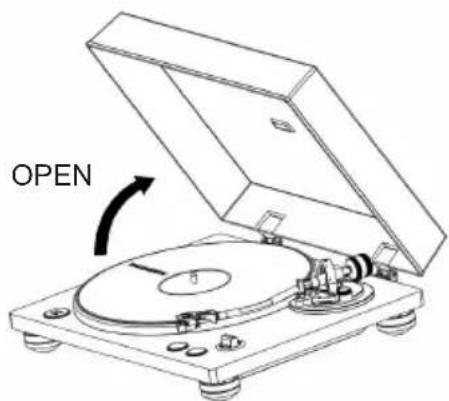
Opening
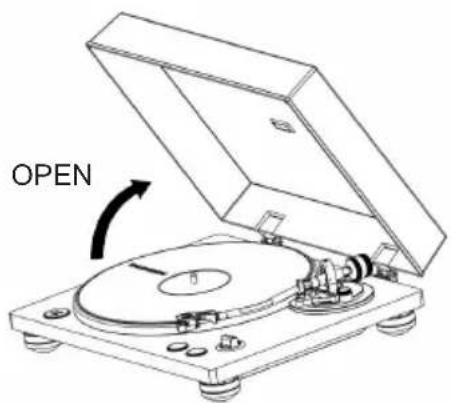
- Hold the front edge of the turntable cover and gently lift it open completely until it stops.
• The turntable cover will stay open in this position.
Closing
• Gently lower the turntable cover until it is closed.
- Be careful not to pinch your hand when opening and closing the turntable cover.
Notes about record styluses
- Record styluses are precision parts, so handle them carefully to avoid bending or damaging their tips. If a stylus becomes bent or damaged, it might not be able to follow the audio groove precisely and could damage records or cause another malfunction.
- If a stylus becomes dirty, use a commercially available stylus cleaner or similar product to clean it.
- Do not rub the stylus tip forcefully with anything hard. Do not wipe the stylus with thinner or other chemicals. Doing so could harm it.
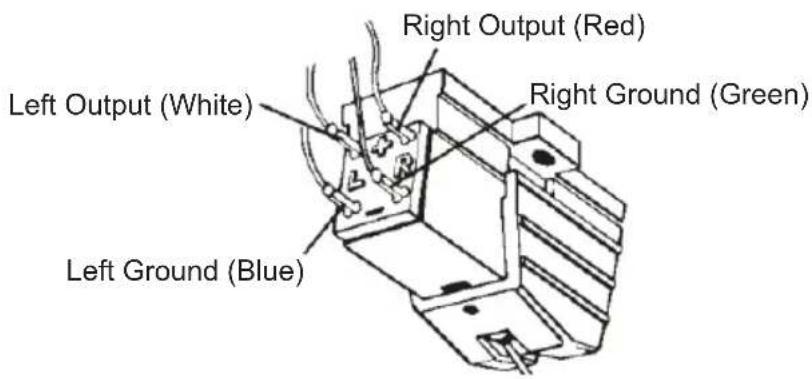
Headshell
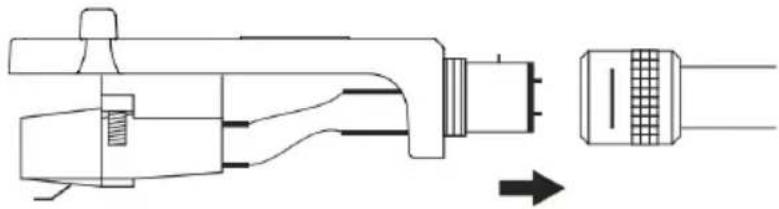
natural_image
Technical line drawing of a mechanical connector assembly (no text or symbols)Electrical Connections
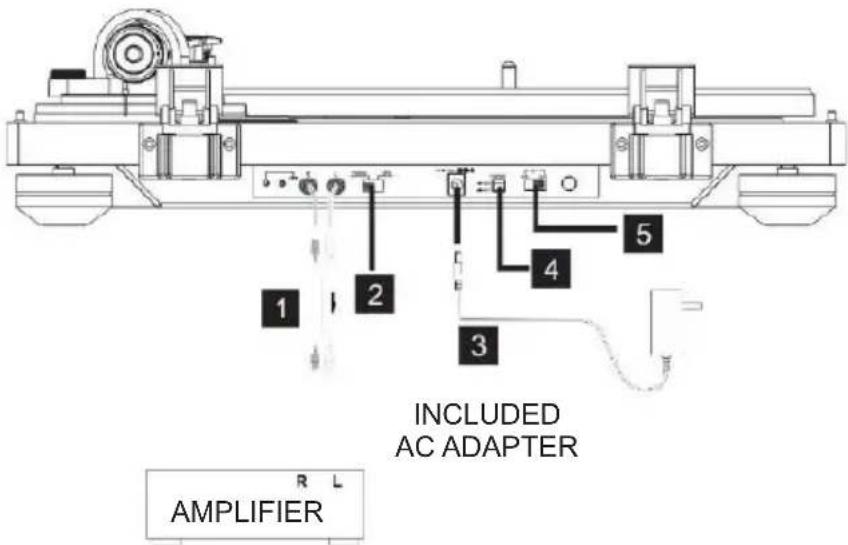
Connections
White (L) Red (R)
White (L) Red (R)
1. Analog audio output jacks (L/R)
These are output analog audio signals.
The PHONO EQ switch setting changes the type of output signal.
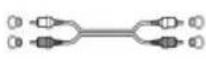
Use the audio cable included (or commercially available ones) to connect other equipment to the output jacks of this unit.

2. PHONO/LINE Selection Switch
- PHONO: Signals that have been amplified by the built-in equalizer amp are output from the analog audio output jacks.
• LINE: Use this when connecting to equipment that has PHONO inputs.
Caution
When set to ON, if connected to the PHONO inputs of an amplifier, for example, the output from speakers and headphones will be very loud, which could damage equipment or harm hearing.
3. DC input connector
• After completing all other connections, connect the included AC adapter to this jack.
- Confirm that the power plug of the AC adapter is plugged into a power outlet.
- Unplug the power cord from the outlet when you are not planning to use the unit for an extended period.
- Do not use any AC adapter other than the one included.
Note
- Be sure to connect the power cord to an AC outlet that supplies the correct voltage. Connection to an outlet that supplies the incorrect voltage could cause fire or electric shock.
- Hold the power plug when plugging it into an outlet or unplugging it. Never pull or yank on the power cord.
4. Power ON/OFF button
- Switch the ON button to turn the unit on or turn off.
5. BT transmitter ON/OFF button
- Switch the ON button to activate Bluetooth or turn it off.
Handling records
Holding records

natural_image
Two hand-drawn diagrams showing a circular object with concentric rings and a small dot inside, no text or symbols present.When holding a record or removing it from its sleeve, avoid touching the grooves by holding the record by its label and edge with one hand or by holding it by its edge with both hands.
Cleaning
- Fingerprints and dust on a record can cause noise and the sound to skip, as well as damage the record itself and the stylus. Use a commercially available record cleaner to clean records. Do not use thinner or anything other than a record cleaner. Such chemicals could harm the surface of the record.
- When using a record cleaner, wipe the surface of the record in a circular motion, following the grooves.
Precautions
- Do not leave records in places that are exposed to direct sunlight or are very hot or very humid. Leaving a record in such a condition for a long time could result in warping or other damage.
- Do not stack multiple records or place heavy objects on top of them. Do not leave records at an angle for long amounts of time either. Doing so could result in warping or other damage.
- Do not allow hard objects to directly touch the audio grooves. Doing so could cause scratches.
• After you finish playing a record, always put it back into its sleeve for storage. Leaving a record unprotected could result in warping or scratching.
- Do not use cracked records.
Basic operation
Playing records
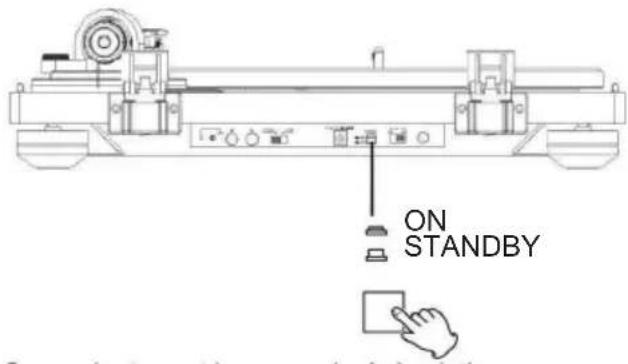
- Press the STANDBY/ON button on the back of the unit to turn it on.
- Open the turntable cover slowly.
- Place a record on the turntable. When playing a 45 RPM large-hole single record, use the adapter included.
- Set according to the rotation speed (RPM) of the record. The rotation speed can be set to 33 or 45 RPM.
- Turn the START/STOP rotation knob to START the turntable.
- When the START/STOP rotation knob is set to START, the turntable will start rotating and the blue LED will light up.
- Move the tone arm clasp to the right to release the tone arm.
- Lift the cue lever.
- You can also leave the cue lever down and move the raised tone arm over the record and then lower the tone arm slowly to start playback.
- Move the tone arm to the edge of the record or the track where you want to start playback.
- Lower the cue lever.
- Lower the tone arm slowly until the stylus touches the record and playback begins. We recommend that you close the turntable cover during record playback to avoid dust.
- Do not place anything on the turntable cover. Objects on the cover might cause noise due to vibrations or fall off, especially during playback.
Caution
- During playback, do not touch the tone arm or the rotating record.
- Do not stop turntable rotation during playback.
- During record playback, feedback could occur if the volume is too loud. If this happens, lower the volume of the amplifier.
How to set pitch
- When the external adapter is connected and powered, turn the pitch function on automatically.
- Use the pitch adjust knob in conjunction with the pitch to vary the platter's rotational speed by as much as +/- 50%.
Pairing Bluetooth to the Stereo System
About Pairing
- To connect the turntable to a Bluetooth receiver device, the turntable needs to pair with the device. Once it is paired, you will not need to pair it again with that device.
How to Perform Pairing
- First, set the Bluetooth receiver device to pairing mode.
- After connecting the turntable's power cable plug to an outlet, switch BT to the ON position on the back panel. The turntable is ready for connection.
- When the pairing is successfully performed, the Bluetooth receiver device will show the Bluetooth connection sound or its indicator will turn blue.
- Switch BT to the OFF position on the back panel. The turntable will cut off the connection.
When playback finishes
- Slightly lift the cue lever or the headshell hook and return the tone arm to its resting position.
- Turn the START/STOP rotation knob to STOP the turntable. When the turntable stops, the blue LED will also switch off.
Specifications:
| Operating voltage | DC 12V---1A |
| Power consumption 0.5 | W in standby;1.5 W in operation |
| Dimensions (L*W*H) 450 x 145 x 360 mm | |
| Unit weight 4.58 kg | |
| Driving method Belt drive | |
| Speeds 33-1/3 and 45 RPM | |
| S/N ratio 35 dB | |
| Cartridge type MM | |
| Needle Audio Technical | AT-3600L |
Remarks:

Don't discard the electrical and electronic appliances in the regular waste disposal.
• Take them to a collection point.
- Some components in these appliances may be hazardous to health and the environment.
- In order to save energy when the unit has no sound output for a while, the unit will be switched to stand-by automatically. It can be switched ON by using the POWER selector again.
- If there is an incoming call while the TT450BT is connected to your cell phone for music playback, it will pause at once when you answer the call and resume after the call ended. (Sometimes it will pause after end the call, it depend on your cell phone.)
- The Bluetooth® word, mark and logo are registered trademarks owned by Bluetooth SIG, Inc. and any use of such marks by Bigben Interactive is under license. Other trademarks and trade names are those of their respective owners.
• THOMSON is a trademark of TECHNICOLOR SA or its affiliates used under license to Bigben Interactive.

- Minimum distances around the apparatus for sufficient ventilation at less 1cm.
- The ventilation should not be impeded by covering the ventilation openings with items, such as newspaper, table-cloths, curtains, etc.;
- No naked flame sources, such as lighted candles, should be placed on this apparatus;
- Attention should be drawn to the environmental aspects of battery disposal;
- The use of apparatus in tropical and / or moderate climates.
The undersigned, Bigben Interactive declares that the radio equipment of the TT450BT type complies with the 2014/53/EU directive.
The complete text is available at www.bigben.fr/support
Manufactured by BIGBEN INTERACTIVE SA
396, Rue de la Voyette
CRT2 - FRETIN
CS 90414
59814 LESQUIN Cedex - France
www.bigben.eu
Made in China





Fabricant : Bigben Interactive FRANCE
396, Rue de la Voyette, C.R.T. 2 Fretin,
CS 90414 - 59814 LESQUIN Cedex, France
natural_image
Vintage typewriter with open lid and beige base, no visible text or symbolsnatural_image
Technical line drawing of a mechanical connector assembly (no text or symbols)natural_image
Two hand-drawn diagrams showing a circular object being held, with no text or symbols present.natural_image
Vintage typewriter with open lid and beige base, no visible text or symbolsISTRUZIONI D'USO
PRIMA DI UTILIZZARE L'APPARECCHIO, LEGGERE PER INTERO IL PRESENTE MANUALE E CONSERVARLO PER CONSULTAZIONI FUTURE.
Indice
natural_image
Technical line drawing of a mechanical connector assembly (no text or symbols)natural_image
Pure electrical connector diagram showing two connected terminals with no text or symbolsBianco (S)
Rosso (D)
natural_image
Two hand-drawn diagrams showing a circular object with concentric rings and a small dot on the inner ring, no text or symbols present.natural_image
Exterior view of a beige vintage gramophone with open lid and black buttons (no text or symbols visible)natural_image
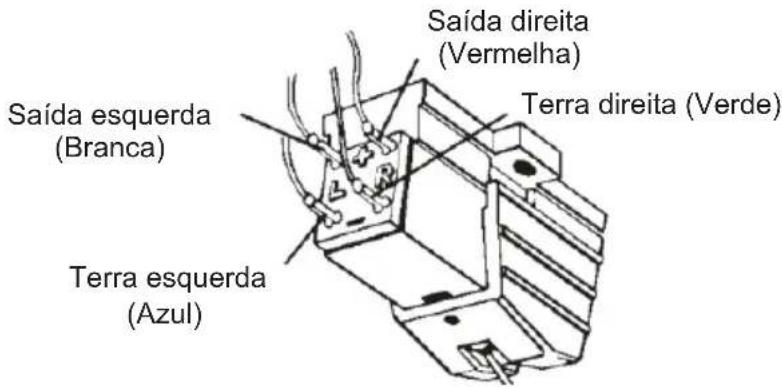
Technical line drawing of a mechanical connector assembly (no text or symbols)Ligações elétricas
natural_image
Two hand-drawn diagrams showing a circular object being held, with no text or symbols present.natural_image
Vintage beige and beige typewriter with open lid, showing black disc and control knob (no text or symbols visible)BEDIENUNGSANLEITUNG
natural_image
Technical line drawing of a mechanical connector assembly (no text or symbols)natural_image
Two hand-drawn diagrams showing a circular object with concentric rings and a small dot inside, possibly illustrating a physical or engineering concept (no text or symbols present)natural_image
Exterior view of a beige vintage gramophone with open lid and black tray (no visible text or symbols)VEILIGHEIDSINSTRUCTIES
LEES DEZE GEBRUIKSAANWIJZING VOLLEDIG DOOR ALVORENS DEZE EENHEID TE BEDIENEN, EN BEWAAR DIT BOEKJE VOOR UW ADMINISTRATIE.
Inhoud
natural_image
Technical line drawing of a mechanical connector assembly (no text or symbols)2. PHONO/LINE keuzeschakelaar
natural_image
Two hand-drawn diagrams showing a circular object with concentric rings and internal features, no text or symbols present.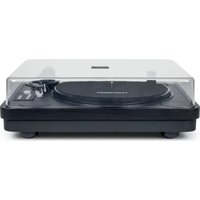
- MODE D'EMPLOI
- ANALOG TURNTABLE WITH BUILT-IN PHONO PRE-AMPLIFIER
- OPERATING INSTRUCTIONS
- Contents
- Setting Started
- Safety and Notice
- Safety
- Warning
- Care for your product
- Care of the environment
- What's in the box
- Power
- CAUTION
- Precautions for use
- Description of Parts
- Dust Cover installation
- Attaching the turntable cover
- Removing the dust cover
- Opening and closing the turntable cover
- Opening
- Closing
- Notes about record styluses
- Headshell
- Electrical Connections
- Connections
- Analog audio output jacks (L/R)
- PHONO/LINE Selection Switch
- DC input connector
- Note
- Power ON/OFF button
- BT transmitter ON/OFF button
- Handling records
- Holding records
- Cleaning
- Precautions
- Basic operation
- Playing records
- How to set pitch
- Pairing Bluetooth to the Stereo System
- About Pairing
- How to Perform Pairing
- When playback finishes
- Remarks:
- ISTRUZIONI D'USO
- Indice
- BEDIENUNGSANLEITUNG
- VEILIGHEIDSINSTRUCTIES
- Inhoud
- PHONO/LINE keuzeschakelaar
Brand : THOMSON
Model : TT450BT
Category : Turntable