XCEL Hunt - Camcorder Spypoint - Free user manual and instructions
Find the device manual for free XCEL Hunt Spypoint in PDF.


| Product Type | Camcorder |
| Brand | Spypoint |
| Model | XCEL Hunt (X-CEL) |
| Video Resolution | 640 x 480 (high resolution) / 320 x 240 (low resolution) |
| Video Format | AVI |
| External Memory | Micro-SD/SDHC up to 8 GB (Class 6 or higher recommended) |
| Field of View | 40° FOV (Hunt model) |
| Exposure | Automatic |
| TV Output | PAL / NTSC |
| Power Supply | 2 AA batteries (lithium recommended) |
| Operating Temperature | -20°C to +50°C |
| Storage Temperature | -30°C to +75°C |
| Compatible Operating Systems | Windows 2000/XP/Vista, Mac OS X |
| LCD Screen | Displays number of videos, resolution, and remaining recording time |
| Sound Recording | Yes, can be enabled/disabled via H/L/SOUND button |
| Waterproof | Up to 10 meters (with appropriate cap) |
| Package Contents | Camera, USB cable, audio/video cable, 4 mounts (scope, bow, helmet, headband), manual |
| Warranty | 1 year parts and labor |
| Repair Service | Contact tech@spypoint.com |
| Spare Parts and Accessories | 24mm scope adapter (SC-24), 30mm adapter (SC-30mm), 4GB Micro-SD card, RD25-1 card reader, PV-9 reader |
Frequently Asked Questions - XCEL Hunt Spypoint
User questions about XCEL Hunt Spypoint
0 question about this device. Answer the ones you know or ask your own.
Ask a new question about this device
Download the instructions for your Camcorder in PDF format for free! Find your manual XCEL Hunt - Spypoint and take your electronic device back in hand. On this page are published all the documents necessary for the use of your device. XCEL Hunt by Spypoint.
USER MANUAL XCEL Hunt Spypoint
natural_image
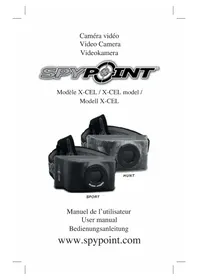
Three black VR headsets with 'HUNT' branding, displayed against a white background (no other text or symbols visible)SPORT
Thank you for choosing a great SPYPOINT product. You can now enjoy many benefits of a second generation of video cameras. The X-CEL was developed and designed by our team of highly qualified engineers. This camera allows you to capture crisp and clean videos while enjoying many sports and hobbies.
FEATURES
• Video resolution 640 x 480
- Video file AVI
• External memory Micro-SD/SDHC card up to 8 GB
- Field of view 70^ FOV (X-CEL SPORT) 40^ FOV (X-CEL HUNT)
- Exposure Auto Exposure
- Play modes Computer / TV
• TV-out PAL / NTSC
• Power source 2 x AA batteries
- Operating temperature (-20 °C to +50 °C)
(-4 °F to +122 °F)
- Storage temperature (-30 °C to +75 °C)
(-22 °F to +167 °F)
- Computer operating system WIN 2000 / XP / VISTA / Mac OS X
KIT INCLUDES
• SPYPOINT X-CEL camera
- USB cable
• Audio/Video cable
- 4 mounting brackets: scope, bow, helmet, forehead mount
- User's Manual
MAIN FEATURES
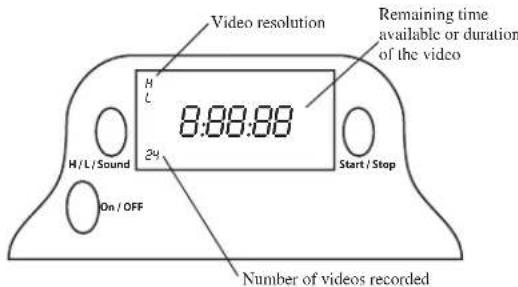
• LCD screen to view the number of recorded videos, video resolution and recording time available on memory card.
• Sound recording
• Water-resistant casing, up to 30 feet.
POWER
Alkaline batteries
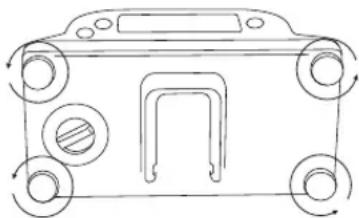
This camera requires 2 AA batteries. We recommend the use of AA lithium batteries since they significantly improve the recording time and are more resistant to cold temperatures. The use of AA alkaline batteries are also recommended. It is important to note that the voltage of rechargeable AA batteries (1.2V) is insufficient to power your SPYPOINT video camera. To insert the batteries, first unscrew the 4 screws behind the camera (see figure below) and insert the batteries as indicated inside the camera case.
natural_image
Line drawing of a car front view with wheels and a door (no text or symbols)Low Battery
When the batteries are low on charge, the resolution setting "H" or "L" (depending on resolution selected) blinks on the screen to notify the user that the batteries must be replaced shortly.
MOUNTING :
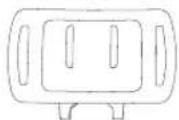
Forehead mount
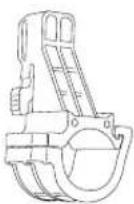
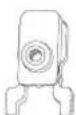
Bow
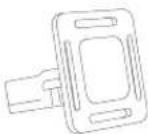
Helmet
Scope
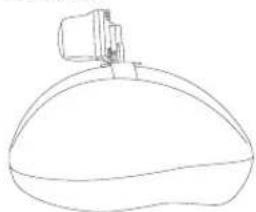
HELMET
natural_image
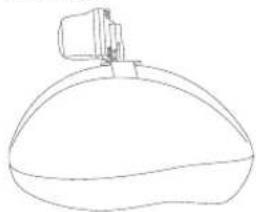
Line drawing of a stylized bottle with a cap on top (no text or symbols)To install the camera directly onto a helmet, use the "helmet" bracket. According to the desired installation, use either the short or the long strap.
SCOPE
natural_image
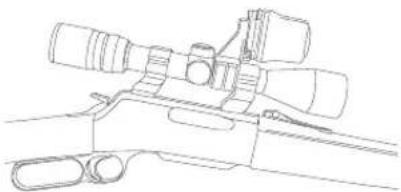
Line drawing of a firearm with scope and barrel (no text or symbols)The diameter of the scope bracket is 1" (24mm) and is suitable for most scopes. Some scopes might not be compatible with this kind of bracket. An optional 1.2" (30mm) adaptor is available (SC-30mm). (Refer to the section « OPTIONS »)
BOW
natural_image
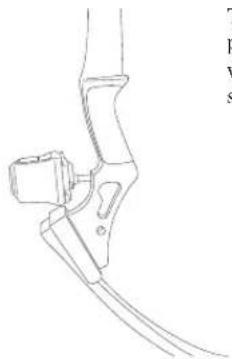
Line drawing of a mechanical device with attached bracket and cable (no text or symbols)The bracket for the bow is normally positioned to the front of the bow, with the screw (included), where the stabilizer is usually located.
FOREHEAD MOUNT
natural_image
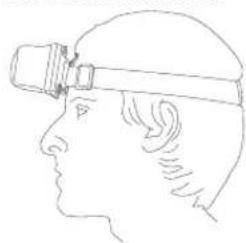
Side profile line drawing of a person wearing a headlamp (no text or symbols)This bracket is used to directly install the camera on the forehead.
MEMORY CARD
Using a Micro-SD memory card (sold separately, refer to the section « OPTIONS ») is required to operate the camera SPYPOINT X-CEL. To insert the card, unscrew the 4 screws located behind the camera (in the same manner as the batteries). The Micro-SD card slot is located at the bottom of the camera (see figure below).
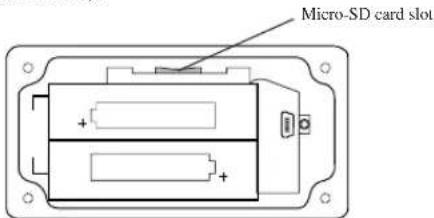
The camera can accept memory cards up to 8 GB. Before inserting or removing the memory card, the camera must be turned "OFF". Failing to do so may cause the loss of videos or damage to the memory card. When the memory card is full, the LCD panel indicates "FULL". The following chart shows the approximate time available for recording videos depending on the memory card capacity.
| 512 MB | 1 GB | 2 GB | 4 GB | 8 GB | |
| High Res.: 640 x 480 | 12 min | 25 min | 50 min | 100 min | 200 min |
| Low Res.: 320 x 240 | 30 min | 60 min | 120 min | 240 min | 480 min |
Note: The use of a class 6 or higher memory card is recommended. A class 2 or 4 memory card may not support a data transfer rate high enough to record video from the X-CEL camera.
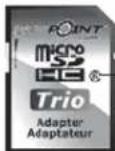
Class 6
SETTINGS
To turn "ON" the camera, press the "ON/OFF" button and hold for 2 seconds. The same procedure is used to turn "OFF" the camera.
This video camera is very easy to use. The only setting needed will be to choose the high resolution "H" or the low resolution "L". To do this, press once on the "H/L/SOUND" button to select "H" or press twice to select "L". In "H" setting, the camera records video in higher quality therefore taking more space on the memory card. See the previous "MEMORY CARD" section to know how much time is available on memory card depending on the setting.
To start recording a video, press the "START/STOP" button. To stop recording, press the same button again.
SOUND RECORDING
For certain activities, such as hunting, the sound recording may not be desired. To enable or disable the sound, press the "H/L/SOUND" button and hold for 3 seconds. When the sound recording is activated, the screen displays "ON" and when it is turned off, the screen displays "OFF".
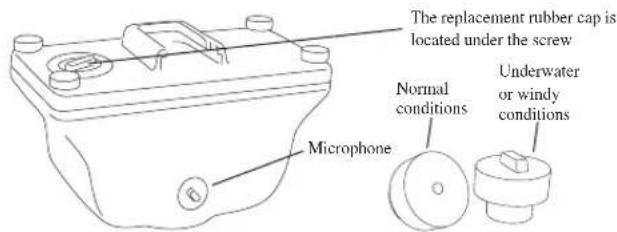
The X-CEL camera has an integrated microphone for recording sound. The rubber cap for "normal conditions" can record sound at all time. If recording video under water, it is important to replace this rubber cap by the "underwater or windy conditions" one to prevent infiltration of water inside the camera. It is also recommended to use this rubber cap in windy conditions. This rubber cap is located inside the camera, under the screw (see figure below).
NUMBERS DISPLAYED ON SCREEN
LCD screen indicates, in the lower-left corner, the number of videos recorded on the memory card. The numbers in the middle of the screen refer to the remaining time available on the memory card. When recording a video, these numbers represent the duration of the video.
DOWNLOADING TO A COMPUTER
To transfer or view photos and videos on a PC, you must first turn the camera « OFF » and connect the USB cable (supplied) to the camera and to your computer. The computer will recognize the camera and install the software automatically. Click on « My Computer » and select « Removable Disk ». Then click « DCIM » and « 100DSCIM » to find all your photos and videos.
Taking the SD card out of the camera and inserting it into the computer port will achieve same results. If no SD slot is built into the computer, a multi-card reader RD25-1 (sold separately) must be used.
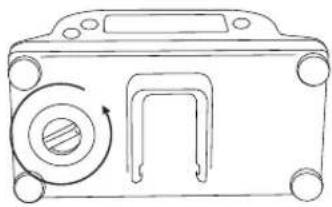
natural_image
Line drawing of a mechanical component with a circular knob and rectangular cutout (no text or symbols)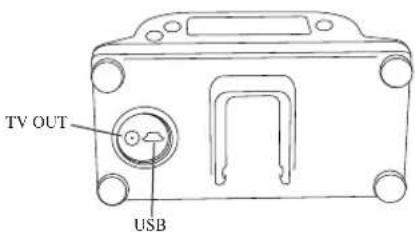
WATCHING FOOTAGE ON A TELEVISION SCREEN
To view recorded videos on TV screen, turn "OFF" your camera. Connect the appropriate cable into "AUDIO / VIDEO IN" of the TV, and the other end of the cable into the "TV OUT" of the camera. (See figure below)
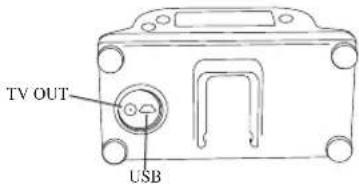
Use the following keys to navigate into the menu displayed on TV:
"ON/OFF" = MENU
"H/L/SOUND" = NEXT
"START/STOP" = PLAY/PAUSE/OK
To watch a video, press "PLAY/PAUSE/OK". The same button is used to stop the video.
To view the following video, press "NEXT".
To see the different options available, press "MENU". To confirm a choice within the menu, press "PLAY/PAUSE/OK"
Delete: Deletes the video on the screen (ONE) or all videos on memory card (ALL).
Language: Selects language.
Exit: Returns to viewing screen.
OPTIONS
See your local dealer or visit www.spypoint.com to find available products. The following items are popular options that can be added to a SPYPOINT camera model X-CEL:
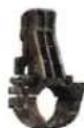
Adaptor 24mm (1 inch), SC-24mm
This adaptor allows placing the camera to a 24mm scope, available in black or camo.
Adaptor 30mm (1.2 inch), SC-30mm
This adaptor allows placing the camera to a 30mm scope, available in camo only.
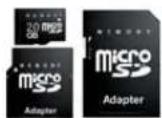
Micro-SD memory card, Micro-SD-4GB
The 3-in-1 kit includes a memory card Micro-SD 4 GB as well as an adaptor for Mini-SD and SD cards. This package can be used for multiple purposes.
Multi-card reader RD25-1
To allow the download of photos and videos directly into a personal computer. This reader works with 25 different types of memory cards and is compatible with SD cards.
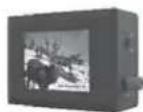
Photo and video viewer, PV-9
Photo and video viewer. 2.5" viewing screen.
LIMITED WARRANTY
SPYPOINT X-CEL designed by GG Telecom, is covered by a one (1) year warranty on material and workmanship starting from its original date of purchase. The sales receipt is your proof of purchase and should be presented if warranty service is needed.
This warranty does not cover any GG Telecom product which has been subjected to misuse, neglect and accidents or has been improperly used or maintained. Any modification or tampering of the product will affect its operation, performance, durability and void this warranty.
REPAIR SERVICE
Repairs for damages not covered by the warranty will be subject to a reasonable charge. For technical assistance, write to tech@spypoint.com. Give a description of the problem with a phone number where you can be reached.
IMPORTANT: Under no circumstances GG Telecom will accept returns without a Return Material Authorization number (RMA).
WWW.SPYPOINT.COM
Note: For the latest update of the user's manual, refer to our website. The version number of this manual is on page 2.
Français
natural_image
Line drawing of a vehicle front view with circular components and directional arrows (no text or symbols)Piles faibles
INSTALLATION DES FIXATIONS
Support frontal
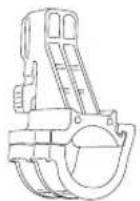
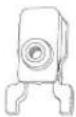
Arc
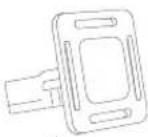
Casque
Télescope
CASQUE
natural_image
Line drawing of a computer mouse with a small object on top (no text or symbols)natural_image
Line drawing of a sniper rifle with scope and bipod (no text or symbols)natural_image
Line drawing of a mechanical component with no visible text or symbolsnatural_image
Side profile illustration of a person wearing a headlamp (no text or symbols)natural_image
Line drawing of a mechanical device with a circular component and a rectangular opening (no text or symbols)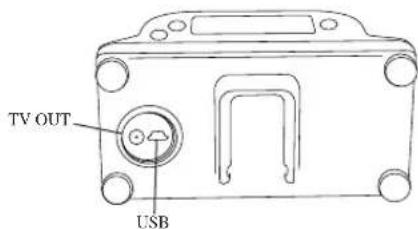
VISIONNER À LA TÉLÉVISION
Adaptateur 24mm, SC-24mm
Adaptateur 30mm, SC-30mm
natural_image
Line drawing of a vehicle front panel with wheels and a door (no text or symbols)Niedriger Batteriestatus
natural_image
Line drawing of a dome-shaped object with a small protrusion on top (no text or symbols)natural_image
Line drawing of a firearm with scope and lenses (no text or symbols)natural_image
Line drawing of a mechanical component or tool with no visible text or symbolsnatural_image
Side profile line drawing of a person wearing a headlamp (no text or symbols)EINSTELLUNGEN
natural_image
Line drawing of a mechanical device with a circular component and rectangular housing (no text or symbols)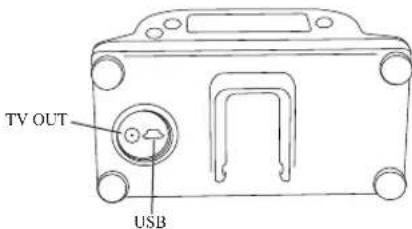
"START/STOP" = PLAY/PAUSE/OK
Adapter 24mm, SC-24mm
Adapter 30mm, SC-30mm
99768 ILFELD / Germany
Tel. +49 (0) 36331/491950
Fax +49 (0) 36331/491959
info@eurohunt.de