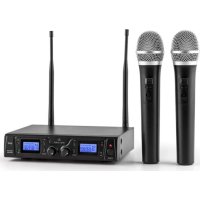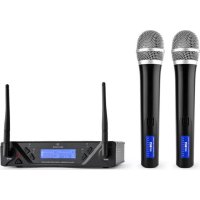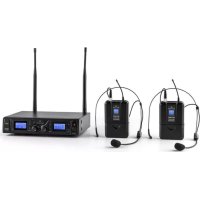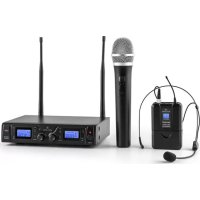
Duett Pro V3 - Microphone Malone - Free user manual and instructions
Find the device manual for free Duett Pro V3 Malone in PDF.


User questions about Duett Pro V3 Malone
0 question about this device. Answer the ones you know or ask your own.
Ask a new question about this device
Download the instructions for your Microphone in PDF format for free! Find your manual Duett Pro V3 - Malone and take your electronic device back in hand. On this page are published all the documents necessary for the use of your device. Duett Pro V3 by Malone.
USER MANUAL Duett Pro V3 Malone
natural_image
Front view of a black MALONE UHF wireless audio receiver with two antennas and digital displays (no readable text or symbols on main body)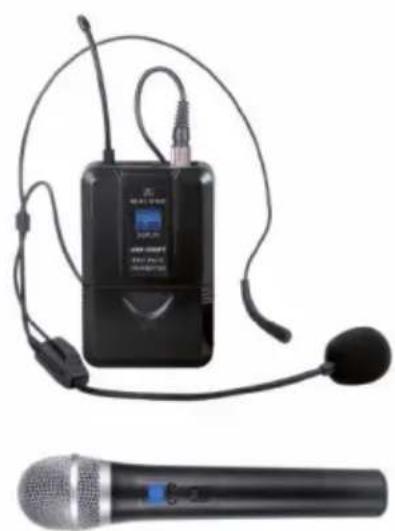
natural_image
Black audio earbuds and a black handheld microphone device (no visible text or symbols)INHALTSVERZEICHNIS
Technische Daten 4
natural_image
Two technical illustrations: (a) a handheld electronic device with cable, and (b) a person wearing a headset (no text or symbols present)FEHLERBEHEBUNG
Member of Berlin Brands Group
Handwerkerstr. 11
15366 Dahlwitz-Hoppegarten
Deutschland
natural_image
Symbol of a trash bin crossed with a diagonal line, no text or numbers presentBerlin Brands Group UK Ltd
PO Box 1145
Oxford, OX1 9UW
United Kingdom
Congratulations on the purchase of your device. Please read the following instructions carefully and follow them to prevent potential damage. We accept no liability for damage caused by disregarding the instructions and improper use. Please scan the QR code to access the latest operating instructions and further information about the product.

CONTENTS
Technical Data 16
Intended use 17
Tips for achieving optimal performance 17
Device Overview 18
Getting Started 21
Troubleshooting 23
Disposal Considerations 24
Declaration of conformity 24
TECHNICAL DATA
| Item number(s) 10026454, 10026455, 10026456 | |
| Frequency frame 823-832 MHz | |
| Range max. 50 m | |
| Frequency response 100 Hz - 18 kHz, +/- 3 dB | |
| THD < 1% | |
| Receiver | |
| Power supply unit: Power supply 230 V / 50 Hz | |
| Receiver: Power supply 13 - 15 V DC, 300-500 mA | |
| Signal/Noise Ratio > 85 dB | |
| Dimensions (W x D x H) 215 x 170 x 50 mm | |
| Item number(s) 10026454, 10026456 | |
| Microphone | |
| Power supply 2 x 1.5 V AA battery | |
| Broadcast band FM | |
| RF Output ≥ 10 dBm | |
| Maximum deviation ± 70 kHz | |
| Dimensions (∅ x H) 250 x 50 mm | |
| Item number(s) 10026455, 10026456 | |
| Belt-Pack | |
| Power supply 2 x 1.5 V AA battery | |
| Broadcast band FM | |
| RF Output ≥ 10 dBm | |
| Maximum deviation ± 70 kHz | |
| Dimensions (W x D x H) 100 x 65 x 30 mm | |
INTENDED USE
This unit is used to transmit speech and singing. It is intended exclusively for this purpose and may only be used for this purpose. It may only be used in the manner described in these instructions for use.
This device is not intended for use by persons (including children) with reduced physical, sensory or mental capabilities, or lack of experience and/or knowledge, unless they have been given supervision or instruction concerning use of the appliance by a person responsible for their safety. Children should be supervised to ensure that they do not play with the device.
The microphone system comes with microphones with integrated transmitters that are used for wireless signal transmission to the receiver unit. The systems operate within the UHF spectrum (823 MHz - 832 MHz). The transmission range is approx. 50 m and depends on the local conditions. The units are designed for indoor use.
TIPS FOR ACHIEVING OPTIMAL PERFORMANCE
- Make sure that you can always see one of the receiving antennas from the transmitting position.
- Keep the distance from the transmitter to the receiver as short as possible.
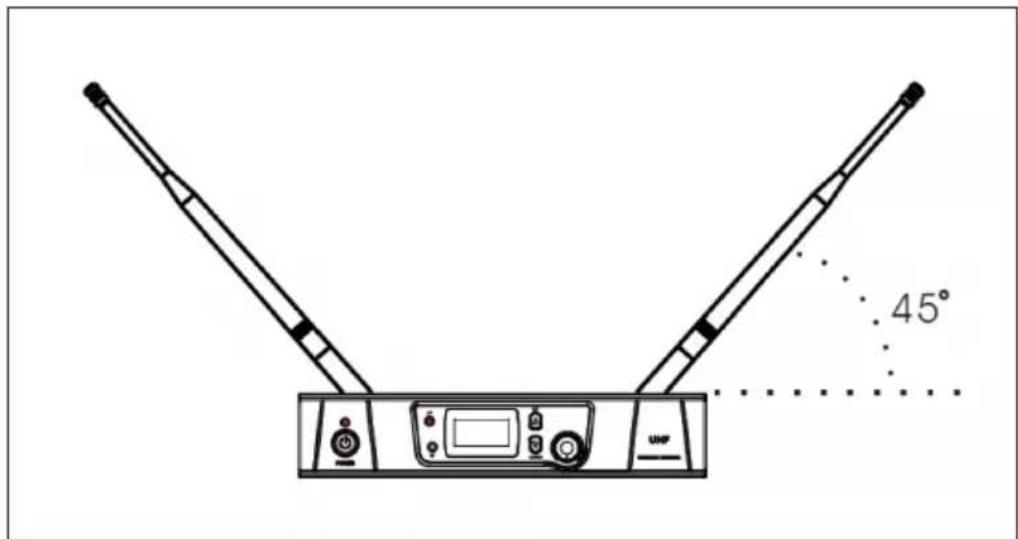
- Set the receiving antennas at an angle of 45^ from vertical.
- Make sure that the receiving antenna is not near any metal surfaces.
- Watch the battery indicator and replace the batteries when the red light is on.
- When using the receiver on a rack or a PA system, make sure that the antennas do not touch or cross each other.
- Test the system out before a demonstration or presentation. If there are any radio holes, change the location of the receiver. If the dead spots still remain, mark them and work around them.
DEVICE OVERVIEW
Reception unit
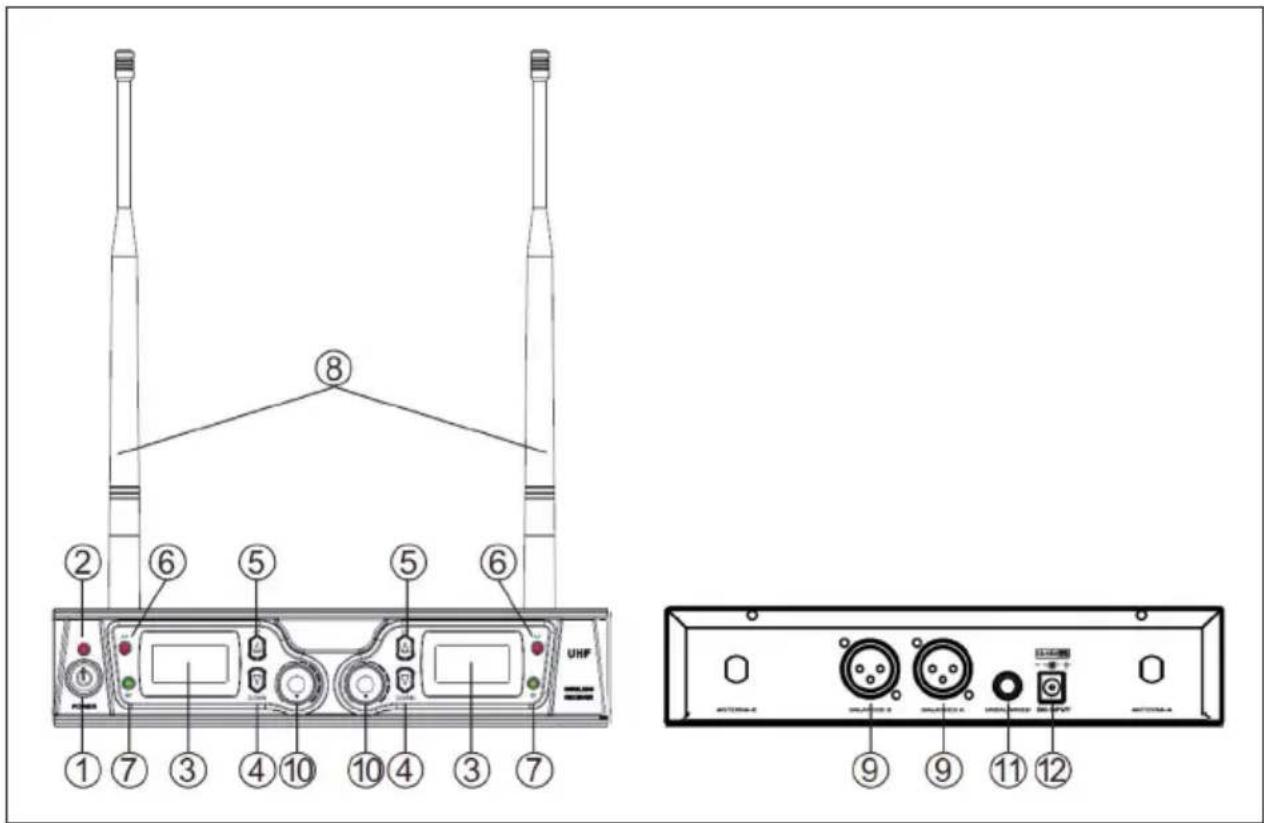
| 1 Power: On/Off switch 7 RF LED - indicates reception | ||
| 2 Power LED 8 Antenna | ||
| 3 LCD display 9 Balanced XLR output | ||
| 4 DOWN (Down) 10 VOLUME (Output volume) | ||
| 5 UP (Up) 11 | 6.3 mm jack output, unbalanced | |
| 6 AF LED 12 Power supply connection | ||
Microphone
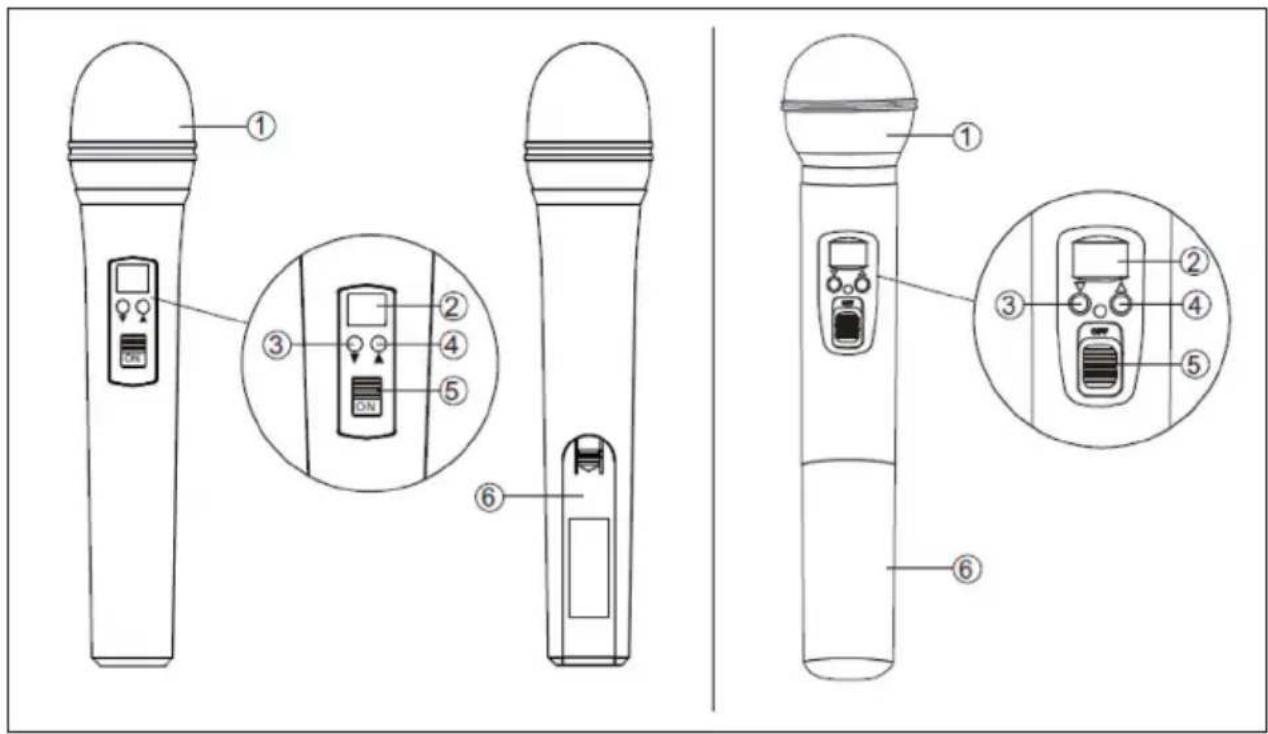
| 1 | Microphone basket: Protects the capsule and reduces popping and breathing noises |
| 2 | LCD display: Displays frequency/channel |
| 3 | DOWN (Down) |
| 4 | UP (Up) |
| 5 | POWER/MUTE (switch on/off / mute) |
| 6 | Battery compartment |
Belt pack
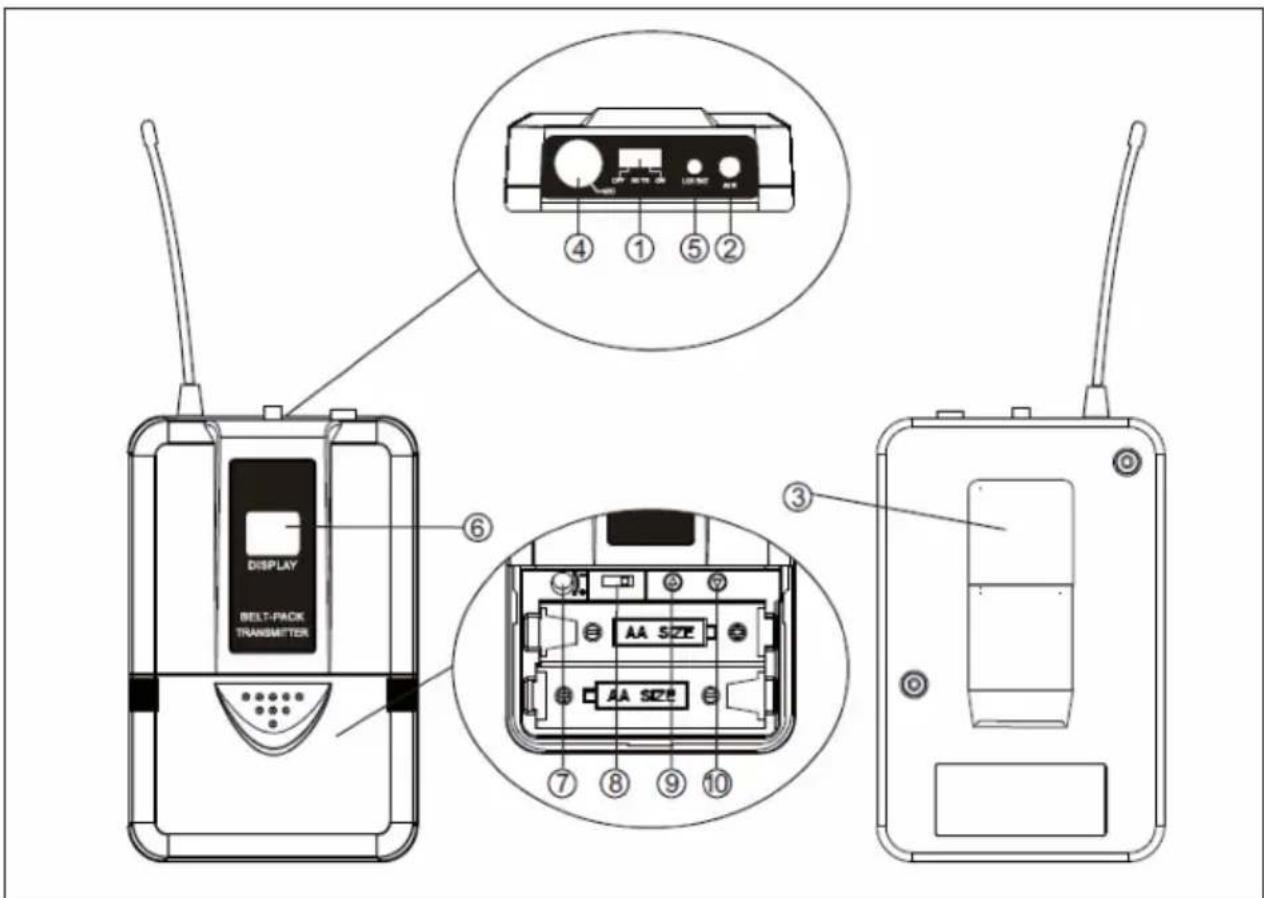
| 1 POWER/MUTE (switch on/off / mute) | |
| 2 Antenna | |
| 3 Belt clip | |
| 4 Audio-In (suitable for lavalier and headset microphones) | |
| 5 LOW-BATT LED: Indicates low battery | |
| 6 LCD display: Displays frequency/channel | |
| 7 GAIN: Adjusts the input sensitivity | |
| 8 | STATE: Switches between input modes for headset or lavalier microphone |
| 9/10 UP/DOWN: Up/down (adjust channel/frequency) | |
GETTING STARTED
Connect the receiving unit to a mains socket using the supplied mains adapter.
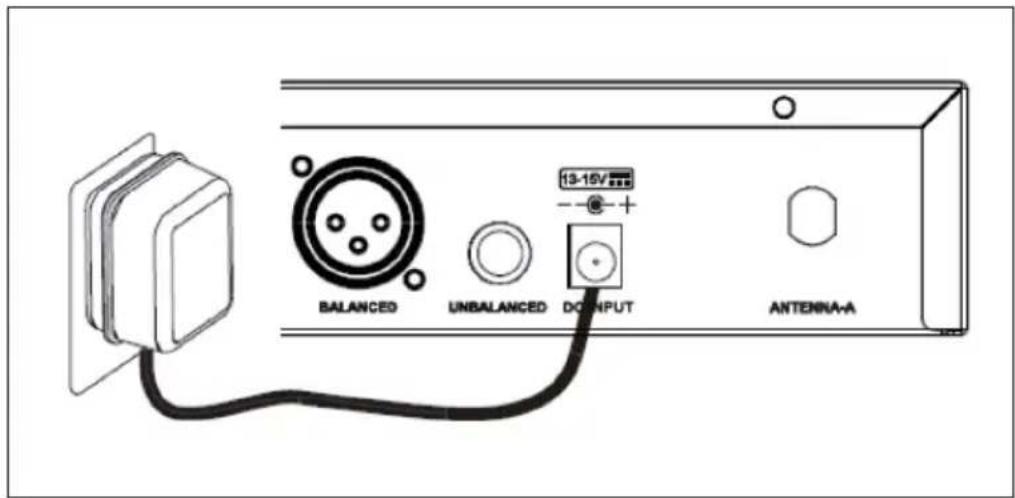
Connect the antennas to the correspondingly marked connectors on the back.
Set the antennas at an angle of about 45^ to guarantee the best possible reception.
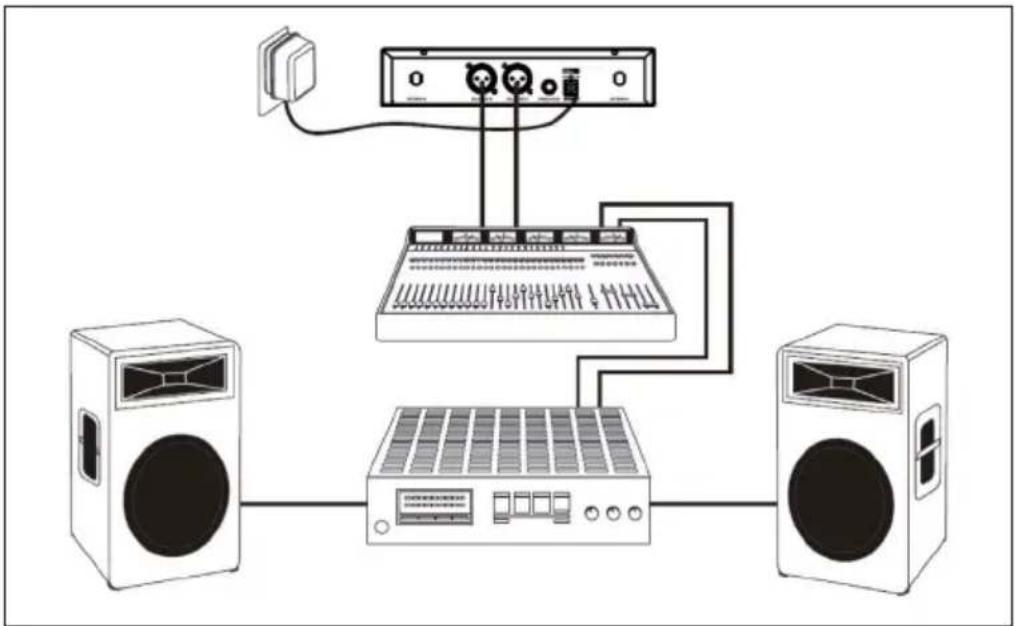
As indicated on the diagram, connect the balanced outputs of the receiver to corresponding inputs of your mixing console, active speakers or similar.
natural_image
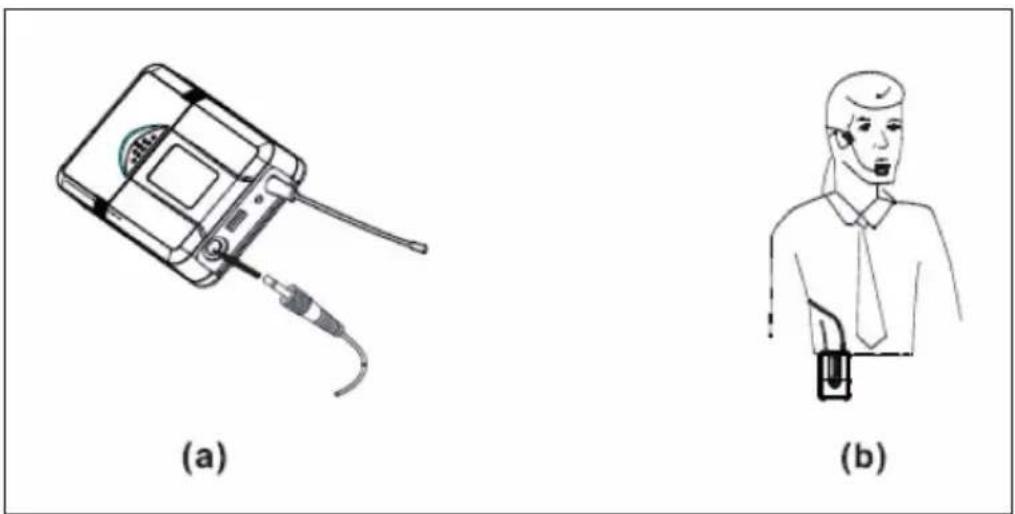
Diagram of audio equipment connections showing speaker, audio jack, keyboard, and two speakers (no text or labels)Connect the supplied headset (10026455 / 10026456) to the belt pack as shown in the picture.
natural_image
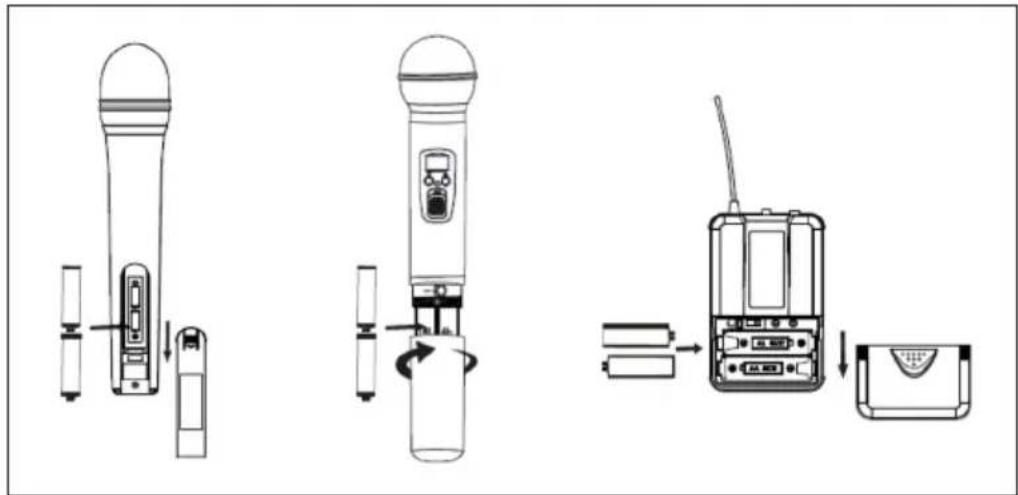
Two technical illustrations: (a) a handheld device with cable and earpiece, (b) a person wearing a headset (no text or symbols)Inserting the batteries
When inserting the batteries, make sure to observe the polarity. To do this, look at the diagrams on the inside of the battery compartments.
TROUBLESHOOTING
| Problem Indicator Possible solution | ||
| No sound. The red transmitter | LED does not light up. | Switch on the transmitter. Make sure charged batteries are installed correctly. |
| The transmitter LED lights up. | Is the mute function activated? | |
| The receiver LEDs light up. | Turn up the volume. Make sure that the connection from the audio outputs to your mixing console or similar is working. | |
| The transmitter LEDs light up, the receiver LEDs do not light up. | Make sure that the frequencies on the transmitter and receiver are set the same. | |
| The signal strength is significantly weaker than with conventional cabling / Different guitars are at different volumes. | The receiver LEDs light up. | Compensate for the problem using the GAIN control on the transmitter and the volume control on the receiver. |
| Sound increasingly distorted. | The receiver LEDs light up. | The batteries are dead. Change them. |
| Interferences are disturbing the sound. | The signal LEDs light up. | Locate possible sources of interference (other transmitters, steel reinforcements). Switch off transmitters that are not needed. Mark "dead spots". |
DISPOSAL CONSIDERATIONS

natural_image
Symbol of a trash bin crossed with a diagonal line, no text or numbers presentIf there is a legal regulation in your country regarding the disposal of electrical and electronic equipment, this symbol on the product or on the packaging indicates that this product must not be disposed of with household waste. Instead, it must be taken to a collection point for the recycling of electrical and electronic equipment. By disposing of this product in accordance with the regulations, you protect the environment and the health of those around you from negative consequences. For information on recycling and disposal of this product, contact your local government or household waste disposal service.
This product contains batteries. If there is a legal regulation in your country regarding the disposal of batteries, the batteries must not be disposed of in household waste. Consult your local regulations for the disposal of batteries. By disposing of this product in accordance with the regulations, you are protecting the environment and the health of those around you from negative consequences.
DECLARATION OF CONFORMITY

Manufacturer:
Chal-Tec GmbH, Wallstraße 16, 10179 Berlin, Germany.
Importer for Great Britain:
Berlin Brands Group UK Ltd
PO Box 1145
Oxford, OX1 9UW
United Kingdom
The complete manufacturer's declaration of conformity can be found at the following link:
https://use.berlin/10026454
Cher client, chère cliente,
SOMMAIRE
Fiche technique 26
natural_image
Two technical illustrations: (a) a handheld electronic device with cable, and (b) a person wearing a headset (no text or symbols present)RÉSOLUTION DES PROBLÈMES
natural_image
Symbol of a trash bin crossed with a diagonal line, no text or numbers presentDÉCLARATION DE CONFORMITÉ

Fabricant :
Chal-Tec GmbH, Wallstraße 16, 10179 Berlin, Allemagne.
ÍNDICE
Datos técnicos 36
Uso previsto 37
natural_image
Diagram of audio equipment connections showing speaker, audio jack, keyboard, and two speakers (no text or labels)natural_image
Two technical illustrations: (a) a handheld device with cable and earpiece, (b) a human figure holding a plug (no text or symbols)natural_image
Symbol of a trash bin crossed with a diagonal line, no text or numbers presentBerlin Brands Group UK Ltd
INDICE
Dati tecnici 46
natural_image
Diagram of audio equipment connections showing speaker, audio jack, keyboard, and two speakers (no text or labels)natural_image
Two technical illustrations: (a) a handheld device with cable and earpiece, (b) a person wearing a headset (no text or symbols)Inserire le batterie:
natural_image
Symbol of a trash bin crossed with a diagonal line, no text or numbers presentBerlin Brands Group UK Ltd
PO Box 1145
Oxford, OX1 9UW
United Kingdom