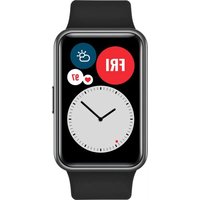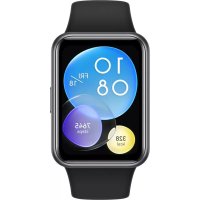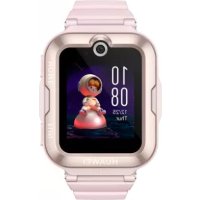
Watch Kids 4 Pro - Smartwatch HUAWEI - Free user manual and instructions
Find the device manual for free Watch Kids 4 Pro HUAWEI in PDF.



| Product type | Smartwatch for children |
| Brand | Huawei |
| Model | Watch Kids 4 Pro |
| Power | Built-in lithium-ion battery, charging via mains adapter (0-35°C) |
| Companion app | HUAWEI FamCare (available on AppGallery) |
| Main functions | Calls, messaging, GPS location, geofencing, school mode, activity tracking |
| Connectivity | GSM 900/1800, WCDMA 900/2100, LTE Band 1/3/7/8/20/28/34/38/40, Wi-Fi 2.4G, Bluetooth 2.4G |
| Operating temperature | 0°C to 35°C |
| Head SAR | 1.03 W/kg |
| Limb SAR | 1.67 W/kg |
| Body SAR | 1.28 W/kg |
| Regulatory compliance | EU Directive 2014/53/EU |
| Frequency bands | GSM, WCDMA, LTE, Wi-Fi, Bluetooth (see details in the manual) |
| Safety instructions | Do not expose to heat, do not disassemble, use under adult supervision |
| Care and cleaning | Wipe with a soft dry cloth, avoid liquids |
| Recycling | Dispose of at a WEEE collection point, in accordance with local regulations |
| Regulatory information | Available in Settings > Device info > Regulatory information |
Frequently Asked Questions - Watch Kids 4 Pro HUAWEI
User questions about Watch Kids 4 Pro HUAWEI
0 question about this device. Answer the ones you know or ask your own.
Ask a new question about this device
Download the instructions for your Smartwatch in PDF format for free! Find your manual Watch Kids 4 Pro - HUAWEI and take your electronic device back in hand. On this page are published all the documents necessary for the use of your device. Watch Kids 4 Pro by HUAWEI.
USER MANUAL Watch Kids 4 Pro HUAWEI
KpaTkoe pyKOBoDCTBO noJIb3OBaTeIa
KbIJaM 6aTay HycKayJIbIbI
Before using the device, visit https://consumer.huawei.com/en/support/ and enter marketing name in the search box to review and download the latest Quick Start Guide.
Downloading HUAWEI FamCare
To download and install the HUAWEI FamCare app, search for HUAWEI FamCare in AppGallery or other app stores.
Operation and safety
- To prevent possible hearing damage, do not listen at high volume levels for long periods.
- Ideal temperatures are 0^ to 35^ .
- Keep the device and the battery away from excessive heat and direct sunlight. Do not place them on or in heating devices, such as microwave ovens, stoves, or radiators. Do not disassemble, modify, throw, or squeeze it. Do not insert foreign objects into it, submerge it in liquids, or expose it to external force or pressure, as this may cause it to leak, overheat, catch fire, or even explode.
The device has a built-in, non-removable battery, do not attempt to remove the battery, otherwise the device may be damaged. - When charging the device, make sure the power adapter is plugged into a socket near the devices and is easily accessible.
Adult supervision is advised if children are to use or come into contact with this product. -
Please consult your doctor and the device manufacturer to determine if operation of your device may interfere with the operation of your medical device.
-
Switch off your wireless device when requested to do so in hospitals, clinics or health care facilities. These requests are designed to prevent possible interference with sensitive medical equipment.
- Switch off your wireless device whenever you are instructed to do so by airport or airline staff. Consult the airline staff about the use of wireless devices on board the aircraft, if your device offers a 'flight mode' this must be enabled prior to boarding an aircraft.
- Pacemaker manufacturers recommend that a minimum distance of 15cm be maintained between a device and a pacemaker to prevent potential interference with the pacemaker. If using a pacemaker, hold the device on the side opposite the pacemaker and do not carry the device in your front pocket.
This product is not designed to be a medical device, and is not intended to diagnose, treat, cure or prevent any disease. All data and measurements should be used for personal reference only. If you experience skin discomfort when wearing the device, take it off and consult a doctor.
Disposal and recycling information
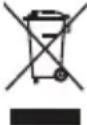
The symbol on the product, battery, literature, or packaging means that the products and batteries should be taken to separate waste collection points designated by local authorities at the end of the lifespan. This will ensure that EEE waste is recycled and treated in a manner that conserves valuable materials and protects human health and the environment. For more information, please contact your local authorities, retailer, or household waste disposal service or visit the website https://consumer.huawei.com/en/.
EU regulatory conformance
Hereby, Huawei Device Co., Ltd. declares that this device ASN-AL10 is in compliance with the essential requirements and other relevant provisions of Directive 2014/53/EU.
The full text of the EU declaration of conformity and most recent information about accessories & software are available at the following internet address: https://consumer.huawei.com/certification.
RF exposure requirements
As recommended by international guidelines, the device is designed not to exceed the limits established by the European Commission for exposure to radio waves.
For the countries that adopt the SAR limit of 2.0W / kg over 10 grams of tissue. The device complies with RF specifications when the device is worn on the wrist and at a distance of 1.0~cm from your face.
Highest reported SAR value: Head SAR: 1.03 W/kg; Limbs SAR: 1.67 W/kg.
Frequency bands and power
Frequency bands in which the radio equipment operates: Some bands may not be available in all countries or all areas. Please contact the local carrier for more details. GSM900: 35.5 dBm, GSM1800: 32.5 dBm, WCDMA900/2100: 25.7 dBm, LTE Band 1/3/7/8/20/28/34/38/40: 25.7 dBm, Wi-Fi 2.4G: 20 dBm, Bluetooth 2.4G: 13 dBm
Please go to Watch-Settings > Device Info > Supervision Info on the device to view the E-label screen.
Français
Painanany kHeKayinci3ik
EctyKa6iTeIHbIKTmAn3aKbIMdanybH60nDbIpMayuHxofapbldbIb6bcdeHeReHHde3aKyaKbITbHdaMaHbI3.
KoJaaiJIbTeMnepaTpaaykbimbl: 0^ - 35^
KypblfnbHbJxhe 6aTapeHb KaTbI bCTbIK Ke3iHe KHe TkeNey Kyh CayncieHn Anbc CaKaTbH3. OnapdbMnKpoToNkbHbI neWtep,neWtep Hemece paNaTopnap cnaKbI XbInbTy KpblfbnapbHbH yCTiHe Hemece iUHe KOImaHb3. Ohb6eKeKteyRe, e3reTpRe, naKtbpyFa Hemece KbCyFA 60MaBd. OrAh 6eDe 3aTAPDb calYfa, OHb cyuBkTBkTApFa 6aTbipyFa He oHaH cbptkb Kyw Hemece Kbcim canyFa 60MaBd, ce6eBi 6yN OHbH aBybHa, Kb3bIN kETyIe, TyTaHybHa Hemece TiTI JxapblbyHa ce6en 60NyMbMYKiH.
Kypblfbla6ekitiren,albH6aBtbn6batape6bonca,6batapehbyanyaopeket etneH3,eyTnece,KpblfblzakbIMdaNyblMmKiH.
KypbIfnbHb3apraTafHKe3e KyaT aanTepi KpbIbnFaapdbH KaHbIHdAfbp03eTKaFA KOcbIHa HKeHe KOJ OHai KeTeTIiHe Ke3 JeTki3iH3.
- Bana nap ocbi eHimdi nai daIahca Hemece ofan Tnce, epeceKTH 6aKbIayby ycbHbIaIbI.
KypbIfbl Kymblcbl MeiunuHaJIbIK KypbIflbl KymblcHbHa Keepri KeTIpetihn AhbIKay ysiH epiRepre XeHe Kpyblbl EHNipyicine xa6apnacBhl3.
ApyxhaHaapda, emxhaHaapda HeMece DeHcayIbIK caKdTay MekeMepeIHde cOnai icTey cypaIraHa, cbIMcb3 KypblfHbI eWipih3. Byn cypaynap ce3riu MeiunHaibIK Ka6dbkneH bIKTmam KeepriHi 6oBdIPmay yuih apHaHaH.
- 3yexkai Hemece aye xenici Kbi3MeTkepnei Hcyay bepce rha CbIMcb3 KypbIfBihc Ewipih3. 3ye xenici Kbi3MeTkepiH yka6optbHda cbimcb13 Kypblfblapdbia naDanahy Tpaanb cypaHb3, Kypblfblb3 «YkaPekMmH»CbHca, OHbyaKaMiHec 6ybpH Kocy KaKeT.
KapnOCTMnyIaTOpraKepepi KeTIpy bIKTmAlbH 6oJIbIPMaay yIiH KApNIOCTMnyIaTOp eHIpyuinep KypblfBMeH KapNIOCTMnyIaTOp apacbIHda eH a3 15 cKaIbIKbIK caKaTaNbIH YCbIHaDbI. Erep KapNIOCTMnyIaTOp naJaHaHbINca, KypblfBInb KaPnIOCTMnyIaTOpdbIH KapaMaKapcbl XaftbIHda YCTaHb3 XeHe KypblfBbHb I aNDbIHb KaNTaHb3 Da TaCbIMAh3.
BvIeHIMMeiunHaNbIK KpybInfbl6onyfa apHaImaHaH XHe aypyPbIa HbIKayr,EmdeYre,KeHJTeYrE Hemece andbH anyFa apHaImaHaB. BapNbIK DepeKTepe MeH eIWeMepdI TeK XeKe aHbIKTaMa peTINde naDanaHy Kepe.
KoIO XeHKe KaIa eHdey typanblaknapaT
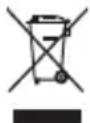
OHMderi, 6atapera4bI, OKyblkTaBHeMece 6yMa4aTah6eHIMpeMn 6bAep MeH 6bAtpaernapbKb3MeT Mep3iMoHbHa JxepriNtI opraHAp KepcTeKHBeNKoKbcXHHay HYKeTenePihe anapy Kepektirih Binipei. Byan Ta6a EEE KOkbciH Kyhda MaTePmaIadpbi caKaTaNtBnH XHe aam DeHCayBfMeH KopuafAnop TaHb KopFaTbH Konmeh eHDeniyH XHe KaTb EHNaH KAMTaMaCb3 EtDi. Kocmbia aknapat any yuiin xepriNtIKimiiike, catyubifa HeMece TpyMbICTbIKoKbictbIXOO Kb3MeTIHe xaabapnaCbH3 Hemece https://consumer.huawei.com/en/ Be6-caHtba KipH3.
EO HopmatNBtIK cKeTirl
Ocbkyat apkblHuawei Device Co., Ltd. Komnahnacbl 6yN KpbIbHbHn 2014/53/EU DnpeKTHBaCbHbH Heri3r TaanTapBm H6acka da Tnicti
epexepine caike KeetihmJlmdei.
EO caikecik DeKnapauncbHbIH ToBk MeTHi KeHe KepeK-kaPaKaTap MeH 6afapnamabIK KpaJI TpyaJI bI coHfBI aKnapaT MbHa HHTepHET MeKeHHaBHJa KOJIeTIMdi: https://consumer.huawei.com/certification.
PK acepi TaanTapb
XaIbIkapanblk HcyckaynapdbH ycbHbICTapbl 60nbHwa KpypbIbFlb EyponaIbIK Komnccn opHaTKaH paNtKaH acepiH weirHeh acnaTbH etin KObaHraH.
10 rpaMm Tihre 2,0 Bt/kr MCK JIMMTIH Ka6bIaHaH eIepre apHaHaH. Kypblfbi 6ineKTe To3FaHda XeHe 6etih3eH 1,0 cm KaubkTBikTa 6oNfaHda Kpyblfpi PKX texHnKaIbIK CnataTamaIapbHa ceiKeC KeJIeI.
EHXofapbixa6apnHaMCKmHI:Bac MCK:1.03BT/kr;AraKTap MCK:1.67BT/kr
3neKtpOnD6enri 3kpaHbIN Kepy yuiH KpbIbIbIa NapamTpnpep > KpbInfblTypanblaknapat > Kaaraanay aknapaTbI (Watch-Settings> Device Info > Supervision Info) TapMaFbHa 0tiH3.
Mmnprep
XWC «Xyabé TeKhoJOnOJn3 Ka3axCTaH» 050059, DocTBi DaHfbIbI 210, Bm3HeC zHeTp "Grand Koktem", 1-Ui 6Iok, 11-Ui 3Tak, BoctaHbIK aydaHbI, AImaTb I, Ka3akCTaH Pecny6JIHKacBi
Bahasa Indonesia
https://consumer.huawei.com/certification.
huwei@huawei.com/certification
ywnnnn nn nnnnnnnnnnnnnnnnnnnnnnnnnnnnnnnnnnnnnnnnnnnnnnnnnnnnnnnnnnnnnnnnnnnnnnnnnnnnnnnnnnnnnnn
eannnnnne annnnnne anennnne anannnne anannnne anannnne anannnne anannnne anannnne anannnne anannnne anannnne anannnne anannnne anannnne anannnne anannnne anannnne anannnne anannnne anannnne anannnne anannnne anannnne anannnne anannnne anannnne anannnne anennnne anannnne anannnne anannnne anannnne anannnne anannnne anannnne anannnne anannnne anannnne anannnne anannnne anannnne anannnne anannnne anannnne anannnne anannnne anannnne
Portugues (Portugal)
J 1 J 1 J 1 J 1 J 1 J 1 J 1 J 1 J 1 J 1 J 1 J 1 J 1 J 1 J 1 J 1 J 1 J 1 J 1 J 1 J 1 J 1 J 1 J 1
y j 1
a 1
(RF)
A 10 1.0 a
1.67:152 103:152
2.
a
aagglg jie gaii no aaiil jia caiqian
jia jia jia jia jia jia jia
Aoo
ydi d jie jie jie kla la yai jial jai aai ai 5 jai gai
aal 1 aal alal alal alal alal alal alal alal alal alal alal alal alal alal