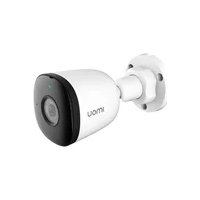
IPCF22A - Camera IMOU - Free user manual and instructions
Find the device manual for free IPCF22A IMOU in PDF.



| Brand | Imou |
| Model | IPCF22A |
| Product type | Indoor/Outdoor Surveillance IP Camera |
| Resolution | 2 MP (1920 x 1080) |
| Viewing angle | 92° (diagonal) |
| Night vision | Infrared up to 10 meters |
| Audio | Built-in microphone for two-way audio |
| Power supply | PoE (Power over Ethernet) IEEE 802.3af |
| Connectivity | Ethernet RJ45 10/100 Mbps |
| Storage | Compatible NVR or Imou cloud (subscription required) |
| Dimensions (L x W x H) | 170 x 70 x 70 mm |
| Weight | 400 g |
| Housing material | ABS plastic and metal |
| Protection rating | IP67 (dust and water resistant) |
| Main functions | Motion detection, push alerts, night vision, two-way audio, ceiling or wall mount |
| Operating temperature | -30°C to +60°C |
| Maintenance and cleaning | Clean the lens with a soft dry cloth. Avoid solvents. |
| Security | SSL/TLS encryption, password protection, firmware update |
| Spare parts and repairability | Parts not provided by the manufacturer. Repair possible by an authorized center. |
| Package contents | Camera, installation template, waterproof connector, screw kit, quick start guide |
| General information | 2-year warranty. Technical support by email: service.global@imoulife.com |
Frequently Asked Questions - IPCF22A IMOU
User questions about IPCF22A IMOU
0 question about this device. Answer the ones you know or ask your own.
Ask a new question about this device
Download the instructions for your Camera in PDF format for free! Find your manual IPCF22A - IMOU and take your electronic device back in hand. On this page are published all the documents necessary for the use of your device. IPCF22A by IMOU.
USER MANUAL IPCF22A IMOU
natural_image
Technical line drawing of a mechanical component with cylindrical and flanged parts (no text or symbols)www.imoulife.com
Welcome
Thank you for choosing IMOU.
We are devoted to providing you easy smart home products.
If you have problems using the product, please contact
our service team before returning your product.
Our service mail: service.global@imoulife.com
Frequently asked questions can be found at imoulife.com/support/help


Package content
EN
natural_image
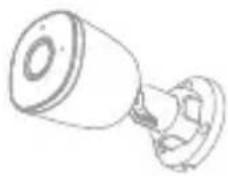
Line drawing of a mechanical component with a cylindrical top and flanged base (no text or symbols)Camera ×1
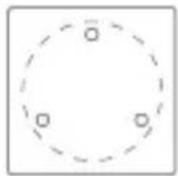
Positioning Map ×1 Waterproof Connector ×1

Screw Package ×1
Quick Start Guide ×1
Camera introduction
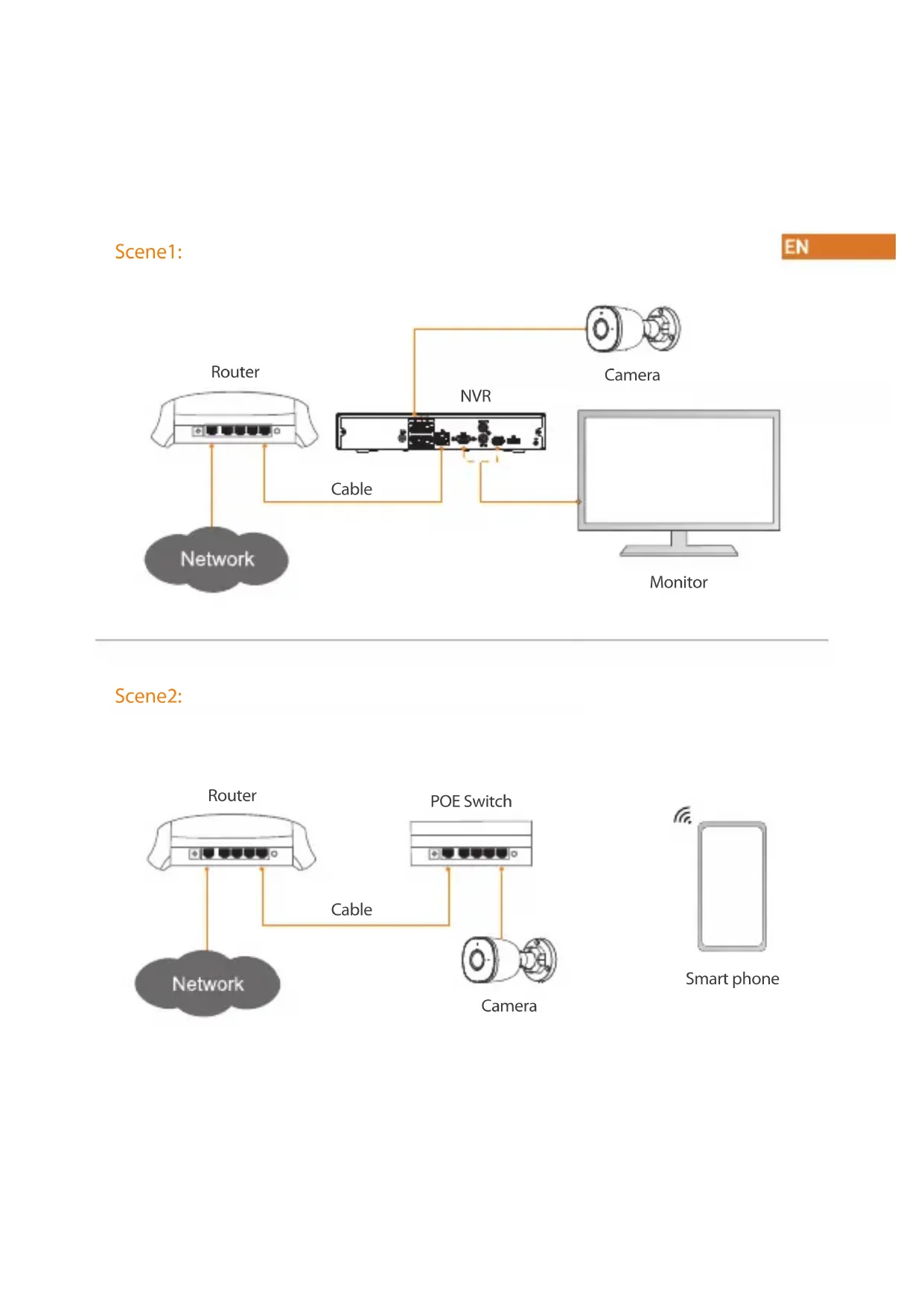
Scene1:
EN
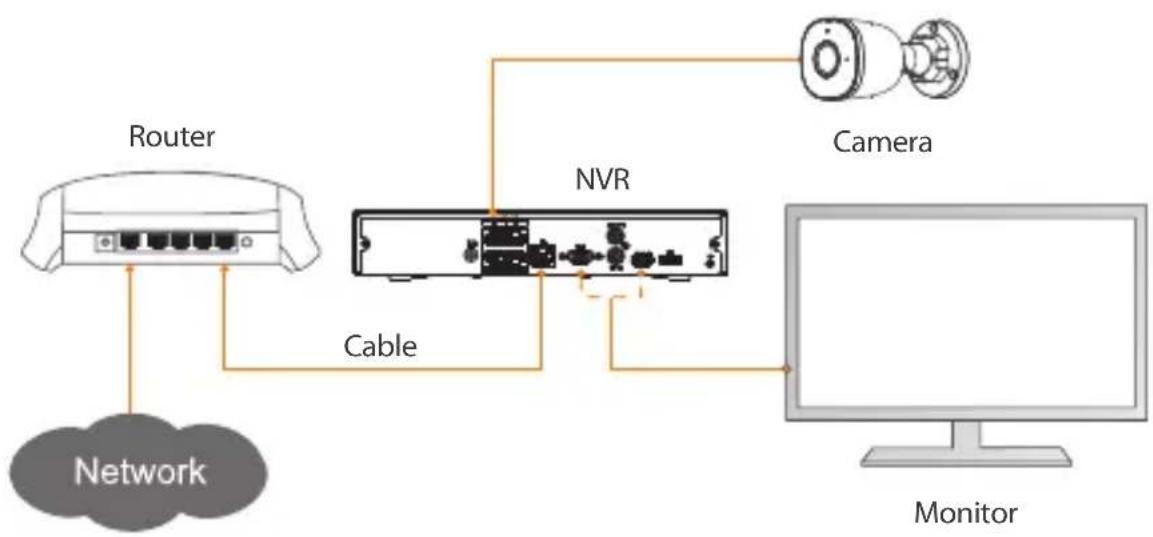
flowchart
graph TD
    A["Network"] --> B["Router"]
    B --> C["NVR"]
    C --> D["Camera"]
    C --> E["Monitor"]
    style A fill:#ccc,stroke:#333
    style B fill:#fff,stroke:#333
    style C fill:#fff,stroke:#333
    style D fill:#fff,stroke:#333
    style E fill:#fff,stroke:#333
Scene2:
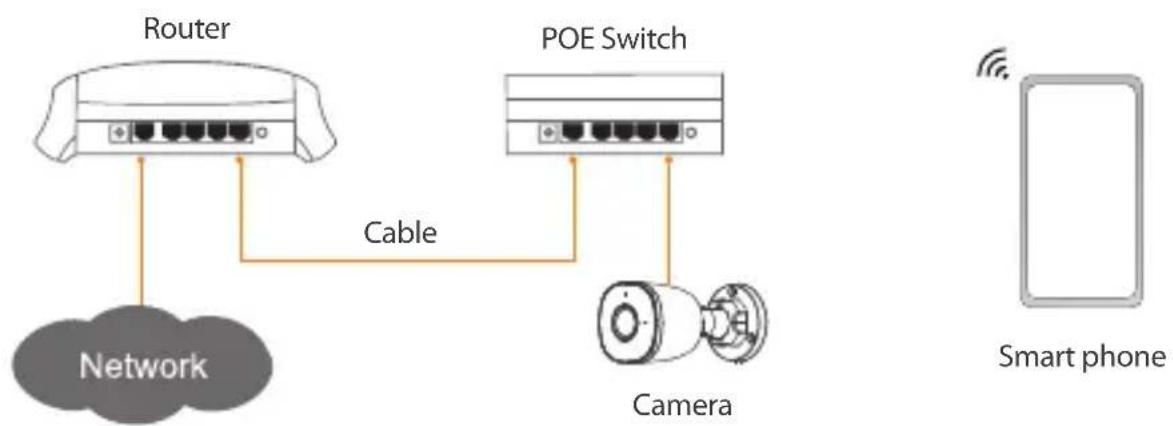
flowchart
graph TD
    A["Router"] -->|Cable| B["POE Switch"]
    B -->|Cable| C["Camera"]
    C --> D["Smart phone"]
    style A fill:#f9f,stroke:#333
    style B fill:#f9f,stroke:#333
    style C fill:#ccf,stroke:#333
    style D fill:#dfd,stroke:#333
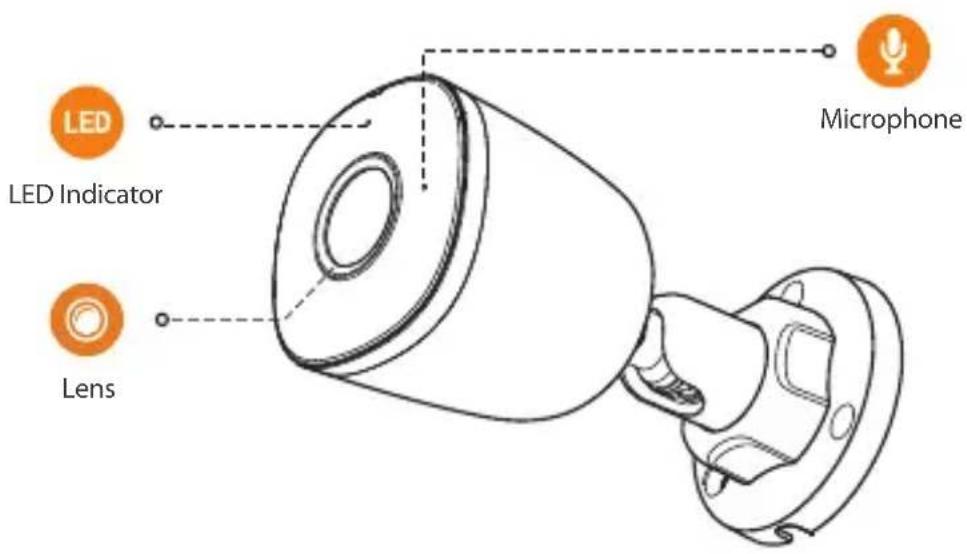
The pattern of the LED indicator is included in the following table.
| LED Indicator Status | Device Status |
| Off | Powered off/LED turned off |
| Red light on | BootingDevice malfunction |
| Green light on | Operating properly |
| Red light flashing | Network connection failed |
| Green and red lights flashing alternately | Firmware updating |
1
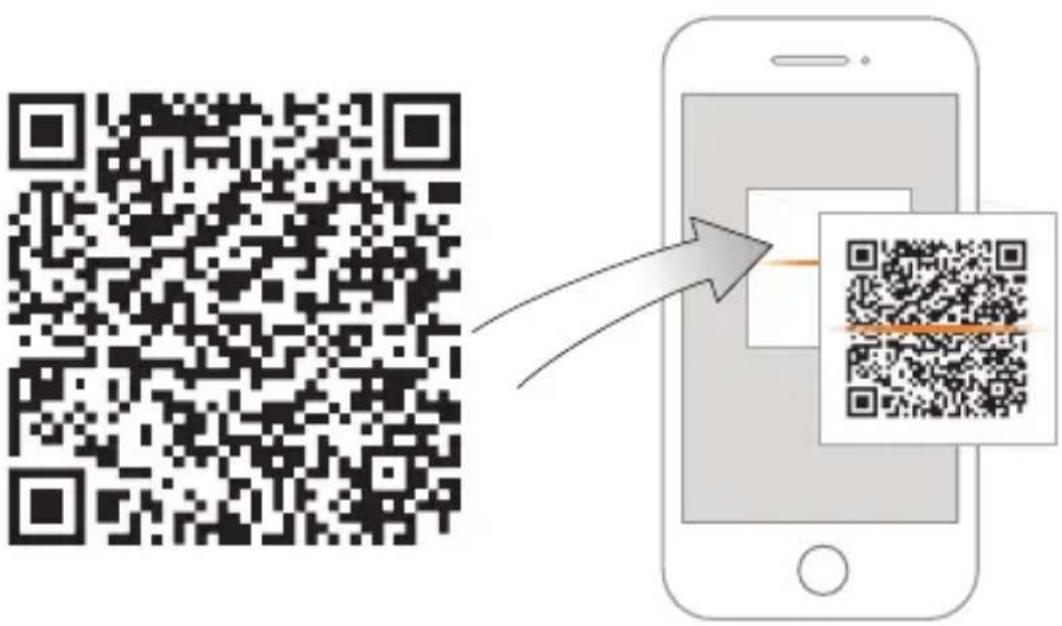

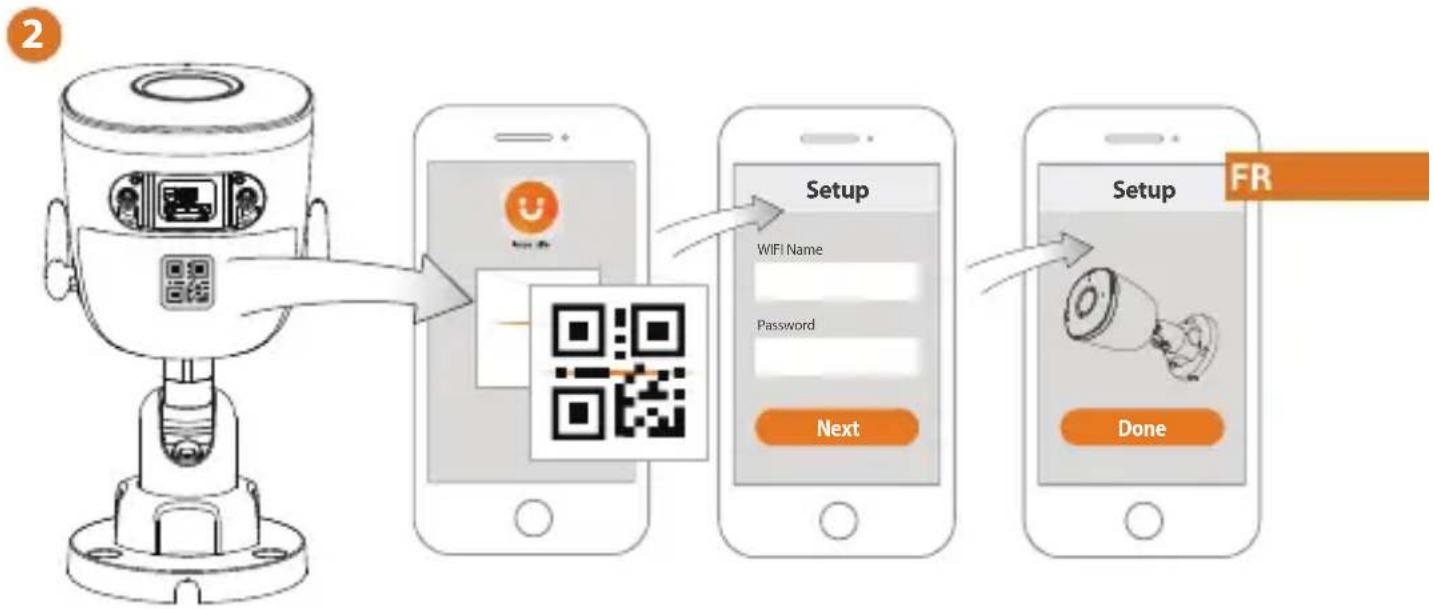
2
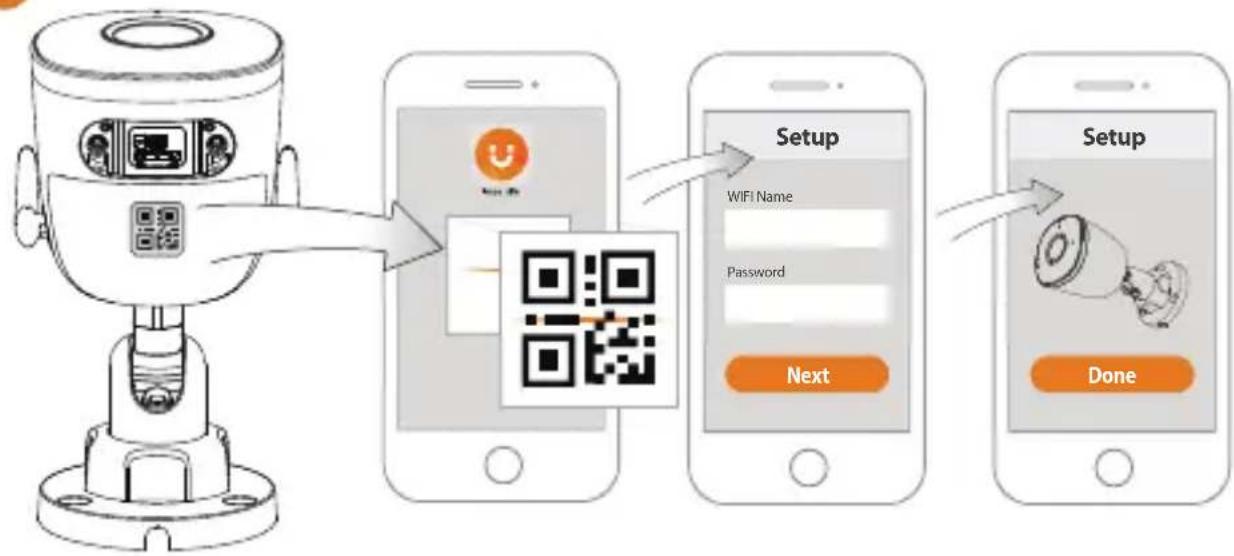
flowchart
graph LR
    A["User authentication device"] --> B["QR code scanning"]
    B --> C["Setup Setup"]
    C --> D["Next Setup"]
    D --> E["Done Setup"]
EN
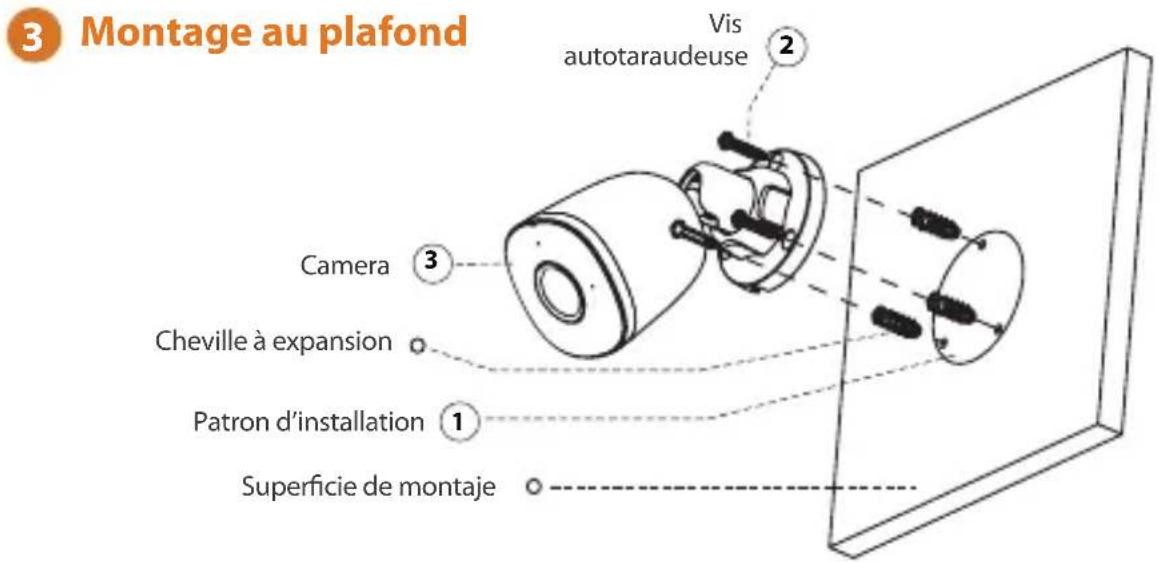
3
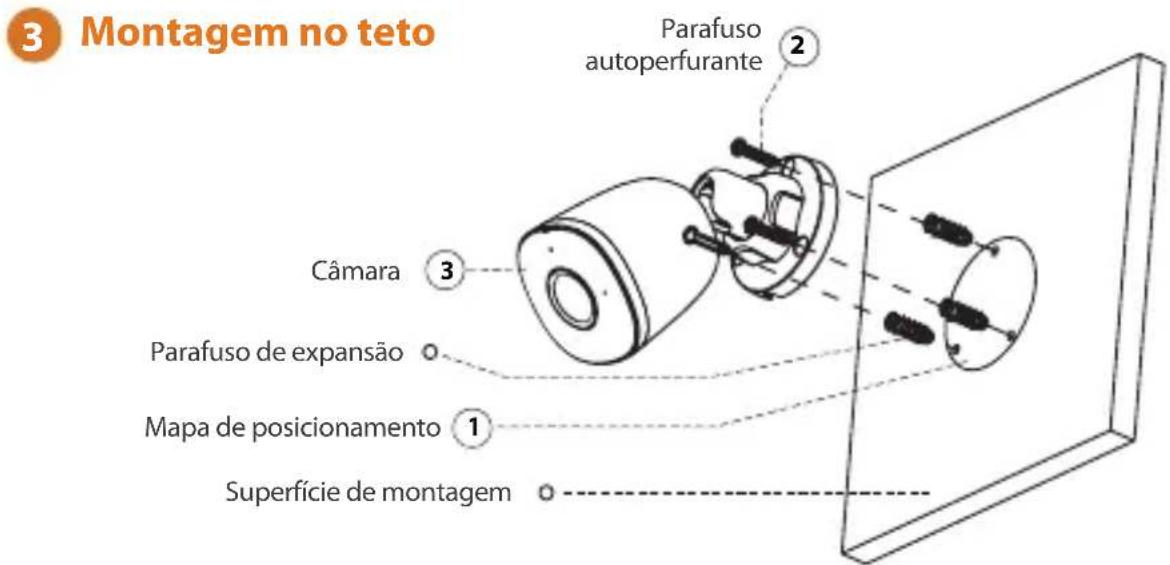
Ceiling Mounting
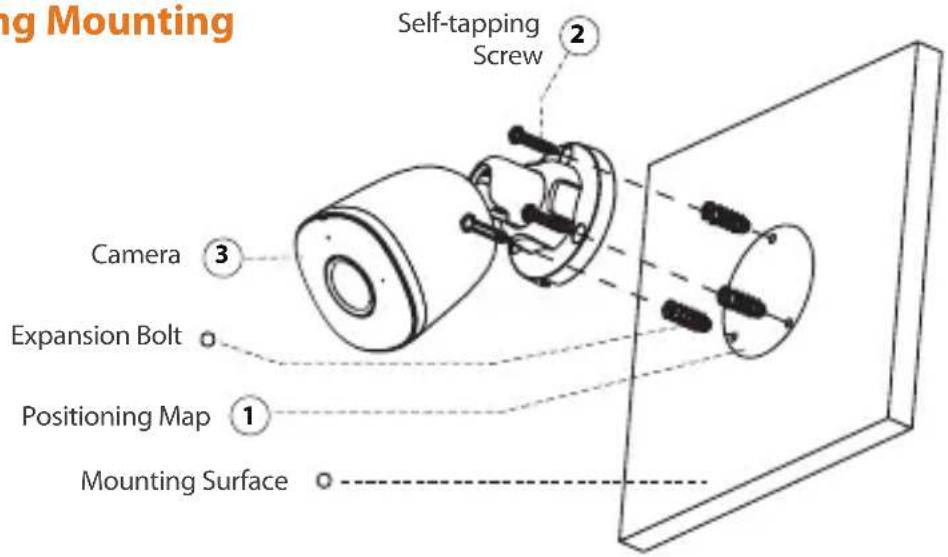

Troubleshooting
EN
| Problem Solution | |
| The camera cannot work normally or start | Make sure that the network cable is connected well, and the NVR or switch supports POE power supply. |
| Where are the recorded videos saved | Scene1Recorded videos are saved in NVR.Scene2When the lmou cloud is enabled, recorded videos are saved in lmou cloud.Scene3The infrared light is reflected to the lens, so the effect is not good.Adjust the lens angle to avoid occlusions around the lens. |
| The IR effect is not good | The infrared light is reflected to the lens, so the effect is not good.Adjust the lens angle to avoid occlusions around the lens. |
Kurzanleitung
F22A
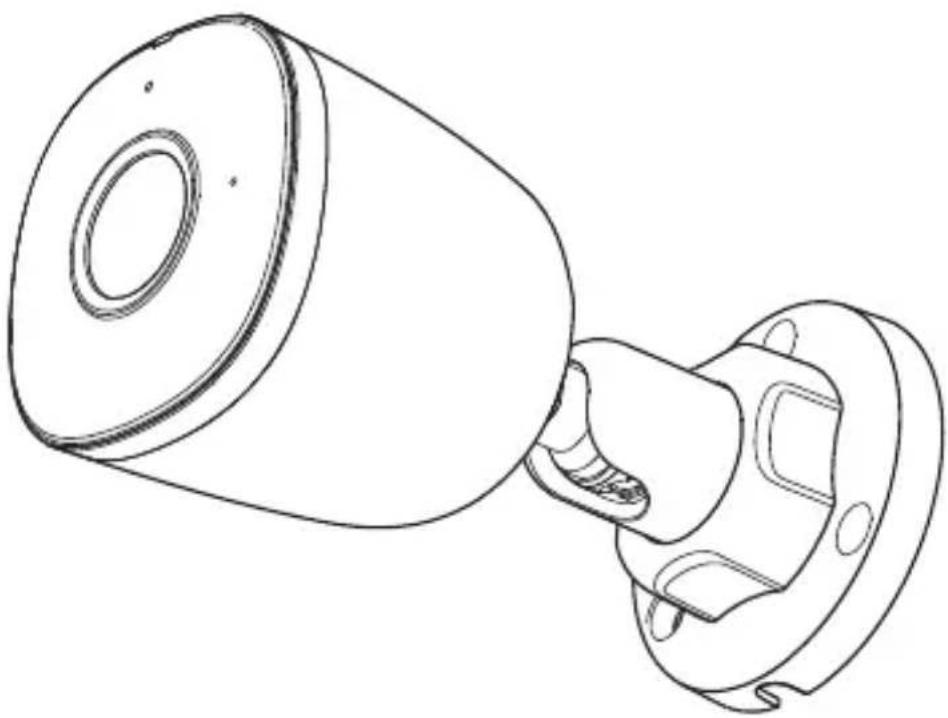
natural_image
Technical line drawing of a mechanical component with cylindrical and flanged parts (no text or symbols)Willkommen
DE

Packungsinhalt
DE
natural_image
Line drawing of a mechanical component with a cylindrical top and flanged base (no text or symbols)Kamera ×1

Montageschablone ×1

2

flowchart
graph LR
    A["Sensor"] --> B["Setup"]
    B --> C["Next Setup"]
    C --> D["Done Setup"]
    style A fill:#f9f,stroke:#333
    style B fill:#ccf,stroke:#333
    style C fill:#cfc,stroke:#333
    style D fill:#fcc,stroke:#333
DE
3
Deckenmontage
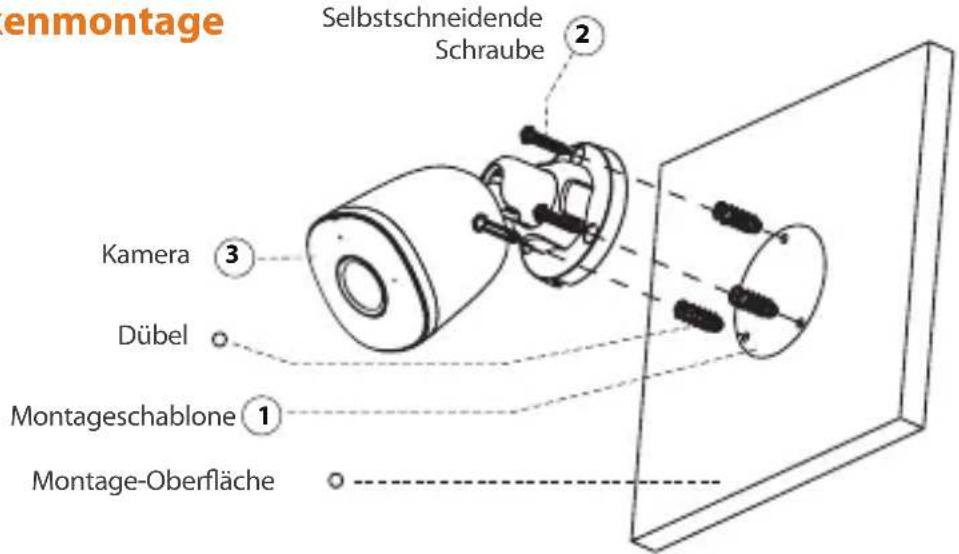
Fehlerbehebung
natural_image
Technical line drawing of a mechanical component with cylindrical and flanged parts (no text or symbols)Bienvenido


natural_image
Illustration of a person sitting on a sofa with a coffee table and QR code in the background (no text or symbols)natural_image
Line drawing of a mechanical component with a cylindrical top and flanged base (no text or symbols)Cámara ×1

2
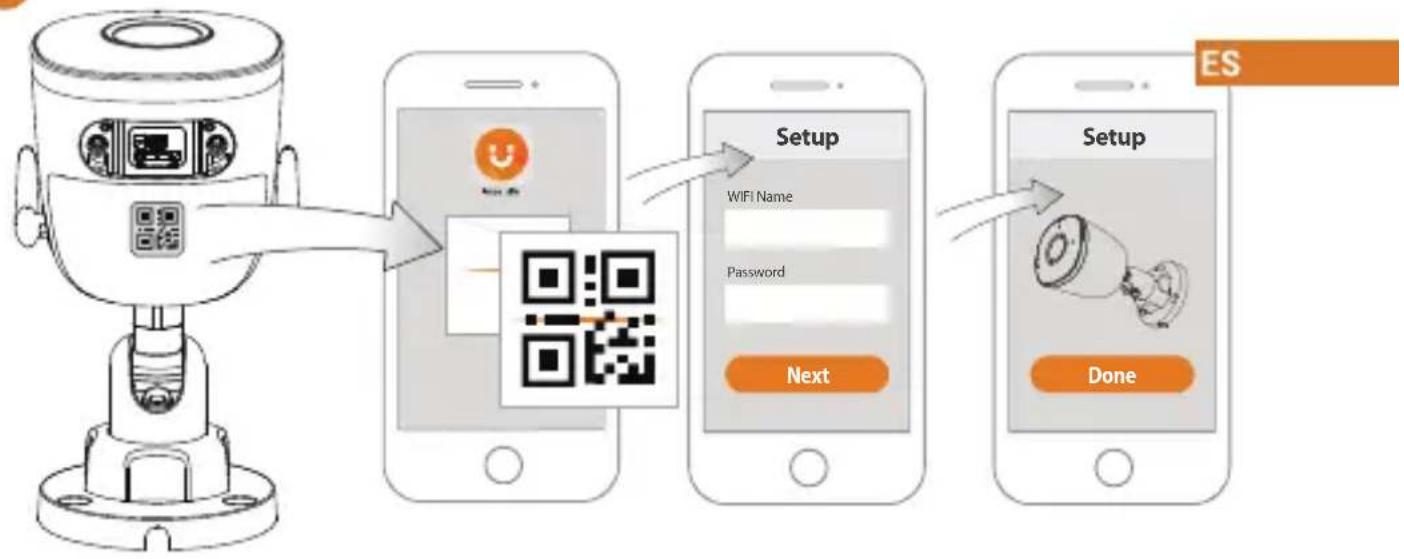
flowchart
graph LR
    A["User"] --> B["QR Code"]
    B --> C["Setup Setup"]
    C --> D["Next Setup"]
    D --> E["Done Setup"]
    style A fill:#f9f,stroke:#333
    style B fill:#ccf,stroke:#333
    style C fill:#cfc,stroke:#333
    style D fill:#fcc,stroke:#333
    style E fill:#cff,stroke:#333

natural_image
Line drawing of a mechanical component with a cylindrical top and flanged base (no text or symbols)Caméra×1
natural_image
Pure diagram of a mechanical component with no text or symbols
flowchart
graph LR
    A["Sensor"] --> B["Mobile Phone"]
    B --> C["Setup"]
    C --> D["Next"]
    D --> E["Setup"]
    E --> F["Done"]
natural_image
Technical line drawing of a mechanical component with cylindrical and flanged parts (no text or symbols)www.imoulife.com

Benvenuti

natural_image
Technical line drawing of a mechanical component with flanged ends and a cylindrical top (no text or symbols)natural_image
Pure mechanical component diagram without any text, numbers, or symbols
2
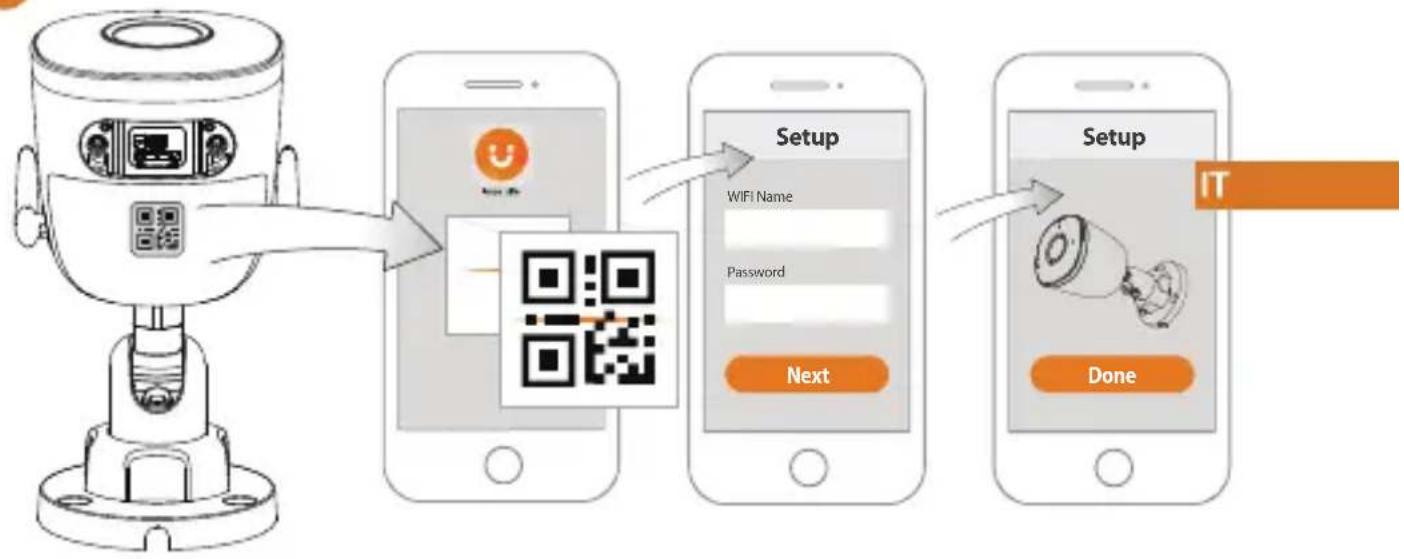
flowchart
graph LR
    A["User"] --> B["QR Code"]
    B --> C["Setup"]
    C --> D["Next"]
    D --> E["Done"]
    style A fill:#f9f,stroke:#333
    style B fill:#ccf,stroke:#333
    style C fill:#cfc,stroke:#333
    style D fill:#fcc,stroke:#333
    style E fill:#cff,stroke:#333
3
natural_image
Technical line drawing of a mechanical component with cylindrical and flanged parts (no text or symbols)www.imoulife.com
Welkom

natural_image
Illustration of a person sitting on a sofa with a coffee table and a QR code in the background (no text or symbols)Inhoud verpakking
natural_image
Line drawing of a mechanical component with a cylindrical top and flanged base (no text or symbols)Camera×1

2
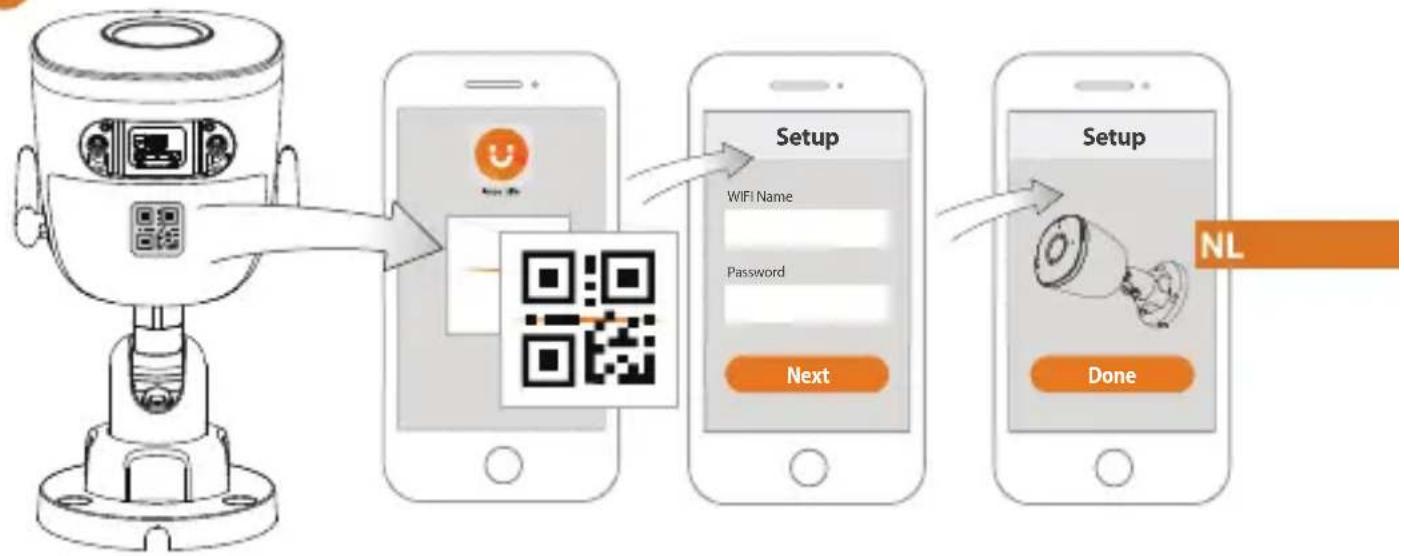
flowchart
graph LR
    A["Sensor"] --> B["Mobile Phone"]
    B --> C["Setup"]
    C --> D["Next"]
    D --> E["Done"]
    style A fill:#f9f,stroke:#333
    style B fill:#ccf,stroke:#333
    style C fill:#cfc,stroke:#333
    style D fill:#fcc,stroke:#333
    style E fill:#cff,stroke:#333
3
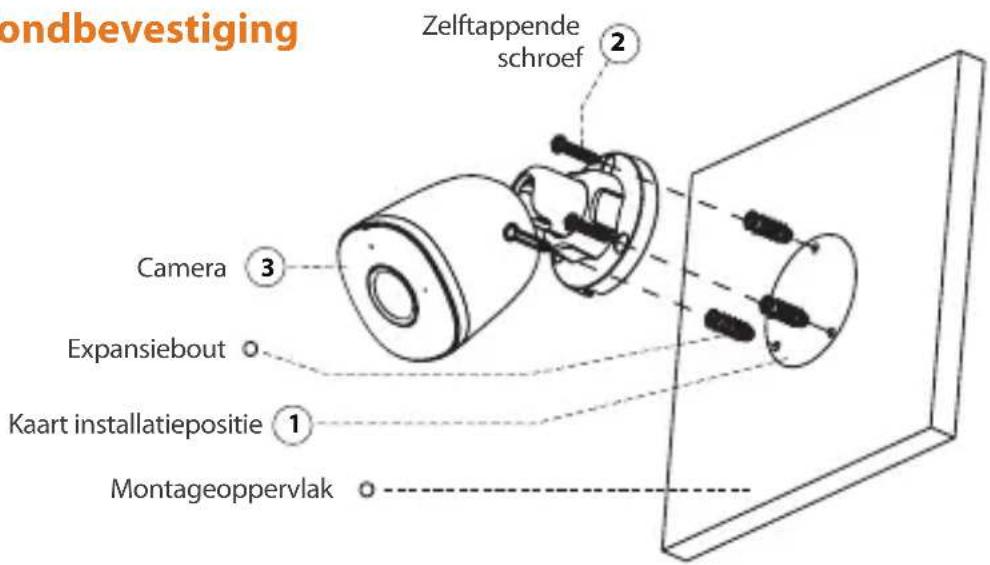
Plafondbevestiging
natural_image
Technical line drawing of a mechanical component with cylindrical and flanged parts (no text or symbols)www.imoulife.com
Bem-vindo
PT
natural_image
Line drawing of a mechanical component with a cylindrical top and flanged base (no text or symbols)Câmarax1 Mapa de posicionamento x1
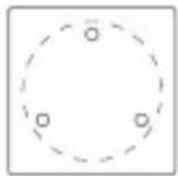

Conector impermeável ×1
PT

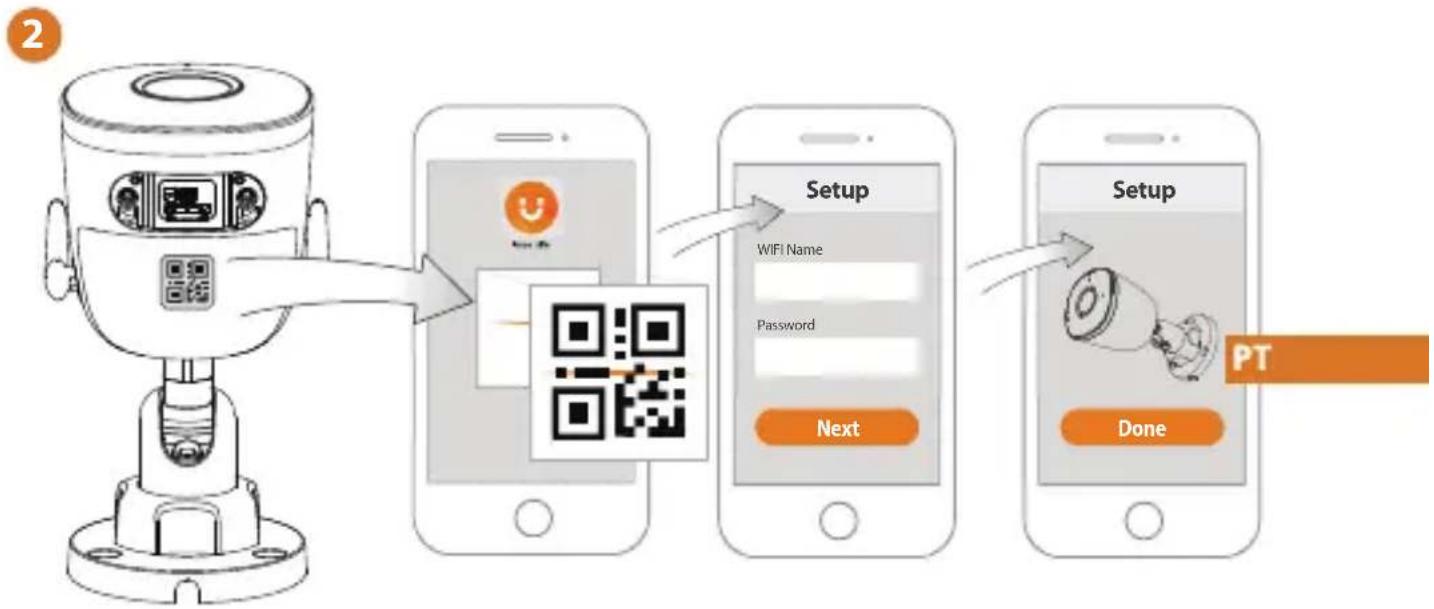
flowchart
graph LR
    A["Sensor"] --> B["Setup"]
    B --> C["Next"]
    C --> D["Setup"]
    D --> E["Done"]
    style A fill:#f9f,stroke:#333
    style B fill:#ccf,stroke:#333
    style C fill:#cfc,stroke:#333
    style D fill:#fcc,stroke:#333
    style E fill:#ffc,stroke:#333
Solução de problema


Brand : IMOU
Model : IPCF22A
Category : Camera