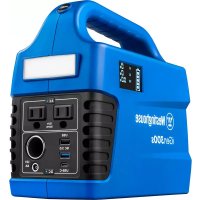
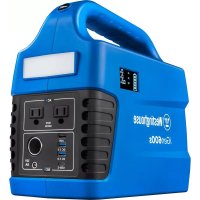
iGen300s - Portable generator WESTINGHOUSE - Free user manual and instructions
Find the device manual for free iGen300s WESTINGHOUSE in PDF.

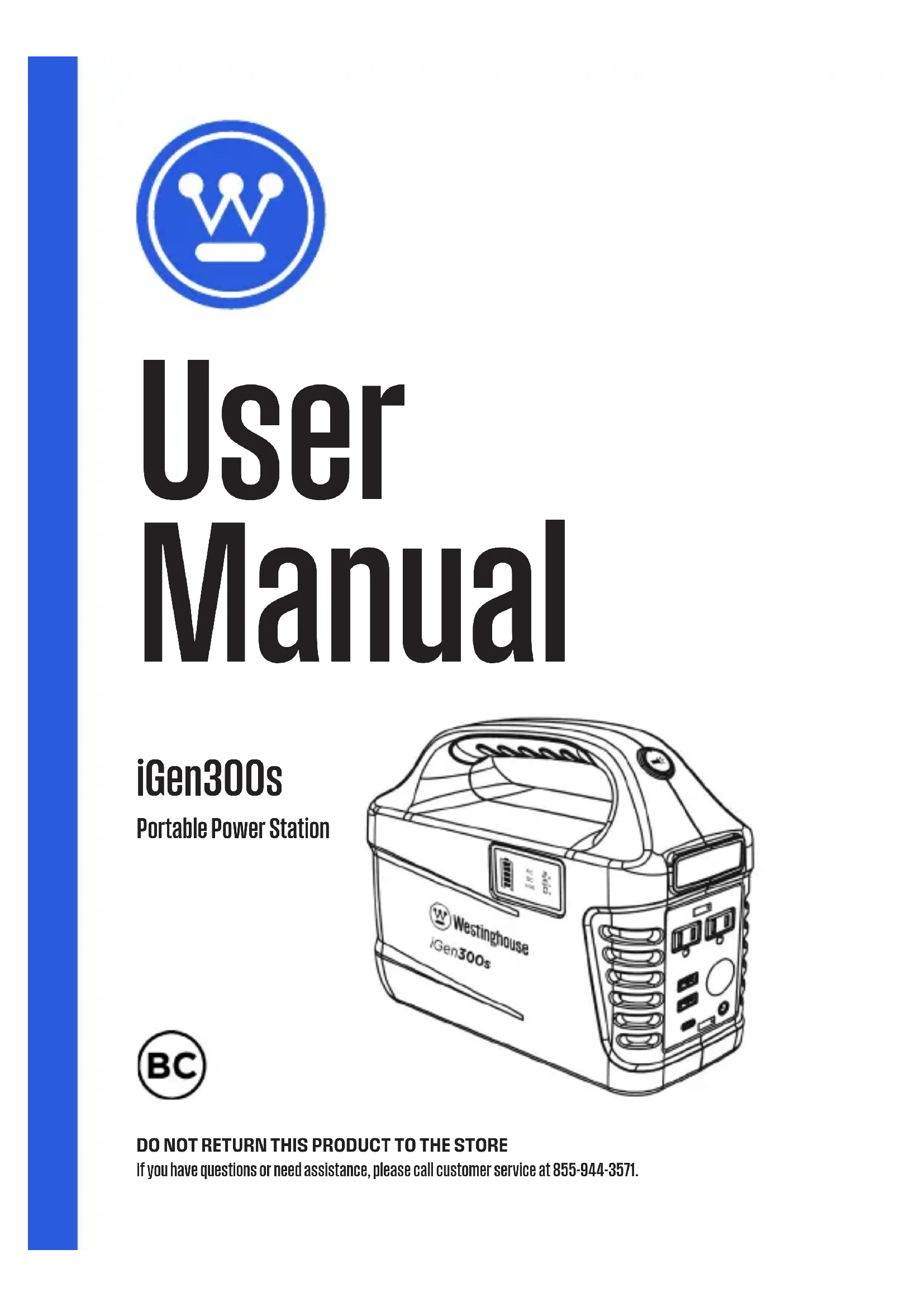


| Brand | Westinghouse |
| Model | iGen300s |
| Product Type | Portable Power Station / Portable Electric Generator |
| Battery Capacity | 296 Wh (80,000 mAh) |
| Battery Chemistry | Lithium-ion (Li-ion NMC) |
| Rated Power (Continuous) | 300 W |
| Peak Power | 600 W |
| AC Output Voltage | 120 V |
| AC Output Frequency | 60 Hz |
| Waveform Type | Pure Sine Wave |
| USB Outputs | USB-A (5 V/2.4 A), USB-A QC 3.0 (5/9/12 V up to 3 A, 18 W), USB-C PD (5/9/12 V up to 3 A, 18 W) |
| 12V DC Output | 6mm port (12V/8A) and cigarette lighter (12V/8A, 96W max) |
| Charging Input | AC wall charger (100-240V), 12V car charger, solar panel (max 19V) |
| Charging Time (AC) | 6 to 8 hours |
| Cycle Life | 500 cycles to 80% capacity |
| Operating Temperature | -10°C to 40°C (14°F to 104°F) |
| Warranty | 2 years |
| Certifications | FCC, RoHS, UN38.3 |
| Additional Features | Flashlight with SOS mode, LED display of power and status |
| Protections | Overload, short-circuit, and overheat protection |
| Maintenance | Fully recharge every 3 months in storage; store in a cool, dry place |
Frequently Asked Questions - iGen300s WESTINGHOUSE
User questions about iGen300s WESTINGHOUSE
0 question about this device. Answer the ones you know or ask your own.
Ask a new question about this device
Download the instructions for your Portable generator in PDF format for free! Find your manual iGen300s - WESTINGHOUSE and take your electronic device back in hand. On this page are published all the documents necessary for the use of your device. iGen300s by WESTINGHOUSE.
USER MANUAL iGen300s WESTINGHOUSE
natural_image
Blue circular icon with a white crown symbol (no text or numbers)User Manual
iGen300s
Portable Power Station
natural_image
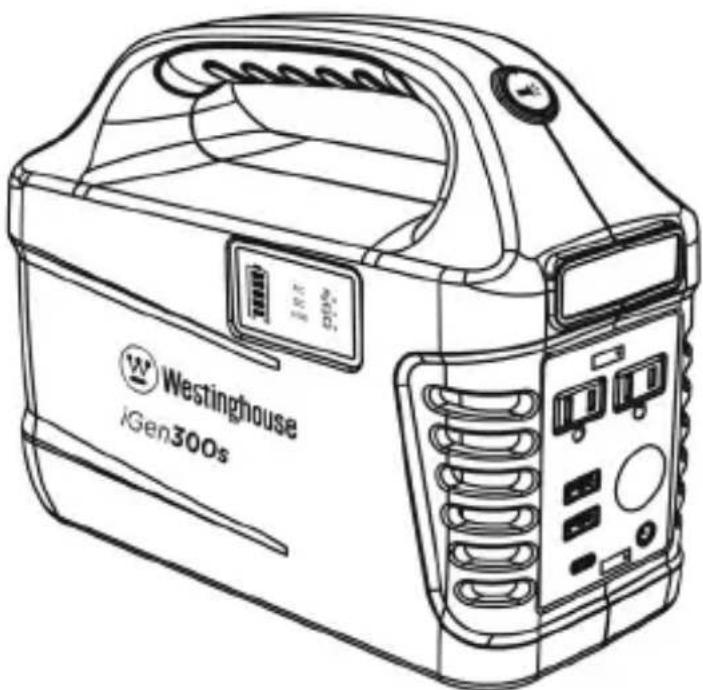
Line drawing of a portable electronic device labeled 'Westinghouse iGen300s' with control panel and display (no readable text beyond branding)
TABLE OF CONTENTS
WHAT'S IN THE BOX....3
REGISTERING YOUR PRODUCT ....4
SAFETY GUIDELINES - DEFINITIONS....5
GENERAL SAFETY RULES......6
SPECIFICATIONS......8
PRODUCT FEATURES....9
CONTROL PANEL FEATURES....10
LED DISPLAY....10
PURE SINE WAVE....11
HOW TO POWER AC APPLIANCES....11
HOW TO POWER DC APPLIANCES....12
HOW TO USE THE FLASHLIGHT....13
RECHARGING WITH AC CHARGER....14
RECHARGING WITH SOLAR PANELS (OPTIONAL)....15
RECYCLE....16
MAINTENANCE....16
FCC STATEMENT....16
WARRANTY....18
ESPAÑOL....20
FRANÇAIS....40
Thank you for choosing Westinghouse! PLEASE READ BEFORE RETURNING THIS PRODUCT FOR ANY REASON.
If you have a question or experience a problem with your Westinghouse purchase, call us at 855-944-3571 to speak with a service representative.
SAVE THIS MANUAL FOR FUTURE REFERENCE.
WHAT'S IN THE BOX
natural_image
Line drawing of a portable food appliance with a lid and control panel (no text or symbols)Power Station
natural_image
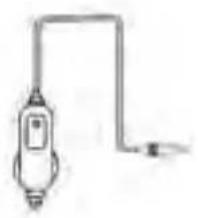
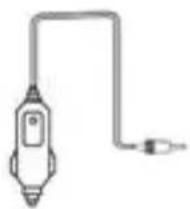
Simple line drawing of a handheld device connected to a terminal (no text or symbols)DC Car Charger
natural_image
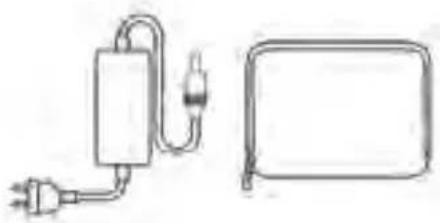
Simple line drawing of a power plug connected to a rectangular device with a bulb (no text or symbols)AC Charger Accessories Bag
User Manual

CHARGE FIRST! Before reading through the manual, you can begin to charge up this device by connecting it to the power supply provided and plugging into a wall socket.

WARNING: Lithium-ion batteries and products that contain lithium-ion batteries can expose you to chemicals including cobalt lithium nickel oxide, and nickel, which are known to the State of California to cause cancer and birth defects or other reproductive harm. For more information, go to www.P65Warnings.ca.gov.
⚠️ DANGER: This manual contains important instructions for operating this product. For your safety and the safety of others, be sure to read this manual thoroughly before operating the battery/charger. Failure to properly follow all instructions and precautions can cause serious injury or death.
INTENDED USE: The iGen300s Portable Power Station is a power supply for electronic devices with a maximum power consumption of 300W. Our product is not suited for use with equipment that relates to one's own personal safety and relies heavily on electricity, such as medical devices, equipment for nuclear facilities, manufacture of air and spacecraft, etc. We assume no liability for accidents involving personal safety, fires, or machine failures caused by using our product with the aforementioned devices.
ATTENTION
 | Not permitted on airplanes U:inal or | ||
 | certified charger & cables | ||
 | To preserve the battery lifespan, use & recharge at least once every 3 months |  | Avoid extreme temperature |
 | Dispose of batteries and electronic goods in accordance with local regulations |  | Do not expose to liquids |
 | Avoid dropping Do not |  | disassemble |
ALL RIGHTS RESERVED: No part of this publication may be reproduced or used in any form by any means – graphic, electronic or mechanical, including photocopying, recording, taping or information storage and retrieval systems – without the written permission of Westinghouse Outdoor Power.
REGISTERING YOUR PRODUCT
Register your product online at wpowereq.com/register. To register your power station you will need to locate the serial number on a decal on the bottom of the power station.
SAFETY GUIDELINES - DEFINITIONS
It is important to read and understand this manual. The information it contains relates to protecting YOUR SAFETY and PREVENTING PROBLEMS. The symbols below are used to help you recognize this information.
DANGER: Indicates an imminently hazardous situation which, if not avoided will result in death or serious injury.
WARNING: Indicates a potentially hazardous situation which, if not avoided, could result in death or serious injury.
CAUTION: Indicates a potentially hazardous situation which, if not avoided, may result in minor or moderate injury.
NOTICE: Used without the safety alert symbol indicates potentially hazardous situation which, if not avoided, may result in property damage.
DISCLAIMERS: All information, illustrations and specifications in this manual are based on the latest information available at the time of publishing. The illustrations used in this manual are intended as representative reference views only. Moreover, because of our continuous product improvement policy, we may modify information, illustrations and/or specifications to explain and/or exemplify a product, service or maintenance improvement. We reserve the right to make any change at any time without notice. Some images may vary depending upon which model is shown.
Our company cannot be held liable for damages caused by fire, earthquake, use by a third party, other accidents, intentional misconduct on the part of the customer, abuse or other abnormal conditions.
Do not repair any damage to the AC plug or power supply on your own.
The warranty covers all terms and conditions of the warranty.
Contents that are not specified in the warranty terms and conditions are beyond our responsibility.
Our company assumes no liability for damages caused by incorrect use or non-compliance with this instruction manual.
GENERAL SAFETY RULES
DANGER:
- DO NOT disassemble, repair or modify the unit or the battery.
- DO NOT place the unit close to or in a fire or expose it to heat. Keep out of direct sunlight.
- DO NOT charge, use or store the unit in a bathroom or in an area exposed to rain or moisture.
- Only use the output socket to power external devices. Never connect the output to mains power under any circumstances.
- DO NOT touch the unit or the plug-in points if your hands are wet.
- DO NOT connect any metallic objects to the AC input or output.
- DO NOT rub your eyes if fluid from inside the unit gets on your hands.
- DO NOT dispose the unit together with household waste.
- DO NOT use any inappropriate or damaged power cords.
- DO NOT operate the unit above the specified input voltage.
- DO NOT use the unit if it is not functioning correctly.
- DO NOT move the unit if it is recharging or in use.
WARNING:
- Use and store the unit only in a clean and dry environment. DO NOT use and store in dusty or wet environment.
- Check the unit prior to every use. DO NOT use the unit if it is damaged or broken.
- Do not use the unit if the power cord is damaged or broken.
- Keep the unit away from children. DO NOT let children use the power supply unit.
-
Keep this product away from pets.
-
DO NOT use or store the unit in an area or environment with high temperature.
- Should fluid from inside of the unit come in contact with your skin or clothing, wash the affected areas with tap water.
- In a storm, unplug the power cord from the socket.
- DO NOT charge the unit via power supply systems that operate outside of 100-240V.
- DO NOT place the unit on its side or upside down while in use or storage.
CAUTION:
- If rust, peculiar odors, overheating or other abnormal circumstances are observed, stop using the unit immediately and contact our customer service team.
- The unit complies with all legal requirements for transport of dangerous goods.
- Make sure that the unit is properly secured when transporting it in a motor vehicle.
- Only charge, use and store the unit within an ambient temperature of -10 to 40°C (14° - 104°F).
- Switch the unit off immediately if it has accidentally fallen, was dropped or was exposed to vibrations.
- Carefully read the instructions for the electric devices that you intend to connect to your portable power station.
- Make sure that the device you are connecting is switched off before you connect it.
SPECIFICATIONS
| Model Name: iGen300s | |
| Battery Cell Chemistry: Lithium Ion (Li-ion) NMC | |
| Capacity: 296Wh | |
| Total mAh: 32x2500mAh=80,000mAh | |
| Running Watts: 300W | |
| Peak Watts: 600W | |
| AC Output Voltage: 120V | |
| DC Output Voltage: 12V | |
| Sine Wave Type: Pure Sine Wave | |
| Frequency: 60Hz | |
| Life Cycle: 500 Cycles to 80% Capacity | |
| Charge Time: 6-8 hours with AC charger | |
| Working Temperature: -10°C to 40°C (14° - 104°F) | |
| Parallel Capable: | No |
| Warranty: | 2 Years |
| Certifications: | FCC, RoHS, UN38.3 |
PRODUCT FEATURES
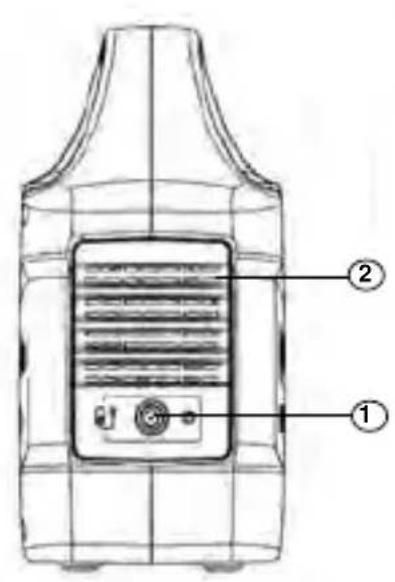
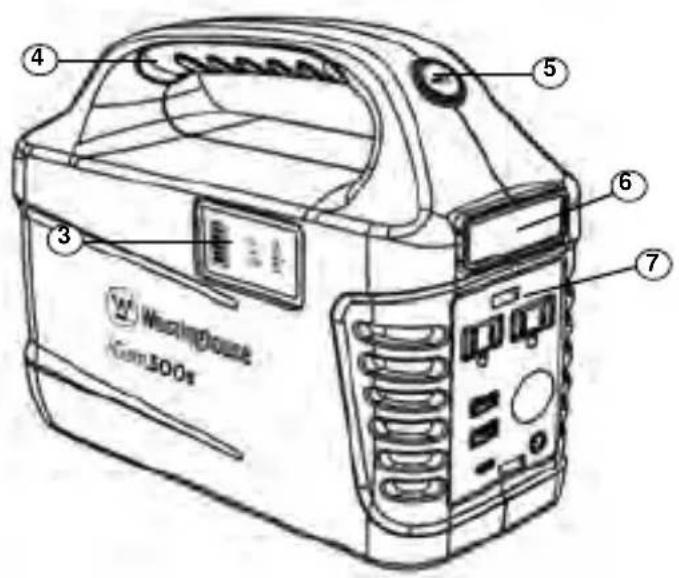
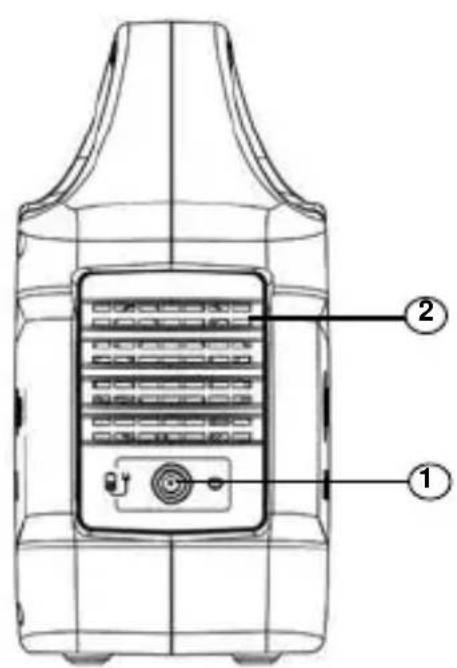
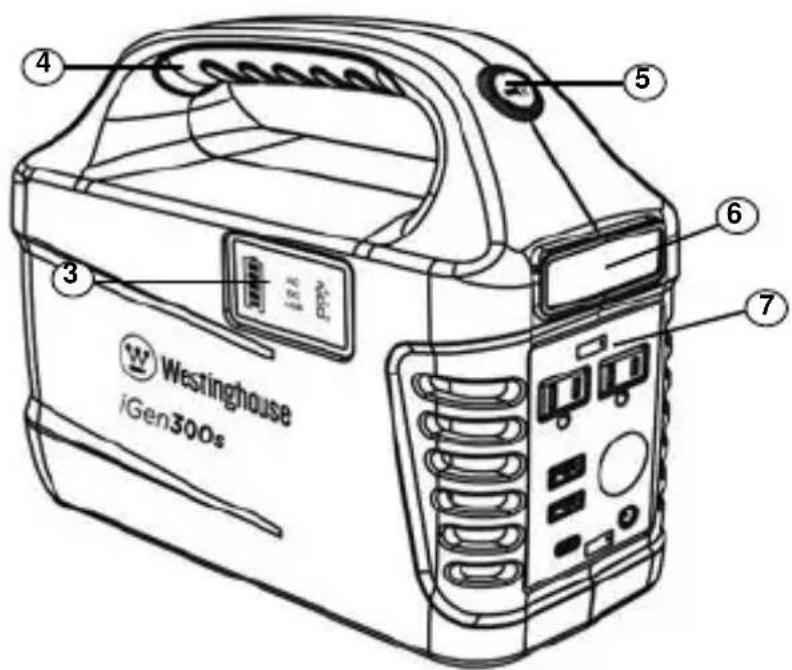
- Input for charging from solar panels, or AC
- Cooling Fan
- LED Display
- Handle
- Flashlight ON/OFF Button
- Flashlight
- Control Panel
CONTROL PANEL FEATURES
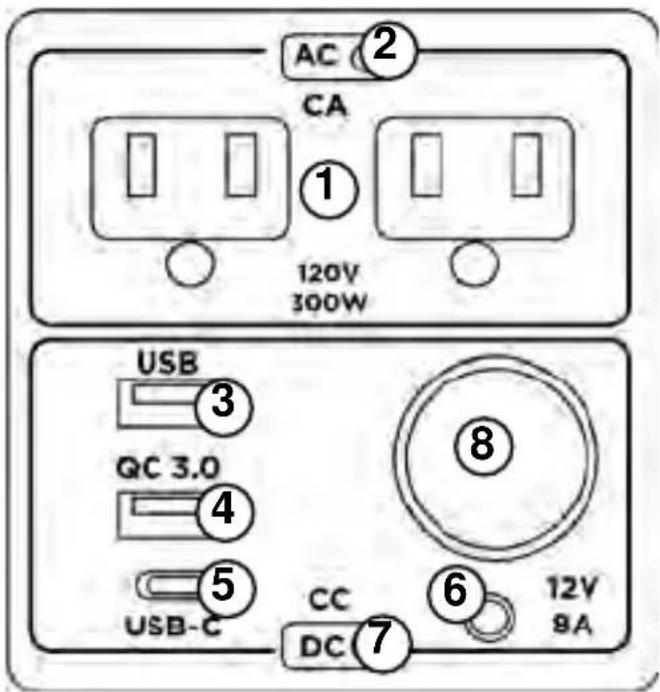
- 120V AC, up to 2.5A, 300W max
- AC Power ON/OFF
- USB-A, 5V DC, up to 2.4A, 12W Max
- USB-A QC (Quick Charge) 3.0, 5/9/12VDC, up to 3.0A, 18W Max
- USB-C, PD (Power Delivery), 5/9/12V DC, up to 3.0A, 18W Max
- 6mm, 12V DC, up to 8A
- DC Power ON/OFF
- Car Cigarette Lighter Port, 12V DC, Up to 8A, 96W Max
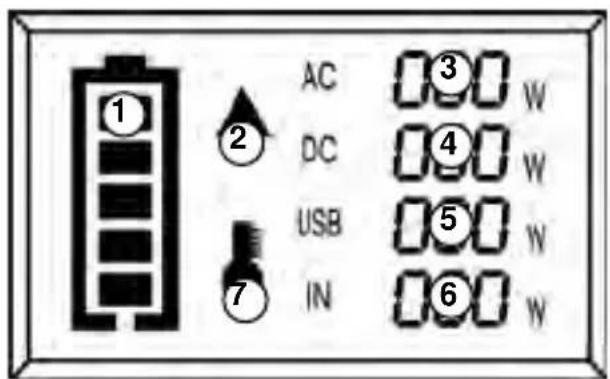
LED DISPLAY
- Remaining Power
- Equipment Failure Warning
- AC Output Indicator (in watts)
- DC Output Indicator (in watts)
- USB Output Indicator (in watts)
- Charging Input Indicator (in watts)
- Temperature Overload Warning
PURE SINE WAVE
The output voltage of a sine-wave inverter has a sine wave-form like the sine wave-form of the mains / utility voltage. In a sine wave, the voltage rises and falls smoothly with a smoothly changing phase angle and also changes its polarity instantly when it crosses 0 Volts.
The unit provides Pure Sine Wave output and can be compatible with AC electric appliance that works with Sinusoidal waveform (power≤300W). Appliances that use an AC motor are going to work to full capacity on a pure sine wave, such as an electrical fan. Appliances like refrigerators, microwaves, and compressors that use AC motors and some delicate equipment will be better use with our pure sine wave inverter.
HOW TO POWER AC APPLIANCES
- Make sure the appliance you are plugging in is turned off.
- Connect the power cable plug of the electrical appliance to the AC outlet of the product.
- Press the “AC Power ON/OFF” button to turn on. The button will illuminate when it is on.
- Turn AC appliance on. The LED Display will display real-time wattage of the appliance.
- When finished, turn off device, remove power cable and press “AC Power ON/OFF” to turn outlets off. (If you leave the AC Power button on it will drain the battery.)
NOTICE: If the total output exceeds 300W, the power station will automatically shut off. Please ensure the power consumption is less than 300W, then press the AC Power button.
⚠ WARNING: The AC outlets, AC voltage, and frequency are different according to different countries; please carefully check whether the product specifications are consistent with the appliance specifications before use, otherwise, it can lead to dangerous situations.
NOTE: When the AC port is not in use, turn "AC Power ON/OFF" button off to conserve power.
CAN'T SUPPORT DEVICES MORE THAN 300W

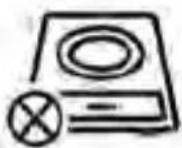
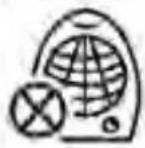
Hair Dryer Induction Cooker Heater
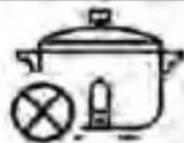
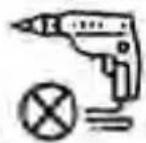
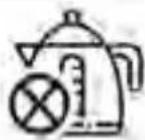
Rice Cooker Electric Drill Electric Kettle
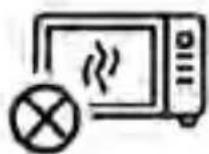
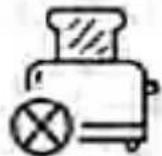

Microwave Oven Toaster Blender
HOW TO POWER DC APPLIANCES
- Connect the power cable plug of the electrical appliance to USB outlets or 12V ports.
- Press the “DC Power ON/OFF” button to turn on. The button will illuminate when it is on.
- The LED Display will display real-time wattage of the appliance.
- When finished, press "DC Power ON/OFF" to turn off DC power.
NOTICE: If the total output exceeds the wattage output of the DC outlet, the power station will automatically shut off. Please ensure the power consumption is less than what the outlet is rated for before using the device.
QUICK CHARGE OUTPUT: This product supports Type-A QC3.0 and Type-C PD that output 5V/3A, 9V/2A, and 12V/1.5A, for smart devices.
The actual output voltage and current depend on the smart devices, it can be obtained by consulting the smart device manufacturer.
12V 6MM OUTPUT: The device comes with a 12V 6mm port. This can output 12V DC, up to 8A. If you plan on using the 6mm outlet without adapter please confirm whether your DC 12V appliance supports charging with a 6mm DC plug (The diameter of the DC port of the product is 6 mm).
PROTECTION MODE: Short-circuit/Overload Protection: If the AC or DC output is short-circuited or overloaded (- Load(s) power output is greater than 300W), the unit will shut down power output to protect itself. Some devices, such as refrigerator, ice maker or a laser printer may require a surge power, the surge power could exceed 600W or even higher, this could cause overload protection with this unit. Please remove the devices and consult with the device manufacturers for more information.
HOW TO USE THE FLASHLIGHT
- Press Flashlight ON/OFF button once to turn light on
- Press button again to make light 50% brightness
- Press a third time to turn light off
SOS MODE: While the light is on, hold down flashlight button for 3 seconds to activate SOS mode. Single press to turn SOS mode off.
⚠ WARNING: Do not look directly into the light. May cause damage due to the strong light.
RECHARGING WITH AC CHARGER
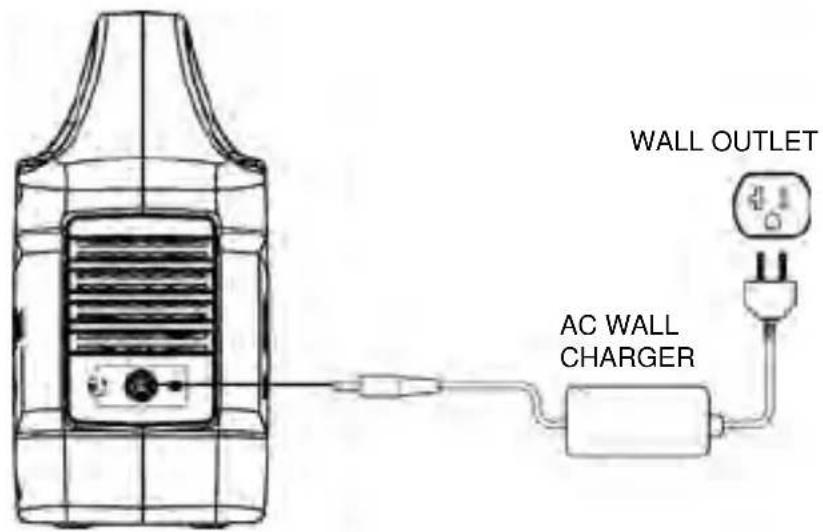
Using the included AC Wall Charger cable, plug the unit into standard wall outlet to charge the unit. You will know the unit is charging when the red LED battery indicator light is on. The unit is fully charged when all battery indicators on the LED display are illuminated. After the unit is fully charged, please remove the AC wall charger.
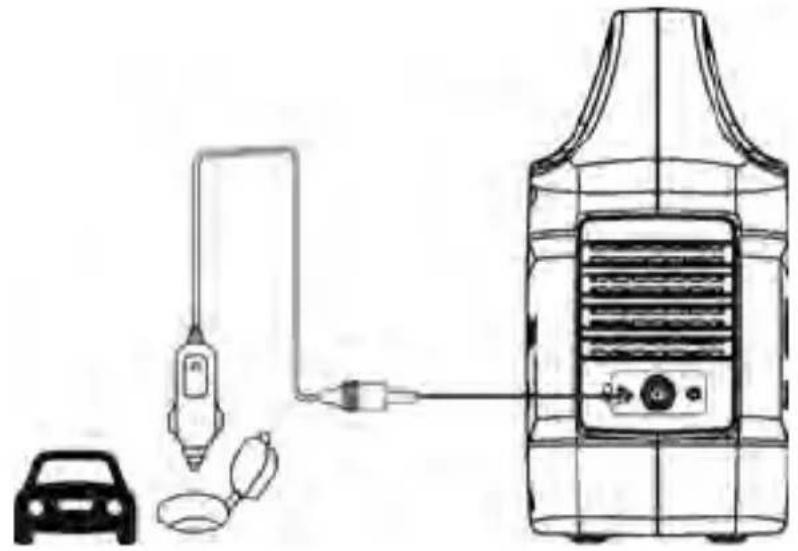
RECHARGING WITH 12V CAR CHARGER
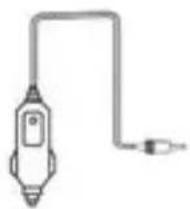
Using the included car charger, plug the unit into a 12V cigarette lighter (carport) in your car. You will know the unit is charging when the red LED battery indicator light is on. The unit is fully charged when all battery indicators on the LED display are illuminated.
Note: To avoid car battery power loss. Charging this unit through your car cigarette lighter is only available when your car engine is started.
natural_image
Diagram of a portable air conditioner unit connected to a car, showing wiring and components (no text or labels)RECHARGING WITH SOLAR PANELS (OPTIONAL)
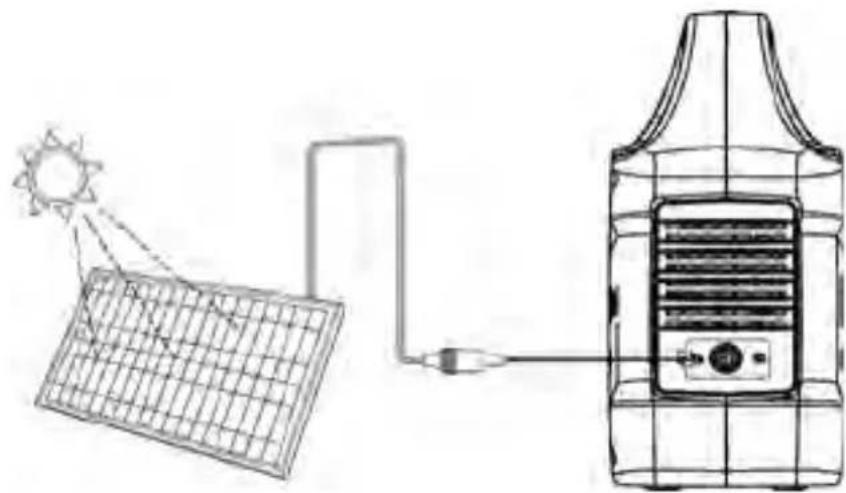
Make sure to use panel with 8mm output plug. Place solar panel where it will get as much direct sunlight as possible. Plug the output of the solar panel into the input on the back of the power station to start charging. You will know the unit is charging when the red LED battery indicator light is on. The unit is fully charged when all battery indicators on the LED display are illuminated.
NOTICE: When solar recharging your power station, take note of the voltages of the solar panels and do not exceed 19V. Individual solar panels, or solar panels chained in series in excess of 19V cannot be used with the power station and can cause serious damage to the unit. For help on chaining solar panels, call our Customer Service Center at 1-855-944-3571.
natural_image
Diagram showing solar panel transmission to a portable air vent via a power outlet (no text or symbols)COLD WEATHER USE
Cold temperatures (below freezing) can affect the unit's battery capacity due to chemical characteristics of the battery. If you'll be living off-grid in sub-zero conditions, we recommend you keep your unit in an insulated cooler, and connected to a power source (solar panels). The natural heat generated by the unit contained in an insulated cooler will keep battery capacity at its highest.
RECYCLE
Always return your used electronic products, batteries, and packaging materials to dedicated collection points. This way you help prevent uncontrolled waste disposal and promote the recycling of materials.
MAINTENANCE
Having your power station connected to a power source, like a solar panel or wall plug, between adventures or while in storage keeps its battery healthy and topped off. This prolongs battery life and will ensure your power station is charged and ready to go all day, every day.
If you can't keep your power station plugged into a power source during storage, fully-charge your power station every 3 months and store it in a cool, dry place. Failure to maintain your power station by following these steps can result in battery damage which will void the product warranty.
FCC STATEMENT
The operation meets the following two conditions:
(1) The equipment will not cause harmful interference (2) The equipment must accept any interference received, including interference that may result in accidental operation.
Note: The equipment has been tested and meets the restrictions of Category B digital equipment in Part 15 of FCC Rules.
These restrictions are designed to provide reasonable protection against harmful interference in housing installation.
This equipment will generate, use and radiate radio frequency energy. If it is not installed and used according to the instructions, it may cause harmful interference to radio communication.
However, there is no guarantee that interference will not occur in a particular installation.
If the device does cause harmful interference to radio or television reception (which can be determined by switching off and switching on devices), users are advised to attempt to correct the interference by one or more of the following measures:
• Re-adjusting or placing the receiving antenna.
- Increase the distance between the device and the receiver.

WARRANTY
RESPONSIBILITY OF THE PARTIES
WESTINGHOUSE OUTDOOR POWER EQUIPMENT'S RESPONSIBILITY
Westinghouse Outdoor Power Equipment (hereinafter “Westinghouse”) warrants to the original purchaser that its Westinghouse line of portable solar generators will be free from defects in material and workmanship. Subject to normal use and maintenance from the date of purchase, Westinghouse agrees to repair or replace at Westinghouse’s sole discretion, any defective product free of charge at any authorized Westinghouse Service Dealer within the below listed applications, time periods, limitations, and exclusions.
CONSUMER'S RESPONSIBILITY
To ensure trouble free warranty coverage it is important that you register your Westinghouse portable solar generator. You may register on-line at www.westinghouseoutdoorpower.com/register-your-product/, or by automated phone at 1-855-944-3571. Registering your product confirms your warranty coverage and provides a direct link between you and Westinghouse if we find it necessary to contact you regarding your portable solar generator. Transportation charges on a product submitted for repair or replacement under this warranty are the sole responsibility of the purchaser.
Your receipt for purchase including date of purchase, model purchased, and product serial number must be maintained and presented to a Westinghouse
Authorized Service Dealer for warranty service. You must demonstrate reasonable care and use and follow suggested maintenance guidelines as prescribed in the operator's manual for your Westinghouse portable solar generator. Proof of purchase rests solely with you, the original purchaser.
PRODUCT WARRANTY PERIOD
The warranty period for your Westinghouse portable solar generator is 24 months. In each case, the warranty period is measured starting on the date of purchase by the original consumer purchaser. The sales receipt from the first consumer purchase, model, and serial number are required in order to establish the start date for the warranty period.
REMEDY
Westinghouse will repair or replace (at Westinghouse's sole option and expense) any Westinghouse portable solar generator product that fails to operate during the applicable warranty period due to defect in workmanship or material. If a valid claim is made during the applicable period, Westinghouse, at its option, will either (1) repair the product, or (2) exchange the product with a product that is of equal value. A replacement product assumes the remaining warranty of the original product or ninety (90) days from the date of replacement, whichever is greater. The customer is fully responsible for the return shipping costs.
The customer is fully responsible for any and all associated ship cost of replacement plastic parts. For questions regarding coverage, please contact support@wpowereq.com or 1-855-944-3571.
LIMITED TO ORIGINAL CONSUMER BUYER
The warranty on Westinghouse's portable solar generators are limited to the original consumer purchaser and are not transferable to any subsequent owner.
EXCLUSIONS
Westinghouse portable solar generator warranty does not apply to any of the following:
- Cosmetic defects such as paint, decals, etc.
• Costs of normal maintenance and adjustments. - Repairs or diagnostics performed by individuals other than a Westinghouse Authorized Service Dealer (unless approved by Westinghouse)
- Failures due to normal wear and tear, accident, misuse, abuse, negligence or improper use.
- Failures caused by any external cause or act of God, including but not limited to, collision, theft, vandalism, riot, war, fire, freezing, lightning, earth-quake, windstorm, hail, water, flood, tornado, or hurricane.
- Damage related to rodent and/or insect infestation.
- Products that are modified or altered in a manner not authorized in writing by Westinghouse.
- Any incidental, consequential or indirect damages caused by defects in materials or workmanship, or any delay in repair or replacement of the defective part(s).
- Failure due to misapplication.
- Telephone, cellular phone, facsimile, Internet access, or other communication expenses.
- Expenses related to “customer instruction” or troubleshooting where no manufacturing defect is found.
• Overnight freight or special shipping costs for replacement part(s).
- Overtime, holiday or emergency labor.
NON-WARRANTABLE APPLICATIONS
Westinghouse portable solar generators are expressly not recommended nor warranted for the following applications:
- Primary Power - power used in place of utility power where utility power service is present or where utility power service does not normally exist.
HOW TO RECEIVE SERVICE
Should you require assistance or have questions about warranty service, please email our customer service and support team at service@wpowereq.com or call 1-855-944-3571.
For the Westinghouse Authorized Service Dealer nearest to you, call Westinghouse's customer service and support team at 1-855-944-3571 or you may locate a Westinghouse Authorized Service Dealer at www.WestinghousePortablePower.com.
TERMS
COMPLETE TERMS OF AGREEMENT
This warranty and returns policy constitutes the full and final agreement of the parties. Any communication, promises, or decisions made before the existence of this agreement are null unless specifically included in this document. Likewise, this warranty supersedes all previous warranty policies.
DISCLAIMER OF IMPLIED WARRANTIES
This limited warranty is in lieu of all other expressed or implied warranties, including any warranty of fitness for a particular purpose or use and any implied warranty of merchantability otherwise applicable to Westinghouse portable solar generators. Westinghouse and its affiliated companies shall not be liable for any special, incidental or consequential damages, including lost profits. There are no warranties extended other than as provided herein.
This limited warranty may be modified only by Westinghouse Outdoor Power Equipment. Any implied warranties allowed by law shall be limited in duration to the terms of the express warranty provided herein. Some states do not allow limitations on how long an implied warranty lasts, so the above limitation may not apply to you. Some states do not allow the exclusion or limitation of incidental or consequential damages, so the above limitation may not apply to you. This warranty gives you specific legal rights. You also have other rights from state to state.
Westinghouse Outdoor Power Equipment's only liability shall be the repair or replacement as stated above. In no event shall Westinghouse Outdoor Power Equipment be liable for any incidental or consequential damages, even if such damages are a direct result of Westinghouse Outdoor Power Equipment's negligence. Some states do not allow the exclusion or limitation of incidental or consequential damages, so the above limitation may not apply to you. This warranty gives you specific legal rights and you may also have other rights from state to state.
GOVERNING LAW AND FORUM SELECTION
These Terms shall be construed and controlled by the laws of the State of Ohio. The consumer consents to exclusive jurisdiction and venue in the federal and state courts located or nearest to Franklin County, Ohio. The consumer waives all defenses of lack of personal jurisdiction and Forum non Conveniens.
SEVERABILITY
If, but only to the extent that, any provision of this Warranty and Returns Agreement is found to be illegal, unenforceable, or void, both Westinghouse and the consumer shall be relieved of all obligations arising under such provision, it being the intent and agreement of the Parties that this Agreement shall be deemed amended by modifying such provision to the extent necessary to make it legal and enforceable while preserving its original intent. If such amendment is impossible, another provision that is legal and enforceable and achieves the same objective shall be substituted.
W, WESTINGHOUSE, and INNOVATION YOU CAN BE SURE OF are trademarks of Westinghouse Electric Corporation. Used under license by Westinghouse Outdoor Power Equipment. All Rights Reserved.
Westinghouse Outdoor Power Equipment
777 Manor Park Drive
Columbus, OH 43228
1-855-944-3571
iGen300s
USO EN CLIMA FRÍO....16
RECICLAR....17
MANTENIMIENTO....17
natural_image
Line drawing of a portable radio with control panel and keypad (no text or symbols)Central eléctrica
natural_image
Simple line drawing of a plug with a cable, no text or symbols presentnatural_image
Simple line drawing of a rectangular device with a plug and outlet, no text or symbols present.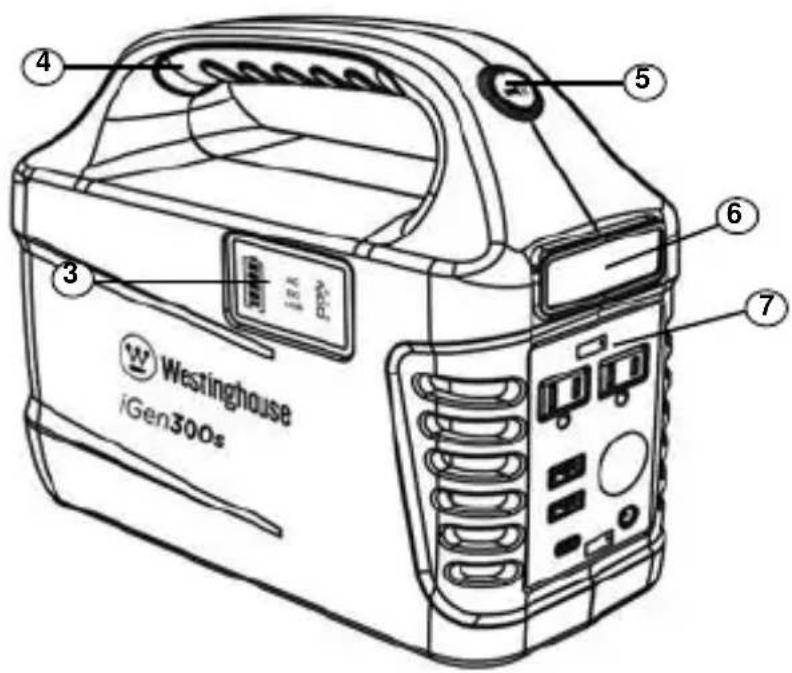
ONDA SINUSOIDAL PURA
natural_image
Diagram of a portable air conditioner unit connected to a car and a fuel injector (no text or symbols present)RECARGA CON PANELES SOLARES (OPCIONAL)
natural_image
Diagram showing solar panel connection to a device with a power outlet (no text or symbols)USO EN CLIMA FRÍO
Westinghouse Outdoor Power Equipment
777 Manor Park Drive
Columbus, OH 43228
CARACTÉRISTIQUES DU PRODUIT ......9
PANNEAU DE COMMANDE ....10
AFFICHAGE LED 10
ONDE SINUSOÏDALE PURE 11
COMMENT ALIMENTER LES APPAREILS CA.... 11
COMMENT ALIMENTER LES APPAREILS CC ......12
COMMENT UTILISER LA LAMPE DE POCHE 14
RECHARGE AVEC UN CHARGEUR CA....14
QU'Y A-T-IL DANS LA BOITE
natural_image
Line drawing of a portable electronic device with control panel and buttons (no text or symbols)Centrale électrique
natural_image
Simple line drawing of a plug with a cable, no text or symbols presentnatural_image
Simple line drawing of a rectangular device with a plug and power outlet, no text or symbols present.Chargeur CA
Sac
d'accessoires
CARACTÉRISTIQUES DU PRODUIT
ONDE SINUSOÏDALE PURE
natural_image
Diagram of a fuel pump connected to a car and a gas cylinder (no text or symbols)RECHARGE AVEC DES PANNEAUX SOLAIRES (EN OPTION)
APPLICATIONS NON GARANTIES
Westinghouse Outdoor Power Equipment
777 Manor Park Drive
Columbus, OH 43228
natural_image
Blue circular icon with a white crown symbol (no text or numbers)www.WestinghouseOutdoorPower.com
Service Hotline (855) 944-3571
777 Manor Park Drive, Columbus, OH 43228

and Westinghouse are trademarks of Westinghouse Electric Corporation.
Used under license by Westinghouse Outdoor Power Equipment.
© 2024 MWE Investments, LLC All Rights Reserved.
- User Manual
- TABLE OF CONTENTS
- Thank you for choosing Westinghouse! PLEASE READ BEFORE RETURNING THIS PRODUCT FOR ANY REASON.
- WHAT'S IN THE BOX
- ATTENTION
- REGISTERING YOUR PRODUCT
- SAFETY GUIDELINES - DEFINITIONS
- GENERAL SAFETY RULES
- DANGER:
- WARNING:
- CAUTION:
- PRODUCT FEATURES
- CONTROL PANEL FEATURES
- LED DISPLAY
- PURE SINE WAVE
- HOW TO POWER AC APPLIANCES
- CAN'T SUPPORT DEVICES MORE THAN 300W
- HOW TO POWER DC APPLIANCES
- HOW TO USE THE FLASHLIGHT
- RECHARGING WITH AC CHARGER
- RECHARGING WITH 12V CAR CHARGER
- RECHARGING WITH SOLAR PANELS (OPTIONAL)
- COLD WEATHER USE
- RECYCLE
- MAINTENANCE
- FCC STATEMENT
- WARRANTY
- RESPONSIBILITY OF THE PARTIES
- WESTINGHOUSE OUTDOOR POWER EQUIPMENT'S RESPONSIBILITY
- CONSUMER'S RESPONSIBILITY
- PRODUCT WARRANTY PERIOD
- REMEDY
- LIMITED TO ORIGINAL CONSUMER BUYER
- EXCLUSIONS
- NON-WARRANTABLE APPLICATIONS
- HOW TO RECEIVE SERVICE
- TERMS
- COMPLETE TERMS OF AGREEMENT
- DISCLAIMER OF IMPLIED WARRANTIES
- GOVERNING LAW AND FORUM SELECTION
- SEVERABILITY
- iGen300s
- ONDA SINUSOIDAL PURA
- RECARGA CON PANELES SOLARES (OPCIONAL)
- USO EN CLIMA FRÍO
- QU'Y A-T-IL DANS LA BOITE
- CARACTÉRISTIQUES DU PRODUIT
- ONDE SINUSOÏDALE PURE
- RECHARGE AVEC DES PANNEAUX SOLAIRES (EN OPTION)
- APPLICATIONS NON GARANTIES
Brand : WESTINGHOUSE
Model : iGen300s
Category : Portable generator