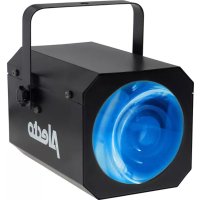
LE180 - Lamp ALECTO - Free user manual and instructions
Find the device manual for free LE180 ALECTO in PDF.



User questions about LE180 ALECTO
0 question about this device. Answer the ones you know or ask your own.
Ask a new question about this device
Download the instructions for your Lamp in PDF format for free! Find your manual LE180 - ALECTO and take your electronic device back in hand. On this page are published all the documents necessary for the use of your device. LE180 by ALECTO.
USER MANUAL LE180 ALECTO
natural_image
Black Alecto lighting device with green lens and handle (no text or symbols on body)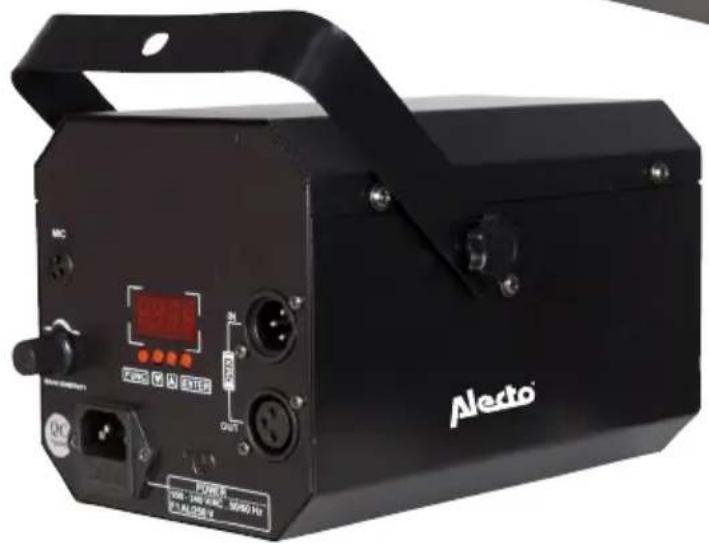
natural_image
Black Aledo laser equipment with control buttons and display (no readable text or symbols beyond branding)LE-180
Nederlands p. 3
Francais p. 8
Deutsch p.13
English p.18
ALGEMEEN

• Voltage: AC100V-240V
• Power: 5 W ±10%
- Lamp: 64pcs 5MM (R:16PCS, G: 16PCS, B: 16PCS, W: 16PCS)
• Control: LED digital control, DMX512, Sound control, Master/Slave
- DMX channel: 2CH
- Weight: 1.20KG
• Dimensions: 230*170*140mm
GARANTIE
DÉCLARATION DE CONFORMITÉ
• Voltage: AC100V-240V
• Power: 5 W ±10%
- Lamp: 64pcs 5MM (R:16PCS, G: 16PCS, B: 16PCS, W: 16PCS)
• Control: LED digital control, DMX512, Sound control, Master/Slave
- DMX channel: 2CH
- Weight: 1.20KG
• Dimensions: 230*170*140mm
GARANTIE
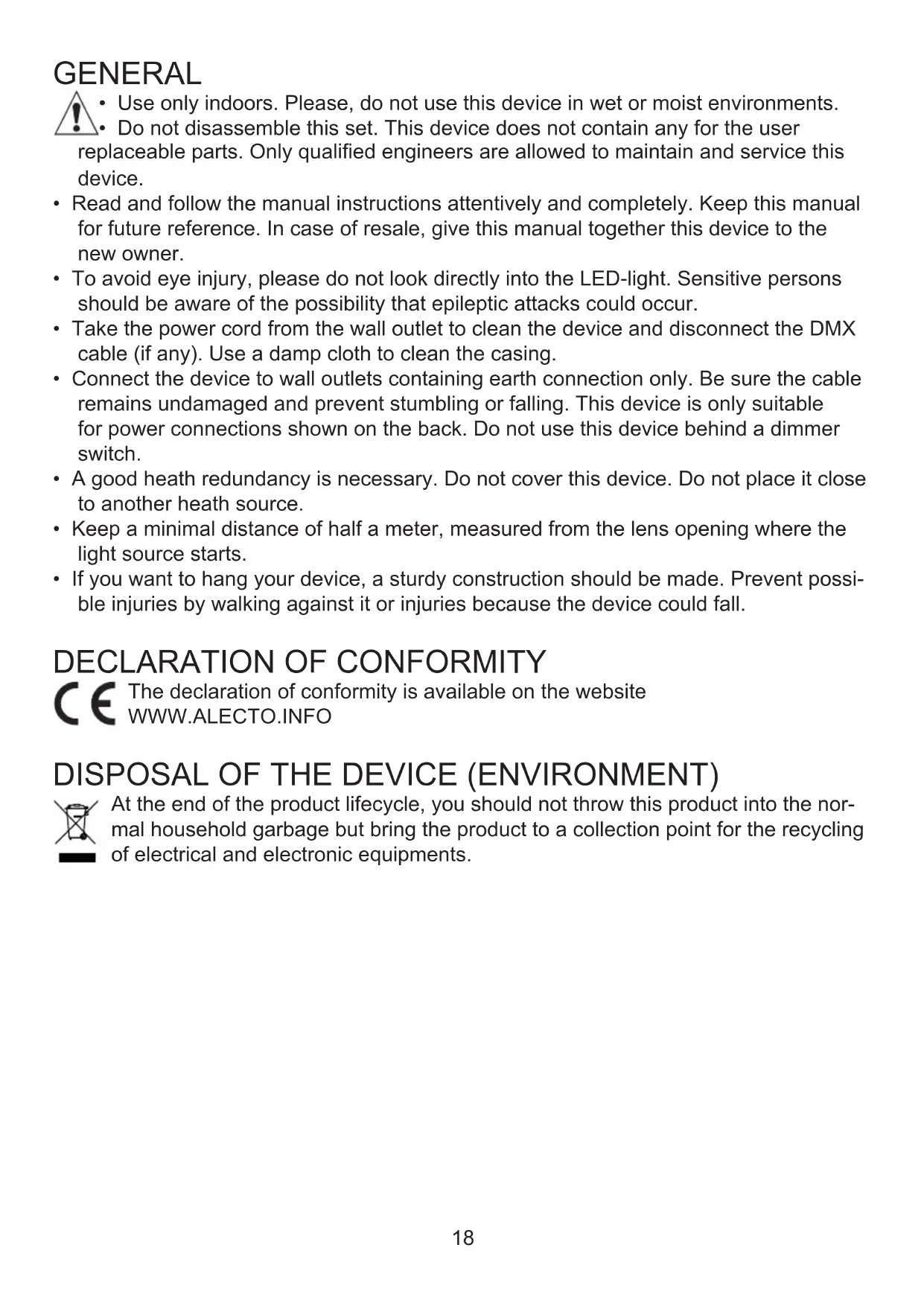
- Use only indoors. Please, do not use this device in wet or moist environments. - Do not disassemble this set. This device does not contain any for the user placeable parts. Only qualified engineers are allowed to maintain and service this device.
- Read and follow the manual instructions attentively and completely. Keep this manual for future reference. In case of resale, give this manual together this device to the new owner.
- To avoid eye injury, please do not look directly into the LED-light. Sensitive persons should be aware of the possibility that epileptic attacks could occur.
- Take the power cord from the wall outlet to clean the device and disconnect the DMX cable (if any). Use a damp cloth to clean the casing.
- Connect the device to wall outlets containing earth connection only. Be sure the cable remains undamaged and prevent stumbling or falling. This device is only suitable for power connections shown on the back. Do not use this device behind a dimmer switch.
- A good heath redundancy is necessary. Do not cover this device. Do not place it close to another heath source.
- Keep a minimal distance of half a meter, measured from the lens opening where the light source starts.
- If you want to hang your device, a sturdy construction should be made. Prevent possible injuries by walking against it or injuries because the device could fall.
DECLARATION OF CONFORMITY

The declaration of conformity is available on the website WWW.ALECTO.INFO
DISPOSAL OF THE DEVICE (ENVIRONMENT)
At the end of the product lifecycle, you should not throw this product into the normal household garbage but bring the product to a collection point for the recycling of electrical and electronic equipments.
HOW TO USE
Intended use:
The LE-180 is only suitable to show LED light-effects privately. The LE-180 is not for industrial application.
Functions/ Overview:
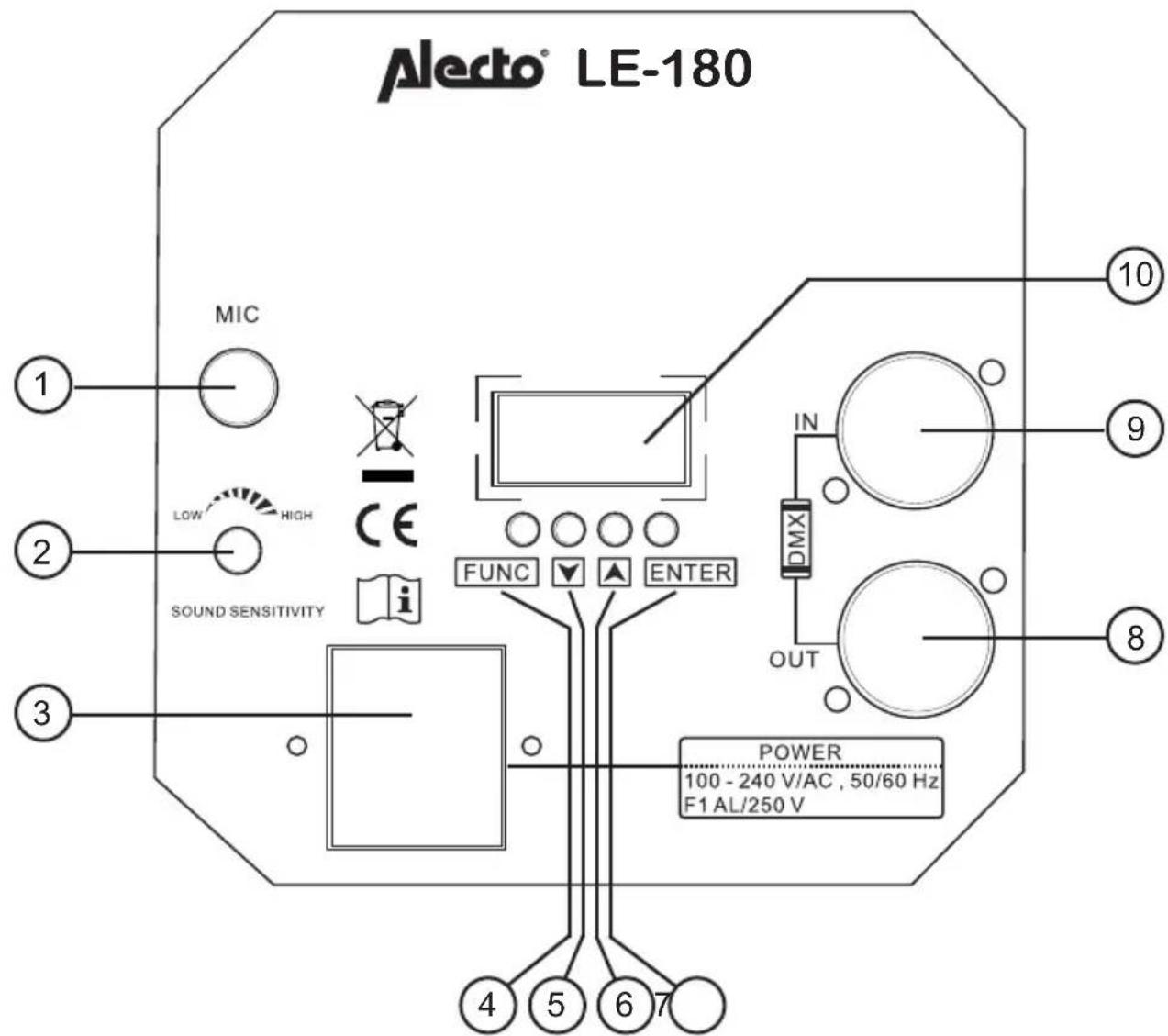
text_image
Alecto® LE-180 MIC LOW HIGH SOUND SENSITIVITY FUNC ▼ ▲ ENTER IN DMX OUT POWER 100 - 240 V/AC , 50/60 Hz F1 AL/250 V ① ② ③ ④ ⑤ ⑥ ⑦ ⑧ ⑨ ⑩- Internal Microphone, to let the light-effect react by ambient sound
- Sensitivity control for the microphone
- Main supply entrance with internal safety fuse
- FUNC Button
- Button
- Button
- ENTER Button
- OUT: to connect the DMX Signal to another device.
- IN: DMX input. Comes either from the DMX Central device or from a previous device.
- Display
Operation:
If you connect the mains power supply into the socket plug (100-240V), the LE-180 activates itself automatically.
The display shows of shows the previous effect set up or program.
The LE-180 plays the selected light-effect whereby the speed of the light-effect depends on the ambient sound. So, the power of the effect depends on the ambient sound, the harder the noises, the faster the light-effects show.
Effect set-up:
The LE-180 has 8 preselected programs for the light-effects. Effect 0 sequences all available light-effects.
- Press the FUNC Button.
- Switch with ▼ or to ▲ ShNd
- Press the ENTER Button, the number of the current light-effect lights up.
- Select with or the goal state (-) SH 0 SH 8
- Press Enter to confirm.
- The Display stops with flashing and the light-effect starts.
The speed of the light-effect.
You either give a light show with a fixed speed or show a speed that depends on the ambient sound available. How heavier the ambient sound are how faster the Rhythm of the light-effects are.
- Press the FUNC Button.
- Switch with ▼ or to ▲ SoUn
- Press the ENTER Button and select with or to activate or deactivate the sound detection
- Press ENTER to confirm
DMX connection:
The LE-180 has a DMX512 plug in and out. With this you can connect several LE-180 devices with each other to show simultaneously the selected light-effect. (Master-Slave). You also can connect the LE-180 to a DMX512 to set up the preferred light-effect from a distance.
To connect to a DMX512 controller: To connect as Master-Slave:
- Put the cable of the DMX512 Go to step 2
controller into the DMX-IN plug of the first LE-180 device. Only use shielded cables with XLR plugs.
- Connect the DMX-OUT plug of the first LE-180 device with the DMX-IN plug of the next LE-180 device. Use therefore a shielded wire with XLR plugs.
-
Repeat this step until all LE-180 devices are connected.(Max 32)
-
In the DMX-OUT plug of the last LE-180 device a XLR plug should be inserted. The terminating resistance should be 120 Ω and be soldered on connection 2 and 3. Please contact your supplier if needed.
Shielded wired plugs, XLR plugs and termination resistors are not included.
Master-slave configuration:
-
Press the FUNC Button of the first LE-180 device
-
Switch with ▼ or to ▲ 5LND
-
Press the ENTER Button and select with or the status (MASTER)
-
Press ENTER to confirm
-
Repeat these steps for all LE-180 devices but select at step 3 the status (SLAVE) SLARU
The now all connected LE-180 devices will show synchronously the same light-effect as selected on the first LE-180 as MASTER.
Managing through the DMX512 controller:
If you have a DMX512 device you need to address every single LE-180 device digitally to control a certain device. Either you give all devices a single digital address or you choose to give several devices the same digital address so these devices simultaneously react on the control signal of the DMX512. The LE-180 device has 2 channels.
-
Press the FUNC Button of the first LE-180 device
-
Switch with ▼ or to▲ Addr
-
Press the ENTER Button, the actual selected address lights-up
-
Select with or the desired address (-) 001 511
Warning: The LE-180 has 2 channels, reserve therefore 2 channels
- Press ENTER to confirm
Through the DMX512 you have the following light-effects:
Channel: Value: Effect:
| CH1(*) | 0-9 | No functions |
| 10-49 | sound controlled | |
| 50-255 | automatic, speed goes from slow to fast | |
| CH2(*) | 0-9 | all effects |
| 0-31 effect 1 | ||
| 2-63 effect 2 | ||
| 4-95 effect 3 | ||
| 6-127 | effect 4 | |
| 28-159 | effect 5 | |
| 60-191 | effect 6 | |
| 92-223 | effect 7 | |
| 24-255 | effect 8 | |
*: Use here the channels as implemented at instruction 4
Through the Alecto website, under 'software' You can download a fixture for the LE-180.
Software version:
With this instruction the Software-version of your LE-180 can be read.
- Press the FUNC Button of the LE-180 device
- Switch with or to ▲ UEr
- Press the ENTER button, the software version exquisites
- Press ENTER again to close the read-out function
The read-out function has no other user function.
SPECIFICATIONS:
• Voltage: AC100V-240V
• Power: 5 W ±10%
- Lamp: 64pcs 5MM (R:16PCS, G: 16PCS, B: 16PCS, W: 16PCS)
• Control: LED digital control, DMX512, Sound control, Master/Slave
- DMX channel: 2CH
- Weight: 1.20KG
• Dimensions: 230*170*140mm
WARRANTY
Alecto warrants the LE-180 to be free from defects in material or construction under normal use and service, for 24 months from the date of purchase. Alecto will, at it's sole option, repair any components that fail in normal use. Such repairs will be made at no charge to the costumer.
HOW TO ACT:
If the device malfunctions, please first consult the manual. If that doesn't solve the problem, please contact your dealer with a clear complaint description. You need the device, together with this warranty and the proof of purchase. The dealer will either take care of a quick reparation or will ship the device to the supplier for free.
THIS WARRANTY DOES NOT COVER:
Defects or failures due to: improper handling and abuse, incorrect connection, leaking and/or wrongly placed batteries, use of non OEM parts or accessories, unauthorized alternations, modifications and/or repairs made by third parties, unsuitable packaging during transport, neglect and defects caused by dampness, fire, flooding, lightning strokes and natural disasters.
If this device is not accompanied by this warranty certificate and the original purchase receipt, the guarantee will be considered invalid.
Excluded from this warranty are the batteries, antenna and any further liability, in particular for any consequential damages.


flowchart
graph TD
    A["Service Help"] --> B["Down Arrow"]
    B --> C["User Icon"]

WWW.ALECTO.INFO SERVICE@ALECTO.NL

NL 073 6411 355 (Lokaal tarief)
BE 03 238 5666 (Lokaal tarief) (Tarif local)