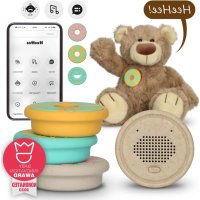
HEEHEE - Loudspeaker ALECTO - Free user manual and instructions
Find the device manual for free HEEHEE ALECTO in PDF.



| Product type | Bluetooth speaker |
| Brand | Alecto |
| Model | HeeHee |
| Power supply | Rechargeable battery, charging via USB-C |
| Battery life | 6 to 7 hours of continuous Bluetooth connection |
| Charging time | Approximately 3 hours |
| Waterproof rating | IPX4 (splash resistant) |
| Connectivity | Bluetooth |
| Bluetooth range | Up to 10 meters (without obstacles) |
| Compatibility | Android 5.0+, iOS 10+ |
| Required app | HeeHee Talk (available on Google Play Store and App Store) |
| Main functions | Playback of phrases, songs, stories, voice imitation, crying detection |
| Maintenance and cleaning | Clean with a soft, dry cloth. Avoid any contact with liquids. |
| Safety | Do not open, non-replaceable battery, do not expose to fire or extreme temperatures |
| Spare parts and repairability | USB-C cable provided, velcro straps. For repairs, contact Alecto customer service (service@alectobaby.nl) |
Frequently Asked Questions - HEEHEE ALECTO
User questions about HEEHEE ALECTO
0 question about this device. Answer the ones you know or ask your own.
Ask a new question about this device
Download the instructions for your Loudspeaker in PDF format for free! Find your manual HEEHEE - ALECTO and take your electronic device back in hand. On this page are published all the documents necessary for the use of your device. HEEHEE by ALECTO.
USER MANUAL HEEHEE ALECTO
VERHALEN

Help
DÉCLARATION DE CONFORMITÉ....10
Comment installer le code QR

Remarque :
MINUTERIE
UNDER CONSTRUCTION
MICROPHONE PARAMÈTRES
Aide
DÉCLARATION DE CONFORMITÉ
Tipp:
GESCHICHTEN

UNDER CONSTRUCTION
"Bring your favorite cuddly toy alive!"

Read the manual
Always scan the QR code inside the packaging artwork of the product HeeHee to go to the latest version of this product's user manual. Carefully read this user manual and follow all instructions including the 'Help' information. If you still can't get out, please contact our customer care service. Always keep this instruction manual cause it contains important information!

Safety requirements
- Don't attempt to repair or modify any electrical or mechanical functions of this product, this will declare the warranty as void.
- Replacement of the battery is not possible. Please do not attempt to change these batteries yourself. Instead, contact our customer support for repair or replacement information or engage a professional to service or replace the battery.
- Although the product is waterproof IPX4, please try to keep the product away from any liquids.
- Disposal of the product into fire or a hot oven, or mechanical crush or cutting may damage the included battery and may result in an explosion.
- Leaving the product with included battery in an extremely high temperature surrounding environment may result in an explosion or the leakage of flammable liquid or gas.
- Subject the product with included battery to extremely low air pressure may result in an explosion or the leakage of flammable liquid or gas.
- The battery charger used with the toy should be regularly examined for potential hazard, such as damage to the cable or cord, plug, enclosure of other parts and that in the event of such damage the toy must not be used until that damage had been properly removed.
- This toy contains battery that is non-replaceable, only use the supplied USB cable.
- The toy is only to be connected to equipment bearing either of the following symbols or .
General information
- For safety reasons, there is a sound limitation set on HeeHee. With the connected smartphone you can turn the sound louder than 70dB. You will then receive a warning.
- Phone calls do not come in via HeeHee.
- Explanation of the colors of the lights
Blue fast blinking = searching for Bluetooth connection
Blue blinking slowly = connected to Bluetooth
Red blinking = low battery
Off = no connection or battery completely empty
- Press and hold HeeHee button for 5 seconds = on/off (once connected, HeeHee remains in phone memory unless disconnected).
Pressing button HeeHee 3 times in quick succession = disconnect Bluetooth connection between HeeHee and smartphone immediately.
- Compatible Android versions: 5.0 or higher
- Compatible iOS versions: 10 or higher
CONTENT
Read the manual.... 2
Safety requirements.... 2
General information.... 2
How to install the QR code.... 4
How to install? / How to use? 5
- Download the HeeHee APP.... 5
- Grant permissions to the APP.... 5
- How to connect HeeHee to your smartphone? 5
- Go back to the HeeHee APP.... 6
- Overview of the HeeHee device.... 6
- How to attach HeeHee to your cuddle toy ? 6
- Charging and turning HeeHee ON/OFF 7
- How to use the App HeeHee ?...... 7
Help....9
Disposal of the old device....10
CE marking....10
Declaration of conformity.... 10
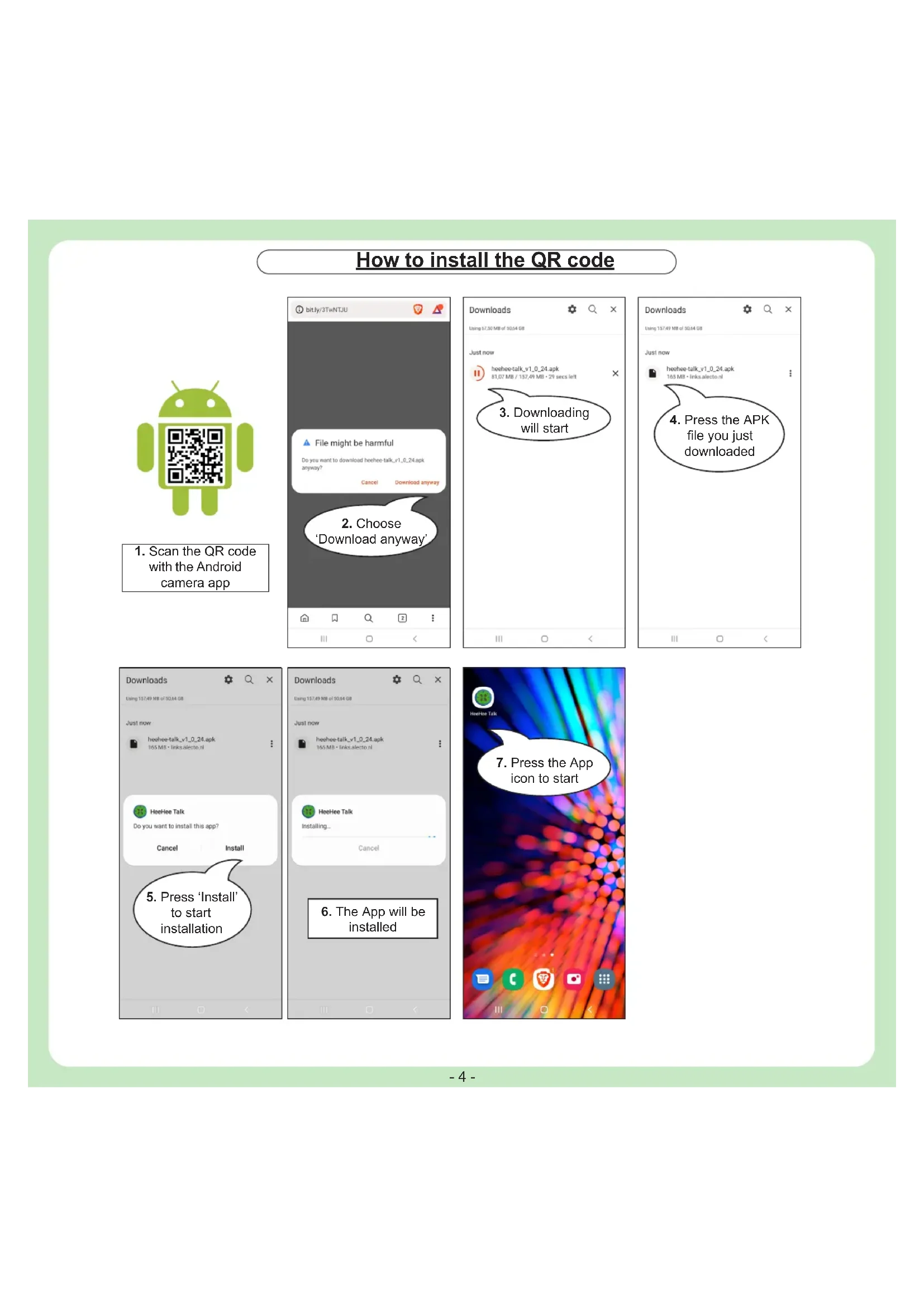
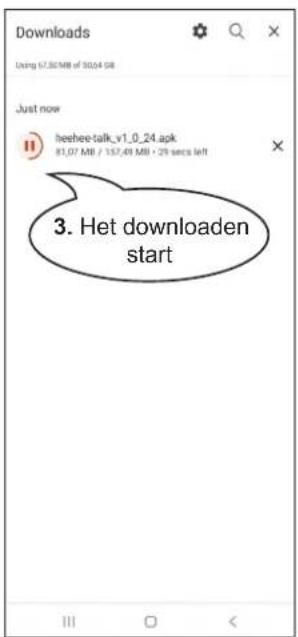
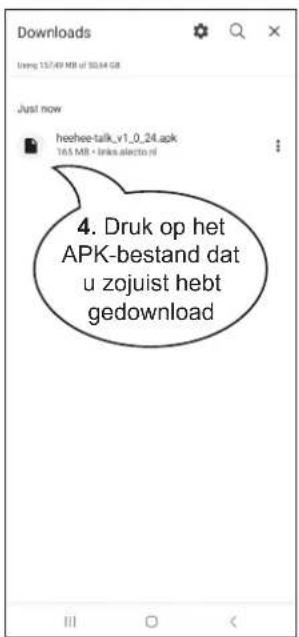
How to install the QR code

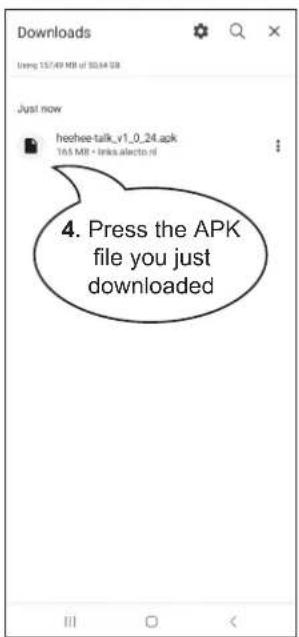
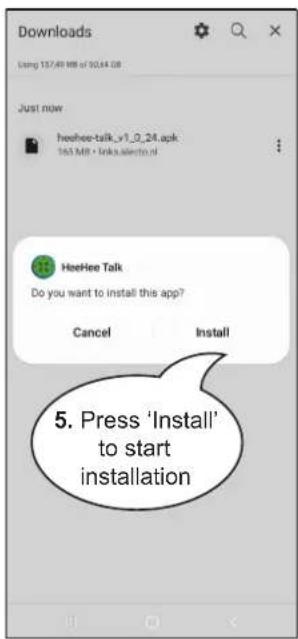
- Scan the QR code with the Android camera app


How to install ? / How to use ?
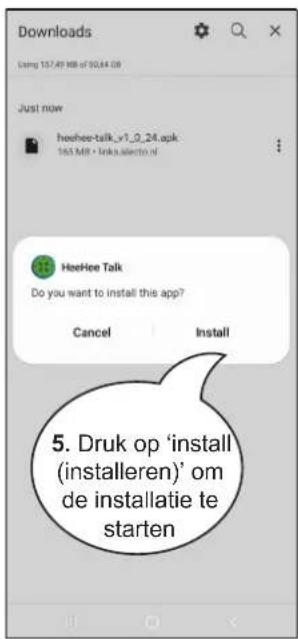
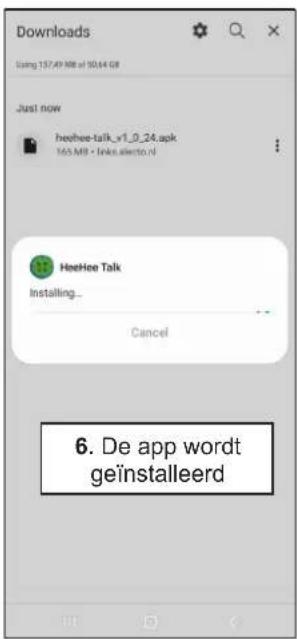
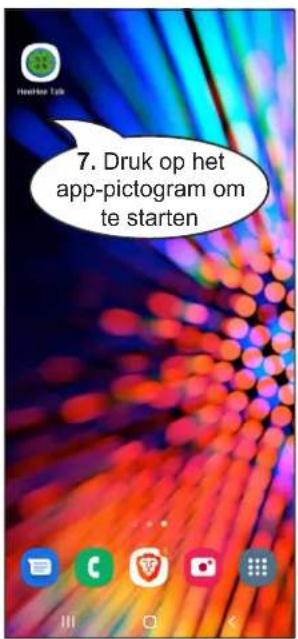
1. Download the HeeHee APP
A special smartphone APP is required to use HeeHee.
Download the ‘HeeHee Talk’ APP from the banner below or search in the Google Play Store / App Store to the application ‘HeeHee Talk’.




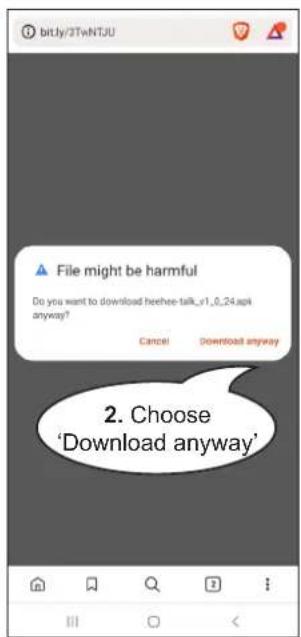
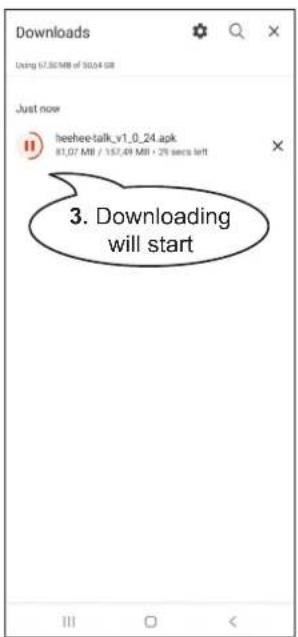
Use the QR code to download the app and follow the instructions on page 3.
2. Grant permissions to the APP
When opening the app for the first time, you will be asked to allow your location, microphone, files and media.
Allow this to use the App properly.
3. How to connect HeeHee to your smartphone?
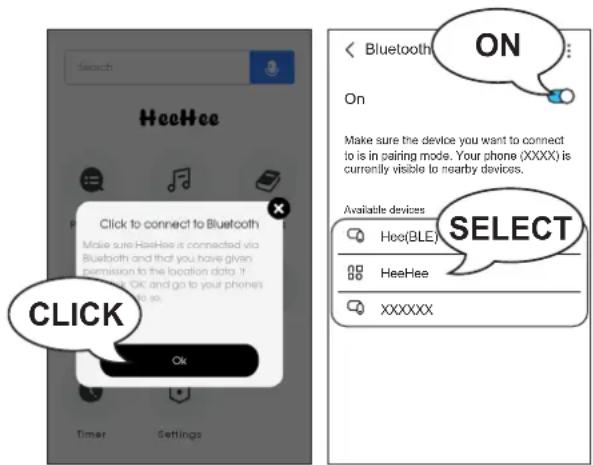
First open the HeeHee APP and click 'OK' in the pop-up. Turn on the HeeHee button by pressing the power button (see paragraph '5. Overview') for 5 seconds.
Android / iPhone users:
In Bluetooth settings turn the Bluetooth 'ON' and select 'HeeHee'
Note: Don't select 'Hee(BLE)'
If HeeHee does not want to connect with Bluetooth, only Hee(BLE) visible, then check if GPS location is 'on'.
4. Go back to the HeeHee APP
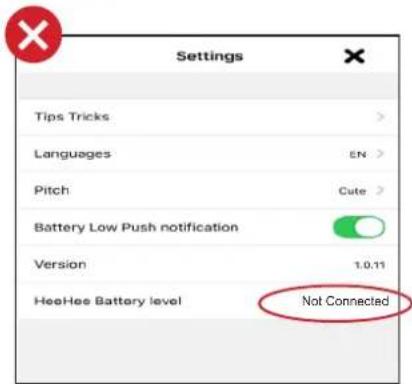
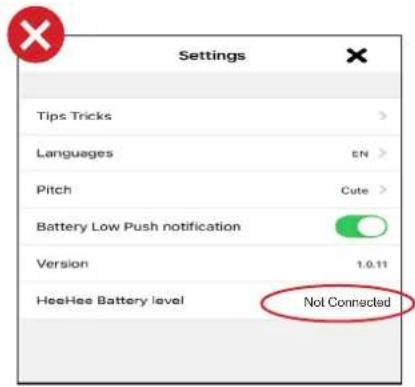
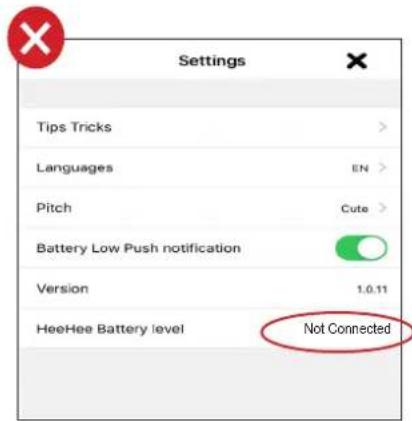
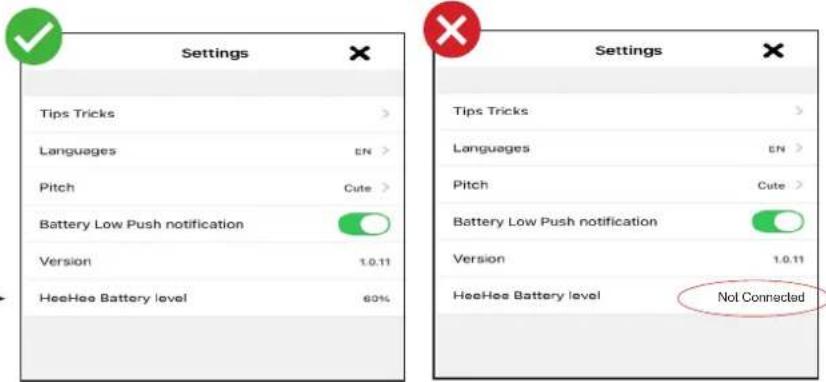
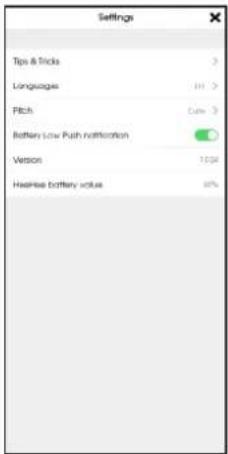
Always wait for the pop-up "Successful" to appear in the APP. Select your preferred language in the settings; EN English, NL Dutch, FR French, DE German You can also check in the settings of the APP if the HeeHee is connected correctly.
5. Overview of the HeeHee device
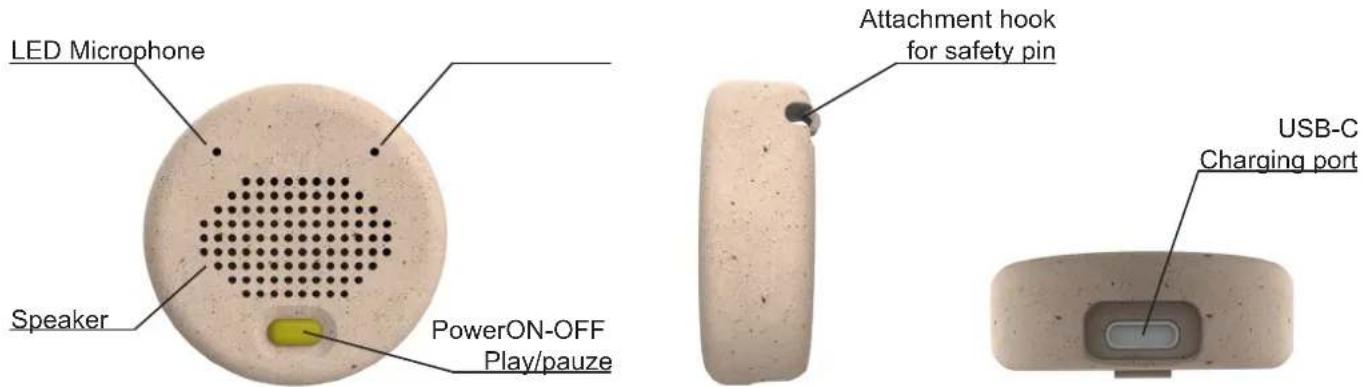
6. How to attach HeeHee to your cuddle toy?
Accessories needed:
- Your favorite cuddle toy
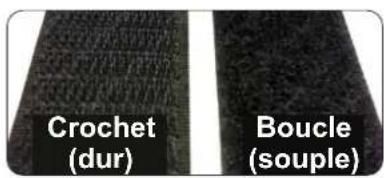
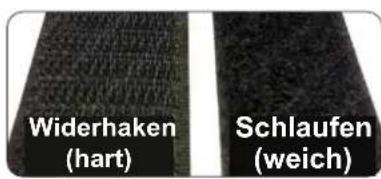
- Velcro tape: 1 hook and 3 loops.
- Needle and thread
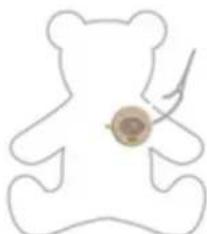
The hard side of the Velcro is called the hook.

Stick the hard side with the glued side to the back side of button HeeHee. The soft side of the Velcro is called the loop.
Secure the soft side without glue to the cuddle toy by sewing it with needle and thread. If you have a cuddle toy with hard plastic parts, you can also attach the
Velcro by sticking it with the glued soft part.
Tip: It's possible to attach button HeeHee to more than 1 cuddle toy because of the 3 included soft sides.
7. Charging and turning HeeHee ON/OFF
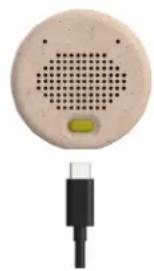
Charging time: appr. 3 hours
Usage time:
- Constantly connected with Bluetooth (for example when crying detection is activated): 6 to 7 hours.
Note:
- Battery saving after 30 minutes of no use in the APP, then Bluetooth connection will be broken.
- If the battery is low, and in 'Settings' the Battery low push notification is activated, you'll receive a pop-up in the app every minute.
- It is possible to use HeeHee as normal when it is connected to power.
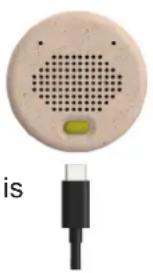
Use original USB-C cable to charge
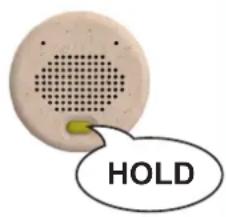
Long press for 5 seconds to turn ON/OFF
8. How to use the App HeeHee?
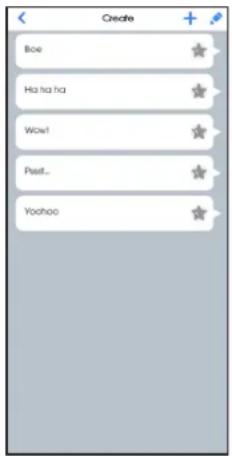
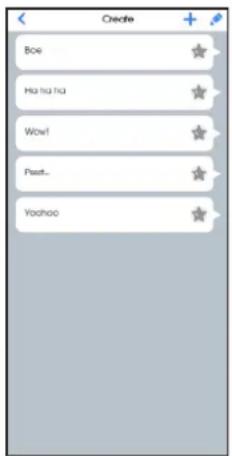
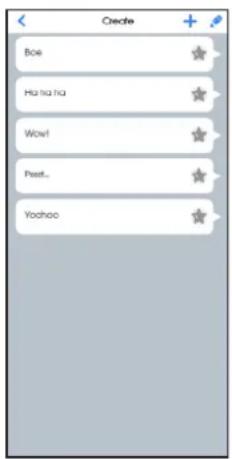
MENU PHRASES
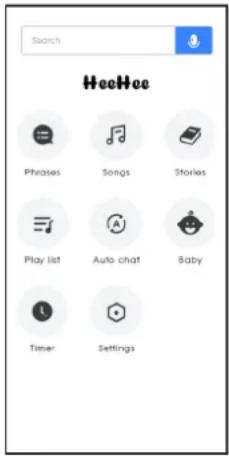
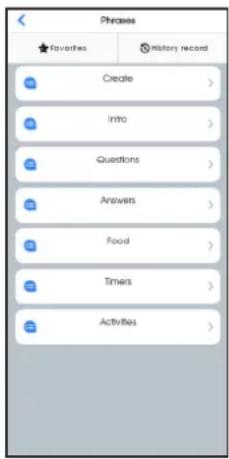
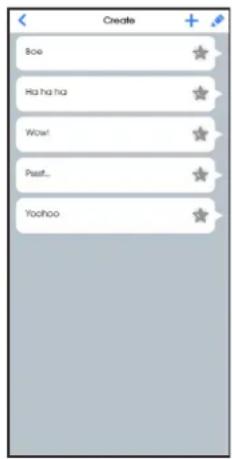
Sidenote:
Adults can also use the HeeHee to let the cuddly toy speak to their loved ones. You can use it for a marriage proposal / making up after a fight or use it for a surprise event.
SONGS
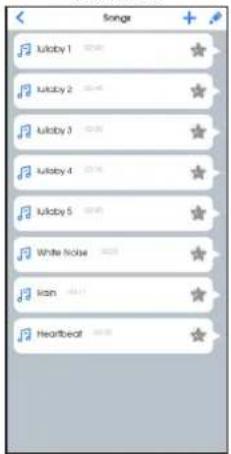
Songs are played through APP, not through the HeeHee locally. The phone must therefore be within Bluetooth range.
STORIES

The stories are controlled via the APP, not internally via HeeHee. The phone must therefore be within Bluetooth range.
PLAYLIST IMITATION

It is not possible to change the file name of a playlist. If you want to change the playlist name you need to create a new playlist.
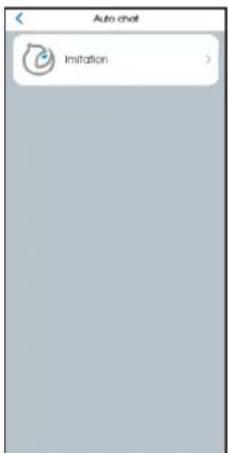
The imitation function on HeeHee only works within Bluetooth range.
CRY DETECTION

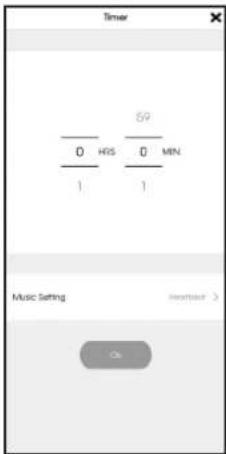
TIMER
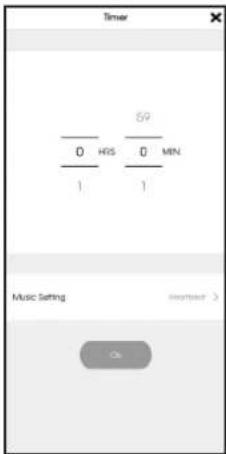
UNDER CONSTRUCTION
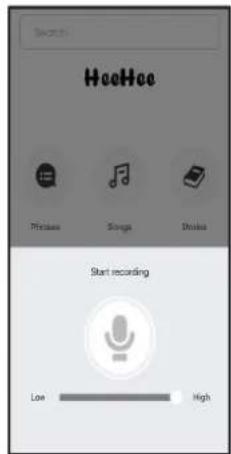
MICROPHONE SETTINGS
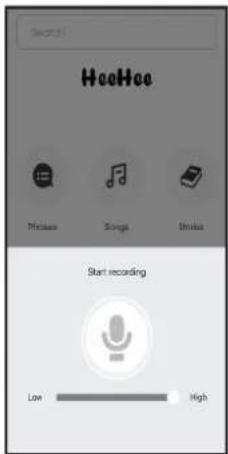
Outside Bluetooth range, the microphone function does not work properly. Microphone then falters.
Help
Can't connect to HeeHee?
• Is HeeHee turned on?
Press and hold the power button on the frontside of HeeHee for five seconds to turn the power on. If HeeHee is almost out of battery, you'll see a red light, please charge it using the provided charging cable. If the light won't turn on, the battery is completely empty. You first need to charge the HeeHee before you can use it.
- Are you close enough to HeeHee?
Make sure you are within 10 meters (without any obstacles) from HeeHee to connect with Bluetooth.
• Is HeeHee connected to another smartphone?
HeeHee can only be connected to one smartphone at a time. Because the HeeHee connects to the phone via BlueTooth, it is otherwise not possible to pass different signals to the HeeHee. Disconnect HeeHee from the paired smartphone and try again.
- Is your smartphone connected to other Bluetooth devices?
Please make sure that your smartphone is not connected to any other device via Bluetooth.
Even in case you were able to pair HeeHee to your smartphone while being connected to another Bluetooth device, HeeHee may not function properly. Please disconnect all Bluetooth devices before pairing with HeeHee.
- Are you near a microwave or other equipment that emits electromagnetic waves?
Please use HeeHee away from equipment that emits electromagnetic waves.
“HeeHee” doesn't show up on my smartphone Bluetooth device selection screen.
- Please try the following:
- Open "Settings" on you smartphone. Disable Bluetooth and then try turning it on again.
- Turn off the HeeHee device and try returning it on again.
Cannot operate APP even though smartphone and HeeHee device are properly paired.
- Is your smartphone paired with any Bluetooth device other that HeeHee?
Even in case you were able to pair HeeHee to your smartphone while being connected to another Bluetooth device, HeeHee may not function properly. Please disconnect all Bluetooth devices before pairing with HeeHee.
HeeHee can't be turned on.
- Press and hold the power button for 5 seconds.
Press and hold the power button at the backside of HeeHee for five seconds to turn on the power.
• Is HeeHee fully charged?
- Please fully charge HeeHee using the provided charging cable.
- HeeHee may be broken. Please contact Alecto customer service: service@alectobaby.nl
The app keeps terminating abnormally.
- The problem may be due to insufficient memory on your smartphone. Please close other apps that are running or restart your smartphone and see if there is an improvement. Refer to your smartphone manual for operating instructions.
I'm changing my smartphone and want to transfer HeeHee data to my new phone.
- It's not possible to transfer data from HeeHee to your smartphone or computer.
For malfunctions and repairs
Please contact Alecto customer service: service@alectobaby.nl
Customer support
E-mail: service@alectobaby.nl

Disposal of the old device
This symbol indicates that the relevant electrical product or battery should not be disposed of as general household waste in Europe. To ensure the correct waste treatment of the product and battery, please dispose them in accordance to any applicable local laws of requirement for disposal of electrical equipment or batteries. In so doing, you will help to conserve natural resources and improve standards of environmental protection in treatment and disposal of electrical waste (Waste Electrical and Electronic Equipment Directive).

CE Marking
This product is in compliance with the essential EU directive requirements.
DECLARATION OF CONFORMITY
Hereby, Commaxx declares that the radio equipment type Alecto HeeHee is in compliance with directive 2014/53/EU. The full text of the EU declaration of conformity is available at the following internet address:
http://DOC.hesdo.com/HeeHee_DOC.pdf
Alecto Powered by Lenco
HeeHee
Commaxx B.V.
Wiebachstraat 37
6466NG Kerkrade
Nederland
www.alectobaby.com v1.0
CE


- HELP
- COMMENT INSTALLER LE CODE QR
- REMARQUE
- UNDER CONSTRUCTION
- AIDE
- DÉCLARATION DE CONFORMITÉ
- TIPP
- READ THE MANUAL
- SAFETY REQUIREMENTS
- GENERAL INFORMATION
- CONTENT
- HOW TO INSTALL THE QR CODE
- HOW TO INSTALL ? / HOW TO USE
- DOWNLOAD THE HEEHEE APP
- GRANT PERMISSIONS TO THE APP
- HOW TO CONNECT HEEHEE TO YOUR SMARTPHONE
- GO BACK TO THE HEEHEE APP
- OVERVIEW OF THE HEEHEE DEVICE
- HOW TO ATTACH HEEHEE TO YOUR CUDDLE TOY
- CHARGING AND TURNING HEEHEE ON/OFF
- USAGE TIME
- NOTE
- HOW TO USE THE APP HEEHEE
- SIDENOTE
- CAN'T CONNECT TO HEEHEE
- HEEHEE CAN'T BE TURNED ON
- DISPOSAL OF THE OLD DEVICE
- CE MARKING
- DECLARATION OF CONFORMITY
- ALECTO POWERED BY LENCO
- HEEHEE
Brand : ALECTO
Model : HEEHEE
Category : Loudspeaker