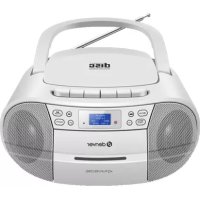
TDC280W - Cd player/recorder DENVER - Free user manual and instructions
Find the device manual for free TDC280W DENVER in PDF.



| Product type | CD player/recorder with radio and cassette |
| Brand | Denver |
| Model | TDC280W |
| Mains power supply | 100-240 V~, 50/60 Hz |
| Battery power supply | 4 C-type batteries (not included) |
| Output power | 8 W |
| FM radio | 87.5 - 108 MHz |
| DAB radio | 174.928 - 239.200 MHz |
| CD player | Playback and recording to cassette |
| Cassette player | Playback and recording from CD, USB, radio |
| USB port | Playback of music files |
| Auxiliary input | 3.5 mm |
| Headphone output | 3.5 mm |
| Display | LCD screen |
| Antenna | Integrated deployable FM/DAB antenna |
| Operating temperature | 0-40 °C |
| Dimensions (estimated) | 400 x 250 x 180 mm |
| Weight (estimated) | 2 kg |
| Color | White |
| Safety | Do not open, do not expose to water |
| Maintenance | Clean with a soft dry cloth |
| Repairability | Contact a professional, no spare parts provided |
| General information | Compliant with RED directive 2014/53/EU |
Frequently Asked Questions - TDC280W DENVER
User questions about TDC280W DENVER
0 question about this device. Answer the ones you know or ask your own.
Ask a new question about this device
Download the instructions for your Cd player/recorder in PDF format for free! Find your manual TDC280W - DENVER and take your electronic device back in hand. On this page are published all the documents necessary for the use of your device. TDC280W by DENVER.
USER MANUAL TDC280W DENVER
Please read the safety instructions carefully before using the product for the first time and keep the instructions for future reference.
- This product is not a toy. Keep it out of reach of children.
- Keep product out of the reach of children and pets to avoid chewing and swallowing.
- Never use old and new batteries or different types of batteries together. Remove the batteries when you are not using the system for a longer period of time. Check the polarity (+/-) of the batteries when inserting them in the product. Wrong positioning can cause an explosion. Batteries are not included.
- Product operating and storage temperature is from 0 degree Celsius to 40 degree Celsius. Under and over this temperature might affect the function.
- Never open the product. Touching the inside electrics can cause electric shock. Repairs or service should only be performed by qualified personnel.
- Do not expose to heat, water, moisture, direct sunlight!
- Please protect your ears against loud volume. Loud volume can damage your ears and risk in hearing loss.
- The unit is not waterproof. If water or foreign objects enter the unit, it may result in fire or electric shock. If water or a foreign object enters the unit, stop use immediately.
- The direct plug-in cable is used as disconnect device, the disconnect device shall remain readily operable. So, make sure there is space around the power outlet for easy access.
- Do not use non original accessories together with the product as this can make the product functionality abnormal.
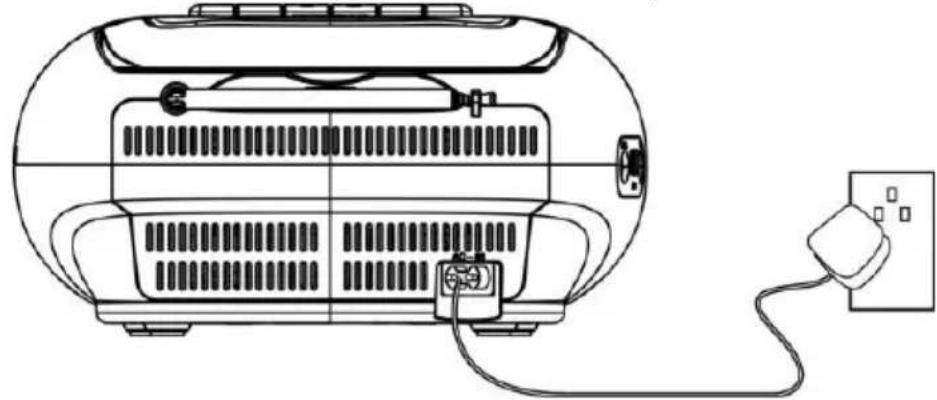
Plug the detachable AC cord into a standard AC outlet (100-240V~ 50/60Hz)
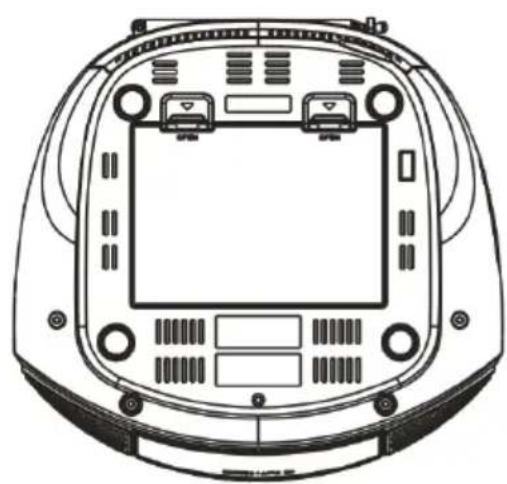
Battery power
Requires 4 C batteries; not included.
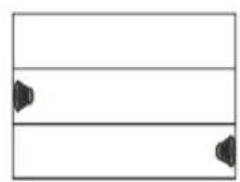
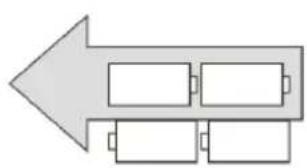
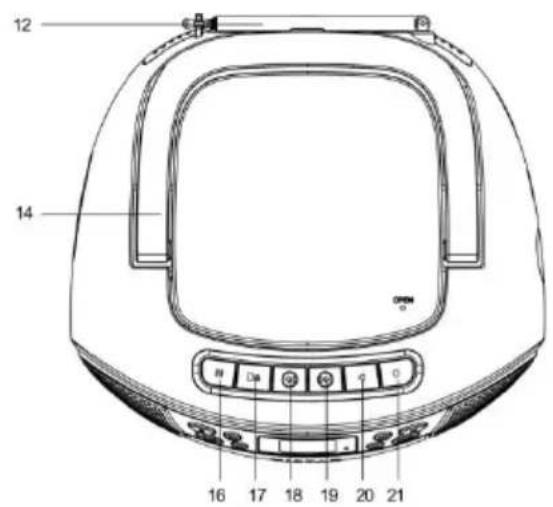
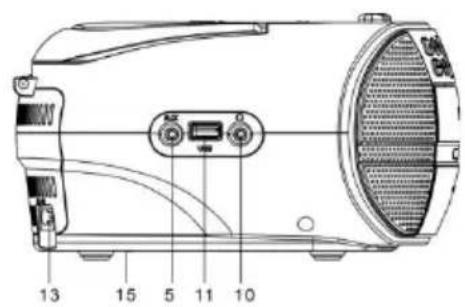
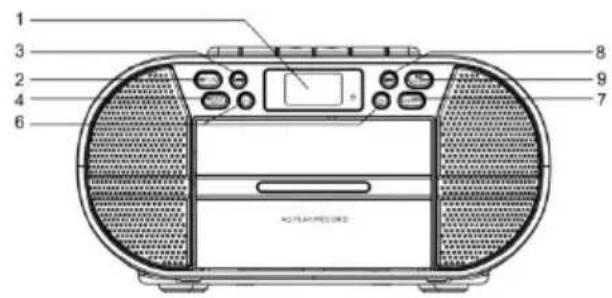
- LCD display
- FUN button
- button, Previous file/Station
- MENU/INFO button
- AUX IN input
- VOLUME buttons
- EQ/RPT button
- button, Next file/Station
- Enter/ button
- Headphone output socket
- USB input
- Antenna
- AC input, mains power supply
- CD door
- Battery compartment
- Pause (cassette)
- Stop/open (cassette)
- Fast Forward (cassette)
- Fast Rewind (cassette)
- Play (cassette)
- Record (cassette)
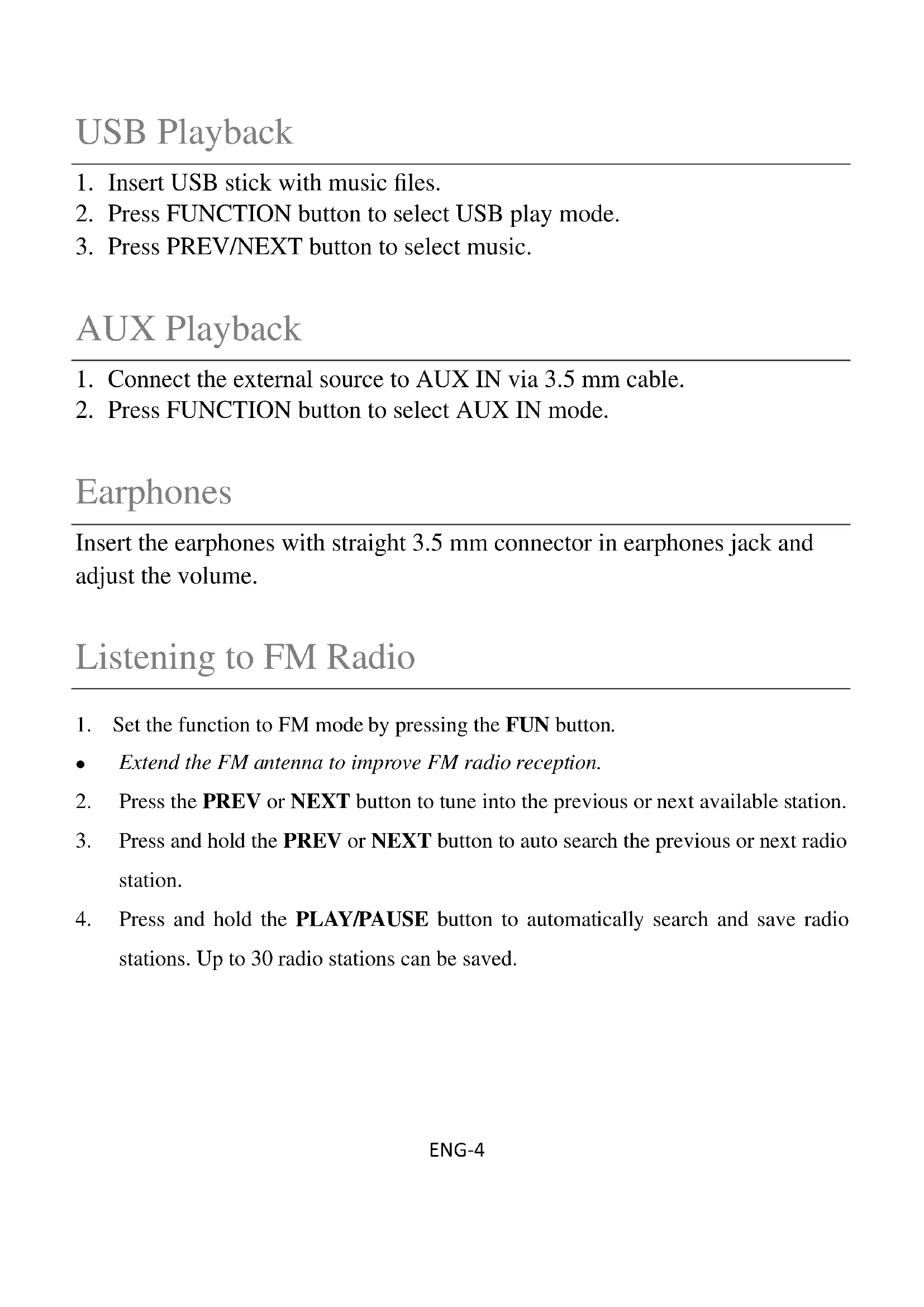
USB Playback
- Insert USB stick with music files.
- Press FUNCTION button to select USB play mode.
- Press PREV/NEXT button to select music.
AUX Playback
- Connect the external source to AUX IN via 3.5mm cable.
- Press FUNCTION button to select AUX IN mode.
Earphones
Insert the earphones with straight 3.5mm connector in earphones jack and adjust the volume.
Listening to FM Radio
- Set the function to FM mode by pressing the FUN button.
- Extend the FM antenna to improve FM radio reception.
- Press the PREV or NEXT button to tune into the previous or next available station.
- Press and hold the PREV or NEXT button to auto search the previous or next radio station.
-
Press and hold the PLAY/PAUSE button to automatically search and save radio stations. Up to 30 radio stations can be saved.
-
Set the function to DAB mode by pressing the FUN button.
- Press and hold the PLAY/PAUSE button to automatically search and save DAB radio stations.
- Press the PREV/NEXT button to highlight a sub-station and press the ENTER button to select.
- Press the INFO button to display station details.
Listening to Cassette
- When the boombox is in the CASSETTE mode: press the STOP/OPEN (cassette) button (/▲) open the cassette door and insert the music tape. Close the cassette door and press the Play button (▲) to start playing the tape. Press the Fast Forward button/ (▲) to fast forward through the tape and press the Fast Rewind button (▲) to fast reverse through the tape. Press the Pause button (II) to pause playback.
- To record CD, USB, FM audio, set the function to the corresponding mode (e.g. CD mode), and insert a blank tape into the cassette drive. Press the RECORD ( button for the CD to be recorded on the blank tape (record other audio the same way).
Please notice - All products are subject to change without any notice. We take reservations for errors and omissions in the manual.
ALL RIGHTS RESERVED, COPYRIGHT DENVER A/S

denver.eu
Electric and electronic equipment contains materials, components and substances that can be hazardous to your health and the environment, if the waste material (discarded electric and electronic equipment) is not handled correctly.
Electric and electronic equipment is marked with the crossed-out trash can symbol, seen above. This symbol signifies that electric and electronic equipment should not be disposed of with other household waste but should be disposed of separately.
All cities have established collection points, where electric and electronic equipment can either be submitted free of charge at recycling stations and other collection sites or be collected from the households. Additional information is available at the technical department of your city.
Hereby, Denver A/S declares that the radio equipment type TDC-280 is in compliance with Directive 2014/53/EU. The full text of the EU declaration of conformity is available at the following internet address: denver-eu and then click the search ICON on topline of website. Write model number: TDC-280. Now enter product page, and RED directive is found under downloads/other downloads.
Operating Frequency Range: FM: 87.5 - 108 MHz
DAB: 174.928 - 239.200 MHz
Max Output Power: 8W
Denver A/S
Omega 5A, Soeften
DK-8382 Hinnerup
Denmark
facebook.com/denver.eu
Sicherheitshinweise
DAB: 174,928-239,200 MHz
(Push "2" for support)
For technical questions, please write to:
support@denver.eu
For all other questions please write to:
denver@denver.eu
Benelux/France
Denver Benelux BV
Barwoutswaarder 13C+D
3449 HE Woerden
The Netherlands
Phone: +31 348 420 029
E-Mail: support-nl@denver.eu
Spain/Portugal
Denver AS Spain S.A.
Denver Germany GmbH Service
Gutenbergstrasse 1
94036 Passau
Phone: +49 851 379 369 40
repair-germany@denver.eu
Fairfixx GmbH
Repair and service
(for TV, E-Mobility/Hoverboards/Balanceboards,
Smartphones & Tablets)
Tel.: +49 851 379 369 69
If your country is not listed above,
please write an email to
support@denver.eu

denver
Denver A/S
Omega 5A, Soeften
DK-8382 Hinnerup
Denmark
denver.eu
facebook.com/denver.eu

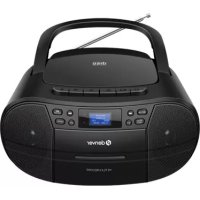
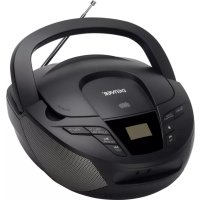
Brand : DENVER
Model : TDC280W
Category : Cd player/recorder