HPBT2052WT - Headphones NEDIS - Free user manual and instructions
Find the device manual for free HPBT2052WT NEDIS in PDF.

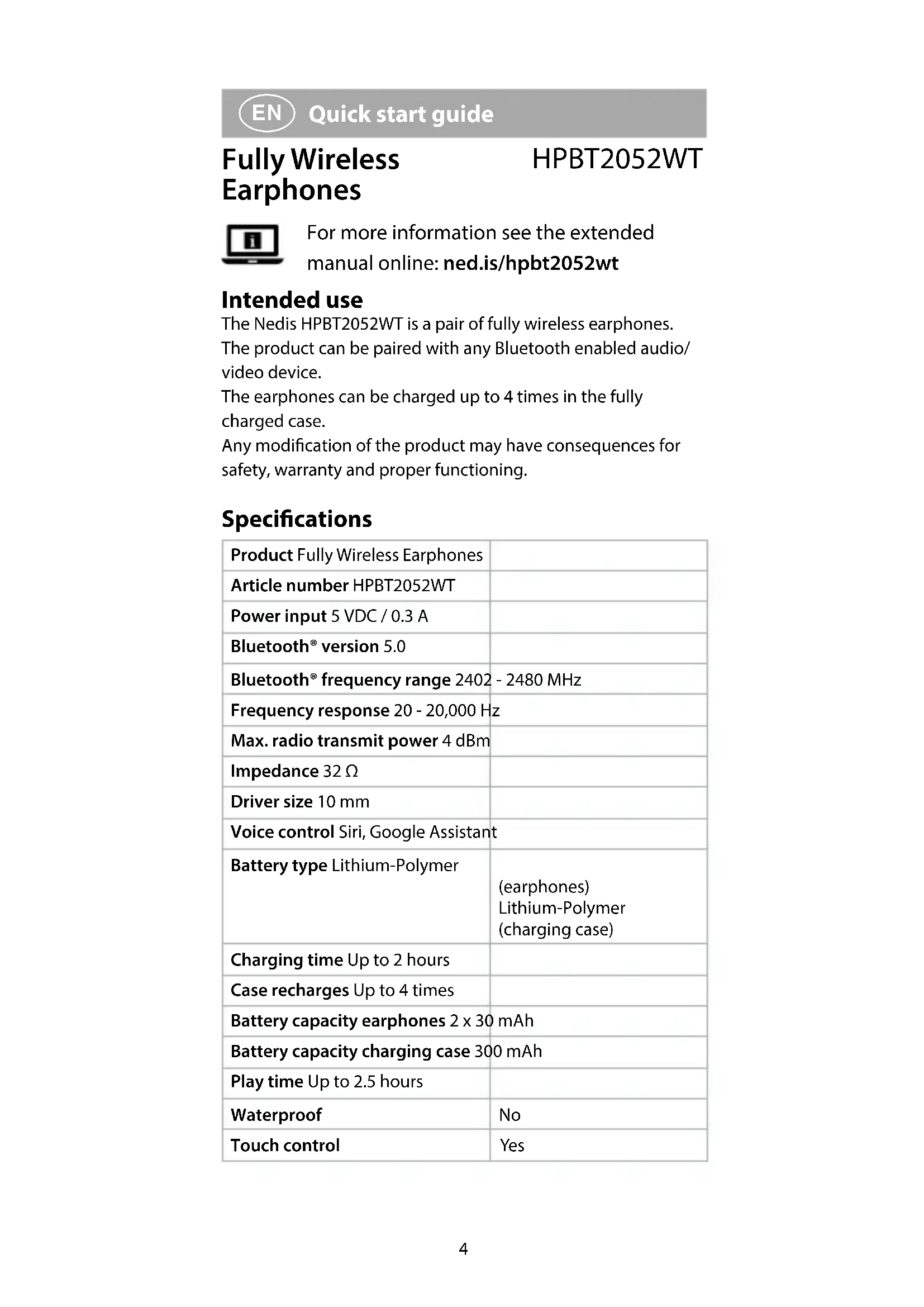


| Product type | Fully wireless earbuds |
| Brand | Nedis |
| Model | HPBT2052WT |
| Bluetooth technology | Bluetooth 5.0 |
| Bluetooth version | 5.0 |
| Frequency response | 20 - 20,000 Hz |
| Impedance | 32 Ω |
| Playback battery life | Up to 2.5 hours |
| Charging time earbuds | Up to 2 hours |
| Battery capacity (earbuds) | 2 x 30 mAh |
| Battery capacity (charging case) | 300 mAh |
| Voice control | Siri, Google Assistant |
| Touch control | Yes |
| Dimensions (earbuds) | Approx. 20 x 15 x 15 mm (estimate) |
| Dimensions (charging case) | Approx. 50 x 50 x 25 mm (estimate) |
| Weight (earbuds) | Approx. 5 g per earbud (estimate) |
| Weight (charging case) | Approx. 30 g (estimate) |
| Power supply | 5 VDC / 0.3 A via micro USB port |
| Main functions | Bluetooth pairing, touch control, hands-free calls, music control, voice assistant |
| Care and cleaning | Clean with a soft, dry cloth. Do not use chemicals. |
| Safety | Do not listen at high volume for long periods. Keep out of reach of children. Do not expose to water or heat. |
| Spare parts and repairability | Internal battery non-replaceable. Do not open. In case of failure, replace the product. |
| General information | Made in China. Declaration of conformity available at nedis.fr/hpbt2052wt#support |
Frequently Asked Questions - HPBT2052WT NEDIS
User questions about HPBT2052WT NEDIS
0 question about this device. Answer the ones you know or ask your own.
Ask a new question about this device
Download the instructions for your Headphones in PDF format for free! Find your manual HPBT2052WT - NEDIS and take your electronic device back in hand. On this page are published all the documents necessary for the use of your device. HPBT2052WT by NEDIS.
USER MANUAL HPBT2052WT NEDIS
Fully Wireless Earphones with voice and touch control
HPBT2052WT
natural_image
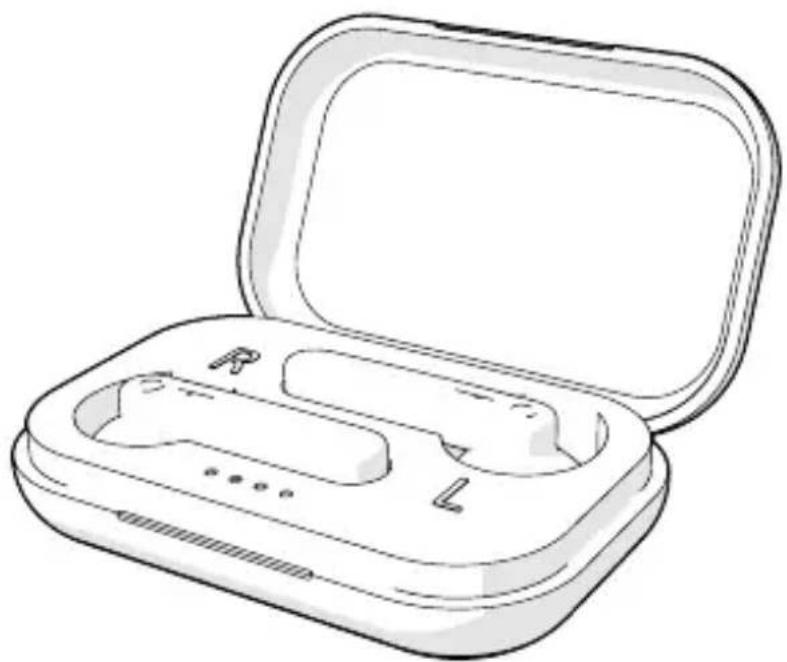
Line drawing of an open wireless earbuds case with labeled buttons (R, L) and a black plastic cover (no text or symbols beyond basic labels)EN Quick start guide 4
DE Kurzanleitung 7
FR Guide de démarrage rapide 11
NL Snelstartgids 15
IT Guida rapida all'avvio 19
ES Guía de inicio rápido 23
PT Guia de iniciação rápida 27
SV Snabbstartsguide 30
FI Pika-aloitusopas 34
NO Hurtigguide 38
DA Vejledning til hurtig start 41
HU Gyors beüzemelési útmutató 45
PL Przewodnik Szybki start 49
EL Οδηγός γρήγορης εκκίνησης 53
SK Rýchly návod 57
CS Rychlý návod 61
RO Ghid rapid de inițiere
text_image
A 1 2 3 4 5 6 7 8 9 6 10Fully Wireless
Earphones
HPBT2052WT

For more information see the extended
manual online: ned.is/hpbt2052wt
Intended use
The Nedis HPBT2052WT is a pair of fully wireless earphones.
The product can be paired with any Bluetooth enabled audio/video device.
The earphones can be charged up to 4 times in the fully charged case.
Any modification of the product may have consequences for safety, warranty and proper functioning.
Specifications
| Product Fully Wireless Earphones | |
| Article number HPBT2052WT | |
| Power input 5 VDC / 0.3 A | |
| Bluetooth® version 5.0 | |
| Bluetooth® frequency range 2402 - 2480 MHz | |
| Frequency response 20 - 20,000 Hz | |
| Max. radio transmit power 4 dBm | |
| Impedance 32 Ω | |
| Driver size 10 mm | |
| Voice control Siri, Google Assistant | |
| Battery type Lithium-Polymer | (earphones)Lithium-Polymer(charging case) |
| Charging time Up to 2 hours | |
| Case recharges Up to 4 times | |
| Battery capacity earphones 2 x 30 mAh | |
| Battery capacity charging case 300 mAh | |
| Play time Up to 2.5 hours | |
| Waterproof | No |
| Touch control | Yes |
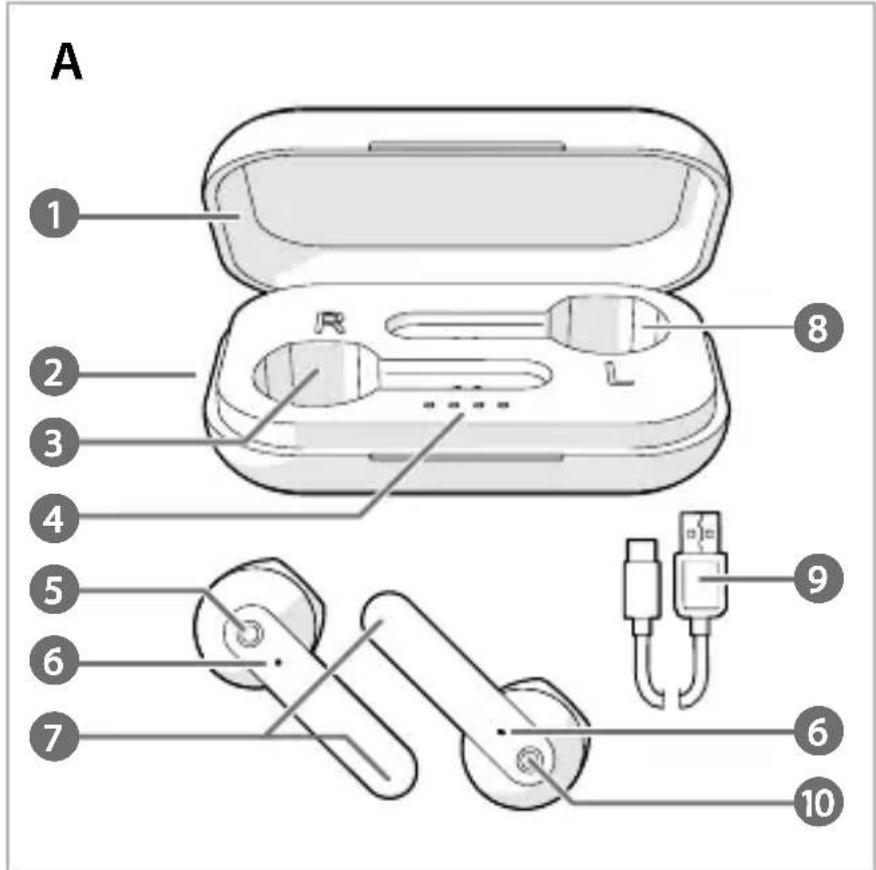
Main parts (image A)
1 Lid
2 Micro USB port
3 Right earphone slot
4 Charging indicator LED
5 Left earphone touch control
6 Status indicator LED
7 Microphone
8 Left earphone slot
9 Micro USB cable
10 Right earphone touch control
Safety instructions
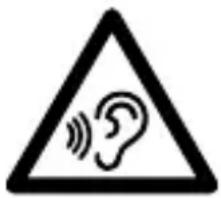
WARNING
text_image
Warning sign depicting an ear with sound waves inside a triangleTo prevent possible hearing damage, do not listen at high volume levels for long periods.
- Only use the product as described in this document.
- Do not use the product if a part is damaged or defective. Replace a damaged or defective product immediately.
- Do not expose the product to direct sunlight, naked flames or heat.
- Do not expose the product to water or moisture.
- Do not drop the product and avoid bumping.
- Do not open the product.
- Keep the product out of reach from children.
- This product is not a toy. Never allow children or pets to play with this product.
- Using earphones with both ears covered while participating in traffic is discouraged and may be illegal in some areas.
- Charge the battery for at least 2 hours when you use it for the first time.
- Only use the provided USB charging cable.
- Some wireless devices may interfere with implantable medical devices and other medical equipment, such as pacemakers, cochlear implants and hearing aids. Consult the manufacturer of your medical equipment for more information.
- Do not use the product at locations where the use of wireless devices is prohibited due to potential interference with other electronic devices, which may cause safety hazards.
-
This product is equipped with a non-removable internal battery. Do not attempt to replace the battery yourself.
-
Do not short circuit.
- Do not repair the product. If damaged, it must be properly disposed of.
Pairing the earphones to a Bluetooth audio source
- Take the earphones out of the charging case. The earphones switch on automatically.
Tap and hold both earphone touch controls A 5 A 10 for 2 seconds to manually switch on the earphones.
- One of the status indicator LED A 6 blinks red and blue to indicate pairing mode is active.
- Enable Bluetooth on the device you want to pair the earphones with.
- Select "HPBT2052WT" from the list of available Bluetooth devices on your device.
Charging the product
- Plug the Micro USB cable A ⑨ into the Micro USB port A ② of the charging case.
- Plug the other end of A 9 into a computer or power adapter.
- Plug the power adapter into a power outlet. The charging indicator LED A 4 indicates the charging progress of the battery.
- Place the earphones into the respective slots A 3A8 and close the lid A 1 to charge the earphones.
- The status indicator LED A 6 on the earphones lights up red.
- A 6 switches off when the earphones are fully charged. The earphones and the charging case can charge simultaneously.
Making phone calls
With the earphones connected to a mobile phone via Bluetooth, phone calls will automatically be redirected to the earphones.
• To answer an incoming call, tap A 5 or A 10.
- To reject an incoming call, tap and hold A 5 or A10 for 2 seconds.
• To end a call, tap A 5 or A 10.
Controlling the music
- Tap A 5 or A 10 to play or pause the music.
• Double tap A 10 to skip to the next track. - Double tap A 5 to skip to the previous track.
Using voice assistant
Tap and hold A 5 or A 10 for 3 seconds to activate Siri/Google Assistant.
Declaration of Conformity
We, Nedis B.V. declare as manufacturer that the product HPBT2052WT from our brand Nedis ^® , produced in China, has been tested according to all relevant CE standards and regulations and that all tests have been passed successfully. This includes, but is not limited to the RED 2014/53/EU regulation.
The complete Declaration of Conformity (and the safety datasheet if applicable) can be found and downloaded via: nedis.com/hpbt2052wt#support
For additional information regarding the compliance, contact the customer service:
Web: www.nedis.com
E-mail: service@nedis.com
Nedis B.V., de Tweeling 28
5215 MC 's-Hertogenbosch, the Netherlands

Kurzanleitung
text_image
Warning sign with a triangle containing an ear and sound waves, indicating a warning or alert symbol.text_image
Warning sign with a triangle containing an ear and sound waves, indicating a warning or alert.text_image
Warning sign depicting an ear with sound waves inside a triangletext_image
Warning sign depicting an ear with sound waves inside a triangletext_image
Warning sign depicting an ear with sound waves, commonly used for hearing or listening to the ear.text_image
Warning sign depicting an ear with sound waves inside a triangletext_image
Warning sign depicting an ear with sound waves, commonly used for hearing or noisetext_image
Warning sign depicting an ear with sound waves, commonly used for hearing or noisetext_image
Warning sign depicting an ear with sound waves, commonly used for hearing or listening to the ear.text_image
Warning sign with a triangle containing an ear and sound waves, indicating a warning or awareness symbol.5215 MC 's-Hertogenbosch, the Netherlands

text_image
Warning sign depicting an ear with sound waves inside a triangletext_image
Warning sign depicting an ear with sound waves inside a triangletext_image
Warning sign depicting an ear with sound waves inside a triangle5215 MC 's-Hertogenbosch, the Netherlands

Rýchly návod
text_image
Warning sign depicting an ear with sound waves inside a triangleAby nedošlo k možnému poškodeniu sluchu, nepočúvajte zvuk dlhodobo pri vysokej úrovni hlasitosti.