
HPBT5053BK - Headphones NEDIS - Free user manual and instructions
Find the device manual for free HPBT5053BK NEDIS in PDF.


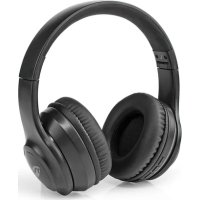
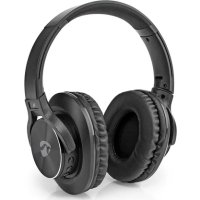
| Product type | Wireless headphone |
| Brand | Nedis |
| Model | HPBT5053BK |
| Color | Black |
| Headphone type | Circum-aural (over-ear) |
| Connectivity | Bluetooth 5.0 |
| Wireless range | 10 meters |
| Battery life | 20 hours |
| Charging time | 2 hours |
| Battery type | Lithium-ion rechargeable |
| Speaker diameter | 40 mm |
| Impedance | 32 Ω |
| Sensitivity | 108 dB |
| Frequency response | 20 Hz - 20 kHz |
| Built-in microphone | Yes |
| Built-in controls | Volume, play/pause, call |
| Compatibility | Smartphones, tablets, PC |
| Included accessories | USB-C charging cable, user manual |
| Care and cleaning | Clean with a soft, dry cloth |
| Safety | Do not expose to water, respect volume levels |
| Repairability | Spare parts available on request |
Frequently Asked Questions - HPBT5053BK NEDIS
User questions about HPBT5053BK NEDIS
0 question about this device. Answer the ones you know or ask your own.
Ask a new question about this device
Download the instructions for your Headphones in PDF format for free! Find your manual HPBT5053BK - NEDIS and take your electronic device back in hand. On this page are published all the documents necessary for the use of your device. HPBT5053BK by NEDIS.
USER MANUAL HPBT5053BK NEDIS
Fully Wireless Earphones with voice control
HPBT5053BK

natural_image
Line drawing of an open and closed electronic device with two buttons and a handle (no text or symbols)EN Quick start guide 4
DE Kurzanleitung 7
For more information see the extended
manual online: ned.is/hpbt5053bk
Intended use
The Nedis HPBT5053BK is a pair of fully wireless earphones.
The product can be paired with any Bluetooth enabled audio/video device.
The earphones can be charged up to 2 times in the fully charged case.
The earphones can also be charged with the battery cable.
Any modification of the product may have consequences for safety, warranty and proper functioning.
Specifications
| Product Fully Wireless Earphones | |
| Article number HPBT5053BK | |
| Power input 5 VDC; 0.5 A (charging case)5 VDC; 0.5 A (battery cable) | |
| Bluetooth® version 5.0 | |
| Bluetooth® frequency range 2402 - 2480 MHz | |
| Frequency response 20 - 20,000 Hz | |
| Max. radio transmit power 4 dBm | |
| Impedance 16 Ω | |
| Driver size 7 mm | |
| Voice control Siri, Google Assistant | |
| Battery type Lithium-Polymer | (earphones)Lithium-Polymer (charging case)Lithium-Polymer (battery cable) |
| Charging time Up to 2 hours | |
| Case recharges Up to 2 times | |
| Battery capacity earphones 2 x | 50 mAh |
| Battery capacity charging case | 320 mAh |
| Battery capacity battery cable | 110 mAh |
| Play time Up to 3.5 hours | |
| Waterproof No | |
Main parts (image A)
1 Lid
2 Left earphone slot
3 Right earphone slot
4 Battery cable
5 Micro USB port
6 Micro USB cable
7 Micro USB port
8 Charging indicator LEDs
9 Status indicator LED
10 Right earphone button
11 Left earphone button
12 3 pairs of ear tips (S/M/L)
Safety instructions
WARNING
- Only use the product as described in this document.
- Do not use the product if a part is damaged or defective. Replace a damaged or defective product immediately.
- Do not expose the product to direct sunlight, naked flames or heat.
- Do not expose the product to water or moisture.
- Do not drop the product and avoid bumping.
- Do not open the product.
- Keep the product out of reach from children.
- This product is not a toy. Never allow children or pets to play with this product.
- Using earphones with both ears covered while participating in traffic is discouraged and may be illegal in some areas.
- Listening on high volume for a long time will damage your hearing.
- Some wireless devices may interfere with implantable medical devices and other medical equipment, such as pacemakers, cochlear implants and hearing aids. Consult the manufacturer of your medical equipment for more information.
- Do not use the product at locations where the use of wireless devices is prohibited due to potential interference with other electronic devices, which may cause safety hazards.
- This product is equipped with a non-removable internal battery. Do not attempt to replace the battery yourself.
- Do not short circuit.
- Do not repair the product. If damaged, it must be properly disposed of.
Pairing the earphones to a Bluetooth audio source
- Take the earphones out of the charging case. The earphones switch on automatically.
Press and hold both earphone buttons A ⑩A ⑪ for 1 second to switch the earphones on manually.
If the earphones are not paired within 3 minutes, they switch off.
-
A ⑨ blinks red and blue to indicate pairing mode is active.
-
Enable Bluetooth on the device you want to pair the earphones with.
-
Select "HPBT5053BK" from the list of available Bluetooth devices on your device.
Charging the product
-
Plug the micro USB cable A ⑥ into the micro USB port A ⑦.
-
Plug the other end of A ⑥ into a computer or power adapter.
-
Plug the power adapter into a power outlet. The charging indicator LEDs A ^⑧ indicate the charging progress of the battery.
-
Place the earphones into the respective slots A ②A③ and close the lid A① to charge the earphones.
-
The status indicator LED A ⑨ switches off when the earphones are fully charged.
The earphones and the charging case can charge simultaneously.
You can also charge the earphones using the battery cable A④ as shown in image B. This allows you to use the product while charging.
Switching off the earphones
Tap and hold A ^10 and A ^11 for 5 seconds to switch the product off.
Making phone calls
With the earphones connected to a mobile phone via Bluetooth, phone calls will automatically be redirected to the earphones.
• To answer an incoming call, press A ⑩ or A ⑪.
- To reject an incoming call, press and hold A ⑩ or A⑪ for 1 second.
• To end a call, press A ⑩ or A ⑪.
Controlling the music
- Press A ⑩ or A ⑪ to play or pause the music.
- Double press A ⑩ to skip to the next track.
- Double press A ⑪ to skip to the previous track.
Add Siri/Google Assistant function
Press and hold A ^10 or A ^11 for 1 second to activate Siri/Google Assistant.
Declaration of Conformity
We, Nedis B.V. declare as manufacturer that the product HPBT5053BK from our brand Nedis ^® , produced in China, has been tested according to all relevant CE standards and regulations and that all tests have been passed successfully. This includes, but is not limited to the RED 2014/53/EU regulation.
The complete Declaration of Conformity (and the safety datasheet if applicable) can be found and downloaded via: webshop.nedis.com/hpbt5053bk#support
For additional information regarding the compliance, contact the customer service:
Web: www.nedis.com
E-mail: service@nedis.com
Phone: +31 (0)73-5991055 (during office hours)
Nedis B.V., de Tweeling 28
5215 MC 's-Hertogenbosch, the Netherlands

Kurzanleitung
5215 MC 's-Hertogenbosch, the Netherlands

5215 MC 's-Hertogenbosch, the Netherlands

Rýchly návod
Tap and hold A⑩ and A⑪ for 5 seconds to switch the product off.
Estonian


- Fully Wireless Earphones with voice control
- Intended use
- Main parts (image A)
- Safety instructions
- WARNING
- Pairing the earphones to a Bluetooth audio source
- Charging the product
- Switching off the earphones
- Making phone calls
- Controlling the music
- Add Siri/Google Assistant function
- Declaration of Conformity
- Kurzanleitung
- Rýchly návod
Brand : NEDIS
Model : HPBT5053BK
Category : Headphones