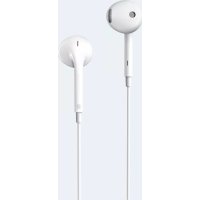
P180 Plus - Earplug EDIFIER - Free user manual and instructions
Find the device manual for free P180 Plus EDIFIER in PDF.


| Product Type | Earbud (in-ear headphones) |
| Brand | Edifier |
| Model | P180 Plus |
| Weight | Approximately 5 g |
| Power Source | Rechargeable lithium-ion battery via USB-C port |
| Multifunction Button | Single press: pause/play; double press: next track; triple press: previous track; hold: voice assistant |
| Volume Control | Dedicated button: press once to increase/decrease |
| Voice Assistant | Yes, accessible by holding the multifunction button |
| Compatibility | iPhone (without volume control) and Android (variable functionality) |
| Care and Cleaning | Clean with a soft, dry cloth. Avoid moisture. |
| Safety | Use at moderate volume to protect hearing. |
| Repairability | Parts not available separately. In case of failure, contact Edifier customer service. |
Frequently Asked Questions - P180 Plus EDIFIER
User questions about P180 Plus EDIFIER
0 question about this device. Answer the ones you know or ask your own.
Ask a new question about this device
Download the instructions for your Earplug in PDF format for free! Find your manual P180 Plus - EDIFIER and take your electronic device back in hand. On this page are published all the documents necessary for the use of your device. P180 Plus by EDIFIER.
USER MANUAL P180 Plus EDIFIER
Earbuds with Remote and Mic
Please visit EDIFIER website for the full version user manual:
www.edifier.com
EN · Functional operation instructions
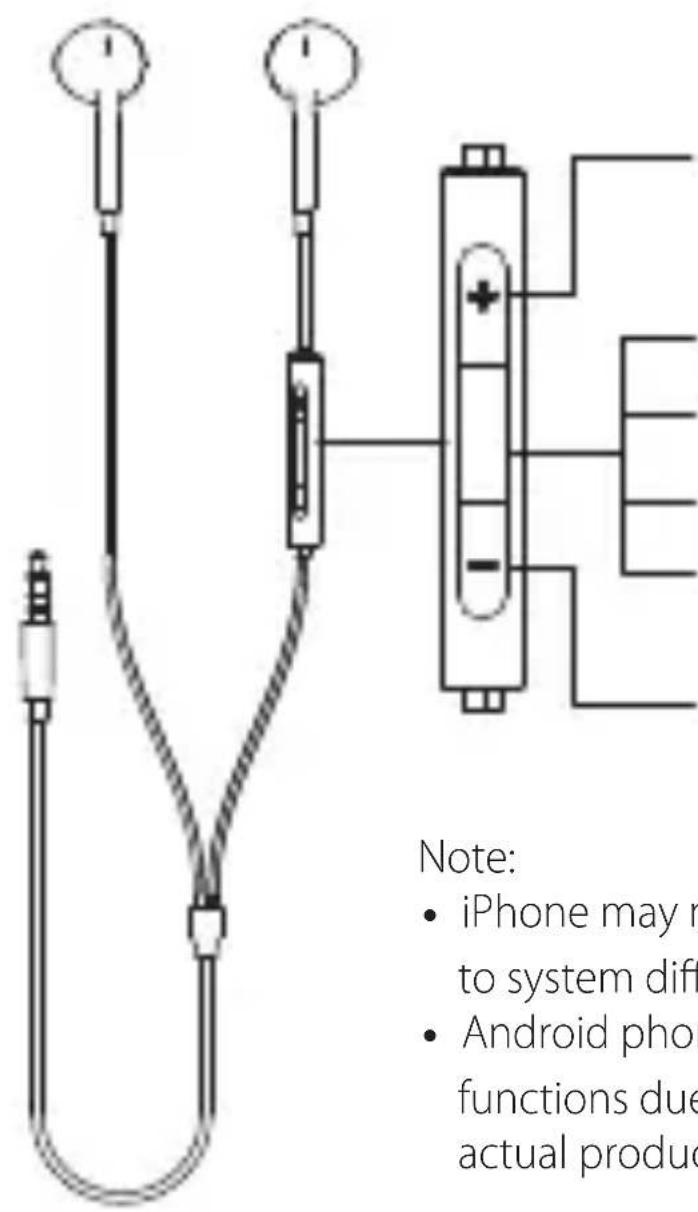
Volume up: single press
Multi-function button:
Pause/paly: single press
Next track: double press
Previous track: triple press
Voice assistant: press and hold
Volume down: single press
Note:
- iPhone may not support volume control due to system difference;
- Android phones may be slightly different in functions due to brand difference, and the actual product prevails.
© 2020 Edifier International Limited. All rights reserved.
Printed in China
NOTICE:
For the need of technical improvement and system upgrade, information contained herein may be subject to change from time to time without prior notice.
Products of EDIFIER will be customized for different applications.
Pictures and illustrations shown on this manual may be slightly different from actual product. If any difference is found, the actual product prevails.
V1.0 IB-200-P01800-02

@Edifierglobal

@Edifier_Global

@Edifier_Global
Brand : EDIFIER
Model : P180 Plus
Category : Earplug