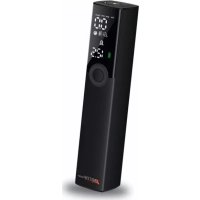
Trotty Pump - Pump Telestar - Free user manual and instructions
Find the device manual for free Trotty Pump Telestar in PDF.



| Product type | Portable smart air pump |
| Brand | Telestar |
| Model | Trotty Pump |
| Dimensions (L x W x H) | 40 x 40 x 188 mm |
| Weight | 365 g |
| Maximum inflation pressure | 120 PSI |
| Air flow rate | 20 L/min |
| Battery capacity | 1200 mAh / 7.4 V |
| Charging voltage | DC 5V/2A |
| Charging time | 2.5 – 4 h |
| Charging temperature | 0 – 45 °C |
| Operating temperature | -10 – 60 °C |
| Pressure accuracy | +/- 1 PSI |
| Inflation modes | Car, Motorcycle, Bicycle, Custom, Ball |
| Units of measurement | PSI, bar, kPa |
| LED light | Yes, 0.5 W |
| Protection | Overcurrent (9A), excessive discharge (6V) |
| Package contents | 1 pump, 1 hose, 1 FR adapter, 1 ball needle, 1 nozzle, 1 USB-C cable |
| Power supply | Built-in rechargeable battery (Lithium-ion) |
| Automatic shut-off | Yes, at preset pressure and after 3 min of inactivity |
| Warranty | In accordance with applicable legal provisions |
| Customer service | Hotline: +49 (0)2676 / 95 20 101, Email: service@telestar.de |
| Manufacturer | TELESTAR DIGITAL GmbH, Am Weiher 14, D-56766 Ulmen |
| Certification | CE |
Frequently Asked Questions - Trotty Pump Telestar
User questions about Trotty Pump Telestar
0 question about this device. Answer the ones you know or ask your own.
Ask a new question about this device
Download the instructions for your Pump in PDF format for free! Find your manual Trotty Pump - Telestar and take your electronic device back in hand. On this page are published all the documents necessary for the use of your device. Trotty Pump by Telestar.
USER MANUAL Trotty Pump Telestar
text_image
TOTA TUNB by TELESTARPortable tire inflator
Thank you for purchasing the TELESTAR TROTTY PUMP. Please read this user manual carefully before using this product and keep it for future reference
1. Scope of delivery
1x TELESTAR TROTTY PUMP
1x Flexible hose (US standard connector)
1x French standard adapter
1x Ball needle
1x Nozzle for swimming ring
1x USB typ c charging cable
2. Technical data
Product typ: portable smart air pump
Model: TELESTAR TROTTY PUMP
Dimensions and weight: 40 x 40 x 188mm, 365g
Inflation pressure: 120 PSI/8 BAR
No-load flow: 20l/min
Charging temperature: 0 - 45°C
Working temperature: - 10 - 60°C
Battery capacity: 1200mAh/7.4V
Charging input: DC 5V/2A
Charging time: 2.5 - 4 hours
Pressure accuracy: +/- 1PSI
LED lighting: 0.5W
Over-current protection: 9A/1S
Over-discharge protection: 6V
3. Illustration
text_image
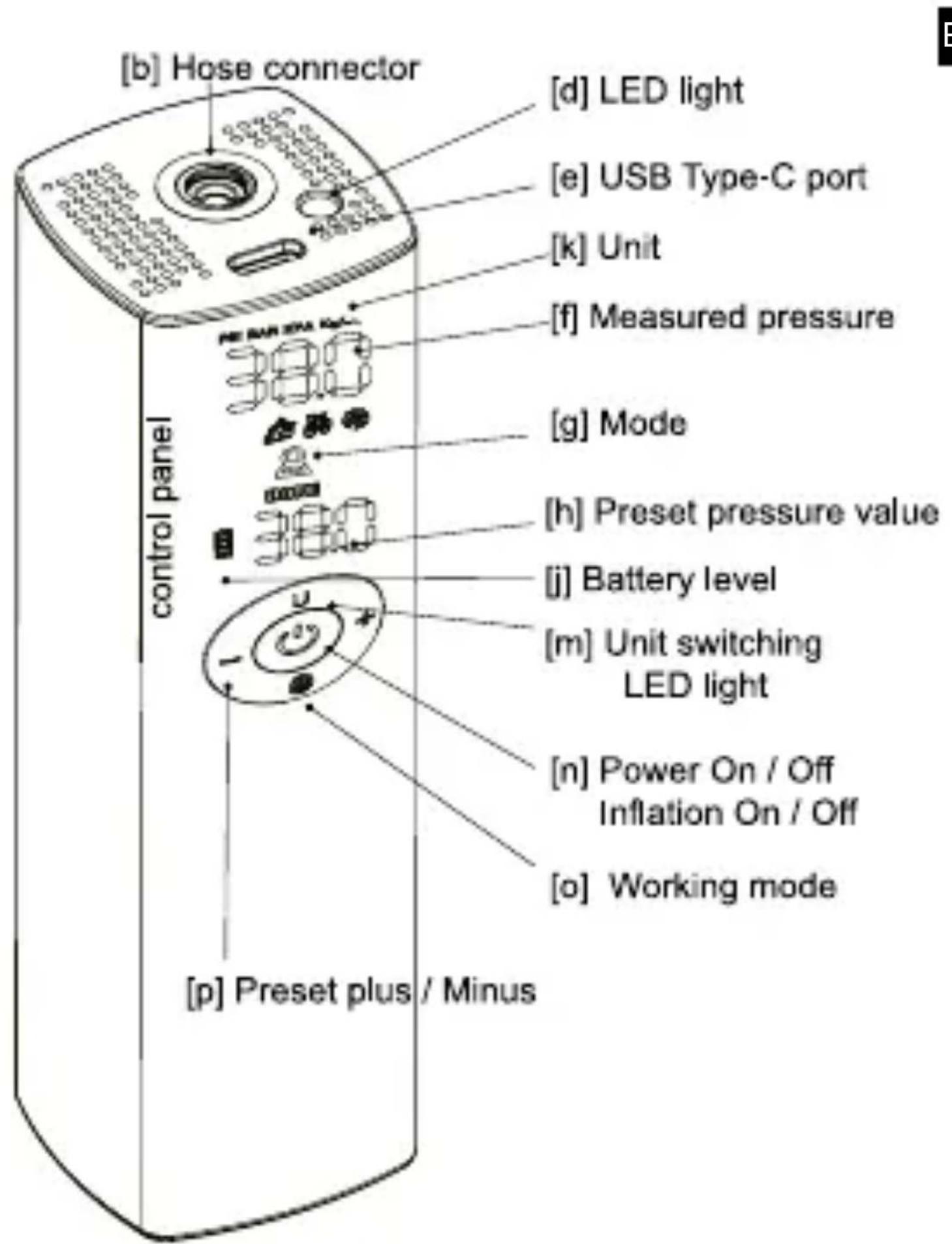
[b] Hose connector [d] LED light [e] USB Type-C port [k] Unit [f] Measured pressure [g] Mode [h] Preset pressure value [j] Battery level [m] Unit switching LED light [n] Power On / Off Inflation On / Off [o] Working mode [p] Preset plus / Minus4. ATTENTION
1) Please do not leave the device unattended during operation.
2) Keep away from combustible, inflamable and explosive
3) Avoid from moisture and dust.
4) Please take care of a dry and clean storage
5) This device contains rechargeable batteries. Do not expose to fire and do not dispose at random!
6) Keep the item out of reach of children.
E material. 3) Avoid fro
5. How to use
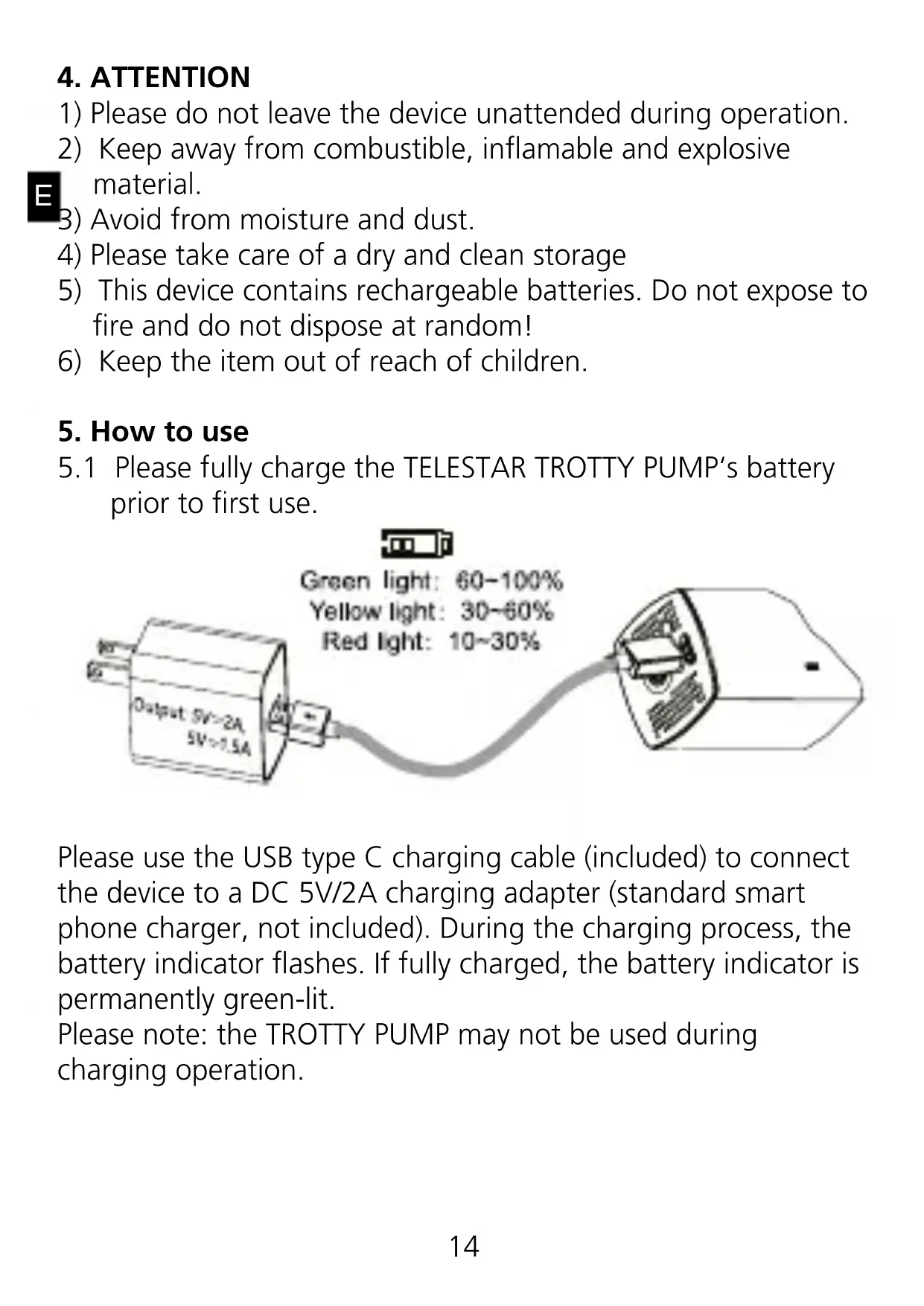
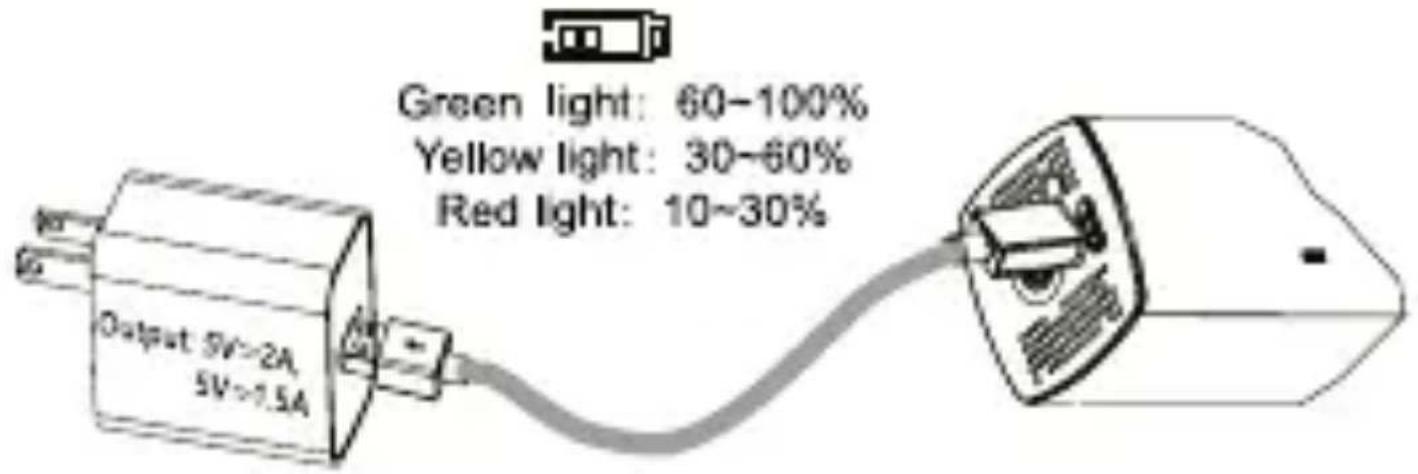
5.1 Please fully charge the TELESTAR TROTTY PUMP's battery prior to first use.
text_image
Green light: 60-100% Yellow light: 30-60% Red light: 10-30% Output 5V>2A 5V>7.5APlease use the USB type C charging cable (included) to connect the device to a DC 5V/2A charging adapter (standard smart phone charger, not included). During the charging process, the battery indicator flashes. If fully charged, the battery indicator is permanently green-lit.
Please note: the TROTTY PUMP may not be used during charging operation.
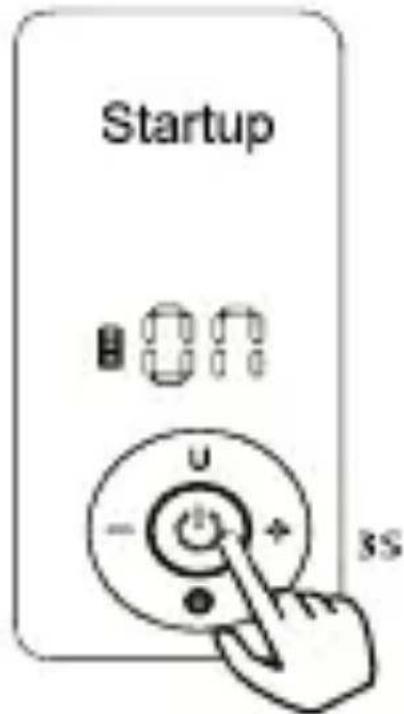
5.2 Switch on/off
text_image
Startup ON U - + 3S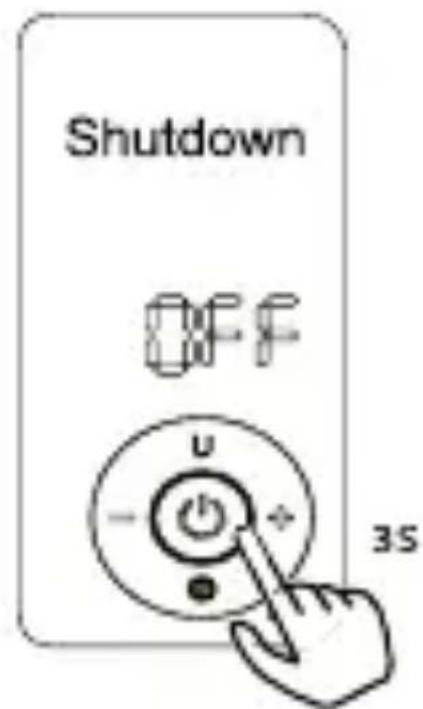
text_image
Shutdown OFF U - + 35
Switch on: press the on/off button and hold for 3 seconds. Wait until the indicator in the upper display area is fully displayed.
The device is now ready to use.
Switch off: press the on/off button and hold for 3 seconds until the display shows „off“.
Please note: The TROTTY PUMP automatically turns off after 3 minutes without operation or when battery level is low.
5.3 Mode selection
Pressthemodeselect key (see chapter 3, (o)) in order to switch modes. You may choose between 5 different modes:
| Scene mode | Reference value | Adjustable range |
| Car mode | 35PSI/2.4bar | 0-65PSI |
| Motorcycle mode | 40PSI | 0-55PSI |
| Bicycle mode | 38PSI | 0-120PSI |
| Custom mode | 100PSI | 0-120PSI |
| Ball mode | 8PSI | 0-15PSI |
5.4 Switch measure
Short press U/LED key (see chapter 3, m), to switch between pressure measure units. The measure conversion formula is shown below:

1 PSI = 6.89 KPA, 1 BAR = 100 KPA, 1 kg/cm ^2 = 98 KPA
5.5 Preset pressure value
Adjust the preset pressure value by using the keys +/- (see chapter 3, p). Short press to adjust in 0.5PSI steps. Press and hold the keys +/- (see chapter 3, p), to quickly adjust the pressure value.
Note: The device automatically switches preset pressure values according to the selected mode. The internal memory saves individual adjustmens, though. If the value in a certain mode is changed, the new value will be saved.
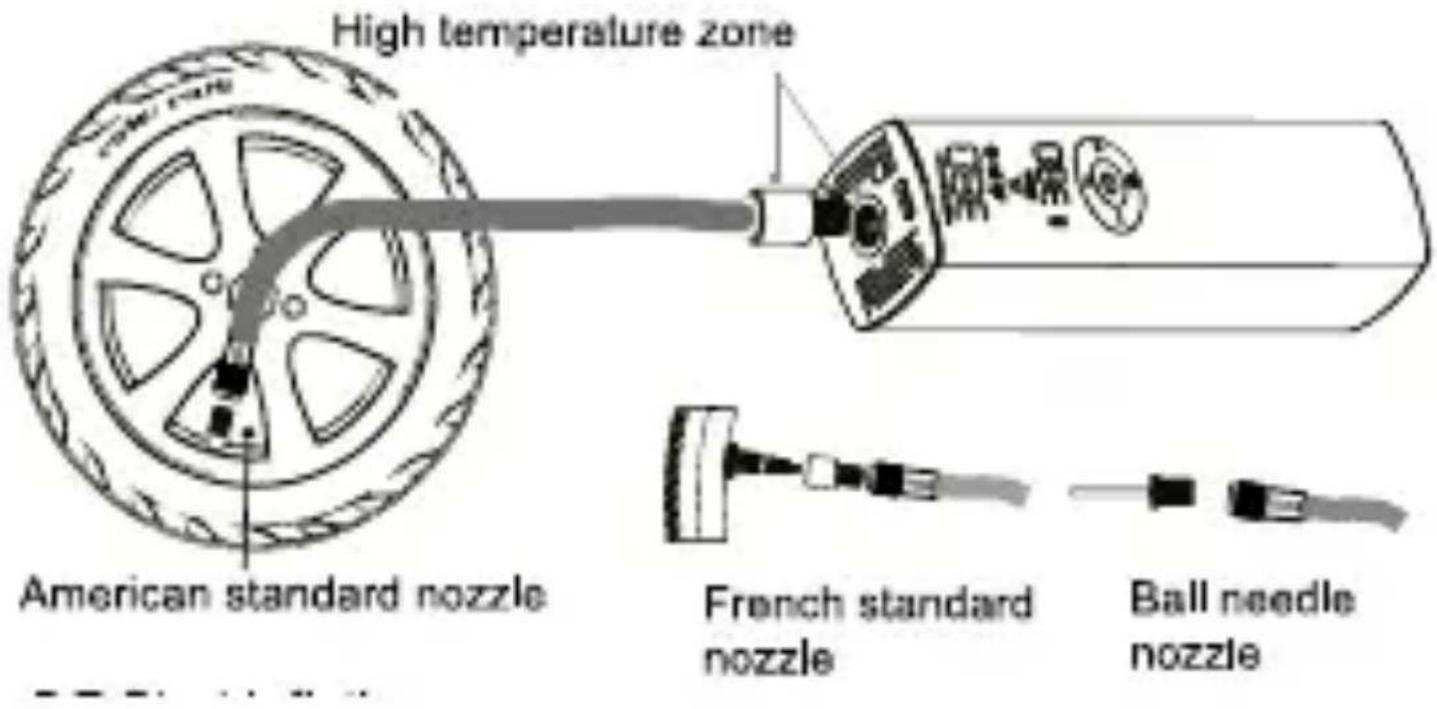
5.6 Hose connection
The hose may be connected to the pump as shown below:
text_image
High temperature zone American standard nozzle French standard nozzle Ball needle nozzle5.7 Start inflation
Short press inflation key (see chapter 3, n), to start inflation.
The digital display shows the real-time pressure value during inflation.
Attention: The compressor is really noisy during operation. The hose heats up during inflation process and may not be touched with bare hands.

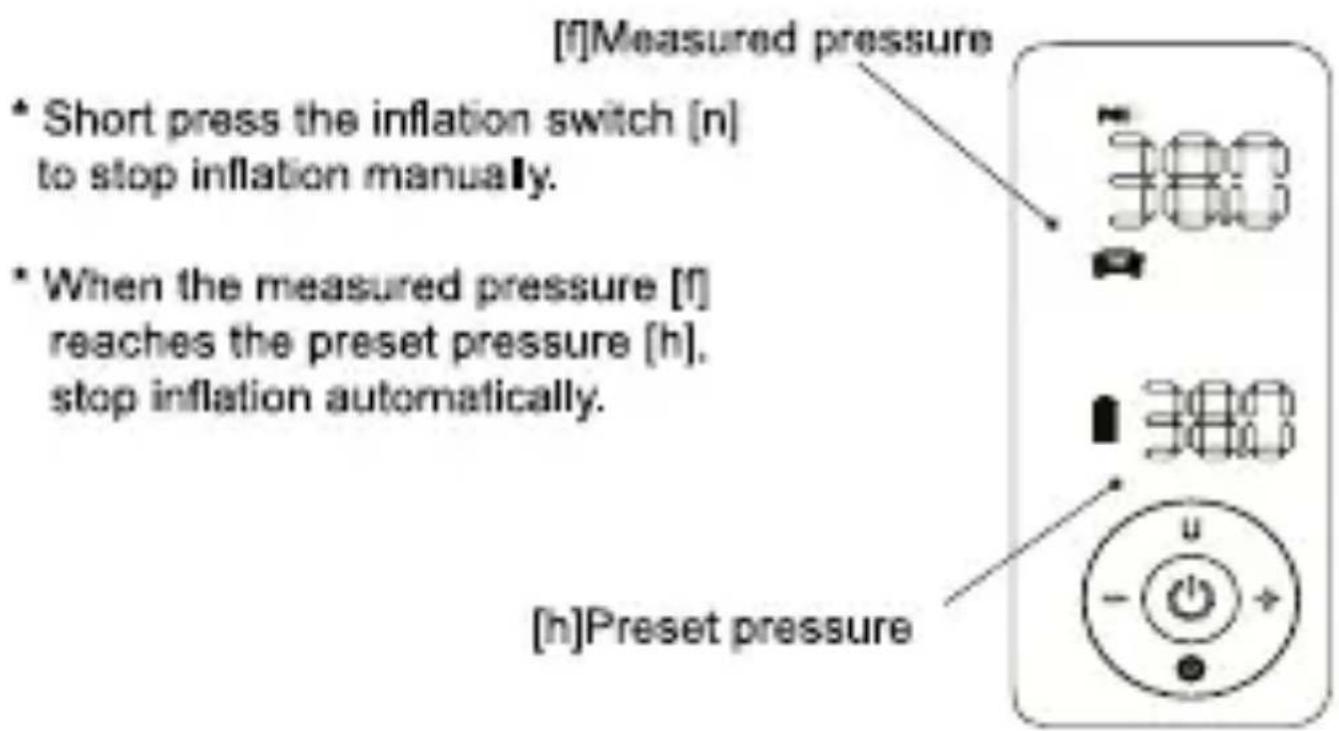
5.8 Stop inflation
text_image
[f]Measured pressure * Short press the inflation switch [n] to stop inflation manually. * When the measured pressure [f] reaches the preset pressure [h], stop inflation automatically. [h]Preset pressure5.9 LED flashlight
Press and hold the U/LED key (see chapter 3, m), to switch the LED flashlight on/off.
5.10 Measuring pressure
After switching on, please connect the compressor to the devices to be inflated. The display will automatically show the current pressure value.
5.11 Clearing pressure value
After switching on, the pressure display may be reset by pressing and holding the +/- key for 3 seconds, if the display shows another value except „0“.
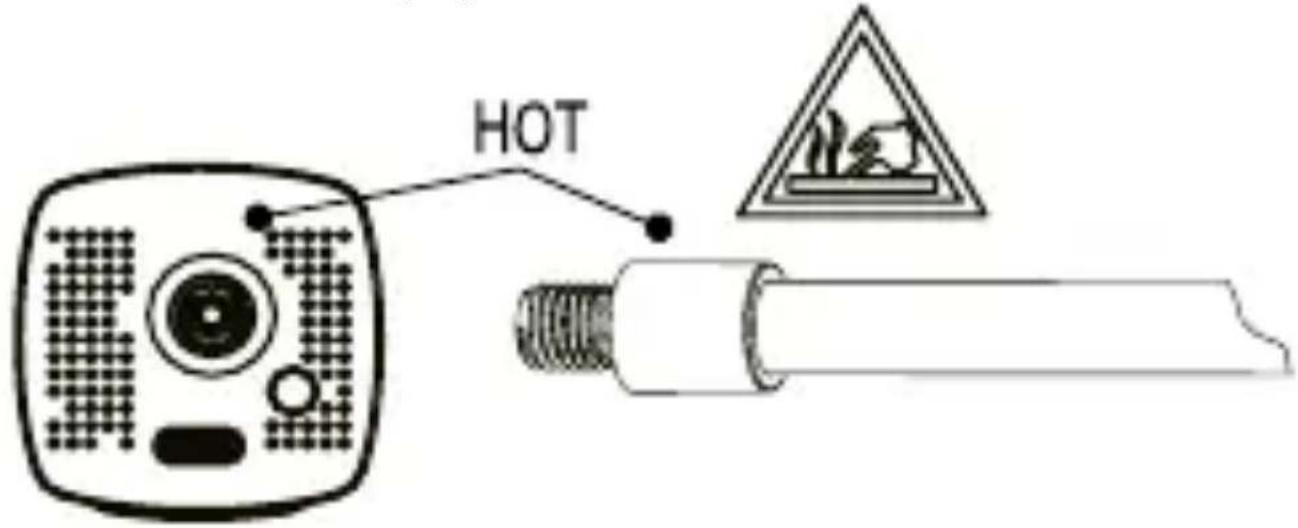
6. High temperature safety precautions
The connection between hose and compressor may develop high temperatures during operation. Do not touch or unscrew the hose immediately after using the compressor in order to avoid risk of burn injury.
text_image
HOT- Common pressure values
| Category Type Pressure value | ||
| Bycycle | Stroller10-16` bike20-30` bikeroad bike | 18 - 30 PSI30 - 45 PSI38 - 55 PSI90 - 120 PSI |
| Motorcycle e-Scooter | Motorcycle e-Scooter | 28 - 55 PSI |
| Car Car 2.2 - 2-8 BAR | ||
| Ball | Toy ball | 3 - 6 PSI |
| Basketball | 7 - 9 PSI | |
| Football | 10 - 12 PSI | |
| Volleyball | 4 - 6 PSI | |
| Rugbyball | 10 - 14 PSI | |
8. CE note
Your device bears the CE marking and complies with all relevant EU standards. TELESTAR-DIGITAL GmbH hereby declares that

text_image
C€this TELESTAR TROTTY PUMP complies with the essential requirements and other relevant provisions of EMC Directive. The declaration of conformity for this product can be found at: www.
telestar.de
9. Service information
Our service area provides professional specialists to answer queries. Here you can ask any questions regarding TELESTAR products and receive tips for locating a possible fault. Our technicians are available: Monday - Friday 8:00 to 16:45 under following telephone number: 02676 / 95 20 101 or via e-mail to: service@telestar.de
If the service hotline is unable to help you, send your device, preferably in its original packaging, or at least packed securely for transport, to following address:
TELESTAR - DIGITAL GmbH
Service Center
1 PSI = 6,89 KPA, 1 BAR = 100 KPA, 1 kg / cm2 = 98 KPA

text_image
ROTTY PUMP by TELESTAR1 PSI = 6.89 KPA, 1 BAR = 100 KPA, 1 kg/cm² = 98 KPA
For environmental reasons, the hardcopy of this user manual is bilingual (German and English). A multilingual manual (German, English, French, Dutch) is available as digital PDF download. It is accessible via this QR code:

text_image
QR code image containing encoded data, no visible human-readable text
text_image
SCAN METELESTAR
