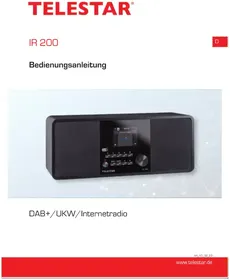
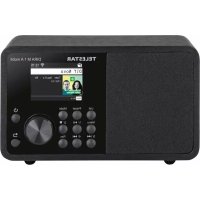
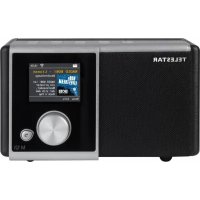
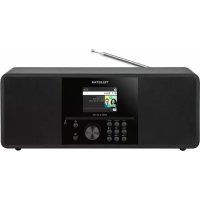
DABMAN 12 - Radio Telestar - Free user manual and instructions
Find the device manual for free DABMAN 12 Telestar in PDF.


Pick your language and provide your email: we'll send you a specifically translated version.
| Product Type | DAB+/FM Digital Radio |
| Brand | Telestar |
| Model | DABMAN 12 |
| Dimensions (approx.) | 180 x 110 x 60 mm |
| Weight (approx.) | 500 g |
| Power Supply | AC adapter (5V, 1A) or 4 x AA batteries (not included) |
| Radio Bands | DAB/DAB+ (Band III) and FM (87.5-108 MHz) |
| Display | LCD screen with backlight |
| Presets | Up to 20 (10 DAB, 10 FM) |
| Alarm | Dual alarm with snooze function |
| Sleep Timer | Adjustable (15, 30, 45, 60, 90 minutes) |
| Audio Output | Built-in speaker (mono) and 3.5 mm headphone jack |
| Maintenance | Clean with a soft, dry cloth. Do not use liquids. |
| Safety Warnings | Do not expose to rain or moisture. Use only supplied adapter. |
| Spare Parts | Contact Telestar customer service for replacement adapter or battery cover. |
| General Information | Portable radio for home use. Manual available in multiple languages. |
Frequently Asked Questions - DABMAN 12 Telestar
How do I switch between DAB and FM modes?
Press the Mode button repeatedly to toggle between DAB and FM. The current band is shown on the display.
How do I store a preset?
Tune to the desired station, then press and hold one of the Preset buttons (1-5) until the display confirms. Use shift for presets 6-10.
Why is there no sound from the speaker?
Check if headphones are plugged in (they mute the speaker). Also ensure volume is turned up and not muted. Try re-tuning or selecting a different station.
Can I set two different alarm times?
Yes. Press the Alarm button to enter alarm settings. You can set Alarm 1 and Alarm 2 independently, each with wake-up mode (buzzer or radio) and repeat days.
How do I perform a full scan for DAB stations?
In DAB mode, press and hold the Scan button for 2 seconds. The radio will automatically search for all available DAB stations and store them.
What type of batteries does it require?
It uses 4 x AA batteries (not included). For best performance, use alkaline or rechargeable Ni-MH batteries.
Why does the display show 'No Service'?
This indicates no signal. Check the telescopic antenna is fully extended. In DAB mode, try moving the radio near a window. In FM mode, ensure the station is broadcasting.
Can I use the radio while charging?
Yes, when using the AC adapter, the radio can operate and charge Ni-MH batteries simultaneously (if batteries are installed). Not for non-rechargeable batteries.
How do I reset the radio to factory defaults?
Press and hold the Menu button, navigate to 'Factory Reset' using the tuning knob, and confirm. This erases all presets and settings.
Where can I download the full user manual?
The manual is available for free download at notice-facile.com or the Telestar support website. Select your language and provide your email to receive a translated version.
User questions about DABMAN 12 Telestar
0 question about this device. Answer the ones you know or ask your own.
Ask a new question about this device
No questions yet. Be the first to ask one.
Download the instructions for your Radio in PDF format for free! Find your manual DABMAN 12 - Telestar and take your electronic device back in hand. On this page are published all the documents necessary for the use of your device. DABMAN 12 by Telestar.