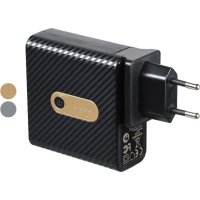
SMRP 5200 A1 - USB Charger SILVERCREST - Free user manual and instructions
Find the device manual for free SMRP 5200 A1 SILVERCREST in PDF.


| Product type | USB travel charger with integrated power bank |
| Model | SMRP 5200 A1 |
| Brand | SilverCrest |
| Dimensions (L x W x H) | 72 x 31 x 74 mm |
| Weight | 190 g |
| Integrated battery capacity | 5200 mAh (19.24 Wh) Lithium-ion 3.7 V |
| Mains input | 100-240 V ~, 50/60 Hz, 0.3 A |
| Micro USB input | 5 V ⎓, 2.1 A |
| USB outputs | 2 ports, 5 V ⎓, max. 2.1 A total |
| Minimum charging current | 35 mA |
| Charge level indicator | 4 LEDs (see manual for correspondence) |
| Power bank recharging | Via mains or micro USB (5 V, 2.1 A) |
| Included connectors | EU and UK adapters |
| Intended use | Charging mobile devices via USB |
| Operating temperature | 10 °C to 40 °C |
| Operating humidity | 40 to 85 % RH |
| Maintenance and cleaning | Slightly damp cloth, no solvents |
| Safety | Do not cover, do not expose to water or heat, do not open |
| Warranty | 3 years |
| Article number (IAN) | 334245_1907 |
Frequently Asked Questions - SMRP 5200 A1 SILVERCREST
User questions about SMRP 5200 A1 SILVERCREST
0 question about this device. Answer the ones you know or ask your own.
Ask a new question about this device
Download the instructions for your USB Charger in PDF format for free! Find your manual SMRP 5200 A1 - SILVERCREST and take your electronic device back in hand. On this page are published all the documents necessary for the use of your device. SMRP 5200 A1 by SILVERCREST.
USER MANUAL SMRP 5200 A1 SILVERCREST
GB IE NI Operating instructions
USB TRAVEL CHARGER WITH BUILT-IN 5200 mAh POWER BANK
FR BE Mode d'emploi
CHARGEUR USB DE VOYAGE AVEC BATTERIE POWERBANK DE 5 200 mAh INTEGREE
- Overview 3
- Intended purpose 5
- Safety information 6
- Items supplied 9
- Mounting the plug 9
- Charging 10
- Operation 12
- Cleaning and storing 13
- Disposal 14
- Trouble-shooting 15
- Technical specifications 16
- Warranty of the HOYER Handel GmbH .... 18
1. Overview
Please observe the illustrations on the fold-out page.
| 1 | Contacts: US plug, holder for EU and UK adapters |
| 2 | Control LEDs |
| 3 | ◎: pressing the button displays the charging state and switches the charging of an external device on/off |
| 4 | USB port: Output 1: 5 V = 2.1 A |
| 5 | USB port: Output 2: 5 V = 2.1 A |
| 6 | Micro USB port: Input: 5 V = 2.1 A |
| 7 | Plug: EU travel adapter |
| 8 | Plug: UK travel adapter |
Thank you for your trust!
Congratulations on your new USB travel charger with integrated 5200 mAh powerbank.
For safe handling of the device and in order to get to know the entire range of features:
-
Read these user instructions thoroughly prior to initial use.
-
Above all, observe the safety information!
-
The device should only be used as described in this copy of the user instructions.
-
Keep this copy of the user instructions for future reference.
-
If you pass the device on to someone else, please include this copy of the user instructions. The user instructions are a part of the product.
We hope you enjoy your new USB travel charger with integrated 5200 mAh powerbank!
2. Intended purpose
This is a communication technology device. The USB travel charger with integrated 5200 mAh powerbank is designed to charge mobile devices that can normally be charged via a USB port.
The device is designed for private use. This device must not be used for commercial purposes.
Do not make any changes or carry out any repairs. The manufacturer is not liable for damage or malfunctions caused by improper repairs or modifications. This is the sole responsibility of the user.
Symbols on your device

This symbol means that the contents of the user instructions must be observed.
Notes on trademarks
USB® is a registered trademark of USB Implementers Forum, Inc..
All other names and trademarks are the property of their respective owners.
3. Safety information
Warnings
If necessary, the following symbols and warnings will be used in these user instructions:

DANGER! This symbol, in combination with the note "Danger" means a high risk. Failure to observe this warning may result in injury to life and limb.

WARNING! This symbol, in combination with the note "Warning" means a moderate risk. Failure to observe this warning may result in injury or serious material damage.
CAUTION: low risk: failure to observe this warning may result in minor injury or material damage.
NOTE: circumstances and specifics that must be observed when handling the device.

DANGER for children and people with disabilities
- Packing materials are not children's toys. Children must not play with the packing material. There is a risk of suffocation.
This device can be used by children from the age of 8 and people with restricted physical, sensory or intellectual abilities or people without adequate experience and/or understanding, if they are supervised or instructed on how to use this device safely and if they are aware of the resulting dangers. Children must not play with the device. Cleaning and maintenance by the user must not be performed by children without supervision.
- Keep the device out of the reach of children.

DANGER to and from pets and livestock
- Electrical devices can represent a danger to pets and livestock. In addition, animals can also cause damage to the device. For this reason you should keep animals away from electrical devices at all times.

DANGER from the battery
This device must not be thrown into fire! DANGER OF EXPLOSION!
The device must not be covered when charging the battery of the integrated powerbank and when charging a mobile device!
The device may only be used in a dry environment!
-
Due to the high power consumption, do not charge the device through a laptop / PC. Charge the device e.g. via a USB power unit (5 V, min. 2.1 A, not included in the items supplied).
-
Do not simultaneously charge the device via a wall socket and the Micro USB connection.
-
Do not charge the device via the Micro USB connection when another device is connected to a USB port.
-
If you charge several mobile devices simultaneously from the USB ports, the total power consumption of the mobile devices must not exceed 2.1 A.
The device is provided with a lithium-ion battery.
-
This device must not be opened!
-
The battery cannot be removed!
-
Dispose of the device as a complete unit!
-
Do not expose the device to direct sunshine or heat. The ambient temperature should not be lower than 10^ or higher than 40^ . Please remember that in a car the storage temperature may significantly exceed 40^ .
-
Only connect the device to a properly installed and easily accessible wall socket, whose voltage corresponds to the specifications on the rating plate. The wall socket must still be easily accessible after the device is plugged in.
WARNING! Risk of material damage
-
If you notice any abnormalities (e.g. unusual noises, strange smells or smoke), switch the device off immediately, unplug it from the wall socket if necessary and remove all cables. Do not use the device any longer.
-
If the device is moved from a cold location to a warm location, condensate may form in the device. Leave the device switched off for a few hours (at least approx. 2 hours).
Protect the device against damage, e.g. from:
-
drips and water splashes
-
heat, direct sunlight and open flames
-
knocks and similar violent effects
Candles and other open flames must be kept away from this product at all times in order to prevent the spread of fire.
-
Protect connected cables (not included in the items supplied) from Damage from e.g.:
-
s h a r p e d g e s
-
hot places
-
clamping or crushing
Do not use any astringent or abrasive cleaning agents.
In order to avoid any hazards, do not make modifications to the device. Repairs must be carried out by a specialist workshop or the Service Centre.
- Only use the original accessories supplied (EU plug 7 / UK plug 8).
4. Items supplied
1 USB travel charger with integrated 5200 mAh powerbank
LEU plug
UK pug
1 copy of the user instructions
- Remove all parts from the packaging and check that all parts are present.
- Remove all packing material.
- Check that the device is undamaged.
If the delivery is incomplete or defective, please contact the responsible service centre of the manufacturer.
5. Mounting the plug
Before using the device, select the plug suitable for your wall socket.
USA
- Fold the contacts 1 out of the device.
EU
- Fold the contacts 1 back into the device, if necessary.
- Figure A: attach the EU plug 7 to the contacts 1.
UK
- Fold the contacts 1 back into the device, if necessary.
- Figure B: attach the UK plug 8 to the contacts 1.
6. Charging
Prior to the first use, charge the device completely.

WARNING!
The device must not be covered when charging the battery of the integrated powerbank!
The device may only be used in a dry environment!
-
Due to the high power consumption, do not charge the device through a laptop / PC. Charge the device directly from a wall socket or via e.g. a USB power unit (5 V, min. 2.1 A, not included in the items supplied).
-
Do not simultaneously charge the device via a wall socket and the Micro USB connection.
NOTES:
- When using a USB power unit (not included in items supplied), comply with its user instructions.
- It is possible to charge an external device while charging from the wall socket, however, this extends the charging time of the integrated powerbank battery.
- As long as the device is plugged into the wall socket, it consumes a small amount of electricity. To disconnect the device completely from the mains, unplug it from the wall socket.
Charging from the wall socket
- Mount the appropriate plug (see "Mounting the plug" on page 9).
- Only connect the device to a properly installed and easily accessible wall socket, whose voltage corresponds to the specifications on the rating plate. The wall socket must still be easily accessible after the device is plugged in. The 4 control LEDs 2 flash successively and will light up when the battery is fully charged.
Charging via the Micro USB connection

WARNING!
-
Do not charge the device via the Micro USB connection when another device is connected to the USB ports 4 / 5 .
-
Plug the Micro USB plug of a USB charger cable (not included in the items supplied) into the Micro USB port 6 of the device.
- Connect the USB A plug of the USB charger cable with a USB power unit (5 V, min. 2.1 A, not included in the items supplied). The 4 control LEDs 2 flash successively and will light up when the battery is fully charged.
| LED display Charging state | |
| 1 LED flashes < 25 % | |
| 1 LED is lit, the second LED flashes approx. | 25 % – 50 % |
| 2 LEDs are lit, the third LED flashes | approx. 50 % – 75 % |
| 3 LEDs are lit, the fourth LED flashes | approx. 75 % – 99 % |
| 4 LEDs are lit 100 % | |

DANGER from battery!
The device must not be covered when charging a mobile device!
- If you charge several mobile devices simultaneously from the USB ports 4 + 5 , the total power consumption of the mobile devices must not exceed 2.1 A.
NOTE: devices with insufficient charging currents are not charged.
- Plug a mobile device such as a USB A plug directly into one of the USB ports 4 / 5 or connect it using a cable with suitable connectors (not included in the items supplied).
- The integrated powerbank of the device now charges the battery of the mobile device until ...
...it is fully charged,
... pressing the button 3 for approx. 2 seconds interrupts the charging process (LEDs are then off),
... the battery of the integrated powerbank is flat.
| LED display Charging state | |
| all LEDs off 0% | |
| 1 LED flashes approx. 1 % – 1 | 0 % |
| 1 LED is lit approx. 10 % – 25 % | % |
| 2 LEDs are lit approx. 25 % – | 50 % |
| 3 LEDs are lit approx. 50 % – | 75 % |
| 4 LEDs are lit approx. 75 % – | 100 % |
NOTES:
- Please note that the LED display shows only an approximate value of the actual charging state of the integrated powerbank of the device.
- When the battery capacity is less than approx. 10% , the last control LED 2 flashes.
After interrupting the charging process using the button 3, the charging process can be started again by briefly pressing the button 3. - If no device is connected, press the button 3 in order to display the charging state. The LED display goes out after approx 5 seconds.
8. Cleaning and storing
NOTE: disconnect all cable connections.
- Clean the device with a slightly damp cloth. Solvents, spirits, thinners etc. must not be used, as they can damage the surface of the device.
- When not using the device, store it in a place where neither high temperatures nor moisture can affect it.
- In order to maintain the device performance, it should be fully charged regularly (approx. every 2 months).
- Charge the device before storing it away for a prolonged period. Please note that if the device is stored for too long, this may reduce the battery capacity. Avoid a deep discharge of the battery.
9. Disposal
The battery integrated into this device must not be treated as household waste. The device with the installed battery must be disposed of properly.
This product is subject to the provisions of European Directive 2012/19/EC. The symbol showing a wheelie bin crossed through indicates that the product requires separate refuse collection in the European Union. This applies to the product and all accessories marked with this symbol. Products marked as such may not be discarded with normal domestic waste,
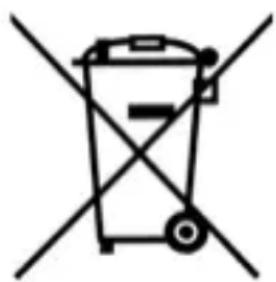
but must be taken to a collection point for recycling electrical and electronic devices. This disposal is free of charge.
This recycling symbol marks e.g. an object or parts of the material as valuable for recycling. Protect the environment and dispose of the product properly. Further information can be obtained from your local disposal service or city/municipal administration.

Packaging
The packaging is made from recyclable materials. Dispose of the packaging sorted by materials. When disposing of the packaging, make sure you comply with the environmental regulations applicable in your country.
10. Trouble-shooting
Should your USB travel charger with integrated powerbank not work as desired, please go through this checklist first. Perhaps there is only a minor problem, and you can solve it yourself.

WARNING! Risk of material damage!
- Do not attempt to repair the device yourself under any circumstances.
| Fault Possible causes / Action | |
| Integrated powerbank is not charging. | ·Has the device been connected to the power supply? Inspect the connection. ·Use a USB power unit (not included in the items supplied). |
| Mobile device is not being charged. | ·The powerbank battery has gone flat. Charge the battery. ·Has the device been connected to the power supply? Inspect the connection. |
| The charging process is aborted after approx. 30 seconds. | ·The charging current of the connected device is less than approx. 35 mA. This device cannot be charged by the integrated powerbank. |
| No function after short circuit | 1. Disconnect cable connection. 2. Briefly charge the powerbank battery. Device is ready to be used again. |
11. Technical specifications
| Model: SMRP 5200 A1 | |
| Battery: 1x 3.7 V Lithium ions, 5200 mAh (19.24 Wh) | |
| Input: 1x Micro USB port: 5 | V, 2.1 A 1x integrated power unit: 100 - 240 V~ 50/60 Hz, 0.3 A |
| Outputs: 2x USB, 5 V, max. | 2.1 A === |
| Minimum discharging current: 35 mA | === |
| Dimensions (WxDxH): approx. 72 x 31 x 74 mm | |
| Weight: approx. 190 g | |
| Storage and operating conditions: | 10 °C to 40 °C Relative humidity 40 to 85 % |
Notes on the EU declaration of conformity
HOYER Handel GmbH hereby declares that this product complies with the basic requirements and applicable regulations of the EMC Directive 2014/30/EU, the Low Voltage Directive 2014/35/EU, the Ecodesign Directive 2009/125/EC and ROHS 2011/65/EU. A complete EU declaration of conformity can be requested from HOYER Handel GmbH; see Service Centre.
Symbols used
| Double insulation |
| With the CE marking, HOYER Handel GmbH declares the conformity with EU guidelines. |
| Devices with this symbol may only be operated indoors (dry environment). |
| This symbol reminds you to dispose of the packaging in an environmentally friendly manner. |
| Recyclable materials: cardboard (except corrugated cardboard) |
| Direct current |
| AC voltage |
| FCC certification marking |
Subject to technical modifications.
12. Warranty of the HOYER Handel GmbH
Dear Customer,
your device is provided with a 3 year warranty starting with the purchase date. In the event of product defects, you are entitled to statutory rights against the vendor. These statutory rights are not restricted by our warranty presented in the following.
Warranty conditions
The warranty period starts with the purchase date. Please keep the original purchase receipt in a safe place. This document is required to verify the purchase.
If within three years from the purchase date of this product a material or factory defect occurs, the product will be repaired or replaced by us – at our discretion – free of charge to you, or the purchase price will be refunded. This warranty implies that within the period of three years the defective device and the purchase receipt are presented, including a brief written description of the defect and the time it occurred.
If the defect is covered by our warranty, the repaired or a new product will be returned to you. No new warranty period starts with a repair or replacement of the product.
Warranty period and statutory claims for defects
The warranty period is not extended when the warranty has been claimed. This also applies to replaced and repaired parts. Any damages and defects already existing at the time of purchase must be reported immediately upon unpacking. Repairs arising after the expiration of the warranty period are subject to a charge.
Warranty coverage
The device was produced carefully according to strict quality guidelines and tested diligently prior to delivery.
The warranty applies to material or factory defects.
Excluded from the warranty are wear parts subject to normal wear and damages to fragile parts, e.g. switches, batteries, lamps or other parts manufactured from glass.
This warranty expires if the product is damaged, not used as intended or not serviced. For the proper operation of the product, all instructions listed in the operating instructions must be observed carefully. Any form of use and handling that is advised against in the operating instructions or warned against must always be avoided.
The product is only intended for private and not for commercial use. In the case of incorrect and improper treatment, use of force and interventions not performed by our authorised Service Centre, the warranty shall cease.
Handling in case of a warranty claim
In order to ensure prompt processing of your matter, please observe the following notes:
- Please keep the article number IAN: 334245_1907 and the purchase receipt as a purchase verification for all inquiries.
- The article number can be found on the rating plate, an engraving, the title page of your instructions (in the bottom left), or as a label on the rear or underside of the device.
- If faulty operation or other defects occur, first contact the Service Centre listed in the following by telephone or email.
- Then, you are able to send a product reported as defective free of charge to the service address specified to you, including the purchase receipt and the information on the defect and when it occurred.
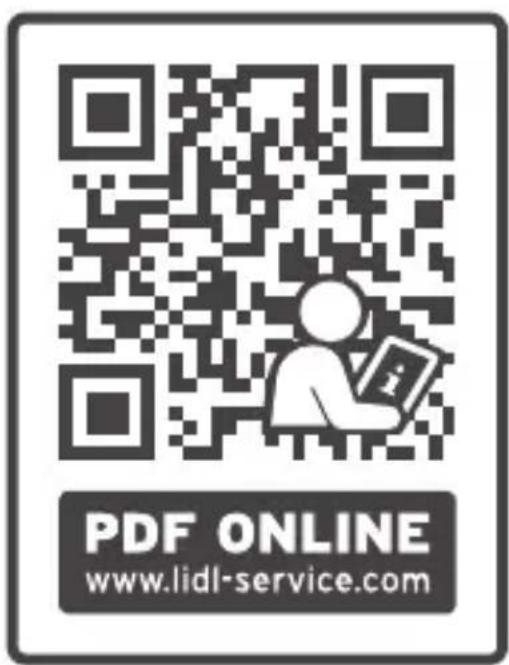
At www.lidl-service.com you can download this and many other manuals, product videos and installation software.
This QR code takes you directly to the Lidl Service website (www.lidl-service.com), where you can enter the article number (IAN) 334245_1907 to open your user instructions.
GB Service Great Britain
Tel.: 0800 404 7657
E-Mail: hoyer@lidl.co.uk
IE Service Ireland
Tel.: 1890 930 034
(0,08 EUR/Min., (peak)) (0,06 EUR/Min., (off peak))
E-Mail: hoyer@lidl.ie
MT Service Malta
Tel.: 80062230
E-Mail: hoyer@lidl.com.mt
CY Service Cyprus
Tel.: 80094409
E-Mail: hoyer@lidl.com.cy
IAN: 334245_1907
Supplier
Please note that the following address is no service address. First contact the aforementioned Service Centre.
HOYER Handel GmbH
Tasköprüstabe 3
22761 Hamburg
GERMANY
Sommaire
Chere cliente, cher client,

- Overview
- Thank you for your trust!
- Intended purpose
- Symbols on your device
- Notes on trademarks
- Safety information
- Warnings
- DANGER for children and people with disabilities
- DANGER to and from pets and livestock
- DANGER from the battery
- WARNING! Risk of material damage
- Items supplied
- Mounting the plug
- USA
- EU
- UK
- Charging
- WARNING!
- NOTES:
- Charging from the wall socket
- Charging via the Micro USB connection
- DANGER from battery!
- Cleaning and storing
- Disposal
- Packaging
- Trouble-shooting
- WARNING! Risk of material damage!
- Technical specifications
- Notes on the EU declaration of conformity
- Symbols used
- Warranty of the HOYER Handel GmbH
- Warranty conditions
- Warranty period and statutory claims for defects
- Warranty coverage
- Excluded from the warranty are wear parts subject to normal wear and damages to fragile parts, e.g. switches, batteries, lamps or other parts manufactured from glass.
- Handling in case of a warranty claim
- Supplier
- Sommaire
Brand : SILVERCREST
Model : SMRP 5200 A1
Category : USB Charger