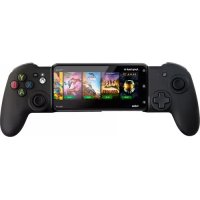
MGX PRO - Controller Nacon - Free user manual and instructions
Find the device manual for free MGX PRO Nacon in PDF.



| Product type | Controller for iPhone (gamepad) |
| Brand | Nacon |
| Model | MGX PRO |
| Dimensions | 236 × 105 × 49 mm |
| Power supply | Lithium-ion battery 600 mAh, 3.7 V, rechargeable via USB-C |
| Battery life | 20 hours |
| Charging time | Less than 2 hours |
| Bluetooth compatibility | Bluetooth 5.0, iOS 14 and later |
| iPhone compatibility | iPhone up to 6.7 inches (max opening 163 mm) |
| Main features | Asymmetric joysticks, Bluetooth connection, button reconfiguration via iOS, Options button features (screenshot, recording), MG-X Series mobile app |
| Package contents | Controller, USB-C cable 80 cm, quick start guide, warranty, compliance information |
| Care and cleaning | Soft, clean, damp cloth; no detergents |
| Safety | Do not expose to water, dust, extreme temperatures; non-replaceable battery; max temperature 35°C; mandatory recycling |
| Customer service | Email: support.fr@naongaming.com, phone: 0969370308 (non-premium rate), Monday to Friday 10am-6pm |
| Manufacturer | Nacon, 396-466 Rue de la Voyette, CRT2 59273 Fretin, France |
| Origin | Made in China |
| Warranty | EU declaration of conformity available at my.naongaming.com |
Frequently Asked Questions - MGX PRO Nacon
User questions about MGX PRO Nacon
0 question about this device. Answer the ones you know or ask your own.
Ask a new question about this device
Download the instructions for your Controller in PDF format for free! Find your manual MGX PRO - Nacon and take your electronic device back in hand. On this page are published all the documents necessary for the use of your device. MGX PRO by Nacon.
USER MANUAL MGX PRO Nacon
Thank you for purchasing this NACON® product.
This product has been designed to enhance your gaming experience. Please keep this user manual in a safe place for future reference.
Warranty
To access the declaration of conformity, please go to:
https://my.naongaming.com/my-nacon/support/
Product features
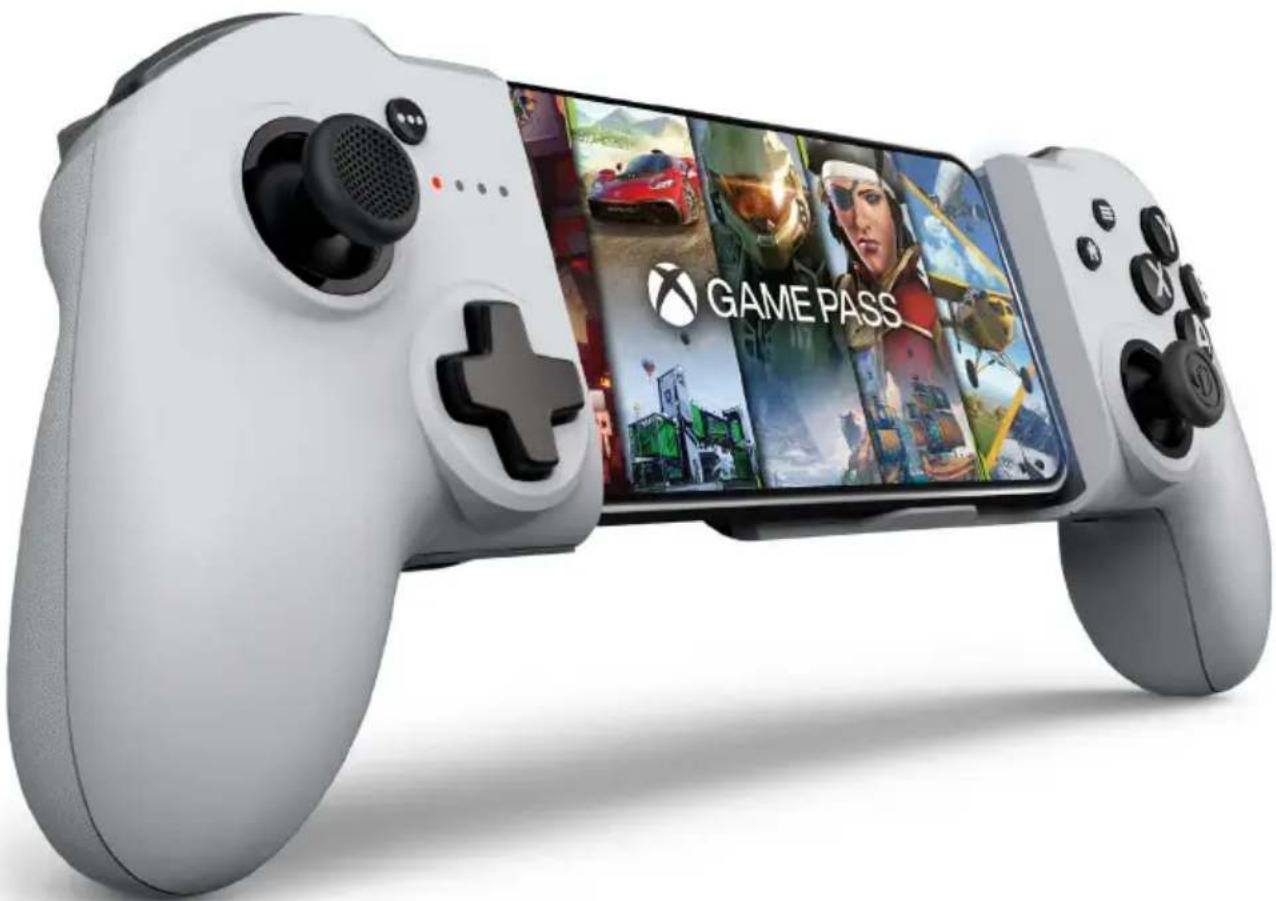
Nacon MG-X PRO Controller for iPhone®
Asymmetrical joysticks
Built-in battery, rechargeable via USB-C
Up to 20 hours of battery life
Compatible with iOS14 and above
Bluetooth® connection to your iPhone® (Bluetooth® 5.0)
Universal Screen compatibility up to 6.7"
Maximum opening size 163 mm
Package contents
Nacon MG-X PRO Controller for iPhone®
80 cm USB-C cable
Quick IB
Quick Start Guide
Warranty
Use precautions
Compliance information
Control elements
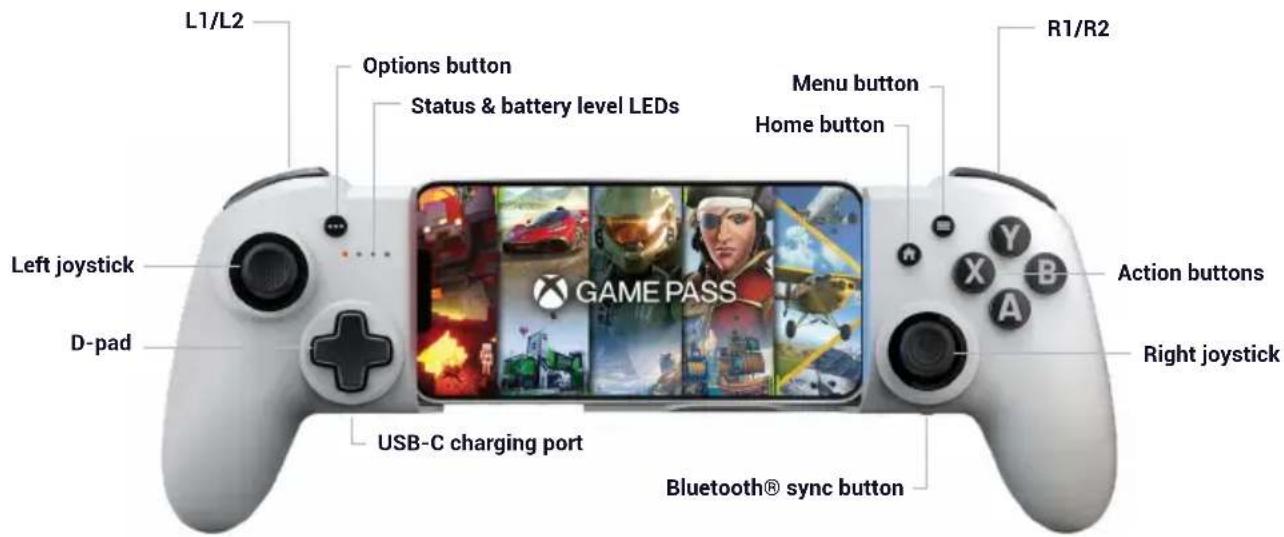
1 Turning the controller on/off
To turn on the controller, simply press the Home button, and the controller will connect to the last iPhone® it wasynced with.
To turn off the controller, simply hold down the Home button for 6 seconds.
Please note: the controller turns off after 15 minutes of inactivity to save battery power.
First start-up of the controller
Turn on the controller, and it will go straight into pairing mode. All 4 LEDs should flash at the same time.
Go to the Bluetooth® menu on your iPhone® and start a Bluetooth® device search.
On your iPhone®, you should see the controller appear under the name 'MG-X PRO MFi', select it and wait until the controller is in the list of paired devices.
Syncing your iPhone® with the Nacon MG-X Pro controller
Go to the Bluetooth® menu on your iPhone® and start a Bluetooth® device search.
Press the Home button on your controller, the status LEDs should light up one by one. Press and hold the Bluetooth® button on the lower right-hand side for 2 seconds to initiate pairing. All 4 LEDs should flash at the same time.
On your iPhone®, you should see the controller appear under the name 'MG-X PRO MFi', select it and wait until the controller is in the list of paired devices.
The controller can store up to 5 devices. It will always try to connect to the most recent device first.
If you want to reset the list of devices stored in the controller:
- Turn on the controller by holding down the Home button. Once it's turned on, release the Home button.
-Press and hold the Home and Bluetooth® buttons for 5 seconds.
The controller will return to pairing mode and should appear in the list of devices available for pairing.
Battery level indicator
You can see the battery's charge level at any time while using the product. To do this, quickly double click on the Home button. The LEDs will toggle to indicate the battery's charge level according to the sequence below:
- Battery full (100%): all 4 LEDs are lit
- Battery almost full (≥75%): 3 LEDs are lit
- Medium battery (≥ 50%) : 2 LEDs are lit
- Low battery (≥ 25%) : 1 LED is lit
- Very low battery (<25%): no LEDs light up
- Critically low battery (<10%): LED 1 will flash
Charging the controller
Take the USB-C cable provided and plug it into the socket on the bottom of the left handle. Then plug the other end into one of the free USB ports on your PC or charger. The LEDs will light up one by one to indicate charging.
Once all four LEDs are lit, your controller is fully charged.
I Quickly changing the iPhone® connected to your controller
You can switch from one iPhone® to the previously connected iPhone® at any time while using the product by quickly double-clicking the Bluetooth® button.
Product reset
If at any time during the use of the product you encounter difficulties with its operation, you can shut down the controller.
To do this take a paper clip, or the tool for removing your SIM card from your phone, insert it into the hole on the back of your controller and press the button. After pressing the button, your controller will turn off and you will be able to turn it on again in the normal way via the Home button.
Compatibility
The Nacon MG-X PRO controller allows you to play on Microsoft's cloud gaming service. An Xbox Game Pass subscription is required to access the gaming service.
The Nacon MG-X PRO controller is compatible with games in the App Store that support controllers. To find out if the game you wish to play supports the MG-X Pro controller, please refer to the game's page in the Apple App Store and look for the controller logo in the line where the game's rating is located (you will need to scroll from right to left to see it).
Reconfiguring my controller buttons
The buttons on the Nacon MG-X PRO controller can be reconfigured. To do this you need to go to your phone's options.
Example on iOS 15: go to: Settings/General/Controller/Custom controls and select the button(s) you wish to change. You can restore the default values at any time by clicking on the 'Restore default values' button.
Please note: This option is only supported by the Apple® phone system, and Nacon® is not responsible for the availability or removal of this option.
Additional functions of the Options button
In your iPhone® menus, you can assign functions to the Options button on the Nacon MG-X PRO controller and provide quick access to the items listed below via a double tap or long press:
- Take a screenshot
- Start/stop recording
- Capture a highlight
Example on iOS 15: go to: Settings/ General/ Controller/ Custom Controls and scroll down the page to find the 'SHARING GESTURES' section, then set up the desired quick action.
Please note: This option is only supported by the Apple® phone system, and Nacon® is not responsible for the availability or removal of this option.
Mobile application
The Nacon MG-X PRO controller can be connected to the mobile application that can be downloaded from the phone's App Store. To do this, look for the mobile application: 'MG-X Series'. It will allow you to update your controller and much more!
Positioning your iPhone®
When using your iPhone® with the Nacon MG-X Pro controller, please place your phone in the dedicated slot to secure your device.
Please note: If your phone has a case, it may keep your phone from correctly fitting into the dedicated slot. In this case, to keep your phone from falling out, it is best that you remove your phone case.
Warning: Please be careful not to pinch your fingers in the sliding system when removing your iPhone® from the Nacon MG-X PRO.
Recycling
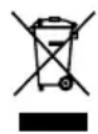
Do not dispose of this product with the household waste. Dispose of your old electrical appliance at a suitable collection centre. Recycling is important and helps protect the environment by reducing waste.
EU and Turkey only.
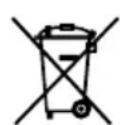
Your product contains batteries covered by the European Directive 2006/66/EC, which cannot be disposed with normal household waste. Please inform yourself about the local rules on separate
collection of batteries because correct disposal helps to prevent negative consequences for the environment and human health.
Important precautions
1/ This product is designed for indoor use only. Do not expose it to direct sunlight or bad weather.
2/ Do not expose the product to splashes, rain, drips or moisture. Do not immerse it in a liquid.
3/ Do not expose to dust, high levels of humidity, extreme temperatures or mechanical shocks.
4/ Do not use and do not open if the equipment is damaged. Do not attempt to repair it.
5/ When cleaning the outside, only use a soft, clean and damp cloth. Detergents can damage the finish and get inside the product.
6/ Do not carry the product while holding it by the cable.
7/ This product is not designed for people (including children) suffering from a physical, sensory or mental impairment, or for users without the necessary and relevant experience or knowledge (unless they have been given advice and instructions on how to use the device from a person responsible for the user).
Do not leave the product unattended, do not leave this product within the reach of children. Not suitable for children under 7 (the cable can get wrapped around the neck).
8/ The maximum operating temperature must not exceed 35^
Precautions for use regarding the battery
WARNING
- If your product has a built-in, non-replaceable battery, do not attempt to open the product or remove the battery, as you may damage the product and/or injure yourself.
- If your product has a built-in replaceable battery, only use the type of battery supplied by Nacon/ RIG. Used batteries should be removed promptly and taken to appropriate collection centres.
RECYCLING: The product battery should be recycled or disposed of in the proper manner. Contact your local recycling centre for instructions on battery removal and disposal.
- The battery has a limited lifespan. Battery charge duration gradually increases with repeated usage and age. Battery life also varies depending on the storage method, usage state, environment and other factors.
- Charging may not be as effective when performed in other environments.
- Battery duration may vary depending on the usage condition and environmental factors.
When not in use: When the controller is not used for an extended period of time, it is recommended that you fully charge it at least once a year in order to maintain its functionality.
WARNING: Risk of fire, explosion and burns.
- Do not leave your charged battery for an extended period without the product being used
- Prevent metal objects such as keys or coins from coming into contact with a battery or its holder.
- Do not attempt to open or damage the battery. It may contain corrosive products which are dangerous if they come into contact with eyes or skin and are toxic if ingested.
- Never put a battery in your mouth. If ingested, contact a doctor or poison control centre.
- If the product contained in the battery comes into contact with your clothes, skin or eyes, please wash thoroughly with clear water and contact your doctor immediately.
- Always keep batteries out of the reach of children.
- Never throw a battery into a fire or oven; crushing or cutting a battery may cause an explosion;
- A battery should not be subjected to extremely high or low temperature, low air pressure at high altitude during use, storage or transportation, as this may cause an explosion or leakage of flammable liquid or gas
Ergonomics
Keeping your hand in the same position for a prolonged period of time can result in pain. If this happens repeatedly, please consult your doctor.
As a precaution, take a 15-minute break every hour.
Characteristics techniques
Dimensions: 236 × 105 × 49 mm
- Detachable cable length: 80 cm
Consumption: 5V = 500mA
DC power supply
- Battery life: 20 hours
- Charging time: <2 hours
- Type of battery: Lithium-ion
Voltage: 3.7 V
Power: 2.22 Wh
- Battery capacity 600 mAh
- The controller's maximum operating temperature is 35^
- EIRP: Information on the emission power of the product:
- Frequency range: (2.402 2.480) GHz
- Maximum radiofrequency emission power: controller < 13dBm
Nacon hereby declares that the Nacon MG-X PRO radio equipment complies with Directive 2014/53/EU. The full text of the EU declaration of conformity is available at the following internet address: www.naongaming.com
Technical support
UK
Email: support@naongaming.com
Tel.: (+44)08081010970
Australia
Email: support.us@naongaming.com
Email: support@naongaming.com
US/Canada email
(English/French)
Email: support.us@naongaming.com
(Spanish)
Email: soporte@naongaming.com
US/Canada Phone Support
(English/French/Spanish)
Tel.: 1-833-622-6687
EU Declaration of Conformity
Product: Nacon MG-X PRO Controller for iPhone®
Manufacturer: Nacon
Nacon declares that this product is in compliance with the Union harmonisation legislation:
- Directive 2014/30/EU for Electromagnetic Compatibility
- Directive 2011/65/EU the restriction of the use of certain hazardous substances in electrical and electronic equipment
The full text, of the EU Declaration of Conformity, is available at the following website: my.naongaming.com/en-GB/support
UK Declaration of Conformity
Product: Nacon MG-X PRO Controller for iPhone®
Manufacturer: Nacon
Nacon declares that this product is in compliance with the United Kingdom legislation:
- Electromagnetic Compatibility Regulations 2016
- The restriction of the use of certain hazardous substances in electrical and electronic equipment regulations 2012
The full text, of the UK Declaration of Conformity, is available at the following website: my.naongaming.com/en-GB/support
FCC: Declaration of Conformity
United states
This product complies with Part 15 of the FCC Rules. Operation is subject to the following two conditions: (1) this device may not cause harmful interference, and (2) this device must accept any interference received, including interference that may cause undesired operation.
Warning: Changes or modifications not expressly approved by the party responsible for compliance could void the user's authority to operate the equipment.
Note: This equipment has been tested and found to comply with the limits for a Class B digital device, pursuant to part 15 of the FCC Rules. These limits are designed to provide reasonable protection against harmful interference in a residential installation. This equipment generates, uses and can radiate radio frequency energy and, if not installed and used in accordance with the instructions, may cause harmful interference to radio communications. However, there is no guarantee that interference will not occur in a particular installation. If this equipment does cause harmful interference to radio or television reception, which can be determined by turning the equipment off and on, the user is encouraged to try to correct the interference by one or more of the following measures:
- Reorient or relocate the receiving antenna.
- Increase the separation between the equipment and receiver.
- Connect the equipment into an outlet on a circuit different from that to which the receiver is connected.
- Consult the dealer or an experienced radio/TV technician for help.
This equipment complies with FCC radiation exposure limits set forth for an uncontrolled environment.
ICES
This equipment complies with IC radiation exposure limits set forth for an uncontrolled environment.
ICES statement: This device complies with Industry Canada's license - exempt RSSs. Operation is subject to the following two conditions: (1) this device may not cause harmful interference, and (2) this device must accept any interference received, including interference that may cause undesired operation."
MANUFACTURER / FABRICANT :
NACON - 396 - 466 Rue de la Voyette, CRT2 - 59273 Fretin, France
DISTRIBUTORS/DISTRIBUTEURS:
1124 8TH Street, Kirkland, WA 98033 USA
Nacon Pty. Ltd.
Level 2/20 Bond Street, Sydney NSW 2000 Australia
SUPPORT:
UK, support@naongaming.com
Tel.: +44 08081010970
Mail: support.de@naongaming.com
BELGIQUE, support.be@naongaming.com
NEDERLAND, support.nl@naongaming.com
ESPANA, support.es@naongaming.com
Tel.: +34 900993359
ITALIA, support.it@naongaming.com
Tel: +39 800172494
USA/CANADA, support.us@naongaming.com
AUSTRALIA, support.us@naongaming.com
MEXICO, soporte@naongaming.com

nacon
WWW.NACONGAMING.COM

@NaconGaming

aongaming

Non International
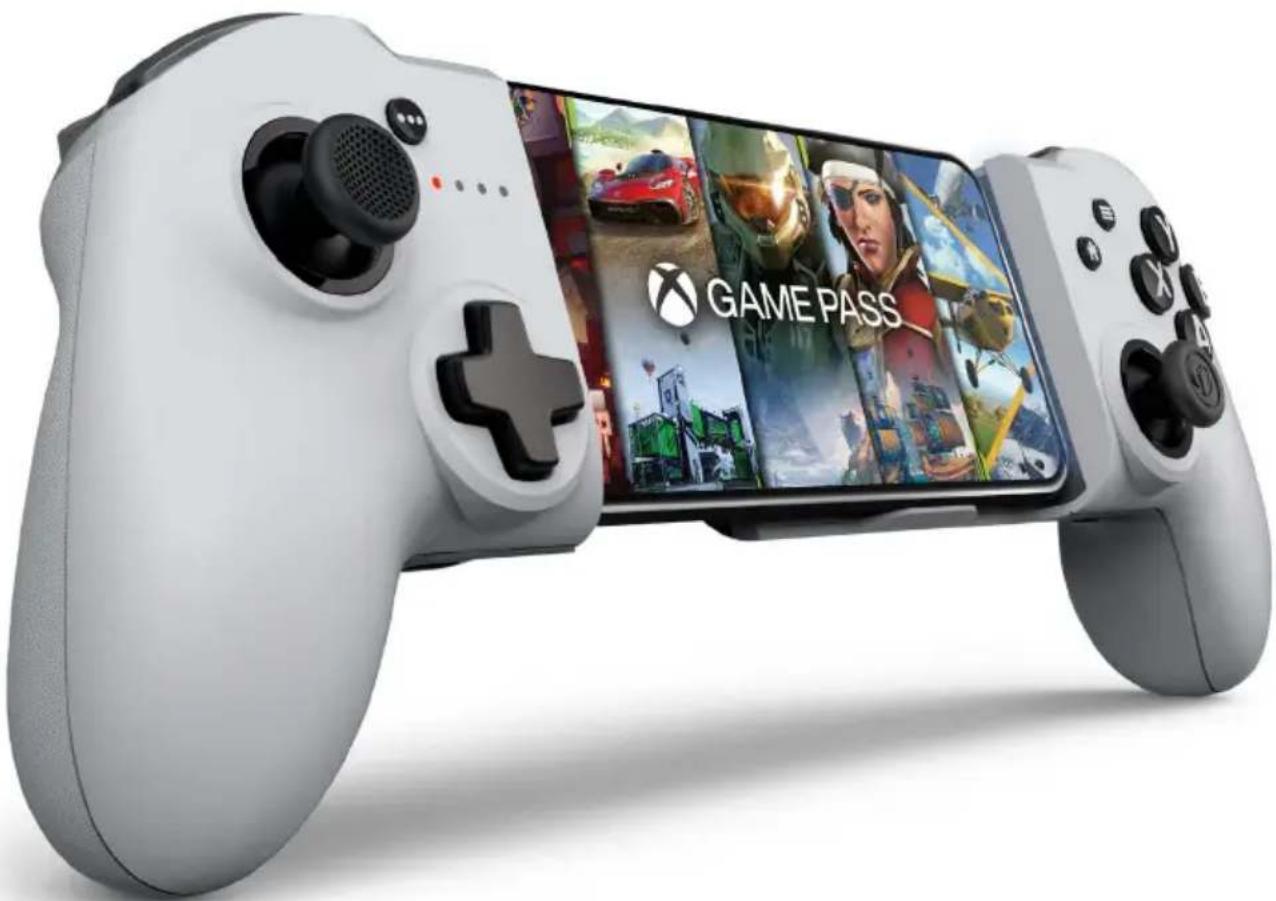
MG-X PRO
ERGONOMIC·WIRELESS·UNIVERSAL
Made for

iPhone
Precautions important
Informations relatives au support technique
UK Declaration of Conformity
Product: Nacon MG-X PRO Controller for iPhone®
Manufacturer: Nacon
Nacon declares that this product is in compliance with the United Kingdom legislation:
- Electromagnetic Compatibility Regulations 2016
- The restriction of the use of certain hazardous substances in electrical and electronic equipment regulations 2012
The full text, of the UK Declaration of Conformity, is available at the following website: my.naongaming.com/en-GB/support
FCC: Declaration of Conformity
United states
This product complies with Part 15 of the FCC Rules. Operation is subject to the following two conditions: (1) this device may not cause harmful interference, and (2) this device must accept any interference received, including interference that may cause undesired operation.
Warning: Changes or modifications not expressly approved by the party responsible for compliance could void the user's authority to operate the equipment.
Note: This equipment has been tested and found to comply with the limits for a Class B digital device, pursuant to part 15 of the FCC Rules. These limits are designed to provide reasonable protection against harmful interference in a residential installation. This equipment generates, uses and can radiate radio frequency energy and, if not installed and used in accordance with the instructions, may cause harmful interference to radio communications. However, there is no guarantee that interference will not occur in a particular installation. If this equipment does cause harmful interference to radio or television reception, which can be determined by turning the equipment off and on, the user is encouraged to try to correct the interference by one or more of the following measures:
- Reorient or relocate the receiving antenna.
- Increase the separation between the equipment and receiver.
- Connect the equipment into an outlet on a circuit different from that to which the receiver is connected.
- Consult the dealer or an experienced radio/TV technician for help.
This equipment complies with FCC radiation exposure limits set forth for an uncontrolled environment.
ICES
MANUFACTURER/FABRICANT:
NACON - 396 - 466 Rue de la Voyette, CRT2 - 59273 Fretin, France
DISTRIBUTORS/DISTRIBUTEURS:
1124 8TH Street, Kirkland, WA 98033 USA
Nacon Pty. Ltd.
Level 2/20 Bond Street, Sydney NSW 2000 Australia
SUPPORT:
UK, support@naongaming.com
Tel.: +44 08081010970
Mail: support.de@naongaming.com
BELGIQUE, support.be@naongaming.com
NEDERLAND, support.nl@naongaming.com
ESPANA, support.es@naongaming.com
Tel.: +34 900993359
ITALIA, support.it@naongaming.com
Tel: +39 800172494
USA/CANADA, support.us@naongaming.com
AUSTRALIA, support.us@naongaming.com
MEXICO, soporte@naongaming.com

nacon
WWW.NACONGAMING.COM

@NaconFR

acongamingFr

IonFR
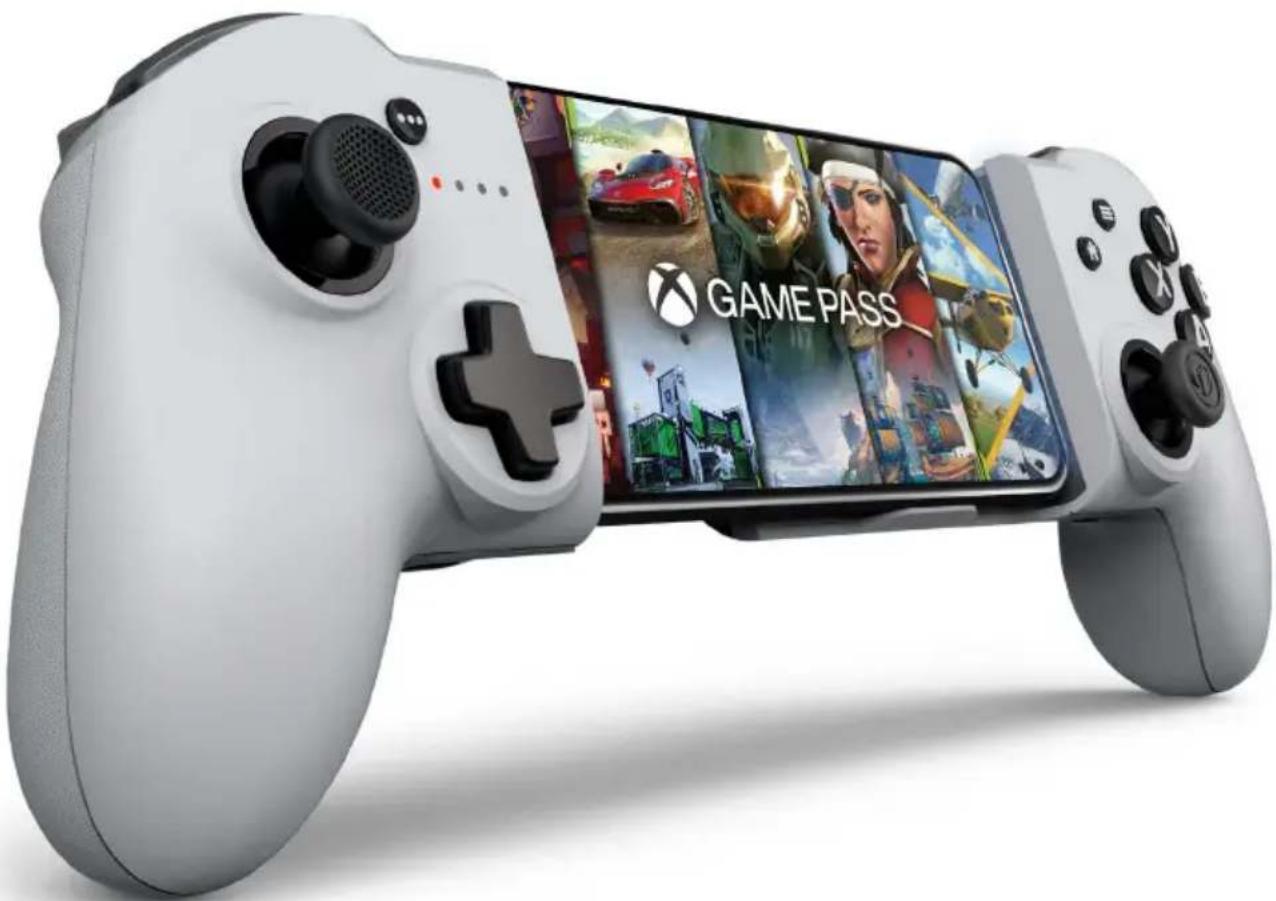
MG-X PRO
ERGONOMIC·WIRELESS·UNIVERSAL
Made for

iPhone
Mail: support.de@naongaming.com
- Electromagnetic Compatibility Regulations 2016
- The restriction of the use of certain hazardous substances in electrical and electronic equipment regulations 2012
MANUFACTURER/FABRICANT:
NACON - 396 - 466 Rue de la Voyette, CRT2 - 59273 Fretin, France
DISTRIBUTORS/DISTRIBUTEURS:
Nacon Gaming Inc. 1124 8TH Street, Kirkland, WA 98033 USA
Nacon Pty. Ltd.
Level 2/20 Bond Street, Sydney NSW 2000
Australia
SUPPORT:
Mail: support.de@naongaming.com
BELGIQUE, support.be@naongaming.com
NEDERLAND, support.nl@naongaming.com
ESPANAs, support.es@naongaming.com
Tel.: +34 900993359
ITALIA, support.it@naongaming.com Tel:+39 800172494
USA/CANADA, support.us@naongaming.com
AUSTRALIA, support.us@naongaming.com
MEXICO, soporte@naongaming.com

nacon
WWW.NACONGAMING.COM

@NaconFR

JaongamingFr

conFR
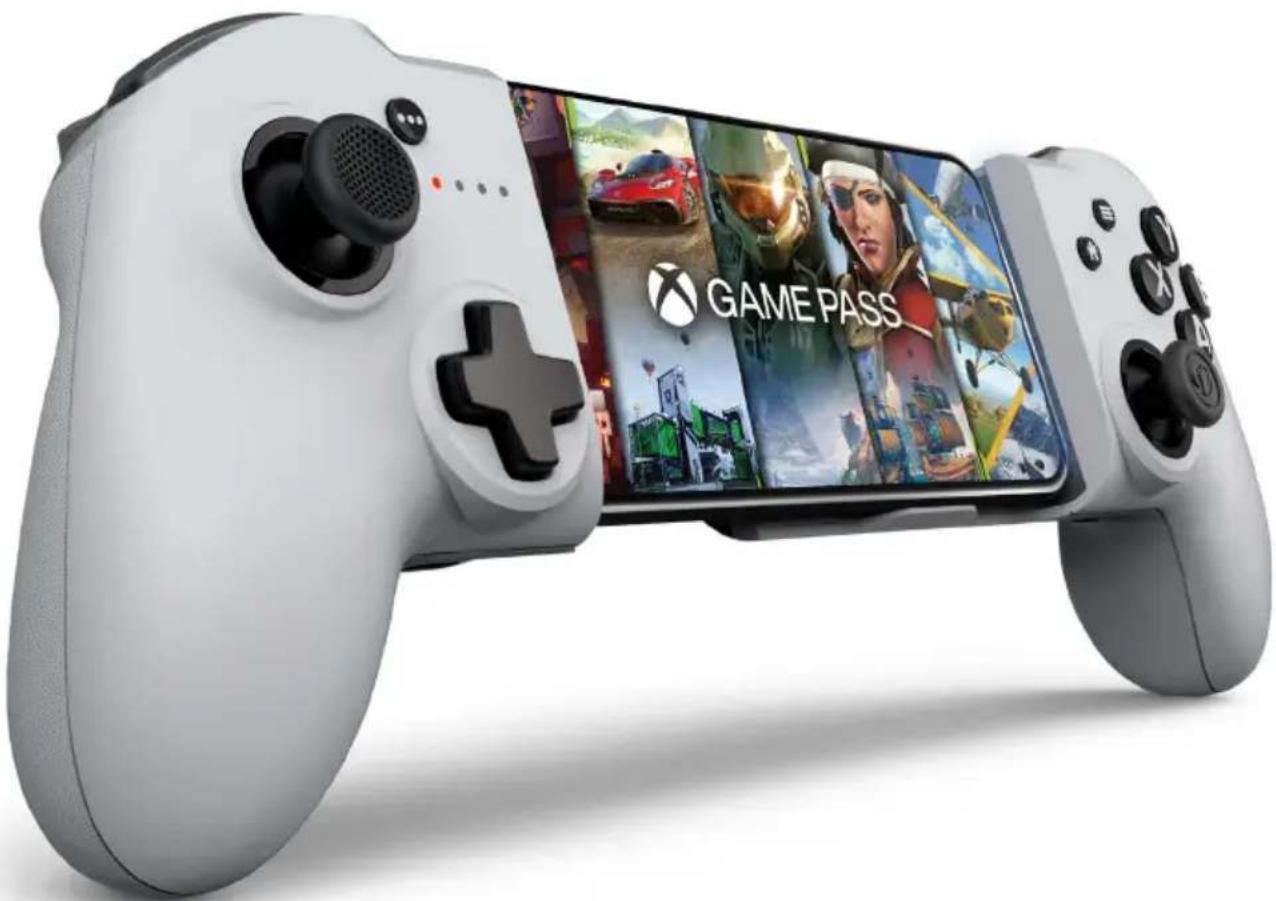
MG-X PRO
ERGONOMIC·WIRELESS·UNIVERSAL
Made for

iPhone
Waterloo Office Park / Batiment H
Drève Richelle 161 bte 15,
1410 Waterloo, Belgium
www.nacongaming.com
MANUFACTURER/FABRICANT:
NACON - 396 - 466 Rue de la Voyette, CRT2 - 59273 Fretin, France
DISTRIBUTORS/DISTRIBUTEURS:
Nacon Gaming Inc. 1124 8TH Street, Kirkland, WA 98033 USA
Nacon Pty. Ltd.
Level 2/20 Bond Street, Sydney NSW 2000
Australia
SUPPORT:
Mail: support.de@naongaming.com
BELGIQUE, support.be@naongaming.com
NEDERLAND, support.nl@naongaming.com
ESPANAs, support.es@naongaming.com
Tel.: +34 900993359
ITALIA, support.it@naongaming.com Tel:+39 800172494
USA/CANADA, support.us@naongaming.com
AUSTRALIA, support.us@naongaming.com
MEXICO, soporte@naongaming.com

nacon
WWW.NACONGAMING.COM

@NaconGaming

aongaming

Non International
MG-X PRO
ERGONOMIC·WIRELESS·UNIVERSAL
Made for

iPhone
Company Name: S2G Mexico LLC
Address: Av. Antonio Dovali Jaime 70, Torre C Piso 2, Santa Fe, Alvaro Obregon, CDMX.C.P. 01210
Tax ID or RFC (for Mexico): SML 150205M61
UK Declaration of Conformity
Product: Mando Nacon MG-X PRO para iPhone®
Manufacturer: Nacon
Nacon declares that this product is in compliance with the United Kingdom legislation:
- Electromagnetic Compatibility Regulations 2016
- The restriction of the use of certain hazardous substances in electrical and electronic equipment regulations 2012
The full text, of the UK Declaration of Conformity, is available at the following website: my.naongaming.com/en-GB/support
MANUFACTURER/FABRICANT:
NACON - 396 - 466 Rue de la Voyette, CRT2 - 59273 Fretin, France
DISTRIBUTORS / DISTRIBUTERS :
Nacon Gaming Inc. 1124 8TH Street, Kirkland, WA 98033 USA
Nacon Pty. Ltd.
Level 2/20 Bond Street, Sydney NSW 2000
Australia
SUPPORT:
Mail: support.de@naongaming.com
BELGIQUE, support.be@naongaming.com
NEDERLAND, support.nl@naongaming.com
ESPANAsupport.es@naongaming.com
Tel: +34 900993359
ITALIA, support.it@naongaming.com
Tel.:+39 800172494
USA/CANADA, support.us@naongaming.com
AUSTRALIA, support.us@naongaming.com
MEXICO, soporte@naongaming.com

nacon
WWW.NACONGAMING.COM

@NacongamingES

JaongamingES

con Espana

MG-X PRO
ERGONOMIC·WIRELESS·UNIVERSAL
Made for

iPhone
MANUFACTURER/FABRICANT:
NACON - 396 - 466 Rue de la Voyette, CRT2 - 59273 Fretin, France
DISTRIBUTORS / DISTRIBUTERS:
Nacon Gaming Inc. 1124 8TH Street, Kirkland, WA 98033 USA
Nacon Pty. Ltd.
Level 2/20 Bond Street, Sydney NSW 2000
Australia
SUPPORT:
Mail: support.de@naongaming.com
BELGIQUE, support.be@naongaming.com
NEDERLAND, support.nl@naongaming.com
ESPAN, support.es@naongaming.com
Tel.: +34 900993359
ITALIA, support.it@naongaming.com Tel: +39 800172494
USA/CANADA, support.us@naongaming.com
AUSTRALIA, support.us@naongaming.com
MEXICO, soporte@naongaming.com

nacon
WWW.NACONGAMING.COM
naongamingit
Naongaminglt
Bacon Italia
- Thank you for purchasing this NACON® product.
- Warranty
- Product features
- Package contents
- Control elements
- Turning the controller on/off
- First start-up of the controller
- Syncing your iPhone® with the Nacon MG-X Pro controller
- Battery level indicator
- Charging the controller
- I Quickly changing the iPhone® connected to your controller
- Product reset
- Compatibility
- Reconfiguring my controller buttons
- Additional functions of the Options button
- Mobile application
- Positioning your iPhone®
- Recycling
- Important precautions
- Precautions for use regarding the battery
- WARNING
- WARNING: Risk of fire, explosion and burns.
- Ergonomics
- Characteristics techniques
- Technical support
- EU Declaration of Conformity
- UK Declaration of Conformity
- FCC: Declaration of Conformity
- United states
- ICES
- MANUFACTURER / FABRICANT :
- DISTRIBUTORS/DISTRIBUTEURS:
- SUPPORT:
- nacon
- MG-X PRO
- ERGONOMIC·WIRELESS·UNIVERSAL
- Precautions important
- Informations relatives au support technique
- MANUFACTURER/FABRICANT:
- DISTRIBUTORS / DISTRIBUTERS :
- DISTRIBUTORS / DISTRIBUTERS:
Brand : Nacon
Model : MGX PRO
Category : Controller