E184 - Scale Escali - Free user manual and instructions
Find the device manual for free E184 Escali in PDF.


| Product Type | Bathroom Scale |
| Brand | Escali |
| Model | E184 |
| Dimensions | 30.1 x 30.1 x 2.3 cm |
| Power Source | 1 CR2032 lithium battery (included) |
| Display | Digital |
| Measurement Units | kg / lb / st (selection by UNIT button) |
| Maximum Capacity | 150 kg (not specified, typical estimate) |
| Accuracy | 0.1 kg or 0.2 lb (estimate) |
| Turn On | Automatic when stepping on the scale |
| Turn Off | Automatic after use |
| Low Battery Indicator | Display shows "Lo" |
| Overload Indicator | Display shows "Err" |
| Recommended Use Surface | Hard, flat floor (do not use on carpet) |
| Operating Temperature | Room temperature |
| Care | Clean with a damp cloth, do not immerse |
| Water Resistance | Not waterproof |
| Warranty | Limited lifetime warranty |
| Customer Service | 1-800-467-6408 |
Frequently Asked Questions - E184 Escali
User questions about E184 Escali
0 question about this device. Answer the ones you know or ask your own.
Ask a new question about this device
Download the instructions for your Scale in PDF format for free! Find your manual E184 - Escali and take your electronic device back in hand. On this page are published all the documents necessary for the use of your device. E184 by Escali.
USER MANUAL E184 Escali
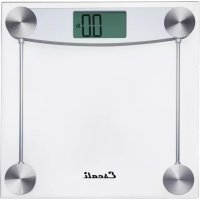
Clear Glass Bathroom Scale
Model # E184
natural_image
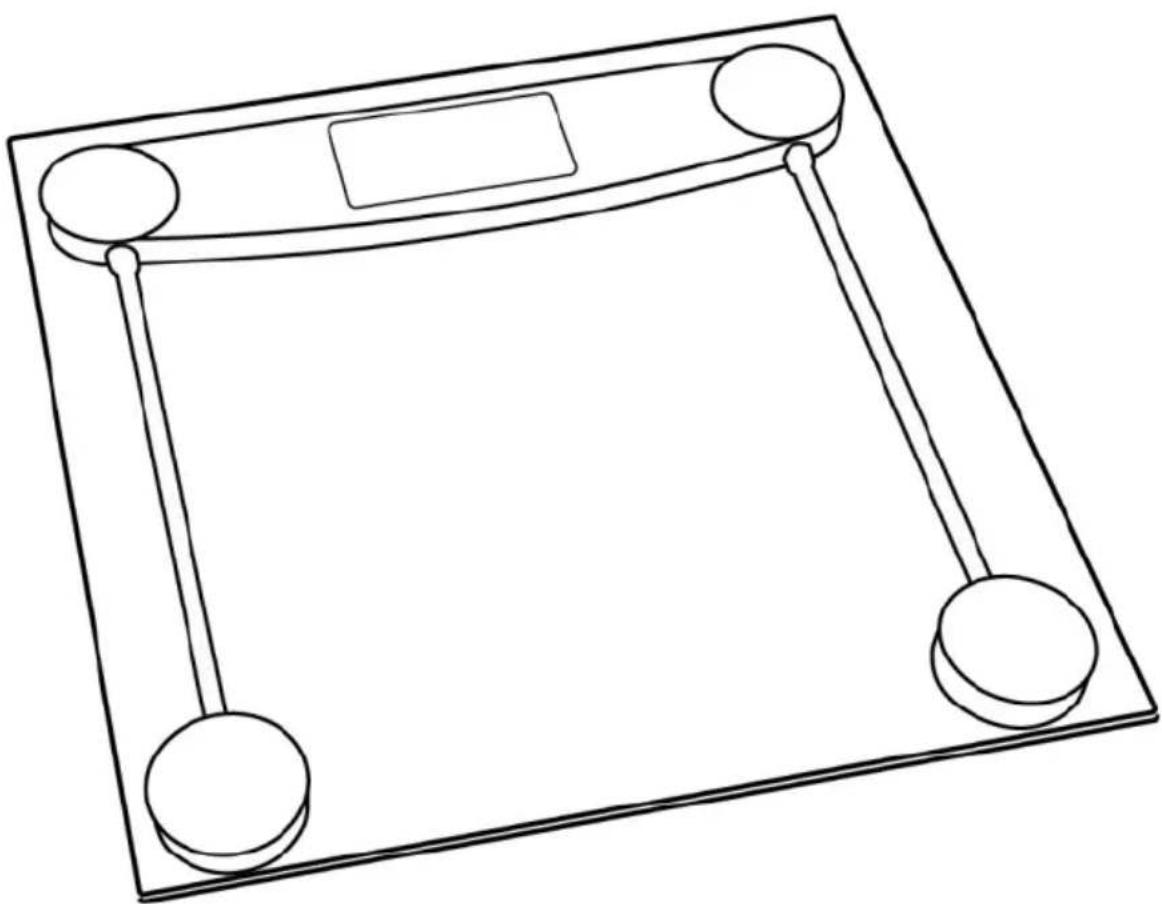
Line drawing of a square mechanical scale with two circular end points and a rectangular top (no text or symbols)Thank you for choosing the Escali Glass Bathroom Scale. This precision state-of-the-art measuring instrument is most accurate when weighing on a flat hard surface. This scale will not function correctly on carpet. As the electronic sensors are sensitive, avoid dropping, or jarring the scale, and store where it will be protected from impact.
OPERATING INSTRUCTIONS
- A replaceable lithium battery is included. Please pull the insulation tape out from below of the battery before first use.
- Select your desired weight unit with the UNIT button located on the bottom of the scale.
- Place the scale on a solid, and flat surface. Turn on the scale by stepping onto the platform; the scale will start weighing instantly.
- After your weight is displayed, the scale will turn off automatically after approximately 15 seconds.
PROPER USE & CARE
- Use and stow the scale at room temperature.
- Use on a flat, level, and stable surface.
- This scale is an instrument of precision. Do not submit the scale to shaking, excessive vibration, or other rough treatment.
- The display may be affected by electromagnetic disturbances such as radios, microwaves, or cell phones. If such disturbances occur, remove the source of the disturbance, and restart the scale.
- Disassembling, or tampering with the scale voids the warranty.
- Clean the scale with a damp cloth.
- Do not submerge in liquid. The scale is not waterproof.
WARNING MESSAGES
Lo Low battery indicator
Err Overload indicator
PRODUCT SPECIFICATIONS
Model: E184
Capacity: 400 lb / 180 kg
Graduation: 0.2 lb / 0.1 kg
Product Dimensions: 11.9 x 11.9 x .9 in
Power Source: 1 - CR2032 lithium battery (included)
ESCALI CORPORATION
3203 Corporate Center Drive, Suite 150
Burnsville, MN 55306
USA
PRODUCT SUPPORT
24/7 Online support: https://escali.zendesk.com
Email support: feedback@escali.com
Phone support: 1-800-467-6408

LIFETIME LTD WARRANTY
This scale is guaranteed to be free of defects in materials and workmanship. For more details visit: www.escali.com/warranties
Escali's liability is limited to two (2) times the cost of the product.
© Escali Corp., Minneapolis, MN, USA. All rights reserved. Escali, the Escali logo and other Escali marks are owned by Escali Corp. and may be registered.
natural_image
Simple line drawing of a square frame with two circular ends and a central rectangular top (no text or symbols)3203 Corporate Center Drive, Suite 150
Burnsville, MN 55306
EE. UU.
SOPORTE DE PRODUCTO
natural_image
Line drawing of a square mechanical scale with two circular end points and a central rectangular top (no text or symbols)PRODUCT SPECIFICATIONS
Modèle: E184
Capacité: 400 lb / 180 kg
Graduation: 0.2 lb / 0.1 kg
3203 Corporate Center Drive, Suite 150
Burnsville, MN 55306
USA
PRODUCT SUPPORT
Assistance en ligne 24/7 : https://escali.zendesk.com
Assistance Email : feedback@escali.com