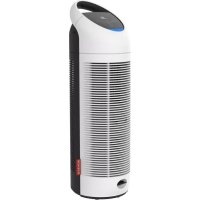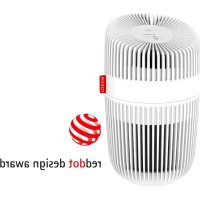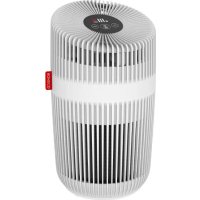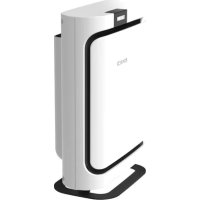
P400 - Air purifier BONECO - Free user manual and instructions
Find the device manual for free P400 BONECO in PDF.



User questions about P400 BONECO
0 question about this device. Answer the ones you know or ask your own.
Ask a new question about this device
Download the instructions for your Air purifier in PDF format for free! Find your manual P400 - BONECO and take your electronic device back in hand. On this page are published all the documents necessary for the use of your device. P400 by BONECO.
USER MANUAL P400 BONECO
natural_image
Exterior view of a modern office building (no signage)READ AND SAFE THESE INSTRUCTIONS
Instructions for use 13
natural_image
Simple line drawing of a rectangular electronic device with a blank screen (no text or symbols)natural_image
Simple 3D rectangular object with a black border, no text or symbols visiblenatural_image
Simple line drawing of a closed book or notebook with a bookmark (no text or symbols)Gedruckte Anleitung
natural_image
Simple geometric diagram of a circle with a central dot (no text or symbols)text_image
Exploded view diagram of a smart air conditioner unit with labeled components in Chinesenatural_image
Stacked blue and green foam panels with yellow and black stripes, showing internal structure (no text or symbols)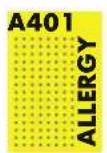
text_image
Control panel with four icons: a clover, blank bars, 'P', and a red 'FILTER' buttonnatural_image
Hand inserting a small electronic device into a white appliance (no visible text or symbols)natural_image
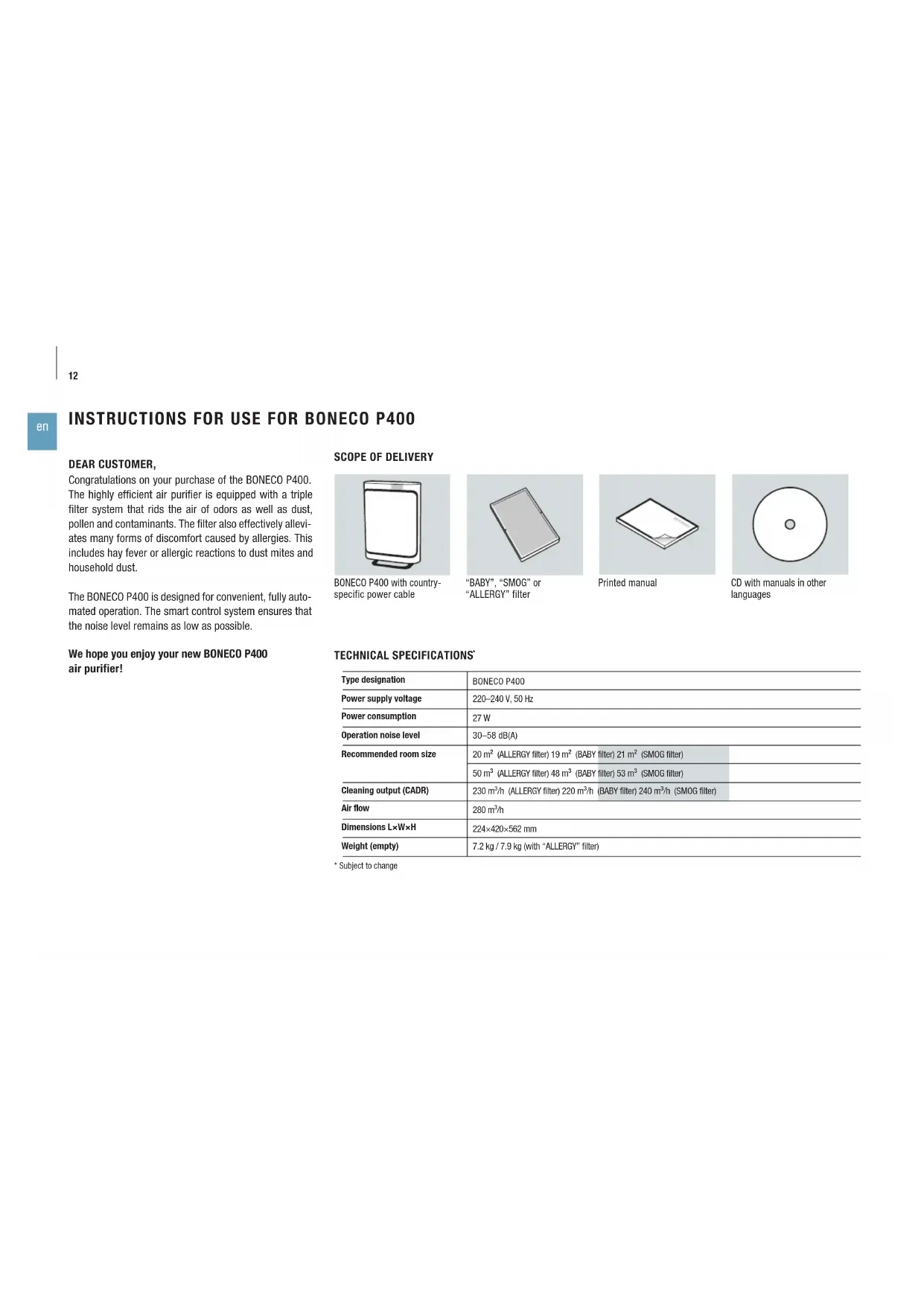
Person washing a tiled sink with water from a metal faucet (no text or symbols visible)Congratulations on your purchase of the BONECO P400. The highly efficient air purifier is equipped with a triple filter system that rids the air of odors as well as dust, pollen and contaminants. The filter also effectively alleviates many forms of discomfort caused by allergies. This includes hay fever or allergic reactions to dust mites and household dust.
The BONECO P400 is designed for convenient, fully automated operation. The smart control system ensures that the noise level remains as low as possible.
We hope you enjoy your new BONECO P400 air purifier!
SCOPE OF DELIVERY
natural_image
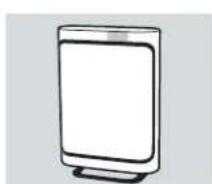
Simple line drawing of a rectangular device with a blank screen (no text or symbols)BONECO P400 with country-specific power cable
natural_image
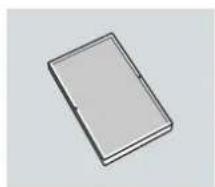
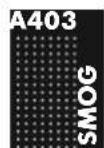
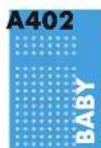
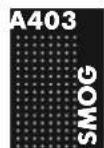
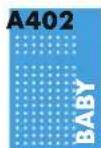
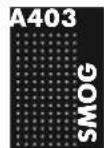
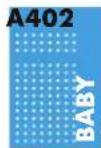
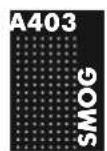
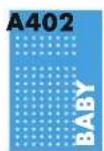
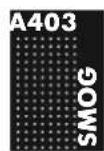
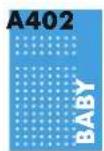
Simple 3D rectangular object with a black border, no text or symbols visible"BABY", "SMOG" or "ALLERGY" filter
natural_image
Simple line drawing of a closed book or notebook with no visible text or symbols on the cover or spine.Printed manual
natural_image
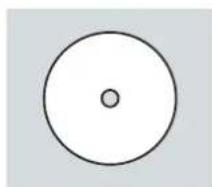
Simple geometric diagram showing a circle with a central dot (no text or symbols)CD with manuals in other languages
TECHNICAL SPECIFICATIONS
| Type designation | BONECO P400 | |
| Power supply voltage | 220-240 V, 50 Hz | |
| Power consumption | 27 W | |
| Operation noise level | 30-58 dB(A) | |
| Recommended room size | 20 m2 (ALLERGY filter) 19 m2 (BABY filter) 21 m2 (SMOG filter) | |
| 50 m3 (ALLERGY filter) 48 m3 (BABY filter) 53 m3 (SMOG filter) | ||
| Cleaning output (CADR) | 230 m3/h (ALLERGY filter) 220 m3/h (BABY filter) 240 m3/h (SMOG filter) | |
| Air flow | 280 m3/h | |
| Dimensions L×W×H | 224×420×562 mm | |
| Weight (empty) | 7.2 kg / 7.9 kg (with “ALLERGY” filter) | |
* Subject to change
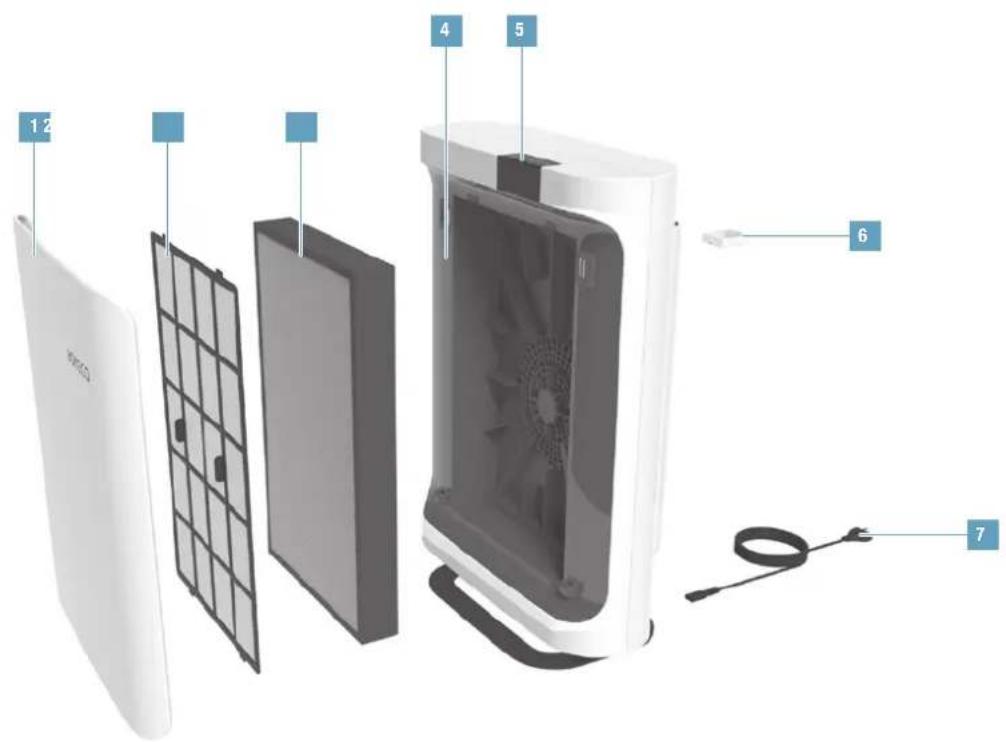
OVERVIEW AND PART NAMES
text_image
Exploded view diagram of a smart air conditioner unit with labeled parts including cover, panel, fan, and cable.* Depending on the model, a "BABY", "SMOG" or "ALLERGY" filter type is included in standard delivery
text_image
1 Remove the magnetically attached front cover.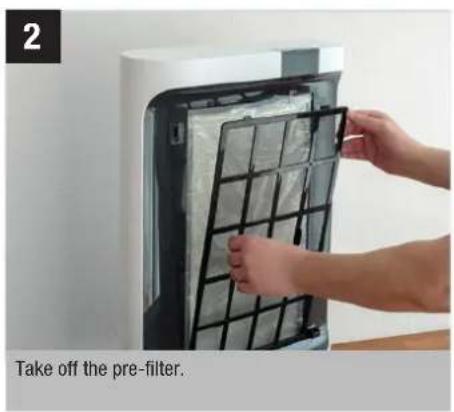
text_image
2 Take off the pre-filter.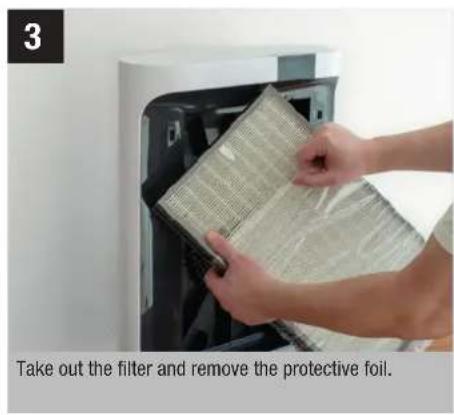
text_image
Take out the filter and remove the protective foil.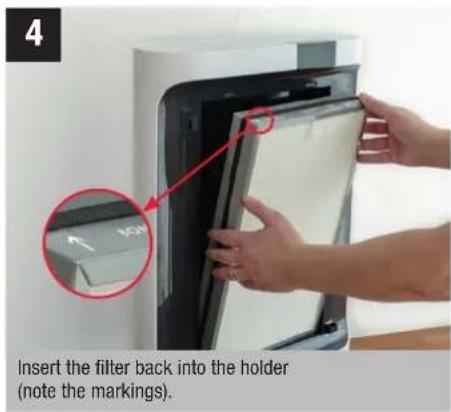
text_image
4 Insert the filter back into the holder (note the markings).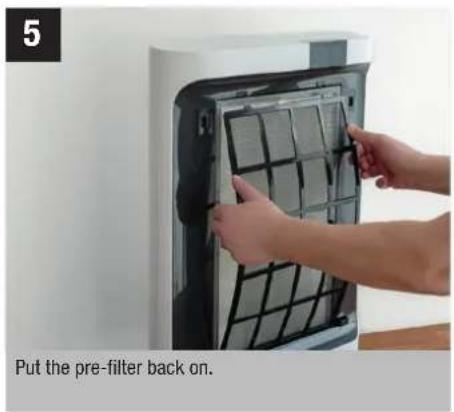
text_image
5 Put the pre-filter back on.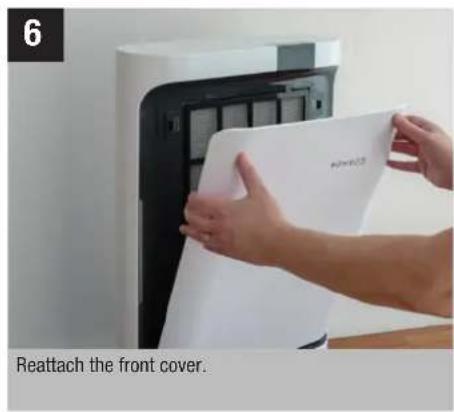
text_image
6 Reattach the front cover.FRONT COVER AND FILTER TYPES
MAGNETIC FRONT COVER
The BONECO P400 front cover is held on by magnets. The air purifier does not switch on if the front cover is missing or positioned incorrectly.
NOTES ON THE FILTERS
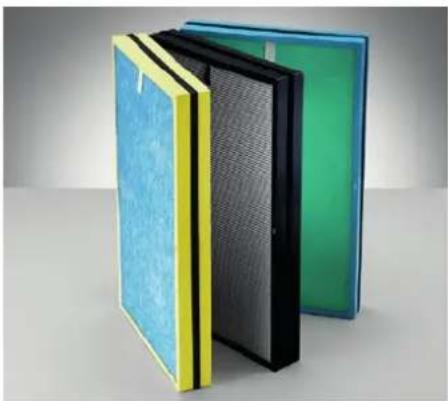
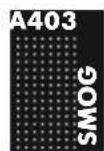
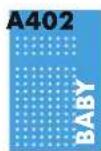
Your BONECO P400 was shipped from the factory with the "ALLERGY", "SMOG" or "BABY" filter. However, the appliance is compatible with all three filter types. The delivered filter can be replaced by another model at any time if your requirements change.
REPLACEMENT FILTERS
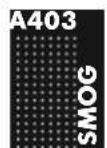
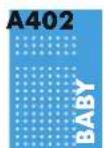
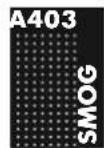
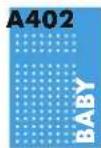
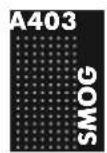
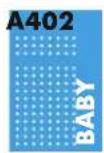
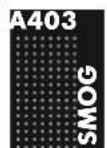
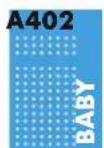
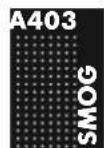
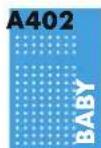
You can get the replacement filters at your BONECO specialist dealer or at the online store at www.shop.boneco.com. The filters are identified by these labels:
natural_image
Stacked glass panels with different colors and patterns, one showing a mesh pattern (no text or symbols visible)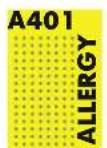
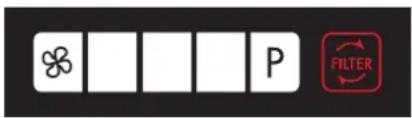
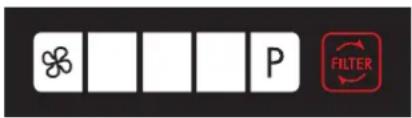
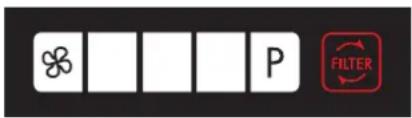
INDICATORS ON THE DISPLAY
text_image
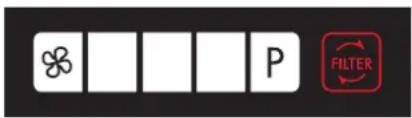
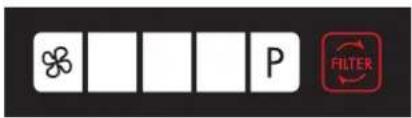
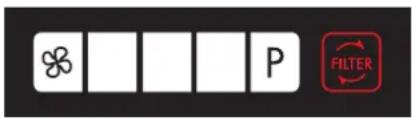
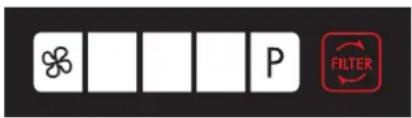
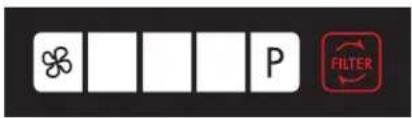
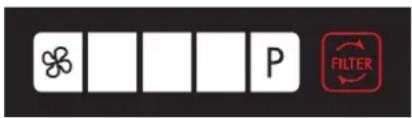
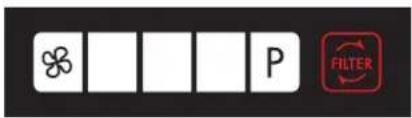
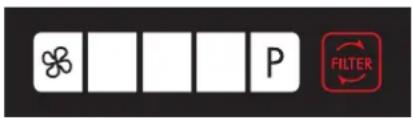
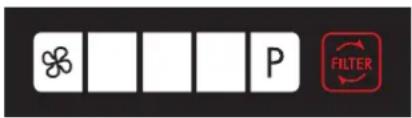
Control panel with four icons: a clover, blank bars, 'P', and a red 'FILTER' buttonOverview of all indicators on the display
Symbol Meaning
i
Fan level 17

Filter used up, replace 18
BRIGHTNESS OF THE DISPLAY
The brightness of the display depends on the ambient light. The display is dimmed automatically if the BONECO P400 is used in a dark room (such as a bedroom).
CLEARING THE FILTER WARNING
The 📄 symbol does not go out automatically after the filter has been replaced. Press and hold the ⏻ button for five seconds to hide the symbol. This also resets the counter for the new filter at the same time.
BASIC FUNCTIONS
The BONECO P400 can easily be adapted to suit your needs. Whenever you switch off the unit, all settings are saved until the next use. However, the settings are reset whenever the unit is disconnected from the power supply.
MANUALLY CONTROLLING THE FAN LEVEL
The fan level of the BONECO P400 can be controlled manually, such as if you want the air to be thoroughly purified in the shortest possible time.
Push the button repeatedly until the desired fan setting is achieved.
POWER LEVEL
"Power Level" (P) can be achieved by pressing the button. The fan is working at its maximum output under Power Level (P).
USING FRAGRANCES
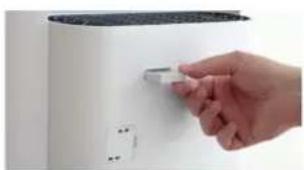
The fragrance container for adding fragrances is on the backside of the BONECO P400.
- Briefly push on the fragrance container to unlock it and then remove the compartment.
natural_image
Hand inserting a small component into a white appliance (no text or symbols visible)-
Insert the fragrance into the fragrance container.
-
Push the fragrance container into the air purifier until it clicks into place.
CLEANING AND MAINTENANCE
REPLACING THE FILTER
The filter is worn out if the 📄 symbol is illuminated. The filter must be replaced at this point to continue to ensure optimal air purification.
The filter must be replaced as soon as possible after the reminder is displayed but after one year at the latest.
The procedure for replacing the filter corresponds to the figures on page 14.
- Replace the filter in accordance with the instructions on page 14.
- Hold the ⏻ button for 5 seconds to the hide the symbol
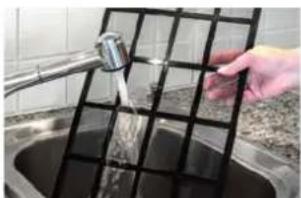
CLEANING THE PRE-FILTER
The pre-filter prevents excessive dust accumulation from getting inside the BONECO P400.
- Clean the pre-filter under running water or using a vacuum cleaner.
natural_image
Person washing a tiled sink with water from a metal faucet (no text or symbols visible)- Allow the pre-filter to dry completely before re-inserting it.

INSTRUCTIONS D'UTILISATION DU BONECO P400

INSTRUCTIONS D'UTILISATION DU BONECO P400
CHER CLIENT,
natural_image
Simple line drawing of a rectangular device with a blank screen (no text or symbols)text_image
Exploded view diagram of a smart air conditioner unit with labeled parts including cover, panel, fan, and cable.natural_image
Stacked glass panels with different colors and patterns, showing internal structure (no text or symbols visible)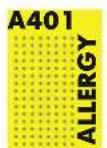

AFFICHAGE À L'ÉCRAN
text_image
Control panel with four icons: a clover, blank boxes, and 'P' label, alongside a red 'FILTER' button.natural_image
Hand inserting a small electronic component into a white appliance (no visible text or symbols)natural_image
Person washing a tiled sink with a hand using a water tap (no text or symbols visible)text_image
Exploded view diagram of a smart air conditioner unit with labeled parts including cover, panel, fan, and cable.natural_image
Stacked blue and green foam panels with yellow and black side panels, showing internal structure (no text or symbols)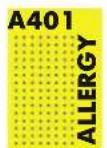
text_image
Control panel with four icons: a clover, blank bars, 'P', and a red 'FILTER' buttonnatural_image
Hand inserting a small electronic component into a white appliance (no visible text or symbols)natural_image
Person washing or cleaning a tiled sink with a water tap, no visible text or symbolsnatural_image
Simple 3D rectangular object with a black border, no text or symbols visibleFiltro "BABY", "SMOG" o "ALLERGY"
natural_image
Simple line drawing of a closed book or notebook with a bookmark (no text or symbols)Manual impreso
natural_image
Simple geometric diagram of a circle with a center dot (no text or symbols)text_image
Exploded view diagram of a smart air conditioner unit with labeled parts including cover, panel, fan, and cable.natural_image
Stacked blue and green foam panels with yellow and black side panels, showing internal structure (no text or symbols)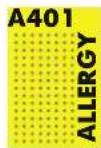
text_image
Control panel with four icons: a clover, blank bars, 'P', and a red 'FILTER' buttonnatural_image
Hand inserting a small electronic component into a white appliance (no visible text or symbols)natural_image
Person washing a tiled sink with a water tap, no visible text or symbolsnatural_image
Simple line drawing of a rectangular device with a blank screen (no text or symbols)natural_image
Simple 3D rectangular object with a black border and gray top surface, no text or symbols visible.Filter "BABY", "SMOG" of "ALLERGY"
natural_image
Simple line drawing of a closed book or notebook with a bookmark (no text or symbols)text_image
Exploded view diagram of a smart air conditioner unit with labeled parts including cover, panel, fan, and cable.natural_image
Stacked blue and green foam panels with yellow and black side panels, showing internal structure (no text or symbols)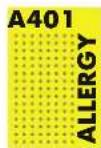

WEERGAVEN OP HET DISPLAY
text_image
Control panel with four icons: a clover, blank bars, 'P', and a red 'FILTER' buttonFILTERWAARSCHUWING WISSEN
natural_image
Hand inserting a small electronic component into a white appliance (no text or symbols visible)natural_image
Person washing a tiled sink with a water tap, no visible text or symbolsnatural_image
Simple line drawing of a rectangular device with a blank screen (no text or symbols)natural_image
Simple line drawing of a closed book or notebook with no visible text or symbols on the cover or spine.Trykt manual
text_image
Exploded view diagram of a smart air conditioner unit with labeled parts including cover, panel, fan, and cable.natural_image
Stacked glass panels with different colors and patterns, showing internal structure (no text or symbols visible)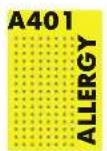
VISNINGER PÅ DISPLAYET
text_image
Control panel with four blank display icons and a 'FILTER' button, likely indicating a filter or status indicator.DISPLAYETS LYSSTYRKE
natural_image
Hand inserting a small electronic device into a white appliance (no visible text or symbols)natural_image
Person washing a tiled sink with a water-filled grid (no text or symbols visible)text_image
Exploded view diagram of a smart air conditioner unit with labeled parts including cover, panel, fan, and cable.1 Frontdeksel
2 Forfilter
3 Filter
4 BONECO P400
5 Beroringsdisplay
6 Duftstoffbeholder
7 Ledning
natural_image
Stacked blue and green foam panels with yellow and black stripes, arranged in a 3D rendering (no text or symbols visible)RESERVEFILTER
INDIKASJONER I DISPLAYET
text_image
Control panel with four icons: a clover, blank boxes, and 'P' label, alongside a red 'FILTER' button.REGULERE VIFTETRINN MANUELT
Viftetrinnet til BONECO P400 kan styres manuelt – for eksempel når det er ønskelig med en grundig luftrensning på kortest mulig tid.
natural_image
Hand inserting a small object into a white appliance (no text or symbols visible)natural_image
Person washing a tiled wall in a kitchen sink (no text or symbols visible)natural_image
Simple line drawing of a rectangular device with a blank screen (no text or symbols)natural_image
Simple 3D rendering of a rectangular frame with no text or symbolsFilter "BABY", "SMOG" eller "ALLERGY"
natural_image
Simple line drawing of a closed book or notebook with a bookmark (no text or symbols)natural_image
Simple geometric diagram of a circle with a central dot (no text or symbols)text_image
Exploded view diagram of a smart air conditioner unit with labeled parts including cover, panel, fan, and cable.natural_image
Stacked glass panels with different colors and patterns, showing blue, yellow, black, and green panels (no text or symbols visible)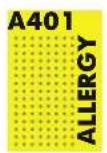
INDIKERINGAR PÅ DISPLAYEN
text_image
Control panel with four icons: a clover, blank bars, 'P', and a red 'FILTER' buttonnatural_image
Hand inserting a small electronic device into a white appliance (no visible text or symbols)natural_image
Person washing a tiled sink with a water tap, no visible text or symbolsnatural_image
Simple line drawing of a rectangular device with a blank screen (no text or symbols)natural_image
Simple 3D illustration of a rectangular object with a small protrusion on top (no text or symbols)Painettu käyttöohje
text_image
Exploded view diagram of a smart air conditioner unit with labeled parts including cover, panel, fan, and cable.natural_image
Stacked glass panels with different colors and patterns, showing internal structure (no text or symbols visible)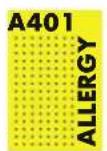

NÄYTTÖÖN TULEVAT VIESTIT

text_image
Control panel with four icons: a clover, blank bars, 'P', and a red 'FILTER' buttonnatural_image
Hand inserting a small electronic component into a white appliance (no visible text or symbols)natural_image
Person washing or pouring water from a metal sink into a grid-patterned sink (no text or symbols visible)natural_image
Stacked blue and green foam panels with yellow and black panels, showing internal structure (no text or symbols)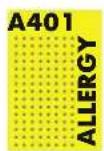
显示屏上的符号
text_image
Control panel with four symbols: a clover, blank bars, and 'P' label, alongside a red 'FILTER' button.显示屏上的所有符号
符号 含义
i
natural_image
Hand holding a small electronic device on a white surface (no visible text or symbols)natural_image
Person washing a tiled wall in a kitchen sink (no text or symbols visible)- 重新使用预过滤网前必须完全晾干。
INSTRUKCJA OBSŁUGI BONECO P400
INSTRUKCJA OBSŁUGI BONECO P400
SZANOWNI PAŃSTWO,
natural_image
Simple line drawing of a rectangular device with a blank screen (no text or symbols)natural_image
Simple line drawing of a closed book or notebook with a bookmark (no text or symbols)text_image
Exploded view diagram of a smart air conditioner unit with labeled parts including cover, panel, fan, and cable.natural_image
Stacked glass panels with different colors and patterns, showing internal structure (no text or symbols visible)FILTR ZAPASOWY
text_image
Control panel with four icons: a clover, blank bars, 'P', and a red 'FILTER' buttonnatural_image
Hand inserting a small electronic component into a white appliance (no visible text or symbols)natural_image
Person washing a tiled sink with a water tap, no visible text or symbolsnatural_image
Simple line drawing of a rectangular device with a blank screen (no text or symbols)natural_image
Simple 3D rendering of a rectangular frame with no text or symbolsnatural_image
Simple line drawing of a closed book or notebook with a bookmark (no text or symbols)Tištěný manuál

natural_image
Simple geometric diagram of a circle with a central dot (no text or symbols)text_image
Exploded view diagram of a smart air conditioner unit with labeled parts including cover, panel, fan, and cable.natural_image
Stacked glass panels with different colors and patterns, showing internal structure (no text or symbols visible)
ÚDAJE NA DISPLEJI
text_image
Control panel with four icons: a clover, blank bars, 'P', and a red 'FILTER' buttonMANUÁLNÍ REGULACE STUPNĚ VENTILÁTORU
natural_image
Hand inserting a small electronic device into a white appliance (no visible text or symbols)natural_image
Person washing a tiled wall with a water tap, no visible text or symbolsnatural_image
Simple line drawing of a rectangular device with a blank screen (no text or symbols)natural_image
Simple 3D rectangular object with a black border and small protrusions on top (no text or symbols)natural_image
Simple line drawing of a closed book or notebook with a bookmark (no text or symbols)Trükitud juhend
natural_image
Simple geometric diagram of a circle with a central dot (no text or symbols)text_image
Exploded view diagram of a smart air conditioner unit with labeled parts including cover, panel, fan, and cable.natural_image
Stacked glass panels with different colors and patterns, showing internal structure (no text or symbols visible)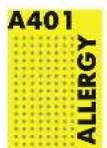

NÄIDIKUD EKRAANIL
text_image
Control panel with four icons: a clover, blank bars, and 'P' label, alongside a red 'FILTER' button.natural_image
Hand inserting a small electronic component into a white appliance (no visible text or symbols)-
Pange sahtlisse löhnaainet.
-
Lükake löhnaainesahtel öhupuhastisse, kuni see kinni klöpsab.
PUHASTAMINE JA HOOLDUS
FILTRI VAHETAMINE
natural_image
Person washing a tiled sink with a water tap, no visible text or symbolstext_image
Exploded view diagram of a smart air conditioner unit with labeled parts including cover, panel, fan, and cable.natural_image
Stacked glass panels with different colors and patterns, showing internal structure (no text or symbols visible)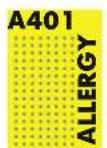


A KIJELZÖN MEGJELENŐ INFORMÁCIÓK
text_image
Control panel with four icons: a clover, blank boxes, and 'P' label, alongside a red 'FILTER' button.natural_image
Hand inserting a small component into a white appliance (no text or symbols visible)natural_image
Person washing a tiled sink with a hand pouring water from a metal pipe (no text or symbols visible)natural_image
Simple line drawing of a rectangular device with a blank screen (no text or symbols)natural_image
Simple 3D illustration of a rectangular object with a small protrusion on top (no text or symbols)Spausdinta instrukcija
CD su instrukcijomis kitomis kalbomis
TECHNINIAI DUOMENYS
| Tipo pavadinimas | BONECO P400 | ||
| Tinklo jtampa | 220–240 V, 50 Hz | ||
| Galios poreikis | 27 W | ||
| Darbinio garso stiprumas | 30–58 dB(A) | ||
| Tinka patalpoms, kurių dydis | 20 m2 (ALLERGY filtru) 19 m2 (BABY filtru) 21 m2 (SMOG filtru) | ||
| 50 m3 (ALLERGY filtru) 48 m3 (BABY filtru) 53 m3 (SMOG filtru) | |||
| Valymo galia (CADR) | 230 m3/h (ALLERGY filtru) | 220 m3/h (BABY filtru) | 240 m3/h (SMOG filtru) |
| Oro srovė | 280 m3/h | ||
| Matmenys I × P × A | 224×420×562 mm | ||
| Tuščio prietaiso masė | 7.2 kg / 7.9 kg (su „ALLERGY“ filtru) | ||
text_image
Exploded view diagram of a smart air conditioner unit with labeled parts in Chinesenatural_image
Stacked blue and green foam panels with yellow and black panels, showing internal structure (no text or symbols)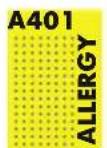


EKRANO RODMENYS
text_image
Control panel with four icons: a clover, blank bars, 'P', and a red 'FILTER' buttonnatural_image
Hand inserting a small electronic component into a white appliance (no visible text or symbols)natural_image
Person washing a tiled sink with a hand pouring water from a metal pipe into the grid (no text or symbols visible)text_image
Exploded view diagram of a smart air conditioner unit with labeled parts including cover, panel, fan, and cable.natural_image
Stacked blue and green foam panels with yellow and black side panels, showing internal structure (no text or symbols)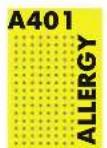

INDIKĀCIJAS DISPLEJĀ
text_image
Control panel with four icons: a clover, blank bars, 'P', and a red 'FILTER' buttonnatural_image
Hand inserting a small electronic device into a white appliance (no text or symbols visible)natural_image
Person washing a tiled sink with a water tap, no visible text or symbolsBONECO is a registered trademark of BONECO AG, Switzerland