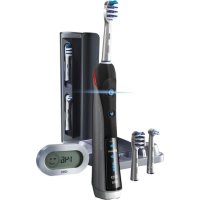
7000 - Toothbrush ORAL-B - Free user manual and instructions
Find the device manual for free 7000 ORAL-B in PDF.



| Product type | Rechargeable electric toothbrush |
| Brand | Oral-B |
| Model | 7000 |
| Power | Rechargeable battery, mains charger (100-240V) |
| Full charge time | Up to 24 hours |
| Battery life | Approximately 10 days (2 two-minute brushings per day) |
| Brushing modes | Clean, Deep clean, Sensitive, Whitening, Massage, Tongue cleaning |
| Timer | Professional timer (30s per quadrant) or 2-minute timer, progressive or countdown timer |
| Pressure sensor | Yes, red light when excessive pressure, automatic switch to Sensitive mode |
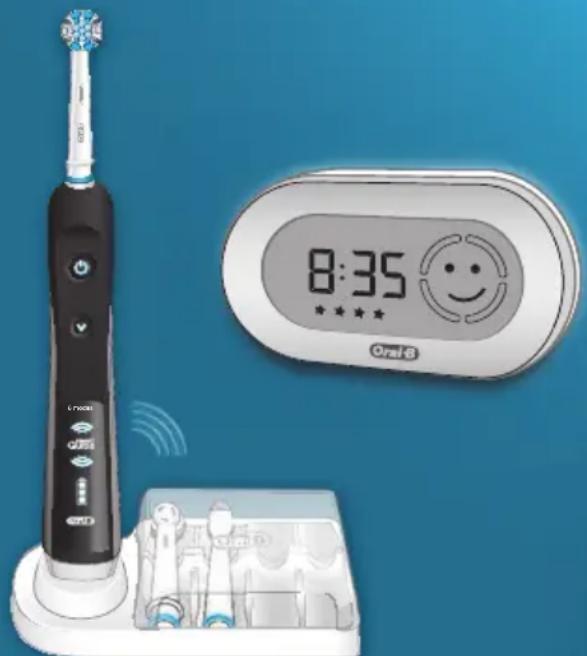
| Display | Wireless SmartGuide with LCD screen, time setting, display of brushing time, modes and pressure |
| Radio transmission | Wireless between brush and SmartGuide, can be deactivated (on/off + mode buttons for 3s) |
| Water resistance | Waterproof brush body, usable in the bathroom |
| Compatible brush heads | Oral-B Precision Clean, FlossAction, 3D White, Sensitive, TriZone, Orthodontic, etc. |
| Brush head replacement indicator | Blue INDICATOR bristles fade after about 3 months |
| Care and cleaning | Rinse brush head and body after use; storage base and lid dishwasher safe; charger and SmartGuide cleanable with a damp cloth |
| Included accessories | Charger with storage base, SmartGuide, wall mount with adhesive tape, travel case, travel charger bag |
| Safety | Do not immerse charger; check cord regularly; do not use if damaged; keep out of reach of children under 3 years |
| Warranty | 2 years from purchase date, covers manufacturing defects, excludes normal wear and brush heads |
| Service countries | France, Belgium, Luxembourg, Spain, Portugal, Italy, Netherlands, Denmark, Norway, Sweden, Greece (phone numbers provided) |
| Standards | Complies with European Directives 1999/5/EC, Class 3 receiver, Class 3 duty cycle |
Frequently Asked Questions - 7000 ORAL-B
User questions about 7000 ORAL-B
0 question about this device. Answer the ones you know or ask your own.
Ask a new question about this device
Download the instructions for your Toothbrush in PDF format for free! Find your manual 7000 - ORAL-B and take your electronic device back in hand. On this page are published all the documents necessary for the use of your device. 7000 by ORAL-B.
USER MANUAL 7000 ORAL-B
with wireless SmartGuide
Deutsch 6
English 12
Francais 17
Espanol 24
Portugues 29
Italiano 35
Nederlands 40
Dansk/Norsk46
Svenska 52
Suomi 57
Eληνικα 62
Internet:
www.oralb.com
www.braun.com
www.service.braun.com
Braun GmbH
Frankfurter StraBe 145
61476 Kronberg/Germany
Charger Type 3757
Handle Type 3762
Display Type 3742

DE AT 0080027286463
CH 0844-884010
GB08007311792
IE 1800509448
Before operating this toothbrush, please read these instructions and save this manual for future reference.
IMPORTANT
Periodically check the cord for damage. If cord is damaged, take the charging unit to an Oral-B Service Centre. A damaged or non-functioning unit should no longer be used. Do not modify or repair the product. This may cause fire, electric shock or injury.
This product is not intended for use by children under age three. Children from 3 to 14 years and persons with reduced physical, sensory or mental capabilities or lack of experience and knowledge can use the toothbrush, if they have been given supervision or instruction concerning use of the appliance in a safe way and understand the hazards involved.
Cleaning and maintenance shall not be performed by children.
Children shall not play with the appliance.
Use this product only for its intended use as described in this manual. Do not use attachments which are not recommended by the manufacturer.
SmartGuide batteries
Batteries may leak if empty or not used for a long time. Avoid skin contact whilst handling leaking batteries.
Keep away from children. Do not swallow. If swallowed, seek medical advice at once.
Remove fully discharged batteries immediately. Replace all batteries at the same time. Do not mix used and new batteries, different brands or
types. Do not disassemble, recharge or dispose of in fire.
WARNING
- If the product is dropped, the brush head should be replaced before the next use even if no damage is visible.
- Do not place the charger in water or liquid or store where it can fall or be pulled into a tub or sink. Do not reach for it when fallen into water. Unplug immediately.
- Do not disassemble the product except when disposing of the battery. When taking out the battery for disposal of the unit, use caution not to short the positive (+) and negative (-) terminals.
- When unplugging, always hold the power plug instead of the cord. Do not touch the power plug with wet hands. This can cause an electric shock.
- If you are undergoing treatment for any oral care condition, consult your dental professional prior to use.
Important Information
- Your Oral-B Black 7000 uses an interactive wireless display. To avoid electromagnetic interference and/or compatibility conflicts, deactivate the radio transmission before using it in restricted surroundings, such as aircrafts or specially marked areas in hospitals. Deactivate radio transmission by simultaneously pressing the on/off and mode button for 3 seconds until the radio transmission display (f) goes off. Follow the same procedure to reactivate transmission again.
- Persons with pacemakers should always keep the toothbrush more than six inches (15 centimeters) from the pacemaker while turned on. Anytime you suspect interference is taking place, deactivate the radio transmission of your toothbrush.
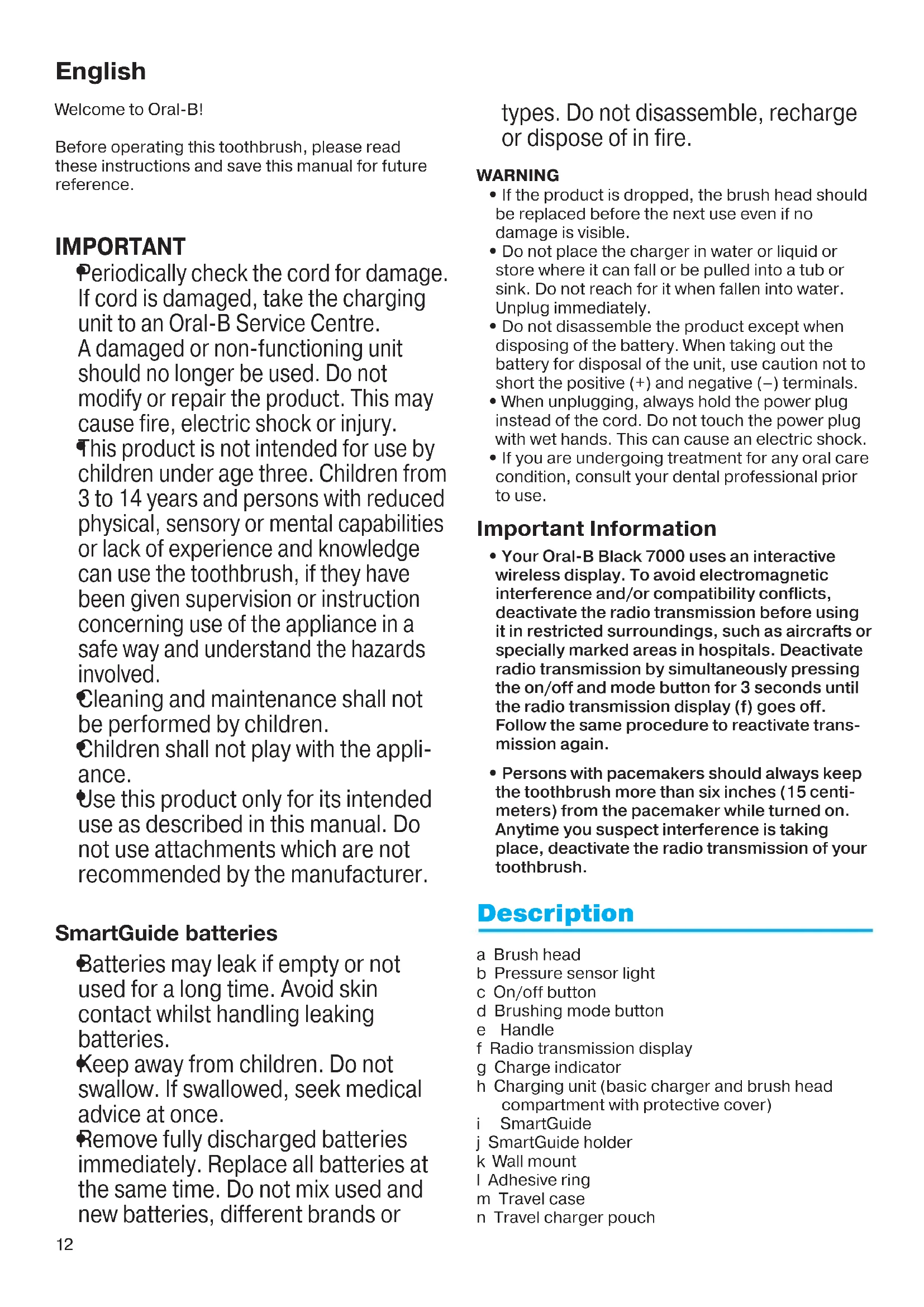
Description
a Brush head
b Pressure sensor light
c On/off button
d Brushing mode button
e Handle
f Radio transmission display
g Charge indicator
h Charging unit (basic charger and brush head compartment with protective cover)
SmartGuide
j SmartGuide holder
k Wall mount
I Adhesive ring
m Travel case
n Travel charger pouch
Connecting and charging
Your toothbrush has a waterproof handle, is electrically safe and designed for use in the bathroom.
- Plug the charger into an electrical outlet. For voltage specifications refer to the bottom of the charging unit.
- The flashing blue lights indicate that the toothbrush is charging (picture 1, page 5); once it is fully charged, the lights turn off. A full charge can take up to 24 hours and enables up to 10 days of regular brushing (twice a day, 2 minutes). Note: After deep discharge, the blue lights might not flash immediately; it can take up to 10-15 minutes.
- If the rechargeable battery is low the red charge indicator light is flashing for some seconds when turning your toothbrush on/off. If the rechargeable battery is empty the motor will stop; it will need a 40-minute charge before you can use it for a 2-minute brushing.
- For everyday use, the handle can be stored on the charging unit to maintain it at full power. Overcharging is impossible.
- Battery maintenance: To maintain the maximum capacity of the rechargeable battery, unplug the charging unit and fully discharge the handle with regular use at least every 6 months.
SmartGuide adjustments
The SmartGuide (i) comes with a demonstration mode activated. Deactivate this mode by removing the compartment cover in the back (picture A, page 4) and push the «set» or «h/min» button. A flashing «12:00» indicates that you can now adjust the clock time.
If you prefer not using to use the clock feature, the flashing 12:00 will disappear automatically after 24h
Note: If the SmartGuide display is blank before first use (no active demonstration mode) the batteries will need to be replaced before continuing. Replacement batteries are supplied.
Clock Time
Press and hold the «set» button until «12h» is displayed. By briefly pressing the «h/min» button, you can toggle between «12h» or «24h» daytime format. Push «set» to confirm your choice. Then the hour digit starts flashing. Press the «h/min» button until the right hour appears and confirm with «set». Proceed same way to set both minute digits (picture B, page 4).
SmartGuide Icons
| Displayed Icon | Meaning |
| W | «Daily Clean» mode |
| +W+ | «Deep Clean» mode |
| «Sensitive» mode | |
| «Whitening» mode | |
| ≈ | «Massage» mode |
| U | «Tongue Cleaning» mode |
| Too much pressure is applied. Reduce the brushing force. | |
| «Quadrant circle» Move to the next quadrant of your mouth when the relevant segment flashes. | |
| You reached the dentist recommended 2-minute brushing time (3-minute brushing time within the Deep Clean mode). | |
| After use you will receive a star with each completed quadrant. | |
| Smart Guide Batteries are low. Change batteries of the SmartGuide. |
Using your toothbrush
Brushing technique
Wet brush head and apply any kind of toothpaste. To avoid splashing, guide the brush head to your teeth before switching on the appliance (picture 2, page 5). When brushing your teeth with one of the rotating brush heads guide the brush head slowly from tooth to tooth, spending a few seconds on each tooth surface (picture 3, page 5).
When using the TriZone brush head place the toothbrush bristles against the teeth at a slight angle towards the gumline. Apply light pressure and start
brushing in back and forth motions, just like you would do with a manual toothbrush.
With any brush head start brushing the outsides, then the insides and finally the chewing surfaces. Brush all four quadrants of your mouth equally. You may also consult your dentist or dental hygienist about the right technique for you.
In the first days of using any electric toothbrush, your gums may bleed slightly. In general, bleeding should stop after a few days. Should it persist after 2 weeks, please consult your dentist or dental hygienist. If you have sensitive teeth and/or gums, Oral-B recommends using the «Sensitive» mode in combination with an Oral-B Sensitive brush head.
Timer
You can choose between «2-Minute» or «Professional» timer and «Count up» or «Count down» timer.
The «2-Minute» timer signals with four beeps and a Smiley on the SmartGuide that the dentist recommended 2-minute brushing time has been reached.
The «Professional» timer signals with short beep sounds at 30-seconds intervals to move to the next quadrant of your mouth (45 seconds intervals within «Deep Clean» mode) (picture 3, page 5). A single beep indicates completion of the first quadrant, two beeps the second one, three beeps the third one and four beeps sound when you reach the recommended 2-minute brushing time.
The timer memorises the elapsed brushing time, even when the handle is briefly switched off during brushing. The timer resets if pausing longer than 30 seconds or briefly pressing the mode button (d) during pause.
The «Count up» timer displays your actual brushing time. The «Count down» timer indicates the remaining brushing time.
Personalizing the timer
Your toothbrush comes with the «Professional» and «Count up» timer activated. To change this, press and hold the brushing mode button for 3 seconds until the SmartGuide shows «:30» and «timer». Briefly press the on/off button to switch to the «2-Minute» timer. Push the mode button to confirm. The SmartGuide now shows «up» and «timer». Press the on/off button to switch to the «Count down» timer and confirm with the mode button. Leave the setup menu by pressing the mode button.
Pressure sensor
If you put excessive pressure on your teeth, the red pressure sensor light (b) will light up (picture 3,
page 5). Additionally, when brushing in «Daily Clean» or «Deep Clean» mode, the brushing mode will change to the «Sensitive» mode. Periodically check the operation of the pressure sensor by pressing moderately on the brush head during use. Note: In «Tongue Cleaning» mode the pressure sensor is turned off.
Brushing modes
Your toothbrush offers different brushing modes:
| “Daily Clean” - Standard mode for daily mouth cleaning | |
| “Deep Clean” - Mouth cleaning with extended brushing time of 45 seconds per quadrant (3 minute total brushing time) | |
| “Sensitive” - Gentle, yet thorough cleaning for sensitive areas | |
| “Whitening” - Polishing for occasional or everyday use | |
| “Massage” - Gentle massage of gums | |
| “Tongue Cleaning” - Tongue cleaning for occasional or everyday use |
When operating the «Tongue Cleaning» mode, we recommend using the «Sensitive» brush head. You can brush your tongue either with or without toothpaste. Brush the whole area of your tongue systematically in gentle movements. The recommended brushing time is 20 seconds; the SmartGuide will indicate completion with a smiley face.
Your toothbrush automatically starts in the «Daily Clean» mode. To switch to the other modes, successively press the mode button (picture 4, page 5). To return from any mode back to the «Daily Clean» mode, press and hold the mode button. The brushing mode is memorised even when the handle is briefly switched off during brushing. When pausing longer than 30 seconds or briefly pressing the mode button (d) during pause the brushing mode resets to the «Daily Clean» mode.
Brush heads
Oral-B offers you a variety of different Oral-B brush heads that fit your Oral-B toothbrush handle. Our rotating brush heads can be used for tooth-by-tooth precision cleaning.
Oral-B FlossAction brush head
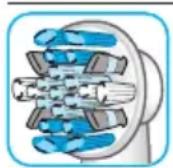
features micropulse bristles that allow for an outstanding plaque removal in the interdental areas.
Oral-B Sensitive brush head
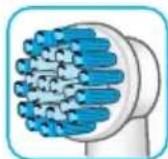
features an extra soft bristle structure that is gentle on teeth and gums.
Oral-B Precision Clean brush head
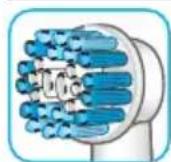
cups each tooth with a curved bristle trim and reaches deep between teeth at the same time.
Oral-B 3D White brush head
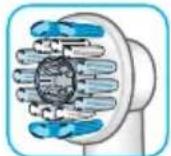
features a special polishing cup to naturally whiten your teeth. Please note that children under 12 years old should not use the Oral-B 3D White brush head.
Oral-B PowerTip brush head
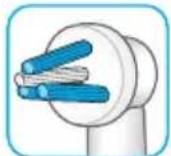
offers a deep clean in hard to reach areas, e.g. around bridges, crowns or implants.
Our dynamic TriZone brush head can be used with all common brushing techniques.
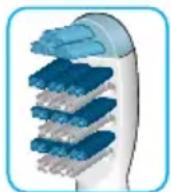
Oral-B TriZone brush head
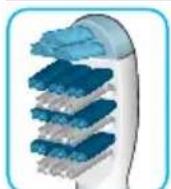
features triple zone cleaning action for outstanding plaque removal, even in between teeth.
Oral-B brush heads feature light blue INDICATOR bristles to help you monitor brush head replacement need. With thorough brushing, twice a day for two minutes, the blue color will fade halfway down approximately in a 3-month period. If the bristles splay before the color recedes, you may exert too much pressure on teeth and gums.
We do not recommend using the Oral-B FlossAction or Oral-B 3D White brush head with braces. You may use the Oral-B Ortho brush head, specifically designed to clean around braces and wires.
Synchronizing your toothbrush
To avoid interference of display messages when using more than one Oral-B Black 7000 toothbrush with SmartGuide in the same household, you need to assign the handles to their respective SmartGuide.
You can synchronize a maximum of 2 handles with one SmartGuide. To do so, push the «h/min» button in the battery compartment for at least 3 seconds. The SmartGuide shows «L----». Turn on your handle to start the synchronization process. It is finished when «L-1-» is displayed. Turn off the handle. To assign a second handle to the same SmartGuide turn on the other handle until «L-2-» is displayed. After having synchronized the second handle, «Full» will be displayed. Exit the synchronization mode by pressing the «h/min» or «set» button, otherwise it will end automatically after 30 seconds.
Cleaning recommendations
After brushing, rinse your brush head under running water with the handle switched on. Switch off and remove the brush head. Clean handle and brush head separately; wipe them dry before reassembling. Disassemble the charging unit before cleaning. Brush head compartment and protective cover are dishwasher-safe. Both basic charger and SmartGuide should be cleaned with a damp cloth only. When cleaning the travel case (m) take out the inner part. The inner part is dishwasher-safe; the outer case should be cleaned with a damp cloth only (picture 5, page 5).
Make sure the parts are completely dry before reassembling the travel case again.
Note: Clean stains on the travel case surface immediately. Store travel case in a clean and dry place.
Wall mount
Use the adhesive ring (I) with the wall mount (k) if you prefer to mount the SmartGuide on a wall, mirror or other surface. Make sure the chosen surface is clean and dry before adhering. Stick the adhesive ring on the even side of the wall mount and press it firmly to the wall. Wait 24h before sliding the SmartGuide holder (j) into the fixed wall mount. Place the SmartGuide into its holder (picture C, page 4). The adhesive ring will not work on dirt-repellent surfaces.
Subject to change without notice.
This appliance complies with the requirements covered by the European Directive 1999/5/EC. Receiver Class 3, Duty Cycle Class 3. To find the complete EC declaration of conformity, please visit www.oralb.com/ce.

Environmental Notice
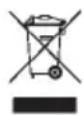
This product contains rechargeable batteries. In the interest of protecting the environment, please do not dispose of the product in the household waste at the end of its useful life.
Disposal can take place at an Oral-B Braun Service Centre, or at approved recycling or disposing locations in accordance with local regulations.
Guarantee
We grant 2 years guarantee on the product commencing on the date of purchase. Within the guarantee period we will eliminate, free of charge, any defects in the appliance resulting from faults in materials or workmanship, either by repairing or replacing the complete appliance as we may choose.
This guarantee extends to every country where this appliance is supplied by Braun or its appointed distributor.
This guarantee does not cover: damage due to improper use, normal wear or use, especially regarding the brush heads, as well as defects that have a negligible effect on the value or operation of the appliance. The guarantee becomes void if repairs are undertaken by unauthorised persons and if original Braun parts are not used.
To obtain service within the guarantee period, hand in or send the complete appliance with your sales receipt to an authorised Oral-B Braun Customer Service Centre.
This guarantee in no way affects your rights under statutory law.
Warranty replacement brush heads
Oral-B warranty will be voided if electric rechargeable handle damage is found to be attributed to the use of non-Oral-B replacement brush heads.
Oral-B does not recommend the use of non Oral-B replacement brush heads.
- Oral-B has no control over the quality of non-Oral-B replacement brush heads. Therefore, we cannot ensure the cleaning performance of non-Oral-B replacement brush heads, as communicated with the electric rechargeable handle at time of initial purchase.
-
Oral-B cannot ensure a good fit of non-Oral-B replacement brush heads.
-
Oral-B cannot predict the long-term effect of non-Oral-B replacement brush heads on handle wear.
All Oral-B replacement brush heads carry the Oral-B logo and meet Oral-B's high quality standards. Oral-B does not sell replacement brush heads or handle parts under any other brand name.
Satisfaction Guaranteed or your money back!
Take the 30-day-challenge!
Oral-B Black 7000 with SmartGuide is Oral-B's most technologically advanced rechargeable toothbrush for outstanding cleaning and whitening, gentle gum care and freshening of your mouth. We are so convinced you'll fall in love with your new toothbrush that we give you this risk-free offer.
Try Oral-B Black 7000 with SmartGuide for 30 days, starting from the day of purchase. If you are not 100% satisfied, receive a full refund. No questions asked. For a full refund, please return your handle, refills and charging unit with your original cash register receipt to the address below within 30 days of purchase.
Oral B Money Back Guarantee
Dept. PX415
PO Box 10
Diss
Norfolk
IP98 3SP
For further details, please contact our customer service 0800 7311 792 to be referred to the authorised Oral-B Braun Service Centre closest to you.
Français
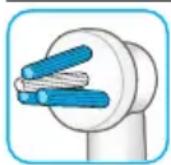
Brossette Oral-B FlossAction
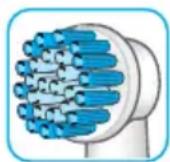
Brossette Oral-B Sensitive
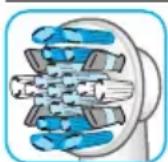
Brossettes Oral-B Power Tip
Brossette Oral-B TriZone
Receiver Class 3, Duty Cycle Class 3.
Testine sostitutive in garanzia
Eupwnaiok O8nyia 1999/5/EC. Katnyopia
k 3 , Katnyopia Kuklou Aetoupyiac 3.
Tia va p i TnV nAnpN oumuoppwongcEK ENIOKePteTo www.oraIb.com/ce.

- IMPORTANT
- SmartGuide batteries
- WARNING
- Important Information
- Description
- Connecting and charging
- SmartGuide adjustments
- Clock Time
- SmartGuide Icons
- Using your toothbrush
- Brushing technique
- Timer
- Personalizing the timer
- Pressure sensor
- Brushing modes
- Brush heads
- Oral-B FlossAction brush head
- Oral-B Sensitive brush head
- Oral-B Precision Clean brush head
- Oral-B 3D White brush head
- Oral-B PowerTip brush head
- Oral-B TriZone brush head
- Synchronizing your toothbrush
- Cleaning recommendations
- Wall mount
- Environmental Notice
- Guarantee
- Warranty replacement brush heads
- Satisfaction Guaranteed or your money back!
- Français
- Brossette Oral-B FlossAction
- Brossette Oral-B Sensitive
- Brossettes Oral-B Power Tip
- Brossette Oral-B TriZone
- Testine sostitutive in garanzia
Brand : ORAL-B
Model : 7000
Category : Toothbrush