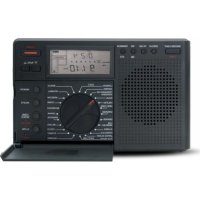
G8 - Radio ETON - Free user manual and instructions
Find the device manual for free G8 ETON in PDF.



| Type de produit | Portable radio |
| Marque | ETON |
| Modèle | G8 |
| Bandes de réception | FM, AM (medium wave), LW (long wave), SW (short wave) |
| Mémoire de fréquences | 100 FM, 100 AM, 100 LW, 200 SW |
| Alimentation | 3 AA batteries (not included) or 6V DC mains adapter (not included) |
| Antenne | Telescopic antenna for FM/SW; internal ferrite antenna for AM/LW |
| Affichage | Backlit digital display with time, temperature, signal strength |
| Fonctions principales | 24-hour clock, alarm with snooze, sleep timer, key lock, backlight, manual tuning and automatic search |
| Syntonisation | Tuning dial, search buttons, 1 KHz step (fine) and 5 KHz step (fast search) |
| Écouteurs | 3.5 mm headphone jack for FM stereo listening |
| Entretien et nettoyage | Clean with a dry cloth only. Do not use detergents or chemical solvents. |
| Sécurité | Do not expose to rain or moisture. Disconnect adapter and antenna during thunderstorms. Do not open the device. If liquid is spilled, disconnect immediately. |
| Garantie | Limited warranty. Register at www.etoncorp.com or by mail. |
| Environnement | Comply with WEEE directive (2002/96/EC) for disposal. Recycle batteries according to local regulations. |
Frequently Asked Questions - G8 ETON
User questions about G8 ETON
0 question about this device. Answer the ones you know or ask your own.
Ask a new question about this device
Download the instructions for your Radio in PDF format for free! Find your manual G8 - ETON and take your electronic device back in hand. On this page are published all the documents necessary for the use of your device. G8 by ETON.
USER MANUAL G8 ETON
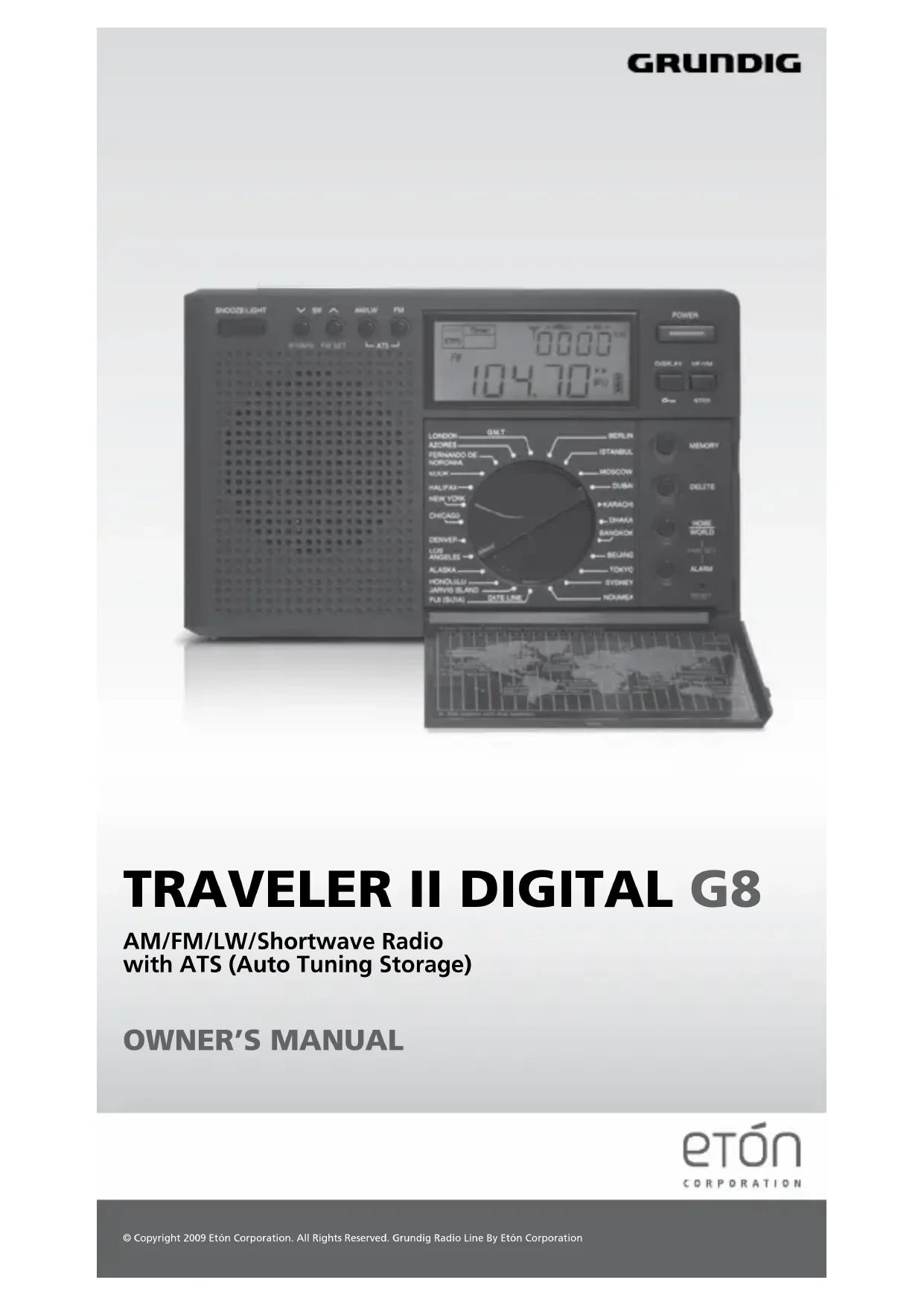
AM/FM/LW/Shortwave Radio with ATS (Auto Tuning Storage)
OWNER'S MANUAL

DO YOU NEED HELP? Contact Us
If you need help, please contact us, Monday-Friday, 8:00 a.m.- 4:30 p.m., North American Pacific Time. 1-800-872-2228 from the U.S; 1-800-637-1648 from Canada; 650-903-3866, worldwide; FAX: 650-903-3867; web site, www.etoncorp.com; Etón Corporation, 1015 Corporation Way, Palo Alto, CA 94303, USA
WARNING
- Do not expose this appliance to rain or moisture.
- Do not submerge or expose for extended period to water.
- Protect from high humidity and rain.
- Unplug immediately if liquid has been spilled or object have fallen into the apparatus.
- Clean only with a dry cloth. Do not use detergents or chemical solvents as this might damage the finish.
- Unplug and disconnect external antennas during lightning storms.
- Do not remove cover [or back].
• Refer servicing to qualified service personnel.
ENVIRONMENT
Disposal
According to the European Directive 2002/96/EC all electrical and electronic products must be collected separately by a local collection system. Please act according to your local rules and do not dispose of your old products with your normal household waste.
Please dispose of all types of batteries per your Government, State or Local rules and/or regulations. If you are unsure, please call the appropriate local

IMPORTANT BATTERY INFORMATION
Batteries are not included. To minimize the possibility of battery acid leakage, only use high quality alkaline, lithium or rechargeable nickel-metal-hydride batteries (must be recharged outside of the radio). Never intermix old with new, or different brands or types of batteries. Damage caused by battery acid leakage is not covered by this product's warranty. When purchasing batteries, keep the receipt. If leakage occurs, contact the battery manufacturer.
BATTERIES
Batteries are not included. Remove the battery compartment cover by pushing it down toward the bottom of the radio. Install three 'AA' alkaline batteries according to the polarity symbols (+ and -) marked in the battery compartment. For easy removal, place the batteries on top of the lift-out ribbon.
SETTING UP FOR DIFFERENT PARTS OF THE WORLD
If you purchased the radio in the United States or Canada and live there, no changes are necessary to the radio. If you live somewhere else, use the instructions below.
Medium wave (AM) station spacing
In the United States and Canada all medium wave stations are spaced 10 KHz apart, but in other parts of the world they're 9 KHz apart. If you need to change it, do the following.
With the radio off, press the button labeled 9/10k for two seconds. In the lower right corner of the display you'll see 9 KHz or 10 KHz in the display; then wait for a few seconds to confirm and the display to show the time of day.
Turning Longwave on/off
It is not necessary to perform this procedure. Long wave can be heard in Europe and the United Kingdom, but is not used the Untied States and Canada. To make Longwave not selectable when the MW/LW button is pressed; turn the radio off and press the MW/LW button for about two seconds. On or off appears in the display. Wait for the time to appear in the display to confirm it.
Changing the FM start frequency
In the United States and Canada the FM start frequency is 87 MHz, but in other parts of the world it starts at 64 or 76 KHz. To change the FM start frequency turn the radio off and press the FM SET button for two seconds. Whichever start frequency appears in the display is used. To change it, press the FM SET button again for two seconds.
POWER ON/OFF and SLEEP TIMER
Turn the radio on with the POWER button, in the front, upper right corner of the radio. A quick short press to turn on the sleep timer, and the sleep timer symbol appears in the upper left corner of the display. To select a different time, rotate the tuning knobs to select 120, 90, 75, 60, 45, 30, 15, 10, 05, 01 minutes.
To defeat the sleep timer, simply rotate the tuning knob until "ON" appears in the display.
It's normal for the display to become lit for a few seconds every time that a button is pressed.
VOLUME
Use the volume knob, on the right side, to adjust the volume.
LISTENING TO FM, AM, LW (Longwave) or SW
Select the FM, AM, LW or SW band by pressing the FM, AM/LW, or V SW ∧ buttons. AM is shown as MW (medium wave). Use the TUNING knob to tune the radio to the desired frequency, or press V ∧ buttons to search for the next available station. Each station will play for 5s before searching for the next available station. Press any key to stay on your favor station. If you are using an earphone to listen to FM-stereo, the FM-stereo symbol will appear under FM on the left side of the display. This only appears when earphones are plugged in.
NOTE: Longwave is not used for broadcasting in the United States and Canada. It is used in the United Kingdom and in Europe. If you hear stations in the Longwave band, they may be 'images' of AM stations.
Each short press of the V SW ∧ buttons takes the radio into a different shortwave meter band (frequency range).. The band number appears briefly in the upper right corner of the display. After you're in a band, use the TUNING knob to tune, or press and hold the V SW ∧ buttons for 2 seconds to tune or to engage the 5 second scan. To stop the 5 second scan, press on any buttons again or slightly rotate the tuning knob. Notice that when you use the V SW ∧ buttons to scan, the radio scans in 5 KHz steps. This is OK, because shortwave broadcast stations are exactly 5 KHz apart. The tuning knob tunes in 1 KHz steps. While using these buttons the band number appears in the display.
Shortwave allows listening to stations from around the world. During the day, listen above 13 MHz. At night, listen below 13 MHz. To learn more use the Internet or the two books below:
PASSPORT TO WORLD BAND RADIO Published by International Broadcasting Services (IBS); IBS North America, Box 300, Penn's Park PA 18943. Phone: (215) 598-9018. www.passband.com.
WORLD RADIO TV HANDBOOK Published in the USA by Watson-Guptill Publications, 770 Broadway, 7th Floor, New York, NY 10003-9595. www.watsonguptill.com.
Shortwave bands of the G8:
The G8 shows frequencies in KHz, but MHz is also shown.
| BAND # KILOHERTZ (KHz) MEGAHERTZ (MHz) |
| 90 m 3150- 3450 KHz 3.15-3.450 MHz |
| 75 m 3850- 4050 KHz 3.85-4.05 MHz |
| 60 m 4700- 5100 KHz 4.70-5.1 MHz |
| 49 m 5700- 6300 KHz 5.7-6.3 MHz |
| 41 m 7080-7600 KHz 7.08-7.60 MHz |
| 31 m 9200-10000 KHz 9.2-10 MHz |
| 25 m 11450-12200 KHz 11.45-12.2 MHz |
| 22 m 13500-13900 KHz 13.5-13.9 MHz |
| 19 m 15000-15900 KHz 15.00-15.9 MHz |
| 16 m 17450-17900 KHz 17.45-17.9 MHz |
| 15 m 18850-19100 KHz 18.85-19.1 MHz |
| 13 m 21430-21950 KHz 21.43-21.95 MHz |
MEMORIZING FREQUENCIES MANUALLY
The radio can memorize 100 FM, 100 AM, 100 LW and 200 SW (shortwave) frequencies. To memorize a frequency, with the radio turned on tune to the frequency of your choice; then follow the instructions below:
- Press the MEMORY button once and notice the PRESET number flashing in the upper, right corner of the display.
- While it flashing, press MEMORY again to store it into the PRESET that's flashing or wait for 2 second to store it automatically. If you want to store it into another PRESET just rotate the tuning knob of your choice, and press the MEMORY button to confirm.
If you've stored frequencies with the ATS button and want to keep them in memory, be sure to store manually into an empty memory.
MEMORIZING FREQUENCIES WITH THE ATS BUTTON
The ATS button lets you memorize all frequencies of the AM, LW and FM band with good enough signal strength to be memorized. There are 100 memories, which are used for manual and ATS storage.
- Tune to the band of your choice.
- Then press the ATS button for about 3 seconds, or until you see that it has started scanning and storing frequencies into memory, shown in the upper right of the display.
The radio will store as many active frequencies as there are memories for the band that you're tuned to.
Frequencies that you have stored manually will be overwritten.
Notice: The ATS memory system does not work with SW frequencies.
LISTENING TO WHAT YOU'VE STORED INTO MEMORY
Go to the band that you want to listen to.
- Press the VF/VM (view frequency/view memory) button and notice that a PRESET number appears in the upper right of the display.
- Then rotate the TUNING knob to go to the PRESET of your choice.
- To exit the memory system, press VF/VM again.
ANTENNAS
For AM (MW) and LW the radio uses an internal, directional, ferrite bar antenna. Rotate the radio for best reception.
For FM/SW, fully extend the telescopic antenna.
AC ADAPTOR (not included)
This product can be used with an AC adaptor that supplies an output of 6 volts DC, negative polarity, 100 milliamperes or greater current. To purchase this, visit www.etoncorp.com.
SETTING THE CLOCK
The clock functions in 24 hour mode only, not in 12 hour, AM, PM time.
- Set the time zone selector onto your home time zone.
- Press the HOME/WORLD button for about two seconds and notice that the HOME time hour in the display flashes.
- While it's flashing, set the HOME hour with the tuning knob.
- While it's still flashing press the HOME/WORLD button once more and notice that the HOME minutes in the display flash.
- While it's flashing, set the HOME minutes with the tuning knob.
- While it's flashing, press the HOME/HOUR button to complete the setting.
SETTING THE ALARM TIME
- With the radio turned off, press the ALARM button (bottom right under flip cover) for about two seconds and notice the alarm hour flashing in the display's upper right corner.
- While it's flashing rotate the tuning knob to set the hour, then press the ALARM button again to make the minutes flash.
- While they're flashing rotate the tuning knob to set them, then press the ALARM again to make the SLEEP indicator flash in the upper left corner of the display.
- While it's flashing press rotate the tuning knob to set the amount of time that the alarm stays on (from 1-90 minutes).
- Press alarm again to finalize the setting.
Note: Alarm is activated according to your world time clock; unless, you have rotated the time zone selector back to your home time zone.
SWITCHING THE ALARM ON/OFF
With the radio turned on or off, press the ALARM button with quick, short presses, over and over, noticing that a speaker or a bell appears under the box labeled 'Timer' in the upper left corner of the display.
Leave the speaker there if you want the speaker alarm to turn the radio on; leave the bell if you want to wake up to a beeper. Leave it blank, with no speaker or bell if you do not want the alarm.
SNOOZE/LIGHT/LOCK BUTTON
When your alarm functions and SNOOZE is pressed, it allows you to sleep for 5 more minutes, then the alarm sounds again.
Pressing the LIGHT button turns the light on for about 10 seconds.
Pressing LOCK with the radio off locks all buttons. This can keep the radio from accidentally turning on.
DISPLAY BUTTON
Pressing the DISPLAY button sequentially with the radio off shows the temperature, world time and alarm time in the upper right corner of the display. Pressing it sequentially with the radio on shows home time, world time, signal strength measured in dBu and dB, alarm time and temperature. Press and hold the LOCK button for 2 seconds, the radio will on locks all buttons. This keeps the radio from being accidentally being turned off or stations from being changed. Press and hold the LOCK button again to unlock it.
CONTROL KEYS ON/OFF
With the radio off, press and hold the "SNOOZE" button for 3 second in order to turn the control key's sound On or Off.
STEP
For fast tuning, press and hold the Step button for 2 second with the radio on until “>>” appears in the display. Rotate the tuning knob for fast tuning. For fine tuning, press and hold the Step button for 2 second with the radio off until “>” appears in the display. Rotate the tuning knob for fine tuning.
DST (DAYLIGHT SAVING TIME)
Adjust for DST by adjusting the clock forward in Spring or backward in Autumn. To do this rotate the time zone selector one click forward where the 'DST' indicator is pointing to your time zone. The world time clock in the display will move forward one hour accordingly.
WARRANTY REGISTRATION
To ensure full warranty coverage or product updates, registration of your product should be completed as soon as possible after purchase or receipt. You may use one of the following options to register your product:
- By visiting our website at http://www.etoncorp.com.
- Mail in enclosed warranty card.
- Mail your registration card or information to the following address; Include your name, email address, full mailing address, phone number, model purchased, date purchased, retail vendor name and product serial number (typically located in or near the battery compartment):
Etón Corporation
1015 Corporation Way
Palo Alto, CA 94303
LIMITED WARRANTY
Retain the warranty information from your warranty card with your proof of purchase or the Limited Warranty information can also be viewed at www.etoncorp.com.
SERVICE FOR YOUR PRODUCT
To obtain service for your product, we recommend first contacting an Etón service representative at 800-872-2228 US, 800-637-1648 Canada or (650) 903-3866 for problem determination and trouble-shooting. If further service is required, the technical staff will instruct how to proceed based on whether the radio is still under warranty or needs non-warranty service.
WARRANTY – If your product is still in warranty and the Etón service representative determines that warranty service is needed, a return authorization will be issued and instructions for shipment to an authorized warranty repair facility. Do Not ship your radio back without obtaining the return authorization number.
NON-WARRANTY – If your product is no longer under warranty and requires service our technical staff will refer you to the nearest repair facility that will be able to best handle the repair.
For service outside of North America, please refer to the distributor information included at time of purchase/receipt.

VOUS AVEZ BESOIN D'AIDE. CONTACTEZ
Eton Corporation, 1015 Corporation Way, Palo Alto, CA 94303, USA. 1-800-872-2228 (Etats-Unis.); 1-800-637-1648 (Canada); 650-903-3866 (le reste du monde); M-F, 8:00-4:30, Heure standard du Pacique www.etoncorp.com.
AVERTISSEMENT
COMO ESCUCHAR FM, AM, LW (ONDA LARGA) O SW
Corporate Headquarters
1015 Corporation Way
Palo Alto, California 94303 USA
tel +1 650-903-3866
tel +1 800-872-2228
fax +1 650-903-3867
Etón Canada
1 Yonge Street, Suite 1801
Toronto, Ontario M5E 1W7 Canada
tel +1 416-214-6885


- DO YOU NEED HELP? Contact Us
- WARNING
- ENVIRONMENT
- Disposal
- IMPORTANT BATTERY INFORMATION
- BATTERIES
- SETTING UP FOR DIFFERENT PARTS OF THE WORLD
- Medium wave (AM) station spacing
- Turning Longwave on/off
- Changing the FM start frequency
- POWER ON/OFF and SLEEP TIMER
- VOLUME
- LISTENING TO FM, AM, LW (Longwave) or SW
- Shortwave bands of the G8:
- MEMORIZING FREQUENCIES MANUALLY
- MEMORIZING FREQUENCIES WITH THE ATS BUTTON
- LISTENING TO WHAT YOU'VE STORED INTO MEMORY
- ANTENNAS
- AC ADAPTOR (not included)
- SETTING THE CLOCK
- SETTING THE ALARM TIME
- SWITCHING THE ALARM ON/OFF
- SNOOZE/LIGHT/LOCK BUTTON
- DISPLAY BUTTON
- CONTROL KEYS ON/OFF
- STEP
- DST (DAYLIGHT SAVING TIME)
- WARRANTY REGISTRATION
- Etón Corporation
- LIMITED WARRANTY
- SERVICE FOR YOUR PRODUCT
- VOUS AVEZ BESOIN D'AIDE. CONTACTEZ
- AVERTISSEMENT
- COMO ESCUCHAR FM, AM, LW (ONDA LARGA) O SW
- Etón Canada
Brand : ETON
Model : G8
Category : Radio