
Precision KH7003 - Toaster KRUPS - Free user manual and instructions
Find the device manual for free Precision KH7003 KRUPS in PDF.
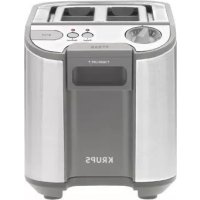



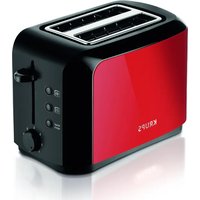
| Product Type | Toaster |
| Brand | Krups |
| Model | Precision KH7003 |
| Power Supply | 120 V ~ 60 Hz |
| Power | Approximately 800-900 W (estimated) |
| Dimensions (L x W x H) | Approximately 30 x 18 x 20 cm (estimated) |
| Weight | Approximately 1.5 kg (estimated) |
| Housing Material | Stainless steel and plastic |
| Number of Slots | 2 wide slots |
| Browning Functions | 6 browning levels |
| Function Buttons | Reheat, Bagel, Cancel |
| Control Lever | With lift for small items |
| Crumb Tray | Removable for easy cleaning |
| Cord Length | Short (approximately 60-70 cm, estimated) |
| Cord Storage | Under the appliance |
| Care and Cleaning | Clean the exterior with a damp cloth; empty the tray regularly; do not immerse |
| Safety | Automatic shut-off if bread is jammed; do not use near flammable materials; do not cover |
| Warranty | 1 year against manufacturing defects |
| Usage | Household use only |
| Country of Manufacture | China (common estimate) |
Frequently Asked Questions - Precision KH7003 KRUPS
User questions about Precision KH7003 KRUPS
0 question about this device. Answer the ones you know or ask your own.
Ask a new question about this device
Download the instructions for your Toaster in PDF format for free! Find your manual Precision KH7003 - KRUPS and take your electronic device back in hand. On this page are published all the documents necessary for the use of your device. Precision KH7003 by KRUPS.
USER MANUAL Precision KH7003 KRUPS
KRUPS
TABLE OF CONTENTS
IMPORTANT SAFEGUARDS.... p. 3
SAFETY INSTRUCTIONS ...... p. 4
DESCRIPTION...... p. 6
BEFORE FIRST USE...... p. 7
TOASTING BREAD p. 8
HI LIFT p. 9
STOP EJECT ...... p. 10
REHEAT.... p. 11
BAGEL.... p. 12
CLEANING p. 13
CAUTION p. 14
WARRANTY p. 17
ENVIRONMENTAL PROTECTION ...... p. 18
IMPORTANT SAFEGUARDS
When using electrical appliances, basic safety precautions should always be followed including the following:
- Read all instructions.
- Do not touch hot surfaces. Use the handles or knobs to avoid any injuries.
- To protect against electrical shock do not immerse cord, plugs, or this appliance in water or other liquid.
- Not intended for use by children. Close supervision is necessary for any appliance being used near children.
- Unplug from outlet when not in use and before cleaning. Allow to cool before putting on or taking off parts.
- Do not operate any appliance with a damaged cord or plug or after the appliance malfunctions, or has been damaged in any manner. Return appliance to the nearest authorized service facility for examination, repair or adjustment.
- The use of accessory attachments, not recommended by the appliance manufacturer, may cause injuries.
- Do not use outdoors.
- Do not let cord hang over edge of table or counter, or touch hot surfaces.
- Do not place on or near a hot gas or electric burner, or in a heated oven.
- Always attach plug to appliance first, then plug cord into the wall outlet. To disconnect, turn any control to "off," then remove plug from wall outlet.
- Do not use appliance for other than intended use.
- Oversize foods, metal foil packages, or utensils must not be inserted in a toaster as they may involve a risk of fire or electric shock.
- A fire may occur if toasters are covered or touching flammable material, including curtains, draperies, walls, and the like, when in operation.
- Do not attempt to remove food when toaster is plugged in.
SAVE THESE INSTRUCTIONS
DO
■The toaster must always be used in the upright position (not on its side or tilted forward or back). ■Before each use, make sure that the crumb tray is in its proper location.
■Regularly remove crumbs from crumb tray. ■The control lever must be in the "Up" position before attaching or disconnecting the plug from wall outlet. ■If bread jams in the slots after toasting, the unit will automatically shut off. Disconnect the plug immediately from the wall outlet and wait for the appliance to cool before attempting to remove the bread. ■Disconnect the appliance if it shows any working abnormalities.
DO NOT
■Never leave the toaster unattended during operation, particularly when toasting for the first time or when changing settings. ■Do not touch the metal parts or hot surfaces of the appliance when it is working. ■Do not try to toast bread that may melt (with icing) or drip in the toaster and do not toast crusts as this may damage the appliance or cause a fire. ■Do not try to toast very thick slices of bread that could block the toasting mechanism. ■Bread can burn; do not cover this appliance while in use and do not use this appliance near any flammable materials such as curtains, under shelving or wall cupboards, etc. It should be attended when in use. ■Do not put paper towels, cardboard or plastic in, on or under the toaster. ■If flames were to arise from parts of the toaster, never attempt to extinguish them with water. Unplug the appliance and smother the flames with a damp cloth. ■Do not use this appliance as source of heating or drying. ■Do not use the toaster for cooking, grilling or defrosting frozen food other than bread products. ■Do not unplug appliance by pulling on cord. Instead grasp plug and pull to disconnect. ■Never wrap cord around toaster. Use cord storage on the underside of unit.
This product has been designed for household use only. Any professional use, inappropriate use or failure to comply with the instructions will void the warranty.
SAFETY INSTRUCTIONS
■For your safety, this appliance complies with applicable technical rules and norms. ■Check that the main voltage corresponds to the voltage indicated on the appliance (alternating voltage only). ■Use a stable work surface, away from any contact with water and never in a built-in kitchen alcove. ■Do not move the appliance when working.
POLARIZATION INSTRUCTIONS
This appliance has a polarized plug (one blade is wider than the other). To reduce the risk of electric shock, this plug is intended to fit into a polarized outlet only one way. If the plug does not fitfully into the outlet, reverse the plug. If it still does not fit, contact a qualified electrician. Do not attempt to modify the plug in any way.
SHORT CORD
a A short power-supply cord (or detachable power-supply cord) is to be provided to reduce the risk resulting from becoming entangled in or tripping over a longer cord. b Longer detachable power-supply cords or extension cords are available and may be used if care is exercised in their use.
c If a long detachable power-supply cord or extension cord is used,
1) The marked electrical rating of the cord or extension cord should be at least as great as the electrical rating of the appliance, and 2) The cord should be arranged so that it will not drape over the countertop or tabletop where it can be pulled on by children or tripped over unintentionally.
1 Browning selection dial (6 positions) 2 Control lever with HIGH-LIFT position 3 Bagel button 4 Reheat button 5 STOP button 6 Removable crumb tray
BEFORE FIRST USE
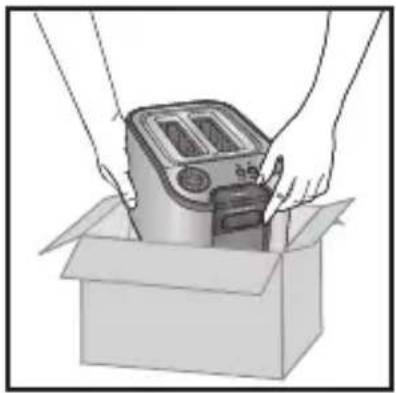
■Remove toaster from packaging.
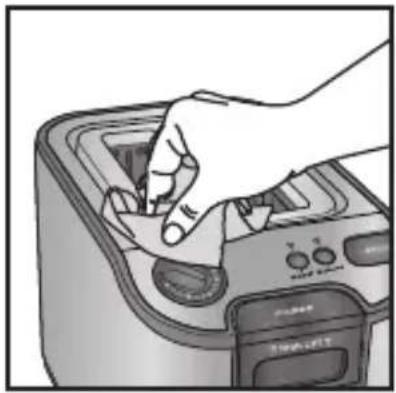
■Clean the toaster with a damp cloth.

■Plug the toaster into the wall outlet.
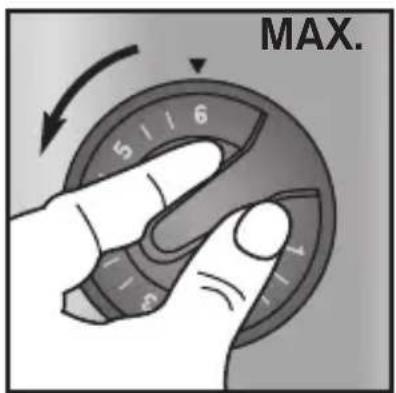
■Turn dial to maximum browning setting...
English
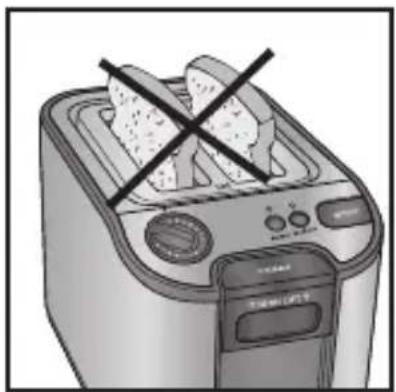
■...without inserting any bread.
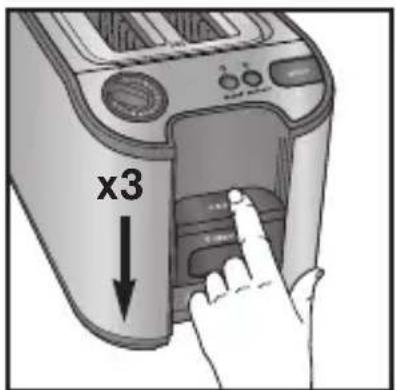
■Manufacturing residues may result in a slight odor. To remove these odors, press the lever down for 3 sequential toasting sessions.
TOASTING BREAD
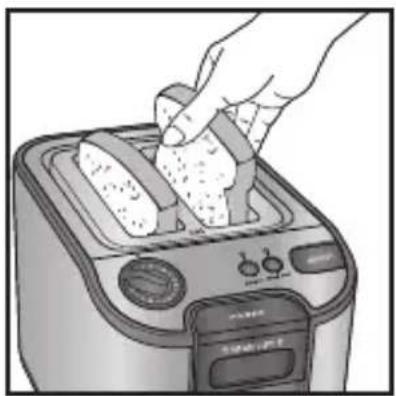
■Insert bread.
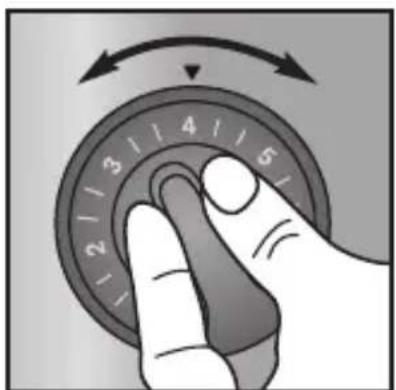
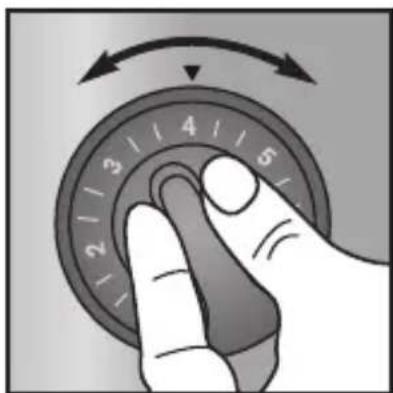
■Select browning level using dial control.
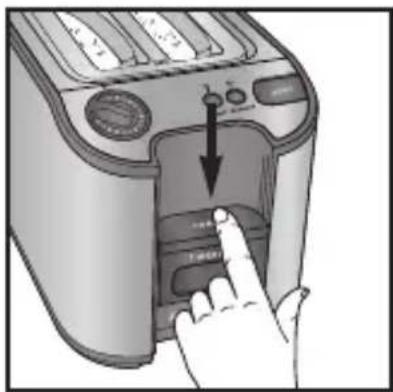
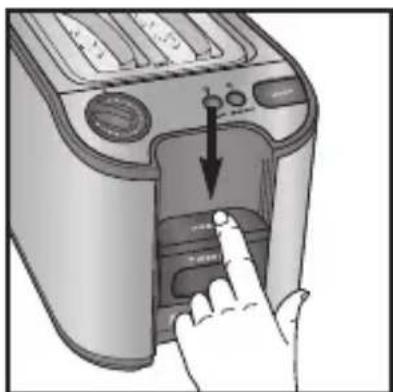
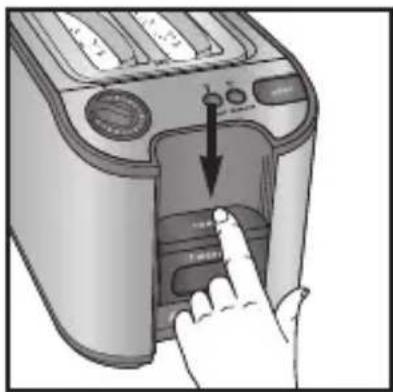
Press down the lever to start toasting. The toasting begins.
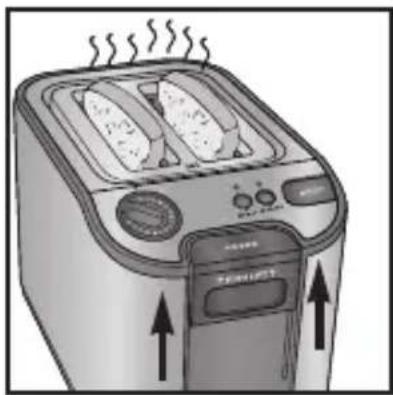
Toasting chamber automatically lifts toast and lever once toasting cycle is complete.
HI-LIFT
To remove smaller-sized breads after the toasting cycle.
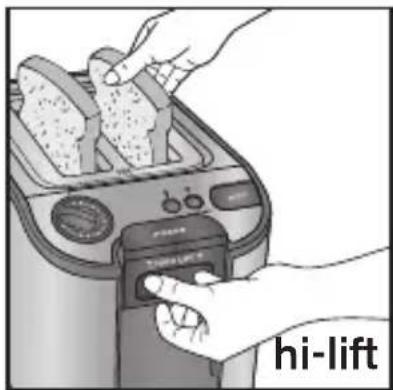
Push lever up to lock in high position. Remove toast.

Never insert anything into toaster especially when plugged in.
STOP/EJECT
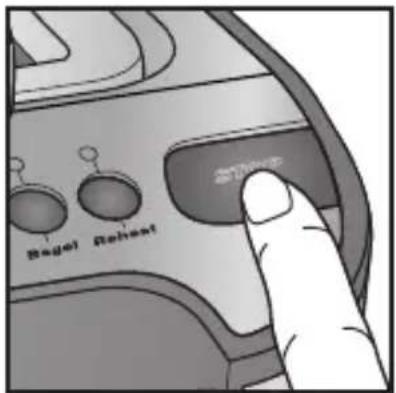
Press the stop button at any time to stop the toasting cycle.
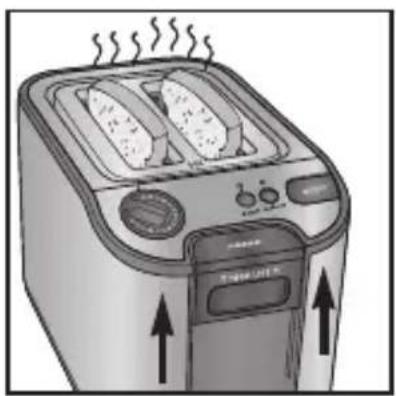
Toasting chamber automatically lifts toast and lever.
REHEAT
To reheat previously toasted breads without further toasting them, use the Reheat button.
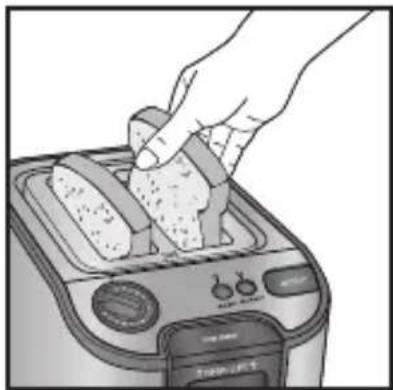
Insert toast.
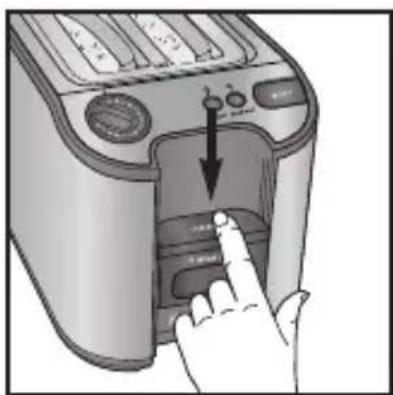
Press down the lever to start toasting.
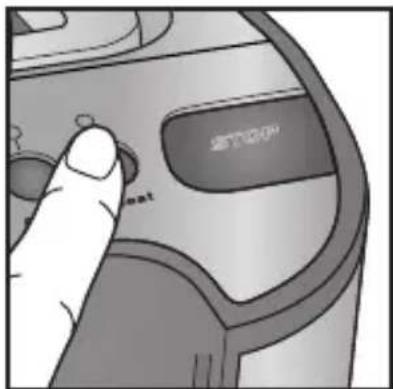
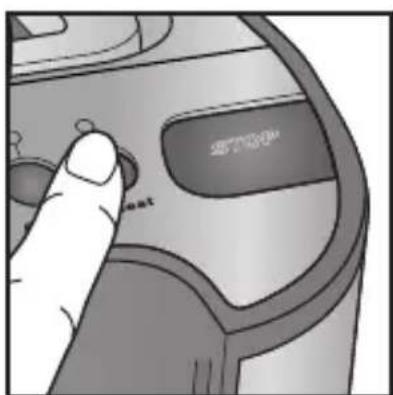
Press REHEAT button.
The toaster will come on for just a short time to heat up the bread that has already been toasted.
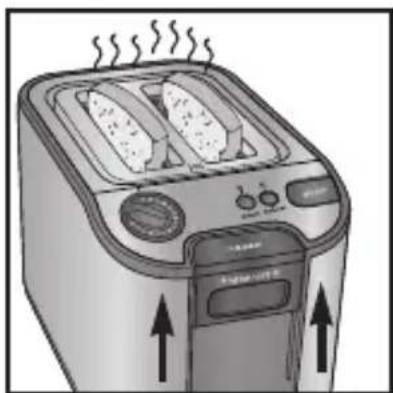
The toasting chamber automatically lifts the toast and the lever once the toasting cycle is complete.
BAGEL
To toast the bagel on the inside and warm it on the outside, use the Bagel button.
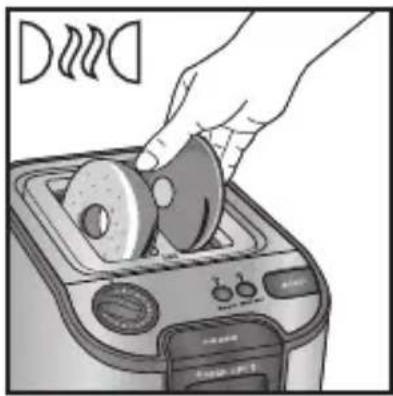
Insert the bagel as shown, with the cut sides facing out.
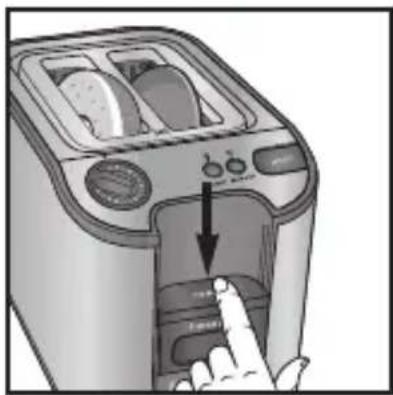
Press the lever down to start toasting.
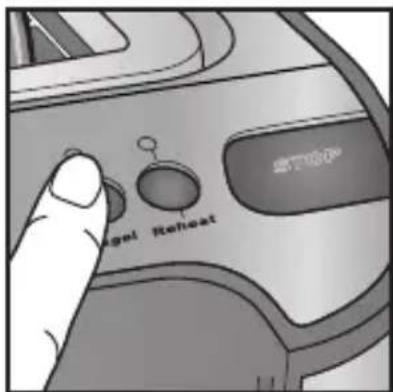
Press the BAGEL button.
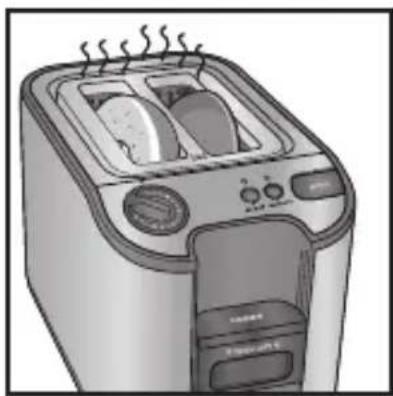
The heating elements will turn on. Your bagel will toast on the cut sides and will be warm on the outside.
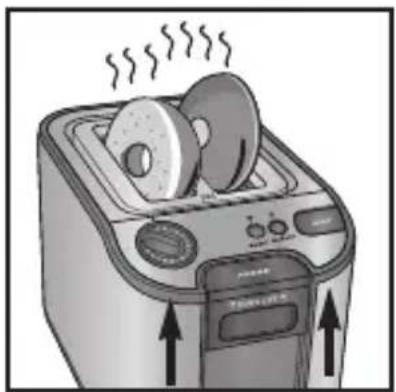
The toasting chamber automatically lifts the bagel and the lever once the toasting cycle is complete.
CLEANING
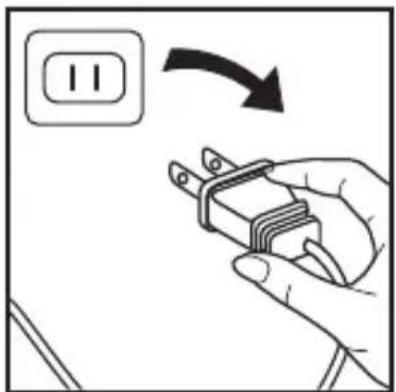
Unplug the toaster from the wall outlet by pulling on the plug.
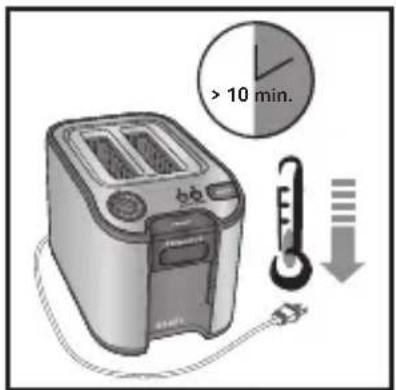
Allow the toaster to cool completely, approximately 10 minutes.
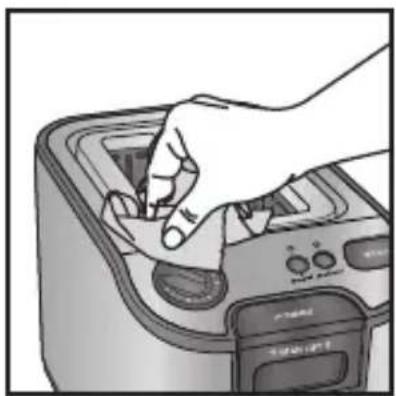
Clean the toaster with a damp cloth.
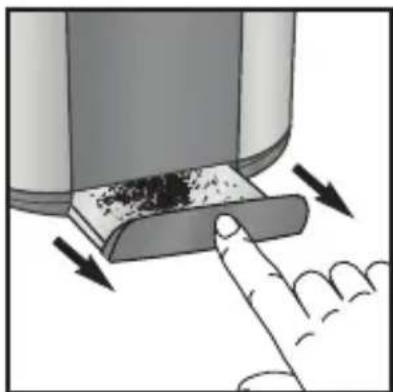
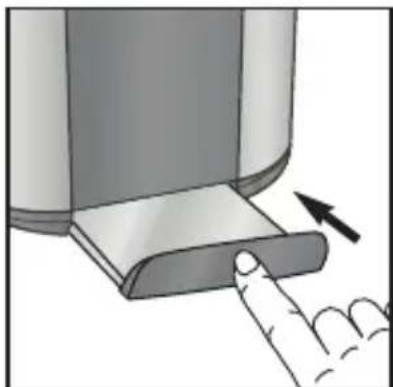
A removable crumb tray is provided for easy cleaning.
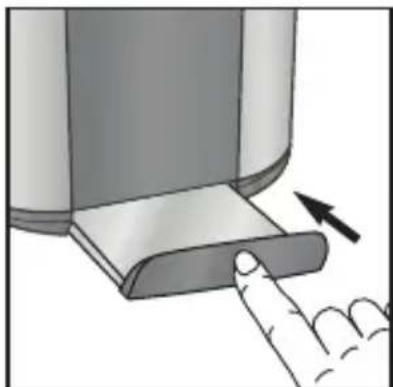
Replace the crumb tray after cleaning. Clean regularly to avoid excessive buildup of crumbs which may create a safety hazard. Do not cover the crumb tray with aluminum foil, as this will cause the appliance to overheat.
CAUTION
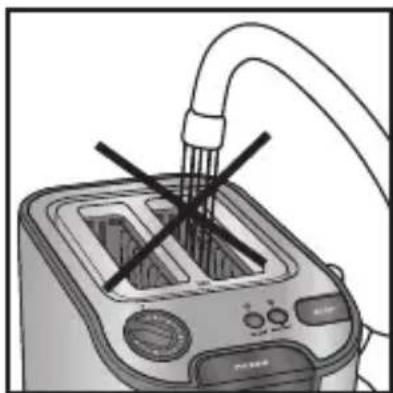
■Do not immerse toaster in water or run water into the toaster.
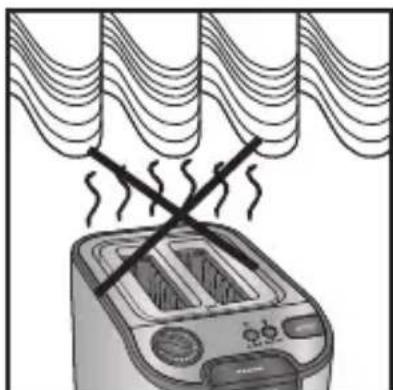
■Do not operate toaster under or around any flammable materials.
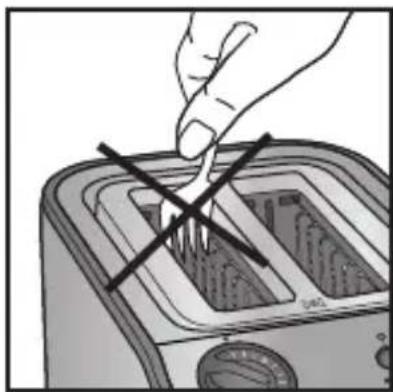
■Do not insert objects into the toaster.
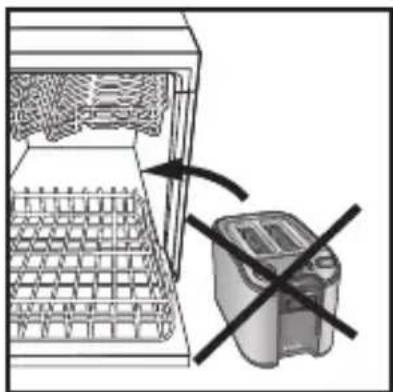
■Do not place the toaster in the dishwasher.
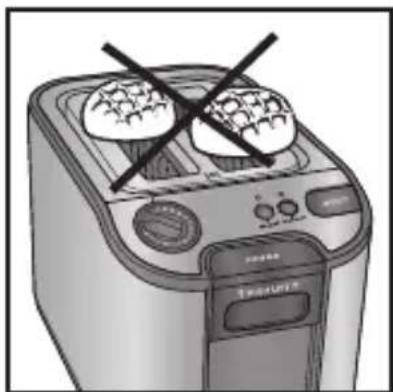
■Do not cover toast chambers when in use.
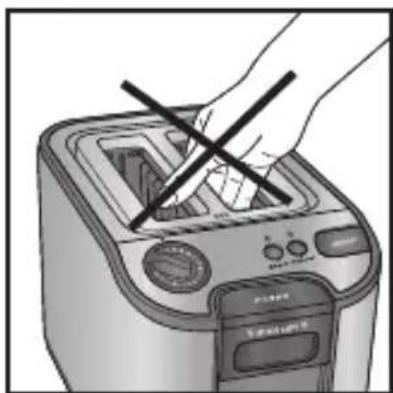
■Do not transport the toaster by grabbing the bread slots.
Do not put your hands in the bread slots.
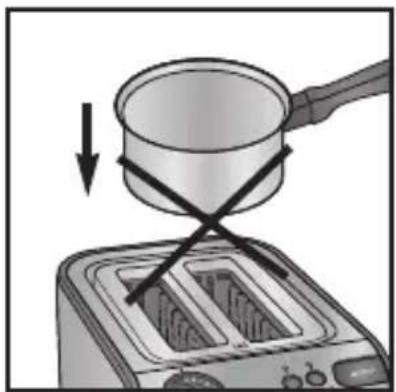
■Do not use the toaster for cooking, grilling or defrosting frozen food other than bread products.
LIMITED WARRANTY
This Krups product is warranted for 1 year from the date of purchase against defects in material and workmanship. During this period, the Krups product that, upon inspection by Krups, is proved defective, will be repaired or replaced, at Krups option, without charge to the customer. If a replacement product is sent, it will carry the remaining warranty of the original product. This warranty does not apply to any defect arising from a buyer's or user's misuse of the product, negligence, failure to follow Krups' instructions, use on current or voltage other than that stamped on the product, wear and tear, alteration or repair not authorized by Krups, or use for commercial purposes.
THE WARRANTIES SET FORTH HEREIN ARE EXCLUSIVE AND NO OTHER WARRANTIES, EXPRESS OR IMPLIED, INCLUDING BUT NOT LIMITED TO ANY WARRANTY OF MERCHANTABILITY OR FITNESS FOR A PARTICULAR PURPOSE OR USE, ARE MADE BY KRUPS OR ARE AUTHORIZED TO BE MADE WITH RESPECT TO THE PRODUCT.
Some states do not allow limitation on how long an implied warranty lasts or do not allow the exclusion of incidental or consequential damages, so the above limitations may not apply to you. This warranty gives you specific legal rights, and you may also have other rights which vary from state to state. If you believe your product is defective, bring the product (or send it, postage prepaid) along with a copy of the proof of purchase to the nearest authorized Krups Service Center. (Please contact your respective country's customer service department, indicated below for the address of the nearest authorized Krups Service Center.) If you send the product, please include a letter explaining the nature of the claimed defect.
If you have additional questions, please call our Consumer Service Department at :
United States: 1-800-526-5377; Canada: 1-800-418-3325;
Mon-Fri: 8:00 am - 11:00 pm (EST). Mon-Fri 8:30 a.m. - 4:30 p.m. (EST)
Saturday 10:00 am – 7:00 pm (EST). www.Krups.ca
Closed on Sundays.
www.krupsusa.com
Please note hours are subject to change.
English
Before calling the Consumer Service Department, please have the model number of your Krups appliance available. This will assist in answering your questions. The model number is generally found on the bottom or back of your appliance. It would also be helpful if you had the appliance available at the time of your call.
General correspondence can be addressed to:
2121 Eden Road 345 Passmore Avenue
Millville, NJ 08332 Ontario M1V 3N8
Only letters can be accepted at this address. Shipments and packages that do not have a return authorization number will be refused.
ENVIRONMENTAL PROTECTION
■The packaging of your product is made of recyclable materials. Do not throw it in your usual trash can; take it to a nearby separated waste collection center. The approved after-sales service centers will accept your used appliance in order to dispose of it in an environmentally friendly manner or you can take it to a specialized collection center provided for this purpose.
SAFETY INSTRUCTIONS.... p. 21
IMPORTANT PRECAUTIONS...... p. 22
DESCRIPTION...... p. 23
BEFORE FIRST USE...... p. 24
TOASTING BREAD...... p. 26
RAISING...... p. 27
STOP EJECT (STOP)...... p. 28
REHEATING...... p. 29
BAGEL p. 30
CLEANING...... p. 31
CAUTION p. 32
WARRANTY...... p. 35
ENVIRONMENTAL PROTECTION...... p. 36
IMPORTANT PRECAUTIONS
DESCRIPTION
■...without inserting bread.
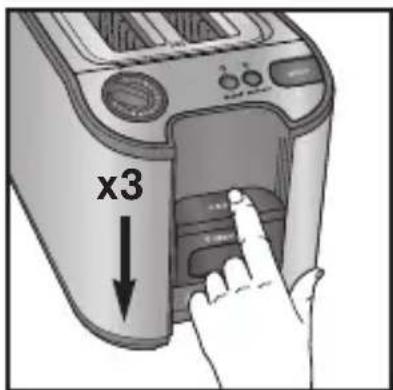
■Put the bread in.
■Put the bread in.
2121 Eden Road 345 Avenue Passmore
Millville, NJ 08332 Ontario M1V 3N8
■Set the browning control.
■Lower the lever.
■Clean the crumb tray.
■Do not use the toaster to cook, toast, heat, or defrost frozen dishes.
LIMITED WARRANTY
2121 Eden Road 345 Avenue Passmore
Millville, NJ 08332 Ontario M1V 3N8

- KRUPS
- TABLE OF CONTENTS
- IMPORTANT SAFEGUARDS
- WHEN USING ELECTRICAL APPLIANCES, BASIC SAFETY PRECAUTIONS SHOULD ALWAYS BE FOLLOWED INCLUDING THE FOLLOWING
- SAVE THESE INSTRUCTIONS
- DO
- DO NOT
- SAFETY INSTRUCTIONS
- POLARIZATION INSTRUCTIONS
- SHORT CORD
- BEFORE FIRST USE
- ENGLISH
- TOASTING BREAD
- HI-LIFT
- TO REMOVE SMALLER-SIZED BREADS AFTER THE TOASTING CYCLE
- STOP/EJECT
- REHEAT
- BAGEL
- CLEANING
- CAUTION
- LIMITED WARRANTY
- ENVIRONMENTAL PROTECTION
- IMPORTANT PRECAUTIONS
- DESCRIPTION
Brand : KRUPS
Model : Precision KH7003
Category : Toaster