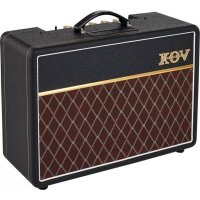
AC10C1 - Guitar amp VOX - Free user manual and instructions
Find the device manual for free AC10C1 VOX in PDF.



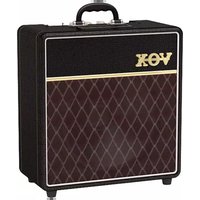
| Product Type | Guitar Amplifier |
| Brand | VOX |
| Model | AC10C1 |
| Dimensions (W × D × H) | 520 × 210 × 410 mm |
| Weight | 12.3 kg |
| Power Supply | Mains (voltage depends on country, check required voltage) |
| Output Power | 10 watts RMS (16 Ω) |
| Tubes | 2 × 12AX7, 2 × EL84 |
| Speaker | 1 × 10" Celestion VX10 (16 Ω) |
| Inputs | INPUT jack (6.35 mm) |
| Outputs | External speaker jack (16 Ω) |
| Controls | Gain, Bass, Treble, Reverb, Volume |
| Reverb | Built-in VOX Reverb |
| Auto Power-Off | Yes (230V version, after 2 hours without signal, can be disabled via ECO switch) |
| Included Accessories | Power cable, user manual |
| Maintenance and Cleaning | Soft dry cloth only |
| Safety | Do not expose to moisture, do not block vents, disconnect in case of storm or prolonged non-use, use a grounded outlet |
| Spare Parts and Repairability | All repairs must be carried out by qualified service personnel; use only recommended fixings/accessories |
| General Information | Manufactured to strict specifications for the destination country; warranty void if used in a country not intended |
Frequently Asked Questions - AC10C1 VOX
User questions about AC10C1 VOX
0 question about this device. Answer the ones you know or ask your own.
Ask a new question about this device
Download the instructions for your Guitar amp in PDF format for free! Find your manual AC10C1 - VOX and take your electronic device back in hand. On this page are published all the documents necessary for the use of your device. AC10C1 by VOX.
USER MANUAL AC10C1 VOX
IMPORTANT SAFETY INSTRUCTIONS
- Read these instructions.
- Keep these instructions.
Heed all warnings. - Follow all instructions.
- Do not use this apparatus near water.
- Mains powered apparatus shall not be exposed to dripping or splashing and that no objects filled with liquids, such as vases, shall be placed on the apparatus.
Clean only with dry cloth. - Do not block any ventilation openings. Install in accordance with the manufacturer's instructions.
- Do not install near any heat sources such as radiators, heat registers, stoves, or other apparatus (including amplifiers) that produce heat.
- Do not defeat the safety purpose of the polarized or grounding-type plug. A polarized plug has two blades with one wider than the other. A grounding type plug has two blades and a third grounding prong. The wide blade or the third prong are provided for your safety. If the provided plug does not fit into your outlet, consult an electrician for replacement of the obsolete outlet. (for USA and Canada)
- Protect the power cord from being walked on or pinched particularly at plugs, convenience receptacles, and the point where they exit from the apparatus.
- Only use attachments/accessories specified by the manufacturer.
- Unplug this apparatus during lightning storms or when unused for long periods of time.
- Turning off the power switch does not completely isolate this product from the power line so remove the plug from the socket if not using it for extended periods of time.
- Install this product near the wall socket and keep the power plug easily accessible.
- WARNING—This apparatus shall be connected to a mains socket outlet with a protective earthing connection.
- Refer all servicing to qualified service personnel. Servicing is required when the apparatus has been damaged in any way, such as power-supply cord or plug is damaged, liquid has been spilled or objects have fallen into the apparatus, the apparatus has been exposed to rain or moisture, does not operate normally, or has been dropped.
- Do not install this equipment on the far position from wall outlet and/or convenience receptacle.
- Do not install this equipment in a confined space such as a box for the conveyance or similar unit.
- Excessive sound pressure from earphones and headphones can cause hearing loss.
- Use only with the cart, stand, tripod, bracket, or table specified by the manufacturer, or sold with the apparatus. When a cart is used, use caution when moving the cart/ apparatus combination to avoid injury from tip-over.

WARNING:
TO REDUCE THE RISK OF FIRE OR ELECTRIC SHOCK DO NOT EXPOSE THIS PRODUCT TO RAIN OR MOISTURE.
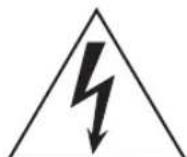
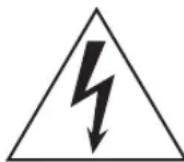
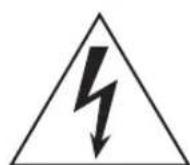
The lightning flash with arrowhead symbol within an equilateral triangle, is intended to alert the user to the presence of uninsulated "dangerous volt - age" within the product's enclosure that may be of sufficient magnitude to constitute a risk of electric shock to persons.

The exclamation point within an equilateral triangle is intended to alert the user to the presence of important operating and maintenance (servicing) instructions in the literature accompanying the product.
THE FCC REGULATION WARNING (for USA)
NOTE: This equipment has been tested and found to comply with the limits for a Class B digital device, pursuant to Part 15 of the FCC Rules. These limits are designed to provide reasonable protection against harmful interference in a residential installation. This equipment generates, uses, and can radiate radio frequency energy and, if not installed and used in accordance with the instructions, may cause harmful interference to radio communications. However, there is no guarantee that interference will not occur in a particular installation. If this equipment does cause harmful interference to radio or television reception, which can be determined by turning the equipment off and on, the user is encouraged to try to correct the interference by one or more of the following measures:
Reorient or relocate the receiving antenna.
- Increase the separation between the equipment and receiver.
- Connect the equipment into an outlet on a circuit different from that to which the receiver is connected.
- Consult the dealer or an experienced radio/TV technician for help. If items such as cables are included with this equipment, you must use those included items.
Unauthorized changes or modification to this system can void the user's authority to operate this equipment.
Notice regarding disposal (EU only)

When this "crossed-out wheeled bin" symbol is displayed on the product, owner's manual, battery, or battery package, it signifies that when you wish to dispose of this product, manual, package or battery you must do so in an approved manner. Do not discard this product, manual, package or battery along with ordinary household waste. Disposing in the correct manner will prevent harm to human health and damage to the environment. Since the correct method of will depend on the applicable laws and regulations in your please contact your local administrative body for details. If very contains heavy metals in excess of the regulated amount, local symbol is displayed below the "crossed-out wheeled bin" on the battery or battery package.
INTRODUCTION
Congratulations on your purchase of the VOX Custom Series AC10C1 Guitar Amplifier.
This amp is the culmination of over 50 years of manufacturing expertise and high quality guitar amplifier design. We have been through our history books and re-imagined an old classic for the modern player.
We're confident you will find these improvements extremely useful and that your new amplifier will give you many hours of tonal pleasure. Your AC10C1 is equipped with a number of modern features and conveniences, including a master volume, Celestion VX10 speaker and custom VOX reverb to name a few. Please read this manual carefully so that you can familiarize yourself with them.
The AC10C1 is now a streamlined, single channel design with more than enough flexibility to satisfy your tonal desires and playing requirements.
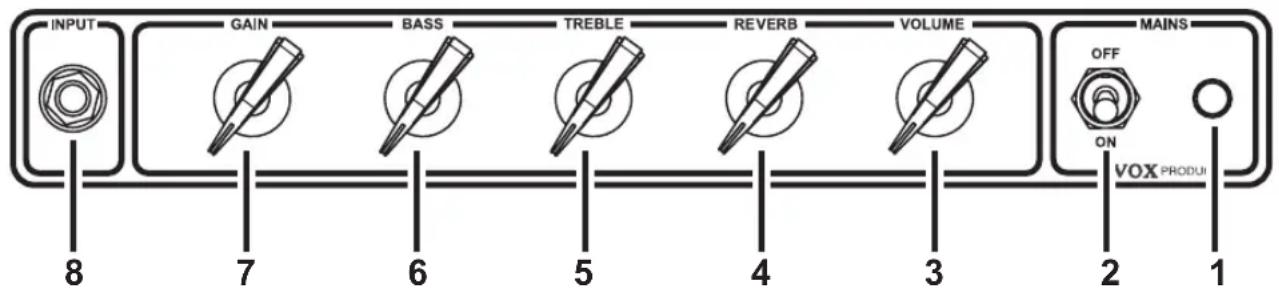
FRONT PANEL LAYOUT
- MAINS Indicator This will tell you if your amp is on or off!
- MAINS Power switch
This is the ON/OFF switch for the power to the amplifier. Please ensure the amplifier is switched off and unplugged before being moved.
- VOLUME Control This controls the overall VOLUME of your amplifier. Cleaner sounds can be achieved by lowering the GAIN and raising the VOLUME. Setting the VOLUME lower and the GAIN higher will give you a fatter, more distorted tone at a lower volume. As with all the controls of this amplifier, please experiment with different configurations to find the tones that fit your guitar and playing style.
- REVERB Control This controls the level of reverb in your sound. Ranging from subtle ambience to a spacious swell, the new Custom VOX reverb adds great sonic depth to your tone.
- TREBLE Control This controls the high frequencies in your sound—from soft and round when turned down (counter clockwise) to bright and cutting when cranked (clockwise) and all points in-between.
- BASS Control This controls the low frequencies in your sound—from thin and light when turned down (counter clockwise) to warm and heavy when turned up full (clockwise) and all points in-between.
7. GAIN Control
This determines the sensitivity of the preamp. Increase the volume and distortion by turning it clockwise or you can turn it anticlockwise for a quieter, cleaner sound. The GAIN control should be used in conjunction with the VOLUME to get the perfect balance between distortion and output volume.
NOTE: Because of the nature of the design of this amplifier, it may take a few minutes until the circuit becomes stable after the power is turned on. Some noise might occur during this time but it soon disappears.
8. INPUT Jack Plug your guitar in here!
REAR PANEL LAYOUT
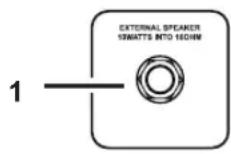
1. EXTERNAL SPEAKER Jack
This speaker jack will mute (disconnect) the internal speaker and you can hook up a 16 Ohm cabinet of your choice.
WARNING: To ensure that your system works correctly, you must observe the following points.
a) Don't connect a speaker whose rated input capacity is less than 10 Watts.
The speaker may be destroyed if you ignore this caution—not recommended!
b) You must use a speaker cable to connect an external speaker. Don't use a
shielded cable like the one you use to connect a guitar to an amp.
c) You must turn off the power before connecting the cable. Connecting the cable while the power is turned on may damage your amp.
NOTE: It is recommended that all audio cables, with the exception of the speaker lead, used to connect to the AC10C1 are of a high quality, screened type. These should not exceed 10 metres in length. Always use a non-screened Vox approved speaker lead with the AC10C1 Amplifier and external cabinets.
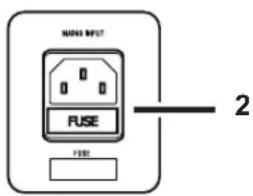
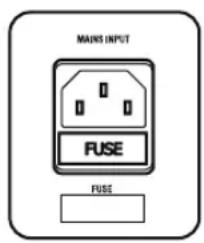
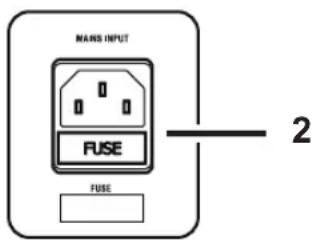
2. MAINS INPUT
This is where the supplied, detachable Mains (power) cord is connected. The specific mains input voltage rating that your amplifier needs to run at is located on the rear panel of your amplifier. Before making any connections or powering up the amplifier, make sure the mains supply voltage matches your amplifier. If you have any doubt, refer to your local VOX dealer.
Auto Power-Off Function (Only 230V version)
To comply with the European wide ErP regulation, this amplifier has been fitted with an automatic power down function.
By default the function is engaged, and is designed to power down the amplifier when a period 2 hours of no audio input is detected.
NOTES:
- The Power switch is a momentary type. Momentarily move the switch up for On and Down for Off. The switch will return to the centre position once released.
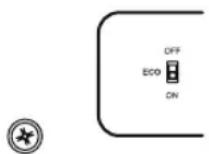
- The Auto Power-Off function can be disabled by moving the ECO switch to the OFF position. The switch is located on the back panel next to the Mains Inlet.
- Power may not turn on or off if the switch is released in a very short time.
- If the Gain or Volume is set to minimum, no input signal will be detected. This will mean the auto power-off function will be enabled.
SPECIFICATION
AC10C1
Controls: Gain, Bass, Treble, Reverb, Volume
- Input: 1 X Input Jack
Output: 1 X External speaker jack
- Tube compliment: 2 × 12AX7 , 2 × EL84
Output Power: 10 W RMS (16Ω)
- Speaker: 1 × 10^ VX10 (16Ω)
- Dimensions: 520 × 210 × 410 mm/20.47 × 8.26 × 16.14 inches (W x D x H)
Weight: 12.3 kg / 27.12 lbs.
- Accessory: Power Cable, Manual
*Specifications and appearance are subject to change without notice for improvement.
INFORMATIONS IMPORTANTES DE SECURITE
WARNING: TO REDUCE THE RISK OF FIRE OR ELECTRIC SHOCK DO NOT EXPOSE THIS PRODUCT TO RAIN OR MOISTURE.
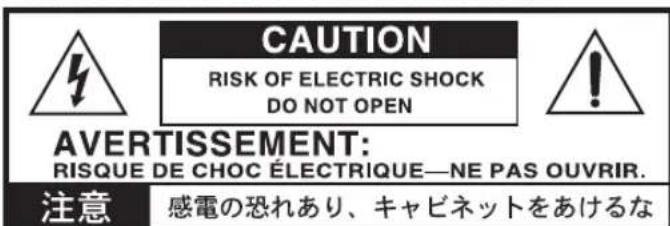
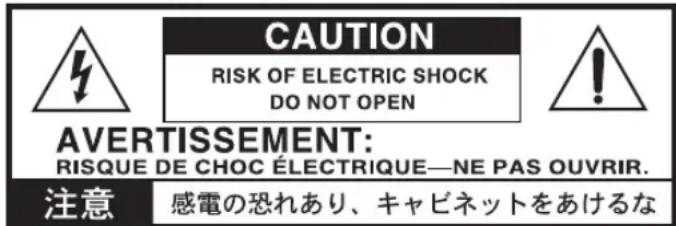
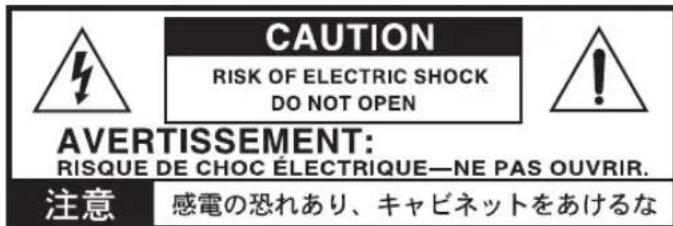
CAUTION
RISK OF ELECTRIC SHOCK DO NOT OPEN

AVERTISSEMENT: RISQUE DE CHOC ÉLECTRIQUE—NE PAS OUVRIR.
注意
感電の恐い、乗車を乗むと乗車を乗む。
- Prise INPUT Branchez-yYOURguitare!
FACE ARRIÈRE
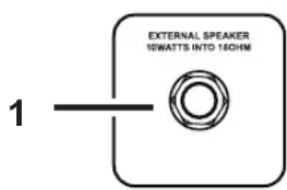
1. Prise EXTERNAL SPEAKER
TO REDUCE THE RISK OF FIRE OR ELECTRIC SHOCK DO NOT EXPOSE THIS PRODUCT TO RAIN OR MOISTURE.
TO REDUCE THE RISK OF FIRE OR ELECTRIC SHOCK DO NOT EXPOSE THIS PRODUCT TO RAIN OR MOISTURE.
Notartheastern and central US.

This product has been manufactured according to strict specifications and voltage requirements that are applicable in the country in which it is intended that this product should be used. If you have purchased this product via the internet, through mail order, and/or via a telephone sale, you must verify that this product is intended to be used in the country in which you reside.
WARNING: Use of this product in any country other than that for which it is intended could be dangerous and could invalidate the manufacturer's or distributor's warranty. Please also retain your receipt as proof of purchase otherwise your product may be disqualified from the manufacturer's or distributor's warranty.
REMARQUE IMPORTANTE POUR LES CLIENTS
- IMPORTANT SAFETY INSTRUCTIONS
- WARNING:
- THE FCC REGULATION WARNING (for USA)
- Notice regarding disposal (EU only)
- INTRODUCTION
- GAIN Control
- INPUT Jack Plug your guitar in here!
- REAR PANEL LAYOUT
- EXTERNAL SPEAKER Jack
- MAINS INPUT
- Auto Power-Off Function (Only 230V version)
- NOTES:
- SPECIFICATION
- AC10C1
- INFORMATIONS IMPORTANTES DE SECURITE
- WARNING: TO REDUCE THE RISK OF FIRE OR ELECTRIC SHOCK DO NOT EXPOSE THIS PRODUCT TO RAIN OR MOISTURE.
- CAUTION
- AVERTISSEMENT: RISQUE DE CHOC ÉLECTRIQUE—NE PAS OUVRIR.
- 注意
- FACE ARRIÈRE
- Prise EXTERNAL SPEAKER
- TO REDUCE THE RISK OF FIRE OR ELECTRIC SHOCK DO NOT EXPOSE THIS PRODUCT TO RAIN OR MOISTURE.
- Notartheastern and central US.
- REMARQUE IMPORTANTE POUR LES CLIENTS
Brand : VOX
Model : AC10C1
Category : Guitar amp