USER MANUAL XL Professional Oreck
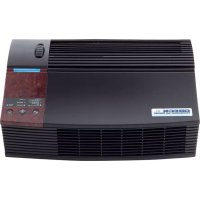
Professional Air Purifier
AIRP Series
User's Guide
ORECK clean home
HEALTHIER. EASIER. SMARTER
TRUMAN CELL
PROPRIETARY TECHNOLOGY
Important!
Read all instructions carefully, and keep for future reference.
Enjoy.

Thank you for purchasing an Oreck Professional Air Purifier!
You will enjoy years of cleaner, fresher air with the Oreck air purifier in your home. It includes six different air purification technologies to provide unique protection against airborne pollutants and allergens:
Stage 1. The pre-filter removes large particles, including dust, lint, and hair.
Stages 2 and 3 are part of the Truman Celproprietary technology.
Stage 2. Positive charging wires electrostatically charge smaller particles such as dust, smoke, pollen, bacteria, molds, viruses, and fungi.
Stage 3. The electronic Truman Cell ^TM collects the electrostatically charged particles and destroys the bacteria, molds, viruses and fungi.
Stage 4. The optional odor absorber removes common household odors and chemical fumes.
Stage 5. The oxygenator changes atmospheric ozone to harmless oxygen.
Stage 6. The optional air revitalizer negative ion generator provides additional air freshness and a pleasant, clean scent through the release of negative ions.
This combination of technologies provides broad protection against a wide range of contaminants to make your home healthier, cleaner, and more livable. Enjoy!
At Oreck we understand that our customers are unique and expect superior service. To meet your needs, we offer different customer service options to work with your lifestyle and preferences.
Welcome to our Call. Click. Visit. customer service program.
Call.
Click.
Visit.

To speak with an Oreck representative call:
USA: 1-800-989-3535
Canada: 1-888-676-7325

On the web, point and click at: www.oreck.com

Visit us in person at one of over 450 store locations. To find the nearest store, please call 888-oreckstore (888-673-2578) or visit www.oreckstore.com.
Contents.
Safety 4
GeneralWarnings. 4
Parts 5
Accessories 5
Replacement Parts 5
Operation 6
Cleaning 8
Cleaning Times 8
Cleaning the Pre-Filter 8
Cleaning the Truman Cell 9
Cleaning the Air Direction Grill 10
Cleaning the Oxygenator 10
Maintenance 10
Replacing the Odor Absorber 10
Troubleshooting 11
Warranty 12
FRANÇAIS 13
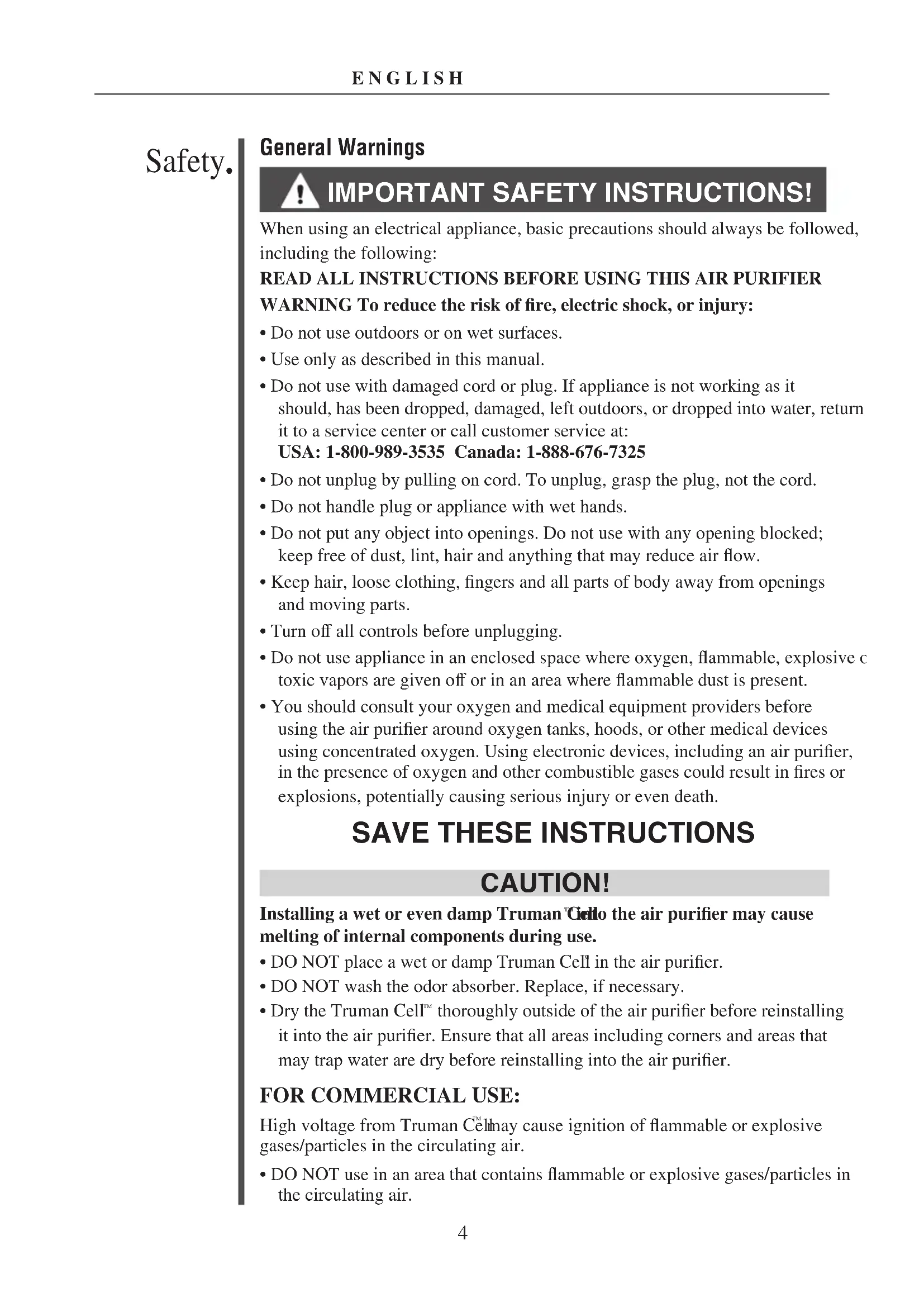
IMPORTANT SAFETY INSTRUCTIONS!
When using an electrical appliance, basic precautions should always be followed, including the following:
READ ALL INSTRUCTIONS BEFORE USING THIS AIR PURIFIER
WARNING To reduce the risk of fire, electric shock, or injury:
- Do not use outdoors or on wet surfaces.
- Use only as described in this manual.
- Do not use with damaged cord or plug. If appliance is not working as it should, has been dropped, damaged, left outdoors, or dropped into water, return it to a service center or call customer service at:
USA: 1-800-989-3535 Canada: 1-888-676-7325
- Do not unplug by pulling on cord. To unplug, grasp the plug, not the cord.
- Do not handle plug or appliance with wet hands.
- Do not put any object into openings. Do not use with any opening blocked; keep free of dust, lint, hair and anything that may reduce air flow.
- Keep hair, loose clothing, fingers and all parts of body away from openings and moving parts.
- Turn off all controls before unplugging.
- Do not use appliance in an enclosed space where oxygen, flammable, explosive or toxic vapors are given off or in an area where flammable dust is present.
- You should consult your oxygen and medical equipment providers before using the air purifier around oxygen tanks, hoods, or other medical devices using concentrated oxygen. Using electronic devices, including an air purifier, in the presence of oxygen and other combustible gases could result in fires or explosions, potentially causing serious injury or even death.
SAVE THESE INSTRUCTIONS
CAUTION!
Installing a wet or even damp Truman Cello the air purifier may cause melting of internal components during use.
- DO NOT place a wet or damp Truman Cell in the air purifier.
DO NOT wash the odor absorber. Replace, if necessary.
- Dry the Truman Cell™ thoroughly outside of the air purifier before reinstalling it into the air purifier. Ensure that all areas including corners and areas that may trap water are dry before reinstalling into the air purifier.
FOR COMMERCIAL USE:
High voltage from Truman Cell may cause ignition of flammable or explosive gases/particles in the circulating air.
- DO NOT use in an area that contains flammable or explosive gases/particles in the circulating air.

- Do not place open flames, including candles, directly in front of the air purifier. Doing so may result in minor or moderate injury.
- Keep objects away from the front grill.
It is important to consider the following when deciding on where to locate the air purifier:
- Position the air purifier on a flat, solid, stable surface.
- Position the air purifier where the dirty air is not drawn across your head or body while sitting or sleeping.
- Position the air purifier so the plug on the power cord easily reaches a standard electrical outlet for a polarized plug.
- Do not use an extension cord.
- Do not place the air purifier near sources of heat, such as stove tops, ovens, radiators or computers.
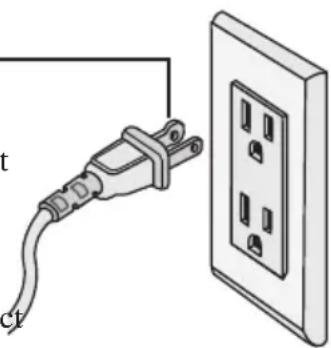
A polarized plug has one rounded prong and one straight prong. The rounded end goes into the longest socket slot.
To reduce the risk of electric shock, this equipment has a polarized plug (one blade is wider than the other). This plug will fit in a polarized outlet only one way. If the plug does not fit fully in the outlet, reverse the plug. If it still does not fit, contact qualified personnel to install the proper outlet. Do not alter the plug in any way.
All accessories and replacement parts are sold separately. To order, call our customer service group or visit our website. Please have your model number from the data label on the bottom of the unit.
Accessories
Item Part Number
Assail-a-Cell Collector Cell Cleaner, 20 oz. 32358
Spring Mulberry Scent Cartridges, 8 pack FA2PK
Blooming Jasmine Scent Cartridges, 8 pack FA3PK
Odor Absorber AP1PKP
Replacement Parts
Item Part Number
Pre-Filter 21024-01
Truman Cell
09-21058-01
Customer Service Hotline
USA: 1-800-989-3535 Canada: 1-888-676-7325
website: www.oreck.com
Operation
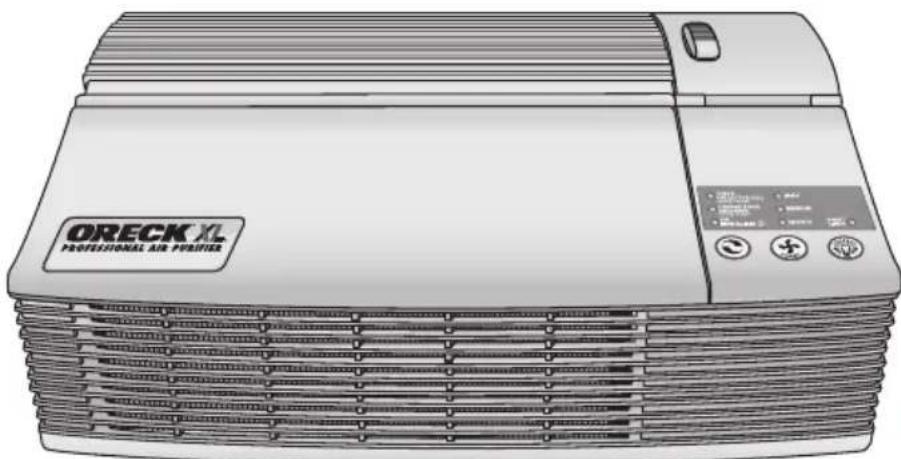
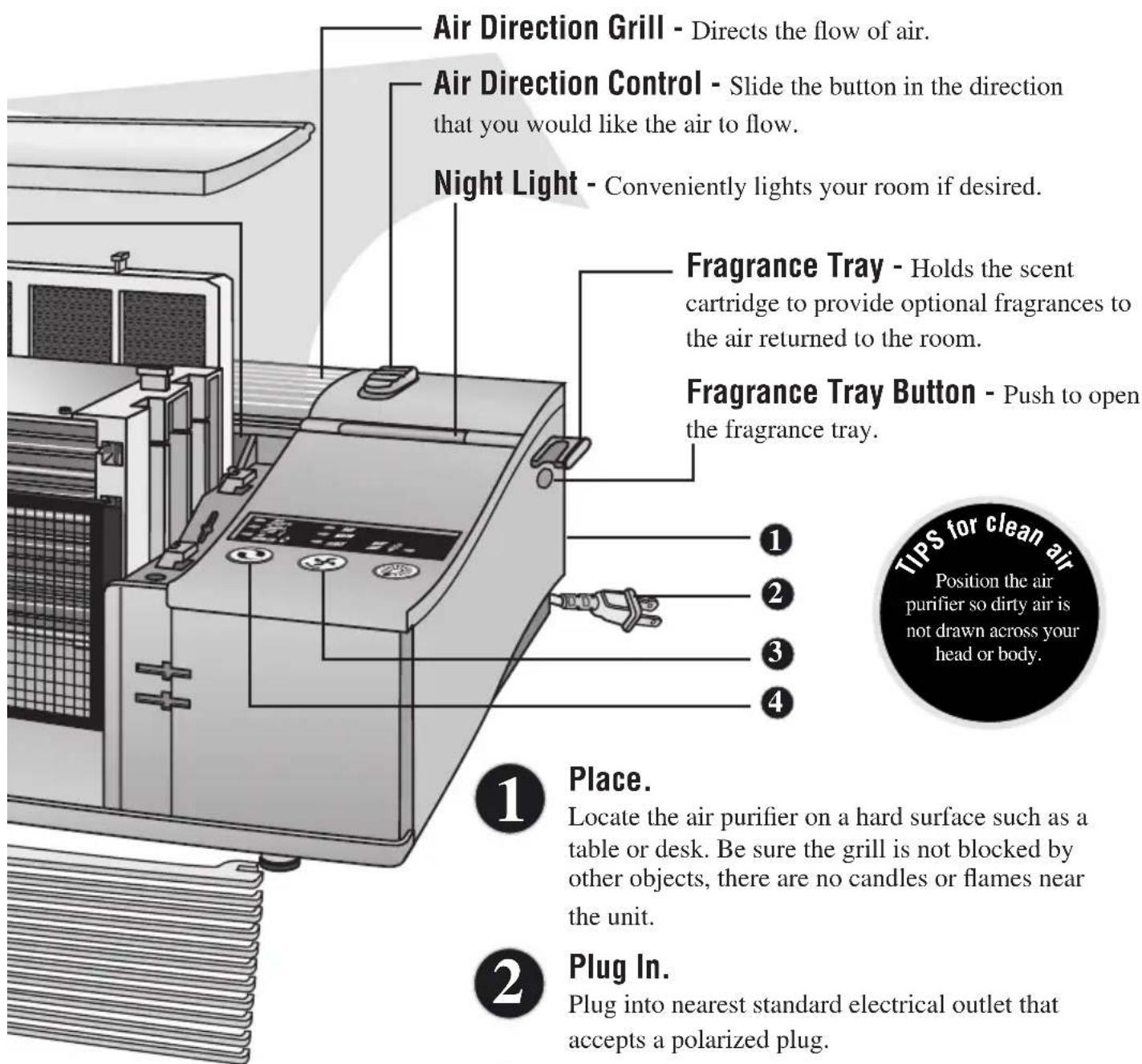
Simply follow the numbered steps to use your Air Purifier. Each call out describes the features of the Air Purifier and how it functions.
Top Cover - Easily removed by sliding forward and lifting off.
Oxygenator - Permanent cartridge converts ozone into oxygen.
Odor Absorber - Optional feature that removes odors and chemical fumes from glue, solvents and synthetic materials. The purifier continues to clean the air with or without the odor absorber.
Truman Cell - Electrostatically charges and collects small particles such as dust, smoke, pollen, bacteria, molds, viruses, and fungi.
Pre-Filter - Removes large particles such as dust, hair and lint.
Front Grill - Slides off for easy cleaning. Slide to the left to remove. The grill must be closed securely for the unit to operate.
Cleaning Brush - (not shown)
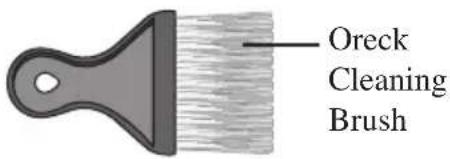
Included to clean air direction grill and areas around the air purifier.
Collector Cell Light
Turns red when the Truman Cellneeds cleaning. Hold down the Air Revitalizer button until the light blinks three times to reset the timer after cleaning.
Odor Absorber Light
Turns red when the optional odor absorber has been in use 12 months. Hold down the Night Light button until the light blinks three times to reset the timer after replacing the odor absorber
Air Revitalizer Light
Indicates when the Air Revitalizer is ON.
CHECK
COLLECTOR CE HOLD TO RESET
CHANGE ODDR ABSORBER
HOLD TO RESET
AIR
REVITALIZER

Air Revitalize1 Button

Power Button

Night Light Button
3
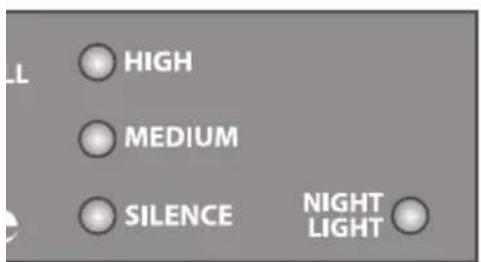
Select the air cleaning speed.
Press the power button for the desired speed.
High for maximum cleaning.
Medium for normal use.
Silence for Silence Technology The quietest setting, cleaning the air as effectively but more slowly than the higher settings.
4
Turn on the Air Revitalizer.
Provides additional air freshness and a pleasant, clean scent through the release of negative ions. Negative ions may cause dust to settle from the air onto the air purifier and surrounding furnishings. Designed to run continually, but may be turned off if desired.
Cleaning.
Cleaning Times
Proper care and cleaning of the air purifier is critical to performance. The following chart shows the cleaning intervals and methods.
| Part Cleaning Time Method | |
| Cabinet As needed Wipe with damp cloth first. If required, follow with mild non-abrasive cleaner. |
| Truman Cella | 2 to 4 weeks, Spray Oreck Assail-a-Cell® cleaner or as needed or soak in warm water with mild detergent.Rinse and dry thoroughly. |
| Truman Cella | If arcing occurs* Gently wipe cell wires with a dry cotton swab, Spray Oreck Assail-a-Cell cleaner or soak in warm water with mild liquid detergent. Rinse and dry thoroughly. |
| Pre-filter 2 to 4 weeks, Rinse thoroughly in warm water. or as needed |
| Odor 12 months, Replace (optional for odor removal). Absorber or as needed Do not wash or get wet. |
| Air Direction As needed Grill | Vacuum to clean, if necessary. |
| Oxygenator | As needed | Use the brush provided with the air purifier to brush away debris in between the slots. |
| Vacuum the front with a soft brush attachment. Do not use any liquids for cleaning. |
*Arcing is a sharp snapping sound that can occur when dust particles build up in the Truman
WARNING!
Cleaning the unit while it is plugged in may result in electric shock, electric spark and serious injury. Unplug the unit before cleaning or maintenance. Remove the unit from the wall if it is wall mounted.
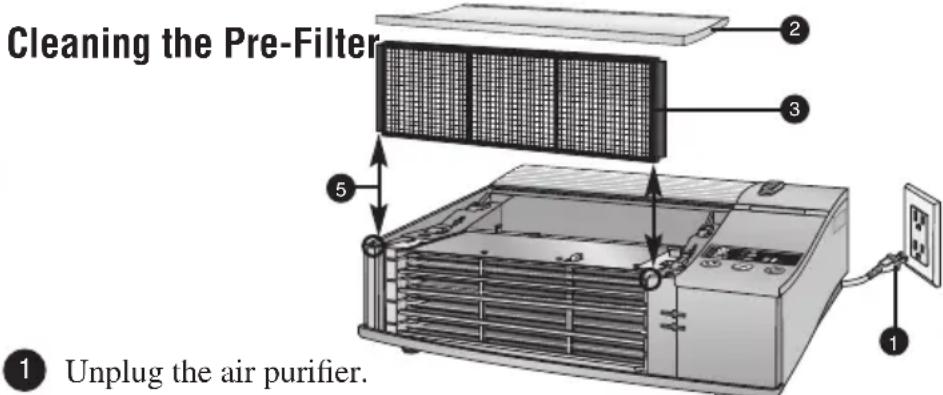
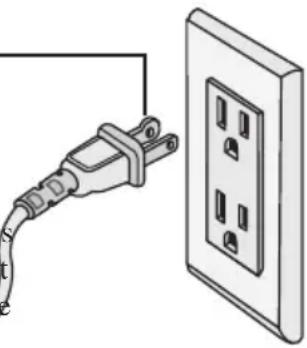
Unplug the air purifier.
2 Remove the top cover by sliding forward and lifting off.
Pull the pre-filter straight up and out of the cabinet.
4 Thoroughly rinse the pre-filter and let it air dry before placing it back in the cabinet. Do not use heated or compressed air as part of the drying process.
Place the pre-filter back into the unit by sliding it straight down into the slots.
Place the top cover back on the cabinet, sliding back to lock into place.
Cleaning the Truman Cell
Note: The Truman Cell may require more frequent cleaning if "arcing" occurs. Arcing is a sharp snapping sound that occurs when large particles of dust are collected in the Truman. Cephrolonged or continuous arcing occurs the Truman Celkshould be cleaned.
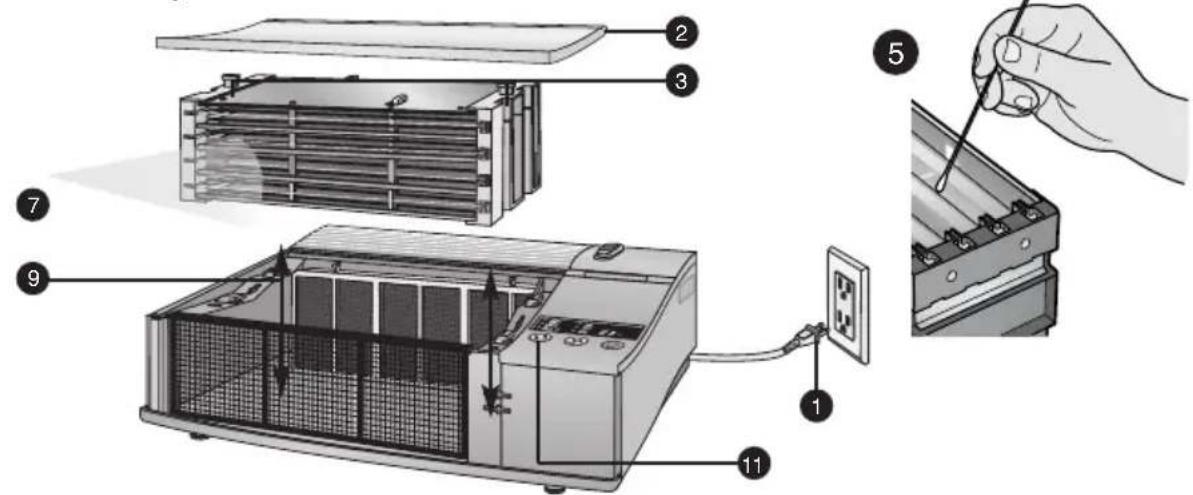
IMPORTANT: Do not try to clean the Truman Céhy inserting a cloth, brush, or other object between the cell plates.
Unplug the air purifier.
2 Remove the top cover by sliding forward and lifting off.
Pull the Truman Cell straight up and out of the cabinet by using the two small handles on each side of the Truman Cell.
4 Based on the frequency of arcing or how dirty the cell has become, perform one or both of the follow
5 If the cell is arcing frequently a "quick clean" can be performed by gently wiping a dry cotton swab along the length of each of the four wires near the front of the cell to remove any built-up particles from the wires. Go to Step 9.
For a more complete cleaning, place the Truman Cell a sink, bathtub, dishwasher or other location where cleaner and contaminants will rinse away without damaging surfaces and proceed to Step 7. Note: If placed in dishwasher, do not insert dishwasher tongs directly into the collector cell as this may cause damage to the wires or cell plates.
Spray Oreck Assail-a-Cellcleaner thoroughly between each cell plate and cover each surface. Allow the cleaner to soak for a few minutes and rinse with clean water. Do not let the cleaner dry on the Truman Cell
An alternative method to clean the Truman Cellto soak it in warm water for two to three hours. Mild liquid dish detergent may be used to help break down dirt. Rinse thoroughly with clean water. Note: Do not insert objects to clean the Truman Cell
Tough residue such as tar from tobacco smoke may need additional applications or longer soaking.
8 Allow to dry completely outside of the air purifier. Do not use heated or compressed air to dry.
IMPORTANT: Do not reinsert the Truman Cell until it is completely dry. If the "Check Collector Cell" light blinks red after replacing the Truman Cell then the Truman Cell may still be wet. Remove the Truman Cell and allow it to finish drying.
9 Place the Truman Cellback into the unit by sliding it straight down into the slots. The Truman™ Cell is specially designed so that it can be inserted only in one direction.
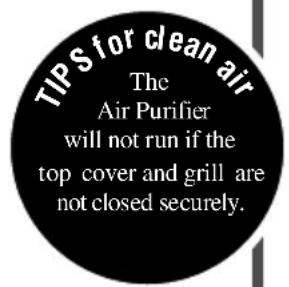
10 Replace the top cover, sliding back to lock into place. Be sure the top cover and front grill are securely closed or the unit will not operate.
Reset the "Check Collector Cell" timer by holding down the Air Revitalizer button until the "Check Collector Cell" light blinks three times.
Maintenance.
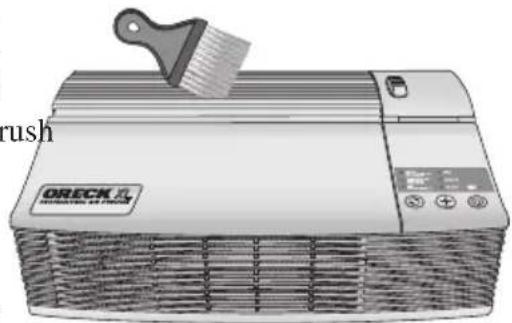
Cleaning the Air Direction Grill
Using the cleaning brush (located on the bottom of the top cover), brush away any debris that may have collected between the grill slots.
Cleaning the Oxygenator
Unplug the air purifier.
2 Remove the top cover odor absorber, pre-filter, and Truman Cell.
3 Lightly vacuum the front only with a soft-brush attachment. Do not use liquids to clean. Liquids will damage the oxygenator.
4 Replace all parts in step 2.
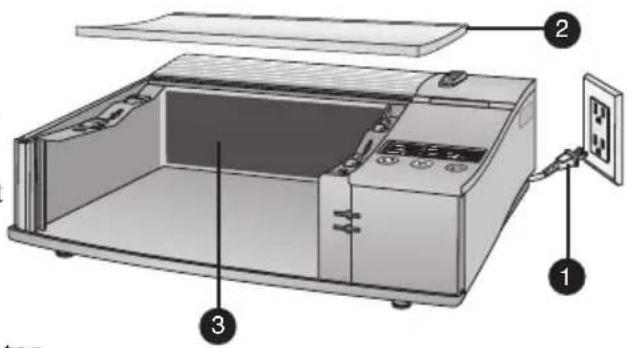
Cleaning the Oxygenator
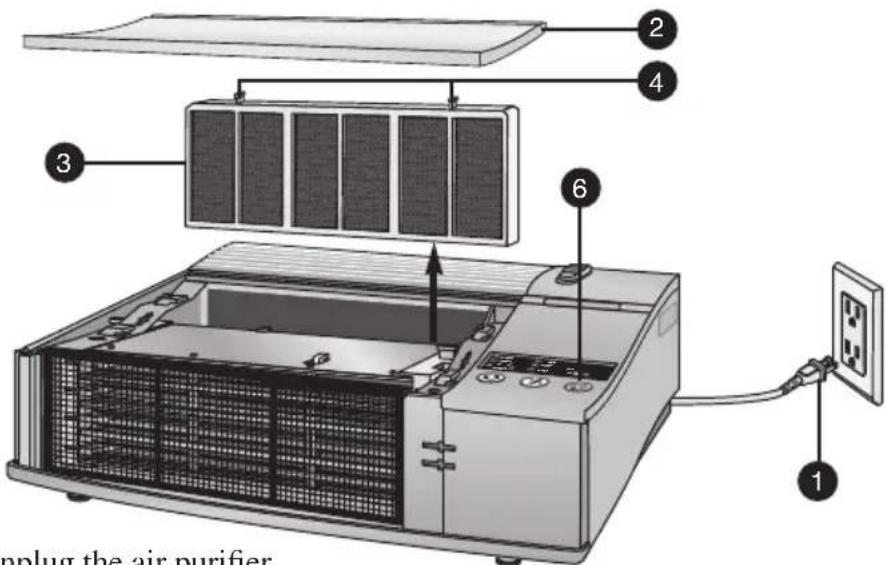
Unplug the air purifier.
Remove the top cover by sliding forward and lifting off.
Pull the odor absorber straight up and out of the cabinet.
Replace with a new odor absorber. The handles on the odor absorber should point up. Do not force the odor absorber into the slot.
Replace the top cover, sliding back to lock into place.
Reset the "Check Odor Absorber" timer by holding down the Night Light button until the "Check Odor Absorber" light blinks three times.
Troubleshooting
Service problems that appear to be major can often be solved easily. You can be your own troubleshooter by reviewing this guide. All other servicing should be done by an Oreck authorized service center.
| Problem Check What to do | |
| Unit does not turn on. • Power Cord • Plug in the power cord.
• Power Button • Set power button for desired blower speed.
• Front Grill • Reinsert front grill, sliding right until it locks into place.
• Top Cover • Top cover should be replaced and slid back to lock. |
| “Check Collector Cell” • Truman Cell ™ has turned red. thoroughly clean and dry before reinstalling.
• Hold down the Air Revitalizer button until the blinks three times to reset the timer after clean |
| “Check Collector Cell” • Truman Cell ™ light is flashing red. | • Truman Cell ™ | • Wash Truman Cell™. Make sure it is thoroughly clean and dry before reinstalling.
• Clean Truman Cell ™
• Truman Cell™ may not be completely dry.
Allow it to air dry longer.
• Truman Cell™ may be damaged.
Contact Oreck for service. |
| Unit does not remove pollutants. | • Truman Cell | • Wash Truman Cell™. Make sure it is thoroughly clean and dry before reinstalling. |
| Unit sparks, crackles and pops. | • Truman Cell | • Sparking or popping noise (arcing) can occur when dust particles build up in the Truman Cell™. Gently wipe the cell wires with a dry cotton swab, or clean the entire cell with Assail-a-Cell or soapy water.
• If excessive arcing continues after proper cleaning, the cell may be damaged or wet.
If damaged contact Oreck for service. |
| “Check Odor Absorber” light has turned red. | • Odor Absorber | • Hold down the Night Light button until the light blinks three times to reset the Check Odor Absorber timer after replacing.
• Replace odor absorber if desired.
• If the odor absorber is not replaced, remove old odor absorber to turn off “Check Odor Absorber” light. |
| Does not remove odor. | • Odor Absorber | • Vacuum odor absorber with a soft brush attachment if dirty. Do not use any liquids to clean the odor absorber.
• Replace odor absorber if desired. |
| Unit still does not operate properly. | • Check all the above points. | • Contact Oreck for service. |
Warranty.

ORECK MANUFACTURING COMPANY: (Oreck Manufacturing Company gives you the following limited warranty for this product only if it was originally purchased for residential use, not resale, from Oreck or an Oreck Authorized Retail Dealer.)
Oreck will repair or replace, free of charge, to the original purchaser, any part that is found to be defective in material or workmanship within three (3) years of the date of purchase and a lifetime warranty on the Truman Cefor all residential models. NOTE: If the unit is used commercially, a one (1) year overall warranty applies.
This limited warranty does not cover the replacement of expendable or consumable parts such as filters, cartridges, and other parts subject to normal wear unless they are defective in material or workmanship.
This limited warranty does not apply to any part subjected to accident, abuse, commercial use, alteration, misuse, damage caused by act of God, the use of voltages other than on the data plate of this product or service of this product by other than Oreck or a participating Factory Authorized Service Center.
Oreck does not authorize any person or representative to assume or grant any other warranty obligation with the sale of this product.
Oreck's limited warranty is valid only if you retain proof of purchase from Oreck or an Oreck Authorized Retail Dealer for this product. If you purchase this product from any other source, your purchase is "AS IS," which means Oreck grants you no warranty, and that you, not Oreck, assume the entire risk of the quality and performance of this product, including the entire cost of any necessary servicing or repairs of any defects.
Oreck's liability for damages to you for any costs whatsoever arising out of this statement of limited warranty shall be limited to the amount paid for this product at the time of original purchase, and Oreck shall not be liable for any direct, indirect, consequential or incidental damages arising out of the use or inability to use this product. Some states do not allow the exclusion or limitation of incidental or consequential damages, so the above limitation or exclusion may not apply to you.
ALL EXPRESS AND IMPLIED WARRANTYES FOR THIS PRODUCT, INCLUDING IMPLIED WARRANTYES OF MERCHANTABILITY AND FITNESS FOR A PARTICULAR PURPOSE, ARE LIMITED IN DURATION TO THE WARRANTY PERIOD, AND NO WARRANTYES, WHETHER EXPRESS OR IMPLIED, WILL APPLY AFTER THIS PERIOD.
Some states do not allow limitations on the duration of implied warranties, so the above limitation may not apply to you.
This warranty gives you specific legal rights, and you may also have other rights which vary from state to state.
TRUMAN CELL PROPRIETARY TECHNOLOGY
Important!
website: www.oreck.com
Mode d'utilisation
PROPRIETARY TECHNOLOGY
Important!
All accessories and replacement parts are sold separately. To order, call our customer service group or visit our website. Please have your model number from the data label on the bottom of the unit.
Accesorios