DNX7032 - GPS Navigation System KENWOOD - Free user manual and instructions
Find the device manual for free DNX7032 KENWOOD in PDF.


| Product Type | GPS Navigation System |
| Brand | Kenwood |
| Model | DNX7032 |
| Dimensions (approx.) | 180 x 50 x 160 mm (DIN standard) |
| Weight (approx.) | 1.5 kg |
| Power Supply | 12 V DC, negative ground |
| Fuse | 15 A |
| Main Functions | GPS navigation, AM/FM radio, iPod/iPhone input (via KCA-iP300V), audio/video inputs (AV-IN1, AV-IN2), audio/video output (AV-OUT), front/rear/subwoofer pre-outs, rear view camera input, compatible steering wheel remote control |
| Connectivity | USB port, AM/FM antenna input, GPS input (antenna included), SIRIUS/XM/HD Radio satellite tuner input (optional) |
| Max. Mounting Angle | 30° |
| Cooling Fan | Yes (do not obstruct) |
| Safety | Short-circuit protection, mandatory grounding, ignition and battery cables to be connected to fuse box |
| Maintenance | Clean with a dry, soft cloth; do not use chemicals |
| Spare Parts and Repairability | Contact an authorized Kenwood dealer for parts or repair |
Frequently Asked Questions - DNX7032 KENWOOD
User questions about DNX7032 KENWOOD
0 question about this device. Answer the ones you know or ask your own.
Ask a new question about this device
Download the instructions for your GPS Navigation System in PDF format for free! Find your manual DNX7032 - KENWOOD and take your electronic device back in hand. On this page are published all the documents necessary for the use of your device. DNX7032 by KENWOOD.
USER MANUAL DNX7032 KENWOOD
MANUEL D'INSTALLATION
natural_image
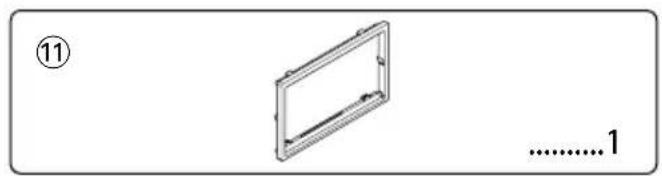
Simple line drawing of a rectangular frame with no text or symbols, labeled with number 11 and '............1' (no other text or symbols)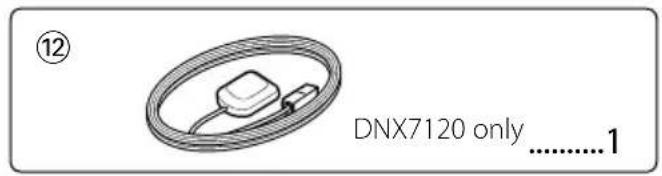
- To prevent a short circuit, remove the key from the ignition and disconnect the battery.
- Make the proper input and output wire connections for each unit.
- Connect the speaker wires of the wiring harness.
- Connect the wiring harness wires in the following order: ground, battery, ignition.
- Connect the wiring harness connector to the unit.
- Install the unit in your car.
- Reconnect the ⊖ battery.
- Press the reset button.
▲WARNING
- If you connect the ignition wire (red) and the battery wire (yellow) to the car chassis (ground), you may cause a short circuit, that in turn may start a fire. Always connect those wires to the power source running through the fuse box.
Acquiring GPS Signals
The first time you turn on the DNX7120, you must wait while the system acquires satellite signals for the first time. This process could take up to several minutes. Make sure your vehicle is outdoors in an open area away from tall buildings and trees for fastest acquisition. After the system acquires satellites for the first time, it will acquire satellites quickly each time thereafter.

- Mounting and wiring this product requires skills and experience. For safety's sake, leave the mounting and wiring work to professionals.
- Make sure to ground the unit to a negative 12V DC power supply.
- Do not install the unit in a spot exposed to direct sunlight or excessive heat or humidity. Also avoid places with too much dust or the possibility of water splashing.
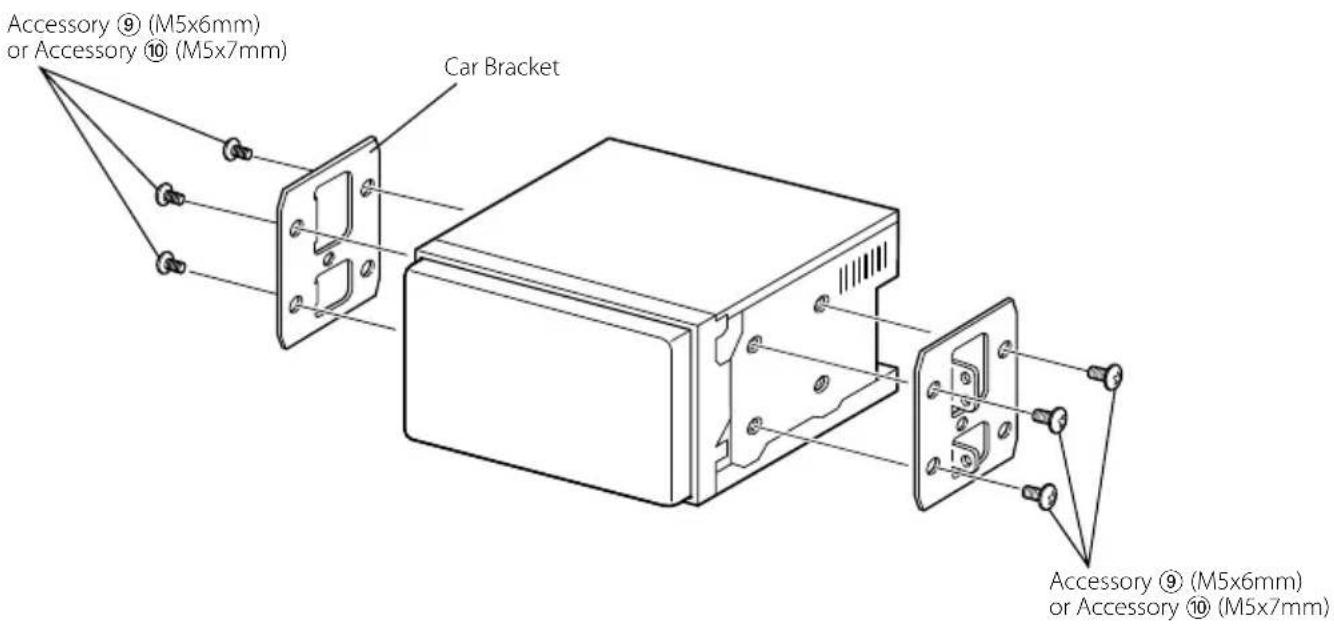
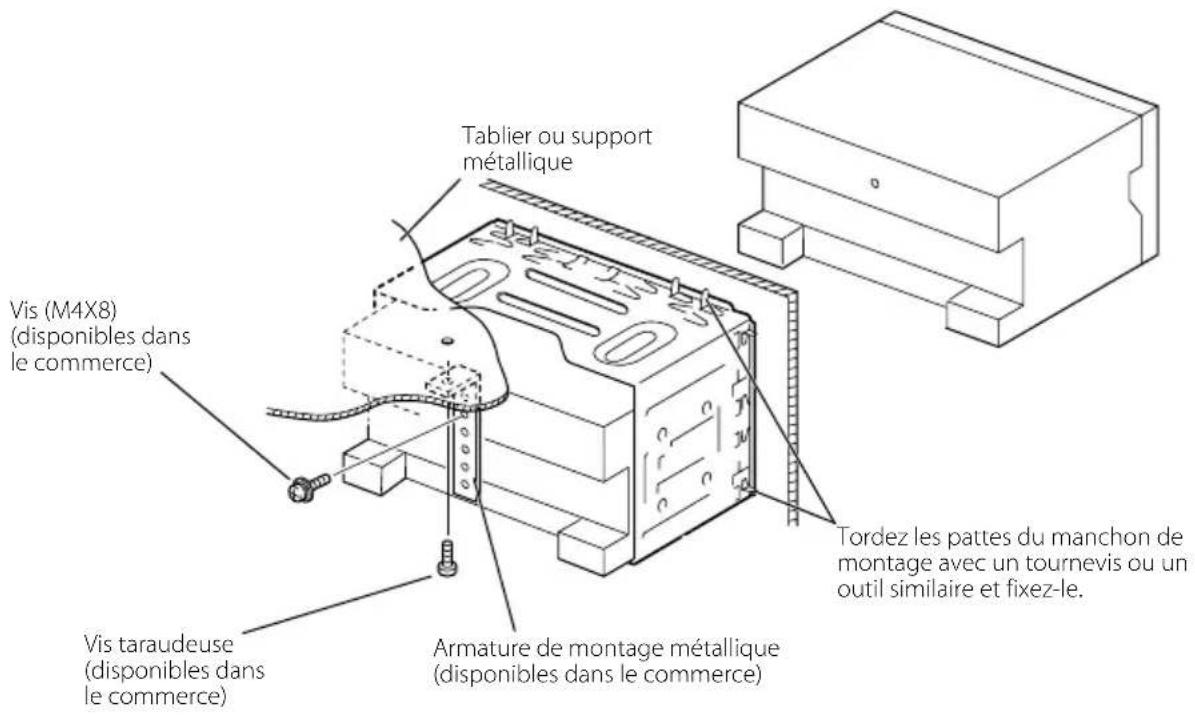
- Do not use your own screws. Use only the screws provided. If you use the wrong screws, you could damage the unit.
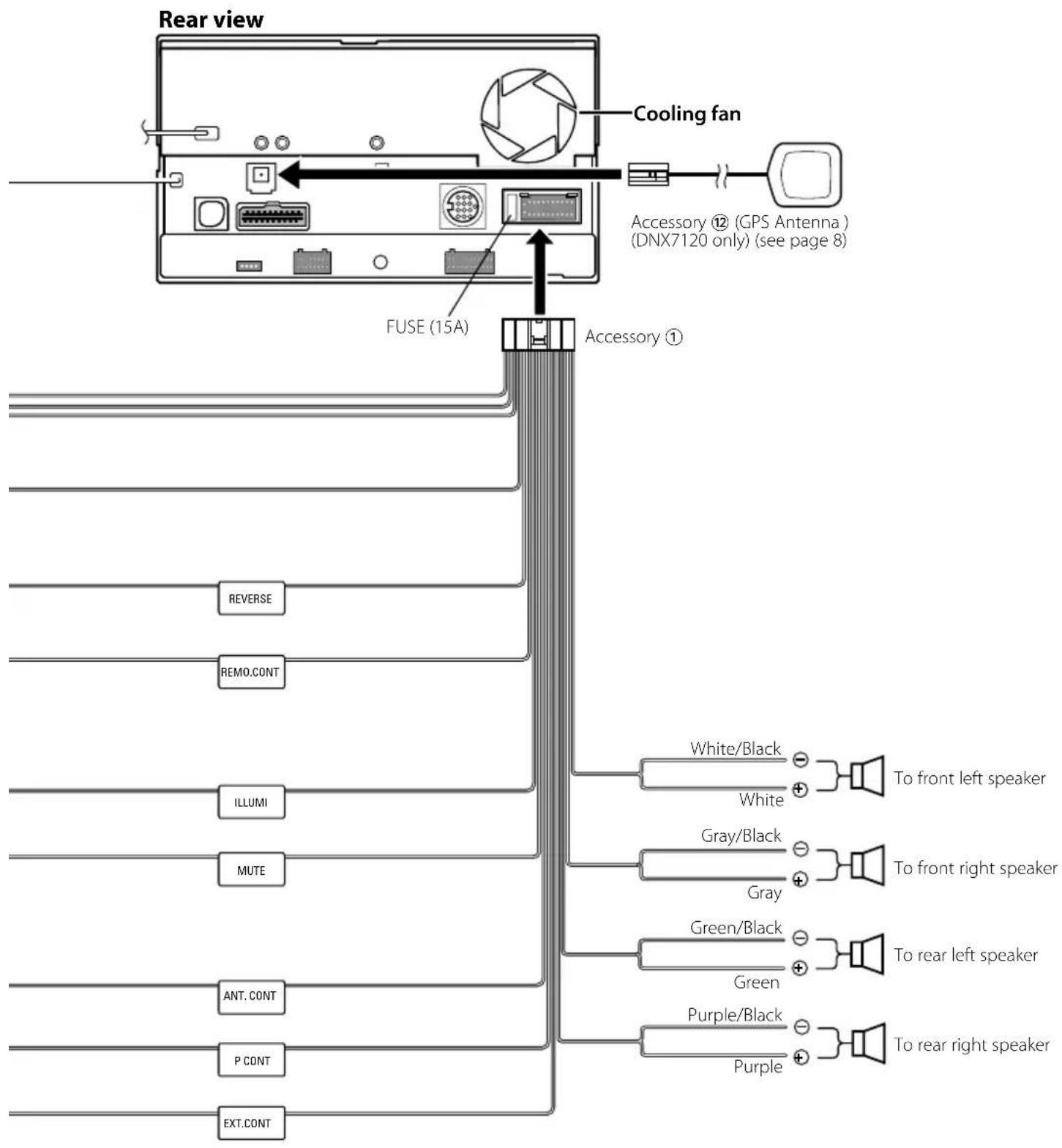
- If the power is not turned ON ("PROTECT" is displayed), the speaker wire may have a short-circuit or touched the chassis of the vehicle and the protection function may have been activated. Therefore, the speaker wire should be checked.
- Make sure that all wire connections are securely made by inserting jacks until they lock completely.
- If your vehicle's ignition does not have an ACC position, or if the ignition wire is connected to a power source with constant voltage such as a battery wire, the power will not be linked with the ignition (i.e., it will not turn on and off along with the ignition). If you want to link the unit's power with the ignition, connect the ignition wire to a power source that can be turned on and off with the ignition key.
- Use a commercially available conversion connector if the connector does not fit in the vehicle connector.
- Insulate unconnected wires with vinyl tape or other similar material. To prevent a short circuit, do not remove the caps on the ends of the unconnected wires or the terminals.
- If the console has a lid, make sure to install the unit so that the faceplate will not hit the lid when closing and opening.
- If the fuse blows, first make sure the wires aren't touching to cause a short circuit, then replace the old fuse with one with the same rating.
- Connect the speaker wires correctly to the terminals to which they correspond. The unit may be damaged or fail to work if you share the wires or ground them to any metal part in the car.
• After the unit is installed, check whether the brake lamps, blinkers, wipers, etc. on the car are working properly. - Mount the unit so that the mounting angle is 30^ or less.
- This unit has the cooling fan (page 5) to decrease the internal temperature. Do not mount the unit in a place where the cooling fan of the unit are blocked. Blocking these openings will inhibit the cooling of the internal temperature and result in malfunction.
- Do not press hard on the panel surface when installing the unit to the vehicle. Otherwise scars, damage, or failure may result.
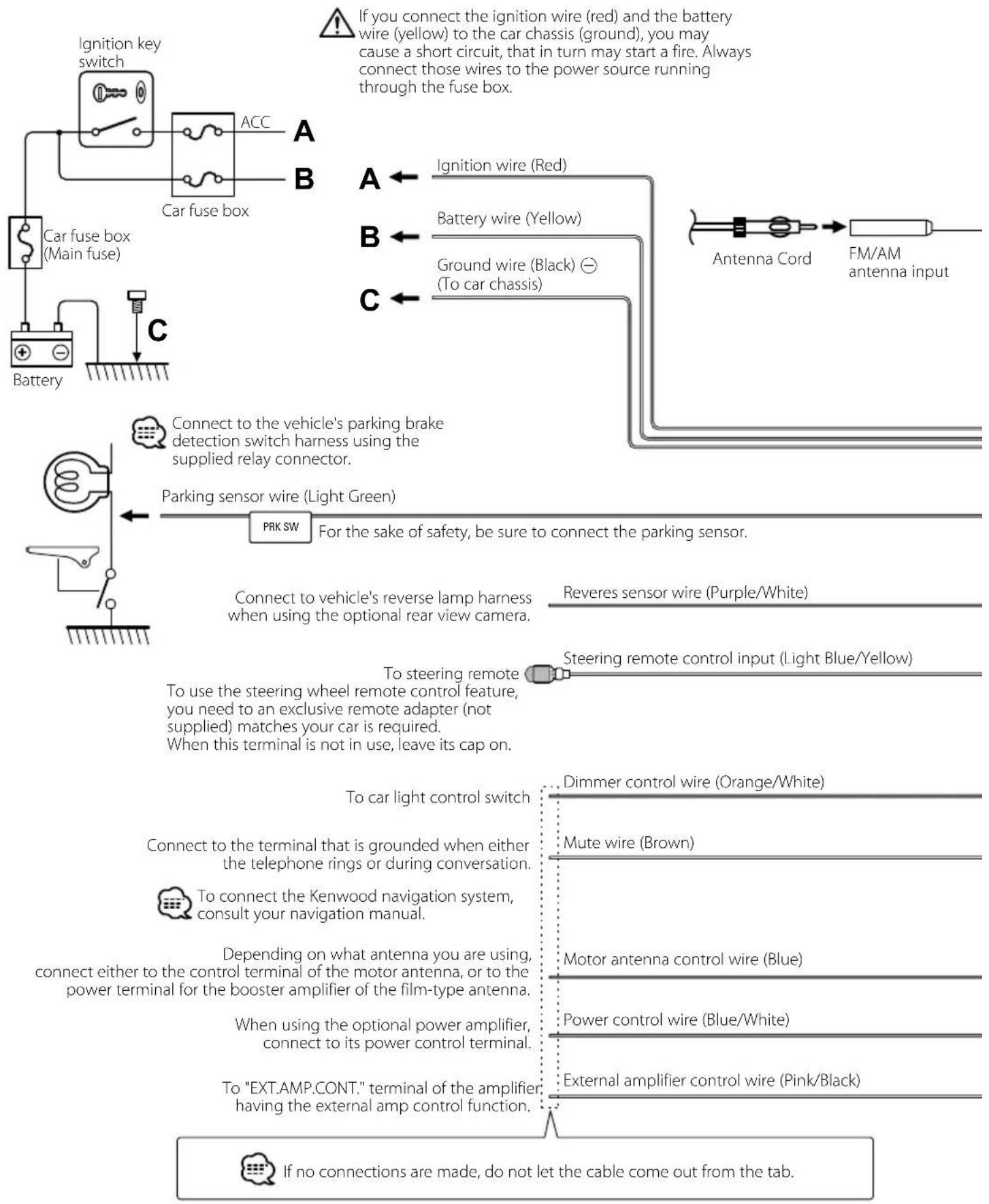
flowchart
graph TD
    A["Car fuse box (Main fuse)"] --> B["Car fuse box"]
    B --> C["Ignition key switch"]
    C --> D["ACC"]
    D --> E["A"]
    D --> F["B"]
    D --> G["C"]
    E --> H["Ignition wire (Red)"]
    F --> I["Battery wire (Yellow)"]
    G --> J["Ground wire (Black) ⊖ (To car chassis)"]
    H --> K["Antenna Cord FM/AM antenna input"]
    I --> K
    J --> K
    K --> L["FM/AM antenna input"]
    M["Battery"] --> N["Connect to the vehicle's parking brake detection switch harness using the supplied relay connector."]
    N --> O["Parking sensor wire (Light Green)"]
    O --> P["PRK SW For the sake of safety, be sure to connect the parking sensor."]
    P --> Q["Revers sensor wire (Purple/White)"]
    Q --> R["Steering remote control input (Light Blue/Yellow)"]
    R --> S["To steering remote"]
    S --> T["To use the steering wheel remote control feature, you need to an exclusive remote adapter (not supplied) matches your car is required. When this terminal is not in use, leave its cap on."]
    T --> U["Dimmer control wire (Orange/White)"]
    U --> V["Mute wire (Brown)"]
    V --> W["To car light control switch"]
    W --> X["Connect to the terminal that is grounded when either the telephone rings or during conversation."]
    X --> Y["To connect the Kenwood navigation system, consult your navigation manual."]
    Y --> Z["Depending on what antenna you are using, connect either to the control terminal of the motor antenna, or to the power terminal for the booster amplifier of the film-type antenna."]
    Z --> AA["Power control wire (Blue/White)"]
    AA --> AB["When using the optional power amplifier, connect to its power control terminal."]
    AB --> AC["External amplifier control wire (Pink/Black)."]
    AC --> AD["To "EXT.AMP.CONT." terminal of the amplifier, having the external amp control function."]
    AD --> AE["If no connections are made, do not let the cable come out from the tab."]
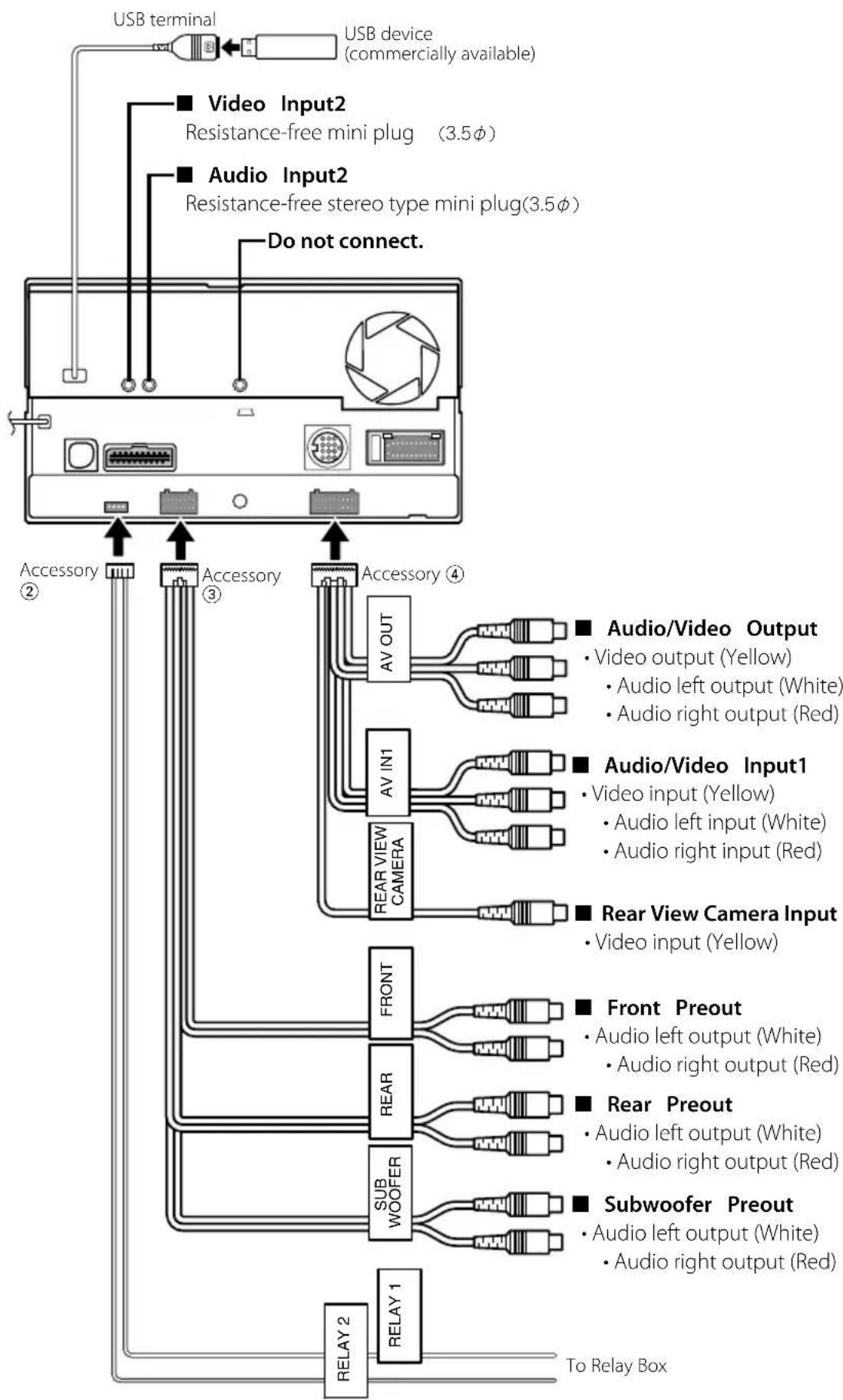
flowchart
graph TD
    A["USB terminal"] --> B["USB device (commercially available)"]
    B --> C["■ Video Input2\nResistance-free mini plug (3.5φ)"]
    B --> D["■ Audio Input2\nResistance-free stereo type mini plug(3.5φ)"]
    D --> E["Do not connect."]
    E --> F["Accessory ②"]
    E --> G["Accessory ③"]
    E --> H["Accessory ④"]
    H --> I["AV OUT"]
    H --> J["AV IN1"]
    H --> K["REAR VIEW CAMERA"]
    I --> L["■ Audio/Video Output\n• Video output (Yellow)\n• Audio left output (White)\n• Audio right output (Red)"]
    J --> M["■ Audio/Video Input1\n• Video input (Yellow)\n• Audio left input (White)\n• Audio right input (Red)"]
    K --> N["■ Rear View Camera Input\n• Video input (Yellow)"]
    L --> O["FRONT"]
    M --> P["REAR"]
    N --> Q["Subwoofer Preout\n• Audio left output (White)\n• Audio right output (Red)"]
    O --> R["RELAY 2"]
    P --> S["RELAY 1"]
    Q --> T["To Relay Box"]
flowchart
graph TD
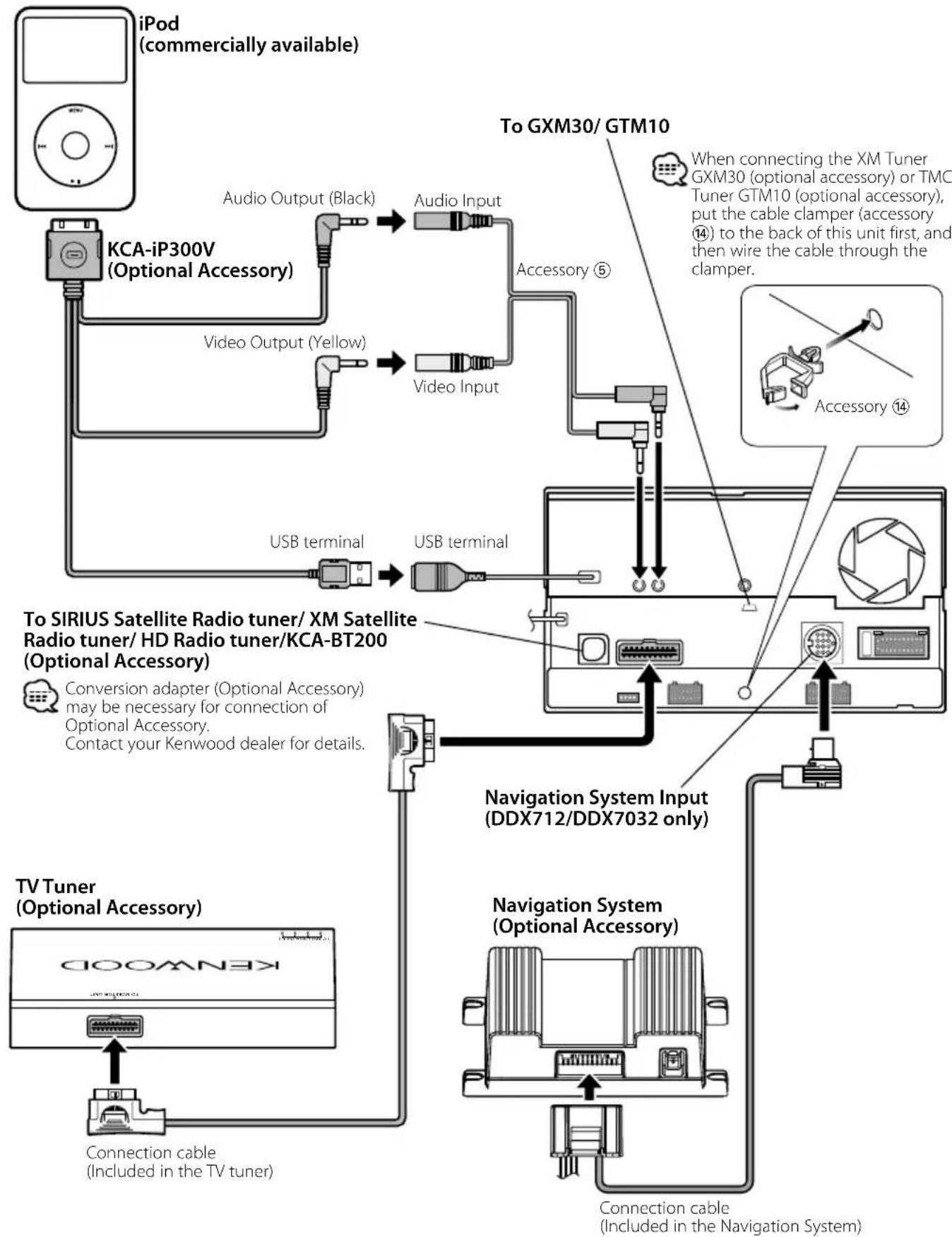
    A["iPod (commercially available)"] --> B["KCA-iP300V (Optional Accessory)"]
    B --> C["Audio Output (Black)"]
    B --> D["Video Output (Yellow)"]
    B --> E["USB terminal"]
    B --> F["Audio Input"]
    B --> G["Video Input"]
    B --> H["USB terminal"]
    B --> I["To SIRIUS Satellite Radio tuner/ XM Satellite Radio tuner/ HD Radio tuner/KCA-BT200 (Optional Accessory)"]
    I --> J["Conversion adapter (Optional Accessory) may be necessary for connection of Optional Accessory. Contact your Kenwood dealer for details."]
    I --> K["TV Tuner (Optional Accessory)"]
    K --> L["Connection cable (Included in the TV tuner)"]
    K --> M["Navigation System (DDX712/DDX7032 only)"]
    M --> N["Connection cable (Included in the Navigation System)"]
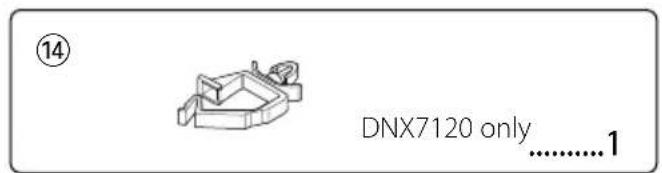
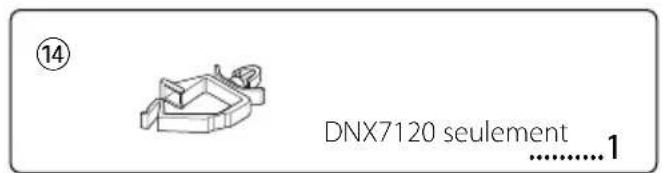
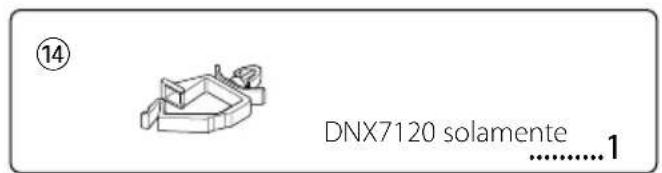
    O["To GXM30/ GTM10"] --> P["When connecting the XM Tuner GXM30 (optional accessory) or TMC Tuner GTM10 (optional accessory), put the cable clamper (accessory 14) to the back of this unit first, and then wire the cable through the clamper."]
    Q["Accessory 5"] --> R["Switching cable"]
    S["Accessory 14"] --> T["Switching cable"]
Installing the GPS Antenna (DNX7120 only)
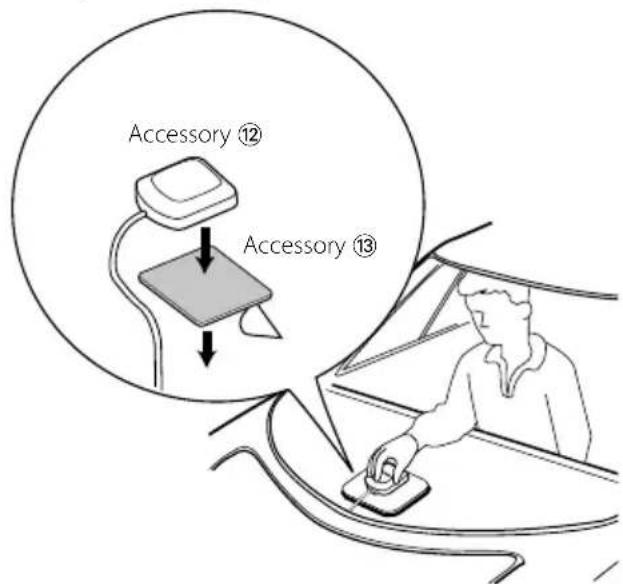
GPS antenna is installed inside of the car. It should be installed as horizontally as possible to allow easy reception of the GPS satellite signals.
To mount the GPS antenna inside your vehicle:
- Clean your dashboard or other surface.
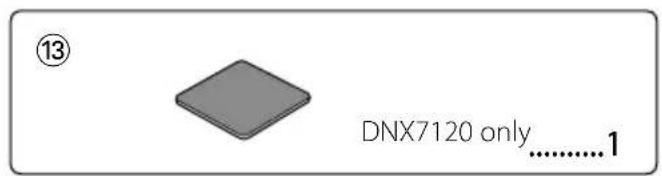
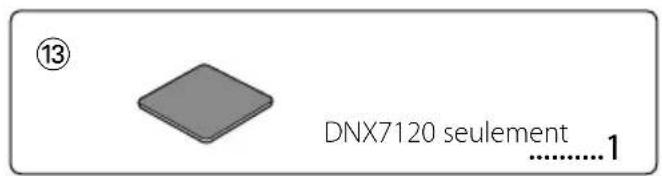
- Peel the backing off of the adhesive on the bottom of the metal plate (Accessory ⑬).
- Press the metal plate (Accessory ⑬) down firmly on your dashboard or other mounting surface. You can bend the metal plate (Accessory ⑬) to conform to a curved surface, if necessary.
- Place the GPS antenna (Accessory ⑫) on top of the metal plate (Accessory ⑬).
!
- Depending on the type of car, reception of the GPS satellite signals might not be possible with an inside installation.
- The GPS antenna should be installed at a position that is spaced at least 12 inch (30 cm) from cellular phone or other transmitting antennas. Signals from the GPS satellite may be interfered with by these types of communication.
- Painting the GPS antenna with (metallic) paint may cause a drop in performance.
Installing the Escutcheon
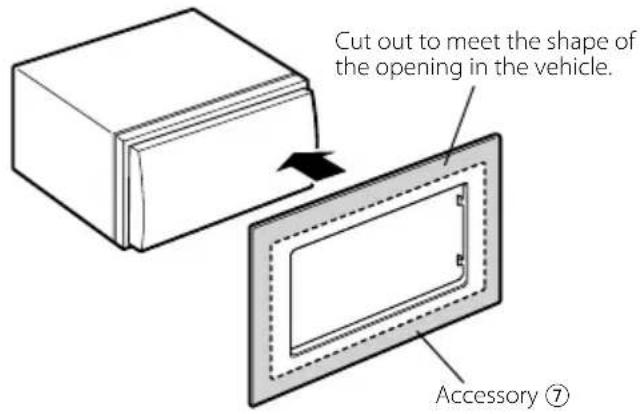
For General Motors
- Cut out accessory ⑦ to meet the shape of the opening of the center console.
- Attach accessory ⑦ to the unit.
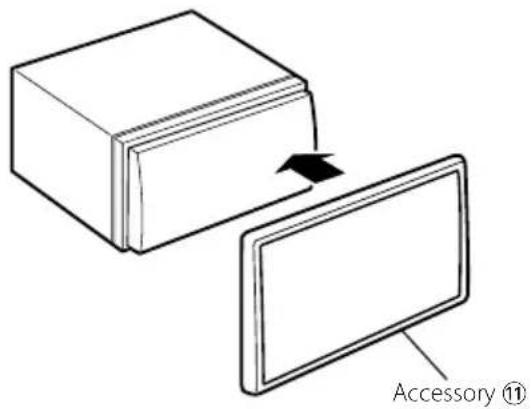
For Volkswagen
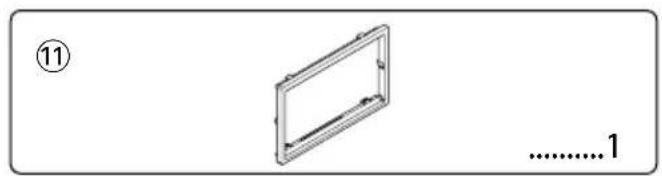
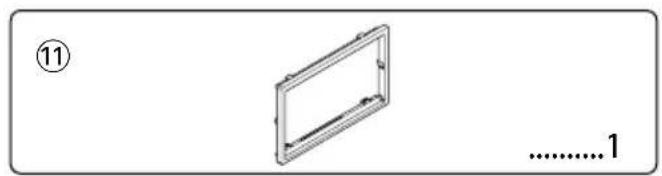
- Attach accessory ⑪ to the unit.
For Toyota/Scion
- Cut out accessory ⑦ as illustrated.
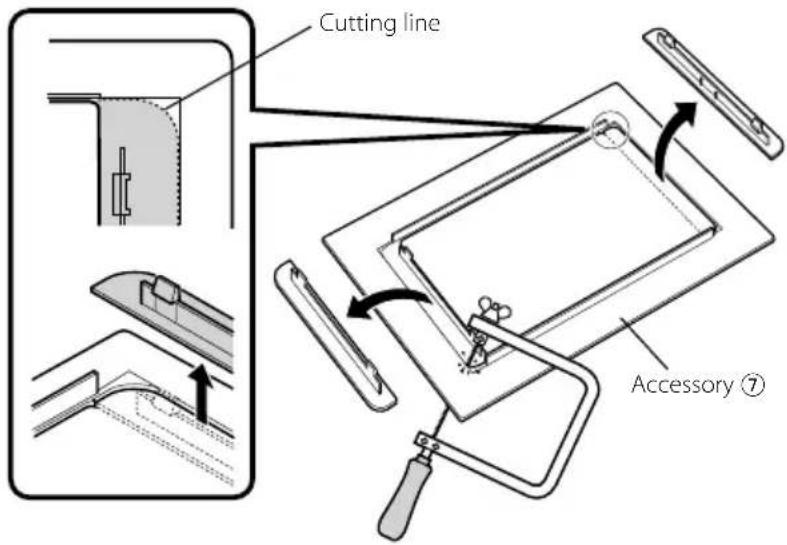
-
Fold double-sided adhesive (accessory ⑧) along the slit and attach it to accessory ⑦ cut-out against the center rib as illustrated. Use 2 pieces of accessory ⑧ for 1 accessory ⑦ cut-out.
-
Attach accessory ⑦ cut-out to the unit.
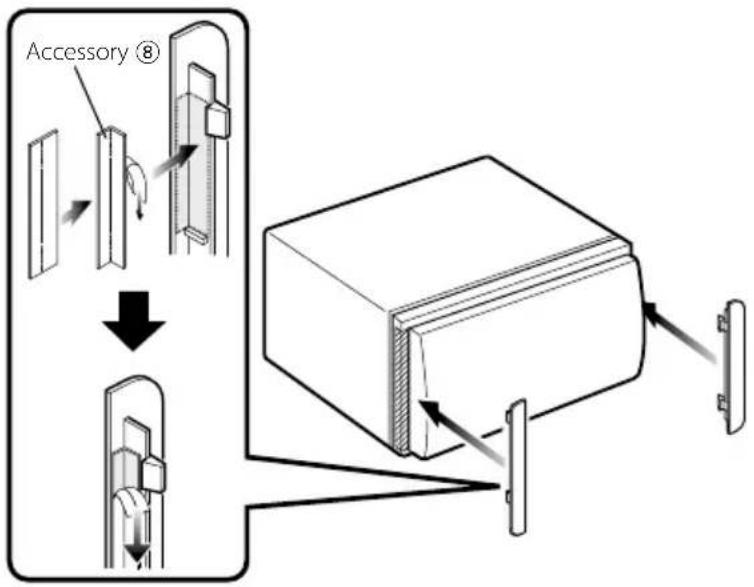
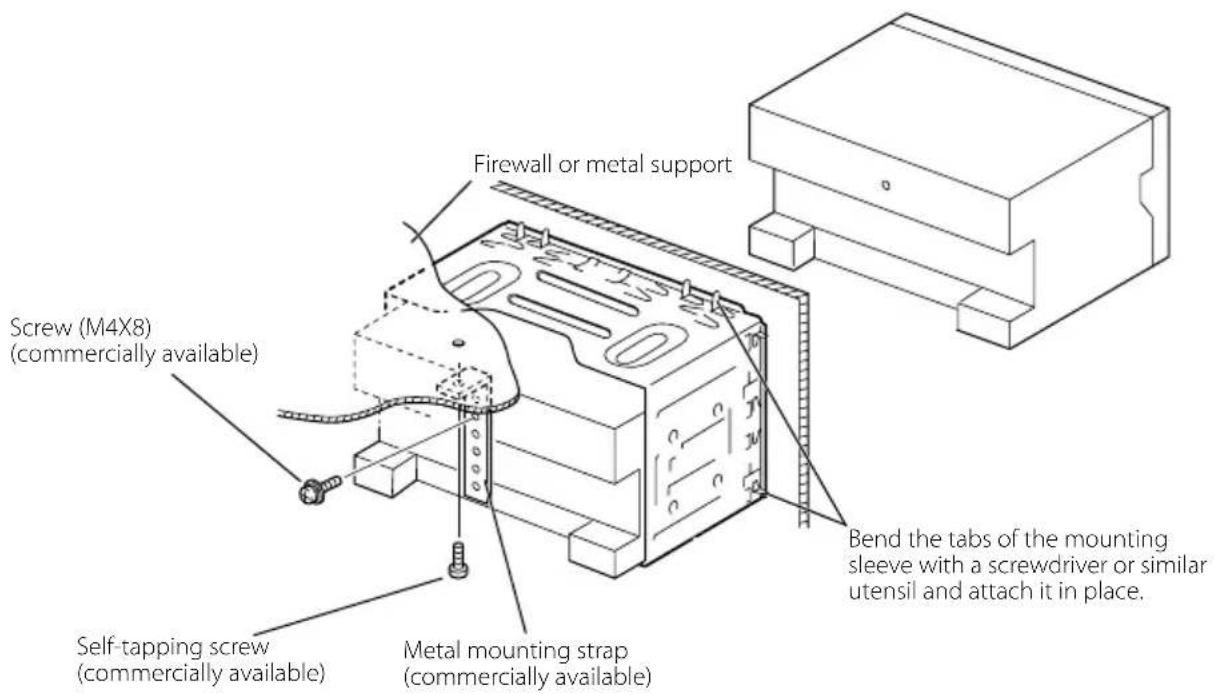

Make sure that the unit is installed securely in place. If the unit is unstable, it may malfunction (eg, the sound may skip).
Installation on Toyota, Nissan or Mitsubishi Car using Brackets
Removing the Hard Rubber Frame (escutcheon)
- Engage the catch pins on the removal tool ⑥ and remove the two locks on the lower level. Lower the frame and pull it forward as shown in the figure.
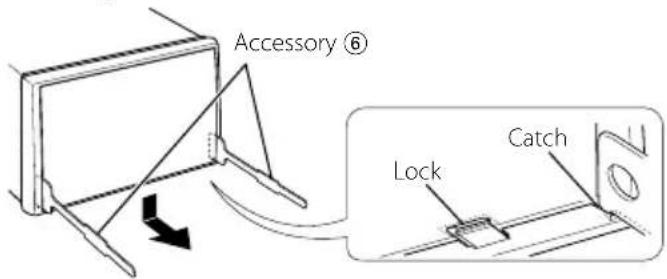

- The frame can be removed from the top side in the same manner.
- When the lower level is removed, remove the upper two locations.
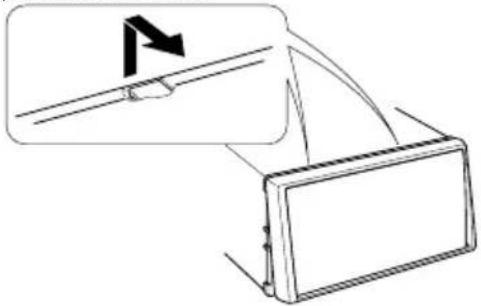
natural_image
Diagram showing a device with a flag icon and an arrow pointing to it, no text or symbols present.Removing the Unit
-
Remove the hard rubber frame by referring to the removal procedure in the section
. -
Remove the Hex-head screw with integral washer (M4 × 8) on the back panel.
-
Insert the two removal tools ⑥ deeply into the slots on each side, as shown.
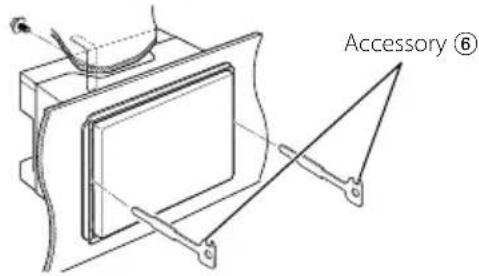
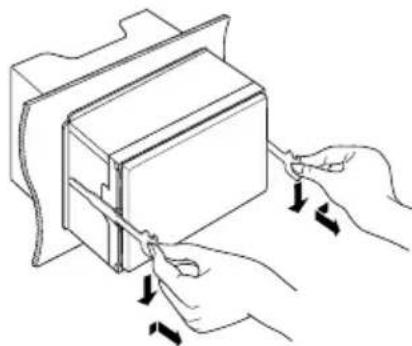
- Lower the removal tool toward the bottom, and pull out the unit halfway while pressing towards the inside.
natural_image
Illustration of hands cutting a rectangular object with arrows indicating cutting direction (no text or symbols)
- Be careful to avoid injury from the catch pins on the removal tool.
- Pull the unit all the way out with your hands, being careful not to drop it.
natural_image
Technical line drawing of a mechanical component with a hand holding it (no text or symbols)
natural_image
Simple line drawing of a rectangular frame with no text or symbols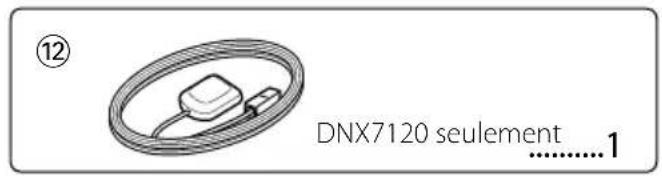
Pour Toyota/Scion

natural_image
Diagram of a mechanical component with an arrow indicating direction, no text or symbols presentnatural_image
Illustration of hands using a tool to adjust or install a rectangular object (no text or symbols visible)
natural_image
Line drawing of a hand holding a rectangular device with mounting brackets (no text or symbols)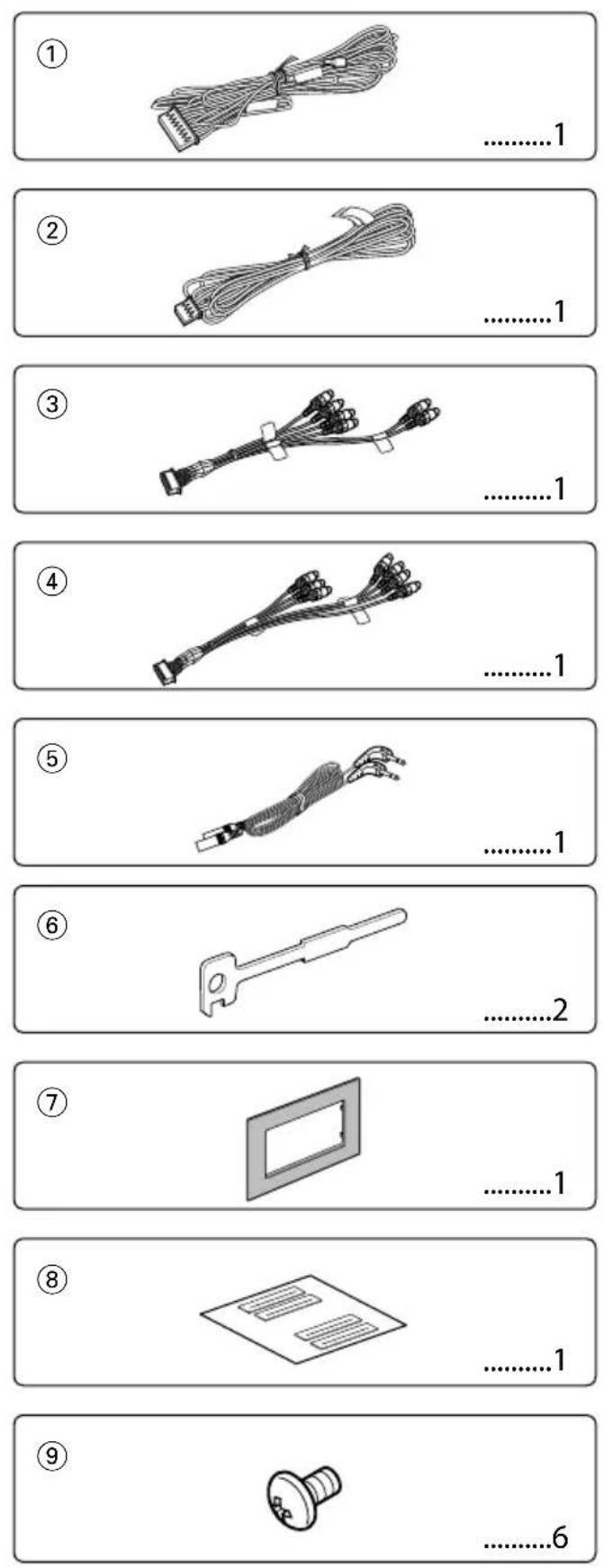
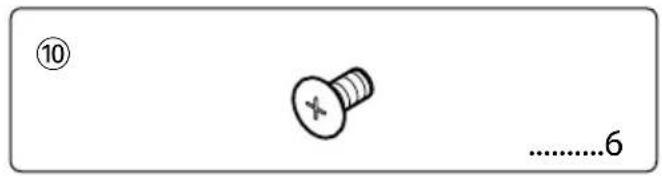
natural_image
Simple line drawing of a rectangular frame with no text or symbols, labeled with number 11 and ellipsis (no other text or symbols)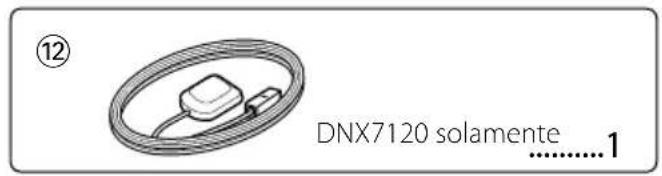
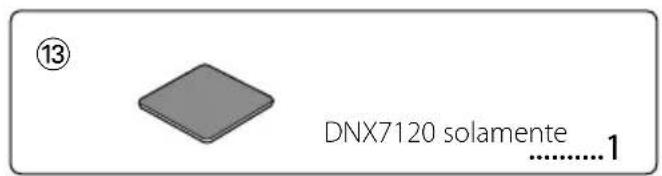
natural_image
Diagram of a mechanical component with an arrow indicating direction, no text or symbols presentnatural_image
Illustration of hands using a tool to adjust or install a rectangular object (no text or symbols visible)
natural_image
Line drawing of a hand holding a rectangular device with mounting brackets (no text or symbols)KENWOOD

- MANUEL D'INSTALLATION
- ▲WARNING
- Acquiring GPS Signals
- Installing the GPS Antenna (DNX7120 only)
- To mount the GPS antenna inside your vehicle:
- !
- Installing the Escutcheon
- For General Motors
- For Volkswagen
- For Toyota/Scion
- Installation on Toyota, Nissan or Mitsubishi Car using Brackets
- Removing the Hard Rubber Frame (escutcheon)
- Removing the Unit
- Pour Toyota/Scion
- KENWOOD
Brand : KENWOOD
Model : DNX7032
Category : GPS Navigation System