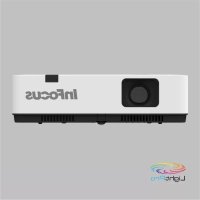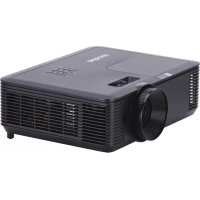
Genesis IN116AA - Projector INFOCUS - Free user manual and instructions
Find the device manual for free Genesis IN116AA INFOCUS in PDF.


User questions about Genesis IN116AA INFOCUS
0 question about this device. Answer the ones you know or ask your own.
Ask a new question about this device
Download the instructions for your Projector in PDF format for free! Find your manual Genesis IN116AA - INFOCUS and take your electronic device back in hand. On this page are published all the documents necessary for the use of your device. Genesis IN116AA by INFOCUS.
USER MANUAL Genesis IN116AA INFOCUS
Copyright © 2020 by InFocus
10 PIED ARRIÈRE FIXE
10 PIED ARRIÈRE FIXE
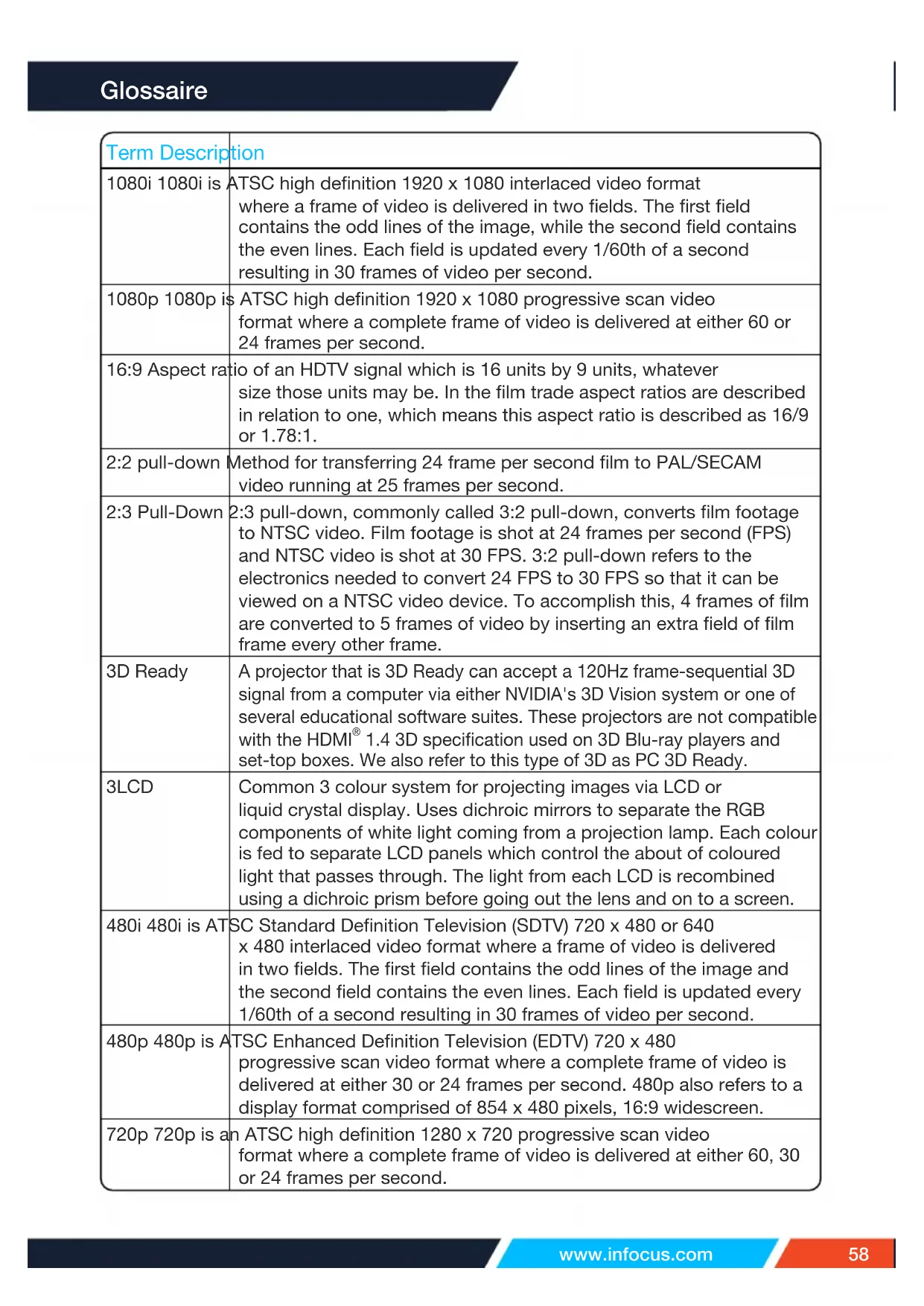
| Term Description | |
| 1080i 1080i is | ATSC high definition 1920 x 1080 interlaced video format where a frame of video is delivered in two fields. The first field contains the odd lines of the image, while the second field contains the even lines. Each field is updated every 1/60th of a second resulting in 30 frames of video per second. |
| 1080p 1080p is | ATSC high definition 1920 x 1080 progressive scan video format where a complete frame of video is delivered at either 60 or 24 frames per second. |
| 16:9 Aspect ratio | io of an HDTV signal which is 16 units by 9 units, whatever size those units may be. In the film trade aspect ratios are described in relation to one, which means this aspect ratio is described as 16/9 or 1.78:1. |
| 2:2 pull-down | Method for transferring 24 frame per second film to PAL/SECAM video running at 25 frames per second. |
| 2:3 Pull-Down | 2:3 pull-down, commonly called 3:2 pull-down, converts film footage to NTSC video. Film footage is shot at 24 frames per second (FPS) and NTSC video is shot at 30 FPS. 3:2 pull-down refers to the electronics needed to convert 24 FPS to 30 FPS so that it can be viewed on a NTSC video device. To accomplish this, 4 frames of film are converted to 5 frames of video by inserting an extra field of film frame every other frame. |
| 3D Ready | A projector that is 3D Ready can accept a 120Hz frame-sequential 3D signal from a computer via either NVIDIA's 3D Vision system or one of several educational software suites. These projectors are not compatible with the HDMI® 1.4 3D specification used on 3D Blu-ray players and set-top boxes. We also refer to this type of 3D as PC 3D Ready. |
| 3LCD | Common 3 colour system for projecting images via LCD or liquid crystal display. Uses dichroic mirrors to separate the RGB components of white light coming from a projection lamp. Each colour is fed to separate LCD panels which control the about of coloured light that passes through. The light from each LCD is recombined using a dichroic prism before going out the lens and on to a screen. |
| 480i 480i is ATSC Standard Definition Television (SDTV) 720 x 480 or 640 x 480 interlaced video format where a frame of video is delivered in two fields. The first field contains the odd lines of the image and the second field contains the even lines. Each field is updated every 1/60th of a second resulting in 30 frames of video per second. | |
| 480p 480p is ATSC Enhanced Definition Television (EDTV) 720 x 480 progressive scan video format where a complete frame of video is delivered at either 30 or 24 frames per second. 480p also refers to a display format comprised of 854 x 480 pixels, 16:9 widenscreen. | |
| 720p 720p is an ATSC high definition 1280 x 720 progressive scan video format where a complete frame of video is delivered at either 60, 30 or 24 frames per second. | |
| Anamorphic A | technique for changing aspect ratios by optically or digitally stretching or compressing an image to or from a format with a different native aspect ratio. Movie studios used this technique to put the first widescreen movies on standard 35mm film and then used an anamorphic lens to recreate the image in the widescreen format in which it was originally shot. |
| Anamorphic Lens | An anamorphic lens is a lens that has different optical magnification along mutually perpendicular radii. This provides the ability to project a source image of one aspect ratio, such as 4:3, into a different aspect ratio, such as 16:9, by using different magnifications for the horizontal and the vertical dimensions of the projected image. |
| Anamorphic Ready | A projector that supports anamorphic projection using an optional anamorphic lens. |
| ANSI | American National Standards Institute. A private organization that coordinates and administers various voluntary consensus standards such as ANSI lumens. The first ANSI standard was for pipe threading in 1919 when it was called the American Engineering Standards Committee. |
| ANSI Contrast | Contrast is the ratio between white and black. The larger the contrast ratio the greater the ability of a projector to show subtle colour details and tolerate extraneous room light. There are two methods used by the projection industry: 1) Full On/Off contrast measures the ratio of the light output of an all white image (full on) and the light output of an all black (full off) image. 2) ANSI contrast is measured with a pattern of 16 alternating black and white rectangles. The average light output from the white rectangles is divided by the average light output of the black rectangles to determine the ANSI contrast ratio. When comparing the contrast ratio of projectors make sure you are comparing the same type of contrast. Full On/Off contrast will always be a larger number than ANSI contrast for the same projector. |
| ANSI Lumens | ANSI lumens is a measurement of the overall brightness of a projector. Because the center of a projected image is brighter than the corners, ANSI lumens is the most accurate representation of the image brightness. ANSI lumens are calculated by dividing a square meter image into 9 equal rectangles, measuring the lux (or brightness) reading at the center of each rectangle, and averaging these nine points. |
| Aperture A device | ice that controls amount of light admitted. |
| Artifacts Flaws | and aberrations in a video image that derive from technical limitations in the capture, encoding/decoding, transmission, and display of a video signal. |
| Aspect Ratio T | The ratio of image width to image height. Standard television is 4:3 or 1.33:1. Panavision or Cinemascope is 2.35:1 with 1.85:1 being quite common as well. Widescreen displays are 1.78:1 or 16:9 times the height. For example, if you want an image 40 inches high then you need a screen that is at least 40 * 1.78 inches wide or 71 inches. Other relatively common aspect ratios are 3:2, 4:3 and 5:4. |
| Bandwidth | The number of cycles per second (Hertz) expressed as the difference between the lower and upper limits of a frequency band; also, the width of a band of frequencies. Practically speaking, bandwidth is the amount of data that can pass through a given connection per unit of time. |
| Barrel Distortion | Distortion where screen image expands outward towards edges of the screen. Instead of being square, edges are curved outward like the edge of a barrel. Opposite of pincushion. |
| Bezel The frame | or face of a device, such as, a projector grill, or CRT or LCD display frame. |
| Black Level The | darkest part of a picture. This can vary between display devices and viewing environments. NTSC black is set at 7.5 IRE, which is very slightly gray. The white level divided by the black level gives a contrast ratio for a particular display device. |
| Blackboard Mode | Blackboard mode is a projector feature that allows the projector to detect the colour of the display surface such as a chalkboard of painted wall and automatically adjust its output to optimize accurate colour reproduction. |
| Blanking The | period of time that an electron gun is turned off to reposition itself to paint the next part of the video onto the CRT screen. |
| Bleeding Video | distortion where colour "bleeds" from an object onto other parts of the image which are not supposed to be that colour. |
| Blue Laser Colour | our of the laser used with Blu-ray high definition DVDs. Blue laser light has a shorter wavelength than red, which is why blue lasers can retrieve and store more data in a given physical area. |
| BNC Bayonet | Nut Connector or British Naval Connector. A high quality, locking cable plug which is used extensively in professional video. |
| Bowing Video | distortion where lines which should be straight are curved. See barrel distortion and pincushioning. |
| Brightness Overall | light output from an image. While a brightness control can make an image brighter, it is best used to better define the black level of the image. |
| Brightness (Perceived) | The brightness of a projection system can be precisely measured with a light meter. For example, a typical movie theater is setup to deliver 16 foot-Lamberts. The higher the foot-Lamberts, the brighter the image. A common misconception is that a projector with twice the foot-Lamberts of another projector will be twice as bright. While it is true that a light meter will detect it as twice as bright, your eye will not. The perceived brightness will increase by about 50%. It will not double because the human eye has a logarithmic respond to light. |
| BrilliantColorTM | Brilliant Color - a technology developed by Texas Instruments® for its DLP® projectors that produces six channels of colour including red, green, blue, cyan, magenta, and yellow; thereby, allowing an increase in the colour gamut. |
| Calibrate To adjust | adjust with reference to a standard. |
| Channel A separate signal or signal path. | |
| Closed Caption | Closed caption (CC) superimposes a transcript of the audio portion of a video program over the program image. Its primary use is to provide people that are deaf or hard of hearing the opportunity to read a transcript of the audio as it is being played. Closed Caption is also helpful for people learning to read or learning a foreign language. Closed Caption can also be used to display text unrelated to the program being viewed, such as weather or news. |
| Coated Optics | A variety of materials put on high quality lenses to minimize the amount of light reflected back to the lamp and the amount of ambient light that mingles with the focused light leaving the lens. Generally good coatings can add 15% or more to the lenses brightness. Other coatings are used for filtering colours. |
| Coaxial An audio cable with a single internal wire with an outer shield that is ground. In audio, a speaker type where one speaker is positioned within another larger speaker's cone. | |
| Colour Dynamics | The whitest whites, reddest reds, bluest blues and greenest greens. High colour dynamics are a result of dynamic range/contrast ratios. Having excellent colour dynamics implies rich colours, excellent definition, high contrast. |
| Colour Saturation | Measure of colour purity. Highly saturated colours emit a very narrow band of wavelengths of light instead of the broader spectrum of frequencies emitted from mixed colours. A display with good saturation capability will look vibrant. |
| Colour Temperature | Colour balance of white light which goes from red to blue as the temperature rises. Measured in degrees Kelvin, which starts at absolute 0 or -273 degrees Celsius, colour temperature matches the reference standard of the light being emitted from a carbon block heated to the stated degrees. For instance, the early morning sun is around 2500K, which is the same warm light that a carbon block heated to 2227° Celsius would emit. Heating the block further to ~10000° Celsius would emit the same bluish light of a blue-sky mid-day sun. Common colour temperatures are 5500 Kelvin (black and white movies) and 6500 Kelvin (standard colour films). |
| Colour Wheel Rotating wheel with 3 or more translucent colour filters used to display sequential colour on single imager light valve based projection devices. The imager reflects or transmits the colour component of a given image when the wheel's corresponding colour filter is affecting the light passing through to the lens. A 1X wheel cycles through all colours in 1/60th of a second. | |
| Component Video | Component Video is a method of delivering quality video (RGB) in a format that contains all the components of the original image. These components are referred to as luma and chroma and are defined as Y'Pb'Pr' for analog component and Y'Cb'Cr' for digital component. It is comprised of luminance (Y) and two chrominance channels of blue minus luminance and red minus luminance. |
| Contrast Contrast | The ratio between white and black. The larger the contrast ratio the greater the ability of a video device to show subtle colour details and tolerate ambient room light.There are two industry methods used: 1) Full On/Off contrast measures the ratio of the light output of an all white image (full on) and the light output of an all black (full off) image. 2) ANSI contrast is measured with a pattern of 16 alternating black and white rectangles. The average light output from the white rectangles is divided by the average light output of the black rectangles to determine the ANSI contrast ratio.When comparing the contrast ratio of video devices make sure you are comparing the same type of contrast. Full On/Off contrast will always be a larger number than ANSI contrast for the same video device. |
| Contrast Ratio | |
| Crestron RoomView | Crestron RoomView Connected is built into projectors enabling direct network connectivity for remote management of AV networks.Crestron RoomView® Express software provides enterprise help desk management, remote monitoring and control of global AV networks without any special wiring, hardware or programming. Once connected to the network, classroom teachers and presenters can instantly control any installed RoomView Connected™ projector. With no programming required, AV and IT managers can globally monitor and control networked projectors throughout a school, campus, or corporate enterprise.Adding a Crestron control processor enables control of all AV devices, lighting and environmental systems on the network from any Crestron touch screen, Web browser and Apple® and Android® mobile devices including iPad™ and iPhone®.By leveraging the Ethernet port on RoomView Connected projectors and accessing RoomView, AV managers and support staff can remotely take control of classroom technology, troubleshoot and perform remote system diagnostics, track projector usage and lamp life, log network activity and much more. Remote capabilities allow efficient scheduling of projector power-off at preset times, routine maintenance, faster response times to support calls, alert notifications if projectors are disconnected, and broadcast messaging of emergency alerts to all projectors. |
| Crosstalk Interference | Reference of an electrical signal by another electrical signal in close proximity caused by its electromagnetism. |
| CRT Cathode Ray Tube. | |
| dB dB or decibel | is a measure of relative loudness. 0 dB is the threshold of hearing. 60 dB is equivalent to normal conversation. 120 to 140 dB is the threshold of pain such as a jackhammer or gun shot. 10 dB of change will double the loudness. |
| Deinterlacer Electronic component that converts an interlace video signal to progressive scan. | |
| Deinterlacing Act of converting an interlace video signal to progressive scan. | |
| Diagonal The diagonal of a screen or flat panel can be computed by using the Pythagorean theorem: squaring the width, squaring the height, adding them together and taking the square root. A 100" diagonal 16:9 screen measures 49" high by 87" wide; a 100" diagonal 4:3 screen measures 60" high by 80" wide. Use the Projection Calculator to get screen dimensions on all common aspect ratios. | |
| Dichroic A mirror or lens that reflects or refracts selective wavelengths of light. Typically used in projector light engines to separate the lamps "white" light into red, green, and blue light. | |
| DICOM A DICOM projector (Digital Imaging and Communications in Medicine) provides the medical profession with the ability to simulate 21 different levels of grayscale in the rendering of X-rays, CAT scans, MRIs and other medical imaging applications. | |
| DisplayPort DisplayPort is a digital display interface developed by the VESA. The interface is primarily used to connect a video source to a display device such as a computer monitor, though it can also be used to transmit audio, USB, and other forms of data. DisplayPort can be used to transmit audio and video simultaneously. The DisplayPort signal is not directly compatible with DVI or HDMI® but passive adapters can be used to adjust the signal levels and convert the connector style. | |
| Distortion A usually undesirable variation from an intended output caused by the characteristics of a particular device. | |
| Dithering Method of displaying intermediate colours that don't exist in a limited palette by using a pattern of small dots out of that palette. | |
| DLP® DLP® (Digital Light Processing) is a commercial name for a display technology from Texas Instruments® (TI). The technology inside is often referred to as DMD (Digital Micro-Mirrors). It consists of an array of mirrors where each mirror represents a pixel element. For example, a high-definition DLP® projector or rear projector with 1920 x 1080 pixel resolution would have over 2 million tiny mirrors. Each mirror is attached to an electronically driven hinge that controls the amount of coloured light that is reflected from the mirror into the projection lens and onto a screen. Projection systems using DLP® technology use 1 to 3 DMD devices. | |
| DMD Digital Microcromirror Device. Name of the actual imaging chip used in a Texas Instruments DLP projection systems. | |
| DNR Digital Noise Reduction. A system that reduces picture noise by comparing previous frames to the present and smoothing out what appears to be noise to the algorithm. Helps reduce flickering in still parts of a video image. | |
| Document Camera | A document camera can be attached to any projector; however, there are projectors that integrate these features either as a camera on an arm that is attached to the projector or a document scanner that is built into the body of the projector. |
| Dolby Digital A | lossy compression system to deliver sound on DVDs, ATSC and DBS broadcasts in up to 5.1 channels. Also called AC-3. See AC-3. |
| Dolby EX Backwards compatible system to add a sixth channel used for the middle rear playback to Dolby Digital (AC-3) making it 6.1 or 7.1 sound. 7.1 sound uses an additional center rear speaker playing back a duplicate track. Needs a Dolby EX decoder. See AC-3. | |
| Dolby Pro Logic | An analog 4 channel surround sound system with left, right, center channels and a mono rear channel, typically duplicated across 2 speakers. Rear channel is limited to 7KHz and system stores all channels in a matrix recording on 2 discrete analog channels. Has difficulty playing back non-encoded material at full fidelity. |
| Dolby Pro Logic II | Updated version of Pro Logic. Offers better performance with playing back non-encoded sources over a surround sound system with full spatial cues and fidelity. |
| Downconvert To convert a higher resolution signal to a lower resolution. For example, 720p to 480p. | |
| DTV Digital Television. A system that uses digital signals instead of analog including the ATSC standards, DBS and digital cable. | |
| Dual Lamp A Dual Lamp projector has two lamps where one lamp either serves as an automatic backup to the other lamp or is preprogrammed to switch at specific intervals. The benefit of this type of lamp system is it significantly reduces the probability of lamp failure during use. | |
| DVI Digital Visual Interface. DVI is a standard that defines the digital interface between digital devices such as projectors, flatscreens and personal computers. For devices that support DVI, a digital-to-digital connection can be made that eliminates the conversion to analog and thereby delivers an unblemished image. It can also carry an analog signal and comes as DVI-I (integrated - analog and digital), DVI-D (digital only) and DVI-A (analog only). Dual link DVI connections add additional resolution capabilities. Specifications on DVI are available at www.ddwg.org. | |
| Dynamic Range | The ratio between the highest and lowest levels a device can perform. For a video device it is a measure of contrast ratio. For an audio device it is usually stated in dB. |
| Edge Blending | When more then one projector is used side by side to project wider content into a seamless wide image, Edge Blending technology can be used. Edge blending can be done in the projector or with an external video processor. Edge blending works to remove the bright visible band that occurs when two images overlap. Edge blending will gradually fade out one of the images in the banded zone while the adjacent image is gradually faded up. |
| Edge Enhancement | A technique used to increase apparent resolution by increasing contrast around object edges. Usually counterproductive with already high-resolution sources and can become a source of image distortion. |
| EMI Electro-Magnetic Interference. | |
| Fill Rate Given | as a percentage, this characteristic indicates how smooth an image will look viewing a particular display. An imaging system with a low fill rate will exhibit a screen door pattern in its images. |
| Focal Length The distance from the surface of a lens to its focal point. | |
| Foot-Lambert (fL) | Measurement of luminance (brightness) emitted from a surface. One foot-Lambert is equal to one lumen per square foot. The metric equivalent of one foot-Lambert is 3.426259 nits or cd/m2. The SMPTE standard for theater cinema is 16 fL. |
| Form Factor A | general description of a projector or flat panel's size and shape. For example, a light projector with a small case can be said to have a small form factor, and would be good for mobile presentation. Similarly, a flat panel that is slim and wall mountable would be considered to have a small form factor. |
| FPS Frames Per Second. | |
| Frame A frame | is one complete video image. When all lines of the video image are delivered sequentially, it is called progressive video. When the odd lines and even lines are delivered as separate fields, it is called interlace video. |
| Frame Interpolation | Frame interpolation, also called motion interpolation, is a video processing technique in which two sequential frames of video are analyzed for motion shifts that occur between Frame A and Frame B. Intermediate frames are then created and inserted between A and B to estimate incremental steps in the movement. The objective is to reduce motion blur and judder in order to achieve a cleaner and more stable video image. |
| Front Projection | A system where the projector sits in front of the screen with the image getting reflected back to the audience. |
| Full HD 3D A projector that is Full HD 3D compatible can use any of the 3D formats enabled in the HDMI® 1.4 3D specification: frame packing, top/bottom, or side-by-side. These projectors are compatible with the 1080p 3D signal from a Blu-ray player, set-top box, or other HDMI® 1.4 device, but may not be compatible with 120Hz frame sequential 3D from a computer. | |
| Full On/Off Contrast | Contrast is the ratio between white and black. The larger the contrast ratio the greater the ability of a projector or flat panel to show subtle colour details and tolerate extraneous room light. There are two methods used:1) Full On/Off contrast measures the ratio of the light output of an all white image (full on) and the light output of an all black (full off) image.2) ANSI contrast is measured with a pattern of 16 alternating black and white rectangles. The average light output from the white rectangles is divided by the average light output of the black rectangles to determine the ANSI contrast ratio. When comparing contrast ratio, make sure you are comparing the same type of contrast. Full On/Off contrast will always be a larger number than ANSI contrast for a given product. |
| Gamma Relationship between input video voltage and output brightness. Determines how mid-tones appear as eye sensitivity is non-linear and display devices use different methods to account for this as well as their own display characteristics. | |
| Gamma Correction | Adjustment to gamma or how gray levels between black and white are displayed as the eye is sensitive to these in a logarithmic manner. For example, good gamma correction allows subtle shadow detail in a dark image to be easily perceived. |
| Gauge Wire thickness measure. The lower the gauge, the larger the wire. | |
| Geometry Characteristic of a display to accurately show an image without distorting it. When a display's geometry is good, it represents square objects as a square, etc. See pincushioning and barrel distortion. | |
| Geometry Correction | Geometry Correction (sometimes referred to as Image Warping) is the process of digitally distorting a projected image so that it precisely matches a specific projection surface or shape. Image geometry correction compensates for the distortion created by off-axis projector or screen placement or non-flat screen surface, by applying a pre-compensating inverse distortion to that image in the digital domain. |
| Ghosting A faint duplicate image, usually offset from primary image. Can be caused by multipath, which is a delayed, attenuated duplicate signal bounced off an object to an antenna or other interference. | |
| Gray Scale A table of shading devoid of colour, progressing from black to white. The number of discernible gray levels defines the colour resolution of the display device and is used to evaluate colour acuity and contrast. | |
| HDBaseT® | HDBaseT®is an international standard for the transmission of ultra-high-definition video & audio, Ethernet, controls, USB and up to 100W of power over a single cable, for up to 100 meters. HDBaseT®eliminates cable clutter without compromising performance and high quality. The connector is typically a RJ48 8 pin Ethernet jack. |
| HDCP HDCP (High-bandwidth Digital Content Protection) is a method for protecting copyrighted digital content that uses the DVI (Digital Visual Interface) or HDMI® (High-Definition Multimedia Interface, previously known as DVI-CE) by encrypting its transmission between the video source such as a set-top box, DVD player, or computer and the digital display device such as a projector, monitor or television. To view digital HDCP protected content, both the sending and receiving device must support HDCP. | |
| HDMI® | HDMI® (High Definition Multimedia Interface) is an uncompressed, all-digital audio/video interface that supports audio/video sources such as a set-top box, DVD player, A/V receiver, and video monitors such as a digital projector or digital television (DTV). HDMIs is backward compatible with DVI 1.0 specification and supports HDCP.HDMIs supports standard, enhanced, or high-definition video, plus multi-channel digital audio, and interactive controls on a single cable. It transmits all ATSC (Advanced Television Systems Committee)HDTV standards and supports 8-channel digital audio. First product releases using HDMIs occurred in 2003. |
| HDR | High Dynamic Range (HDR) yields higher overall contrast than Standard Dynamic Range (SDR). Deeper blacks and brighter highlights result in a longer tonal scale that can render detail in shadows and highlights that tends to get lost in SDR. HDR systems generally come with wider colour gamauts for greater potential colour accuracy. |
| HDTV High-Definition Television. Generic term that indicates a higher resolution format than previous standards. At present, denotes anything higher than a 480p signal. Most common formats are 720p, 1080i and 1080p. | |
| HDTV capable | A television that supports 720p or 1080i or higher resolutions and has a built-in HDTV tuner for off-air reception of HD signals from a special antenna. To view cable and satellite HDTV programming, a cable set-top-box or satellite receiver is required. |
| HDTV ready A | television that supports 720p or 1080i or higher resolutions and does not have a built-in HDTV tuner for off-air reception of HD signals from a special antenna. To view cable and satellite HDTV programming, a cable set-top-box or satellite receiver is required. |
| Horizontal Lens Shift | The purpose of Lens Shift is to eliminate keystoning and provide greater flexibility in the placement of the projector relative to the screen. Lens shift may be a manual adjustment or motorized. Horizontal lens shift typically allows the projector to be placed anywhere between right and left edge of the projection screen and may also be used to geometrically align images when stacking projectors. Vertical lens shift is also available on some projectors. |
| Horizontal Resolution | Amount of pixels across an image, from left to right. A 1920 x 1080 HDTV has a horizontal resolution of 1920 pixels. |
| Horizontal Scan Rate | Period of time it takes to refresh an image on a screen, usually measured in Hertz (cycles per second). Computer monitors typically have scan rates starting at 60Hz going to 85Hz. |
| Hue Hue or tint | is the parameter of colour that allows us to distinguish between colours. |
| Hz Hertz. Also | called cycles per second and in video displays is the rate at which an image is refreshed. |
| IEEE 1394 Also | called FireWire or iLink. A serial bus which can address up to 63 devices, communicating at up to 400Mbps but is limited to a cable length of 4.5 meters. Its content copy protection scheme is called DTCP or 5C. Most DV camcorders have a IEEE 1394 port as well as D-VHS VCRs and some set-top boxes for cable and satellite. |
| Infra-red Remote | An infra-red (IR) remote control transmits in the spectrum of infra-red light, such as a television remote. Unlike RF remotes, IR remotes must point at the receiver (line of sight) or reflect the IR from the screen to the receiver. Most projectors have an IR sensor in both the front and rear of the projector, whereas, flatpanels generally have a single IR sensor in the front of the unit. When working at or near the maximum distance, pointing right at the receiver will give better results. |
| Input Lag | Input lag is the delay between your video source sending a frame to your projector and the projector actually displaying that frame. This is a very important aspect of gaming, where an input lag of 40ms or less is preferred. |
| Interactive Projector | Interactive projectors became popular in 2010 and come in many variations. This technology encompasses any solution that enables active participation by the user with the projected content, rather than just the passive viewing of content. Typically the presenter is allowed to interact with either the projected image, the projector, or in some cases another device, using either an electronic pen, a mechanical pen or even a finger. These Interactive Projectors essentially create an electronic whiteboard on any surface where the image is projected allowing the presenter to interact with the projected image using a stylus that may be electronic or mechanical. Some interactive projectors allow user generated information to be captured and replayed, printed, or copied with or without the original projected image. |
| Interlaced A process | process where a video image is delivered in two fields each containing half the video image rather than a single frame that contains the entire image. The first field contains all the odd lines and the second field contains all the even lines. For example, each 480i frame is made up of two fields of 263 and 262 lines of resolution and updated at 60Hz. 480 denotes the active picture area; however, the total frame size is actually 525 lines. 480i and 1080i are interlaced signals whereas 720p is a progressive signal where each video image is delivered in a single frame. Interlaced video was introduced with the first televisions because of bandwidth limitations. |
| Invert Image | Invert image flips the image from top to bottom, to compensate for ceiling mounting a projector upside down. Projectors typically ceiling-mount upside down, because most have a built-in offset that allows you to mount the screen at a comfortable height, yet still project an image without tilting the projector and causing keystone distortion. |
| ISF Imaging Science Foundation. Organization that trains and accredits display calibration technicians as well as certifies display hardware. Designs standard testing and calibration procedures and tools. | |
| Jaggy | The stair-step or sawtooth effect seen on lines that are not horizontal or vertical or the edge of objects in digital displays. Also known as aliasing. Smoothing and antialIASING techniques can reduce the effect of aliasing. |
| Jitter Abrupt variations in signal amplitude or timing that cause reproduction instability in audio, video and data. Usually caused by bandwidth limitations or impedance termination issues that can sometimes be caused by the cable and/or connections you are using. Power supplies can also be a source of this problem. | |
| JPEG | Joint Photographic Experts Group. Name of association that created the image file standard of the same name. A lossy compression scheme for storing high quality, full-colour images. Also used as a video format under the guise M-JPEG of which a variant is used for DV video. |
| Judder Apparentstutter of on-screen movement. Motion judder in film is due to the fact that the 24 frame/second sampling rate is too slow to resolve camera panning motion. Judder is also caused by 3:2 pulldown where movie frames are on screen for differing times due to frame rate translations. Also occurs on PAL to NTSC conversions. | |
| Kensington Lock | A security device found on projectors and other electronic equipment that allows the equipment to be secured by key or combination to another object using a rubberized cable. |
| Keystone Keystoning occurs when the projector is not perpendicular to the screen, thereby creating an image that is not rectangular. | |
| Keystone Correction | Keystone correction makes a projected image rectangular. This can be accomplished by positioning the projector to be perpendicular to the screen. Since this is not always possible, most projectors are equipped with keystone correction that allows the image to be keystone corrected (made rectangular) by adjusting optics, making mechanical adjustments, or applying digital scaling to the image. Keystone correction can be one or two dimensional and manual or automatic depending on the projector and the manufacturer. Be aware that digital scaling will introduce some artifacts that are more evident when viewing small text and less evident in presentation type material or video. |
| Latency The time between a device being requested to do something and the start of the device actually doing it. It's a measurement usually used for LCDs where the shorter the latency the better. NSTC requires a latency of no more than 16ms in order to update the screen in time without leaving a ghost of the previous image. | |
| LCD | Liquid Crystal Display. A display device for generating colour images using a matrix of LCD pixel elements. Each pixel element consists of 3 sub-pixels and an RGB colour filter of red (R), green (G), and blue (B). By controlling the voltage to each sub-pixel of an LCD, each cluster of RGB pixels can create a full spectrum of coloured light. LCDs are used in flatscreen displays, cameras and notebook computers to name a few. Nearly every projector made with LCD technology uses 3 separate LCDs, one each for red, green and blue. Light from the projector lamp is separated into RGB with a set of dichroic mirrors. The three light beams (RGB) are passed through separate LCDs and recombined to project a colour image. |
| LCoS Liquid Crystal on Silicon. Type of LCD panel that reflects light as opposed to blocking it. Usually offers a comparatively high fill rate creating a smooth image but generally has difficulty giving a high contrast ratio. | |
| LED Light Emitting Diode. A light generating technology that uses a semiconductor diode that emits monochromatic (single colour) light when charged. LEDs are used in remote controls that are used to control electronic devices such as large displays. They are also used in pocket projectors as a light source, large outdoor electronic displays, and as indicators on electroronic devices such as power supplies and cameras. | |
| LED Lamp A type of projector lamp that uses one or more LEDs as its light source. The benefit of LED lamps is their long life. | |
| Lens Memory The ability to define and recall specific zoom lens positions so the projector can automatically configure subject matter of a given aspect ratio to a particular screen. This requires a projector with a powered zoom lens. Lens memory is often used to automatically set a zoom lens to fill a 2.4:1 format screen when displaying a 2.4 format film, then reset the lens to allow 16:9 aspect ratio material to fit the vertical height of the screen. Lens memory is typically used as a substitute for an anamorphic lens. | |
| Lens Shift The purpose of "lens shift" is to eliminate keystone correction and provide greater flexibility in the placement of the projector relative to the screen or the alignment of stacked projectors. This is accomplished by allowing the optical lens to be physically shifted vertically and/or horizontally. These adjustments may be manual or motorized depending on the projector. See horizontal lens shift and vertical lens shift for typical adjustment ranges. | |
| Letterbox A method of preserving the originally aspect ratio of a production when presented on a projector with a different aspect ratio. This is accomplished by showing the full image and black where no image exists. | |
| Linearity A display's ability to show an image's geometric characteristics accurately. Also called geometric linearity. | |
| Long Throw Lens | A long throw lens allows greater distance between the projector and the screen while being able to maintain the image size and brightness of a shorter throw lens for any given projector. Depending on the room, a long throw lens may be required due to mounting constraints nearer the projected image. |
| Lumen | A measurement unit of total illumination. Typically a 100-watt light bulb outputs 1700 lumens over a wide area. Projector light output is measured in ANSI lumens. A projector with a higher lumen number will produce a brighter image for a given image size. See ANSI Lumens |
| Luminance The | black and white part of a video signal. It is signified by the letter Y. Signals with a separated luminance and colour signal avoid interference. This interference can result in dot crawl among other image artifacts. |
| Lux A standard | for measuring light equal to the amount of visible light per square meter incident on a surface. 1 lux = 1 lumen/square meter or 0.093 foot-candles. |
| M1-DA | A DVI connector that supports analog, digital video, a USB connection, and FireWire (IEEE1394). Used primarily with InFocus projectors. M1-DA (EVC or P&D) is 3 rows or 10 pins and looks a lot like the DVI-I except for 6 more pins. The maximum video resolution supported is 1280x1024. Maximum Distance Sometimes used to refer to the distance from the screen that a projector can focus the image. Most of the time, it is the manufacturer's opinion of how far from a screen the projector can be to cast an image that is useable (bright enough) in a fully darkened room. Consult the Projection Calculator for guidance on proper placement of a projector for a given screen and content. |
| Maximum Image Size | The largest image a projector can reasonable throw in a darkened room. Consult the Projection Calculator for guidance on proper placement of a projector for a given screen and content. |
| Maximum Resolution | Maximum Resolution refers to the highest resolution that a given display device can support. If the Maximum Resolution exceeds the Native Resolution, the image is usually scaled to match or approximate the Native Resolution of the projector. Some display devices allow pan and scan where rather than scaling the image, the display devices allows you to use the native resolution of the display to view portions of the higher resolution image. Scaling reduces the image resolution and produces some artifacts in the image that are more apparent when viewing text than graphics or video. |
| Memory Card | A feature on some projectors that allows photos, documents and/ or presentation material to be projected using a memory card and thereby eliminating the need of a computer. |
| MHL (Mobile High-Definition Link) | Mobile High-Definition Link (MHL) is an industry standard for a mobile audio/video interface that lets you connect mobile devices such as smartphones and tablets to projectors and other HD video displays. MHL is a consortium made up of major companies in the consumer electronics industry, including SONY, Nokia, Samsung, Silicon Image, and Toshiba. |
| MHz Megahertz. One million hertz or cycles per second. | |
| Minimum Distance | The closest position that a projector can focus an image onto a screen. |
| Monitor Loopthrough | An output on the projector or large-screen monitor that allows you to connect additional monitors or projectors to display the same image. Also known as "RGB out" or "VGA out." |
| Mono Single channel sound. | |
| Motion Artifacts | Any artifact caused by camera panning or object movement within video. Judder and combing are motion artifacts. |
| MPEG Moving | Picture Experts Group. A working group of ISO/IEC in charge of developing codecs and standards for moving pictures with synchronized audio. |
| Multi-Lamp | Some projectors use multiple lamps that can be controlled by the user to increase or decrease the brightness of the image. This lamp redundancy significantly minimizes the risk of total lamp failure during use. Another type of multi-lamp system is a Dual Lamp. With a dual lamp projector one lamp can serve as a backup to the other lamp in the event of failure or the lamps can be programmed to switch at specific intervals. |
| Native Aspect Ratio | Nearly every projector or display today will support multiple aspect ratios; however, each manufacturer must decide who their intended audience is and optimize the projector for that audience. This means each device has a native aspect ratio that is optimized for specific viewing material. Images shown in native aspect ratio will utilize the entire resolution of the display and achieve maximum brightness. Images shown in other than native aspect ratio will always have less resolution and less brightness than images shown in native aspect ratio. |
| Native Resolution | Native Resolution is the number of physical pixels in a display device. For example, an XGA display has a native resolution of 1024 physical pixels of resolution horizontally and 768 pixels vertically or 786,432 total pixels. See Maximum Resolution. |
| Negative Gain Screen | A screen with a gain rating of under 1 which actually reduces the amount of light reflected back from a projected image. Usually gray, they are used to increase apparent contrast by lowering the black level. |
| Noise An unwanted random signal. | |
| NSH New Super High pressure projector lamp is a short arc metal halide lamp. | |
| NTSC National | Television Standards Committee. Established the first colour TV standard in 1953 and is the North American standard for video and broadcasting. Also used in the Caribbean, South Korea, Japan and South America. A 30 fps signal with 525 lines of resolution of which 480 to 483 are viewable. Transmitted via a 6MHz channel. |
| OEM Original Equipment Manufacturer. A company that gathers components from other manufacturers and sells under their own name. An OEM version of a product is supported by the seller, not the actual manufacturer. | |
| Ohm Measure of electrical resistance, inductance or reactance. | |
| OLED | Organic Light Emitting Diode. A self-illuminating, energy-efficient, direct-view imaging system. Uses an organic film sandwiched between 2 transparent electrodes. |
| Operate 24/7 Projectors that are identified as "Operate 24/7" means that the projector can operate continuously without a need to shutdown other than for maintenance. | |
| Optical Digital Cable | Transfers digital signals as light pulses. Also called fibre-optic cable and is commonly used to send surround sound from a player to a receiver/decoder. |
| Optional Lenses | Typically the less expensive projectors come with a built-in lens that is designed to serve a specific type of setting or application. A projector that supports optional lenses can address a wide variety of installation needs. This gives a projector great flexibility at an incremental cost. |
| OSD On Screen Display. Menu shown on display device screen allowing display adjustment without having dedicated physical controls such as knobs or buttons for each adjustable parameter. | |
| Oversampling | Multiplies outgoing signal samples in order to more easily filter out aliased sounds but doesn't create fidelity that isn't there to begin with. |
| Overscan Given as a percentage or pixel count, the amount that a particular display device crops the edges of an incoming video signal. This is done to ensure the image area contains only picture information. | |
| Pan-and-Scan | A method to fit source material of a different resolution or aspect ratio onto another. Sometimes used with computer input when the input resolution exceeds the resolution of the display device. Used extensively for broadcast and DVDs, it simply crops the sides of widescreen material and the transfer operator chooses the best part of the frame to show. Often an electronic camera pan is used to change the area being shown. This is used when characters are talking to each other but one is off screen due to cropping and they become the focus of the shot. |
| PC 3D Ready A projector that is PC 3D Ready can accept a 120Hz frame-sequential 3D signal from a computer via either NVIDIA's 3D Vision system or one of several educational software suites. These projectors are not compatible with the HDMI® 1.4 3D specification used on 3D Blu-ray players and set-top boxes. This type of projector is also referred to as 3D Ready. | |
| Persistence of Vision | The disposition of humans to amalgamate sequential still images into perceived motion. For most people, this occurs at around 16 fps. |
| Phase The characteristic of when a wave is at its peak, trough, or zero point going up or down. Measured in degrees. Two sine waves of the same frequency that are 180 degrees out of phase will cancel each other out, yielding no signal. | |
| Pico Projector A marketing term to describe a small hand held projector that can fit in your pocket. A pico projector can be a stand-alone device that connects to a computer or other video device or a projection module that is integrated with a phone, portable computer, MP3 player or other small device. | |
| Picture-in-picture | The ability of a projector (or any video display device) to display two independent video signals at once. One signal usually fills the main screen and the other is displayed in an inset window. Usually the audio from the image on the main screen is the default, and no audio is available on the inset picture. |
| Poly-Si (silicon) LCD | One of several projector display technologies. Monochrome Poly-Si LCDs are typically placed in each of the three colour (red, green, blue) light paths inside a projector to produce a colour image from a common light source. Poly-Si technology is a bit faster than the Active Matrix TFT providing slightly smoother video. |
| Power Focus A motor driven lens that adjusts focus using a button on the projector's control panel and/or a remote control. | |
| Power Output With audio amplifiers, the amount of power sent to drive the speakers. Peak output is quite often specified, which is somewhat misleading compared to the average amount of power an amplifier can continuously produce (RMS rating). | |
| Power Zoom A zoom lens that is driven by a motor and controlled from the projector's control panel and/or remote control. | |
| Pre-amp A switching device used to select a line-level audio signal for amplification. Sometimes offers signal processing as well. | |
| Progressive Scan A display mode in which all the horizontal lines of an image are displayed at one time in a single frame, unlike an interlaced scan in which a frame consists of two separate fields with the first field consisting of odd horizontal lines and the second field even horizontal lines. Progressive scan is used by projectors, computer monitors, HDTV systems, and some digital camcorders. Progressive Scan requires a faster horizontal scan frequency than interlaced images of the same resolution | |
| Projector A projector is a device that integrates a light source, an optics system, electronics and display(s) for the purpose of projecting an image from a computer or video device onto a wall or screen for large image viewing. These devices attach to a computer or video device as you would connect a monitor or television. | |
| QXGA QXGA is a display resolution of 2048 horizontal pixels by 1536 vertical pixels giving a total display resolution of 3,145,728 pixels. A QXGA display has 4 times the resolution of an XGA display. | |
| RCA Jacks Unbalanced connection used extensively in consumer electronics to send a line-level signal. Also called phono. | |
| Refresh Rate The speed at which a display updates its picture given in Hz. | |
| Resolution A measure of the ability of a display or sound system to render detail. | |
| RGB Red, Green and Blue. A component signal representing each colour separately. Sync signals can be sent on green or sent separately as a composite signal or dual H/V signals (Horizontal sync/Vertical sync). Very common signal for analog computer displays. | |
| RGB out An output on the projector that allows you to connect additional monitors or projectors to display the same image. Also known as monitor loop-through or VGA out. | |
| RS232 The RS232 port on a projector is typically used to connect an external control device like a wall plate controller or integrated whole room control system to your projector for turning it on and off remotely or changing the source input. The port is usually a male 9-pin D-sub connector. | |
| S-Video A video transmission standard that uses a 4 pin mini-DIN connector to send video information on two signal wires called luminance(brightness, Y) and chrominance (colour, C). S-Video is also referred to as Y/C. Considered a higher quality video source than composite video. | |
| S/PDIF Sony/F Philips Digital Interface. A transport protocol related to AES/ EBU for sending PCM digital audio signals between devices. Uses either 75-Ohm coaxial cable or fiber-optic cable. | |
| Sampling Frequency The speed at which data representations of an analog signal are duplicated. The higher the number, the better the quality. Another quality aspect is the granularity of the scale used for representation where 16 bits allows 65536 discrete levels and 24 bits allows about 17 million. | |
| Saturation Saturation is a measure of colour intensity. In the absence of saturation the colour hue is a shade of grey. A highly saturated hue has a vivid, intense colour, while a less saturated hue appears more muted and grey. | |
| Scan Rate The line drawing speed of a display, usually given in kHz. A standard definition TV has a scan rate of 15.75 kHz which when you divide by 525 scan lines, gives a horizontal refresh rate of 30 fps or Hz. | |
| Screen Gain As | it applies to projectors, gain is the measurement of a projection screen's light reflectance with unity gain being one. A high gain screen will reflect more light along a narrower path than lower gain screen. Screen gains under one use a gray screen to absorb ambient light to help maintain contrast ratios. |
| Screen Trigger | A 12V connection from a projector to an electric screen which tells the screen to deploy when the projector is turned on and roll up when the projector is turned off. |
| SDI Serial Digital Interface (SDI) is a standard for digital video transmission over coaxial cable. The most common data speed is 270 megabits per second (Mbps). However, speeds of up to 540 Mbps are theoretically possible. A related standard, known as high-definition serial digital interface (HD-SDI) provides a nominal data rate of 1.485 Gbit/s Standard 75-ohm cable is used. | |
| SDTV Standard | Definition TeleVision. A class of digital television (DTV) that refers to the 480i format. 480i is an interlaced video format that produces a full frame of 480 lines of video in two successive fields. The first field includes the odd lines and the second field includes the even lines. Sometimes used to refer to regular television. |
| SECAM | Sequential Couleur avec Mémoire. A television standard closely related to PAL but with a different method of sending colour information. Runs at 625 horizontal lines of resolution updating 25 frames a second. Used in France and Russia as well as other countries. Many eastern European countries are starting to phase out SECAM in favor of PAL. |
| Shielded | A feature of speakers and cables where a metal layer is added to contain and protect a signal from creating or receiving electromagnetic interference. |
| Short Throw Lens | A lens designed to project a large image from a short distance. |
| Short Throw Projector | A projector with a short throw lens. |
| Short Throw Wall Mount Projector | A projector that mounts on a wall adjacent to the projection screen. The throw distance is generally just a few inches and allows people to move freely through the room without concern of intercepting the light path. |
| SHP Super High Pressure. A type of projector lamp. | |
| Signal-to-Noise Ratio | The ratio of noise to signal measured in dB. The higher the number, the better. |
| SPL Sound Pressure Level. Commonly used to describe a speaker's efficiency at one watt at 1 meter distance. The actual amount of sound output using dB. There are various weightings used such as A, B or C which reflect the human ear's sensitivity at different sound levels. A-weighting is used for levels up to 55dB SPL, B-weighting from 55dB SPL to 85dB SPL and C-weighting for 85dB SPL up. A quiet office is 40dB SPL and a rock concert is 110dB SPL. | |
| sRGB sRGB standards for standard Red, Green, and Blue, and is a standard for rendering colour evenly across a variety of platforms. | |
| Streaking A visual artifact of trailing colours behind an on-screen object or across a screen. | |
| Subpixel On a flat-panel display, one of the primary colour picture elements of which 3 make up a full colour capable pixel. | |
| SVGA SVGA is a display resolution measuring 800 pixels horizontally by 600 pixels vertically giving a total display resolution of 480,000 individual pixels. SVGA has a 4:3 aspect ratio. | |
| SXGA SXGA is a display resolution measuring 1280 pixels horizontally by 1024 pixels vertically giving a total display resolution of 1,310,720 individual pixels. SXGA has a 5:4 aspect ratio. | |
| TCO® Certified Projectors | A TCO®-labelled projector is certified to reproduce excellent images to a maximum projected image size, the TCO® Image Size. In addition, the projector complies with stringent environmental requirements such as low energy consumption and minimal levels of environmentally hazardous substances. There is also an eco mode requirement so the projector can be set to lower luminosities, thus reducing noise, energy consumption and increasing the life of the bulb. The label also requires manufacturers to prove they are working proactively on environmental improvements to the production process and social responsibility issues. |
| Throw Distance | Throw distance is the measurement from the projector's lens to the screen. A projector with a zoom lens will have a range of throw distances for any given image size, while a projector without a zoom lens will only be able to project one image size at a given distance from the screen. In Projector Central's articles, throw distance is normally quoted for a 100" diagonal screen. |
| Throw Ratio For any given projector, the width of the image (W) relative to the throw distance (D) is known as the throw ratio D/W. So for example, one of the most common projector throw ratio is 2.0. This means that for each foot of image width, the projector needs to be 2 feet away or D/W = 2/1 = 2.0. | |
| Tint Television | control that varies the colour bias of an incoming video signal. Control needed due to colour variations in the NTSC signal caused by atmospheric conditions. Does not exist on PAL and SECAM televisions and adjustment should be unnecessary with directly linked video sources. |
| UHB Ultra High Brightness. A projector lamp type. | |
| UHF Ultra High Frequency. The 300MHz to 3GHz band of radio frequencies used for broadcast television among other things including Wi-Fi®. | |
| UHP Ultra High Pressure. An acronym attributed to projector lamps with an internal pressure of over 3000 lbs per square inch. Usually a mercury arc lamp. Also stands for Ultra High Performance. | |
| Unbalanced A | type of wiring using ground as a shielding method. More susceptible to interference than balanced wiring. |
| Uniformity A | measurement of the evenness of the brightness of white or a particular colour across a display indicated as a percentage. A measurement of 80% means the brightness of an image is 20% less at its dimmest point compared to its brightest. |
| Unity Gain A | projection screen with a gain rating of one that reflects light with a wide viewing angle back to the viewer. See Gain. |
| Universal Remote | A remote control capable of running multiple components of multiple brands. |
| Upconvert To | convert a lower resolution signal to a higher resolution. For example, 480i to 720p. |
| UXGA UXGA is | a display resolution measuring 1600 pixels horizontally and 1200 pixels vertically giving a total display resolution of 1,920,000 individual pixels. UXGA has an aspect ratio of 4:3. |
| VBR Variable Bit Rate. Refers to a variable data rate for encoding MPEG where picture quality is maintained but data rates change in accordance to the requirements of a video passage. Large amounts of movement and detail require higher data rates. VBR tends to create more space efficient MPEG files where picture quality is maintained but data rates change. | |
| Vertical Lens Shift | The purpose of Lens Shift is to eliminate keystoning and provide greater flexibility in the placement of the projector relative to the screen. Lens shift may be a manual adjustment or motorized depending on the projector. Vertical lens shift will typically allow the projector to be placed anywhere between 1.5 screen heights above or below the center of the projection screen and may also be used to geometrically align images when stacking projectors. Horizontal lens shift is also available on some projectors. |
| VGA VGA is a display resolution measuring 640 horizontal pixels and 480 vertical pixels giving a total display resolution of 307,200 individual pixels. VGA has a 4:3 aspect ratio. | |
| VGA out A 15-pin D-sub output on the projector that allows you to connect additional monitors or projectors to display the same image. Also known as monitor loop-through or RGB out. | |
| Video Mirroring | An output connector on the projector that allows a monitor or another projector to share the same video source. |
| Volt A measurement of electrical pressure. | |
| Watt A unit of power. Volts multiplied by amperage equals watts. | |
| White Level The signal level that corresponds to the maximum picture brightness. The white level is set by the contrast control. | |
| Wi-Fi® | Wi-Fi® is Wireless Fidelity, and is a type of wireless network used to connect digital devices without the need for cables. It is mostly used for wireless broadband access and inexpensive consumer wireless antennas are available at electronics stores. |
| Widescreen Any | Any aspect ratio that is wider than 4:3. Widescreen televisions are 16 units wide and 9 units tall. Common widenscreen film aspect ratios are 1.66:1, 1.85:1 and 2:35:1. |
| WMA Windows | Media Audio. Similar to MP3 but considered a more efficient compressor allowing for smaller file sizes for a given quality. |
| WSXGA WSXGA | A defines a class of SXGA displays with a width resolution sufficient to create an aspect ratio of 16:9. A WSXGA display has 1920 to 1600 pixels horizontally and 1080 to 900 pixels vertically. |
| WXGA WXGA | defines a class of XGA displays with a width resolution sufficient to create an aspect ratio of 16:9. A WXGA display has 1366 to 1280 pixels horizontally and 768 to 720 pixels vertically. |
| XGA XGA is a display resolution measuring 1024 pixels horizontally and 768 pixels vertically giving a total display resolution of 786,432 individual pixels. XGA has a 4:3 aspect ratio. | |
| XLR Balanced | connection for audio components and used professionally. |
| XviD A free and | open source MPEG-4 video codec that was created by a group of volunteer programmers trying to overcome the closed source and platform limitations of DivX (XviD spelled backwards). |
| Y/C | Denotes a separated luminance/chrominance signal. Also called S-video. Offers higher resolutions and no cross interference between colour and black and white (luminance) signals which shows itself as dot crawl. |
| Y/Cb/Cr Digita | component video. Y stands for the luma signal itself and Cb is the blue signal subtracted from luma and finally, Cr equals the red signal subtracted from the luma signal. |
| Y/Pb/Pr Analog | component video. Y stands for the luma signal itself and Pb is the blue signal subtracted from luma and finally, Pr equals the red signal subtracted from the luma signal. |
| Zoom Lens A lens | Lens with a variable focal length providing the ability to adjust the size of a projected image without moving the projector or provide a range of projector placements that can produce the same size image. See Zoom Ratio. |
| Zoom Ratio Zoom | Zoom ratio is the ratio between the smallest and largest image a lens can projector from a fixed distance. For example, a 1.4:1 zoom lens ratio means that a 10 foot image without zoom would be a 14 foot image with full zoom. Conversely, a 10 foot diagonal image at 15 feet with no zoom would still be a 10 image at 21 feet at maximum zoom (15 x 1.4 = 21 feet). A zoom lens is "not as bright" as a fixed lens, and the higher the ratio, the less light output. |
Ressources d'auto-assistance
No Image appears on-screen
2a. Écran vide
No Image appears on-screen
If you are using a Notebook:
- First, follow the steps above to adjust resolution of the computer.
- Press the toggle output settings. Example . [Fn]+[F4]
Acer

[Fn]+[F6]

Lenovo [Fn]+[F6]
Asus

[Fn]+[F8]

compaq-[Fn]+[FS]
Dell

[Fn]+[F8]
NEC

[Fn]+[F6]
Gat

[Fn]+[F4]
Tost

[Fn]+[F6]
Mac Apple:
System Preference Display Arrangement Mirror display
[PREV]

[EXIT]
Menu
Back

Navigate
Enter
Enter
2b. Écran vide
No Image appears on-screen
Ensure all the cables and power connections are correctly and securely connected as described in the Installation section of User Manual.
Ensure all the pins of connectors are not bent or broken.
Ensure that the [AV IMUTE] feature is not turned on.
[NEXT]

[EXIT]
Menu
Back

Navigate
Enter
Enter
Assistance et contact InFocus
Contacter InFocus
Fabricant Manufacturer
Maxnerva Technology Services Limited
Room 1001, 10/F, Houston Centre, 63 Mody Road, Tsim Sha Tsui East, Kowloon, Hong Kong.
Importateur en UE
Grand Field Technology Limited
Room 1001, 10/F, Houston Centre, 63 Mody Road, Tsim Sha Tsui East, Kowloon, Hong Kong.
UK Authorised Representative in accordance with UK regulations
Independent Quality Solutions Ltd
Enterprise House, Wrest Park, Silsoe, Bedfordshire, MK45 4HR
T +44 (0)1462 713322
E enquiries@i-q-s.co.uk
W www.i-q-s.co.uk
Russian Authorised Representative
InFocus has appointed AUVIX LLC, 129085, c. Moscow, Zvezdny Boulevard, 21, bldg. 1. as the authorised representative in Russia and this product is compliant with TR TC 004/2011, TR TC 020/2011 and TR CU 020/2011 local conformity testing and approvals.
«InFocus Ha3Haun OOO « AYBnKC », 129085, r. MockBa, 3Be3nHbI 6yJbBap, d. 21, ctp. 1., B KaueCTBe oΦuuaJIbHOrO npedctaBnteR b PocCn, n 3TOT npoDyKT COOTBeTCTByET Tpe6OBaHm TR TC 004/2011, TR TC 020/2011 u TR CU 020 / 2011r. MEcTHbIE IcNbITAHnHa COOTBeTCTBne I COflacOBaHnA»
OOO « AYBNKC »
129085, r. MockBa, 3Ve3dHbI 6yIbBap, d. 21, cTp. 1
T +7 (495) 797-57-75
E-mail: info@auvix.ru
US Importer and Local Representative in accordance with FCC regulations
Maxnerva Technology Services USA LLC
13190 SW 68th Parkway, Suite 120
Portland, Oregon, 97223, USA
Notices
| RS232 Setting | Baud Rate: 9600; Data Bits: 8; Parity: None; Stop Bits: 1; Flow Control: None; UART16550 FIFO: Disable Projector Return (Pass): P; Projector Return (Fail): F XX= 00-99 (Pojector's ID), XX= 00 is for all projectors Note: 1. There is a <CR> after all ASCII commands 2. 0D is the HEX code for <CR> in ASCII code | Model Name | Notes | |||||||
| IN12A4A, IN14AAV1, IN16AAV13, IN19A4, IN19A4A, (w/o RS22) | IN12BB, IN14BB, IN14BST/31 | IN16BB, IN18BST, IN16BB, IN16BST, IN19B | IN18DD | |||||||
| S042 ~X | 7E 30 30 37 37 20 aabbcc 0D | Security Timer Month/Day/Hour | "n = mm/dd/hh mm= 00 (aa=30 30) ~ 12 (aa=31 32) dd = 00 (bb=30 30) ~ 30 (bb=33 30) hh= 00 (cc=30 30) ~ 24 (cc=32 34)" | No Yes Yes | Yes Yes | |||||
| S043 | ~XX78 1 ~nnnn | Security | "On with password ~nnnn = ~0000 (a= 7E 30 30 30 30) ~9999 (a=7E 39 39 39 39)" | No Yes Yes | Yes Yes | |||||
| ~XX78 0 ~nnnn | Volume (Audio) | "Off (0/2 for backward compatible) with password ~nnnn = ~0000 (a= 7E 30 30 30 30) ~9999 (a=7E 39 39 39 39)" | No Yes Yes | Yes Yes | ||||||
| S044 ~X | 7E 30 30 37 39 20 a0D | Projection ID | "n = 00 (a=30 30) ~ 99 (a=39 39)" | No Yes Yes | Yes Yes | |||||
| S045 | ~XX80 1 | Mute | On No Yes Yes Yes | No Yes Yes | Yes Yes | |||||
| ~XX80 0 | Volume (Audio) | "Off (0/2 for back-ward compatible)" | No Yes Yes | Yes Yes | ||||||
| S046 ~X | 7E 30 30 38 31 20 a0D | High Altitude | n = 0 (a=30) ~ 10 (a=31 30) | No Yes Yes | Yes Yes | |||||
| S048 | ~XX90 1 | Signal Automatic | 16:10 No No No Yes | No Only for | WXGA/ WUXGA | |||||
| ~XX90 0 | Signal Automatic | 16:9 No No No Yes | No | |||||||
| S049 | ~XX91 1 | Signal Automatic | On No Yes Yes Yes | No | ||||||
| ~XX91 0 | Signal Automatic | Off No Yes Yes Yes | No | |||||||
| S050 | ~XX101 1 | Signal Automatic | On No Yes Yes Yes | No | ||||||
| ~XX101 0 | Signal Automatic | "Off (0/2 for back-ward compatible)" | No Yes Yes | Yes Yes | ||||||
| S051 | ~XX102 1 | Information Hide | On No Yes Yes Yes | Yes | ||||||
| ~XX102 0 | Information Hide | "Off (0/2 for back-ward compatible)" | No Yes Yes | Yes Yes | ||||||
| S052 | ~XX103 1 | Keypad Lock | On No Yes Yes Yes | No | ||||||
| ~XX103 0 | Keypad Lock | "Off (0/2 for back-ward compatible)" | No Yes Yes | Yes Yes | ||||||
| S053 | ~XX104 0 | Background Color | None No No No No | No | ||||||
| ~XX104 1 | Background Color | Blue No Yes Yes Yes | Yes | |||||||
| ~XX104 2 Black No Yes Yes Yes | No Yes Yes Yes | Red No Yes Yes Yes | Yes | |||||||
| ~XX104 3 | No Yes Yes Yes | Green | No Yes Yes | Yes Yes | ||||||
| ~XX104 4 | No Yes Yes Yes | Logo | No Yes Yes | Yes Yes | ||||||
| ~XX104 5 White | No Yes Yes Yes | On No Yes Yes Yes | Yes | |||||||
| ~XX104 7 | No Yes Yes Yes | On No Yes Yes Yes | Yes | |||||||
| S054 | ~XX105 1 | Direct Power On | On No Yes Yes Yes | Yes | ||||||
| ~XX105 0 | Direct Power On | "Off (0/2 for back-ward compatible)" | No Yes Yes | Yes Yes | ||||||
| S055 | ~XX109 1 | Lamp Reminder | On No Yes Yes Yes | Yes | ||||||
| ~XX109 0 | Lamp Reminder | "Off (0/2 for back-ward compatible)" | No Yes Yes | Yes Yes | ||||||
| RS232Setting | Baud Rate: 9600; Data Bits: 8; Parity: None; Stop Bits: 1; Flow Control: None; UART16550 FIFO: Disable Projector Return (Pass): P; Projector Return (Fail): F XX= 00-99 (Pojector's ID), XX= 00 is for all projectors Note: 1. There is a <CR> after all ASCII commands 2. 0D is the HEX code for <CR> in ASCII code | Model Name | Notes | ||||||
| IN12A4A, IN14AAV1, IN16A4V13, IN19A4, IN19A4A, w/o RS22) | IN12BB, IN14BB, IN14B5ST/31 | IN16BB, IN18B5ST, IN16BB, IN16B5B, IN19B5B | IN18DD | ||||||
| S056 | ~XX110 1 | 7E 30 30 31 31 30 20 31 0D | Brightness Mode | Bright No Yes Yes Yes | Yes | ||||
| ~XX110 2 | 7E 30 30 31 31 30 20 32 0D | Eco No Yes Yes Yes | Yes | ||||||
| ~XX110 4 | 7E 30 30 31 31 30 20 34 0D | Dynamic No Yes Yes | Yes | ||||||
| S057 ~X | X111 1 | 7E 30 30 31 31 31 20 31 0D | Lamp Reset Yes | No Yes Yes Yes | |||||
| S058 | ~XX113 1 | 7E 30 30 31 33 20 31 0D | Signal Power On | On No Yes Yes Yes | |||||
| ~XX113 0 | 7E 30 30 31 33 20 30 0D | "Off (0/2 for backward compatible)" | No Yes Yes Yes | ||||||
| S059 ~X | X106 n | 7E 30 30 31 30 36 20 a 0D | "Auto Power Off (min) " (5 minutes for each step)." | "n = 0 (a=30) ~ 180 (a=31 38 30)" | No Yes Yes Yes | ||||
| S060 ~X | X107 n | 7E 30 30 31 30 37 20 a 0D | "Sleep Timer (min) " (30 minutes for each step)." | "n = 0 (a=30) ~ 990 (a=39 39 30)" | No Yes Yes Yes | ||||
| S061 ~X | X112 1 | 7E 30 30 31 32 20 31 0D | Reset to Default Yes (P.S When security is off) | "Yes with no password (Security is Off)" | No Yes Yes Yes | ||||
| S062 | ~XX112 1 ~nnnn | 7E 30 30 31 31 32 20 31 0D | Reset to Default Yes (P.S When security is On/ Off) | Yes with no password (Security is Off) | No Yes Yes Yes | ||||
| S064 | ~XX115 1 | 7E 30 30 31 31 35 20 31 0D | Quick Resume | On No Yes Yes Yes | |||||
| ~XX115 0 | 7E 30 30 31 31 35 20 30 0D | "Off (0/2 for back- ward compatible)" | No Yes Yes Yes | ||||||
| S065 | ~XX140 10 | 7E 30 30 31 34 30 20 31 30 0D | IR Function | Up No Yes Yes Yes | |||||
| ~XX140 11 | 7E 30 30 31 34 30 20 31 31 0D | Left No Yes Yes Yes | |||||||
| ~XX140 12 | 7E 30 30 31 34 30 20 31 32 0D | Enter (for Projection MENU) | No Yes Yes Yes | ||||||
| ~XX140 13 | 7E 30 30 31 34 30 20 31 33 0D | Right No Yes Yes Yes | Yes | ||||||
| ~XX140 14 | 7E 30 30 31 34 30 20 31 34 0D | Down No Yes Yes Yes | Yes | ||||||
| ~XX140 15 | 7E 30 30 31 34 30 20 31 35 0D | Keystone + No Yes Yes Yes | Yes | ||||||
| ~XX140 16 | 7E 30 30 31 34 30 20 31 36 0D | Keystone - No Yes Yes Yes | Yes | ||||||
| ~XX140 17 | 7E 30 30 31 34 30 20 31 37 0D | Volume - | No Yes Yes Yes | ||||||
| ~XX140 18 | 7E 30 30 31 34 30 20 31 38 0D | Volume + | No Yes Yes Yes | ||||||
| ~XX140 19 | 7E 30 30 31 34 30 20 31 39 0D | Brightness | No Yes Yes Yes | ||||||
| ~XX140 20 | 7E 30 30 31 34 30 20 32 0D | Menu | No Yes Yes Yes | ||||||
| ~XX140 21 | 7E 30 30 31 34 30 20 32 31 0D | Zoom No Yes Yes Yes | Yes | ||||||
| ~XX140 28 | 7E 30 30 31 34 30 20 32 38 0D | Contrast | No | Yes | Yes | Yes | |||
| ~XX140 47 | 7E 30 30 31 34 30 20 34 37 0D | Source | No | Yes | Yes | Yes | |||
| S066 | ~XX195 0 | 7E 30 30 31 39 35 20 30 0D | Test Pattern | Off No Yes Yes Yes | |||||
| ~XX195 1 | 7E 30 30 31 39 35 20 31 0D | Grid (Red) | No | Yes | Yes | Yes | |||
| ~XX195 2 | 7E 30 30 31 39 35 20 32 0D | White No Yes Yes Yes | |||||||
| ~XX195 3 | 7E 30 30 31 39 35 20 33 0D | Grid (Green) | No | Yes | Yes | Yes | |||
| ~XX195 4 | 7E 30 30 31 39 35 20 34 0D | Grid (Blue) | No | Yes | Yes | Yes | |||
| S067 ~X | X200 n | 7E 30 30 32 30 30 20 a 0D | White level | n = 0 (a=30) ~ 31 (a=33 31) | No | Yes | Yes | Yes | |
| S068 ~X | X201 n | 7E 30 30 32 30 31 20 a 0D | Black level | n = -5 (a=2D 35) ~ 5 (a=35) | No | Yes | Yes | Yes | |
| S069 | ~XX204 1 | 7E 30 30 32 30 34 20 31 0D | IRE | 0 | No | Yes | Yes | Yes | |
| ~XX204 0 | 7E 30 30 32 30 34 20 30 0D | 7.5 | No | Yes | Yes | Yes | |||
| S070 ~X | X210 n | 7E 30 30 32 30 30 20 n 0D | "Display message on the OSD" | n: 1-30 characters | No | No | No | No | |
| S071 ~X | X215 1 | 7E 30 30 32 31 35 20 31 0D | Colour Setting | Reset | No | Yes | Yes | Yes | |
| RS232 Setting | Baud Rate: 9600; Data Bits: 8; Parity: None; Stop Bits: 1; Flow Control: None; UART16550 FIFO: Disable Projector Return (Pass): P; Projector Return (Fail): F XX= 00-99 (Pojector's ID), XX= 00 is for all projectors Note: 1. There is a <CR> after all ASCII commands 2. 0D is the HEX code for <CR> in ASCII code | Model Name | Notes | ||||||||
| IN12AA, IN14AA/11, IN16AA/13, IN18AA, IN19AA, (w/o RS232) | IN11BB, IN14BB, IN114BBST/31 | IN11BBST | IN116BBST, IN19BB | IN18DD | |||||||
| S096 ~X | X345 n | 7E 30 30 33 34 35 20 a 0D | Colour Setting White Red | "n = -50 (a=2D 35 30) ~ 50 (a=35 30)" | No Yes Yes | Yes Yes | |||||
| S097 ~X | X346 n | 7E 30 30 33 34 36 20 a 0D | "Colour Setting White Green" | "n = -50 (a=2D 35 30) ~ 50 (a=35 30)" | No Yes Yes | Yes Yes | |||||
| S098 ~X | X347 n | 7E 30 30 33 34 37 20 a 0D | Colour Setting White Blue | "n = -50 (a=2D 35 30) ~ 50 (a=35 30)" | No Yes Yes | Yes Yes | |||||
| S099 | ~XX348 1 | 7E 30 30 33 34 38 20 31 0D | Display Mode Lock | On No Yes Yes Yes | |||||||
| ~XX348 0 | 7E 30 30 33 34 38 20 30 0D | Off No Yes Yes Yes | |||||||||
| S100 | ~XX400 0 | 7E 30 30 34 30 30 20 30 0D | 3D→2D | 3D No Yes Yes Yes | |||||||
| ~XX400 1 | 7E 30 30 34 30 30 20 31 0D | L No Yes Yes Yes | |||||||||
| ~XX400 2 | 7E 30 30 34 30 30 20 32 0D | R No Yes Yes Yes | |||||||||
| S101 | ~XX405 0 | 7E 30 30 34 30 35 20 30 0D | 3D Format | Auto No Yes Yes Yes | Yes | ||||||
| ~XX405 1 | 7E 30 30 34 30 35 20 31 0D | SBS No Yes Yes Yes | Yes | ||||||||
| ~XX405 2 | 7E 30 30 34 30 35 20 32 0D | Top and Bottom No Yes Yes | Yes | ||||||||
| ~XX405 3 | 7E 30 30 34 30 35 20 33 0D | Frame Sequential No Yes Yes | Yes | ||||||||
| S108 | ~XX506 0 | 7E 30 30 35 30 36 20 30 0D | Wall Colour | Whiteboard No Yes Yes | Yes Yes | ||||||
| ~XX506 1 | 7E 30 30 35 30 36 20 31 0D | Blackboard | No Yes Yes | Yes Yes | |||||||
| ~XX506 2 | 7E 30 30 35 30 36 20 32 0D | Light Yellow | No Yes Yes | Yes Yes | |||||||
| S108 | ~XX506 3 | 7E 30 30 35 30 36 20 33 0D | Wall Colour | Light Green No Yes Yes | Yes Yes | ||||||
| ~XX506 4 | 7E 30 30 35 30 36 20 34 0D | Light Blue | No Yes Yes | Yes Yes | |||||||
| ~XX506 5 | 7E 30 30 35 30 36 20 35 0D | Pink No Yes Yes Yes | Yes | ||||||||
| ~XX506 6 | 7E 30 30 35 30 36 20 36 0D | Gray No Yes Yes Yes | Yes | ||||||||
| S109 | ~XX511 0 | 7E 30 30 35 31 31 20 30 0D | HDMI Link(CEC) | "Off (0/2 for back-ward compatible)" | No Yes Yes | Yes Yes | |||||
| ~XX511 1 | 7E 30 30 35 31 31 20 31 0D | On No Yes Yes Yes | Yes | ||||||||
| SEND from Projector Automatically | |||||||||||
| Index | Command Set | Function | Projector Return | Support (Yes/No) | Notes | ||||||
| ASCII Code | HEX Code | ||||||||||
| A001 N/A | N/A | N/A | "Projector Information a=0, Standby a=1, Warming a=2, Cooling a=3, Out of Range a=4, Lamp Fail a=6, Fan Lock a=7, Over Temperature a=8, Lamp Hours Running Out" | INFOa | No Yes Yes | Yes Yes | |||||
| READ from Projector | |||||||||||
| Index | Command Set | Function | Projector Return | Support (Yes/No) | Notes | ||||||
| ASCII Code | HEX Code | ||||||||||
| R002 ~X | X108 1 | 7E 30 30 31 30 38 20 31 0D | "Lamp Hoursaaaa=(5 digits) Total Lamp Hours" | Okaaaaaa | No Yes Yes | Yes Yes | |||||
| RS232 Setting | Baud Rate: 9600; Data Bits: 8; Parity: None; Stop Bits: 1; Flow Control: None; UART16550 FIFO: Disable Projector Return (Pass): P; Projector Return (Fail): F XX= 00-99 (Pojector's ID), XX= 00 is for all projectors Note: 1. There is a <CR> after all ASCII commands 2. 0D is the HEX code for <CR> in ASCII code | Model Name | Notes | |||||||
| IN12AA, IN14AA/11, IN16AA/13, IN18AA, IN19AA, (w/o RS232) | IN11BB, IN14BB, IN14BBST/01 | IN19BB, IN118BBST | IN16BB, IN116BBST, IN19BB | IN18DD | ||||||
| R003 ~X | 7E 30 30 31 32 31 20 31 0D | "Input Source Commands a=0, None a=1, HDMI (HDMI 1) a=5, VGA a=9, S-Video a=10, Video a=15, HDMI 2" | Oka No Yes Yes Yes | Yes | ||||||
| R004 ~X | 7E 30 30 31 32 32 20 31 0D | "Software Version aaaa=Software Version" | Okaaaa No Yes Yes | Yes Yes | ||||||
| R005 ~X | 7E 30 30 31 32 33 20 31 0D | "Display Mode a=0, None a=1, Presentation a=2, Bright a=3, Movie (Cinema) a=4, sRGB a=5, User a=9, 3D a=13, DICOM SIM. a=14, ISF Day a=15, ISF Night" | Oka No Yes Yes Yes | Yes | ||||||
| R006 ~X | 7E 30 30 31 32 34 20 31 0D | "Power State a=0, Off a=1, On" | Oka No Yes Yes Yes | Yes | ||||||
| R007 ~X | 7E 30 30 31 32 35 20 31 0D | "Brightness aaaa=-50~+50" | Okaaa No Yes Yes Yes | Yes | ||||||
| R008 ~X | 7E 30 30 31 32 36 20 31 0D | "Contrast aaaa=-50~+50" | Okaaa No Yes Yes Yes | Yes | ||||||
| R009 ~X | 7E 30 30 31 32 37 20 31 0D | "Aspect Ratio aa=0, None aa=1, 4:3 aa=2, 16:9 aa=3, 16:10 aa=5, LBX aa=6, Native aa=7, Auto" | Okaa No Yes Yes Yes | Yes | ||||||
| R010 ~X | 7E 30 30 31 32 38 20 31 0D | "Color Temperature a=1, Warm a=2, Medium a=3, Cold" | Oka No Yes Yes Yes | Yes | ||||||
| R011 ~X | 7E 30 30 31 32 39 20 31 0D | "Projection Mode a=0, Front a=1, Rear a=2, Front- Ceiling a=3, Rear- Ceiling Information" | Oka No Yes Yes Yes | Yes | ||||||