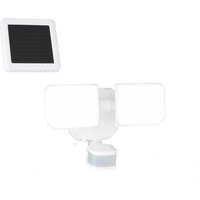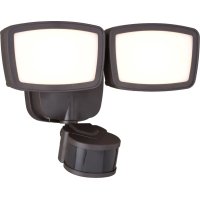
T0701 - Lighting Vaxcel - Free user manual and instructions
Find the device manual for free T0701 Vaxcel in PDF.


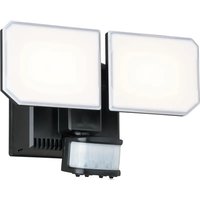
| Product Type | LED Light Fixture with Motion Sensor |
| Brand | Vaxcel |
| Model | T0701 |
| Power Supply | 120 V AC, 60 Hz |
| Maximum Power | 31 W |
| Operating Temperature | -25°C to 45°C (-13°F to 113°F) |
| Dimensions (A x B x C) | 17.15 x 27.3 x 14.60 cm |
| Weight (estimated) | Approximately 1 kg |
| Material | Plastic and metal |
| Protection Rating (estimated) | IP44 (protection against water splashes) |
| Motion Detection | Passive infrared, range up to 25.9 m (85 ft), angle 240° |
| Operating Modes | Test, Off, Auto, PC (dusk to dawn), 3H (3 hours), Custom setting, Manual off |
| Timer (delay off) | 30 s, 1 min, 3 min (adjustable) |
| Color Temperature (CCT) | Adjustable from 2700 K to 5000 K via button on back plate |
| Brightness in Auto Mode | Low (~30%) at rest, maximum (5000 K) on detection |
| Mounting Type | Wall or eave mount |
| LED Lifespan (estimated) | 50,000 hours |
| Warranty | 5-year limited (detector and LED) |
| Maintenance | Clean the lens with a soft cloth every 1 to 2 months |
| Safety | Cut power before installation; do not use dimmer or timer |
| Wiring | Hot wire (black), neutral (white), ground (green/yellow) |
| Package Contents | Fixture, detector, mounting screws, bracket, connectors, gasket |
Frequently Asked Questions - T0701 Vaxcel
User questions about T0701 Vaxcel
0 question about this device. Answer the ones you know or ask your own.
Ask a new question about this device
Download the instructions for your Lighting in PDF format for free! Find your manual T0701 - Vaxcel and take your electronic device back in hand. On this page are published all the documents necessary for the use of your device. T0701 by Vaxcel.
USER MANUAL T0701 Vaxcel
ASSEMBLY AND INSTALLATION INSTRUCTIONS
T0700 / T0701
WARNING: TO AVOID RISK OF ELECTRICAL SHOCK, BE SURE TO SHUT OFF POWER BEFORE INSTALLING OR SERVICING THIS FIXTURE.
NOTES: 1. Before installing, consult local electrical codes for wiring and grounding requirements. 2. READ AND SAVE THESE INSTRUCTIONS.
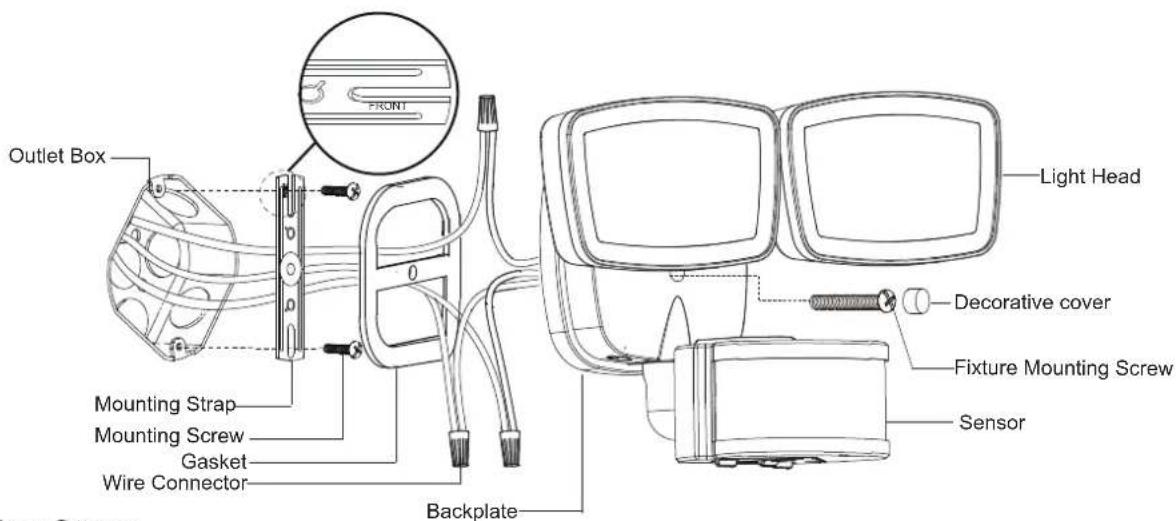
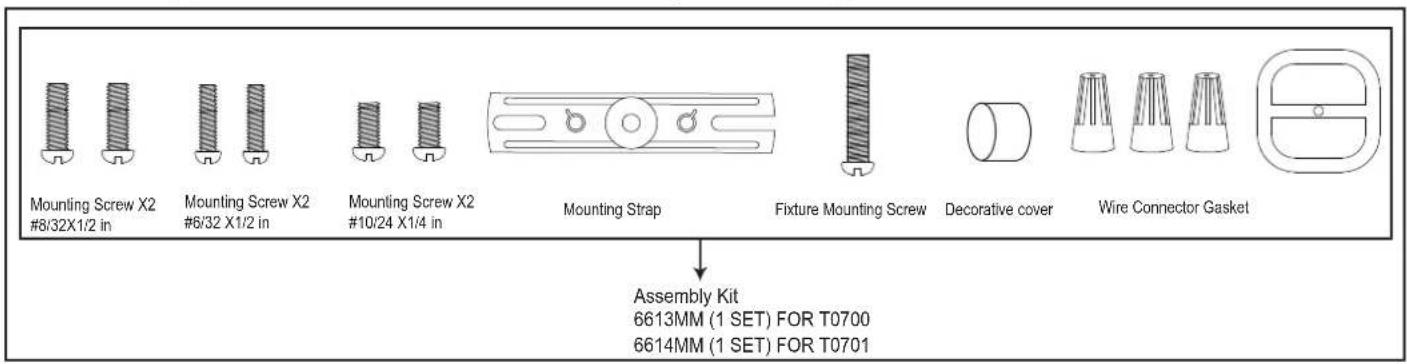
Hardware Package (included):
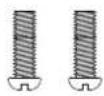
Mounting Screw X2 #8/32X1/2 in

Mounting Screw X2 #6/32 X1/2 in

Mounting Screw X2 #10/24 X1/4 in
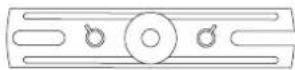
Mounting Strap
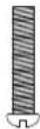
Fixture Mounting Screw

Decorative cover
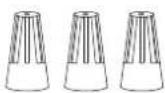

Wire Connector Gasket
Tools Needed:
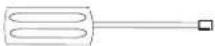
(1) Phillips-head Screwdriver
- Phillips-head screwdriver for attaching mounting screws to mounting strap, mounting bracket and fixture to mounting bracket.
Important to Know:
- If you are not familiar with state and local electrical codes, it is recommended that you consult with a qualified electrician.
- This fixture requires a 120 VAC, 60Hz power source.
- For general safety and to avoid any possible damage to the sensor, be sure the power is switched "off" before adjustment.
Maximum Wattage: 31 W
Working Temperature Range: - 13^ 113^
Features:
- Energy saving LED fixture.
- Motion sensor: turns light ON automatically when motion is detected and turns light OFF or remains in low-level brightness when motion stops.
- Photocell keeps the light OFF during daylight hours.
- When in manual override mode, use wall switch to keep the light ON full brightness during the night.
Note: Fixture can be wall mounted or eave mounted.
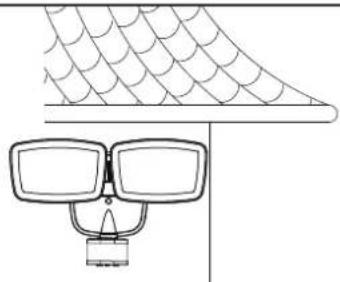
Wall Mounted
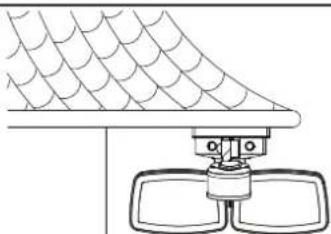
Eave Mounted
Read notes section on page 4 for additional information about mounting location of fixture.
Light fixture and sensor should be mounted as shown above when installed (depending upon type of installation)
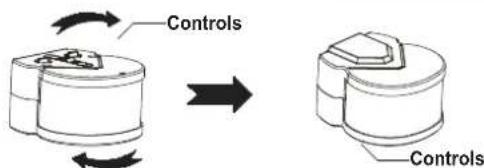
Before installing the light fixture under an eave, the sensor head must be rotated as shown in the next two steps for proper operation and to avoid the risk of electrical shock.
For eave mounted only:
Swing the sensor head towards the back plate.
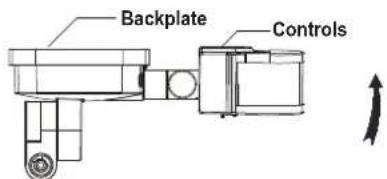
Rotate the sensor head clockwise 180^ so the controls face down

Installation Steps
Turn off the power at fuse or circuit box.
- Install the mounting strap to the outlet box with the stamped word "FRONT" facing away from the outlet box, using two mounting screws that best fit the outlet box. Back plate should sit flush against wall surface when secured. (Choose one matching pair of suitable mounting screws from the 3 pairs provided)
- Fixture wires thread through gasket, then attach the gasket into back plate.
- Pull out the source wires from the outlet box. Make wire connections using wire connectors as follows: --Connect the black wire from the fixture to the "hot" wire from the power source. (black) --Connect the white wire from the fixture to the neutral wire from the power source. (white) --Connect the grounding wire from the fixture to the ground wire from the power source. (green / yellow insulation) Carefully tuck the wires back into the outlet box.
- Attach the backplate of the light to the mounting strap, secure it with the fixture mounting screw.
- Push the decorative cover firmly into the fixture mounting screw hole on the light.
- With silicone caulking compound, caulk completely around where the backplate meets the wall surface. CAUTION: Be sure to caulk completely where the back plate meets the wall surface to prevent water from seeping into the outlet box.
Turn on the power at fuse or circuit box
Adjusting the Sensor Head:
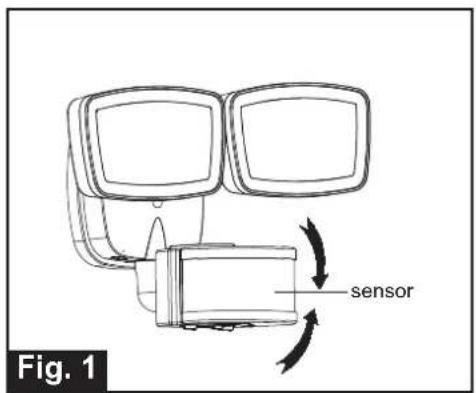
- Aim sensor head toward desired detection area, maintaining a 5^ - 40^ downward angle to allow moisture to drain. Note: Make sure sensor head is positioned with controls facing toward the ground.
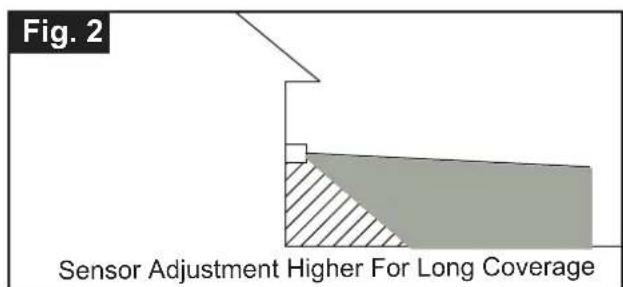
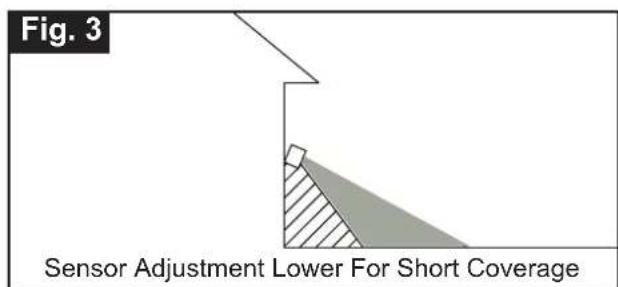
- You can move the sensor head up and down to change the coverage area. (See Fig. 1)
Note: Range set too high may increase false triggering. (See Fig. 2 and Fig. 3)
Sensitivity of Motion Sensor
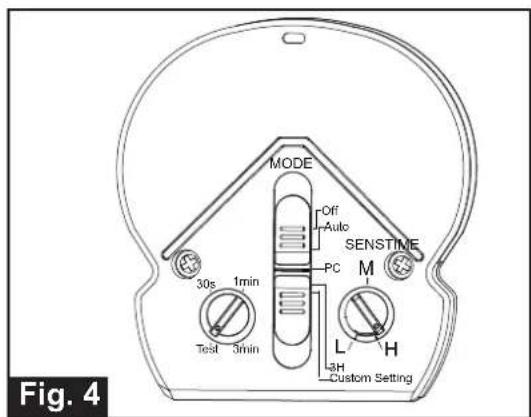
- You can adjust the sensitivity of the motion sensor by using the "SENS" knob located on the right side of the bottom surface of the sensor. (See Fig. 4)
- Adjust motion sensor sensitivity to achieve desired performance.
- Approximate range from 10ft to 85ft.
Adjusting the Light Head:
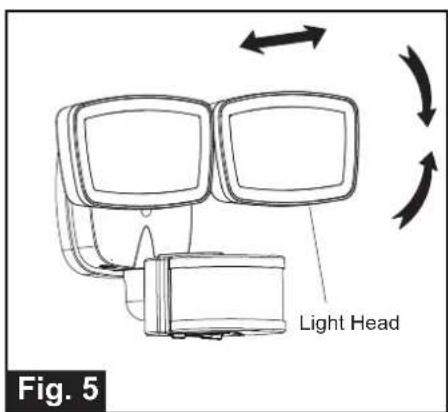
- Gently grasp the light heads and move them up or down, left or right to adjust the light coverage area. Keep the light heads at least 1" (25mm) away from the sensor.(See Fig. 5)
- Keep the light heads 30^ below horizontal to avoid water damage and electrical shock.
Functions and Operations
Choose a mode by sliding the switch on the bottom of the sensor of the fixture. (See Fig.4) Note: When power is first applied, the light will be on and warm up lasts 30 seconds.
-
TEST MODE (daytime and nighttime operation.)
-
Rotate "TIME" Delay knob arrow on the left side of the sensor head to the "TEST" position.
- The light turns to high-level brightness (5000K) when motion is detected, and stays on as long as the motion continues. Then it reverts back to low-level -30% brightness and pre-selected CCT color (2700K ~ 5000K) about 5 seconds after motion is no longer detected.
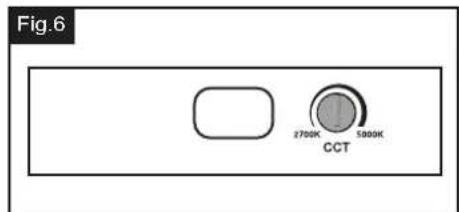
Note: You can adjust the CCT color (2700K~5000K) by using the CCT color (2700K~5000K) knob on the backplate (See Fig.6)
-
OFF MODE (nighttime operation only)
-
In "OFF" mode, slide the "TIME" Delay knob to the desired time(30s/1min/3min). At dusk, the light stays off, the light turns to high-level brightness (5000K) when motion is detected, and stays on as long as motion continues. When the motion is no longer detected, it remains on for the predetermined shut-off delay time you set (30s/1min/3min), and then turns off automatically.
The light turns off automatically at dawn. -
AUTO MODE (nighttime operation only)
-
In "AUTO" mode, rotate "TIME" Delay knob to the desired time setting (30s/1min/3min). At dusk, the light turns on to low-level -30% brightness and pre-selected CCT color (2700K ~ 5000K). When motion is detected, the light turns to full brightness (5000K) and stays on as long as motion continues. When the motion is no longer detected, the light at full brightness (5000K), remains on for predetermined time you set (30s/1min/3min), and then switch back to the set CCT color automatically.
The light turns off automatically at dawn.
Note: You can adjust the CCT color (2700K~5000K) by using the CCT color (2700K~5000K) knob on the backplate (See Fig.6)
-
PC MODE (nighttime operation only)
-
In "PC" mode, the light turns on at full brightness at dusk and remains on until dawn. Note: You can adjust the CCT color (2700K~5000K) by using the CCT color (2700K ~5000K) knob on the backplate. (See Fig.6)
4.3 HOURS (3H) MODE (nighttime operation only)
- In "3H" mode, the light turns to high-level brightness (100%) at dusk, and stays on for 3 hours, then it turns to low-level 30% brightness. It turns to high-level brightness (100%) when motion is detected, and stays on as long as motion continues. When motion is no longer detected, it remains on for the predetermined shut-off delay time you set (30s/1min/3min), then returns to the low level brightness and pre-selected CCT color automatically.
The light turns off automatically at dawn.
Note: You can adjust the CCT color (2700K~5000K) by using the CCT color (2700K~5000K) knob on the backplate (See Fig.6)
-
CUSTOM SETTING MODE (nighttime operation only):
-
In "CUSTOM SETTING" mode, the light turn on at dusk and off at dawn automatically.
Instead of "3H", the motion sensor operation can be set to start at a specific time. Turn the wall switch OFF, and turn it ON twice within 3 seconds. The light will go into motion-sensor operation at the specified time every night. The light turns off automatically at dawn.
For example, a homeowner wants to have the light stay on high-level brightness from dusk to 8pm, and would like the light to go into "AUTO" motion sensor mode. To achieve this, the homeowner will turn the wall switch OFF, and turn it ON twice within 3 seconds. This sets the time the light goes into "AUTO" mode every day, the light will behave the same way.
To revert back to Default, turn the wall switch OFF and then turn it ON after 5 seconds.
Note: You can adjust the CCT color (2700K~5000K) by using the CCT color (2700K~5000K) knob on the backplate (See Fig.6)
- Manual Override (nighttime operation only)
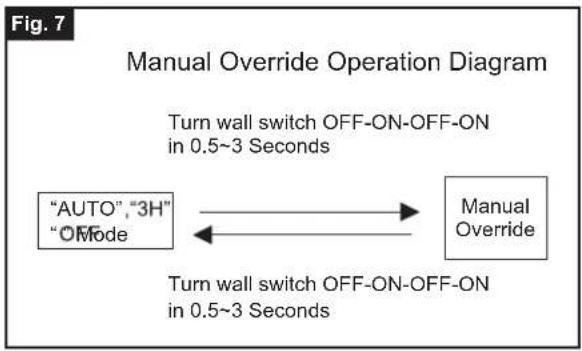
To temporarily override the settings in "AUTO", "3H" or "OFF" mode for on-demand continuous high-level brightness at night, turn the wall switch "OFF" then turn it "ON" twice within 3 seconds, the light remains on all night long. To shift back to "AUTO" or "3H" mode, turn the wall switch "OFF" then turn it "ON" twice within 3 seconds again. (See Fig.7)
The light turns off automatically at dawn.
Note: To make sure the above functions operate properly, always keep the wall switch in the "ON" position (including the daytime).
Customization Options:
Shut-off Delay
The shut-off delay is the length of time the light will stay at brightness after motion is detected.
- You can set the shut-off delay by rotating the Time knob arrow so it points to the desired time setting (30s/1min/3min). To increase the shut-off delay, turn the knob clockwise. To decrease the shut-off delay, turn the knob counterclockwise.
Where you install your fixture is important: Be sure the light is mounted straight on the wall or eave; otherwise, the detection distance may be limited.
Notes:
- The sensitivity of the motion sensor will increase as the environmental temperature gets cooler. For best performance, gently clean the lens with a soft cloth every 1 or 2 months to ensure maximum sensitivity.
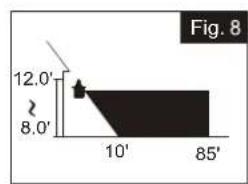
- For best performance, install fixture at least 8 feet above the ground. At such a height, the fixture will provide a detection distance of up to 85 feet at 77 degrees Fahrenheit. (See Fig. 8)
-
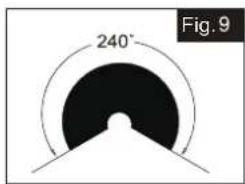
The sensor detects movement across a detection range of 240 degrees. (See Fig.9)
-
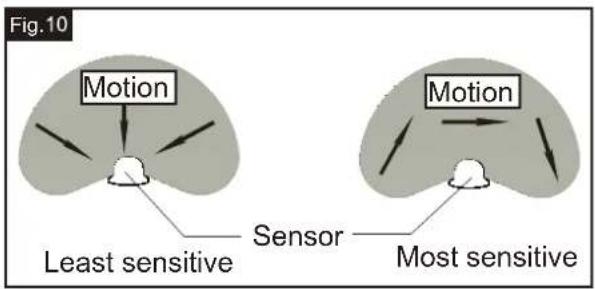
The sensor will be more sensitive to motion across its detection path than motion directly towards it. (See Fig.10)
- To reduce possible nuisances, do not mount the fixture near a heat source like an air conditioner, vent or furnace exhaust, or in a direction facing any reflective object or other nearby light source.
Troubleshooting
---The light does not work.
- Make sure the wall switch and circuit breaker are on.
- Make sure the wiring is correct.
- Cover the sensor with dark color cloth to verify that the ambient light level is not too high.
---The light comes on for no apparent reason:
- Re-aim the motion sensor.
- Decrease the sensitivity setting.
- Do not use a dimmer or timer to control the light fixture. Replace the dimmer or timer with a standard on/off wall switch.
---The light flashes on and off:
- Reposition the light head away from the motion sensor.
- Reposition the motion sensor.
- The motion sensor is in "TEST" mode and warm up.
The following parts are available for re-order if damaged or missing.
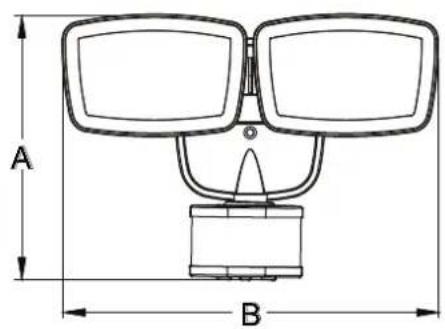
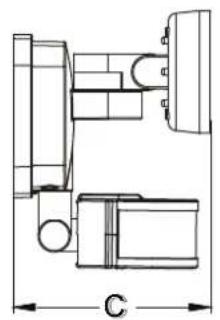
A:6-3/4"
B:10-3/4"
C:5-3/4"
5 Year Limited Warranty
Vaxcel warrants all of our products against defects in workmanship and finishes for one year following the date of shipment.
In addition:
- Any product with an integrated motion sensor or dusk-to-dawn photocell is supported by a 5-year warranty for the functionality of the product.
- Any product with integrated LED modules is covered by a 5-year warranty on the LED functionality.
Exclusions: This warranty does not include the failure of products from extreme acts of nature; environmental conditions not suited for the products intended use; operation in temperatures outside of the range specified in the instruction manual; usage with improper power supply, power surges or dips. For coastal locations, some corrosion is considered normal for the environment.
Vaxcel reserves the right to repair, replace or issue a credit for any properly installed product, provided it is returned per RMA instruction. This warranty is limited to the cost of the product only and does not extend to transportation, installation or replacement costs.
INSTRUCCIONES DE ENSAMBLAJE INSTALLACION
T0700 / T0701
ADVERTENCIA: PARA EVITAR EL RIESGO DE CHOQUE ELECTRICO, ASEGURESE DE APAGAR LA ENERGIA ANTES DE INSTALAR O HACER EL MANTENIMIENTO DE Este ARTEFACTO.
B: 10-3/4 in (27 cm)
C:5-3/4 in (15 cm)