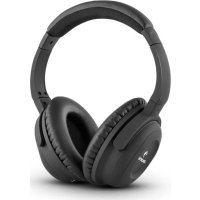
ANC10 - Earphones Auna - Free user manual and instructions
Find the device manual for free ANC10 Auna in PDF.


| Product type | Over-ear headphones with active noise cancellation |
| Brand | Auna |
| Model | ANC10 |
| Noise reduction system | Active Noise Cancelling, reduces ambient noise by up to 85%, max 20 dB |
| Transducer | Dynamic |
| Frequency range | 30 - 20 000 Hz |
| Impedance | 32 Ω |
| Distortion rate | < 1 % |
| Cable length | 1.5 m |
| Connectivity | 3.5 mm stereo jack plug |
| Power supply | 2 AAA 1.5 V batteries (included) |
| Weight | 175 g |
| Package contents | Headphones, detachable audio cable, 6.3 mm adapter, 2 AAA batteries, airplane adapter, carrying case |
| Cleaning | Use a dry cloth. Do not use volatile liquids or sprays. |
| Safety | Do not open the device. Do not repair yourself. Keep out of reach of children (small parts). |
| Warranty | 2 years against manufacturing defects. Not applicable in case of misuse. |
| Recycling | Do not dispose of with household waste. Respect directive 2002/96/EC. |
Frequently Asked Questions - ANC10 Auna
User questions about ANC10 Auna
0 question about this device. Answer the ones you know or ask your own.
Ask a new question about this device
Download the instructions for your Earphones in PDF format for free! Find your manual ANC10 - Auna and take your electronic device back in hand. On this page are published all the documents necessary for the use of your device. ANC10 by Auna.
USER MANUAL ANC10 Auna
natural_image
Black Sony headphones with 'auna' branding on the head (no additional text or symbols visible)natural_image
Black headphones and a black hard case with attached audio jack and connector (no text or symbols visible)natural_image
Pure electrical circuit lines without any symbolsElektroaltgeräte
Congratulations on purchasing this product. Please read and follow these instructions, in order to avoid damaging the item. We do not cover any damages that may arise from improper use of the item or the disregard of the safety instructions.
Safety advice
- Read all instructions before using.
- To protect against a fire, electric shock or personal injury, do not immerse cord, electric plugs or device in water or other liquids.
- Do not expose the appliance to extreme temperatures. The appliance shall be used in moderate climates.
- The use of attachments that are not recommended by the appliance manufacturer may result in fire, electric shock or personal injury.
- Do not open the unit by removing any cover parts. Do not attempt to repair the unit. Any repairs or servicing should be done by qualified personnel only.
- Only qualified persons may perform technical work on the product. The product may not be opened or changed. The components cannot be serviced by the user. The manufacturer is not responsible for any radio or TV interference caused by unauthorized modifications.
- The appliance is not a toy. Do not let children play with it. Never let children insert foreign objects into the appliance.
- Never clean the surface of the device with solvents, paint thinners, cleansers or other chemical products. Instead, use a soft, dry cloth or soft brush.
- This appliance is to be used with 12V car power supply.
- Save these instructions.
Small objects
Keep small objects (i.e. screws, mounting material, memory cards etc.) and packaging out of the range of children. Do not let Children play with foil. Choking hazard!
Transporting the device
Please keep the original packaging. To gain sufficient protection of the device while shipment or transportation, make sure to put it back in its original packaging.
Cleaning the surface
Do not use any volatile liquids, detergents or the like. Use a clean dry cloth.
Technical Data
| Article # 10028682 |
| Transducer type Dynamic |
| Frequency range 30 - 20,000Hz |
| Impedance 32 Ω |
| Noise reduction max 20dB (= reduces ambient noise at 85%) |
| Distortion <1% |
| Cable length 1.5m |
| Connection 8.5mm stereo jack |
| Power supply 1.5V Batteries (2x) (Type AAA) |
| Weight 75g |
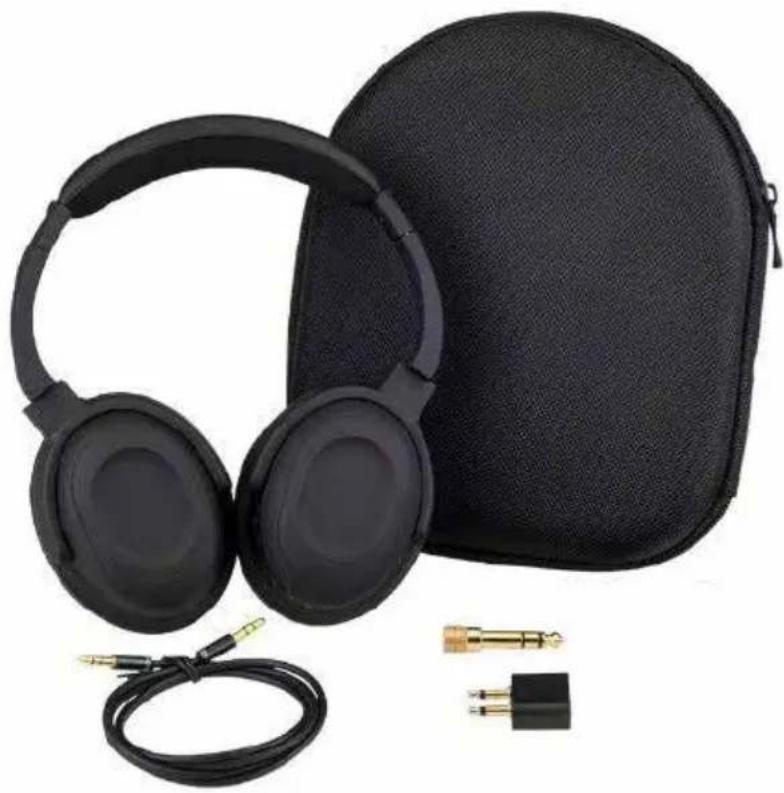
Scope of delivery: Headphones, detachable audio cable, 1/4" stereo plug, dual-plug adapter, hard case, user manual
natural_image
Black headphones and a black hard case with attached audio jack and connector (no text or symbols visible)Device Overview and Operation
Initial use and operation
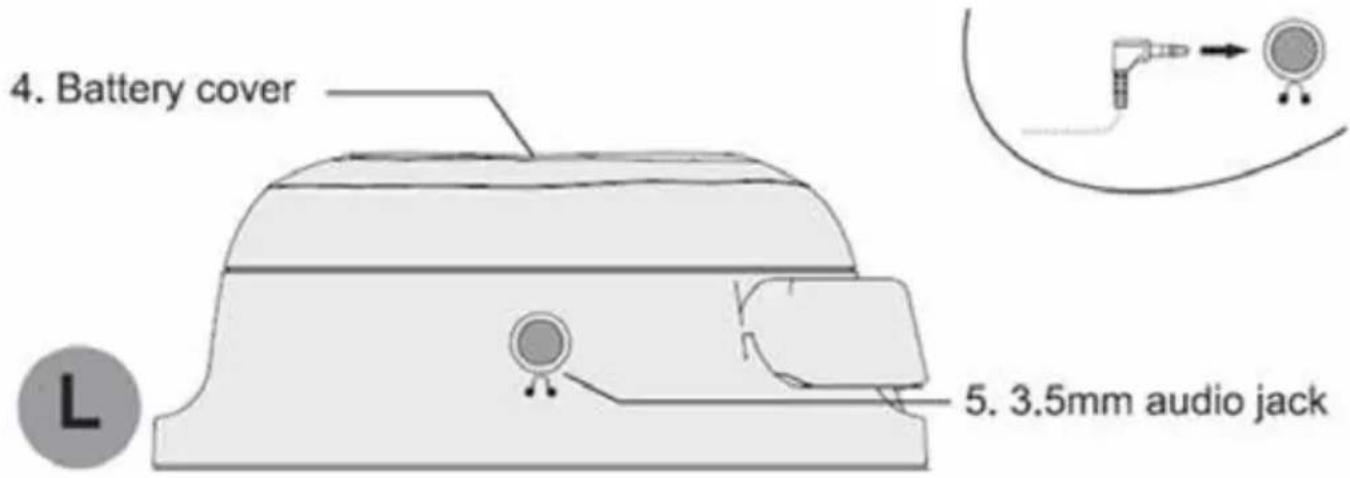
- For active noise canceling you need two 1.5V micro batteries (type AAA). To insert batteries, remove the left ear-cover.
- Insert the batteries as indicated in the battery compartment. Close the compartment again with the left ear-cover.
- If the headphones are not used for a longer period, please remove the batteries to prevent damage in case of battery leakage.
- In order to achieve good transmission quality and noise cancelling, as well as best possible comfort, the headband should be adjusted to properly fit your band. You can adjust the headband using the snap-in locking mechanism.
- Connect the headphones via supplied audio cable to the sound source. If necessary, use the 6.3mm jack adapter or the 3.5mm double jack adapter for the in-flight entertainment in an air plane.
-
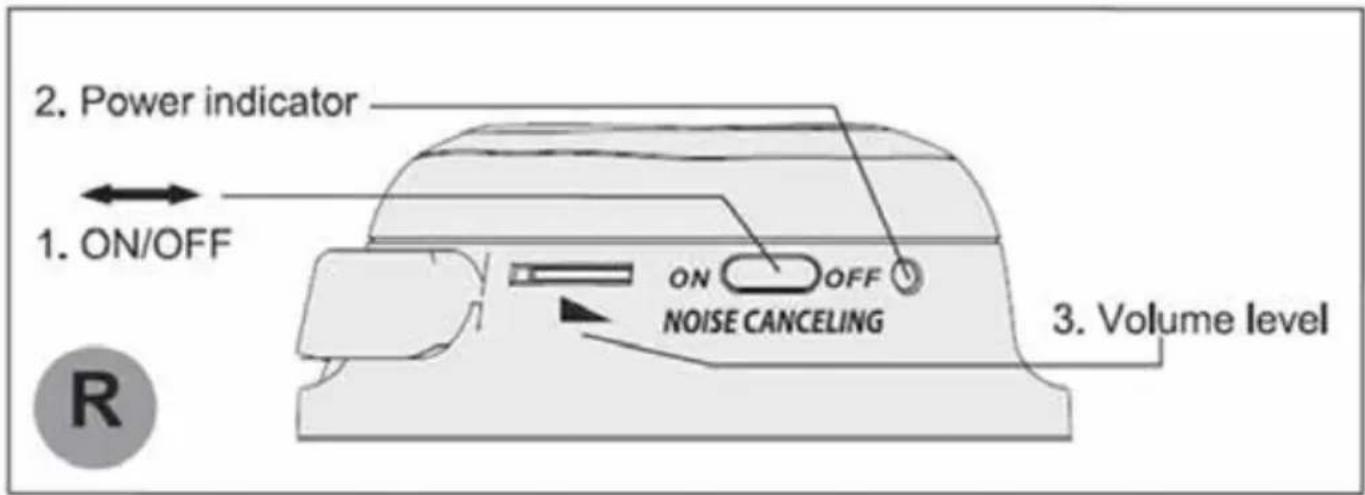
Adjust the volume at the headphones.
-
To switch on the active noise cancelling function and to attenuate ambient noise set the ON/OFF switch to ON. The POWER indicator lights up.
Note: After you turn on the power of the headphones, you may hear a slight hiss. This is operating sound of the noise cancelling function, not a malfunction. - When the batteries are going flat, the active noise cancelling is switched off. However, the audio signal continues to be transmitted.
• The headphone can also be used like conventional headphones without batteries to listen to music.
• After operation, switch off the headphone to extend battery life. - To transport the headphone is the transport case, swivel the ear-pieces. You can store the accessories in the small mesh pouch.
Environment Concerns
natural_image
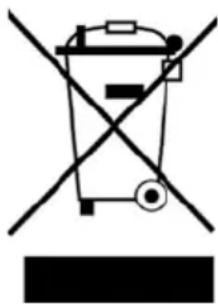
Pure electrical circuit lines without any symbolsAccording to the European waste regulation 2002/96/EG this symbol on the product or on its packaging indicates that this product may not be treated as household waste. Instead it should be taken to the appropriate collection point for the recycling of electrical and electronic equipment. By ensuring this product is disposed of correctly, you will hep prevent potential negative consequences for the environment and human health, which could otherwise be caused by inappropriate waste handling of this product. For more detailed information about recycling of this product, please contact your local council or your household waste disposal service.
Declaration of Conformity
Producer: Chal-Tec GmbH, Wallstraße 16, 10179 Berlin, Germany.
This product is conform to the following European directives:
2014/30/EU (EMC)
2011/65/EU (RoHS)
CE
Gentile cliente,
natural_image
Black headphones and a black hard case with attached audio jack and connector (no text or symbols visible)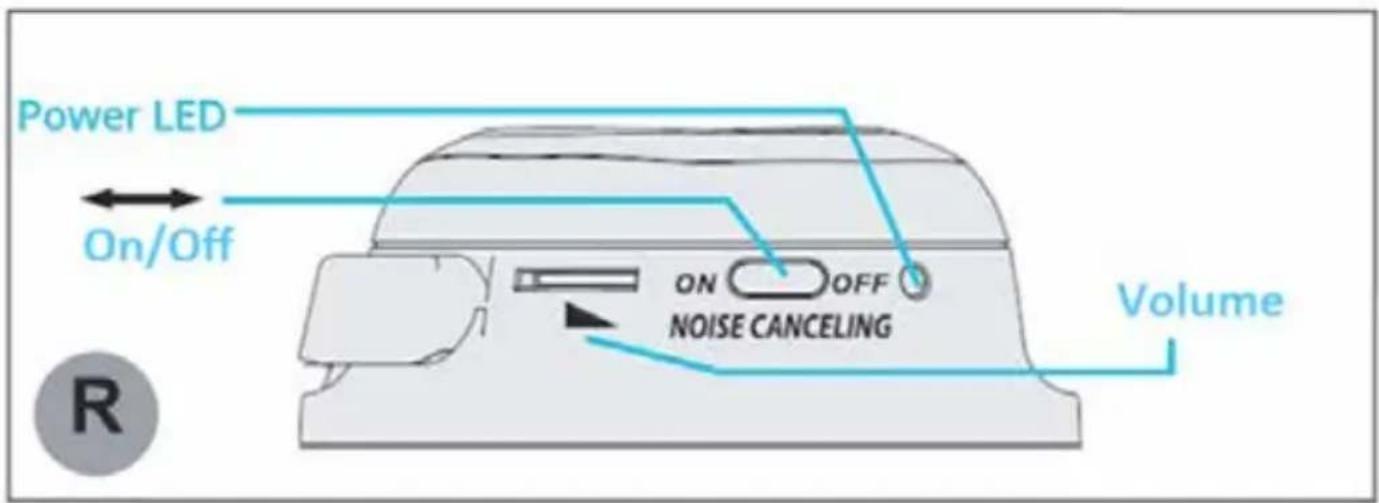
natural_image
Pure electrical circuit lines without any symbolsnatural_image
Black headphones and a black hard case with attached audio jack and connector (no text or symbols visible)natural_image
Pure electrical circuit lines without any symbolsnatural_image
Black headphones and a black hard case with attached audio jack and connector (no text or symbols visible)natural_image
Pure electrical circuit lines without any symbols

Brand : Auna
Model : ANC10
Category : Earphones