MVD-480 - Car radio Auna - Free user manual and instructions
Find the device manual for free MVD-480 Auna in PDF.


Pick your language and provide your email: we'll send you a specifically translated version.
| Product Type | Car Radio / Multimedia Receiver |
| Brand | Auna |
| Model | MVD-480 |
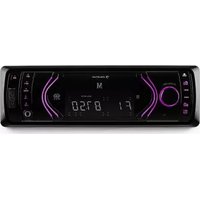
| Display Size | 7 inch touchscreen |
| Dimensions (W x H x D) | 178 x 100 x 160 mm (2-DIN) |
| Weight | 1.5 kg |
| Power Supply | 12V DC (negative ground) |
| Bluetooth | Yes, for hands-free calling and music streaming |
| USB Ports | 2 x USB (front/rear, up to 32GB) |
| SD Card Slot | Yes, up to 32GB |
| AUX Input | 3.5 mm front panel |
| Radio Tuner | FM/AM with RDS, 18 presets |
| Audio Output | 4 x 50W max, 4 x 25W RMS |
| Video Input | For rearview camera (optional) |
| Supported Audio Formats | MP3, WMA, WAV, FLAC |
| Supported Video Formats | MP4, AVI, MKV (when parked) |
| Steering Wheel Control | Compatible (requires adapter) |
| Screen Mirroring | Yes, via Bluetooth or USB for Android/iOS |
| Maintenance | Wipe with soft dry cloth; avoid liquids |
| Safety | Only use 12V car battery; professional installation recommended |
| Spare Parts & Repairability | Contact Auna support or authorized service |
| General Info | 27-page English manual available in PDF |
Frequently Asked Questions - MVD-480 Auna
How to pair a phone via Bluetooth?
Ensure Bluetooth is enabled on the radio. On your phone, search for devices and select 'Auna MVD-480'. Confirm pairing on both devices. Default PIN is 0000 if required.
How to set the date and time?
Go to Settings > System > Date/Time. You can set manually or enable RDS to sync via radio signal.
What audio formats are supported via USB?
Supported formats include MP3, WMA, WAV, and FLAC. Ensure files are not DRM-protected.
How do I perform a factory reset?
Press and hold the reset button (small hole near the front panel) with a paperclip for 5 seconds. Alternatively, go to Settings > System > Reset.
Can I connect a rearview camera?
Yes, the unit has a dedicated rear camera input (RCA). Connect the camera and enable the option in Settings > Camera. Automatic switching when in reverse gear.
Is it compatible with steering wheel controls?
It is compatible with most steering wheel control adapters. You need a separate adapter (e.g., Connects2 or PAC) and wire it to the radio's key input.
What is the screen size and resolution?
The display is a 7-inch capacitive touchscreen with a resolution of 1024 x 600 pixels.
How to update firmware?
Download the latest firmware from Auna's website onto a USB flash drive. Insert the USB into the radio, go to Settings > System > Update. Do not turn off power during update.
What is the maximum USB drive capacity?
The USB port supports drives up to 32GB formatted in FAT32. Larger drives may not be recognized.
How do I install the radio?
Installation requires basic wiring: red (ACC), yellow (B+), black (GND). Connect speaker wires (white/gray/green/purple pairs). Use a Din removal tool to insert. For full details, refer to the manual.
User questions about MVD-480 Auna
0 question about this device. Answer the ones you know or ask your own.
Ask a new question about this device
No questions yet. Be the first to ask one.
Download the instructions for your Car radio in PDF format for free! Find your manual MVD-480 - Auna and take your electronic device back in hand. On this page are published all the documents necessary for the use of your device. MVD-480 by Auna.
USER MANUAL MVD-480 Auna

Manual assistant
Powered by Anthropic
Waiting for your message
Product information
Brand : Auna
Model : MVD-480
Category : Car radio