Tune 777NC - Wireless Earbuds JBL - Free user manual and instructions
Find the device manual for free Tune 777NC JBL in PDF.


| Product type | Wireless over-ear headphones |
| Dimensions (approx.) | 200 x 180 x 80 mm |
| Weight | 232 g |
| Power supply | Lithium-ion battery 690 mAh / 3.7 V, charging via USB-C (5 V, 1 A) |
| Full charge time | 2 hours |
| Playback time (BT active, ANC inactive) | Up to 70 hours |
| Playback time (BT and ANC active) | Up to 44 hours |
| Playback time (BT inactive, ANC active) | Up to 30 hours |
| Talk time (with ANC) | Up to 30 hours |
| Talk time (without ANC) | Up to 39 hours |
| Bluetooth version | 5.3 |
| Bluetooth profiles | A2DP v1.4, AVRCP v1.6.2, HFP v1.8 |
| Frequency response | 20 Hz - 20 kHz |
| Impedance | 32 ohms |
| Sensitivity | 100 dB SPL at 1 kHz |
| Active noise cancellation (ANC) | Yes |
| Additional functions | Ambient Aware, VoiceAware, multipoint connection (2 devices), wired listening, app control |
| Care and cleaning | Clean with a soft, dry cloth |
| Safety | Max operating temperature 45 °C, Bluetooth transmission power < 10 dBm |
| Spare parts and repairability | Not specified by the manufacturer |
| General information | Compatible with JBL Headphones app, voice assistants Bixby/Siri/Google |
Frequently Asked Questions - Tune 777NC JBL
User questions about Tune 777NC JBL
0 question about this device. Answer the ones you know or ask your own.
Ask a new question about this device
Download the instructions for your Wireless Earbuds in PDF format for free! Find your manual Tune 777NC - JBL and take your electronic device back in hand. On this page are published all the documents necessary for the use of your device. Tune 777NC by JBL.
USER MANUAL Tune 777NC JBL
natural_image
Man with curly hair sitting outdoors, wearing a denim jacket and casual pants, palm trees in background (no text or symbols visible)TUNE 777 NC
JBL
HARMAN
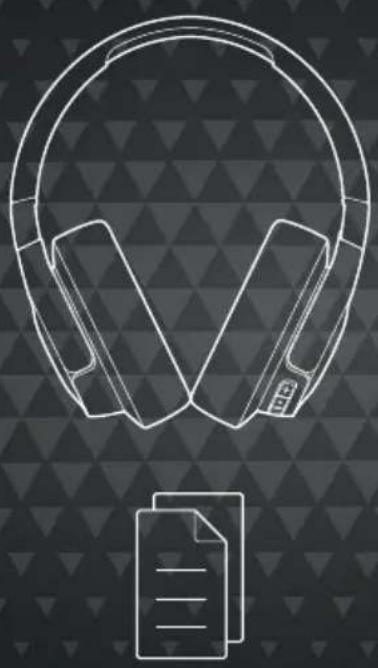
WHAT'S IN THE BOX
natural_image
Line drawing of headphones with a document icon below (no text or symbols)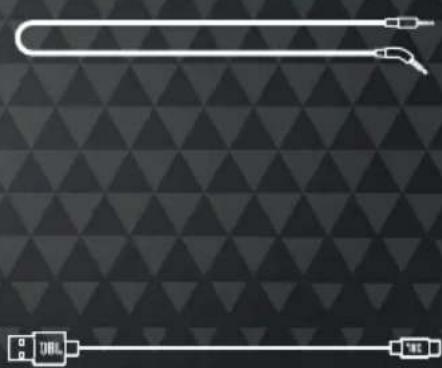
natural_image
Abstract geometric pattern with diagonal triangles and two white lines (no text or symbols)
SCAN ME
APP


JBL HEADPHONES
GET EVEN MORE CONTROL AND PERSONALIZATION OF YOUR LISTENING EXPERIENCE WITH THIS FREE APP.

text_image
GET IT ON Google Play


text_image
QR code with central logo containing 'JBL' text and headphones iconPOWER ON & CONNECT
* TO ENTER PAIRING MODE AGAIN. POWER OFF AND HOLD ⏻ FOR 5 SECONDS.
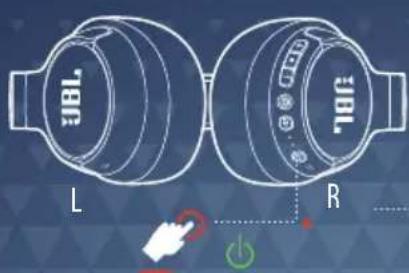
text_image
JBL L RHOLD (2s)


OTHERS
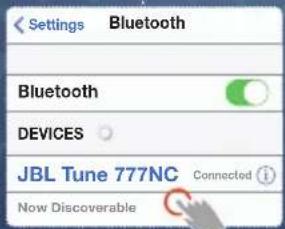
text_image
Settings Bluetooth Bluetooth DEVICES JBL Tune 777NC Connected i Now DiscoverableCHOOSE "JBL TUNE 777NC" TO CONNECT
ANDROID™ 6+
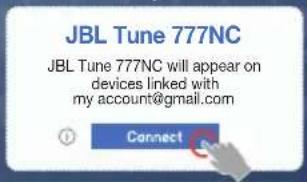
text_image
JBL Tune 777NC JBL Tune 777NC will appear on devices linked with my account@gmail.com Connect
Fast Pair


natural_image
Laptop screen displaying a white wireless symbol with 'ON' text, no additional text or symbols visibleWINDOWS 10 V1803+

text_image
New JBL Tune 777NC found If this is your device,connect to it. Connect DismissMICROSOFT SWIFT PAIR
MULTI-POINT CONNECTION

123
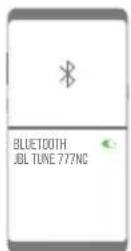
text_image
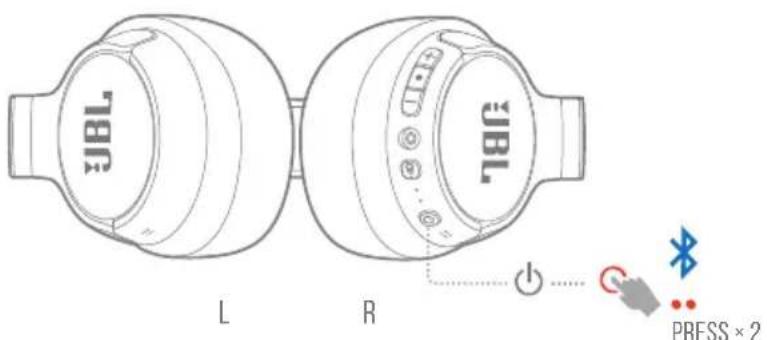
JBL 78R L R 78L PRESS × 2(MAXIMUM 2 DEVICES)
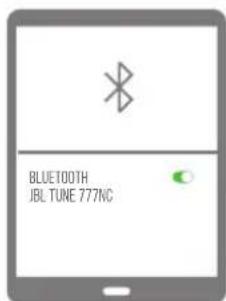
text_image
BLUE100TH JBL TUNE 777NCCONTROLS
PRESS × 1 PRESS × 2 HOLD (2s)
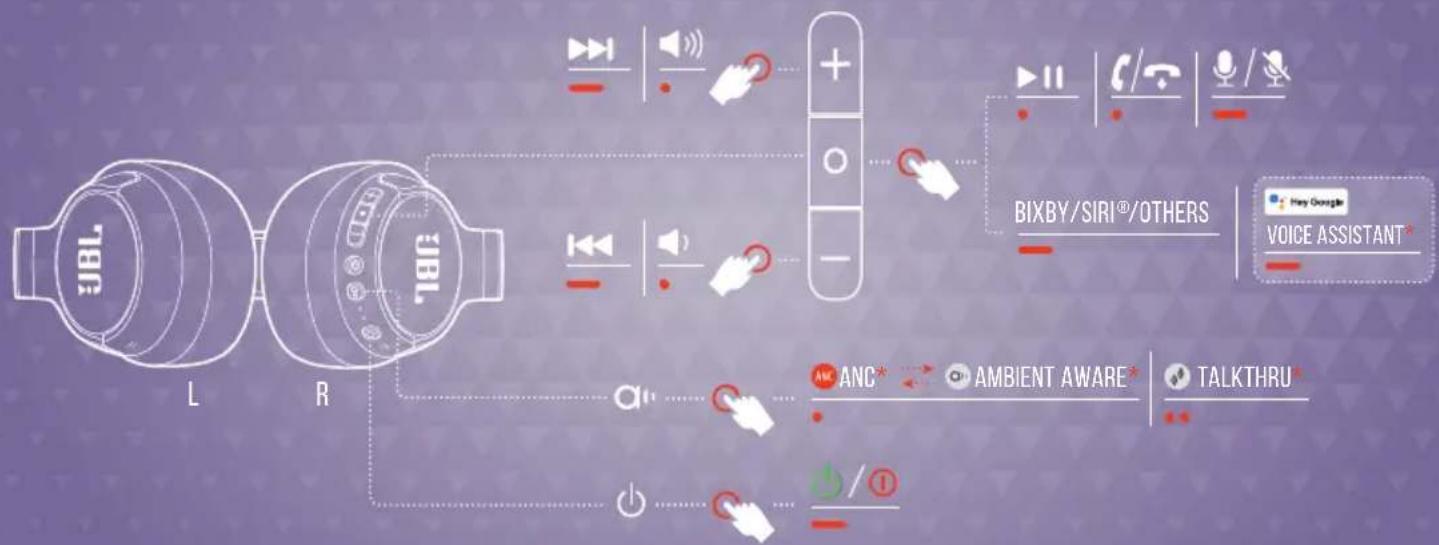
flowchart
graph TD
    A["IBL"] -->|L| B["R"]
    B -->|R| C["+"]
    C --> D["BIXBY/SIRI®/OTHERS"]
    D --> E["Voice Assistant*"]
    C --> F["+"]
    F --> G["ANC*"]
    G --> H["AMBIENT AWARE*"]
    H --> I["TALKTHRU*"]
    C --> J["+"]
    J --> K["/①"]
    K --> L["Power Supply"]
    style A fill:#f9f,stroke:#333
    style B fill:#f9f,stroke:#333
    style C fill:#ccf,stroke:#333
    style D fill:#cfc,stroke:#333
    style E fill:#fcc,stroke:#333
    style F fill:#cff,stroke:#333
    style G fill:#ffc,stroke:#333
    style H fill:#cfc,stroke:#333
    style I fill:#fcc,stroke:#333
    style J fill:#cfc,stroke:#333
    style K fill:#fcc,stroke:#333
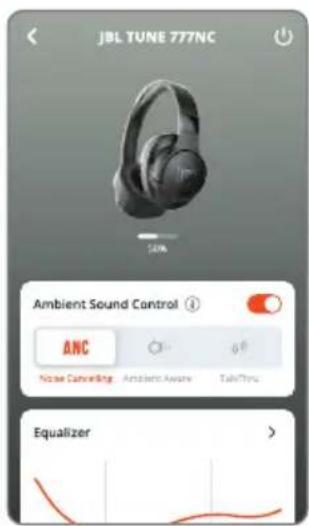
ENABLE ADVANCE CONTROLS BY CONNECTING YOUR JBL TUNE 777NC TO JBL HEADPHONES APP
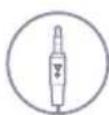
WIRED LISTENING MODE

text_image
3BL L R 780VOICEAWARE


natural_image
Silhouette of a human head with headphones and sound waves, set against a geometric background (no text or symbols)

text_image
JBL TUNE 777NC VoiceAware Low High high Smart Audio & Video Audio Mode Video Mode Left / Right Sound Balance 1 2 3 Voice Assistant Long Assistant
text_image
VoiceAware ① Low Mid HighDO MORE WITH THE APP

text_image
JBL TUNE 777NC 100% Ambient Sound Control ANC Noise Caneering Ambient Aware TakeThru Equalizer >*
text_image
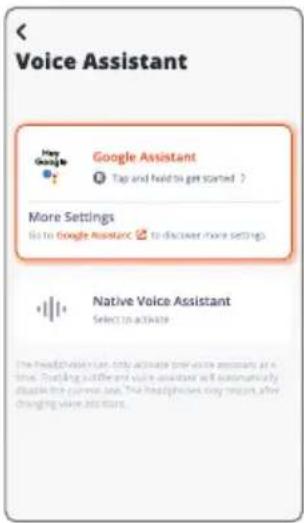
*ONLY AVAILABLE ON ANDROID™

text_image
JBL TUNE 777NC VoiceAware Low High Smart Audio & Video Audio Mode Video Mode Left / Right Sound Balance L 0 R Voice Assistant Google Assistant
line
| Time | Value | |------|-------| | 32 | 32 | | 64 | 64 | | 125 | 125 | | 150 | 150 | | 180 | 180 | | 210 | 210 | | 240 | 240 | | 270 | 270 | | 300 | 300 | | 330 | 330 | | 360 | 360 | | 390 | 390 | | 420 | 420 | | 450 | 450 | | 480 | 480 | | 510 | 510 | | 540 | 540 | | 570 | 570 | | 600 | 600 | | 630 | 630 | | 660 | 660 | | 690 | 690 | | 720 | 720 | | 750 | 750 | | 780 | 780 | | 810 | 810 | | 840 | 840 | | 870 | 870 | | 900 | 900 | | 930 | 930 | | 960 | 960 | | 990 | 990 | | Note: The data is not explicitly provided in the code. The chart displays a single data series for 'Equalizer'. The 'JAZZ' label is positioned at the top center of the chart.CHARGING


text_image
L R CHARGE → 2HR 5MIN = 3HR TBL TBEFACTORY RESET


text_image
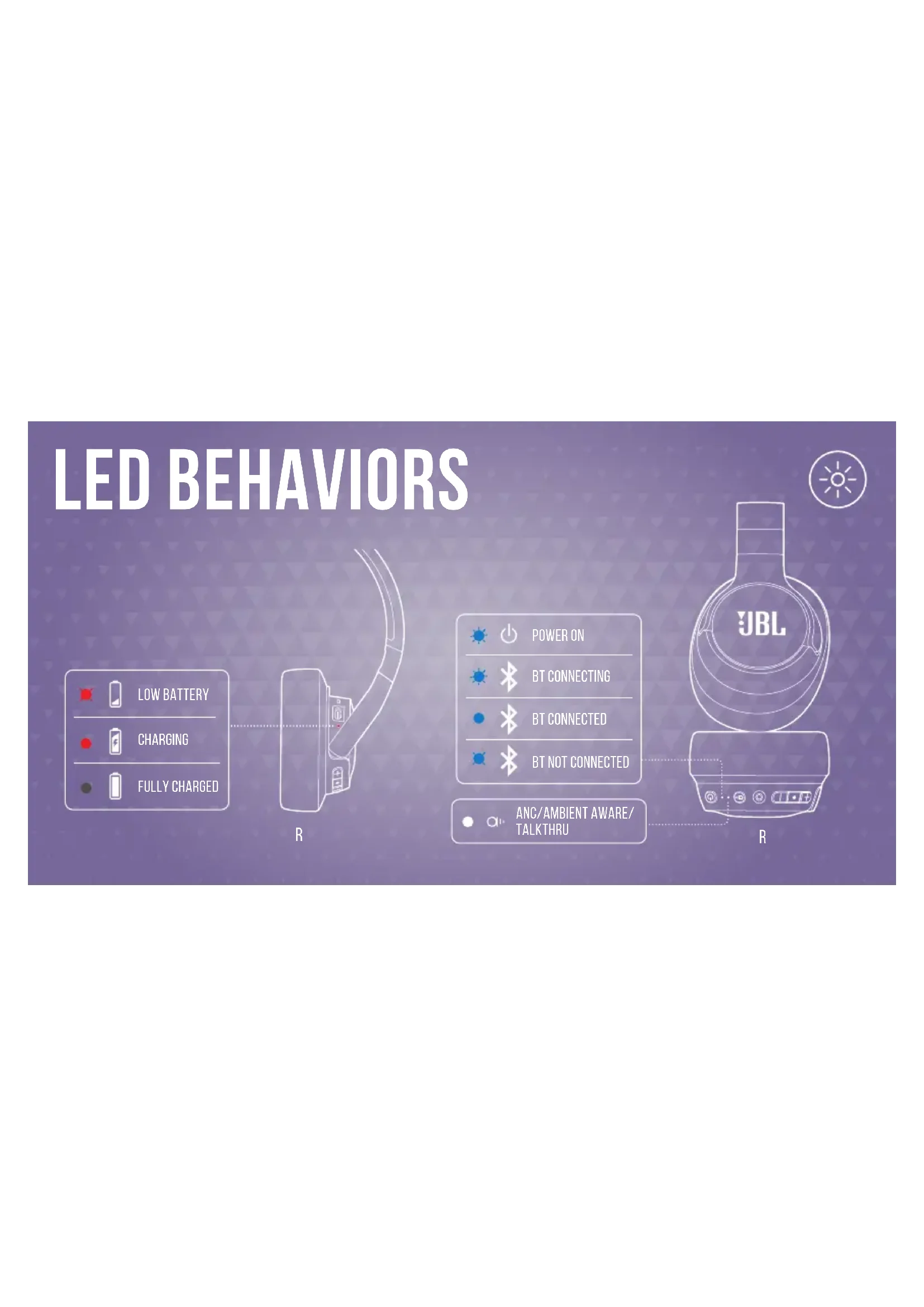
768 L R + - HOLD (5s)LED BEHAVIORS

text_image
LOW BATTERY CHARGING FULLY CHARGEDB
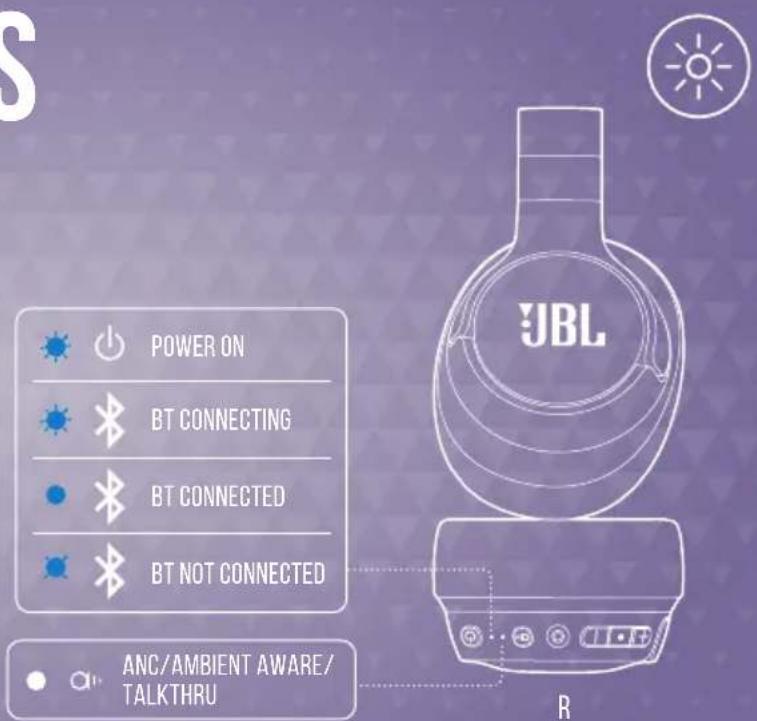
text_image
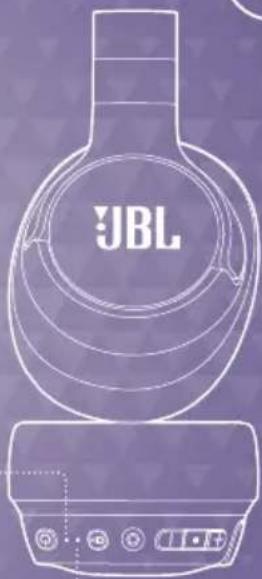
POWER ON BT CONNECTING BT CONNECTED BT NOT CONNECTED ANC/AMBIENT AWARE/ TALKTHRU


ANC/AMBIENT AWARE/TALKTHRU
natural_image
Line drawing of a JBL brand air conditioner with control buttons (no text or symbols on the device itself)TECH SPEC
Model: TUNE777NC
Driver size: 40 mm/1.57" Dynamic Driver
Power supply: 5 V = 1 A
Weight: 232 g/0.51 lbs
Battery type: Lithium-ion battery (690 mAh/ 3.7V)
Charging time: 2 hrs from empty
Music playtime with BT on and ANC off: Up to 70 hrs
Music playtime with BT on and ANC on: Up to 44 hrs
Music playtime with BT off and ANC on: Up to 30 hrs
Talk time with ANC on: Up to 30 hrs
Talk time with ANC off: Up to 39 hrs
Frequency response: 20 Hz – 20 kHz
Impedance: 32 ohm
Sensitivity: 100 dB SPL@1 kHz
Maximum SPL: 94 dB
Microphone sensitivity: -40 dBV/Pa@1 kHz
Bluetooth version: 5.3
Bluetooth profile version: A2DP v1.4, AVRCP v1.6.2, HFP v1.8
Bluetooth transmitter frequency range: 2.4 GHz - 2.4835 GHz
Bluetooth transmitter power: < 10 dBm (E.I.R.P)
Bluetooth transmitter modulation: GFSK, π/4-DQPSK, 8DPSK
Maximum operation temperature: 45 °C

FR
CONTENU DE LA BOÎTE
APPLICATION
TalkThru (Conversation)*
HVAD ER DER I AESKEN
APP
ANC/Ambient Aware/TalkThru
SPECIFICATIONER
ANC (Aktives Noise-Cancelling)* Ambient Aware
(Umgebungsbewusst)*
TalkThru*
ANC/Ambient Aware/TalkThru
TECHNISCHE DATEN
Modell: TUNE777NC
ANC/Ambient Aware/TalkThru
ANC/Ambient Aware/TalkThru
TEKNISET TIEDOT
Malli: TUNE777NC
ANC/Ambient Aware/TalkThru
MÜSZAKI SPECIFIKÁCIÓK
Modell: TUNE777NC
ANC/Ambient Aware/TalkThru
SPECIFICHE TECNICHE
Modello: TUNE777NC
ANC/Ambient Aware/TalkThru
TECHNISCHE SPECIFICATIES
Model: TUNE777NC
Maat van driver: 40 mm/1.57" Dynamische driver
Voeding: 5 V ===1 A
ANC/Ambient Aware/TalkThru
TEKNISKE SPESIFIKASJONER
Modell: TUNE777NC
Driverstørrelse: 40 mm/1,57" dynamisk driver
Strømforsyning: 5 V = 1 A
Vekt: 232 g/0,51 pund
Batteritype: Litium-ion-batteri (690 mAh/3,7 V)
ANC/Ambient Aware/TalkThru
SPECYFIKACJA TECHNICZNA
ANC/Ambient Aware/TalkThru
ESPECIFICAÇÕES TÉCNICAS
Modelo: TUNE777NC
FLERPUNKTSANSLUTNING
Max 2 enheter
KONTROLLER
ANC/Ambient Aware/TalkThru
TEKNISKA SPECIFIKATIONER
Modell: TUNE777NC
Ambient Aware (Ortam
Farkındalığı)*
ANC/Ambient Aware (Ortam
Ambient Aware (环境感知)*
TalkThru(自由通话)*
KEGUNAAN LAIN APLIKASI
*Hanya tersedia di perangkat
Android™
MENGISI DAYA
ATUR ULANG KE PENGATURAN
PABRIK
POLA LED
Daya baterai lemah
Mengisi daya
Daya terisi penuh
Daya hidup
BT menyambungkan
BT tersambung
BT tidak tersambung
ANC/Ambient Aware/TalkThru
SPESIFIKASI TEKNIS
Model: TUNE777NC
Ukuran driver: Driver Dinamis 40 mm/1,57"
Catu daya: 5 V ===1 A
Berat: 232 g/0,51 lbs
Tipe baterai: Baterai litium-ion (690 mAh/3,7V)
ANC/Ambient Aware/TalkThru
TECH SPEC
ඉිඩුවා- TUNE777NC
BT ANC ANC Cambodia:
BT 8056: ANC 9936 0916: 9936-20 4056
amplitude: - 100 dB SPL@1 kHz
32065: SPL- 94 dB
To protect battery lifespan, fully charge at least once every 3 months. Battery life will vary due to usage patterns and environmental conditions.
FR pour protéger la vie de la batterie, chargez-la complètement au moins une fois tous les 3 mois. La durée de vie de la batterie varie en fonction des modes d'utilisation et des conditions environnementales.
DA For at optimere batteriets levetid skal du oplade fuldt ud mindst en gang i kvartalet. Batteriets levetid afhænger af brugsmønstre og omgivelser.
DE Lade zum Schutz des Akkus diesen mindestens einmal alle 3 Monate vollständig auf. Die Akkulebensdauer kann aufgrund von Nutzungsverhalten und Umgebungsbedingungen variieren.
EL Για να προστατεύσετε τη διάρκεια ζωής της μπαταρίας, φορτίστε την πλήρως τουλάχιστον μία φορά κάθε 3 μήνες. Η ζωής της μπαταρίας ποικίδλει ανάλογα με τη χρήση και τις περιβαλλοντικές συνθήκες.
ES Para proteger la duración de la batería, cárgala completamente al menos una vez cada 3 meses. La duración de la batería depende de los patrones de uso y las condiciones ambientales.
FI Akun käyttöiän turvaamiseksi, lataa täyteen ainakin kerran 3 kuukauden välein. Akun käyttöikä vaihtelee käyttötapojen ja ympäristöolosuhteiden mukaan.
HU Az akkumulátor élettartamának védelme érdekében teljesen töltse fel 3 havonta legalább egyszer. Az akkumulátor élettartama a használattól, és a környezeti feltételektől függ.
IT Per preservare la durata della batteria, effettuare una carica completa almeno una volta ogni 3 mesi. La durata della batteria varia a seconda del tipo di utilizzo e delle condizioni ambientali.
NL Voor een optimale levensduur de batterij minstens om de 3 maanden volledig opladen. De levensduur van de batterij is afhankelijk van gebruikspatronen en omgevingscondities.
NO For å beskytte batteriets levetid må det lades helt opp minst én gang hver 3. måned. Batteriets levetid vil variere etter bruksmønster og omgivelsesforhold.
PL Aby zachować czas eksploatacji akumulatora, należy go ładować co najmniej raz na trzy miesiące. Żywotność akumulatora zależy od sposobu jego użycia i warunków otoczenia.
PT-BR Para garantir a durabilidade da bateria, carregue-a totalmente pelo menos uma vez a cada três meses. A vida útil da bateria depende dos padrões de uso e das condições do ambiente.
SV För att förbättra batteriets livslängd ska det laddas det fullt minst en gång var tredje månad. Batteriets livslängd varierar beroende på användning och miljöförhållanden.
TR Pil ömrünü uzatmak için en az 3 ayda bir tam olarak şarj edin. Pil ömrü kullanım şekline ve çevresel şartlara bağlı olarak değişiklik gösterebilir.
RU Чтобы продлить срок службы аккумулятора, полностью заряжайте его по меньшей мере раз в 3 месяца. Срок службы аккумулятора зависит от способов использования и условий окружающей среды.
ZH-CN 为了保护电池寿命,请每至少3个月进行一次满充。电池寿命因使用方式和环境条件而异。
ZH-TW 為保護電池的使用壽命,請至少每3個月對電池充滿一次電。電池續航時間因使用模式和環境條件而異。
ID Agar baterai awet, isi dayanya hingga penuh paling sedikit sekali setiap 3 bulan. Masa pakai baterai bervariasi, tergantung pola penggunaan dan kondisi lingkungan.
JP バッテリー寿命を延ばすために、最低3か月に1回はフル充電してください。バッテリーの寿命は使用パターンや環境条件によって異なります。
KO 배터리 수명을 보호하려면 3개월에 한 번 이상 배터리를 완전히 충전하십시오. 배터리 수명은 사용 패턴 및 환경 조건에 따라 다를 수 있습니다.
MM ར སྲོན་བཅོང་སྒྱི་རྒྱི་ལ་ ར ར ར ར ར ར ར ར ར ར ར ར ར ར ར ར ར ར ར ར ར ར ར ར ར ར ར ར ར ར ར ར ར ར
AR
لHMAYA OMRI (BPATR) , ASHINHA BAKAM LMA MRA WADDA GOLE AQL KIL 3 AYHR.
ويختالف OMRI (BPATR) BSSB AFAQAT ASLCTDAD AWLPOQB (BIYTH)
הכלההוּרָה אַעְבָרִי, הַעְבָרִי יַעְבָרִי לְאַעְבָרִי. НЕ
הכלההוּרָה. וְרֶׁתֹן אַעְבָרִי לְאַעְבָרִי.
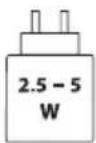
The power delivered by the charger must be between min 2.5 Watts required by the radio equipment, and max 5 Watts in order to achieve the maximum charging speed.
DO NOT ATTEMPT TO OPEN, SERVICE, OR DISASSEMBLE THE BATTERY | DO NOT SHORT CIRCUIT | MAY EXPLODE IF DISPOSED OF IN FIRE | RISK OF EXPLOSION IF BATTERY IS REPLACED BY AN INCORRECT TYPE | DISPOSE OR RECYCLE USED BATTERIES ACCORDING TO THE INSTRUCTIONS

Bluetooth®
The Bluetooth ^® word mark and logos are registered trademarks owned by Bluetooth SIG, Inc. and any use of such marks by HARMAN International Industries, Incorporated is under license. Other trademarks and trade names are those of their respective owners.

ANATEL
Google, Android and Google Play are trademarks of Google LLC.



FR
Product specifications and app screens are subject to change without notice.
HP JBL TUNE777NC QSG Global CR V1