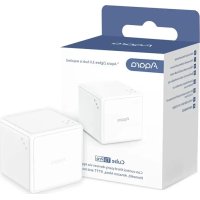
Cube T1 Pro - Smart Home Aqara - Free user manual and instructions
Find the device manual for free Cube T1 Pro Aqara in PDF.



| Product Type | Wireless Controller |
| Brand | Aqara |
| Model | Cube T1 Pro (CTP-R01) |
| Communication | Zigbee 3.0 |
| Frequency | 2405-2475 MHz |
| Max. Power | ≤13 dBm |
| Power Supply | 1 CR2450 button cell battery |
| Operating Modes | Action Mode (6 actions) and Scene Mode (6 faces) |
| Actions in Action Mode | Flip 90°, Flip 180°, Rotation, Push, Double tap, Shake |
| Actions in Scene Mode | Face X upward (1-6/all), Pick up and hold, Shake, Trigger after inactivity |
| Hub Required | Yes, Aqara Zigbee hub |
| Indicator Light | Yes |
| Reset | Press and hold for 5 seconds |
| Mode Switching | Via Aqara Home app |
| Operating Temperature | -10°C to 50°C |
| Operating Humidity | ≤95% RH, non-condensing |
| Compatibility | Apple HomeKit, Zigbee |
| Communication Test | Shake or press the button once |
| Usage | Indoor only |
| Safety | Keep out of reach of children, do not swallow battery |
Frequently Asked Questions - Cube T1 Pro Aqara
User questions about Cube T1 Pro Aqara
0 question about this device. Answer the ones you know or ask your own.
Ask a new question about this device
Download the instructions for your Smart Home in PDF format for free! Find your manual Cube T1 Pro - Aqara and take your electronic device back in hand. On this page are published all the documents necessary for the use of your device. Cube T1 Pro by Aqara.
USER MANUAL Cube T1 Pro Aqara
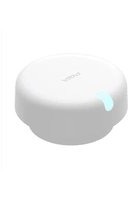
Aqara Cube T1 Pro is a new wireless controller, which supports two modes: Action Mode and Scene Mode. The action mode supports six modes: flip 90° , flip 180° , tap twice, push, shake and rotate. The scene mode supports six states (face 1 ~ 6/any side up) and various action control modes such as rotate, pick up and hold, and shake when face 1-6 up. “Triggered after one-minute inactivity” is supported in both modes. It can be placed on any surface, bound with the hub and work with other smart devices to perform various smart automations.
*This product requires an Aqara Zigbee hub. Some functions require specific hubs. For details, please see: www.aqara.com/support.
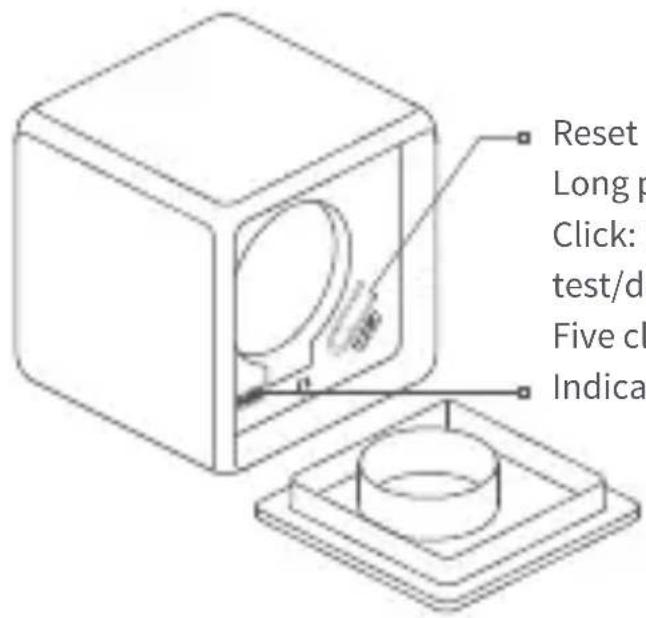
Reset button
Long press for 5 s: Reset/binding
Click: Effective communication distance
test/device searching
Five clicks: Device mode switching
Indicator light
Quick Setup
Add Device
- Download the Aqara Home app.
Search for "Aqara Home" in the Apple App Store, Google Play, Xiaomi GetApps, Huawei App Gallery, or scan the following QR code to download the Aqara Home app:

02
-
An Aqara Zigbee hub is required. Please make sure you have an Aqara Zigbee hub installed and added to the Aqara Home app.
-
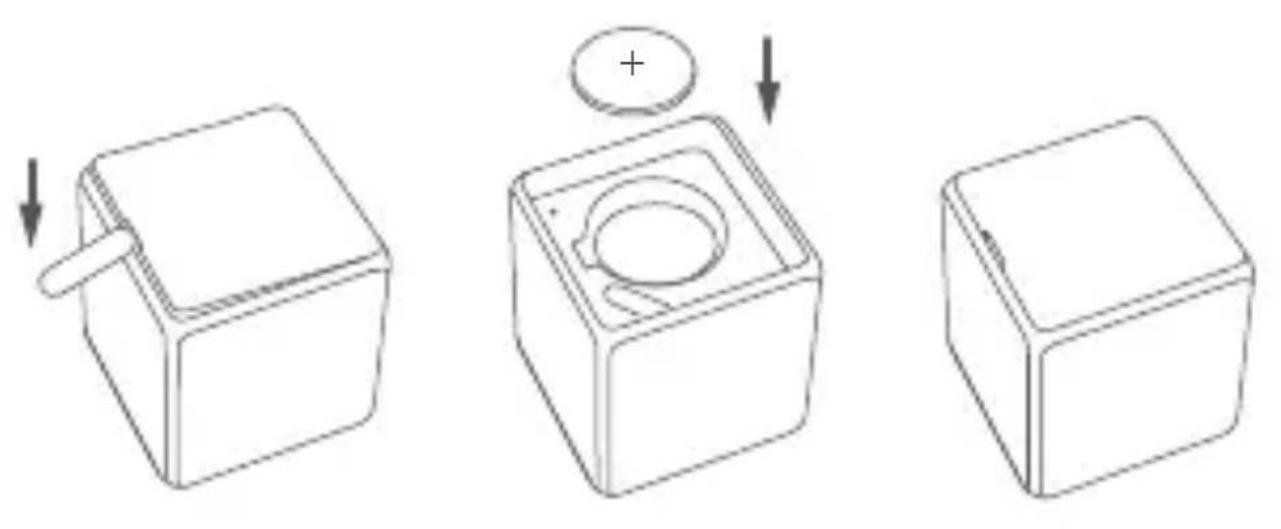
Open the battery cover with the ejector tool.
-
Open the app, click "+" in the upper right corner of the home page to enter the "Add Accessory" page, select "Cube T1 Pro", select the hub to be connected, operate according to the instructions on the app, and then long press the device reset button for 5 seconds, waiting for the hub to indicate that the connection is successful.
-
For more information, please visit: aqara.com/support.
-
If the device fails to be added, please move the device close to the hub and try again.
- Quickly press the reset button once, or pick up the Cube and shake it with force. If the hub gives a prompt sound, it indicates that the device can communicate effectively with the hub.
- Different hubs give the prompt of successful connection in different ways. Please refer to the introduction of the hub.
Inspection and Installation
Effective distance test: Pick up the Cube and shake it or press the reset button. If the hub gives a prompt sound, it indicates that the device can communicate effectively with the hub.
- To ensure stable wireless communication, please avoid installation on metal surfaces.
Mode Switching
Open the Aqara Home app, enter the device page, and click "... in the upper right corner, enter the device setting page, click "More Settings", click "Mode Switching", and select the desired mode.
Battery Replacement
Open the battery cover of Cube T1 Pro with the ejector tool, take out the battery, replace it with a new CR2450 battery (note that the positive electrode of the battery is upward), and then close the battery cover again.
Instructions Action mode
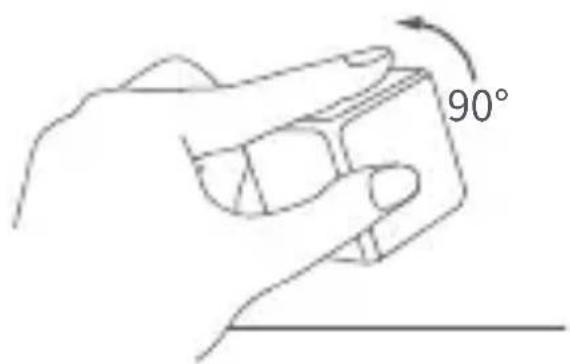
Flip 90° : Pick up the Cube and flip by 90°
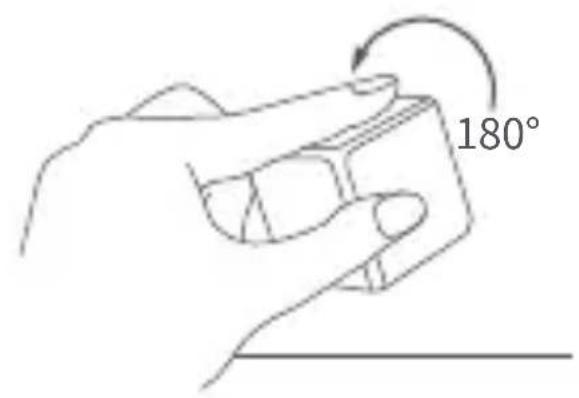
Flip 180° : Pick up the Cube and flip by 180°
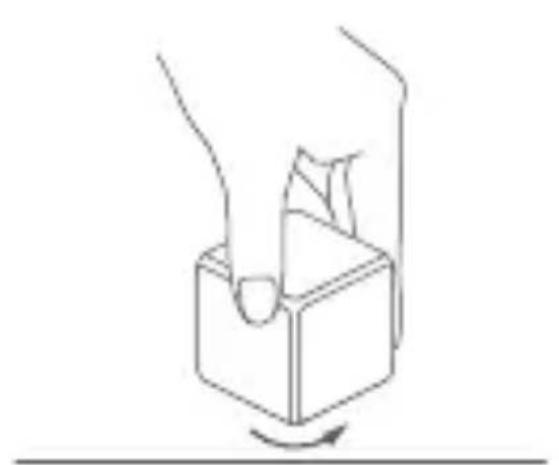
Rotate: Rotate the Cube on a surface
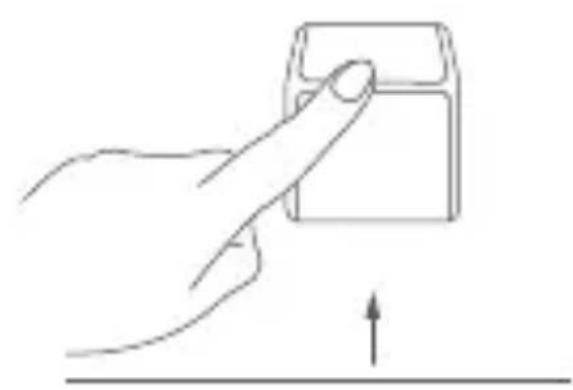
Push: Push the Cube on a surface
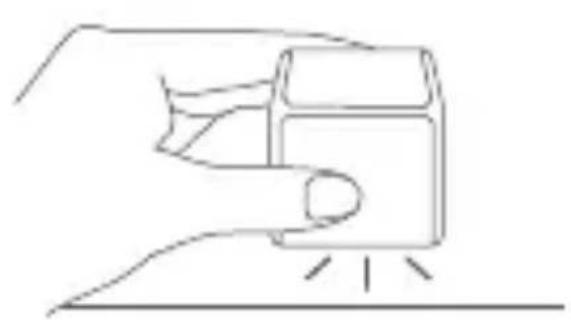
Tap: Pick up the Cube and tap it twice
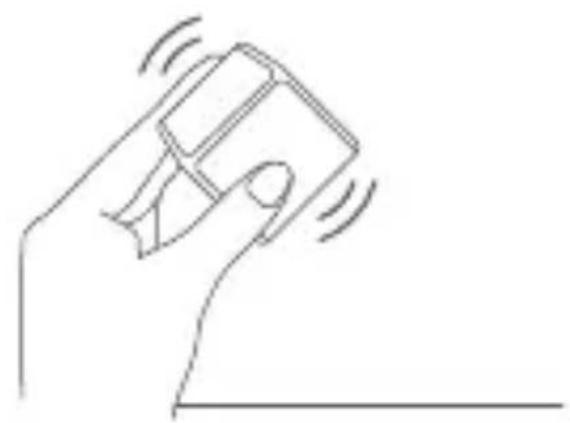
Shake: Pick up the Cube and shake it back and forth quickly twice
Triggered after one-minute inactivity: The Cube is moved after stands still for one minute
Scene Mode
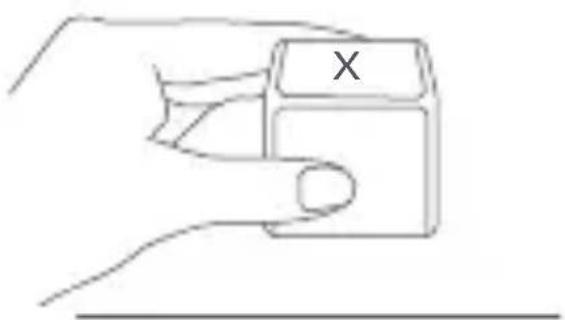
Side X up : Flip the Cube to the X (1~6/any) side up
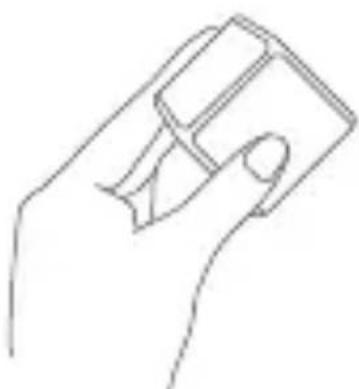
Pick up and hold: Pick up the cube and hold still
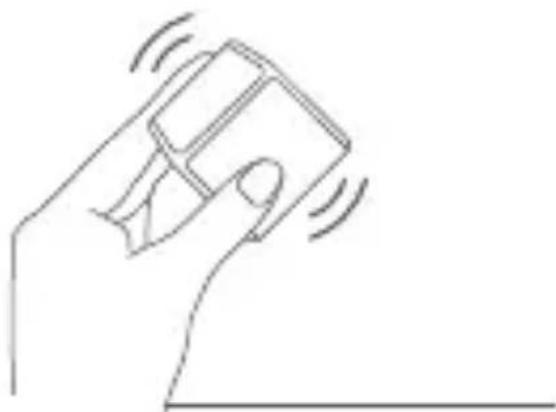
Shake: Pick up the Cube and shake it back and forth quickly twice
Pick up and hold: Pick up the cube and hold still
*HomeKit only supports this function.
Specifications
Product Model: CTP-R01
Dimensions: 45 × 45 × 45 mm (1.77×1.77×1.77in.)
Net Weight: 76 g
Battery: CR2450 (Replaceable)
Wireless Protocol: Zigbee
Operating Temperature: -10°C 50°C ( 14°F 122°F )
Operating Humidity: ≤ 95% RH, no condensation
Zigbee Operation Frequency: 2405-2475MHz
Zigbee Maximum Output Power ≤ 13 dBm
Online Customer Service: www.aqara.com/support Manufacturer: Lumi United Technology Co., Ltd.
Address: Room 801-804, Building 1, Chongwen Park, Nanshan iPark, No. 3370, Liuxian Avenue, Fuguang
Community, Taoyuan Residential District, Nanshan District, Shenzhen, China
Warnings
- This product is not a toy, please keep children away from this product.
- This product is designed for indoor use only. Do NOT use in humid environments or outdoors.
- Beware of moisture, do NOT spill water or other liquids onto the product.
- Do not place this product near a heat source.
- Do not attempt to repair the product by yourself. All repairs should be performed by authorized personnel.
- This product is designed only for improving the convenience of household life, and for status notifications. If the user violates the product instructions and this warning, the manufacturer is not responsible for any risks and property losses caused thereby.
Under normal use of condition, this equipment should be kept a separation distance of at least 0mm between the antenna and the body of the user.
EU Declaration of Conformity
Hereby, [Lumi United Technology Co., Ltd]
declares that the radio equipment type [Cube T1
[Pro,CTP-R01] is in compliance with Directive 2014/53/EU.
The full text of the EU declaration of conformity is available at the following internet address:
https://www.aqara.com/DoC/
UK CA
UK Declaration of Conformity
CA Hereby, [Lumi United Technology Co., Ltd] declares that the radio equipment type [Cube T1
[Pro,CTP-R01] is in compliance with Directive 2017 (SI 2017
No.1206, as amended by SI 2019 No. 696).
The full text of the UK declaration of conformity is available at the following internet address:
http://www.aqara.com/DoC/
WEEE Disposal and Recycling Information
All products bearing this symbol are waste
electrical and electronic equipment (WEEE as in
directive 2012/19/EU) which should not be mixed with
unsorted household waste. Instead, you should protect human health and the environment by handing over your waste equipment to a designated collection point for the recycling of waste electrical and electronic equipment, appointed by the government or local authorities. Correct disposal and recycling will help prevent potential negative consequences to the environment and human health. Please contact the installer or local authorities for more information about the location as well as terms and conditions of such collection points.
Symbol on the product or on its packaging
indicates that this product may not be
treated as household waste. Instead it shall
be handed over to the applicable collection
point for the recycling of electrical and electronic equipment.
CAUTION
-
Risk of explosion if the battery is replaced by an incorrect type.
-
Dispose of used batteries according to the instructions.
- Do not ingest battery, Chemical Burn Hazard.
- This product contains a coin / button cell battery. If the coin / button cell battery is swallowed, it can cause severe internal burns in just 2 hours and can lead to death.
- Keep new and used batteries away from children.
- If the battery compartment does not close securely, stop using the product and keep it away from children.
- If you think batteries might have been swallowed or placed inside any part of the body, seek immediate medical attention.
- Disposal of a battery into fire or a hot oven, or mechanically crushing or cutting of a battery, that can result in an explosion.
- Leaving a battery in an extremely high temperature surrounding environment that can result in an explosion or the leakage of flammable liquid or gas
- A battery subjected to extremely low air pressure that may result in an explosion or the leakage of flammable liquid or gas.
FCC ID:2AKIT-CTP-R01
Federal Communications Commission (FCC) compliance statement:
- This device complies with part 15 of the FCC Rules.
Operation is subject to the following two conditions:
(1) This device may not cause harmful interference, and
(2) this device must accept any interference received, including interference that may cause undesired operation.
2. Changes or modifications not expressly approved by the party responsible for compliance could void the user's authority to operate the equipment.
Note: This equipment has been tested and found to comply with the limits for a Class B digital device, pursuant to part 15 of the FCC Rules. These limits are designed to provide reasonable protection against harmful interference in a residential installation. This equipment generates, uses and can radiate radio frequency energy and, if not installed and used in accordance with the instructions, may cause harmful
interference to radio communications. However, there is no guarantee that interference will not occur in a particular installation. If this equipment does cause harmful interference to radio or television reception, which can be determined by turning the equipment off and on, the user is encouraged to try to correct the interference by one or more of the following measures:
—Reorient or relocate the receiving antenna.
—Increase the separation between the equipment and receiver.
—Connect the equipment into an outlet on a circuit different from that to which the receiver is connected.
—Consult the dealer or an experienced radio/TV technician for help.
The SAR limit of FCC is 1.6W / kg over 1 gram of tissue for use against the body. The highest SAR value reported under this standard during product certification when properly worn on the body is 0.17W / kg , This device was tested for typical body-worn operations with the edge of the device kept 0mm from the body.
IC:22635-CTPR01
IC NOTICE TO CANADIAN USERS
This device contains licence-exempt transmitter(s)/receiver(s) that comply with Innovation, Science and Economic Development Canada's licence-exempt RSS(s). Operation is subject to the following two conditions:
(1) This device may not cause interference.
(2) This device must accept any interference, including interference that may cause undesired operation of the device.
This Class B digital apparatus complies with Canadian ICES - 003.
This device complies with RSS - 247 of Industry Canada. Operation is subject to the condition that this device does not cause harmful interference.
The SAR limit of IC is 1.6W/kg over 1 gram of tissue for use against the body. The highest SAR value reported under this standard during product certification when properly worn on the body is 0.17W/kg, This device was
tested for typical body-worn operations with the edge of the device kept 0mm from the body.
Scan to get the Zigbee Install Code on the last page of the manual.
*Please read this manual carefully and keep it in a safe place.
*If necessary, the contents of this manual will be modified or adjusted without special notice.
Produkt-Einführung
Zhiyuan, Nr. 3370, Liuxian Avenue, Fuguang community,
All products bearing this symbol are waste
electrical and electronic equipment (WEEE as in unsorted household waste. Instead, you should protect human health and the environment by handing over your waste equipment to a designated collection point for the recycling of waste electrical and electronic equipment, appointed by the government or local authorities. Correct disposal and recycling will help prevent potential negative consequences to the environment and human health. Please contact the installer or local authorities for more information about the location as well as terms and conditions of such collection points.
Google Play, Xiaomi GetApps, Huawei App Gallery, ou
Inspection et installation
Instructions Mode action
Dimensions: 454545 mm (1.771.771.77in.)
Poids net: 76 g
Batterie:CR2450 (replacable)
Protocole sans fil : Zigbee
Fabricant: Lumi United Technology Co., Ltd.
Adresse: Room 801-804, Building 1, Chongwen Park,
Nanshan iPark, No. 3370, Avenue Liuxian, Commune de
Fuguang, District residentiel de Taoyuan, District de
Nanshan, Shenzhen, China.
Avertissements
Apple, Google Play, Xiaomi GetApps, Huawei App
Chongwen, iPark Nanshan, No. 3370, Avenida Liuxian,
Ampes: Room 801-804, Building 1, Chongwen Park,
Nanshan iPark, No. 3370, Liuxian Avenue, Fuguang
Community, Taoyuan Residential District, Nanshan
District, Shenzhen, China (OΦис 801-804, зданны 1, napK
Yohrben, HambaHb iPark, No3370, npocneK TIOcHb,
MnKpopaOHyraH,KnlopaOH TaOHaHb,p-H HaHbShaHb,r. 3Hb4xK3Hb,Knta)
CaiT: www.aqara.com
E-mail: support@aqara.com
Bнманne!
HanomnHaHnaO cTaTyce yCTpoiCTBa. Oh He
- Please read this manual carefully and keep it properly.
Scan code to acquire
Zigbee Install Code

- QUICK SETUP
- ADD DEVICE
- INSPECTION AND INSTALLATION
- MODE SWITCHING
- BATTERY REPLACEMENT
- SCENE MODE
- SPECIFICATIONS
- WARNINGS
- EU DECLARATION OF CONFORMITY
- UK CA
- UK DECLARATION OF CONFORMITY
- WEEE DISPOSAL AND RECYCLING INFORMATION
- CAUTION
- FCC ID:2AKIT-CTP-R01
- PRODUKT-EINFÜHRUNG
- INSPECTION ET INSTALLATION
- INSTRUCTIONS MODE ACTION
- AVERTISSEMENTS
- BНМАНNE
Brand : Aqara
Model : Cube T1 Pro
Category : Smart Home