ManualGo.com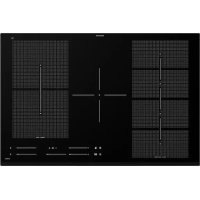
BLIXTSNABB 804.678.34 - Cooker IKEA - Free user manual and instructions
Find the device manual for free BLIXTSNABB 804.678.34 IKEA in PDF.


Download the instructions for your Cooker in PDF format for free! Find your manual BLIXTSNABB 804.678.34 - IKEA and take your electronic device back in hand. On this page are published all the documents necessary for the use of your device. BLIXTSNABB 804.678.34 by IKEA.
USER MANUAL BLIXTSNABB 804.678.34 IKEA
Subject to change without notice. Safety information Before the installation and use of the appliance, carefully read the supplied instructions. The manufacturer is not responsible if an incorrect installation and use causes injuries and damage. Always keep the instructions with the appliance for future reference. Children and vulnerable people safety
This appliance can be used by children aged from 8 years and above and persons with reduced physical, sensory or mental capabilities or lack of experience and knowledge if they have been given supervision or instruction concerning the use of the appliance in a safe way and understand the hazards involved.
- Children between 3 and 8 years of age and persons with very extensive and complex disabilities shall be kept away from the appliance unless continuously supervised.
Children of less than 3 years of age should be kept away from the appliance unless continuously supervised.
Do not let children play with the appliance.
Keep all packaging away from children and dispose of it appropriately. ENGLISH 4• Keep children and pets away from the appliance when it operates or when it cools down. Accessible parts may become hot during use.
- If the appliance has a child safety device, it should be activated.
- Children shall not carry out cleaning and user maintenance of the appliance without supervision. General Safety
WARNING: The appliance and its accessible parts become
hot during use. Care should be taken to avoid touching heating elements.
- Do not operate the appliance by means of an external timer or separate remote-control system.
- WARNING: Unattended cooking on a hob with fat or oil can be dangerous and may result in re.
- NEVER try to extinguish a re with water, but switch o the appliance and then cover ame e.g. with a lid or a re blanket.
CAUTION: The cooking process has to be supervised. A short term cooking process has to be supervised continuously.
WARNING: Danger of re: Do not store items on the cooking
Metallic objects such as knives, forks, spoons and lids should not be placed on the hob surface since they can get hot.
Do not use the appliance before installing it in the built-in structure.
Disconnect the appliance from the electrical supply before maintenance.
Do not use a steam cleaner to clean the appliance.
After use, switch o the hob element by its control and do not rely on the pan detector. ENGLISH 5• If the glass ceramic surface / glass surface is cracked, switch o the appliance and unplug it from the mains. In case the appliance is connected to the mains directly using junction box, remove the fuse to disconnect the appliance from power supply. In either case contact the Authorised Service Centre.
- If the supply cord is damaged, it must be replaced by the manufacturer, the Authorised Service Centre or similarly qualied persons in order to avoid a hazard.
- WARNING: Use only hob guards designed by the manufacturer of the cooking appliance or indicated by the manufacturer of the appliance in the instructions for use as suitable or hob guards incorporated in the appliance. The use of inappropriate guards can cause accidents. Safety instructions Installation Warning! The appliance must be installed by the authorised installer. Follow the Assembly instructions supplied with the appliance.
- Remove all the packaging.
- Do not install or use a damaged appliance.
- Keep the minimum distance from other appliances and units.
- Always take care when moving the appliance as it is heavy. Always use safety gloves and enclosed footwear.
- Seal the cut surfaces with a sealant to prevent moisture to cause swelling.
- Protect the bottom of the appliance from steam and moisture.
- Do not install the appliance adjacent to a door or under a window. This prevents hot cookware falling from the appliance when the door or the window is opened.
- Make sure that the space underneath the hob is sucient for air circulation.
- The bottom of the appliance can get hot. If the appliance is installed above the drawers, make sure to install a non- combustible separation panel under the appliances to prevent access to the bottom. Electrical Connection Warning! Risk of re and electric shock.
- All electrical connections should be made by the authorised installer.
- The appliance must be earthed.
- Before carrying out any operation make sure that the appliance is disconnected from the power supply.
- Make sure that the parameters on the rating plate are compatible with the electrical ratings of the mains power supply.
- Make sure the appliance is installed correctly. Loose and incorrect electricity ENGLISH 6mains cable or plug (if applicable) can make the terminal become too hot.
- Make sure that a shock protection is installed.
- Use the strain relief clamp on the cable.
- Make sure the mains cable or plug (if applicable) does not touch the hot appliance or hot cookware, when you connect the appliance to the near sockets.
- Do not use multi-plug adapters and extension cables.
- Make sure not to cause damage to the mains plug (if applicable) or to the mains cable. Contact our Authorised Service Centre or an electrician to change a damaged mains cable.
- The shock protection of live and insulated parts must be fastened in such a way that it cannot be removed without tools.
- Connect the mains plug to the mains socket only at the end of the installation. Make sure that there is access to the mains plug after the installation.
- If the mains socket is loose, do not connect the mains plug.
- Do not pull the mains cable to disconnect the appliance. Always pull the mains plug.
- Use only correct isolation devices: line protecting cut-outs, fuses (screw type fuses removed from the holder), earth leakage trips and contactors.
- The electrical installation must have an isolation device which lets you disconnect the appliance from the mains at all poles. The isolation device must have a contact opening width of minimum 3 mm. Use Warning! Risk of injury, burns and electric shock.
- Remove all the packaging, labelling and protective lm (if applicable) before rst use.
- This appliance is for household use only.
- Do not change the specication of this appliance.
- Make sure that the ventilation openings are not blocked.
- Do not let the appliance stay unattended during operation.
- Set the cooking zone to “o” after each use.
- Do not rely on the pan detector.
- Do not put cutlery or saucepan lids on the cooking zones. They can become hot.
- Do not operate the appliance with wet hands or when it has contact with water.
- Do not use the appliance as a work surface or as a storage surface.
- If the surface of the appliance is cracked, disconnect immediately the appliance from the power supply. This to prevent an electrical shock.
- Users with a pacemaker must keep a distance of minimum 30 cm from the induction cooking zones when the appliance is in operation.
- When you place food into hot oil, it may splash. Warning! Risk of re and explosion
- Fats and oil when heated can release ammable vapours. Keep ames or heated objects away from fats and oils when you cook with them.
- The vapours that very hot oil releases can cause spontaneous combustion.
- Used oil, that can contain food remnants, can cause re at a lower temperature than oil used for the rst time.
- Do not put ammable products or items that are wet with ammable products in, near or on the appliance. Warning! Risk of damage to the appliance.
- Do not keep hot cookware on the control panel.
- Do not put a hot pan cover on the glass surface of the hob.
- Do not let cookware boil dry.
- Be careful not to let objects or cookware fall on the appliance. The surface can be damaged. ENGLISH 7• Do not activate the cooking zones with empty cookware or without cookware.
- Do not put aluminium foil on the appliance.
- Cookware made of cast iron, aluminium or with a damaged bottom can cause scratches on the glass / glass ceramic. Always lift these objects up when you have to move them on the cooking surface.
- This appliance is for cooking purposes only. It must not be used for other purposes, for example room heating. Care and cleaning
- Clean the appliance regularly to prevent the deterioration of the surface material.
- Switch o the appliance and let it cool down before cleaning.
- Do not use water spray and steam to clean the appliance.
- Clean the appliance with a moist soft cloth. Only use neutral detergents. Do not use abrasive products, abrasive cleaning pads, solvents or metal objects. Service
- To repair the appliance contact the Authorised Service Centre. Use original spare parts only.
- Concerning the lamp(s) inside this product and spare part lamps sold separately: These lamps are intended to withstand extreme physical conditions in household appliances, such as temperature, vibration, humidity, or are intended to signal information about the operational status of the appliance. They are not intended to be used in other applications and are not suitable for household room illumination. Disposal Warning! Risk of injury or suocation.
- Contact your municipal authority for information on how to discard the appliance correctly.
- Disconnect the appliance from the mains supply.
520 mm 780 mm 55 mm min. 5 mm Installation process must follow the laws, ordinances, directives and standards (electrical safety rules and regulations, proper recycling in accordance with the regulations, etc.) in force in the country of use!
- For further information on the installation refer to the Assembly Instruction.
- If there is no oven beneath the hob, install a separation panel under the appliance according to the Assembly Instruction.
- Do not use silicon sealant between the appliance and the worktop. Electrical connection Warning! Refer to Safety chapters. Warning! All electrical connections must be made by an authorised installer. Electrical connection
- Before connecting, check if the nominal voltage of the appliance, provided on the rating plate, corresponds to the available supply voltage. The rating plate is located on the lower casing of the hob.
- Follow the connection diagram (it is located on the underneath surface of the casing of the hob).
- Use only original spare parts provided by spare parts service.
- The appliance is not provided with a mains cable. Buy the right one from a specialized dealer. Single phase or two- phase connection requires a mains cable of minimum 70°C temperature stability. Cable needs mandatory end sleeves. According to IEC regulations use for one- phase connection: mains cable 3 x 4mm² ENGLISH 9and for two-phase connection: mains cable 4 x 2.5mm². Please respect specic national regulations in the rst priority.
- You must have the means for disconnection incorporated in the xed wiring.
- You must have the connection and the connecting links carried out as shown in the connection diagram.
- The earth lead is connected to terminal and must be longer than leads carrying electric current.
Insert the shunts between the screws as shown. Main power connection 1-phase Main power connection 2-phase L N L1 L2 L3 N Wiring colours: Wiring colours: Yellow / green Yellow / green N Blue N Blue L Black or brown L1 Black L2 Brown Tighten the terminal screws securely! Once you connect the hob to the mains, check if all the cooking zones are ready to use. Place a pot with some water on a cooking zone and set the power setting for each zone to the maximum level for a short time. ENGLISH 10If or symbol comes on the display after you switch on the hob for the rst time, refer to "Troubleshooting". Product description Cooking surface layout
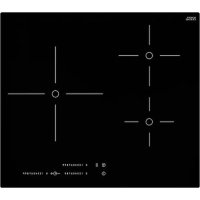
Single cooking zone (210 mm) 2300 W, with Booster 3200 W
Single cooking zone (180 x 210 mm) 2300 W, with Booster 3200 W
Single cooking zone (180 x 210 mm) 2300 W, with Booster 3200 W
Flexible induction cooking area (440 x 220 mm), with Booster 3600 W ENGLISH 11Control panel layout
To activate and deactivate Lock / Child Lock / Cleaning mode.
To activate and deactivate Pre-Set Cooking.
To switch between Multi-Flexi modes.
To show the power setting.
To show for which zone you set the time.
To activate and deactivate Bridge.
/ To increase and decrease the time.
To show the power setting for the exible induction cooking area. Power setting displays Display Description The cooking zone is deactivated.
The cooking zone operates. Pause operates. Booster operates. + digit There is a malfunction. Refer to "Troubleshooting". A cooking zone is still hot (residual heat). Lock / Child Lock / Cleaning mode operates. Incorrect or too small cookware or no cookware on the cooking zone. Automatic Switch O operates. ENGLISH 12Display Description
Pre-Set Cooking mode operates. Residual heat indicator Warning! Risk of burns from residual heat! After you switch o the appliance, the cooking zones need some time to cool down. Look at the residual heat indicator
Use residual heat for melting and keeping food warm. Daily use Switching on / o Touch for 1 second to switch the appliance on / o. Automatic Switch O The function switches o the appliance automatically if:
- all cooking zones are deactivated.
- you do not set the power setting after switching on the appliance.
- you cover any symbol with an object (a pan, a cloth, etc.) for longer than approx. 10 seconds.
- you do not deactivate a cooking zone after a certain time, or you do not modify the power setting, or if overheating occurs (e.g. when a pan boils dry). The symbol lights up. Before using again, you must set the cooking zone to . Power setting Automatic switch o after
If cookware that is not suitable is used, lights up on the display and after 2 minutes the indicator for the cooking zone deactivates. Adjusting the power setting Touch the power selector at a desired power setting. Adjust to the left or the right, if necessary. Do not release before you reach a desired power setting. Using the Booster function The Booster function makes additional power available for the induction cooking zones. Touch to activate it, lights up on the display. After a maximum of 10 minutes, the induction cooking zones automatically return to the power setting. Bridge function The function connects two right side cooking zones and they operate as one. First set the power setting for one of the cooking zones. ENGLISH 13To activate the function touch . To set or change the power setting touch one of the symbols. To deactivate the function touch . The cooking zones operate independently. Using the Timer Touch repeatedly until the indicator of a desired cooking zone ashes. For example for the front right zone. Touch or of the Timer to set the time between 00 and 99 minutes. When the indicator of the cooking zone ashes more slowly, the time counts down. Set the power setting. If the power setting is set and the time set has elapsed, an acoustic signal sounds, 00 ashes, and cooking zone deactivates. If cooking zone is not in use and the time set has elapsed an acoustic signal sounds and 00 ashes. Touch to deactivate the function for the selected cooking zone and the indicator for this cooking zone ashes faster. Touch and the remaining time counts backwards to
00. The indicator of the cooking zone goes
out. Pause The function sets all cooking zones that operate to the lowest power setting . When the function operates, you cannot change the power setting. The function does not stop the Timer function.
- To activate this function touch . The symbol comes on.
- To deactivate this function touch . The power setting that you set before comes on. Lock / Cleaning mode You can lock the control panel and keep the cooking zones operating. It prevents an accidental change of the power setting. Use the function to clean the surface of the hob during the cooking session, if needed. First set the power setting. To start the function touch . The symbol comes on for 4 seconds. The Timer stays on. To stop the function touch . The power setting that you set before comes on. When you switch o the appliance, you also stop this function. Child Lock This function prevents an accidental operation of the appliance. To activate the function:
- Switch on the appliance with . Do not set the power settings.
- Touch for 4 seconds. The symbol comes on.
- Switch o the appliance with . To deactivate the function:
- Switch on the appliance with . Do not set the power settings. Touch for 4 seconds. The symbol comes on.
- Switch o the appliance with . To override the function for only one cooking time:
- Switch on the appliance with . The symbol comes on. ENGLISH 14• Touch for 4 seconds. Set the power setting in 10 seconds. You can operate the appliance.
- When you switch o the appliance with , the function operates again. OSound Control - Deactivating and activating the sounds Deactivating the sounds Switch o the appliance. Touch for 3 seconds. The displays comes on and goes out. Touch for 3 seconds. comes on, the sound is on. Touch , comes on, the sound is o. When this function operates, you can hear the sounds only when:
- you put something on the control panel. Activating the sounds Switch o the appliance. Touch for 3 seconds. The displays come on and go out. Touch for 3 seconds. comes on, because the sound is o. Touch , comes on. The sound is on. Power exchange function
- Cooking zones are grouped according to the location and number of the phases in the hob. See the illustration.
- Each phase has a maximum electricity loading of 3700 W.
- The function divides the power between cooking zones connected to the same phase.
- The function activates when the total electricity loading of the cooking zones connected to a single phase exceeds 3700
- The function decreases the power of the other cooking zones connected to the same phase.
- The power setting display of the reduced zones changes between two levels. Flexible induction cooking area Warning! Refer to Safety chapters. Multi-Flexi mode The exible induction cooking area consists of four sections. The sections can be combined into two cooking zones with dierent size, or into one large cooking area. You choose the combination of the sections by choosing the mode applicable to the size of the cookware you want to use. There are three modes: Multi-Flexi mode 2 + 2 sections (activated automatically when you switch on the hob), Multi-Flexi mode 3 + 1 sections and Multi-Flexi mode 4 sections. To set the power setting use two left side power selectors. Switching between the modes To switch between the modes use symbol:
ENGLISH 15When you switch between the modes the power setting is set back to 0. Diameter and position of the cookware Choose the mode applicable to the size and the shape of the cookware. The cookware should cover the selected area as much as possible. Place the cookware centrally on the selected area! Place the cookware with the bottom diameter smaller than 160 mm centrally on a single section. 100-160mm Place the cookware with the bottom diameter larger then 160 mm centrally between two sections. > 160 mm Multi-Flexi mode 2 + 2 sections This mode is active when you switch on the hob. It connects the sections into two separate cooking zones. You can set the power setting for each zone separately. Use two left side power selectors. Correct cookware position: Incorrect cookware position: ENGLISH 16Multi-Flexi mode 3 + 1 sections To activate the mode press until you see the correct mode indicator. This mode connects three rear sections into one cooking zone. The one front section is not connected and operates as a separate cooking zone. You can set the power setting for each zone separately. Use two left side power selectors. Correct cookware position: To use this mode you have to place the cookware on the three connected sections. If you use cookware smaller than two sections the display shows and after 2 minutes the zone deactivates. Incorrect cookware position: Multi-Flexi mode 4 sections To activate the mode press until you see the correct mode indicator. This mode connects all sections into one cooking zone. To set the power setting use one of the left side power selector. Correct cookware position: ENGLISH 17To use this mode you have to place the cookware on the four connected sections. If you use cookware smaller than three sections the display shows and after 2 minutes the zone deactivates. Incorrect cookware position: Pre-Set Cooking mode This function allows you to adjust the temperature by moving the cookware to a dierent position on the induction cooking area. The function divides the induction cooking area into three areas with dierent power settings. The hob senses the position of the cookware and sets the power setting corresponding with the position. You can place the cookware in the front, middle or rear position. If you place the cookware in the front you get the highest power setting. You can decrease the power setting by moving the cookware in the middle or to the rear position. Use only one pot when you operate the function. General information:
- 160 mm is the minimum bottom diameter of the cookware for this function.
- Power setting display for the left rear power selector shows the position of the cookware on the induction cooking area. Front , middle , rear .
- Power setting display for the left front power selector shows the power setting. To change the power setting use left front power selector.
- When you activate the function for the rst time you will get power setting for the front position, for the middle position and for the rear position. ENGLISH 18You can change the power settings for each position separately. The hob will remember your power settings next time you activate the function. If there is a power cut, the hob will restore the default settings of the function. Activating the function To activate the function place the cookware in the correct position on the cooking area. Touch . The indicator above the symbol comes on. If you do not place the cookware on the cooking area comes on and after 2 minutes the exible induction cooking area is set to . Deactivating the function To deactivate the function touch or set the power setting to . The indicator above the symbol goes o. Cooking table Heat setting Use to: Time (min) Hints 1 Keep cooked food warm. as nec‐ essary Put a lid on the cookware.
5 - 25 Mix from time to time.
10 - 40 Cook with a lid on.
2 - 3 Simmer rice and milkbased
dishes, heat up ready-cooked meals.
25 - 50 Add at least twice as much liq‐
uid as rice, mix milk dishes halfway through the proce‐ dure.
3 - 4 Steam vegetables, sh, meat. 20 - 45 Add a couple of tablespoons of
4 - 5 Cook larger quantities of food,
ents. ENGLISH 19Heat setting Use to: Time (min) Hints
6 - 7 Gentle fry: escalope, veal cor‐
don bleu, cutlets, rissoles, saus‐ ages, liver, roux, eggs, pan‐ cakes, doughnuts. as nec‐ essary Turn halfway through.
5 - 15 Turn halfway through.
9 Boil water, cook pasta, sear meat (goulash, pot roast), deep-fry chips. Boil large quantities of water. Booster is activated. The data in the table is for guidance only. Cookware guidance Warning! Refer to Safety chapters. What pots to use Only use cookware which is suitable for induction hobs. The cookware must be made of a ferromagnetic material, such as:
- stainless steel (most types);
- aluminium with ferromagnetic coating or a ferromagnetic plate. To determine if a pot or pan is suitable, check for the symbol (usually stamped on the bottom of the cookware). You can also hold a magnet to the bottom. If it clings to the underside, the cookware will work on the induction hob. To ensure optimum eciency, always use pots and pans with a at bottom that distributes the heat evenly. If the bottom is uneven, this will aect power and heat conduction. How to use Minimum diameter of pot / pan base for the dierent cooking areas To ensure that the hob operates properly, the cookware must have a suitable minimum diameter as well as cover one or more of the reference points indicated on the surface of the hob. Always use the cooking zone that best corresponds to the diameter of the bottom of the cookware. Cooking zone Cookware diame‐ ter [mm] Flexible induction cooking area
1) Minimum diameter of pot / pan base for a single
section. ENGLISH 20Empty or thin-based pots / pans Do not use empty pots / pans or cookware with thin bases on the hob as it will not be able to monitor the temperature, or will turn o automatically if the temperature is too high. This may result in the damage of the cookware or the hob surface. If such a situation occurs, do not touch anything and wait for all components to cool down. If an error message appears, refer to "Troubleshooting". Hints / tips Noises during cooking When a cooking zone is active, it may hum briey. This is characteristic of all ceramic glass cooking zones and does not impair either the function or the life of the appliance. The noise depends on the cookware used. If it causes considerable disturbance, it might help to change the cookware. Care and cleaning General information Warning! Switch o the appliance and let it cool down before you clean it. Warning! For safety reasons, do not clean the appliance with steam blasters or high-pressure cleaners. Warning! Sharp objects and abrasive cleaning agents will damage the appliance. Clean the appliance and remove the residues with water and dish soap after each use. Remove also the remnants of the cleaning agents. Scratches or dark stains on the glass ceramic that cannot be removed do not aect the functioning of the appliance. Removing the residues and stubborn residues Food containing sugar, plastics, or tin foil residues should be removed at once. A scraper is the best tool for cleaning the glass surface. It is not supplied with the appliance. Place a scraper on the hob surface at an angle and remove residues by sliding the blade over the surface. Clean the appliance using a damp cloth and some dish soap. Finally, wipe the glass surface dry with a clean cloth. Limescale rings, water rings, fat splashes, or shiny metallic discolourations should be removed after the appliance has cooled down. Use only a specialised cleaner for glass ceramic or stainless steel. Troubleshooting Warning! Refer to Safety chapters. ENGLISH 21What to do if... Problem Possible cause Remedy You cannot switch on the ap‐ pliance or operate it. The hob is not connected to an electrical supply or it is connected incorrectly. Check if the hob is correctly connected to the electrical supply. Refer to the connec‐ tion diagram. The fuse is blown. Make sure that the fuse is the cause of the malfunction. If the fuse is blown again and again, contact an authorised installer. You did not set the power setting in less than 10 sec‐ onds. Switch on the hob again and set the power setting in less than 10 seconds. You touched 2 or more sym‐ bols at the same time. Touch only one symbol at a time. Pause operates. Refer to "Daily use". There is water or fat stains on the control panel. Clean the control panel and wait for a few seconds before activating again. An acoustic signal sounds and the hob switches o. An acoustic signal sounds when the hob is switched o. You put something on one or more symbols on the control panel. Remove the object from the symbols. The appliance switches o. You put something on the symbol . Remove the object from the symbols. Residual heat indicator does not come on. The zone is not hot because it operated only for a short time. If the zone operated su‐ ciently long to be hot, speak to the After Sales Service. The power setting changes between two levels. Power exchange function op‐ erates. Refer to "Daily use". The symbols become hot. The cookware is too large or you put it too near to the controls. Put large cookware on the rear zones, if possible. There is no signal when you touch a symbol on the con‐ trol panel. The signals are deactivated. Activate the signals. Refer to "Daily use". ENGLISH 22Problem Possible cause Remedy The exible induction cook‐ ing area does not heat up the cookware. The cookware is in the wrong position on the exible induc‐ tion cooking area. Place the cookware in the correct position on the exi‐ ble induction cooking area. The position of the cookware depends on the activated function or function mode. Refer to "Flexible induction cooking area". The diameter of the bottom of the cookware is incorrect for the activated function or function mode. Use cookware with diameter applicable to the activated function or function mode. Use cookware with diameter smaller than 160 mm on a single section of the exible induction cooking area. Refer to "Flexible induction cooking area". comes on. Automatic Switch O oper‐ ates. Switch o the hob and switch it on again. comes on. Child Lock or Lock operates. Refer to "Daily use". ENGLISH 23Problem Possible cause Remedy comes on. There is no cookware on the zone. Put cookware on the zone. The cookware is incorrect. Use the correct cookware. Refer to "Cookware guid‐ ance". The diameter of the bottom of the cookware is too small for the zone. Use cookware with correct di‐ mensions. Refer to "Cookware guid‐ ance". There is no cookware on the zone or the zone is not fully covered. Put cookware on the zone so that it fully covers the cook‐ ing zone. Multi-Flexi mode operates. One or more sections of the function mode which oper‐ ates are not covered by cook‐ ware. Place the cookware on the correct number of sections of the function mode which op‐ erates or change the function mode. Refer to "Flexible induction cooking area". Pre-Set Cooking mode oper‐ ates. Two pots are placed on the exible induction cooking area. Use only one pot. Refer to "Flexible induction cooking area". and a number come on. There is an error in the hob. Disconnect the hob from the electrical supply for some time. Disconnect the fuse from the electrical system of the house. Connect it again. If comes on again, speak to an authorised installer. comes on. There is an error in the hob because a pot boiled dry. Au‐ tomatic Switch O and the overheating protection for the zones operate. Switch o the hob. Remove the hot cookware. After ap‐ proximately 30 seconds, acti‐ vate the zone again. If the cookware was the problem, the error message goes out. Residual heat indicator can stay on. Let the cookware be‐ come suciently cool. Check if your cookware is compati‐ ble with the hob. Refer to "Cookware guid‐ ance". ENGLISH 24If there is a fault, try to resolve it by following the troubleshooting guidelines. If the problem cannot be resolved, contact your IKEA store or the After Sales Service. You can nd a full list of IKEA appointed contacts at the end of this user manual. If you operated the appliance wrongly, or the installation was not carried out by an authorised installer, the visit from the After Sales Service technician or dealer may not take place free of charge, even during the warranty period. Technical data Rating Plate PQM
Country of origin© Inter IKEA Systems B.V. 1999 DGT 230 VModel 00000000PNC 000 000 000 00 S No .................... 220V-240V AC 50-60 HzTyp 60 GAD DC AU 7.35kWIKEA of Sweden ABSE - 343 81 Älmhult The graphic above serves to represent the rating plate of the appliance. The actual rating plate is located on the bottom of the casing. The serial number is specic to each product. Dear Customer, keep the additional rating plate with the user manual. This will allow us to assist you better by identifying precisely your hob, in case you need our assistance in the future. Thank you for your help! Energy eciency Product information according to EU 66/2014 Model identication BLIXTSNABB 804-678-34 Type of hob Built-In Hob Number of cooking areas 2 Number of cooking zones 1 Heating technology Induction Diameter of circular cook‐ ing zones (Ø) Middle front 21.0 cm Energy consumption per cooking zone (EC electric cooking) Middle front 190.8 Wh / kg ENGLISH 25Lenght (L) and width (W) of the cooking area Left L 45.6 cm W 21.6 cm Lenght (L) and width (W) of the cooking area Right L 37.8 cm W 21.6 cm Energy consumption of the cooking area (EC electric cooking) Left 187.0 Wh / kg Energy consumption of the cooking area (EC electric cooking) Right 194.9 Wh / kg Energy consumption of the hob (EC electric hob)
EN 60350-2 - Household electric cooking appliances - Part 2: Hobs - Methods for measuring performance Energy saving You can save energy during everyday cooking if you follow below hints.
- When you heat up water, use only the amount you need.
- If it is possible, always put the lids on the cookware.
- Before you activate the cooking zone put the cookware on it.
- Put the smaller cookware on the smaller cooking zones.
- Put the cookware directly in the centre of the cooking zone.
- Use the residual heat to keep the food warm or to melt it. Environmental concerns Recycle materials with the symbol . Put the packaging in relevant containers to recycle it. Help protect the environment and human health by recycling waste of electrical and electronic appliances. Do not dispose of appliances marked with the symbol with the household waste. Return the product to your local recycling facility or contact your municipal oce. IKEA guarantee How long is the IKEA guarantee valid? This guarantee is valid for ve (5) years - two (2) years if the appliance is named LAGAN or TILLREDA - from the original date of purchase of your appliance at IKEA or from the installation date with maximum limit of three months from the purchase date. The original sales receipt, is required as proof of purchase. If service work is carried out under guarantee, this will not extend the guarantee period for the appliance. Once a warranted product has been replaced, the replaced product warranty will be valid for the balance period from date of original purchase invoice. Who will execute the service? ENGLISH 26IKEA service provider will provide the service through its own service operations or authorized service partner network. What does this guarantee cover?
- The guarantee covers faults of the appliance, which have been caused by faulty construction or material faults from the date of purchase from IKEA or from the installation date with maximum limit of three months from the purchase date.
- This guarantee applies to domestic use only.
- The exceptions are specied under the headline “What is not covered under this guarantee?” Within the guarantee period.
- The costs to remedy the fault e.g. repairs, parts, labour and travel will be covered, provided that the appliance is accessible for repair without special expenditure. On these conditions the respective local regulations are applicable.
- Replaced parts become the property of IKEA.
- In case of non-repairable product, the retail value of the replacement will not exceed the purchase price that was paid by the customer What will IKEA do to correct the problem?
- IKEA appointed Service Provider will examine the product and decide, at its sole discretion, if it is covered under this guarantee. If considered covered, IKEA Service Provider or its authorized service partner through its own service operations, will then, at its sole discretion, either repair the defective product or replace it with the same or a comparable product. What is not covered under this guarantee?
- Normal wear and tear.
- Deliberate or negligent damage, damage caused by failure to observe operating instructions, incorrect installation or by connection to the wrong voltage, damage caused by chemical or electro-chemical reaction, rust, corrosion or water damage including but not limited to damage caused by excessive lime in the water supply, damage caused by abnormal environmental conditions.
- Consumable parts including batteries and lamps.
- Non-functional and decorative parts which do not aect normal use of the appliance, including any scratches and possible colour dierences.
- Accidental damage caused by foreign objects or substances and cleaning or unblocking of lters, drainage systems or soap drawers.
- Damage to the following parts: ceramic glass, accessories, crockery and cutlery baskets, feed and drainage pipes, seals, lamps and lamp covers, screens, knobs, casings and parts of casings. Unless such damages can be proved to have been caused by production faults.
- Cases where no fault could be found during a technician’s visit.
- Repairs not carried out by our appointed service providers and/or an authorized service contractual partner or where non- original parts have been used.
- Repairs caused by installation which is faulty or not according to specication.
- The use of the appliance in a non- domestic environment i.e. professional use.
- Damage resulting from power outage, power surges or dips, uctuating voltage or improper voltage All workout parts are not covered by the guarantee e.g.: lters and cleanliness.
- Transportation damages. If a customer transports the product to his home or another address, IKEA is not liable for any damage that may occur during transport. However, if IKEA delivers the product to the customer’s delivery address, then damage to the product that occurs during this delivery will be covered by IKEA.
- Cost for carrying out the initial installation of the IKEA appliance. However, if an IKEA service provider or its authorized service partner repairs or replaces the appliance under the terms of this guarantee, the service provider or its authorized service partner will re-install the repaired ENGLISH 27appliance or install the replacement, if necessary.
- All plumping and electrical installation, are not the responsibility of IKEA, and customer must complete these work before the execution work. How country law applies The IKEA guarantee gives you specic legal rights, which covers or exceed local demands. However these conditions do not limit in any way consumer rights described in the local legislation. Area of validity This warranty is valid only in the country where the product has been purchased; the services will be provided in the framework of the guarantee conditions. An obligation to carry out services in the framework of the guarantee exists only if the appliance complies and is installed in accordance with:
- the technical specications of the country in which the guarantee claim is made;
- the Assembly Instructions and User Manual Safety Information; The dedicated After Sales Service for IKEA appliances: Please don’t hesitate to contact IKEA appointed After Sales Service Provider to:
- make a service request under this guarantee;
- ask for clarications on installation of the IKEA appliance in the dedicated IKEA kitchen furniture;
- ask for clarication on functions of IKEA appliances. To ensure that we provide you with the best assistance, please read carefully the Assembly Instructions and/or the User Manual before contacting us. How to reach us if you need our service Please refer to the last page of this manual for the full list of IKEA appointed contacts and relative national phone numbers. In order to provide you with a quicker service, we recommend that you use the specic phone numbers listed at the end of this manual. Always refer to the numbers listed in the booklet of the specic appliance you need an assistance for. Before calling us, assure that you have to hand the IKEA article number (8 digit code) and the Serial Number (8 digit code that can be found on the rating plate) for the appliance of which you need our assistance. SAVE THE SALES RECEIPT! It is your proof of purchase and required for the guarantee to apply. The sales receipt also reports the IKEA name and article number (8 digit code) for each of the appliances you have purchased. ENGLISH 28Table des matières Informations de sécurité 29 Consignes de sécurité 31 Installation 34 Branchement électrique 35 Description de l'appareil 37 Utilisation quotidienne 38 Zone de cuisson à induction exible 41 Tableau de cuisson 45 Conseils pour les ustensiles 46 Entretien et nettoyage 47 Dépannage 48 Caractéristiques techniques 51 Rendement énergétique 52 En matière de protection de l'environnement