
KM0556 - Soundbar Krüger&Matz - Free user manual and instructions
Find the device manual for free KM0556 Krüger&Matz in PDF.



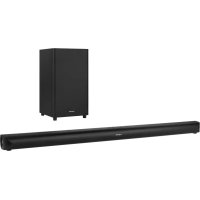
| Product type | Soundbar with wireless subwoofer |
| Brand / Model | Krüger&Matz KM0556 |
| Sound technology | Dolby Atmos |
| Bluetooth | Version 4.2, range 8 m |
| Connectivity | HDMI eARC/ARC, optical, coaxial, AUX (3.5 mm jack), USB-A |
| Total power | 240 W (soundbar 120 W + subwoofer 120 W) |
| Soundbar speakers | 2 × 2" center (60 W each), 2 × 1.5" side (30 W each) |
| Subwoofer | 1 × 6.5", 120 W, 3 Ω |
| Bandwidth | 40 Hz – 20 kHz |
| Power supply | 100-240 V ~ 50/60 Hz |
| Standby consumption | < 0.5 W |
| Soundbar dimensions | 1000 × 74 × 106 mm |
| Soundbar weight | 4 kg |
| Subwoofer dimensions | 240 × 420 × 240 mm |
| Subwoofer weight | 5.5 kg |
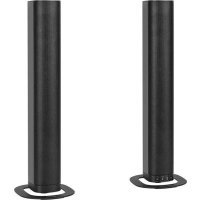
| Installation | Wall (brackets included) or on furniture |
| Remote control | AA batteries (not included), range 6 m |
| Audio functions | EQ presets, Surround, treble/bass adjustments, USB mode (MP3) |
| Automatic shutdown | After 15 minutes without audio signal |
| Safety | Double insulation class II, moisture protection |
| Cleaning | Soft damp cloth, without caustic products |
| Included accessories | 3.5 mm jack-jack cable, power cables, wall mounts, screws, remote control |
Frequently Asked Questions - KM0556 Krüger&Matz
User questions about KM0556 Krüger&Matz
0 question about this device. Answer the ones you know or ask your own.
Ask a new question about this device
Download the instructions for your Soundbar in PDF format for free! Find your manual KM0556 - Krüger&Matz and take your electronic device back in hand. On this page are published all the documents necessary for the use of your device. KM0556 by Krüger&Matz.
USER MANUAL KM0556 Krüger&Matz
The lightning flash with arrowhead symbol, within an equilateral triangle is intended to alert the user to the presence of uninsulated dangerous voltage within the products enclosure that may be of sufficient magnitude to constitute a risk of electric shock to person.

The exclamation mark within an equilateral triangle is intended to alert the user to the presence of important operating and maintenance instructions in the literature accompanying the appliance.
- Before using the device, read this manual and follow provided steps. Keep the manual for future reference.
- Follow all instructions and warnings in this manual.
- Do not use the device near water and sources of moisture. Protect the device from getting water inside the case.
- Clean this device with soft, dry cloth, without any abrasive agents.
- Do not block any ventilation openings.
- Do not install the device near sources of heat.
- Protect the power cord from being walked on or pinched.
- Only use accessories approved by the manufacturer.
- Unplug the device from power supply during storms.
10.If the device is damaged or does not work in proper way, contact the service center. Do not repair the device yourself. - This device has Class II double insulation. This means that the device does not require electrical connection to earth.
- Minimum distance around the device for sufficient ventilation is 5cm
13.Do not place any objects on the device. - Replace remotes batteries with new ones, with the same parameters.
- if the device will not be used for a long time, take out the batteries.
SET INCLUDES

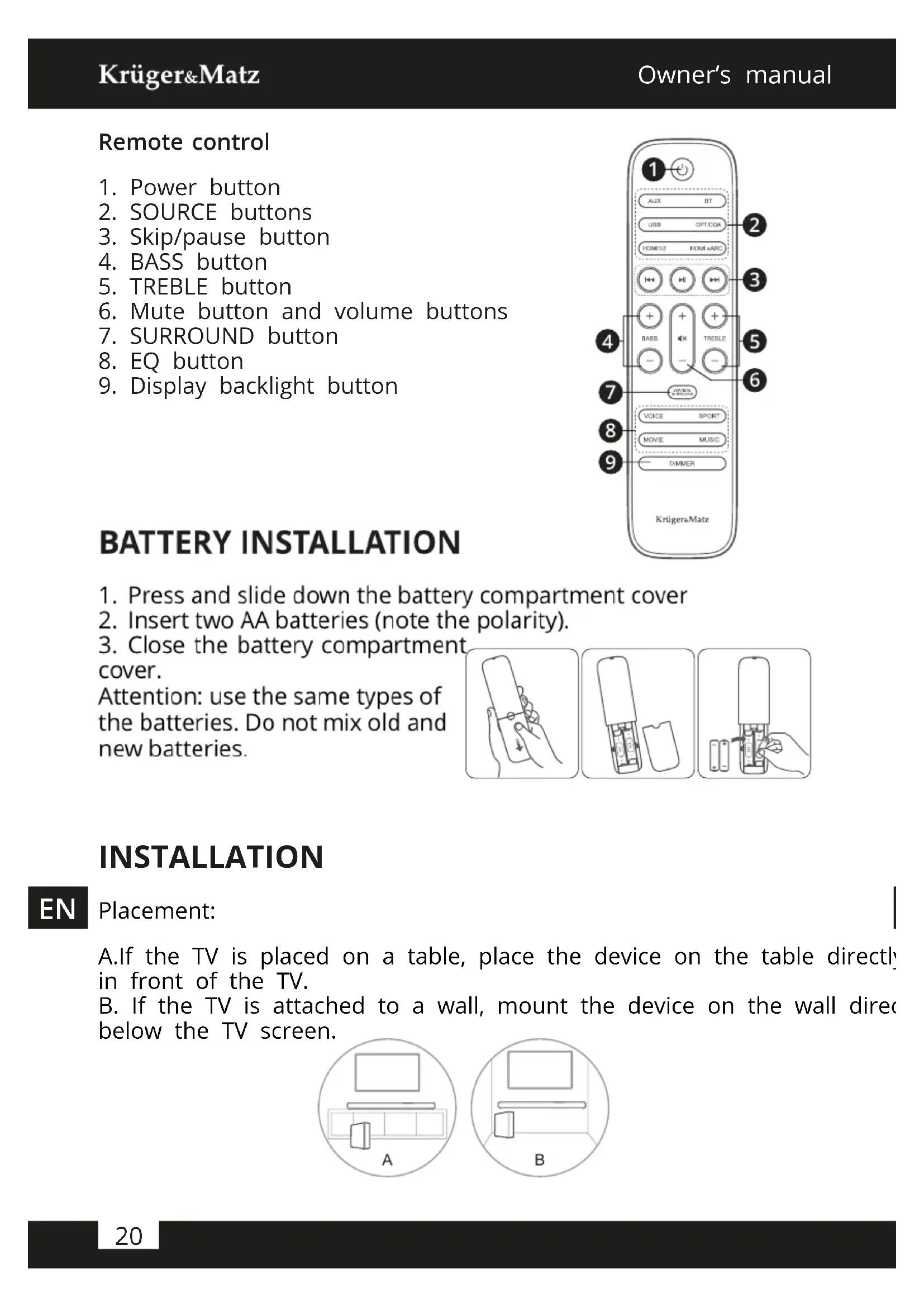
Main unit
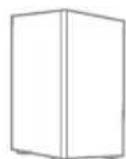
Wireless Subwoofer
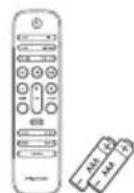
Remote control
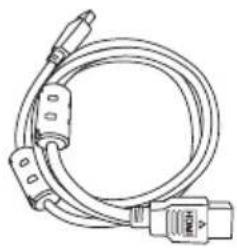
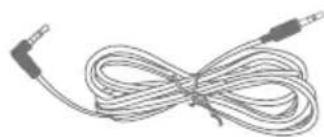
3,5 mm audio jack cable
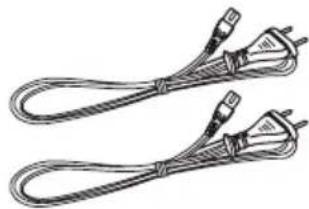
2 power cordsHDMI c
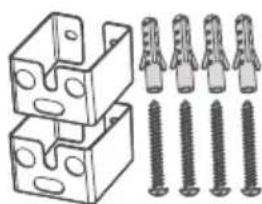
Wall bracket
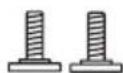
Wall mounting screws
EN
PRODUCT DESCRIPTION
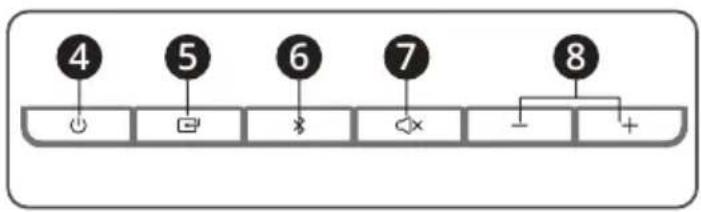
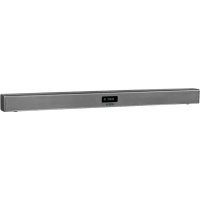
Main unit
- IR sensor
- Display
- Wall mounting screws
- ON/OFF button
- SOURCE button
- Bluetooth button
- Mute button
-
Volume buttons
-
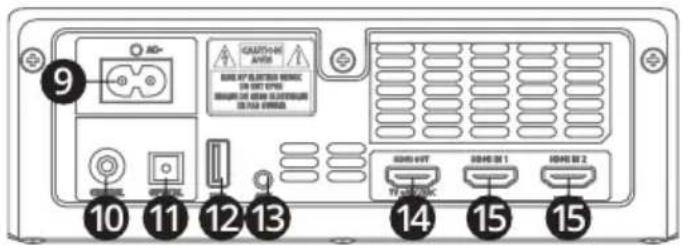
Power socket
- COAXIAL socket
- Optical socket
- USB socket
- AUX socket
- HDMI output
- HDMI input


EN
Subwoofer
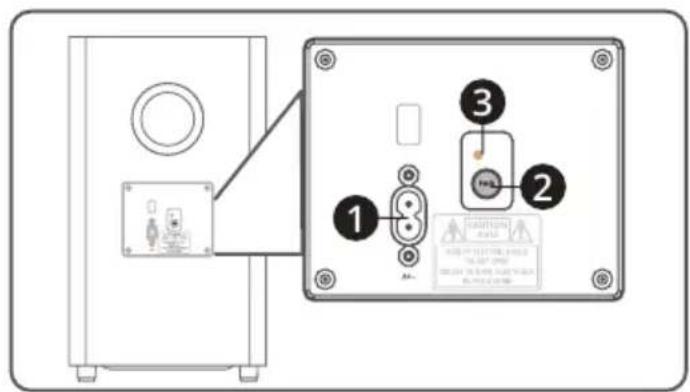
- Power socket
- Pairing button
- Pairing indicator
Remote control
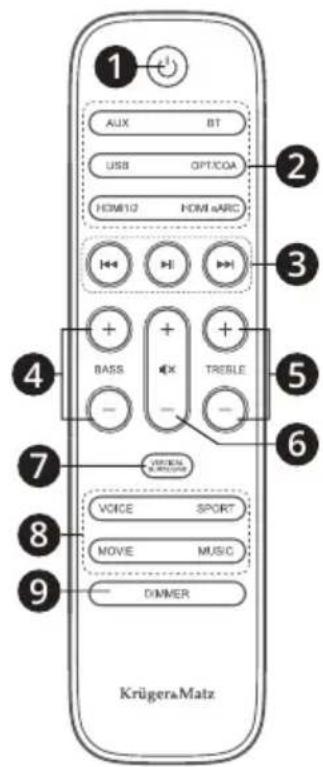
- Power button
- SOURCE buttons
- Skip/pause button
- BASS button
- TREBLE button
- Mute button and volume buttons
- SURROUND button
- EQ button
- Display backlight button
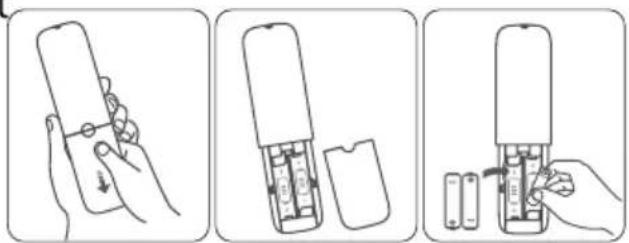
BATTERY INSTALLATION
- Press and slide down the battery compartment cover
- Insert two AA batteries (note the polarity).
- Close the battery compartment cover.
Attention: use the same types of the batteries. Do not mix old and new batteries.
INSTALLATION
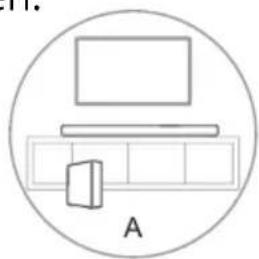
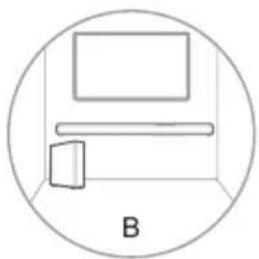
EN Placement:
A.If the TV is placed on a table, place the device on the table directly in front of the TV.
B. If the TV is attached to a wall, mount the device on the wall directed below the TV screen.
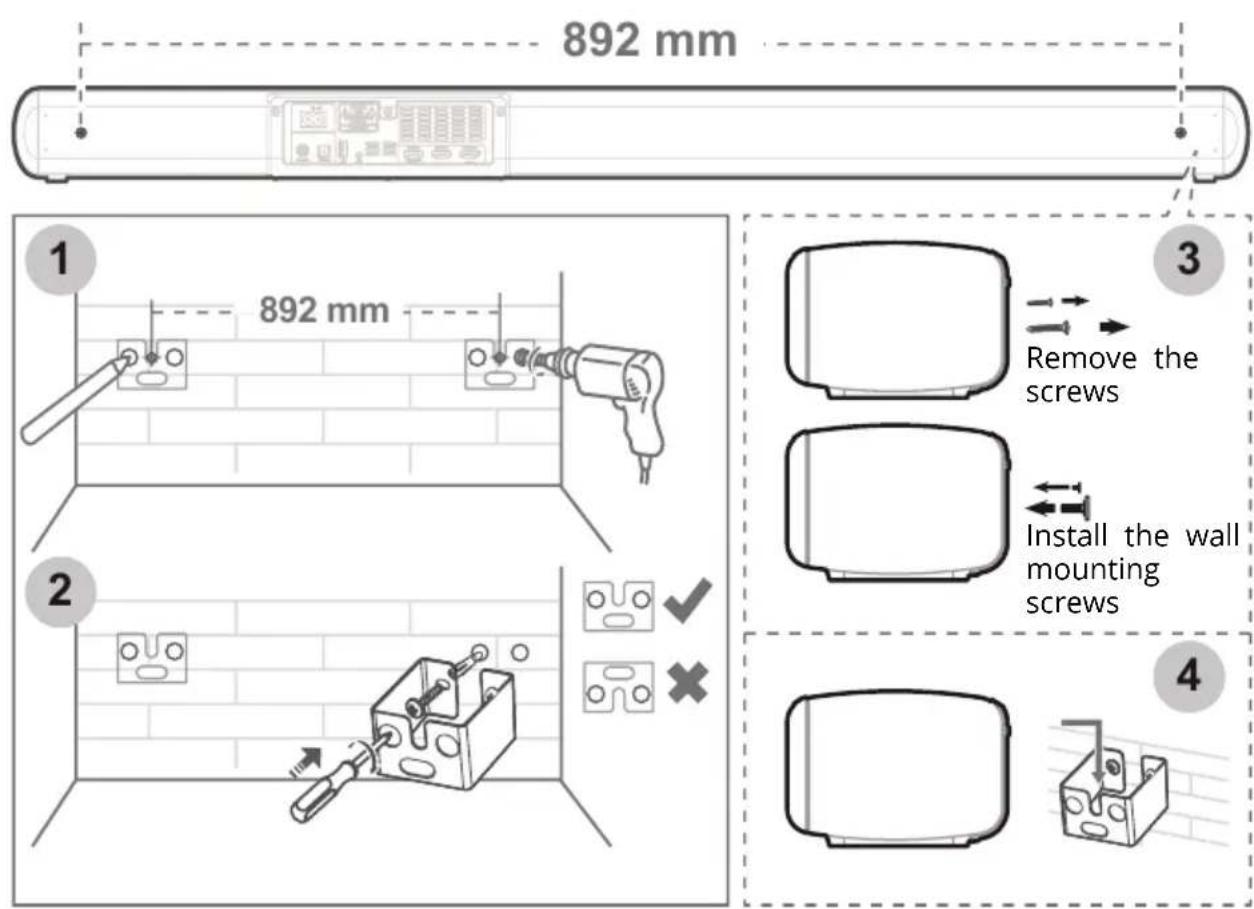
Wall mounting
- While mounting, take extra care or hire a technician to do it.
- Before mounting, make sure, that the wall is suitable for hanging such devices. Producer is not responsible for damaged caused by improper installation on a wall.
- Required tools are not included in set.
-
Before drilling, make sure that there are not any wires inside a wa
-
Drill 4 holes, parallel to each other (5,5 - 6 mm in diameter). Distance between brackets must be 892 mm (see picture below).
- Fix a dowel into each hole in the wall. Tighten the wall mount brackets on the wall with screws. Make sure, that they are securely installed.
- Remove the screws from the back of the device. Install the wall mounting screws into the back of the unit.
- Slide the device into wall mount brackets.
EN
CONNECTING
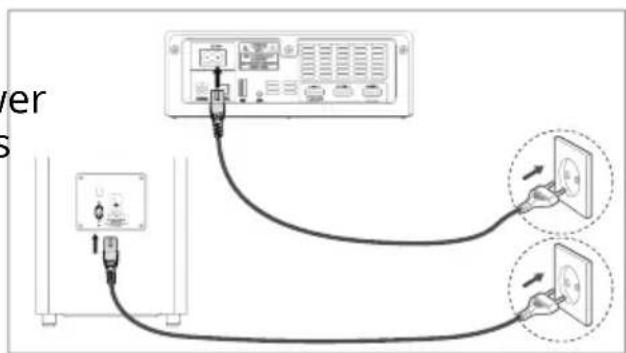
Connecting to power supply
Connect the AC plug to the power socket. Plug the cord to a mains socket. This applies to both soundbar and subwoofer.
Dolby Atmos
Dolby Atmos technology gives you amazing experience with sound that is rich, clear and powerful. Dolby Atmos technology is available only in HDMI mode.
- To use Dolby Atmos, the TV must support it.
- Make sure that the "No encoding" option is enabled on external device.
- If Dolby Atmos is enabled, the display will show DOLBY ATMOS / DOLBY AUDIO / PCM AUDIO.
- To use this, connect the soundbar with HDMI 2.0 cable.
HDMI connection
Some 4K HDR TVs require enabling HDR content reception option enabled. To enable it, refer to instruction manual of your TV.
EN
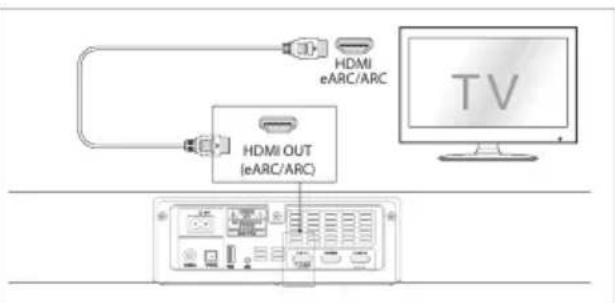
Method 1: ARC (Audio Return Channel)
The ARC function allows to send audio from ARC-compliant TV to soundbar with a single HDMI cable. Connect the HDMI cable and switch to HDMI (eARC/ARC). TV remote control can now be used for controlling soundbar volume. TV must support ARC function as well as HDMI-CEC.
Method 2: standard HDMI
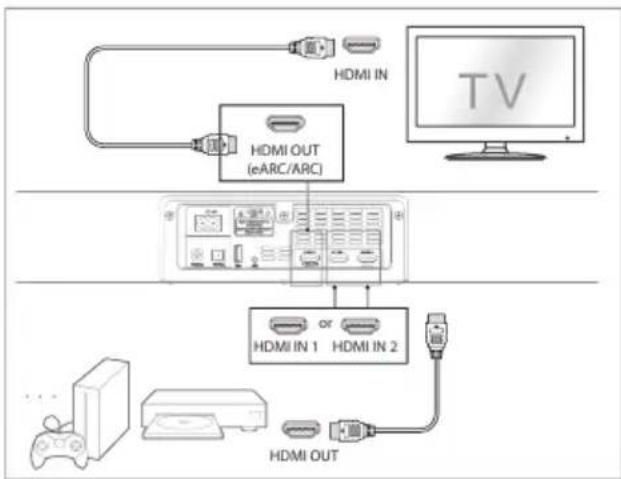
If the TV does not support ARC, soundbar can be connected with standard HDMI cable.
- Connect the HDMI to HDMI output on the soundbar and to TVs HDMI input.
- Connect external devices to soundbars HDMI input.
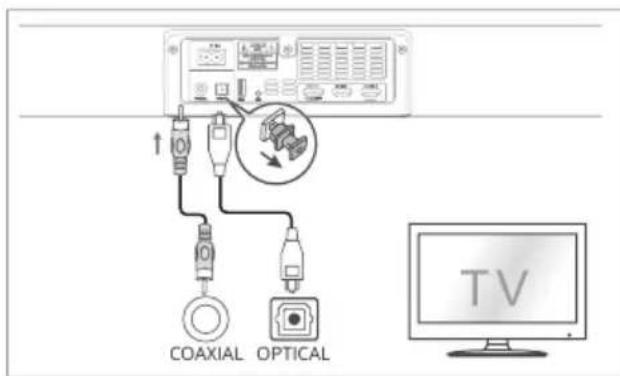
Connecting with optical socket
- Remove the protective cap from optical socket.
- Connect the optical cable to the TVs optical out socket and the OPTICAL socket on the soundbar.
Connecting with COAXIAL socket
Plug the coaxial cable to soundbars socket and to the TVs socket.
Caution: the device may encounter problems while playing through coaxial source. Make sure that the sound settings in external device are set to PCM or Dolby Digital (refer to user manual of the external device). If the soundbar cannot play the sound, there display will show "NO SUPPORT" message.
EN
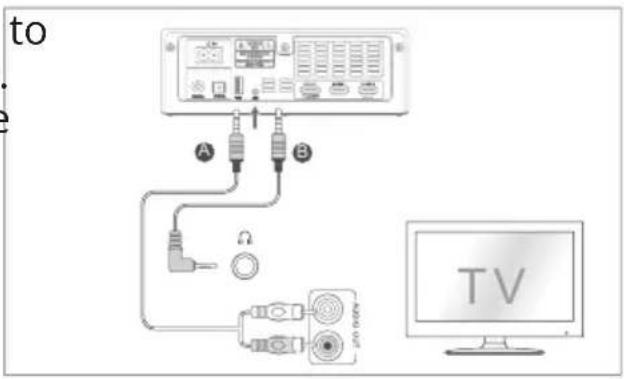
Connecting with AUX socket
Plug the 3,5 mm jack-jack cable to soundbar and to external device. You may also use jack-RCA cable (sold separately).
PAIRING SOUNDBAR WITH SUBWOOFER
Automatic pairing
The subwoofer and soundbar will automatically pair when both devices are plugged into the mains socket and turned on. While pairing, the pairing indicator will flash. After successful pairing, the pairing indicator will light up. If pairing failed, do manual pairing.
Manual pairing
- Make sure that both soundbar and subwoofer are connected correctly to mains, and the soundbar is in standby mode.
- Press and hold the pairing button. Subwoofer will go to pairing mode. Pairing indicator will flash.
- Press the power button on the soundbar.
- After successful pairing, the pairing indicator will light up.
- If connection failed, disconnect both devices form mains and wait 4 minutes. Repeat steps 1-4.
EN
Note:
- Make sure that there is no devices emitting noise around.
. • The soundbar has to be places within 6 meters from the subwoo
OPERATION
Turning on
- After plugging the soundbar to mains, it will go to standby mode.
- To turn in on, press the power button.
- To turn it off completely, unplug it from the power.
- If the soundbar is connected to the TV or to an external device, it turn on automatically after turning on the TV or an external device
- If no sound is detected after 15 minutes, the soundbar will turn o
Mode selection
To change the source of sound, press the SOURCE button on the soundbar or select source on the remote control. Selected mode will be shown on the display.
Sound adjustment
- To adjust the bass and treble level, use the BASS and TREBLE button
- To turn the surround sound on or off, press the SURROUND button
- To change the equalizer effect, press the EQ button.
- To change the volume level, use the VOLUME buttons.
- To mute the sound, press the mute button.
- To change the brightness level of the display, press the DIMMER button.
BLUETOOTH
Before pairing:
- Bluetooth range is around 8 meters. Do not exceed the range EN
- Manufacturer does not guarantee compatibility with all external devices.
- Make sure, that between the soundbar and external device, there are no obstacles.
- If there is no connection within 2 minutes, the soundbar will return to previously selected mode.
- If external device cannot find the soundbar, press and hold the Bluetooth button to enable visibility.
Pairing
- Turn on the soundbar and external device.
- Press the Bluetooth button on the soundbar. "NO BT" message will appear on the display.
- Turn on the Bluetooth function on external device. Search for available devices. Select "KM0556".
- Begin pairing. If password is required, input 0000.
- After successful pairing there will be an audio cue, and the display will show "BT" message.
- You can now play the music via Bluetooth. If external device supports AVRCP function, it is possible to control the music with the remote control.
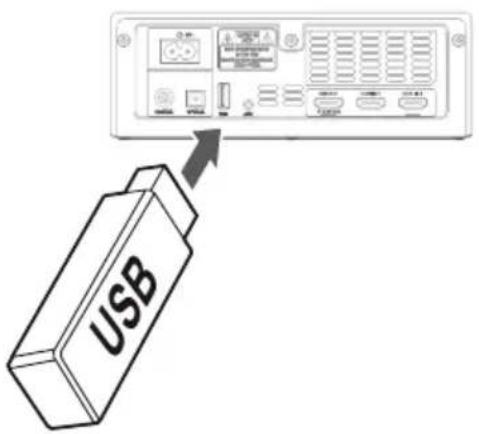
PLAYING FROM USB DRIVE
- Connect the USB drive to USB socket.
- Press the source button to select the USB mode.
- Use the skip/pause buttons to control the music.
Note:
- The soundbar supports USB drives with capacity up to 32 GB.
- The soundbar plays MP3 files only.
EN
TROUBLESHOOTING
| No power | ·Make sure that the power cords are connect correctly. ·Make sure that the power socket has power it. ·Press the power button |
| Remote control does not work | ·Select the correct source. ·Reduce the distance between the remote control and the soundbar ·Make sure that the batteries are installed correctly ·Replace the batteries ·Aim the remote control into the IR sensor |
| No sound | ·Make sure that the sound is not muted ·Unplug both devices and plug them again ·Make sure that the source is set correctly ·Pair the subwoofer and the soundbar ·Format is not supported |
| The TV does not view HDR image | ·Some models of TVs require enabling HDR content reception. Refer to the manual of y TV |
| Can't pair Bluetooth device | ·Make sure that the Bluetooth function is enabled ·Make sure that the pairing mode is enabled |
| The soundbar turns off after 15 minutes | ·The soundbar turns off automatically after minutes, if no sound is detected |
| The subwoofer does not work or power indicator does not light up | ·Unplug the subwoofer from the mains sock and reconnect it after 4 minutes |
EN
SPECIFICATION
GENERAL
Sound technology: Dolby Atmos
- Bluetooth: 4.2
- Frequency bands: 2402 2480MHz
- Max. power transmitted: 5 dBm
- I/O: 2x HDMI input, HDMI output (ARC), optical input, coaxial input, USB port, AUX-in (Jack 3,5 mm)
Supported formats: A2DP, AVRCP
- Mounting: horizontally, on a wall
SOUNDBAR
- Type: active
- Speakers
Center: 2", 60 W, 4 Ohm - Left: 1,5" , 30 W, 8 Ohm
- Right: 1,5", 30 W, 8 Ohm
Frequency response: 120 Hz - 20 kHz - THD: 10%
- Audio input sensitivity: 500mV
S/N: 70 dB - Power consumption in standby: < 0.5 W
- Input: 100 - 240 V;50/60 Hz;2,5 A
- Dimensions: 1000 × 74 × 106 mm
Weight: 4 kg
SUBWOOFER
EN
- Type: active
- Speaker: 6.5", 120 W, 3 Ohm
Frequency response: 40 Hz - 120 Hz - THD: 10%
- Frequency bands: 2400 2483MHz
Max. power transmitted: < 6 dBm - Power supply: 100 - 240 V;50/60 Hz;5,5 A
- Dimensions: 240 × 420 × 240 mm
Weight: 5,5 kg
REMOTE CONTROL
- Distance: up to 6 m
Angle: 30 irc - Power supply: 2x AAA battery
MORE
For more information on this device visit: www.krugermatz.com.
Read owner's manual carefully before using your device.
Visit www.krugermatz.com website for more products and accessories.
In case of any doubts or questions reach out to our Frequently Asked Questions section.
Lechpol Electronics Sp. z o.o. Sp.k. hereby declares that soundbar KM0556 is consistent with directive 2014/53/UE. Full text of the EU Declaration of Conformity is available at following Internet address: www.lechpol.eu.
EN
The Bluetooth word mark and logos are registered trademarks owned by Bluetooth SIG., Inc.

Bluetooth
The HDMI, High Definition Media Interface and the HDMI Logo are registered trademarks of HDMI Licensing Administrator, Inc. in the United States and other countries.
Dolby, Dolby Atmos, and the double-D symbol are registered trademarks of Dolby Laboratories Licensing Corporation. Manufactured under license from Dolby Laboratories. Copyright © 2012-2020 Dolby Laboratories. All rights reserved.

English
Correct Disposal of This Product (Waste Electrical & Electronic Equipment)



(Applicable in the European Union and other European countries with separate collection systems) This marking shown on the product or its literature, indicates that It should not be disposed with other household wastes at the end of its working life. To prevent possible harm to the environment or human health from uncontrolled waste disposal, please separate this from other types of wastes and recycle it responsibly to promote the sustainable reuse of material resources. Household users should contact either the retailer where they purchased this product, or their local government office, for details of where and how they can take this item for environmentally safe recycling. Business users should contact their supplier and check the terms and conditions of the purchase contract This product should not be mixed with other commercial wastes for disposal.
Made in China for LECHPOL ELECTRONICS Sp. z o.o. Sp.k., ul. Garwolinska 1, 08-400 Mietne.
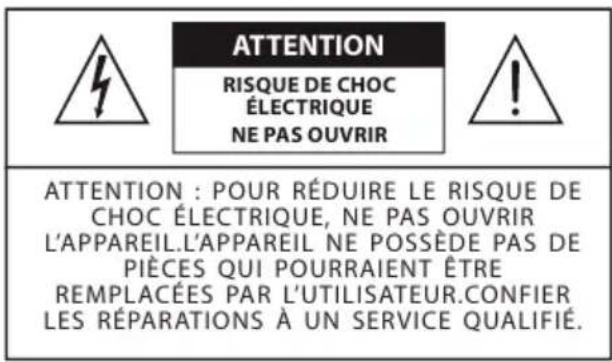
QUESTIONS DE SECURITÉ

BESCHRIJVING VAN HET APPARAAT
Hoofdeenheid
INSTALLATIE VAN HET APPARAAT
Method 1: ARC (Audio Return Channel)
NL
Metoda 1: ARC (Audio Return Channel)

Metoda 1: ARC (Audio Return Channel)
RO
Functia ARC permite transmiterea audio de la un televizor compatibil ARC la soundbar cu un singur cablu HDMI. Conectați cablul HDMI.si comutati la HDMI (eARC/ATC).
HDMI, High Definition Media Interface Şi Logo-ul HDMI
sunt mârci inregister ale HDMI Licensing
Krüger&Matz is a registered trademark
- SET INCLUDES
- PRODUCT DESCRIPTION
- Main unit
- Subwoofer
- Remote control
- BATTERY INSTALLATION
- INSTALLATION
- EN Placement:
- Wall mounting
- CONNECTING
- Connecting to power supply
- Dolby Atmos
- HDMI connection
- EN
- Method 2: standard HDMI
- Connecting with optical socket
- Connecting with COAXIAL socket
- Connecting with AUX socket
- PAIRING SOUNDBAR WITH SUBWOOFER
- Automatic pairing
- Manual pairing
- Note:
- OPERATION
- Turning on
- Mode selection
- Sound adjustment
- BLUETOOTH
- Before pairing:
- Pairing
- PLAYING FROM USB DRIVE
- TROUBLESHOOTING
- SPECIFICATION
- GENERAL
- SOUNDBAR
- MORE
- QUESTIONS DE SECURITÉ
- BESCHRIJVING VAN HET APPARAAT
- Hoofdeenheid
- INSTALLATIE VAN HET APPARAAT
- NL
- RO
Brand : Krüger&Matz
Model : KM0556
Category : Soundbar