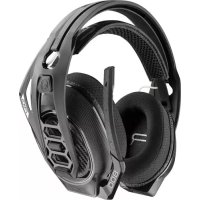
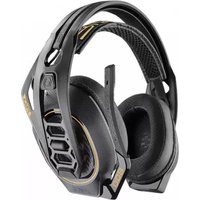
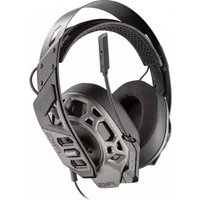
RIG 800HXV2 - Headphones Nacon - Free user manual and instructions
Find the device manual for free RIG 800HXV2 Nacon in PDF.



| Product Type | Wireless Headset |
| Brand | NACON |
| Model | RIG 800HXV2 |
| Category | Headset |
| Connectivity | Wireless (USB/optical adapter) |
| Compatibility | PS4, Xbox One, PC |
| Battery Life | Approximately 24 hours (full charge 4.5 h) |
| Charging Time | Approximately 4.5 hours |
| Weight | Approximately 300 g |
| Power | Integrated rechargeable battery |
| Main Features | Dolby surround sound, adjustable equalizer, flip-to-mute boom microphone, volume and chat control |
| Equalizer | 4 modes: Pure, Seismic (bass), Intense (details), Vocal |
| Microphone Control | Monitoring levels: None, Low, High |
| Maintenance and Cleaning | Clean with a soft, dry cloth. Do not use abrasive products. |
| Safety | Use only the supplied charger. Do not expose to moisture. |
| Spare Parts and Repairability | Removable ear cushions and headband. Optional adapter. |
| General Information | Manual available in multiple languages. Manufactured under license from Dolby. |
Frequently Asked Questions - RIG 800HXV2 Nacon
User questions about RIG 800HXV2 Nacon
0 question about this device. Answer the ones you know or ask your own.
Ask a new question about this device
Download the instructions for your Headphones in PDF format for free! Find your manual RIG 800HXV2 - Nacon and take your electronic device back in hand. On this page are published all the documents necessary for the use of your device. RIG 800HXV2 by Nacon.
USER MANUAL RIG 800HXV2 Nacon
Adjust mic monitoring
Support 7
Setup and basics
Your adapter comes pre-paired to your headset. After you adjust and charge your headset and configure your adapter, power on your headset and it's ready to go.
Fit Your headset components easily snap into the headset frame to configure the best fit and sound.
The headband adjusts to three sizes (small, medium, large) by moving the earcups. To remove an earcup, press the earcup to detach it from the headband.
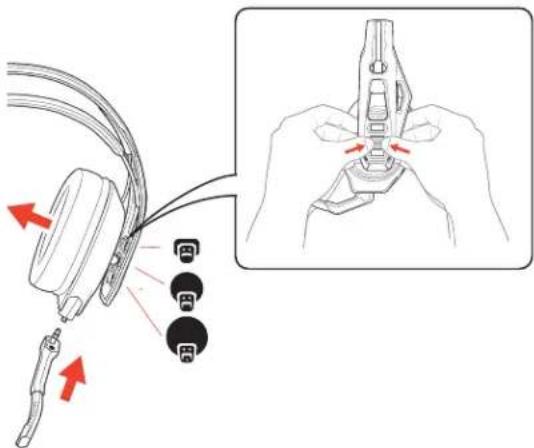
NOTE Headband style may vary.
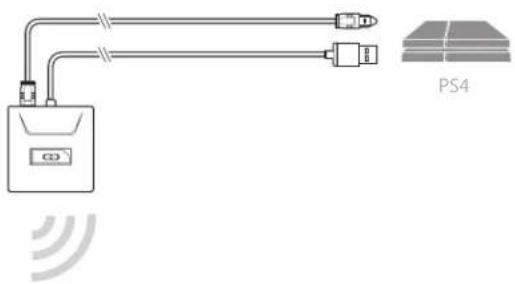
Setup PS4 PS4
1 Connect your adapter to your system.
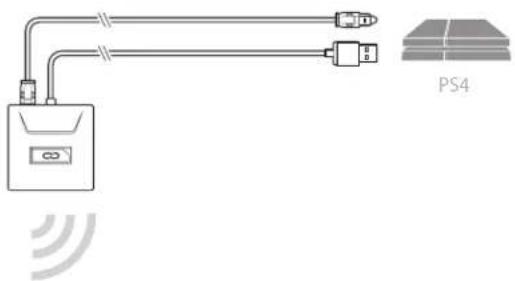
2 Power on your PS4 and Check for updates
3 Go to Settings > Sound and Screen > Audio Output Settings > Select Digital Out (Optical)
4 Go to Settings > Devices > Audio Devices > Output Devices Select Plantronics RIG800XX
PS4 (slim version)
1 Connect your adapter to your system.
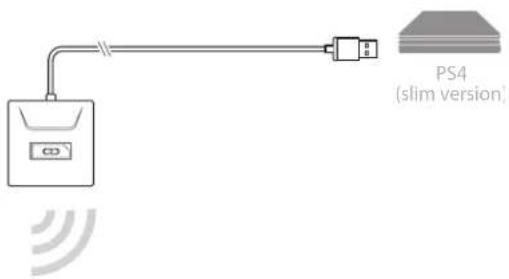
2 Power on your PS4 and Check for updates
3 Go to Settings > Devices > Audio Devices > Output Devices Select Plantronics RIG800XX
4 Go to Settings > Devices > Audio Devices > Output to headphones > All audio
Setup Xbox One 1 Connect your adapter to your system.
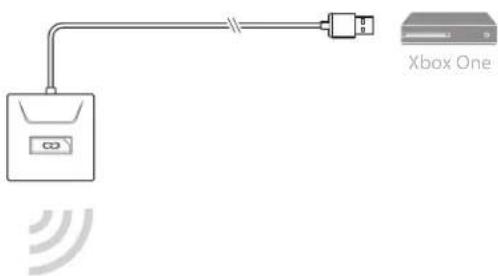
2 Power on your Xbox One and Check for updates
3 Go to Display and Sound > Kinect and Devices > Device Options > Assign
Setup PC 1 Connect your adapter to your system.
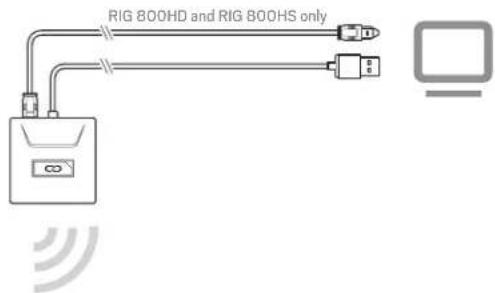
IMPORTANT Optical cable connection is only for RIG 800HD and RIG 800HS.
2 RIG 800HX and RIG 800LX only: Ensure the switch on the back of the adapter is set to «PC.»
Charge
It takes up to 4.5 hours to fully charge your headphones. The headset LED is red while charging and turns off when complete.
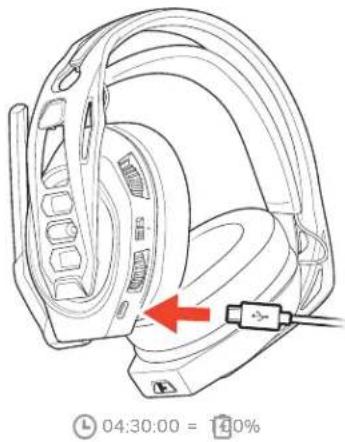
natural_image
Line drawing of a car head with a red arrow pointing to the wheel (no text or symbols on the diagram itself)Adjust volume
1 To increase or decrease the game and chat volume, adjust the top headset dial.
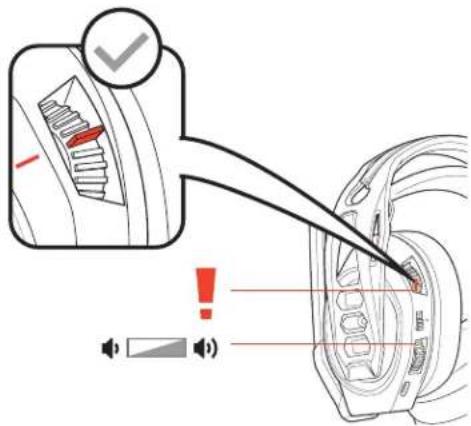
2 To increase or decrease the master volume, adjust the bottom headset dial.
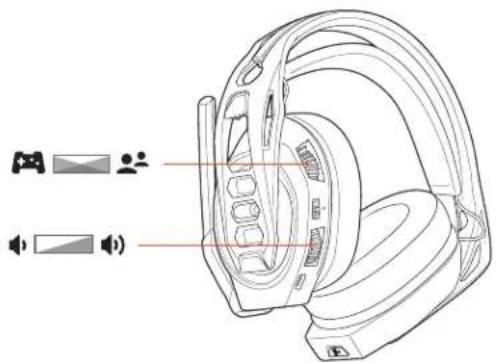
IMPORTANT For the PS4 (slim version), set the top headset dial in the middle; game and chat remain balanced. Use the bottom headset dial to increase or decrease the master volume.
Mute
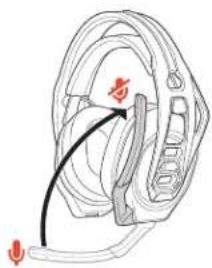
Lift the boom to a full stop to mute the microphone.
natural_image
Diagram of a mechanical component with a curved arrow indicating direction, no text or symbols presentCAUTION Do not force the boom past its upper or lower limits.
Set EQ
Cycle through the EQ modes by tapping the EQ button.
| Tap the EQ button and hear | EQ mode | |
| one tone | Pure EQ is our signature sound | |
| two tones | Seismic EQ boosts bass | |
| three tones | Intensify EQ focuses on detail sounds | |
| four tones | Vocal EQ emphasizes vocal frequencies | |
Adjust mic monitoring
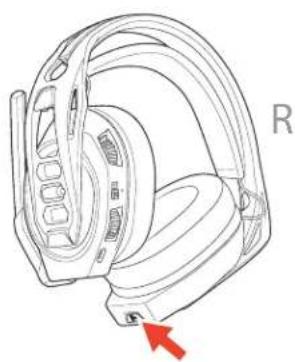
Press and hold the Mute button to cycle through mic monitoring levels. Mic monitoring lets you hear your own voice in the headset.
natural_image
Technical line drawing of a mechanical component with a red arrow pointing to a specific part (no text or symbols present)| Press and hold the Mute button and hear | Mic monitoring level | ||
| one | tone | None | |
| two tones | Low | ||
| three tones | High | ||
Support
NEED MORE HELP?
www.nacongaming.com

nacon
NACONG GAMING, Inc
10400 NE 4 ^th Street, Suite 500,
Bellevue, WA 98004 USA
(+1) 800-617-0174
Headquarter
NACON
©2020 NACON, NACON and RIG are trademarks of NACON, registered in the US and other countries. Manufactured under license from Dolby Laboratories, Dolby and the double-D symbol are registered trademarks of Dolby Laboratories. All other trademarks are the property of their respective owners.
Patents pending.
208788-06 (06.20)
RIG
Série RIG 800
Guide d'utilisation
FR
Sommaire
natural_image
Technical line drawing of a car head with a red arrow indicating a specific component, no text or symbols present.Régler le volume
Mode discrétion
natural_image
Diagram of a mechanical component with a curved arrow indicating direction (no text or symbols)natural_image
Technical line drawing of a mechanical component with a red arrow pointing to a specific part (no text or symbols present)natural_image
Line drawing of a car head with a red arrow pointing to the wheel (no text or symbols on the diagram itself)Stummschaltung
natural_image
Diagram of a mechanical component with a curved arrow indicating direction, no text or symbols presentCycle through the EQ modes by tapping the EQ button.
natural_image
Technical line drawing of a mechanical component with a red arrow pointing to a specific part (no text or symbols present)natural_image
Line drawing of a car head with a red arrow pointing to the wheel (no text or symbols on the diagram itself)Volume aanpassen
Mute
natural_image
Diagram of a medical device with a curved arrow pointing to a component (no text or labels)natural_image
Technical line drawing of a car head and steering wheel (no text or symbols)Ajustar el volumen
Silencio
natural_image
Diagram of a mechanical component with a curved arrow indicating direction, no text or symbols presentnatural_image
Technical line drawing of a car head and wheel assembly (no text or symbols)natural_image
Pure electrical circuit lines without any symbolsnatural_image
Line drawing of a car head with a red arrow pointing to the wheel (no text or symbols on the diagram itself)Regolare il volume
natural_image
Technical line drawing of a headband with speaker and audio icons (no text or labels)natural_image
Diagram of a mechanical component with a curved arrow indicating direction (no text or symbols)natural_image
Technical line drawing of a mechanical component with a red arrow pointing to a specific part (no text or symbols present)natural_image
Line drawing of a helmet with a red arrow pointing to the seat (no text or symbols)04:30:00 = 10%
natural_image
Technical line drawing of a helmet with speaker and audio icons (no text or symbols)Отключение звука
natural_image
Technical line drawing of a mechanical component with a red arrow pointing to a specific part (no text or symbols present)注头带佩戴方式可能有所不同。
设置 PS4
PS4
1 将适配器连接到系统。
natural_image
Line drawing of a car head and seat assembly with a red arrow indicating a specific component (no text or symbols present)04:30:00 = 10%
natural_image
Technical line drawing of a car head with a red arrow pointing to the wheel (no text or symbols present)按住“静音”按钮并聆听 麦克风监控级别
一种音调无
两种音调低
三种音调高
支持
需要更多帮助?
www.nacongaming.com

nacon
NACONG GAMING, Inc
10400 NE 4 ^th Street, Suite 500,
Bellevue, WA 98004 USA
(+1) 800-617-0174
Headquarter
NACON
natural_image
Pure electrical circuit lines without any symbolsnatural_image
Technical line drawing of a helmet with a red arrow indicating a cable or connector (no text or symbols present)04:30:00 = 10%
음소거
natural_image
Technical line drawing of a mechanical component with no visible text or symbolsnatural_image
Technical line drawing of a mechanical component with a red arrow pointing to a specific part (no text or symbols present)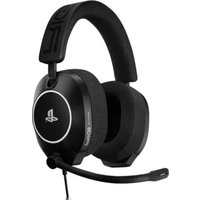
Brand : Nacon
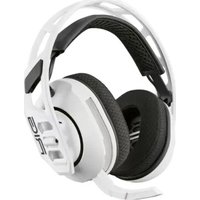
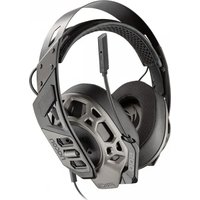
Model : RIG 800HXV2
Category : Headphones