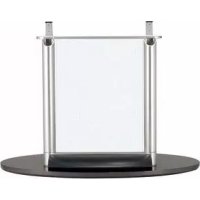
SUPF2 - Projector Accessory SONY - Free user manual and instructions
Find the device manual for free SUPF2 SONY in PDF.



| Brand | Sony |
| Model | SUPF2 |
| Product Type | Projector accessory (freestanding stand for flat-screen television) |
| Material | Tempered glass and metal |
| Weight | 24 kg |
| Compatibility | Sony KE-37XS910, KE-42XS910, KE-50XS910 televisions (from December 2003) |
| Installation | By at least two people; recommended by a certified Sony technician |
| Safety | Mandatory wall anchoring using the safety screws provided with the television |
| Intended use | Stand for flat-screen television, indoor use only |
| Installation precautions | Mount on a flat and sturdy surface, do not tilt |
| Transport | By at least two people, after removing the television |
| Required tools | Phillips screwdriver (not provided); recommended tightening torque: 1.5 N·m if using electric screwdriver |
| Included accessories | Base, pillars with glass panel, screws (large ×2, small ×4), cable covers (for pillar ×2, for base ×1) |
| Cleaning | Soft dry cloth; for stubborn stains, cloth slightly dampened with diluted detergent, then wipe with a dry cloth. Do not use thinner or gasoline. |
| Usage precautions | Do not lean on the glass, avoid impacts, do not block the television's ventilation openings. |
| Maintenance | Regularly check fasteners; do not use if the glass is cracked. |
Frequently Asked Questions - SUPF2 SONY
User questions about SUPF2 SONY
0 question about this device. Answer the ones you know or ask your own.
Ask a new question about this device
Download the instructions for your Projector Accessory in PDF format for free! Find your manual SUPF2 - SONY and take your electronic device back in hand. On this page are published all the documents necessary for the use of your device. SUPF2 by SONY.
USER MANUAL SUPF2 SONY
Thank you for purchasing this product.
For customers
This product should only be installed by qualified Sony service representatives, as it requires at least two people, special care, safety, and technique.
WARNING
If the safety precautions are not observed or the product is used incorrectly, it may result in serious injury or fire.
This instruction manual shows the correct handling of the product and important precautions necessary to prevent accidents. Be sure to read this manual thoroughly and use the product correctly. Keep this manual available for future reference.
For Sony dealers
Installation of a plasma TV requires two people, special care and technique. When installing a plasma TV, refer to this manual carefully. Sony is not liable for any accidents or damages caused by incorrect installation or handling. Please give this manual to the customer after installation.
On Safety
Products by Sony are designed with safety in mind. If the products are used incorrectly, however, it may result in a serious injury through fire, electric shock, the product toppling over, or the product dropping. Be sure to observe the precautions for safety to prevent such accidents.
CAUTION
This Floating Stand is intended for use only with the following products. Use with other apparatus is capable of resulting in instability causing possible injury.
Specified products (As of December 2003): Flat Panel Color TV
(KE-37XS910/KE-42XS910/KE-50XS910)
We recommend installing the Floating Stand a short distance away from the wall.
WARNING
If the following precautions are not observed, serious injury or death through fire, electric shock the product toppling over, or the product dropping can result.
This product should only be installed by qualified Sony service representatives.
Installation by other, non-qualified persons may result in serious injury, as the TV and the stand are very heavy.
Do not lean on or hang from the stand.
The stand may topple over and cause injury.
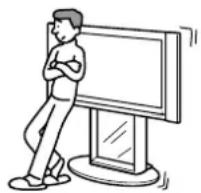
Be sure to take measures to prevent the stand from toppling over.
If you fail to do so, the Floating Stand may topple over, or the TV may fall during an earthquake and cause injury. Anchor the TV to the wall to prevent it from toppling over.
Be sure to install the stand on a solid and flat floor.
Do not install the Floating Stand so that it leans in one direction. If you do so, the Floating Stand may topple over or the TV may fall. This may cause injury.
If you install the stand on a soft surface such as a mat or a carpet, lay a board over the designated location beforehand.
Do not use a cracked stand.
Do not use the Floating Stand if any cracks appear in it.
The glass may break and the TV may fall, or the stand may topple over. This may cause injury.
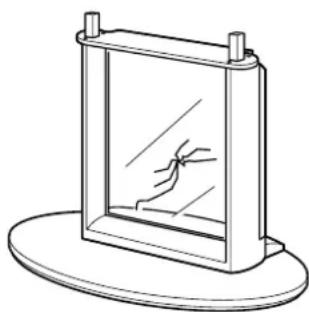
Cracked Stand
WARNING
If the following precautions are not observed, serious injury or death through fire or electric shock can result.
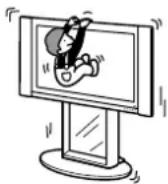
Do not lean on or hang from the TV with the TV installed on the Floating Stand.
The Floating Stand may topple over, or the TV may fall and cause serious injury or death.
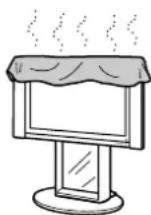
Do not cover the ventilation hole of the TV.
If you cover the ventilation hole (with a cloth, etc.), heat may build up inside and cause fire.
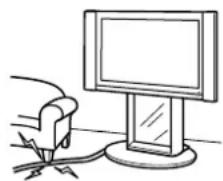
Do not allow the AC power cord or the connecting cable to be pinched.
- Do not allow the AC power cord or the connecting cable to be pinched when you install the TV on the stand. If the AC power cord or the connecting cable is damaged, this may result in fire or electric shock.
- Do not step on the AC power cord or the connecting cable when you carry the Floating Stand. The AC power cord or the connecting cable may be damaged, and this may result in fire or electric shock.
CAUTION
If the following precautions are not observed, injury or property damage may occur.
Do not install any equipment other than the specified product.
This stand is designed for use with the specified product only. If you install equipment other than specified, it may fall or break, and cause injury.
Be sure to secure the TV.
Secure the TV to the Floating Stand using the supplied screws. If the TV is not installed securely, it may fall and cause injury.
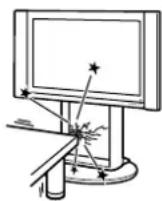
Do not apply weight to the glass or subject it to any kind of impact.
Do not apply weight to the stand with your hand when installing the TV. Do not hit the stand with hard objects, such as a screwdriver, etc. The glass may break and cause injury.
When carrying the Floating Stand
Trying to move the Floating Stand alone, or without following the proper procedures, may cause injury. To avoid this, be sure to follow the advice given below.
- Be sure that two or more persons carry the Floating Stand only after removing the TV.
- Be careful not to allow your hands or feet to be pinched under the bottom plate.
Do not subject the glass to excessive shock.
This stand is made of tempered glass, but care should be taken. If the glass breaks, glass fragments could cause injury, so observe the precautions below.
- Do not hit the glass or drop sharp-pointed objects on the glass. Avoid excessive shock.
- Do not scratch or poke the glass with sharp-pointed objects.
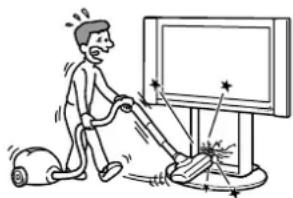
- Do not let hard objects such as a vacuum cleaner hit the edges of the glass.
Notes on installation
- When assembling, lay the packing materials on the floor to avoid damage to the floor.
-
Install the stand on a solid and flat floor. Do not allow the stand to be installed at an angle or incline. To avoid this, observe the following precautions.
-
If you install the stand on a soft surface such as a mat or a carpet, lay a board over the designated location beforehand.
- Do not install the stand in a place subject to direct sunlight or near a heater.
- Do not install the stand in a hot or humid place, or outdoors.
Note on use
To keep the stand clean, occasionally wipe the stand with a dry soft cloth. Stubborn stains may be removed with a cloth slightly dampened with diluted detergent. Then wipe the area with a dry soft cloth. Do not use chemicals, such as thinner or benzine, as they damage the finish of the stand.
For Sony dealers
Be sure to thoroughly read the safety precautions described above and pay special attention to safety during the installation, maintenance, checking, and repair of this product.
Be sure that two or more persons do the installation work.
Be sure that two or more persons install the TV on the Floating Stand. If one person does the installation work alone, this may result in an accident or injury. Be sure to keep children away during the installation.
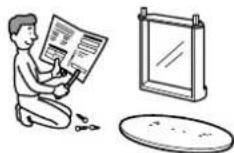
Be sure to assemble the Floating Stand securely following the instructions.
If a screw is not tightened securely, or it is dropped, the Floating Stand may topple over. This may cause damages or injury.
Be sure to install the TV securely following the instructions.
Tighten the screws securely. If the TV is not installed securely, it may fall and cause injury.
Be careful not to hurt your hands or fingers during installation.
Be careful not to hurt your hands or fingers when assembling the Floating Stand and installing the TV.
Check the parts
| Name Quantity Name Quantity | |||
| Bottom plate Cable cover (for pillar) | |||
| Pillars with a glass panel Cable cover (for bottom plate) | |||
| Screw (large) | 1 | 2 | |
| Screw (small) | 4 |
Be sure to have a Phillips screwdriver that fits the screws indicated above prior to the assembly.
Assembling the Floating Stand
Tip
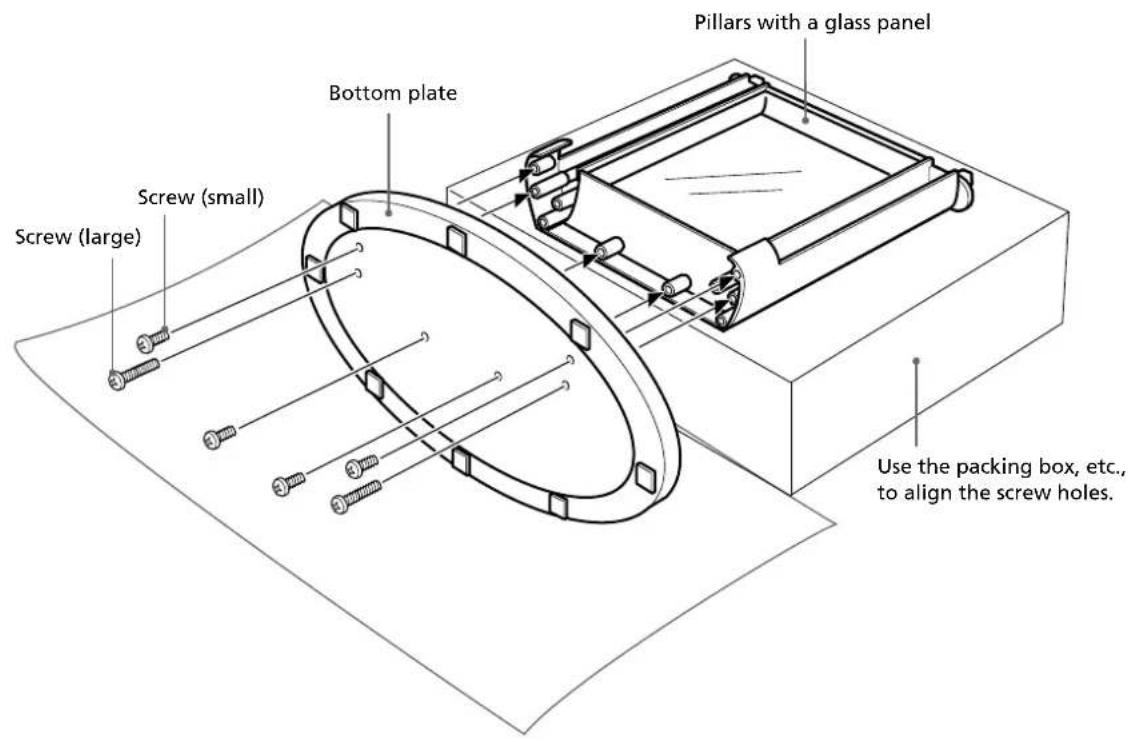
Lay the packing box of the Floating Stand, etc., on the floor and place the pillars on the box with their rear sides (the side the cable cover is to be attached to) facing up. Set the box high enough that the bottom plate can stand upright to stabilize assembly, as illustrated below. Also, if you spread the cushioning sheet on the floor, damage to the floor can be avoided.
Attach the bottom plate to the pillars and secure them with screws.
Align the pillar screw holes with their respective hollows on the bottom plate.
2 Tighten all the screws to halfway, and then tighten each firmly.
Tip
Assembly can be made easier by temporarily securing the longer screws first.
Note
When using an electric screwdriver, set the torque setting to about 1.5N· m
Do not use an impact driver. If you use an impact driver or an electric screwdriver with the torque setting out of the specified range, screws may be excessively tightened, which may damage the screws or product. The stand may fall and serious injury may result.
Mounting a TV
WARNING
If you allow the AC power cord to be pinched under or between pieces of equipment, this may result in a short circuit or an electric shock.
If you stumble over the AC power cord or the connecting cable, the stand may topple over and cause injury.
Decide on the installation location and lay the stand down before installing the TV.
Since the TV is heavy, it is recommended that you decide on the installation location and lay the Floating Stand down before installing the TV.
Note
Do not push or pull the Floating Stand while it is on the floor. The rubber footings on the base of the Floating Stand may come off.
1
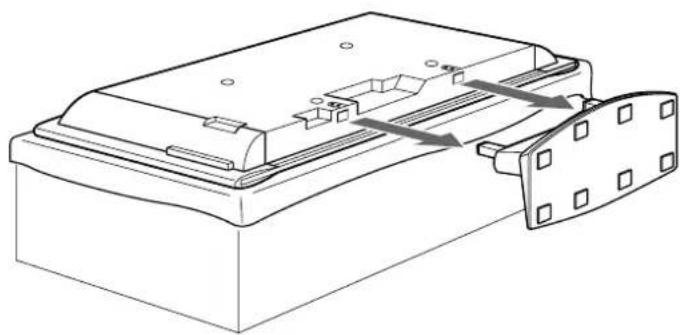
Detach the Table Top Stand from the TV.
Place the TV, with its screen facing down, on a stable, cloth-covered work surface, at least 20~cm (8 in) off the floor.
2 Remove the screws that hold the TV to the Table Top Stand.
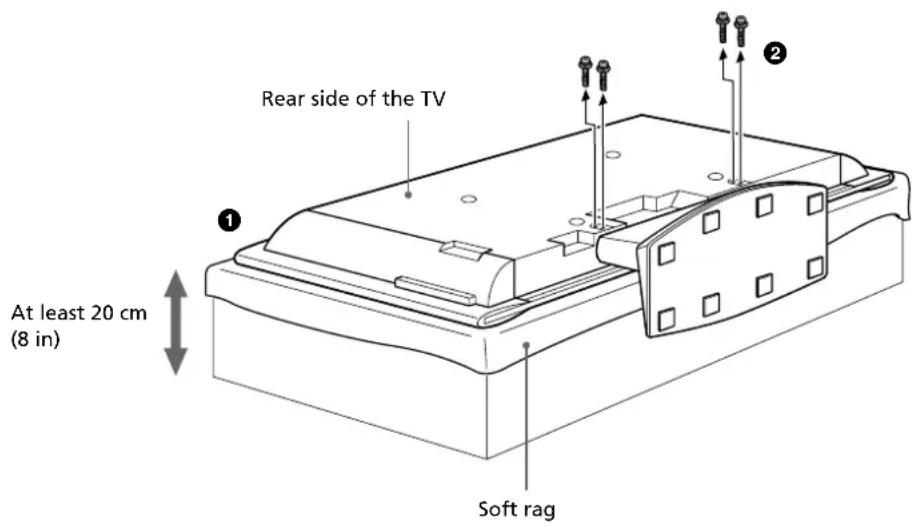
3 Detach the Table Top Stand from the TV.
2
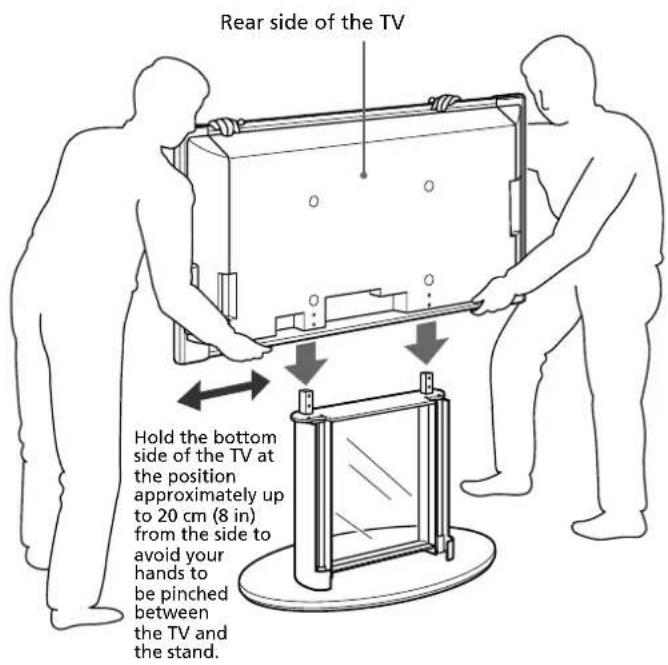
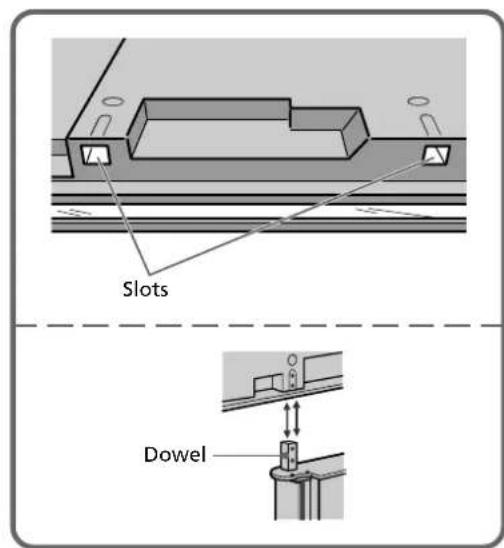
Hold the TV upright and place it on the Floating Stand so that the dowels of the pillars fit into the slots of the TV.
3
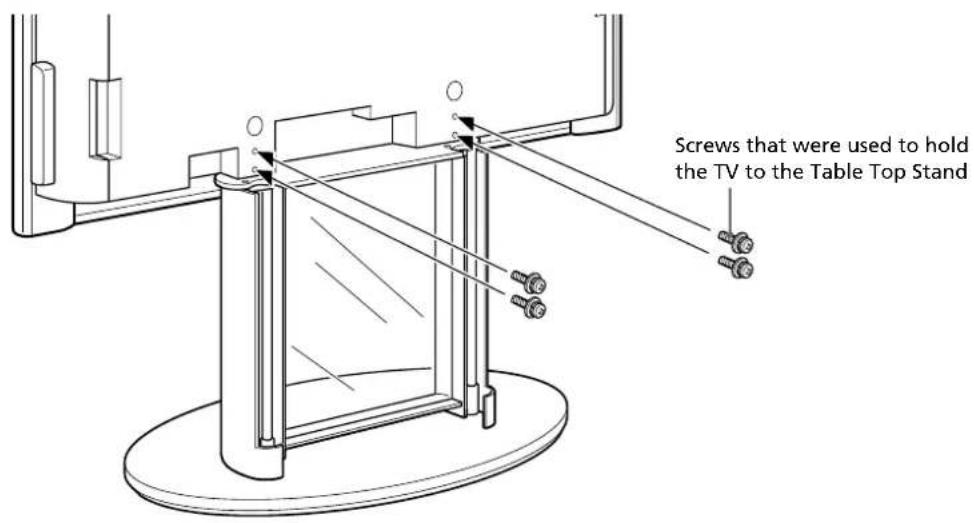
Secure the TV and the Floating Stand with the supplied screws.
4
Connect the AC power cord and the connecting cables to the TV.
Tip
For details on the AC power cord and the connecting cable, refer to the operating instructions of the Flat Panel Color TV (KE-37XS910/KE-42XS910/KE-50XS910).
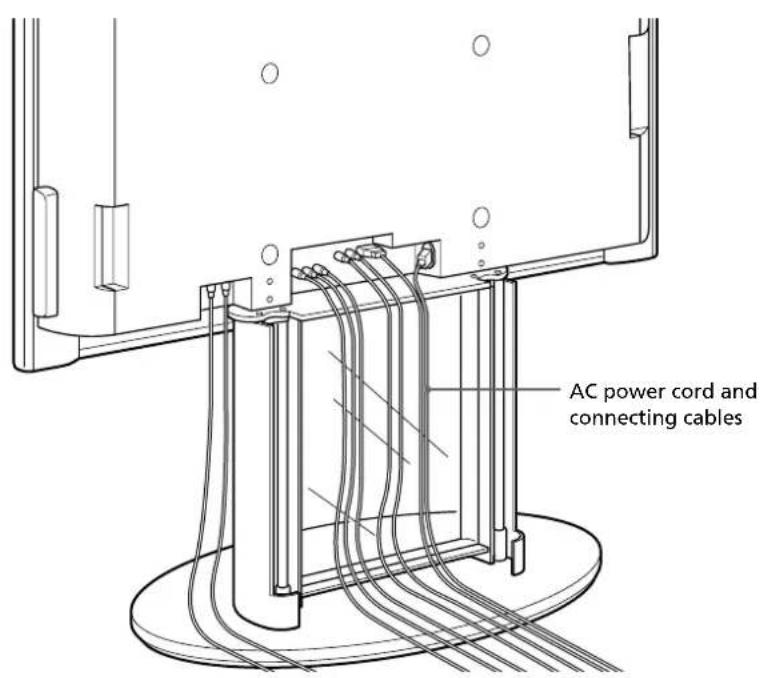
5
Attach the cable cover to the Floating Stand.
Pull the cables to take up the slack. Run the cables into the right and left pillars in equal proportions.
Place the cable cover for the bottom plate so that the tabs of the cable cover hook into the pillars.
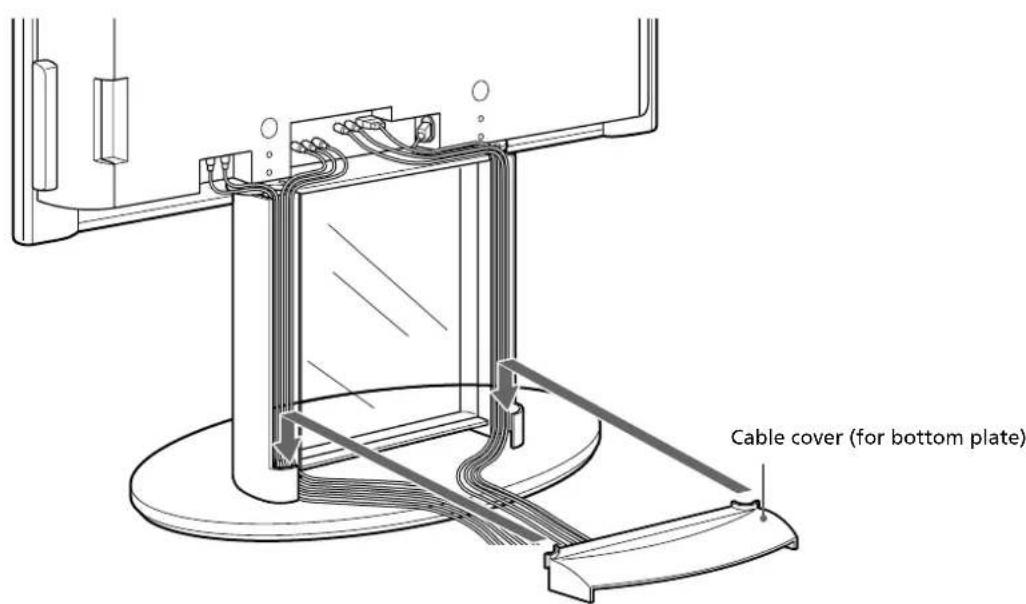
Hold the cable cover with both hands. Hook the inside tabs of the cable cover into the pillars, and then, likewise, the outside tabs, to attach the cable cover.
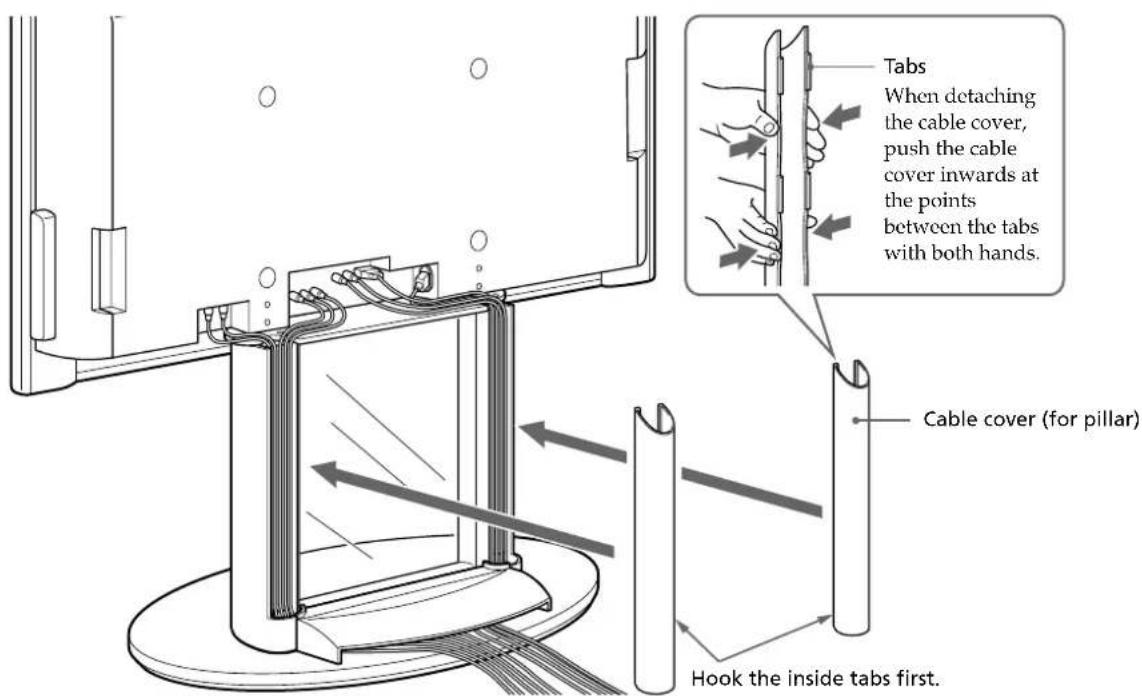
Safety measures to prevent toppling over
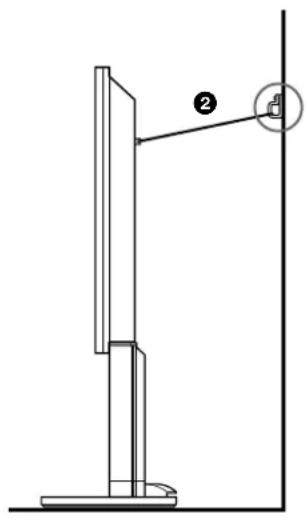
Attach the clamp screws to the TV and securely anchor it to a wall, pillar, etc., by feeding a commercially available rope or chain through the clamp screws.
Warning
Be sure to take measures to prevent the stand from toppling over.
If you fail to do so, the TV may topple over during an earthquake and cause injury. Anchor the TV to a wall, pillar, etc., to prevent it from toppling over.
1 Remove the screws attached to the TV, and replace them with the clamp screws supplied with the TV.
2 Feed a rope or chain through the clamp screws and anchor the TV to the wall or pillar, etc.
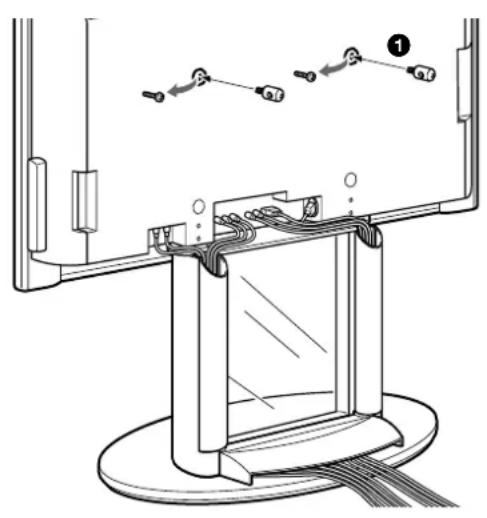
Specifications
Unit: mm (inches)
Weight: 24kg (52 lb 13 oz)
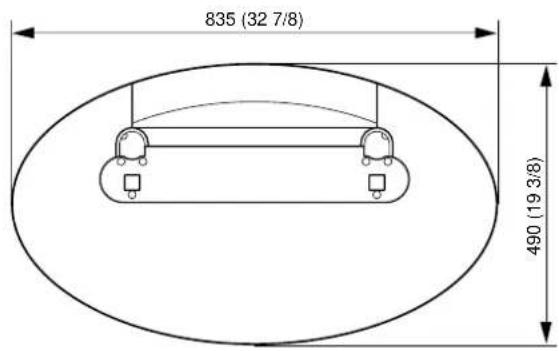
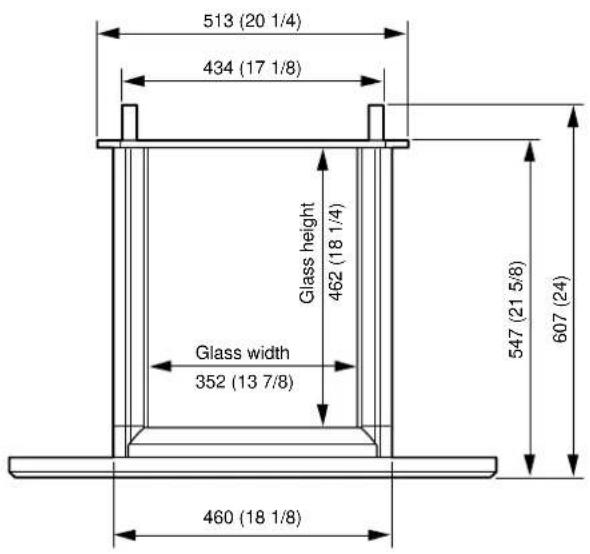
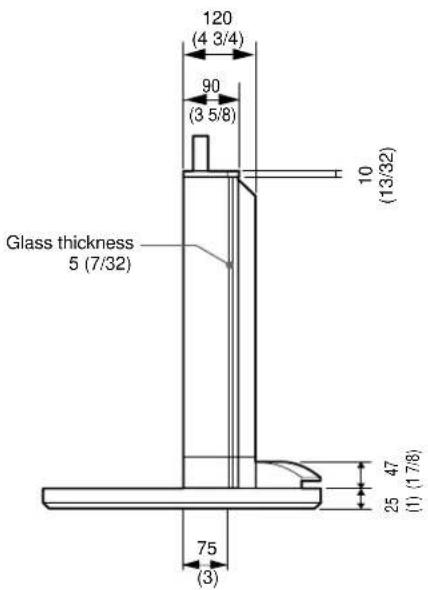
Design and specifications are subject to change without notice.
Sony Electronics, Inc. ("Sony") warrants this product against defects in material or workmanship, subject to any conditions set forth as follow:
- This warranty is expressly limited to the replacement of this product's parts and components.
- For a period of 30 days from the date of purchase, Sony will supply parts that are determined to be defective or missing, at no charge, to the original purchaser. After the warranty period, you will be charged for all orders.
This warranty does not cover damages which occur in shipment or failures due to acts of God, accident, misuse, abuse, negligence, faulty installation, misapplication, setup, improper maintenance, commercial use, or modification of, or to any part of the product. This warranty does not cover Products sold AS IS or WITH ALL FAULTS. This warranty is valid only in the United States.
Proof of purchase in the form of a bill of sale or receipted invoice, which is evidence that the unit is within the warranty period, must be presented to obtain the replacement parts.
REPLACEMENT PARTS AS PROVIDED UNDER THIS WARRANTY ARE THE EXCLUSIVE REMEDY OF THE CONSUMER SONY SHALL NOT BE LIABLE FOR ANY INCIDENTAL OR CONSEQUENTIAL DAMAGES FOR BREACH OF ANY EXPRESS OR IMPLIED WARRANTY ON THIS PRODUCT. EXCEPT TO THE EXTENT PROHIBITED BY APPLICABLE LAW, ANY IMPLIED WARRANTY OF MERCHANTABILITY OR FITNESS FOR A PARTICULAR PURPOSE ON THIS PRODUCT IS LIMITED IN DURATION TO THE DURATION OF THIS WARRANTY.
Some states do not allow the exclusion or limitation of incidental or consequential damages, or allow limitations on how long an implied warranty lasts, so the above limitations or exclusions may not apply to you. This warranty gives you specific legal rights, and you may have other rights which vary from state to state.
In order to obtain replacement parts, please call:
Sony Customer Information Services Center
1-800-222-7669
or visit the Sony Web Site:
www.sony.com
Printed in Japan
*FOR RESIDENTS OF CANADA / POUR LES HABITANTS DU CANADA / PARA RESIDENTES DE CANADIENSES
Please examine all packaging materials before discarding.
If any parts are missing or damaged, please review the parts list found in the assembly manual, identify the missing or damaged part, and call the Sony Customer
Service Center at
1-877-779-9929
Printed on 100% recycled paper using VOC (Volatile Organic Compound)-free vegetable oil based ink.


- Thank you for purchasing this product.
- For customers
- WARNING
- For Sony dealers
- On Safety
- CAUTION
- When carrying the Floating Stand
- Do not subject the glass to excessive shock.
- Notes on installation
- Note on use
- Check the parts
- Assembling the Floating Stand
- Tip
- Attach the bottom plate to the pillars and secure them with screws.
- Note
- Mounting a TV
- Decide on the installation location and lay the stand down before installing the TV.
- 1
- Detach the Table Top Stand from the TV.
- 2
- 3
- 4
- 5
- Attach the cable cover to the Floating Stand.
- Safety measures to prevent toppling over
- Specifications
Brand : SONY
Model : SUPF2
Category : Projector Accessory