ManualGo.com
DWR180 - Screwdriver MAKITA - Free user manual and instructions
Find the device manual for free DWR180 MAKITA in PDF.

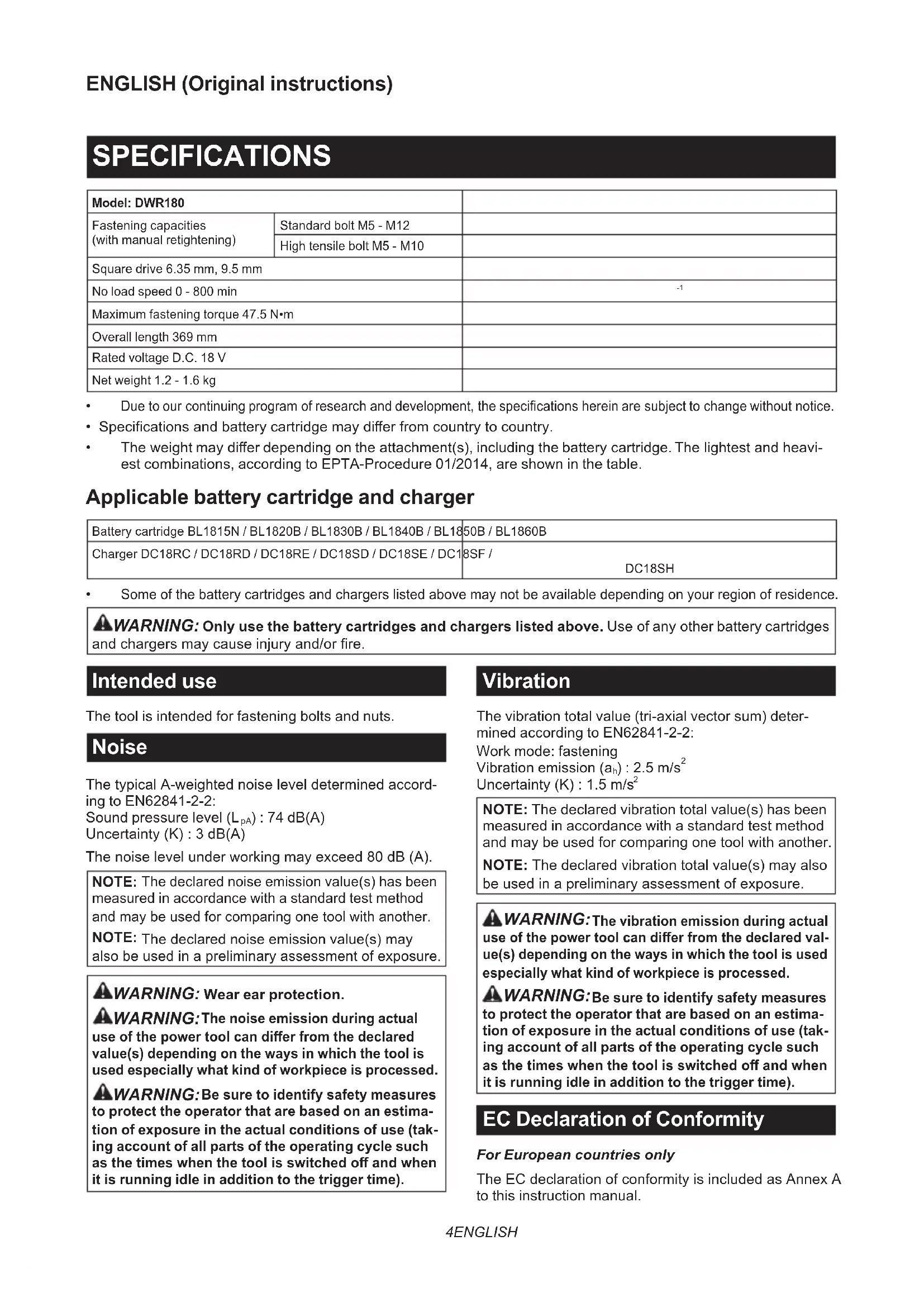


Download the instructions for your Screwdriver in PDF format for free! Find your manual DWR180 - MAKITA and take your electronic device back in hand. On this page are published all the documents necessary for the use of your device. DWR180 by MAKITA.
USER MANUAL DWR180 MAKITA
Cordless Ratchet Wrench INSTRUCTION MANUAL 4
Fig.9 Fig.10 Fig.11 Fig.12 34 ENGLISH ENGLISH (Original instructions) SPECIFICATIONS Model: DWR180 Fastening capacities (with manual retightening) Standard bolt M5 - M12 High tensile bolt M5 - M10 Square drive 6.35 mm, 9.5 mm No load speed 0 - 800 min
Due to our continuing program of research and development, the specications herein are subject to change without notice.
- Specications and battery cartridge may dier from country to country.
- The weight may dier depending on the attachment(s), including the battery cartridge. The lightest and heavi- est combinations, according to EPTA-Procedure 01/2014, are shown in the table. Applicable battery cartridge and charger Battery cartridge BL1815N / BL1820B / BL1830B / BL1840B / BL1850B / BL1860B Charger DC18RC / DC18RD / DC18RE / DC18SD / DC18SE / DC18SF / DC18SH
Some of the battery cartridges and chargers listed above may not be available depending on your region of residence.
WARNING: Only use the battery cartridges and chargers listed above. Use of any other battery cartridges
and chargers may cause injury and/or re. Intended use The tool is intended for fastening bolts and nuts. Noise The typical A-weighted noise level determined accord- ing to EN62841-2-2: Sound pressure level (L
) : 74 dB(A) Uncertainty (K) : 3 dB(A) The noise level under working may exceed 80 dB (A). NOTE: The declared noise emission value(s) has been measured in accordance with a standard test method and may be used for comparing one tool with another. NOTE: The declared noise emission value(s) may also be used in a preliminary assessment of exposure.
WARNING: Wear ear protection.
The noise emission during actual use of the power tool can dier from the declared value(s) depending on the ways in which the tool is used especially what kind of workpiece is processed.
Be sure to identify safety measures to protect the operator that are based on an estima- tion of exposure in the actual conditions of use (tak- ing account of all parts of the operating cycle such as the times when the tool is switched o and when it is running idle in addition to the trigger time). Vibration The vibration total value (tri-axial vector sum) deter- mined according to EN62841-2-2: Work mode: fastening Vibration emission (a
NOTE: The declared vibration total value(s) has been measured in accordance with a standard test method and may be used for comparing one tool with another. NOTE: The declared vibration total value(s) may also be used in a preliminary assessment of exposure.
The vibration emission during actual use of the power tool can dier from the declared val- ue(s) depending on the ways in which the tool is used especially what kind of workpiece is processed.
Be sure to identify safety measures to protect the operator that are based on an estima- tion of exposure in the actual conditions of use (tak- ing account of all parts of the operating cycle such as the times when the tool is switched o and when it is running idle in addition to the trigger time). EC Declaration of Conformity For European countries only The EC declaration of conformity is included as Annex A to this instruction manual.5 ENGLISH SAFETY WARNINGS General power tool safety warnings
WARNING: Read all safety warnings, instruc-
tions, illustrations and specications provided with this power tool. Failure to follow all instructions listed below may result in electric shock, re and/or serious injury. Save all warnings and instruc- tions for future reference. The term "power tool" in the warnings refers to your mains-operated (corded) power tool or battery-operated (cordless) power tool. Cordless Ratchet Wrench safety warnings
1. Hold the power tool by insulated gripping
surfaces, when performing an operation where the fastener may contact hidden wiring. Fasteners contacting a "live" wire may make exposed metal parts of the power tool "live" and could give the operator an electric shock.
2. Hold the tool rmly.
3. Always be sure you have a rm footing.
Be sure no one is below when using the tool in high locations.
4. Wear ear protectors.
5. Check the impact socket carefully for wear,
cracks or damage before installation.
6. Keep hands away from rotating parts.
7. Do not touch the ratchet head, impact socket,
bolt, nut or the workpiece immediately after long time operation. They may be extremely hot and could burn your skin. SAVE THESE INSTRUCTIONS.
DO NOT let comfort or familiarity with product (gained from repeated use) replace strict adherence to safety rules for the subject product. MISUSE or failure to follow the safety rules stated in this instruction manual may cause serious personal injury. Important safety instructions for battery cartridge
Before using battery cartridge, read all instruc- tions and cautionary markings on (1) battery charger, (2) battery, and (3) product using battery.
Do not disassemble or tamper the battery cartridge. It may result in a re, excessive heat, or explosion.
3. If operating time has become excessively
shorter, stop operating immediately. It may result in a risk of overheating, possible burns and even an explosion.
4. If electrolyte gets into your eyes, rinse them
out with clear water and seek medical atten- tion right away. It may result in loss of your eyesight.
5. Do not short the battery cartridge:
(1) Do not touch the terminals with any con- ductive material. (2) Avoid storing battery cartridge in a con- tainer with other metal objects such as nails, coins, etc. (3) Do not expose battery cartridge to water or rain. A battery short can cause a large current ow, overheating, possible burns and even a breakdown.
6. Do not store and use the tool and battery car-
tridge in locations where the temperature may reach or exceed 50 °C (122 °F).
7. Do not incinerate the battery cartridge even if
it is severely damaged or is completely worn out. The battery cartridge can explode in a re.
8. Do not nail, cut, crush, throw, drop the battery
cartridge, or hit against a hard object to the battery cartridge. Such conduct may result in a re, excessive heat, or explosion.
9. Do not use a damaged battery.
The contained lithium-ion batteries are subject to the Dangerous Goods Legislation requirements. For commercial transports e.g. by third parties, forwarding agents, special requirement on pack- aging and labeling must be observed. For preparation of the item being shipped, consulting an expert for hazardous material is required. Please also observe possibly more detailed national regulations. Tape or mask o open contacts and pack up the battery in such a manner that it cannot move around in the packaging.
When disposing the battery cartridge, remove it from the tool and dispose of it in a safe place. Follow your local regulations relating to disposal of battery.
12. Use the batteries only with the products
specied by Makita. Installing the batteries to non-compliant products may result in a re, exces- sive heat, explosion, or leak of electrolyte.
13. If the tool is not used for a long period of time,
the battery must be removed from the tool.
14. During and after use, the battery cartridge may
take on heat which can cause burns or low temperature burns. Pay attention to the han- dling of hot battery cartridges.
Do not touch the terminal of the tool immediately after use as it may get hot enough to cause burns.
16. Do not allow chips, dust, or soil stuck into the
terminals, holes, and grooves of the battery cartridge. It may result in poor performance or breakdown of the tool or battery cartridge.
17. Unless the tool supports the use near
high-voltage electrical power lines, do not use the battery cartridge near high-voltage electri- cal power lines. It may result in a malfunction or breakdown of the tool or battery cartridge.
18. Keep the battery away from children.
SAVE THESE INSTRUCTIONS. CAUTION: Only use genuine Makita batteries. Use of non-genuine Makita batteries, or batteries that have been altered, may result in the battery bursting causing res, personal injury and damage. It will also void the Makita warranty for the Makita tool and charger.6 ENGLISH Tips for maintaining maximum battery life
1. Charge the battery cartridge before completely
discharged. Always stop tool operation and charge the battery cartridge when you notice less tool power.
2. Never recharge a fully charged battery car-
tridge. Overcharging shortens the battery service life.
3. Charge the battery cartridge with room tem-
perature at 10 °C - 40 °C (50 °F - 104 °F). Let a hot battery cartridge cool down before charging it.
4. When not using the battery cartridge, remove
it from the tool or the charger.
5. Charge the battery cartridge if you do not use
it for a long period (more than six months). FUNCTIONAL DESCRIPTION CAUTION: Always be sure that the tool is switched o and the battery cartridge is removed before adjusting or checking function on the tool. Installing or removing battery cartridge CAUTION: Always switch o the tool before installing or removing of the battery cartridge. CAUTION: Hold the tool and the battery car- tridge rmly when installing or removing battery cartridge. Failure to hold the tool and the battery cartridge rmly may cause them to slip o your hands and result in damage to the tool and battery cartridge and a personal injury. ► Fig.1: 1. Red indicator 2. Button 3. Battery cartridge To remove the battery cartridge, slide it from the tool while sliding the button on the front of the cartridge. To install the battery cartridge, align the tongue on the battery cartridge with the groove in the housing and slip it into place. Insert it all the way until it locks in place with a little click. If you can see the red indicator on the upper side of the button, it is not locked completely. CAUTION: Always install the battery cartridge fully until the red indicator cannot be seen. If not, it may accidentally fall out of the tool, causing injury to you or someone around you. CAUTION: Do not install the battery cartridge forcibly. If the cartridge does not slide in easily, it is not being inserted correctly. Tool / battery protection system The tool is equipped with a tool/battery protection sys- tem. This system automatically cuts o the power to extend tool and battery life. The tool will automatically stop during operation if the tool or battery is placed under one of the following conditions: Overload protection This protection works when the tool is operated in a manner that causes it to draw an abnormally high cur- rent. In this situation, turn the tool o and stop the appli- cation that caused the tool to become overloaded. Then turn the tool on to restart. Overheat protection When the tool is overheated, the tool stops automat- ically and the lamp starts blinking. In this situation, let the tool and battery cool before turning the tool on again. Overdischarge protection This protection works when the remaining battery capacity gets low. In this situation, remove the battery from the tool and charge the battery. Indicating the remaining battery capacity Only for battery cartridges with the indicator ► Fig.2: 1. Indicator lamps 2. Check button Press the check button on the battery cartridge to indi- cate the remaining battery capacity. The indicator lamps light up for a few seconds. Indicator lamps Remaining capacityLighted O Blinking75% to 100%50% to 75%25% to 50%0% to 25%Charge the battery.The battery may havemalfunctioned. NOTE: Depending on the conditions of use and the ambient temperature, the indication may dier slightly from the actual capacity. NOTE: The rst (far left) indicator lamp will blink when the battery protection system works.7 ENGLISH Switch action CAUTION: Before installing the battery car- tridge into the tool, always check to see that the switch lever actuates properly and returns to the "OFF" position when released. To start the tool, simply pull the switch lever. Tool speed is increased by increasing pressure on the switch lever. Release the switch lever to stop. ► Fig.3: 1. Switch lever NOTE: The tool automatically stops when you keep pulling the switch trigger for about 1 minute. To prevent the switch lever from accidentally pulled, the lock lever is provided. When the lock lever is in the lock position , the switch lever cannot be actuated. When the lock lever is in the unlock position , the switch lever can be actuated. ► Fig.4: 1. Lock lever 2. Lock 3. Unlock CAUTION: When not operating the tool, always slide the lock lever to the lock position . Lighting up the front lamp CAUTION: Do not look in the light or see the source of light directly. Pull the switch lever to light up the lamp. The lamp keeps on lighting while the switch lever is being pulled. The light automatically goes out approximately 10 sec- onds after the switch lever is released. ► Fig.5: 1. Switch lever 2. Lamp NOTICE: When the tool is overheated, the lamp blinks. Cool down the tool fully before operating the tool again. NOTICE: Use a dry cloth to wipe the dirt o the lens of the lamp. Be careful not to scratch the lens of lamp, or it may lower the illumination. Reversing lever action CAUTION: Always check the direction of rotation before operation. CAUTION: Use the reversing lever only after the tool comes to a complete stop. Changing the direction of rotation before the tool stops may dam- age the tool. This tool has a reversing lever to change the direction of rotation. Turn the reversing lever to the A side for clockwise rotation or to the B side for counterclockwise rotation. Make sure that the reversing lever is fully turned with a click. ► Fig.6: 1. Reversing lever ASSEMBLY CAUTION: Always be sure that the tool is switched o and the battery cartridge is removed before carrying out any work on the tool. Installing or removing socket adaptor To install the socket adaptor, push it into the adaptor hole until it locks into place. ► Fig.7: 1. Socket adaptor 2. Adaptor hole To remove the socket adaptor, insert a stick like a screwdriver into the backside of the socket adaptor, and then tap it gently. ► Fig.8: 1. Socket adaptor 2. Screwdriver NOTICE: During removal procedure, keep holding the socket adaptor to prevent it from falling o from the tool. Installing or removing socket CAUTION: Before operation, make sure that the socket is properly locked onto the socket adaptor. Incomplete attachment of the socket may cause injury. NOTICE: Always use the correct size socket for bolt/ nut. An incorrect size socket will result in inconsistent fastening torque and/or damage to the bolt/nut. To install the socket, push it onto the socket adaptor until it locks into place. To remove the socket, simply pull it o. ► Fig.9: 1. Socket 2. Socket adaptor OPERATION CAUTION: Hold the tool rmly especially when the bolt/nut reaches the seating position. The socket stops rotating and the motor reaction generate instant backlash to rotate the tool. NOTICE: Hold the tool pointed straight at the bolt/nut. Hold the tool rmly and place the socket over the bolt/nut. Turn the tool on and fasten. When the bolt/ nut reaches the seating position, the tool stops automatically. ► Fig.10 The tool also works without socket. The adaptor hole can fasten M8 (5/16") bolt/nut. (works as 13mm socket) ► Fig.118 ENGLISH Using as hand tool You can use the tool as a hand ratchet wrench by turning the tool in the direction arrows as illustrated. In particular when loosening a sti bolt/nut, loosen it by hand rst then turn the tool on. ► Fig.12 NOTICE: Excessive fastening torque may damage the bolt/nut, the socket or the tool. MAINTENANCE CAUTION: Always be sure that the tool is switched o and the battery cartridge is removed before attempting to perform inspection or maintenance. NOTICE: Never use gasoline, benzine, thinner, alcohol or the like. Discoloration, deformation or cracks may result. To maintain product SAFETY and RELIABILITY, repairs, any other maintenance or adjustment should be performed by Makita Authorized or Factory Service Centers, always using Makita replacement parts. OPTIONAL ACCESSORIES CAUTION: These accessories or attachments are recommended for use with your Makita tool specied in this manual. The use of any other accessories or attachments might present a risk of injury to persons. Only use accessory or attachment for its stated purpose. If you need any assistance for more details regard- ing these accessories, ask your local Makita Service Center.