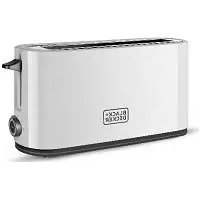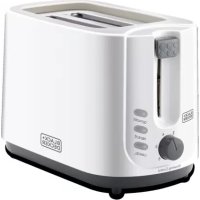
ET125 - Toaster BLACK & DECKER - Free user manual and instructions
Find the device manual for free ET125 BLACK & DECKER in PDF.


| Product Type | 2-slice Toaster |
| Brand | Black & Decker |
| Model | ET125 |
| Power | 900 W (estimated) |
| Power Supply | 220-240 V ~ 50/60 Hz |
| Dimensions (approx.) | 30 x 20 x 20 cm (estimated) |
| Weight (approx.) | 1.5 kg (estimated) |
| Number of Slots | 2 |
| Browning Control | 6 levels |
| Additional Functions | Defrost, Reheat, Cancel |
| Bread Carriage Handle | Yes, lockable |
| Indicator Lights | Cancel, Defrost, Reheat |
| Automatic Shut-off | Yes, via electronic control |
| Crumb Tray | Removable, easy to clean |
| Housing Material | Plastic and stainless steel (likely) |
| Power Cord | Wrap under toaster |
| Safety | Hot surface, do not immerse, emergency stop via cancel button |
| Maintenance | Clean exterior with a soft cloth, empty crumb tray regularly |
| Spare Parts Available | Crumb tray (likely) |
| Warranty | 24 months |
| Intended Use | Indoor household use only |
| Insulation Class | Class I (grounded) |
| Color | White or black (not specified) |
Frequently Asked Questions - ET125 BLACK & DECKER
User questions about ET125 BLACK & DECKER
0 question about this device. Answer the ones you know or ask your own.
Ask a new question about this device
Download the instructions for your Toaster in PDF format for free! Find your manual ET125 - BLACK & DECKER and take your electronic device back in hand. On this page are published all the documents necessary for the use of your device. ET125 by BLACK & DECKER.
USER MANUAL ET125 BLACK & DECKER
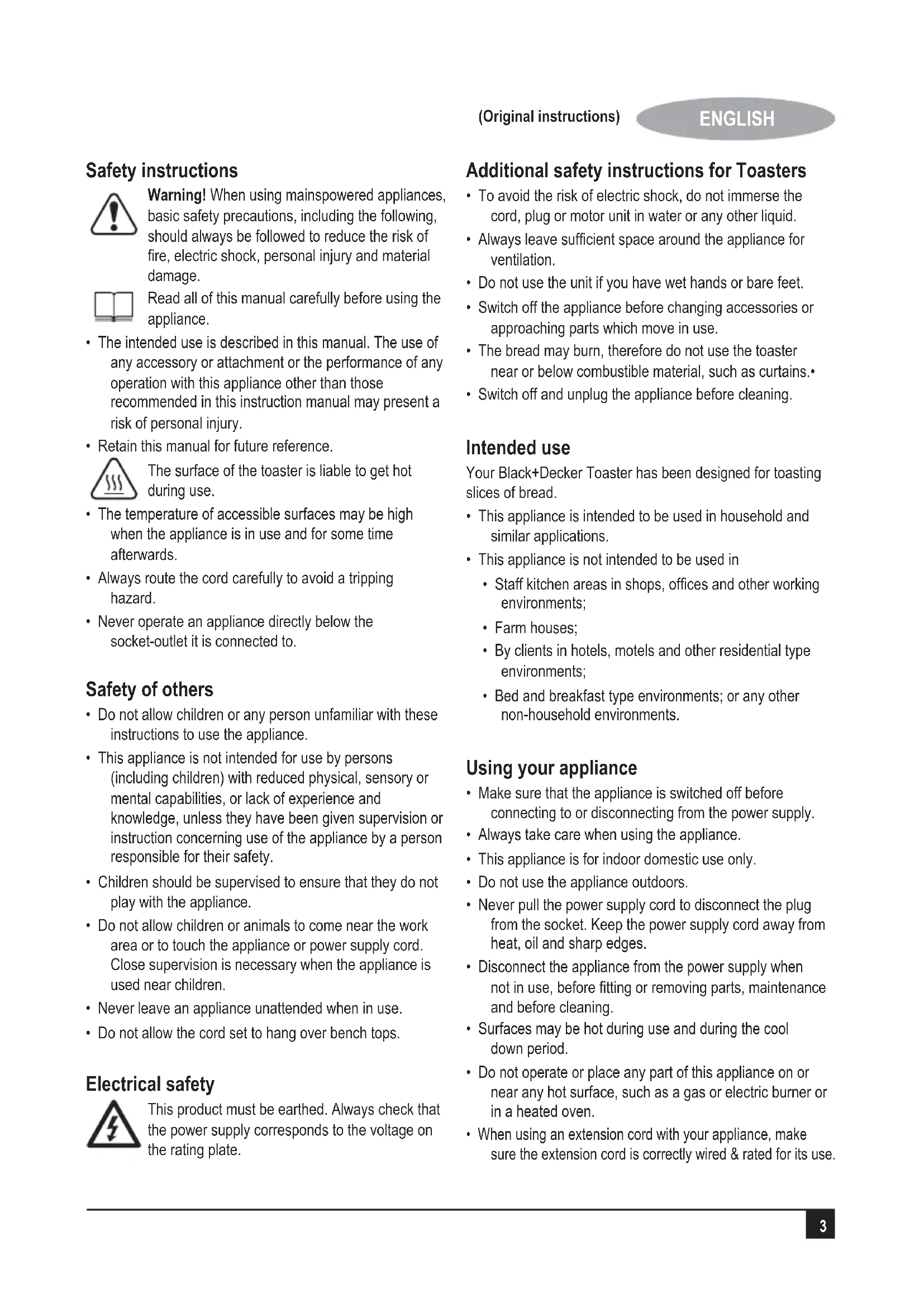
Warning! When using mains-powered appliances, basic safety precautions, including the following, should always be followed to reduce the risk of fire, electric shock, personal injury and material damage.

Read all of this manual carefully before using the appliance.
- The intended use is described in this manual. The use of any accessory or attachment or the performance of any operation with this appliance other than those recommended in this instruction manual may present a risk of personal injury.
- Retain this manual for future reference.

The surface of the toaster is liable to get hot during use.
- The temperature of accessible surfaces may be high when the appliance is in use and for some time afterwards.
Always route the cord carefully to avoid a tripping hazard. - Never operate an appliance directly below the socket-outlet it is connected to.
Safety of others
- Do not allow children or any person unfamiliar with these instructions to use the appliance.
- This appliance is not intended for use by persons (including children) with reduced physical, sensory or mental capabilities, or lack of experience and knowledge, unless they have been given supervision or instruction concerning use of the appliance by a person responsible for their safety.
- Children should be supervised to ensure that they do not play with the appliance.
- Do not allow children or animals to come near the work area or to touch the appliance or power supply cord. Close supervision is necessary when the appliance is used near children.
- Never leave an appliance unattended when in use.
- Do not allow the cord set to hang over bench tops.
Electrical safety

This product must be earthed. Always check that the power supply corresponds to the voltage on the rating plate.
Additional safety instructions for Toasters
- To avoid the risk of electric shock, do not immerse the cord, plug or motor unit in water or any other liquid.
- Always leave sufficient space around the appliance for ventilation.
- Do not use the unit if you have wet hands or bare feet.
- Switch off the appliance before changing accessories or approaching parts which move in use.
- The bread may burn, therefore do not use the toaster near or below combustible material, such as curtains.
- Switch off and unplug the appliance before cleaning.
Intended use
Your Black+Decker Toaster has been designed for toasting slices of bread.
- This appliance is intended to be used in household and similar applications.
-
This appliance is not intended to be used in
-
Staff kitchen areas in shops, offices and other working environments;
- Farm houses;
- By clients in hotels, motels and other residential type environments;
- Bed and breakfast type environments; or any other non-household environments.
Using your appliance
- Make sure that the appliance is switched off before connecting to or disconnecting from the power supply.
Always take care when using the appliance. - This appliance is for indoor domestic use only.
- Do not use the appliance outdoors.
- Never pull the power supply cord to disconnect the plug from the socket. Keep the power supply cord away from heat, oil and sharp edges.
- Disconnect the appliance from the power supply when not in use, before fitting or removing parts, maintenance and before cleaning.
- Surfaces may be hot during use and during the cool down period.
- Do not operate or place any part of this appliance on or near any hot surface, such as a gas or electric burner or in a heated oven.
- When using an extension cord with your appliance, make sure the extension cord is correctly wired & rated for its use.
After use
- Switch off and remove the plug from the socket before leaving the appliance unattended and before changing, cleaning or inspecting any parts of the appliance.
- When not in use, the appliance should be stored in a dry place. Children should not have access to stored appliances.
Inspection and repairs
- Before use, check the appliance for damaged or defective parts. Check for breakage of parts, damage to switches and any other conditions that may affect its operation.
- Do not use the appliance if any part is damaged or defective.
- Have any damaged or defective parts repaired or replaced by an authorised repair agent.
- Before use, check the power supply cord for signs of damage, ageing and wear.
- Do not use the appliance if the power supply cord or mains plug is damaged or defective.
- If the power-supply cord or mains plug is damaged or defective it must be repaired by the manufacturer or its service agent or a similarly qualified person in order to avoid a hazard. Do not cut the power supply cord and do not attempt to repair it yourself.
- Never attempt to remove or replace any parts other than those specified in this manual.
- Do not attempt to repair the appliance. Take it to your nearest Black+Deckerowned or authorised Service Centre for repair.
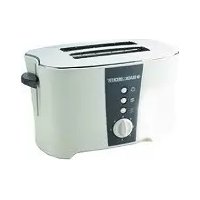
Features
- Bread slot
- Carriage handle
- Defrost button
- Reheat button
- Cancel button
- Browning control
- Housing
- Removable crumb tray
Extension cables & class 1 product
A 3 core cable must be used as your appliance is earthed and of class 1 construction.
For the first use
As there is manufacturing residue or oil remained in the toaster or heat element, it usually emits the odor for the first use. It is normal and will not occur after several uses. Before toasting the first slice of bread it is strongly suggested to operate the appliance following below instructions, except without bread.
Operation:
- Put bread slice into the bread slot, it can be inserted two slices at most every time.
Note:
- Make sure the crumb tray is completely positioned in place before using.
- Plug the power cord into the outlet.
- Set browning control knob to your desired color. There is 6-position level, the lowest is white and the highest is dark. The bread slice can be toasted to golden color at the position of "4".
Note:
- Toasting color for one slice is darker than that for double bread at the same level.
- If toasted continuously, toasting color for the latter bread is darker than the color of previous cycle at the same level.
- Press carriage handle down vertically until it is positioned in place, the indicator of Cancel will be illuminated, and toasting begins. Once the bread has been toasted to the preset color, the carriage handle will be automatically pop up.
Note: The carriage handle can only be latched when the appliance connects to the power supply.
- During the toasted process, you may observe the toasting color. If it is satisfactory, you may interrupt the toasting process by pressing the Cancel button at any time.
- If the bread has been taken out from refrigerator. Set color control knob to your desired color. Press carriage handle down vertically until it is positioned in place, then press Defrost button and the indicator of Defrost will be illuminated. In this mode it will be toasted to your desired color.
- If you want to reheat the cold toasted bread. Press carriage handle down vertically until it is positioned in place, then press Reheat button and the indicator of
Reheat will be illuminated. In this mode toasting time is fixed, so as long as time is running over, the carriage handle will automatically spring up and end up the reheating process.
Caution:
- Remove all protective wrapping prior toasting.
- If toaster starts to smoke, Press Cancel to stop toasting immediately.
- Avoid toasting the food with extremely runny ingredients such as butter.
- Never attempt to remove bread jammed in the slots without unplugging the toaster from the electrical outlet first, be sure not to damage the internal mechanism or heating elements when removing bread.
- The bread slot is only applicable for toasting regular bread slice.
Cleaning and maintenance:
- Disconnect the power supply before cleaning.
- Wipe the outside with soft dry cloth after toaster cools down, never use metal polish.
- Pull out crumb tray on the bottom of the toaster and empty it. If toaster is used frequently, accumulated bread crumbs should be removed at least once a week. Make sure the crumb tray is completely closed before using the toaster again.
- When not use or storage, the power cord may be wound under the bottom of toaster.
Maintenance
Your Black+Decker appliance has been designed to operate over a long period of time with a minimum of maintenance. Continuous satisfactory operation depends upon proper appliance care and regular cleaning.
Warning! Before performing any maintenance or cleaning of the appliance disconnect the appliance from the power supply. Ventilation slots should be cleaned occasionally with a clean, dry paint brush.
Technical data
| ET125-B5 | |
| Voltage | 220-240V ~ 50-60Hz |
| Power 750W |
Protecting the environment
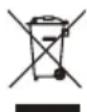
Separate collection. This product must not be disposed of with normal household waste.
Should you find one day that your BLACK+DECKER product needs replacement, or if it is of no further use to you, do not dispose of it with other household waste. Make this product available for separate collection.
- BLACK+DECKER provides a facility for recycling BLACK+DECKER products once they have reached the end of their working life. This service is provided free of charge. To take advantage of this service please return your product to any authorised repair agent who will collect them on our behalf.
- You can check the location of your nearest authorised repair agent by contacting your local BLACK+DECKER office at the address indicated in this manual. Alternatively, a list of authorized BLACK+DECKER repair agents and full details of our after-sales service and contact are available on the Internet at: www.2helpU.com.
Warranty
BLACK+DECKER is confident of the quality of its products and offers an outstanding warranty.
This warranty statement is in addition to and in no way prejudices your statutory rights.
If a BLACK+DECKER product becomes defective due to faulty materials, workmanship or lack of conformity, within 24 months from the date of purchase, BLACK+DECKER warranty to replace defective parts, repair products subjected to fair wear and tear or replace such products to ensure minimum inconvenience to the customer unless:
The product has been used for trade, professional or hire purposes;
The product has been subjected to misuse or neglect;
The product has sustained damage through foreign objects, substances or accidents;
Repairs have been attempted by persons other than authorised repair agents or BLACK+DECKER service staff.
To claim on the warranty, you will need to submit proof of purchase to the seller or an authorised repair agent. You can check the location of your nearest authorised repair agent by contacting your local BLACK+DECKER office at the address indicated in this manual.
Alternatively, a list of authorised BLACK+DECKER repair agents and full details of our after-sales service and contacts are available on the Internet at: www.2helpU.com.
Black and Decker (Overseas) GmbH
PO Box 17164, Dubai, United Arab Emirates
.3
a a a a a a a a a a a a a a a a a a a a a a a a a a a a a a a a a a a a a a a a a a a a a a a a a a a a a a a a a a a a a a a a a a aaa
aIgabiaJyjL jgs aaii
jglaljaoWdag.ajlll aJ10oJg J
gawlllaJIgCgwlglacloa 1
.aaill iBii
no wlll egJgcls Jgdlil aIgol gblt j
9nblnbll l 8g .laI I
.aaibj sIb o
aJUuL
4k = 3
1
j 2
1c aaii jg j g ai i
J 1 J 1 J 1 J 1 J 1 J 1 J 1 J 1 J 1 J 1 J 1 J 1 J 1 J 1 J 1 J 1 J 1 J 1 J 1 J 1 J 1 J 1 J 1 J 1 J 1 J 1 J 1 J 1 J 1 J 1 J 1 J 1 J 1 J 1 J
aLac 4
Lg 1s 10000000000000000000000000000000000000000000000000000000000000
a 5
. 1
J
J
J
J
J
J
J
J
J
J
J
J
J
J
J
J
J
J
J
J
J
J
J
J
J
J
J
J
J
J
J
J
J
J
J
J
J
J
J
J
J
1 6
1
1
1
1
1
1
1
1
1
4
1
1 2
jLl 3
J 4
J 1
J 2
J 3
J 4
j 5
:Jlalg
1
a a 2
JgI3 xg slgS11 cllw gbaix .ai5yblso 5
gaii jzj gJlJgL 2 .JJI1
J 1 JgLgJgLg
Jalal
j:12i a 1
Joa 2
3
j 4
121.5
1 6
1.7
aJU aLJIaIaIaI.8
1" aaii i joo 00
1 1
p1ssuJg
- plasixw Jg sic axil, cayi lo oolag. ysi wll jmic g 10000000000000000000000000000000000000000000000000000000000000000000
:
J1sJ 1
LgILSO JolSJI 1
J.2
gU 1c Jy gS u 3
gJgU Uugu6 gji j
auiu 3 uuiu uuiu uuiu uuiu
(auiJlclaoLeJI)
A
Lai jin jie ai
.
jidi ci jie 10
.
pI 11 11 11 11 11 11 11 11 11
Jgslglg Jg 1slll slil aLw n gK 28
chwJcAsjI JgJgJgJgJgJgJgJgJgJgJgJgJgJgJgJgJgJgJgJgJgJgJgJgJgJgJgJgJgJgJgJgJgJgJgJgJgJgJgJgJgJgJgJgJgJgJgJgJgJgJg
1511 1111111111
p1
Jg 11 a 100 11 g jLg 1 1 1 1 1 1 1 1 1 1 1
JLc0 aui jzj 1g31 pss wip sic Jglio n c 12e o8g 81 gao Jla b
y
gaxiljgl 1y jyj yj yj yj yj yj yj yj yj yj yj yj yj yj yj yj yj yj yj yj yj yj yj yj yj yj yj yj yj yj yj yj yj yj yj yj yj yj yj yj yj yj yj yj yj yj yj yj yj yj yj
1 1 1 1 1 1 1 1 1 1 1 1 1 1 1 1 1 1 1
aJIgjgW≤1
g aJL jzj ggc n o g a, paxwJ J 1.11uJ
gai g 10g aJL> jglpssx X .llwJg
gaiiei wj jy, aIbJI cIIw J; aIJ g 1
Wai Ic gi ggl aoiJI aoiJI Jg jLg
JiaJI cIJg aJIJI cLIJI JJJJ JAIJI
SLGLbLio
J 111 111 111 111 111 111 1

J 1 Laoa afoLw
a2x. a1y5 aouu Jy0j JhJ 1 1 Lw gglg j 1 o 9 g JnLg Jll W
aaggljgJg aalLaLoo Lla 12
g 1 11 j g 1 1 1 1 1 1 1 1 1 1 1 1 1 1 1 1
a#pliaiwipg jgjgjg 1 . jilwJio JleWALalgo gJnBraIy . aJIJI JgJgJLagJgJg
pssss
J 1
aJz11 1 JLaeWuJnAso Jg11 1 aLul Laihblg
JLaeiWU JAAO yjg11o
bLwglg lIg jll Jlaell bblio . 5Jl
15
aJgLiJIgJgJIgJgJgJg
S_ = | L| < 1 = | L| < 1
.1Jzio 15o1 1g1 Lg0g11 5o1
jLg21 p1
aalblll aagj lbo jsl .
doLwJ Loej

aIogll aIiygSII oJgX1 pIisuiuI sic
EJI J, aIyssIJI aIellbI Ioghsy
Jy no dll aIyIJI aIyIeUll cIaJe
LLoLL yIaLyg gIgIgIg
Iig yIaLyg!g/ g aIyIgSII
:gl

pIaIwJgJgJgJgJgJgJgJgJgJg
Names & Addresses for BLACK+DECKER Service Concessionaries
| COUNTRY NAME ADDRESS TELEPHONE NO. EMAIL | |||
| BAHRAIN | Alfouz Services Co. WLL | P.O. Box 26562, Tubli, Manama | (00973) 17783562 / 17879987 |
| BAHRAIN | Kewalram & Sons Co. WLL | P.O. Box 84, Manama, Kingdom of Bahrain | (00973) 17213110 17210617 |
| EGYPT | Anasia Egypt for Trading S.A.E. (Mentre trade) | P.O. Box 2443, 9, Mostafa Refaat Street, Sheraton Heliopolis 11361, Cairo | (00202) 22684159 Hotline19311 |
| JORDAN | Mega Hardware - (Sami Bashiti & Partners Co.) | 93 King Abdullah II St, P.O. Box 3005 AMMAN 11953 | (009626) 5349098 info@mega-hardware.com www.mega-hardware.com |
| KSA | Fawaz Ebrahim Al Zayani Trading Est. | P.O. Box 76026, Al Raka : 31952 | (009663) 8140914 dewaltdammam@hotmail.com www.fawazalzayanigroup.com |
| KSA (U-MARK) and Ghunaim Market | United Trading & Marketing Co; Military city road – Near City max | #15, Khamis Mushait 62411, Abha, | (00966) 172500378 serviceabha@u-mark.net |
| KSA (U-MARK) | United Trading & Marketing Co; Al Saud Street - Near Nawan Hotel | #116, Prince Fahad Ibn Ibrahim | (00966) 11473-3258 malazservice@u-mark.ne |
| KSA (U-MARK) | United Trading & Marketing Co; 52371 Al Hamr Road near Jaryat | Ash Shiqah, Al Hamr, Buraydah | (00966) 16-3694969 serviceqaseem@u-mark.net |
| KSA (U-MARK) | United Trading & Marketing Co; Dammam 32424 near Dat AS | King Abdulaziz St, Al Aziziyah | (00966) 138179319 138172654 |
| Sihha Medical Center | Sinbadhah 23331 Falastin Road Near | Dammam 32424 near Dat AS | servicedammam@u-mark.net |
| KSA (U-MARK) Neweddah National Hospital | Jeddah 23331 Falastin Road Near | (00966) 126612552 | servicejeddah@u-mark.net |
| KSA (U-MARK) | United Trading & Marketing Co; (U-MARK) #356, Al Talah Medina 42322 | (00966) 148423339 | servicemadina@u-mark.net |
| KUWAIT | Al Omar Technical Co. | P.O. Box 4062, Safat 13041, Kuwait | (00965) 24848595 / 24840039 alexotc@usa.net |
| LEBANON | Aces Service Centre (Est. F.A.Kelaneh SA) Building, Beirut | P.O. Box 90-102, Nahr El Mot, Seaside Highway, Pharaon | (009611) 898989 / 262626 nissrine.hajj@aces.com.lb nassim.aziz@aces.com.lb |
| LIBYA Benghazi, Libya (P.O. Box 18182 Salmany) | Senidal St. Amr Ibn Elaas Road, ext. 103 | (0021861) 9094183 | nissrine.hajj@aces.com.lb |
| LIBYA (El Ghoul Brothers) | P.O. Box 348, 7 October Street 11, Benghazi | (00218061) 3383994 | nissrine.hajj@aces.com.lb |
| LIBYA (El Ghoul Brothers) | Al Barniq Dewalt Center, Mokhazin-elsukar St. ElFallah, Tripoli | (00218021) 3606430 nagte.ly@gmail.com Nagte.dpt@gmail.com | |
| MAURITIUS | The Brandhouse Ltd. | Rogers Industrial Park 1, Riche Terre, Mauritius | claimservicecentre@goupille.mu stephanie.bijoui@gmail.com |
| OMAN | Oman Marketing & Service Co. (Omasco) | P.O. Box 2734,Behind Honda Showroom,Wattayah,Oman | npervice@omasco.com.om ashok.balan@omasco.com.om |
| OMAN | Oman Marketing & Service Co. (Omasco) | Al Ohi, Sohar,Oman | sooraj.neeran@omasco.com om |
| OMAN | Oman Marketing & Service Co. (Omasco) | Sanaya, Salah,Oman | rajagopal.pr@omasco.com om |
| PAKISTAN Plaza Behind Gul Plaza Marston Road.KARACHI | Offce No 6068 6th Floor Central Office No 6068 6th Floor Central | (009221) 32775252 babji93@yahoo.com | |
| QATAR | Al Mufah Service Centre | Al Wakrah Road, P.O. Box 875, Doha,Qatar | (00974) 44650880 44650110 importa@stqu.com |
| TUNISIA Maintenance(STM) 2013 BEN AROUS, TUNISIA. | Societe Tunisienne De ZONE INDUSTRIELLE BEN AROUS. | RUE DE LA PHYSIQUE. NOUVELLE | importa@stqu.com |
| UAE Light House Electrical | P.O. Box 120, Abu Dhabi | (009712) 6726131 | dewalt_lhe@hotmail.com |
| UAE Light House Electrical | P.O. Box 120, Abu Dhabi | (009712) 5548315 | dewalt_lhe@hotmail.com |
| UAE BLACK+DECKER (Overseas) GmbH | P.O. Box 5420, Dubai | (009714) 8127400 / 8127406 service.mea@sbdinc.com | |
| UAE Zillion Equipment and Trading LLC | P.O. Box 10584, Ras Al Khaimah Trimix Redymix Sanaiaya, Al Ain | (009717) 2277095 zillionrak@gmail.com | |
| YEMEN Middle East Trading Co. (METCO) | 5th Flr.Hayel Saeed Anam Bidg. Al-Mugamma St. Taiz, Yemen | (009674) 213455 metco@metcotading.com sami@metcotading.com | |
| YEMEN Middle East Trading Co. (METCO) | Mualla Dakka, Aden | (009672) 222670 metco@metcotading.com sami@metcotading.com | |
| YEMEN Middle East Trading Co. (METCO) | Hayel st.,Sana'a, Yemen | (009671) 204201 metco@metcotading.com sami@metcotading.com | |
WARRANTY REGISTRATION CARD
YOUR NAME/ VOTRE NOM/
YOUR ADDRESS/VOTRE ADRESSE/
POSTCODE/ CODE POSTAL/
DATE OF PURCHASE/JOUR D'ACHAT/