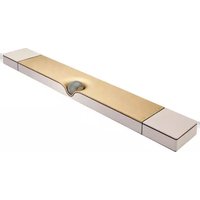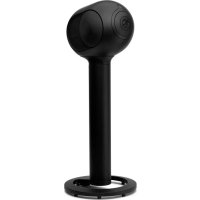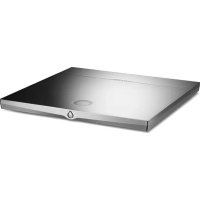
Expert 140 Pro - Receiver DEVIALET - Free user manual and instructions
Find the device manual for free Expert 140 Pro DEVIALET in PDF.



User questions about Expert 140 Pro DEVIALET
0 question about this device. Answer the ones you know or ask your own.
Ask a new question about this device
Download the instructions for your Receiver in PDF format for free! Find your manual Expert 140 Pro - DEVIALET and take your electronic device back in hand. On this page are published all the documents necessary for the use of your device. Expert 140 Pro by DEVIALET.
USER MANUAL Expert 140 Pro DEVIALET
Use of the Works with Apple badge means that an accessory has been designed to work specifically with the technology identified in the badge and has been certified by the developer to meet Apple performance standards.
www.devialet.com © 2018 All rights reserved
QUICKSTART GUIDE
1 INTRODUCTION & REGISTRATION p.16
2 QUICK START p.18
3 DUAL-MONO CONFIGURATION p.21
4 GETTING CONNECTED p.22
5 SOFTWARE UPDATE p.22
6 REMOTE p.23
7 MAINTENANCE AND PRECAUTIONS p.24
1 INTRODUCTION & REGISTRATION
Welcome to Devialet!
You are now the owner of a unique device built with the most innovative architecture, dedicated to music. Protected by more than 100 patents, it integrates the new generation of the ADH Intelligence® and SAM® signal processing, exclusive technologies of Devialet.
You are about to experience and share moments of extraordinary emotion. And this is just the beginning. Thanks to free and regular updates, your audio system will be even better tomorrow.
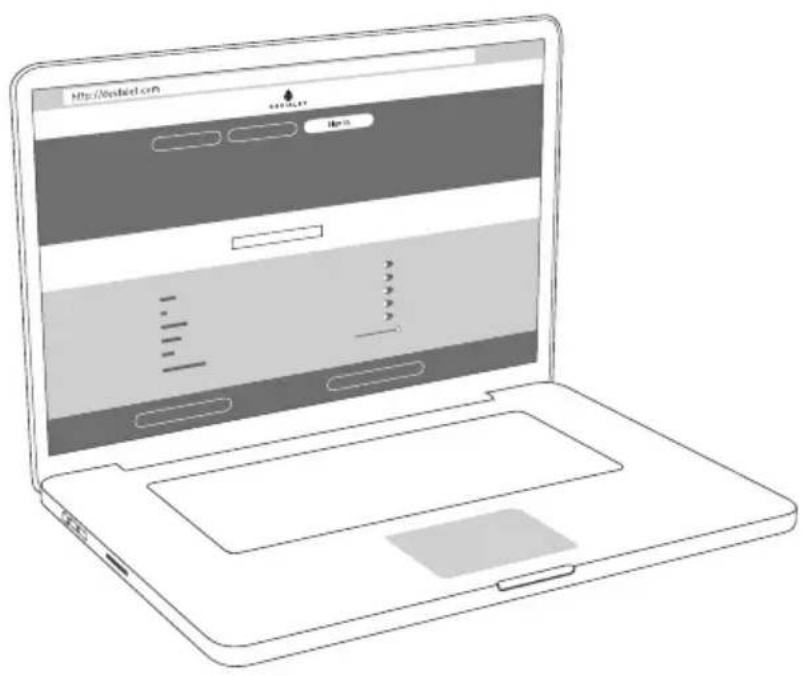
This guide presents the simple installation steps of your Expert Pro. To go further, create your dedicated online space on www.devialet.com and register your device to download the detailed user manual.
For any other assistance, don't hesitate to contact us at help.devialet.com.
Thanks for your trust.
The Devialet team
- REGISTER YOUR DEVICE
Before using your Expert Pro, it is essential to register it on our website. To do so, find your Expert Pro's serial number at the back of this manual and go to your dedicated online space at www.devialet.com/login.
Registering your Expert Pro gives you access :
to a free 3-year warranty extension;
- to the online Configurator that lets you set up your Expert Pro in minute detail;
to a dedicated space for managing all your saved configurations;
to the software updates that allow you to benefit from performance improvements and new features;
2 QUICK START
Expert Pro fully redefines the listening experience. To offer you an extremely simple access to music. And the best amplification performances ever measured under actual usage conditions.
The ultimate audiophile experience is now at your fingertips. All you have to do is follow the steps below and press play.
Please note : If you wish to perform an advanced configuration of your system (input configuration, setting the SAM® and RAM® technologies, Wi-Fi configuration etc.), please refer to the detailed user manual that is available in your personal account at www.devialet.com.
1 - Remove your Expert Pro from its box and lay it flat on a smooth surface.
2 - Remove the back cover.
3 - Connect your sources (CD-player, turntable, Blu-Ray player, television, etc.) to the corresponding inputs and your speakers to the J and K outputs. Make sure that you respect the polarity of the connectors. The speakers need to be placed equidistant from the listener, for optimal spatial performances.
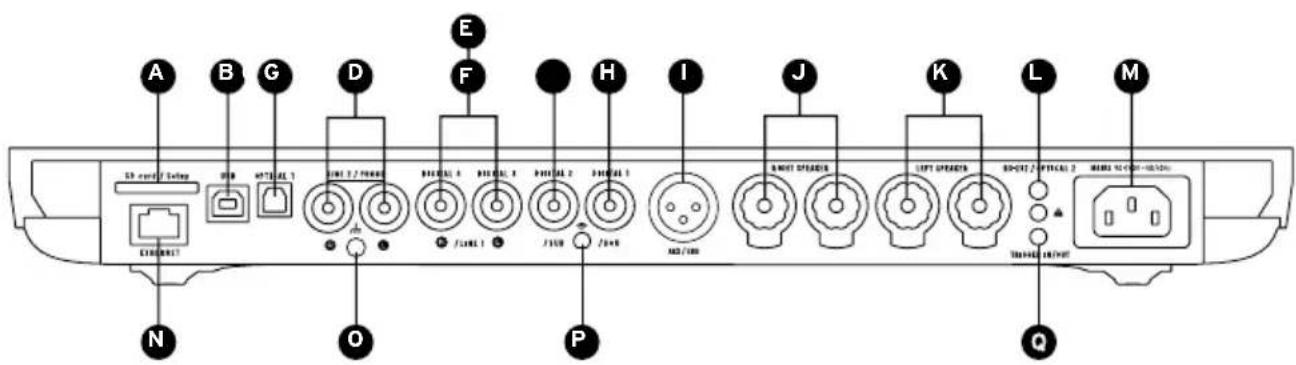
NB: The number of available inputs may vary depending on the model of your Expert Pro.
| A | SD CARD / SETUP SD CARD SLOT FOR CONFIGURATION OF THE AMPLIFIER AND UPDATES | |
| B | USB PORT FOR COMPUTER CONNECTION | |
| C | OPTICAL 1 OPTICAL INPUT FOR CD PLAYER, BLU-RAY PLAYER, APPLE® AIRPORT, COMPUTER, MODEM, ETC. | |
| D | PHONO (MM/MC) / LINE 2 ADVANCED PHONO STAGE FOR A VINYL TURNTABLE OR TUNER LINE INPUT | |
| E | PHONO 2 (MM/MC) / LINE 1 / DIGITAL 3/4* ADVANCED PHONO STAGE FOR A VINYL TURNTABLE OR TUNER LINE INPUT OR S/ PDIF (COAXIAL) DIGITAL INPUTS FOR CD PLAYER, DVD PLAYER, TV... | |
| F | ||
| G | DIGITAL 2* S/PDIF (COAXIAL) DIGITAL INPUT FOR CD PLAYER, DVD PLAYER, TV... | |
| H | DIGITAL 1* S/PDIF (COAXIAL) DIGITAL INPUT FOR CD PLAYER, DVD PLAYER, TV... | |
| I | AES/EBU XLR DIGITAL INPUT FOR PROFESSIONAL SOURCES | |
| J | RIGHT SPEAKER & LEFT SPEAKER UNIVERSAL SPEAKER CONNECTORS (4MM BANANA PLUG OR STRIPPED CABLE FORK CONNECTORS) | |
| K | ||
| L | RS-232 / OPTICAL 2 PORT FOR HOME AUTOMATION APPLICATIONS AND OPTICAL INPUT (3.5MM JACK) | |
| M | MAINS 90-240V / 50-60 Hz POWER SUPPLY (EARTH WIRE REQUIRED) | |
| N | ETHERNET RJ45 SOCKET FOR NETWORK CONNECTION | |
| O | GROUNDING FOR TURNTABLE TONEARM | |
| P | SMA CONNECTOR TO ADD AN EXTERNAL WI-FI ANTENNA | |
| Q | TRIGGER IN/OUT FOR CONNECTING HIFI COMPONENTS (3.5MM JACK) |
*Configurable connectors in digital inputs, analogue inputs or mono/stereo analogue outputs.
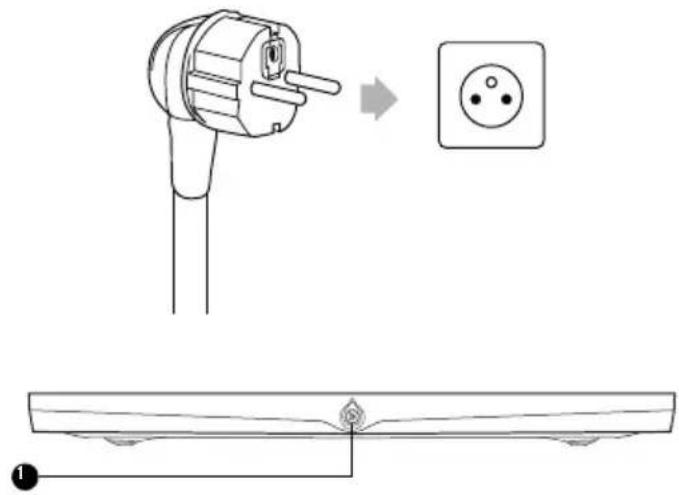
5 - Connect your Expert Pro to a power outlet using the supply cable provided in the box. An outlet with a ground connection is required.
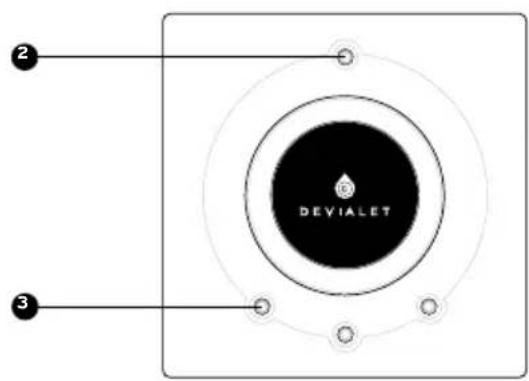
6 - Turn on your Expert Pro by pressing the device's front button (1) or the power button of the remote (2).
7- When your Expert Pro's screen shows the volume, select the desired source with the remote control (source button)(3).
You can now start playing music!
3 DUAL-MONO CONFIGURATION
The Dual-Mono configuration allows you to dedicate all the capacity of one Expert Pro to a single loudspeaker, and to radically improve your system's performances.
This feature requires two bridgeable Expert Pros and a specific setup for each device via the online Configurator (devialet.com/configurator). In this configuration, one device is called Master, it's the Expert Pro that receives the signals from the remote control, and the other is a Companion that receives information from the Master device.
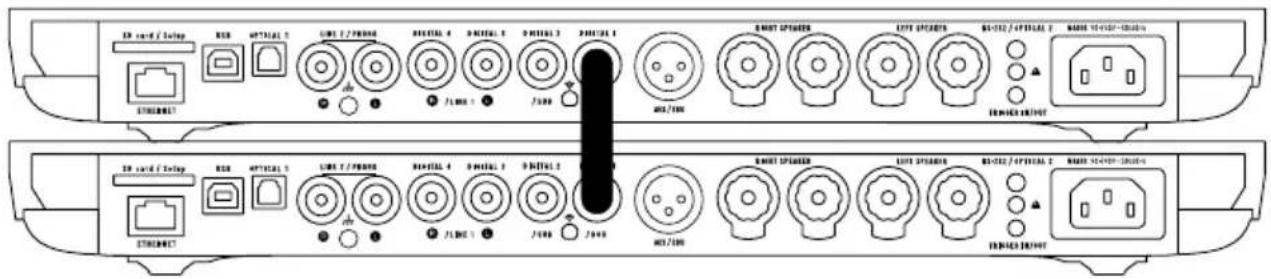
To set up your system in Dual-Mono, connect each loudspeaker to one Expert Pro and connect them with a digital cable (S/PDIF or S/PDIF-AES/EBU).
If you wish to use your Companion device's inputs, connect the two devices with a stereo mini-jack analog cable from the in/out trigger connector of the Master to the RS232 connector of the Companion.
Other configurations are also possible via the Configurator. They will enable you to meet all your expectations and to significantly boost your system's performance.
4 GETTING CONNECTED
CORE
INFINITY
Core Infinity is Expert Pro's smart core that runs the Devialet OS operating system. It will allow you to send all your digital music in high definition from your computer, tablet or smartphone towards your Expert Pro.
To stream your music, your Expert Pro must be connected, in wired or wireless mode, to the same network as your computer, tablet or smartphone.
Wired mode
To use the wired mode, simply connect your Expert Pro to your network by using the Ethernet input located at the back of your device.
Wireless mode
To configure your Expert Pro's wireless streaming features, go to the online configurator at devialet.com/ configurator.
To use the Devialet AIR streaming technology, you will have to have previously downloaded the necessary drivers from your dedicated online space on devialet.com.
To ensure an optimal use, make sure that you are installing your Expert Pro in a place where the network reception is good.
5 SOFTWARE UPDATE
The software updates suggested on the Expert Pro constantly improve your device's performances, features and user experience.
These new updates are free of charge and are available on the website www.devialet.com in your dedicated online space.
For more information regarding your device's updating process, please refer to the user manual that can be downloaded from your dedicated online space at devialet.com.
6 REMOTE CONTROL
The remote control allows you to control the Expert Pro and access the various menus, which are displayed on the device's control screen.
The Expert Pro's remote control operates via radio waves: there is no need to point it in the direction of the device. In the event of connection loss between the remote control and your Expert Pro, bring the remote closer to your device and turn the volume up and down until both devices are automatically recognised.
The battery compartment is located at the back of the remote control. Battery life is over 2 years.
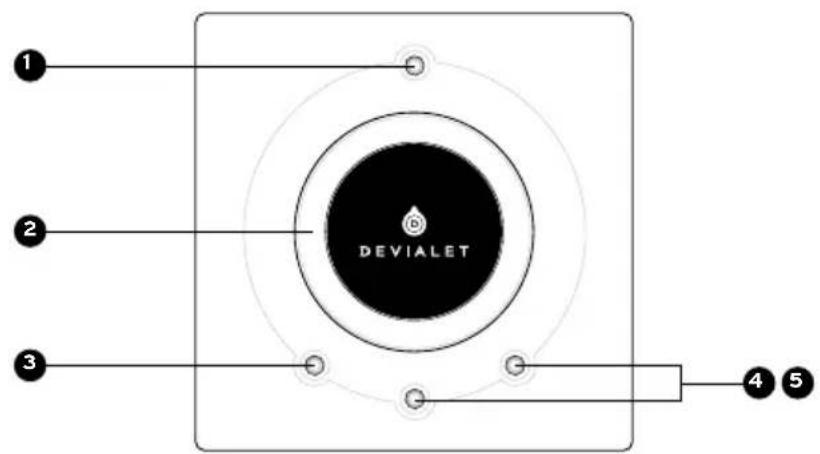
1 POWER ON/OFF
Short press: ON
- Long press: OFF
VOLUME CONTROL AND MENU NAVIGATION
3 SOURCE
- Short press: change source
- Long press: sampling frequency
TONE OR MUTE
TONE (configurable)
- Short press: balance/bass/treble
- Long press: Menu
To navigate within the menu, use short presses. A long press exits the menu.
MUTE (configurable)
- Short press: silent mode
7 MAINTENANCE AND PRECAUTIONS
Clean the Expert Pro and the remote control with the microfibre cloth provided.
Do not use tissues or paper towels.
Never cover your Expert Pro during operation, as the heat must be allowed to dissipate.
The Expert Pro delivers music with an extreme linearity without distorting the sound, even at high volume. It can thus be tempting to listen at high levels. Take care of your ears by limiting the volume when listening for extended periods of time.
TECHNICAL SUPPORT
For any questions concerning the use of your Expert Pro or its maintenance, do not hesitate to contact us, via e-mail or through our online support.
support@devialet.com
Devialet Support
help.devialet.com

The Spotify software is subject to third party licenses found here: www.spotify.com/connect/third-party-licenses

Use of the Works with Apple badge means that an accessory has been designed to work specifically with the technology identified in the badge and has been certified by the developer to meet Apple performance standards.
www.devialet.com © 2018 All rights reserved
www.devialet.com © 2018 All rights reserved
Deutsch
12 =
www.devialet.com © 2018 All rights reserved
Appui court: veille, allumage
Appui long:extinction
www.devialet.com © 2018 All rights reserved

设置指南
www.devialet.com © 2018 All rights reserved