Gemini II - Earplug DEVIALET - Free user manual and instructions
Find the device manual for free Gemini II DEVIALET in PDF.


User questions about Gemini II DEVIALET
0 question about this device. Answer the ones you know or ask your own.
Ask a new question about this device
Download the instructions for your Earplug in PDF format for free! Find your manual Gemini II - DEVIALET and take your electronic device back in hand. On this page are published all the documents necessary for the use of your device. Gemini II by DEVIALET.
USER MANUAL Gemini II DEVIALET
Download to get the best experience.



2. Pairing
Open the case with your earbuds inside.
Press the button on the back of the case for 3 seconds until a blinking white light appears.

natural_image
White wireless earbuds with open case, no visible text or symbols on device body3. Connect
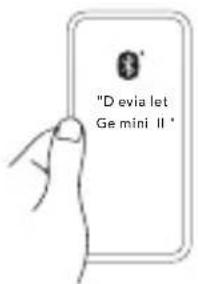
Open the Bluetooth settings on your device and select "Devialet Gemini II".
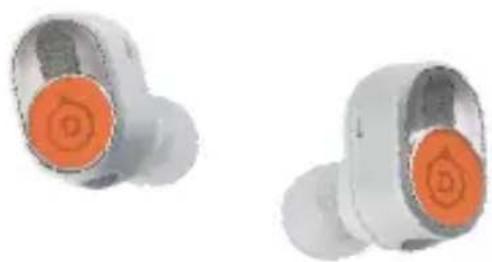
TOUCH CONTROLS
natural_image
Two white wireless earbuds with orange circular buttons, shown from different angles (no text or symbols visible)- Press to Play or Pause.
Press and hold to switch between Adaptive Noise Cancellation and Transparency modes.
Double-press on the left earbud for previous track or right earbud for next track.
Double-press and hold on the left earbud to decrease volume or right earbud to increase volume.
In a phone call:
Double-press to answer or hang-up a call.
Press and hold to reject an incoming call.
All touch gestures can be reconfigured inside the app.
EARBUDS PLACEMENT
Correct position
Rotate each earbud to perfectly fit your ear and adjust the position until it fits comfortably.

natural_image
Abstract graphic of a stylized object with orange arrows indicating direction (no text or symbols)Invalid position
When placing the earbuds, make sure to not position them too vertically or upside down.

natural_image
Close-up of a medical or anatomical component with a diagonal line crossing it (no visible text or symbols)EAR TIPS AND CARE
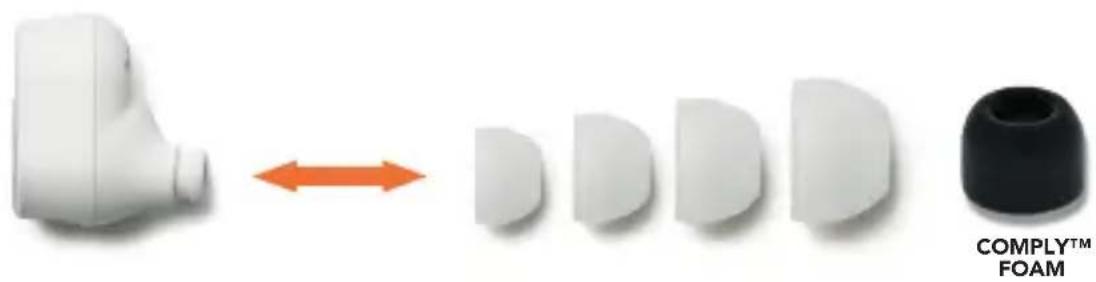
Find the best fit
To remove the ear tips, simply pull them towards you.
To attach new ear tips, push them in until secured.
You may have to use a different size for each ear.
Choose between our silicone or Comply™ foam tips to ensure optimal sealing.
M size are mounted by default.
Take care of your earbuds
The following maintenance tips will help you get the most out of your earbuds.