EasyManual
DRF367500AP - Fridge Dacor - Free user manual and instructions
Find the device manual for free DRF367500AP Dacor in PDF.



Download the instructions for your Fridge in PDF format for free! Find your manual DRF367500AP - Dacor and take your electronic device back in hand. On this page are published all the documents necessary for the use of your device. DRF367500AP by Dacor.
USER MANUAL DRF367500AP Dacor
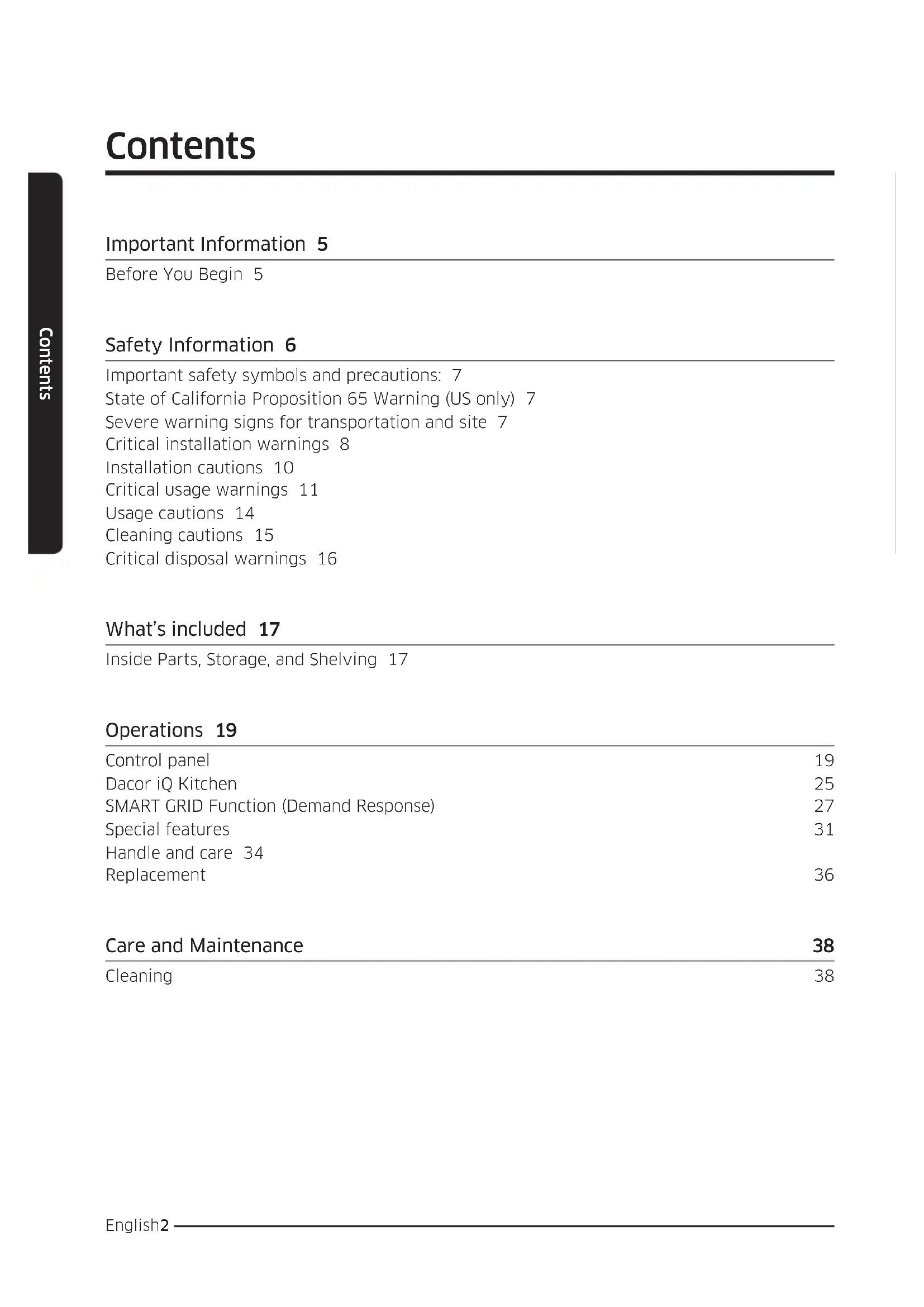
User Manual Heritage Built-In Refrigerator DRF36* FDR_Dacor_BRF8000M_DA68-03574B-01_EN.indd 1 2017-03-31 12:53:34English2 Contents Contents Important Information 5 Before You Begin 5 Safety Information 6 Important safety symbols and precautions: 7 State of California Proposition 65 Warning (US only) 7 Severe warning signs for transportation and site 7 Critical installation warnings 8 Installation cautions 10 Critical usage warnings 11 Usage cautions 14 Cleaning cautions 15 Critical disposal warnings 16 What’s included 17 Inside Parts, Storage, and Shelving 17 Operations 19 Control panel 19 Dacor iQ Kitchen 25 SMART GRID Function (Demand Response) 27 Special features 31 Handle and care 34 Replacement 36 Care and Maintenance 38 Cleaning 38 FDR_Dacor_BRF8000M_DA68-03574B-01_EN.indd 2 2017-03-31 12:53:34English 3 Contents Troubleshooting 39 General 39 Do you hear abnormal sounds from the refrigerator? 42 Dacor iQ Kitchen 44 Smart Grid 45 Warranty and Service 47 Customer Service 47 Warranty 47 Open Source Announcement 51 Regulatory Notice 52 FCC Notice 52 IC Notice 53 FDR_Dacor_BRF8000M_DA68-03574B-01_EN.indd 3 2017-03-31 12:53:34English4 To Our Valued Customer: Congratulations on your purchase of the very latest in Dacor® products! Our unique combination of features, style and performance make us The Life of the Kitchen™, and a great addition to your home. In order to familiarize yourself with the controls, functions and full potential of your new Dacor Appliance, read this use and care manual thoroughly, beginning with the Important Safety Instructions section. All Dacor appliances are designed and manufactured with quality and pride, while working within the framework of our company value. Should you ever experience a problem with your product, please rst check the Troubleshooting section of this manual for guidance. It provides useful suggestions and remedies prior to calling for service. Valuable customer input helps us to continuously improve our products and services, so please feel free to contact our Customer Service Team for assistance with any of your product support needs. Dacor Customer Service Team 14425 Clark Avenue City of Industry, CA 91745 Telephone: (800) 793-0093 Fax: (626) 403-3130 Hours of Operation: Monday through Friday 6:00 A.M. to 5:00 P.M. Pacic Time Website: www.Dacor.com Thank you for choosing Dacor for your home. We are a company built by families for families, and we are dedicated to serving yours. We are condent that your new Dacor product will deliver a high level of performance and enjoyment for many years to come. Sincerely, FDR_Dacor_BRF8000M_DA68-03574B-01_EN.indd 4 2017-03-31 12:53:35English 5 Important Information Important Information Before You Begin Installer
- Leave these Use and Care instructions with the appliance. Consumer
- Please read this Use and Care Manual completely before using your refrigerator. Save it for future reference. Retain your sales receipt or canceled check. Proof of original purchase date is required for warranty service. Have the complete model and serial number identication for your appliance ready. These numbers are found on the label located inside of the refrigerator wall. Record these numbers below for easy access. Model Number Serial Number Date of Purchase Since we continually improve the quality and performance of our products, we may make changes to the appliance without updating this manual. Visit www.dacor.com to download the latest version of this manual. Dacor Customer Service Phone: (800) 793-0093 (U.S.A. and Canada) Monday — Friday 6:00 A.M. to 5:00 P.M. Pacic Time Website: www.dacor.com FDR_Dacor_BRF8000M_DA68-03574B-01_EN.indd 5 2017-03-31 12:53:35English6 Safety Information Safety Information
- Before using your new Dacor Refrigerator, please read this manual thoroughly to ensure that you know how to operate the features and functions that your new appliance offers safely and efciently.
- This appliance is not intended for use by persons (including children) with reduced physical, sensory, or mental capabilities, or those who lack experience and knowledge, unless they have been given supervision or instruction concerning the use of the appliance by a person responsible for their safety.
- Because the following instructions cover various models, the characteristics of your refrigerator may differ slightly from the refrigerator described in this manual.
- It is hazardous for anyone other than an Authorised Service Person to service this appliance.
- Refrigerant squirting out of the pipes could ignite or cause an eye injury. When refrigerant leaks from the pipe, avoid any naked ames and move anything ammable away from the product and ventilate the room immediately. - Failing to do so may result in re or explosion. WARNING
- R-600a is used as a refrigerant. This product contains ammable gas (Refrigerant R-600a), contact your local authority in regard to safe disposal of this product.
- In order to avoid the creation of a ammable gas-air mixture if a leak in the refrigerating circuit occurs, the size of the room in which the appliance may be sited depends on the amount of refrigerant used. The room must be 35.3 ft³ in size for every 8 g of R-600a refrigerant inside the appliance.
- The installation location should not be exposed to direct sunlight and not placed near any electric appliance or heat source, e.g. stove, oven or hob, radiator, etc.
- If you use two products side by side, for safety reason, be sure to use certied products in explosive gas atmospheres.
- Never start up an appliance showing any signs of damage. If in doubt, consult your dealer. FDR_Dacor_BRF8000M_DA68-03574B-01_EN.indd 6 2017-03-31 12:53:35English 7 Safety Information Important safety symbols and precautions: Please follow all safety instructions in this manual. This manual uses the following safety symbols. WARNING Hazards or unsafe practices that may result in severe personal injury, property damage, and/or death. CAUTION Hazards or unsafe practices that may result in severe personal injury and/or property damage. NOTE Useful information that helps users understand or benet from the refrigerator. These warning signs are here to prevent injury to you and others. Please follow them carefully. After reading this section, keep it in a safe place for future reference. State of California Proposition 65 Warning (US only)
WARNING : This product contains chemicals known to the State of California to cause
cancer and birth defects or other reproductive harm. Severe warning signs for transportation and site WARNING
- When transporting and installing the appliance,care should be taken to ensure that no parts of the refrigerating circuit are damaged. - Refrigerant leaking from the pipe work could ignite or cause an eye injury. If a leak is detected, avoid any naked ames or potential sources of ignition and air the room in which the appliance is standing for several minutes. - This appliance contains a small amount of isobutane refrigerant (R-600a), a natural gas with high environmental compatibility that is, however, also ammable. When transporting and installing the appliance, care should be taken to ensure that no parts of the refrigerating circuit are damaged. FDR_Dacor_BRF8000M_DA68-03574B-01_EN.indd 7 2017-03-31 12:53:35English8 Safety Information Safety Information Critical installation warnings WARNING
- Do not install the refrigerator in a damp location or place where it may come in contact with water. - Deteriorated insulation on electrical parts may cause an electric shock or re.
- Do not place this refrigerator in direct sunlight or expose it to the heat from stoves, room heaters, or other appliances.
- Do not plug several appliances into the same multiple power strip. The refrigerator should always be plugged into its own individual electrical outlet which has a voltage rating that matches the voltage listed on the refrigerator’s rating plate. - This provides the best performance and also prevents overloading of house wiring circuits, which could overheat the wires and cause a re hazard.
- If the wall socket is loose, do not insert the power plug. - There is a risk of electric shock of re.
- Do not use a power cord that has cracks or abrasion damage along its length or at either end.
- Do not bend the power cord excessively or place heavy objects on it.
- Do not pull or excessively bend the power cord.
- Do not twist or tie the power cord.
- Do not hook the power cord over a metal object, place a heavy object on the power cord, insert the power cord between objects, or push the power cord into the space behind the appliance.
- Never unplug your refrigerator by pulling on the power cord. Always grip the plug rmly and pull straight out from the outlet. - Damage to the cord may cause a short-circuit, re, and/or electric shock.
- Do not store explosive substances such as aerosol cans with a ammable propellant in this appliance.
- Do not install this appliance near a heater or ammable material.
- Do not install this appliance in a location where gas may leak. - This may result in an electric shock or re.
- This refrigerator must be properly located and installed in accordance with the instructions in this manual before you use it.
- Connect the power plug in the proper position with the cord hanging down. - If you connect the power plug upside down, the wire can get cut off and cause a re or electric shock.
- Make sure that the power plug is not crushed or damaged by the back of the refrigerator. FDR_Dacor_BRF8000M_DA68-03574B-01_EN.indd 8 2017-03-31 12:53:35English 9 Safety Information
- Keep the packing materials out of reach of children. - There is a risk of death from suffocation if a child puts the packing materials on his or her head.
- The appliance must be positioned so that the plug is accessible after installation. - Failing to do so may result in an electric shock or re due to electric leakage.
- Do not install this appliance in a humid, oily or dusty location, or in a location exposed to direct sunlight or to water (rain drops). - Deteriorated insulation on electrical parts may cause an electric shock or re.
- If large amounts of dust or water enter the refrigerator, turn off the power switch and contact your Dacor service center. - Otherwise there is a risk of re.
- You need to remove all the protective plastic lm before you initially plug the product in.
- Children should be supervised to ensure that they do not play with the snap rings used for door adjustment or the water tube clips. - There is risk of death by suffocation if a child swallows a snap ring or water tube clip. Keep the snap rings and water tube clips out of children’s reach.
- The refrigerator must be safely grounded. - Always make sure that you have grounded the refrigerator before attempting to investigate or repair any part of the appliance. Power leakages can cause severe electric shock.
- Never use gas pipes, telephone lines, or other potential lightning attractors as an electrical ground. - You must ground the refrigerator to prevent any power leakages or electric shocks caused by current leakage from the refrigerator. - This may result in an electric shock, re, explosion, or problems with the product. - Improper use of the grounding plug can result in a risk of electric shock. If it is necessary to use an extension cord, use only a 3-wire extension cord that has a 3-blade grounding plug and a 3-slot receptacle that will accept the plug on the appliance. The marked rating of the extension cord should be AC 115-120 V, 10 A, or more. If a grounding adapter is used, make sure the receptacle box is fully grounded.
- Plug the power plug into the wall socket rmly. Do not use a damaged power plug, damaged power cord, or loose wall socket. - This may result in an electric shock or re.
- If the power cord is damaged, have it replaced immediately by the manufacturer or one of its service agents. FDR_Dacor_BRF8000M_DA68-03574B-01_EN.indd 9 2017-03-31 12:53:35English10 Safety Information Safety Information
- Only a qualied technician or service company should be allowed to change the fuse in the refrigerator. - Failing to do so may result in an electric shock or personal injury. Installation cautions CAUTION
- Allow sufcient space around the refrigerator and install it on a at surface. - Keep the ventilation space in the appliance enclosure or mounting structure clear of obstructions.
- After you have installed the refrigerator and turned it on, allow the appliance to stand for 2 hours before loading it with food.
- It is strongly recommended you have a qualied technician or service company install the refrigerator. - Failing to do so may result in an electric shock, re, explosion, problems with the product, or injury.
- Overloading one door may make the refrigerator fall, causing physical injury. FDR_Dacor_BRF8000M_DA68-03574B-01_EN.indd 10 2017-03-31 12:53:36English 11 Safety Information Critical usage warnings WARNING
- Do not insert the power plug into a wall socket with wet hands. - This may result in an electric shock.
- Do not store articles on the top of the appliance. - When you open or close the door, the articles may fall and cause personal injury and/or material damage.
- Do not insert hands, feet or metal objects (such as chopsticks, etc.) into the bottom or the back of the refrigerator. - This may result in an electric shock or injury. - Any sharp edges may cause a personal injury.
- Do not touch the inside walls of the freezer or products stored in the freezer with wet hands. - This may cause frostbite.
- Do not put a container lled with water on the refrigerator. - If spilled, there is a risk of re or electric shock.
- Do not keep volatile or ammable objects or substances (benzene, thinner, propane gas, alcohol, ether, LP gas, and other such products) in the refrigerator. - This refrigerator is for storing food only. - This may result in re or explosion.
- Children should be supervised to ensure that they do not play with the appliance. - Keep ngers out of the “pinch point” or hinge areas of the doors. Be careful closing the doors when children are in the areas.
- Do not let children hang on the door or door bins. A serious injury may occur.
- Do not let children go inside the refrigerator. They could become trapped.
- Do not insert your hands into the area under the appliance. - Any sharp edges may cause personal injury.
- Do not store pharmaceutical products, scientic materials, or temperature sensitive products in the refrigerator. - Products that require strict temperature controls must not be stored in the refrigerator.
- Do not place or use electrical appliances inside the refrigerator/freezer, unless they are of a type recommended by the manufacturer.
- If you smell smoke, turn off the power switch immediately, and then contact your Dacor service center.
- If large amounts of dust or water enter the refrigerator, turn off the power switch and contact your Dacor service center. - Otherwise there is a risk of re. FDR_Dacor_BRF8000M_DA68-03574B-01_EN.indd 11 2017-03-31 12:53:36English12 Safety Information Safety Information
- Do not let children step on a drawer. - The drawer may break and cause them to slip.
- Do not leave the doors of the refrigerator open while the refrigerator is unattended and do not let children enter the refrigerator.
- Do not allow babies or children go into a drawer. - It can cause death from suffocation by entrapment or personal injury.
- Do not overll the refrigerator with food. - When you open the door, an item may fall out and cause personal injury or material damage.
- Do not spray volatile material such as insecticide onto the surface of the appliance. - As well as being harmful to humans, it may also result in an electric shock, re, or problems with the product.
- Never put ngers or any objects into the water dispenser outlet, ice chute, or ice maker bucket. - It may cause a personal injury or material damage.
- Do not use or place any substances sensitive to temperature such as ammable sprays, ammable objects, dry ice, medicine, or chemicals near or inside the refrigerator.
- Do not use a hair dryer to dry the inside of the refrigerator. Do not place a lighted candle in the refrigerator to remove bad odors. - This may result in an electric shock or re.
- Fill the water tank, ice tray, and water cubes with potable water only (tap water, mineral water, or puried water). - Do not ll the tank with tea, juice, or a sports drink. They can damage the refrigerator.
- Do not use mechanical devices or any other means to accelerate the defrosting process, other than those recommended by the manufacturer.
- Do not damage the refrigerant circuit.
- Do not put a fridge shelf into the refrigerator upside down. The shelf stopper will not work. - The glass shelf could fall and cause personal injury.
- If a gas leak is detected, avoid any naked ames or potential sources of ignition, and air the room in which the appliance is standing for several minutes. - Do not touch the appliance or power cord. - Do not use a ventilating fan. - A spark may result in an explosion or re.
- Use only the LED Lamps provided by the manufacturer or its service agents.
- Bottles should be stored tightly together so that they do not fall over or out.
- This product is intended only for the storage of food in a domestic environment. FDR_Dacor_BRF8000M_DA68-03574B-01_EN.indd 12 2017-03-31 12:53:36English 13 Safety Information
- Never put ngers or any objects into the water dispenser outlet, ice chute, or ice maker bucket. - This can cause a personal injury or material damage.
- Do not attempt to repair, disassemble, or modify the refrigerator yourself. - Unauthorized modications can cause safety problems. To reverse an unauthorized modication, we will charge the full cost of parts and labor.
- Do not use any fuse (such as cooper, steel wire, etc.) other than a standard fuse.
- If your refrigerator needs to be repaired or reinstalled, contact your nearest service center. - Failing to do so may result in an electric shock, re, problems with the product, or injury.
- If the interior or exterior LED lamp has gone out, contact your nearest Dacor service center.
- If the refrigerator emits a burning smell or smoke, unplug the refrigerator immediately and contact a Dacor service center. - Failing to do so may result in an electric or re hazards.
- Pull the power plug out of the socket before changing the interior lamps of the refrigerator. - Otherwise, there is a risk of electric shock.
- If you experience difculty changing a non-LED light, contact a Dacor service center.
- If the product is equipped with LED lamps, do not disassemble the Lamp Covers and LED lamps yourself. - Contact a Dacor service center.
- Plug the power plug into the wall socket rmly.
- Do not use a damaged power plug, damaged power cord, or loose wall socket. - This may result in an electric shock or re. FDR_Dacor_BRF8000M_DA68-03574B-01_EN.indd 13 2017-03-31 12:53:36English14 Safety Information Safety Information Usage cautions CAUTION
- Do not re-freeze frozen foods that have thawed completely. Do not place carbonated or zzy drinks in the freezer compartment. Do not put bottles or glass containers in the freezer. - When the contents freeze, the glass may break and cause personal injury.
- Use only the ice maker provided with the refrigerator.
- To get the best performance from the product: - Do not place food too close to the vents at the rear of the refrigerator as this can obstruct free air circulation in the refrigerator compartment. - Wrap food up properly or place it in airtight containers before putting it into the refrigerator. - Do not put glass bottles or carbonated beverages into the freezer. They can freeze and break. Broken beverage containers can cause injury. - Please observe maximum storage times and expiration dates of frozen goods.
- Do not put glass containers or bottles or carbonated beverages into the freezer. - The container may freeze and break, and this may result in injury.
- Service Warranty and Modication. - Any changes or modications performed by a 3rd party on this nished appliance are not covered under Dacor warranty service, nor is Dacor responsible for safety issues that result from 3rd party modications.
- Do not block the air vents inside the refrigerator. - If the air vents are blocked, especially with a plastic bag, the refrigerator can be over cooled.
- If the refrigerator is disconnected from the power supply, you should wait for at least ve minutes before plugging it back in.
- If large amounts of water enter the refrigerator, turn off the power switch and contact a Dacor service center.
- Do not strike or apply excessive force to any glass surface. - Broken glass may result in a personal injury and/or property damage.
- Fill the water tank and ice cube trays with potable water only (tap water, mineral water, or puried water). - Do not ll the tank with tea, juice, or a sports drink. They can damage the refrigerator.
- If the refrigerator is ooded, shut off the power to the refrigerator and contact your nearest Dacor service center. - There is a risk of electric shock or re. FDR_Dacor_BRF8000M_DA68-03574B-01_EN.indd 14 2017-03-31 12:53:36English 15 Safety Information Cleaning cautions CAUTION
- Do not spray water directly on the inside or outside the refrigerator. - There is a risk of re or electric shock.
- Do not use a hair dryer to dry the inside of the refrigerator.
- Do not place a lighted candle in the refrigerator to remove bad odors. - This may result in an electric shock or re.
- Do not spray cleaning products directly on the display. - Printed letters on the display may come off.
- If any foreign substance such as water has entered the appliance, turn off the power switch and contact your nearest service center. - Failing to do so may result in an electric shock or re.
- Use a clean, dry cloth to remove any foreign matter or dust from the power plug blades. Do not use a wet or damp cloth when cleaning the plug. - Otherwise, there is a risk of re or electric shock.
- Do not clean the appliance by spraying water directly onto it.
- Do not use benzene, thinner, or Clorox (bleach) to clean the refrigerator. - They may damage the surface of the appliance and may cause a re.
- Never put ngers or any objects into the dispenser outlet. - This can cause a personal injury or material damage.
- Before cleaning or performing maintenance, unplug the appliance from the wall socket. - Failing to do so may result in an electric shock or re. FDR_Dacor_BRF8000M_DA68-03574B-01_EN.indd 15 2017-03-31 12:53:36English16 Safety Information Safety Information Critical disposal warnings WARNING
- DANGER : Risk of child entrapment. Before you throw away your old refrigerator or freezer: - Take off the doors and door latch. - Leave the shelves in place so that children cannot easily climb inside. - Children trapped inside a refrigerator can hurt themselves or suffocate to death.
- Please dispose of the packaging material from this product in an environmentally friendly manner.
- Ensure that none of the pipes on the back of the refrigerator are damaged prior to disposal.
- R-600a is used as a refrigerant. This product contains ammable gas (Refrigerant R-600a), contact your local authority in regard to safe disposal of this product.
- When disposing of this refrigerator, remove the door/door seals and door latch so that small children or animals cannot become trapped inside. Children should be supervised to ensure that they do not play with the appliance. - If trapped inside, the child could be injured or suffocate to death.
- Cyclopentane is used in the insulation. The gases in the insulation material require a special disposal procedure. Please contact your local authorities in regard to the environmentally safe disposal of this product.
- Keep all packaging materials well out of the reach of children, as packaging materials can be dangerous to children. - If a child places a bag over his or her head, the child could suffocate. FDR_Dacor_BRF8000M_DA68-03574B-01_EN.indd 16 2017-03-31 12:53:36English 17 What’s included What’s included Inside Parts, Storage, and Shelving
01 Power switch 02 Shelves 03 Door bins 04 Camera 05 Water dispenser 06 Water lter (cover) 07 Control panel (on FreshZone) 08 FreshZone 09 Freezer FDR_Dacor_BRF8000M_DA68-03574B-01_EN.indd 17 2017-03-31 12:53:36What’s included English18 What’s included Switch box
- Use a at head screwdriver to open the switch box cover.
- The black one is the Power switch.
- When you change the temperature on the panel, the panel displays the actual temperature inside the refrigerator until the temperature matches the temperature you set. Then, the panel displays the new set temperature. Note that it will take time for the refrigerator to reach the new temperature. This is normal. During this time, you need not set the temperature again.
- If no button is input for 10 seconds after Control Lock is deactivated, the display will turn off except for the Control Lock button. To turn the display on, press Control Lock again.
- If the control panel has put moisture or liquid on its surface, it may fail. Wipe the moisture or liquid using a dry cloth, and then try again. FDR_Dacor_BRF8000M_DA68-03574B-01_EN.indd 19 2017-03-31 12:53:37English20 Operations Operations 01 Fridge / Power Cool (3 sec) Fridge The Fridge button can be used to set the fridge temperature, or to activate/deactivate Power Cool. You can manually adjust the cooling temperature for the fridge. The temperature indicator informs you of the currently set or selected temperature. Keep pressing Fridge to select a desired temperature between 34 °F (1 °C) and 44 °F (7 °C). Power Cool Power Cool speeds up the cooling process at maximum fan speed. The fridge keeps running at full speed for several hours and then returns to the previous temperature.
- To activate Power Cool, press and hold Fridge for 3 seconds. The corresponding indicator ( ) lights up, and the refrigerator will speed up the cooling process for you.
- To deactivate Power Cool, press and hold Fridge again for 3 seconds. The fridge returns to the previous temperature setting. NOTE Using Power Cool increases power consumption. Make sure you turn it off and return to the previous temperature if you don’t intend to use it. 02 Freezer / Power Freeze (3 sec) Freezer You can use the Freezer button to set the freezer temperature or to activate/deactivate Power Freeze. To set the freezer temperature, press Freezer repeatedly. Available temperatures are between 5 °F (-15 °C) and -8 °F (-23 °C). Power Freeze Power Freeze lowers the freezer temperature and speeds up the freezing process. In Power Freeze mode, the freezer runs at full power for several hours and then returns to normal operation and the previous temperature setting.
- To activate Power Freeze, press and hold Freezer for 3 seconds. The corresponding indicator ( ) lights up, and the refrigerator speeds up the freezing process for you.
- To deactivate, press and hold Freezer for 3 seconds again. NOTE Using Power Freeze increases power consumption. If you do not need the Power Freeze function on, make sure you turn it off so that the refrigerator can return to normal operation and the previous temperature setting. FDR_Dacor_BRF8000M_DA68-03574B-01_EN.indd 20 2017-03-31 12:53:37English 21 Operations 03 FreshZone The FreshZone is a full-width drawer featuring temperature control. It has a temperature sensor that adjusts the amount of cold air allowed into the zone.
- Press FreshZone repeatedly to select a desired mode. By default, Cheese is selected.
- The refrigerator adjusts the temperature in the FreshZone according to the selected mode. Mode Description Examples Cheese Select this to keep food fresh for a longer time. The temperature of the FreshZone will be kept around 37 °F (3 °C). Pineapple, lemon, biscuits, potatoes, cheese Cold Drinks Select this to keep drinks cold and refreshing. The temperature of the FreshZone will be kept around 33 °F (1 °C). Bottled water, juice, soft drinks, beer Chill/Meat Select this to keep meat or sh fresh for a longer time. The temperature of the FreshZone will be kept around 29 °F (-1 °C). Steak, cold cut, bacon, chili dog CAUTION
- Do not use the FreshZone for storing fruit or leafy vegetables. The food items may suffer cold-temperature damage.
- Do not store glass bottles in the FreshZone in Chill/Meat mode. They may break and cause physical injury. 04 Cocktail Ice (3 sec) Cocktail Ice Press and hold Cocktail Ice for more than 3 seconds to turn the Cocktail ice on or off. If the Ice Maker Indicator indicates OFF mode, ice making is disabled. You must change the indicator to ON mode. 05 Standard Ice (3 sec) Standard Ice Press and hold Standard Ice for more than 3 seconds to turn the Standard ice on or off. If the Ice Maker Indicator indicates OFF mode, ice making is disabled. You must change the indicator to ON mode. FDR_Dacor_BRF8000M_DA68-03574B-01_EN.indd 21 2017-03-31 12:53:37English22 Operations Operations 06 Filter Reset (3 sec) Filter Reset After about 6 months of using the original water lter (which typically amounts to about 300 gallons (1136 liters) of water), the Filter indicator blinks red to remind you that the lter needs to be replaced. When this happens, replace the lter, and then press and hold Filter Reset for 3 seconds. This resets the lter lifecycle detector and turns off the Filter indicator. NOTE
- Some areas have relatively large amounts of lime in their water. This may reduce the lifecycle of the lter. In these areas, you will have to replace the water lter more often than specied above.
- If water is not dispensing properly, the water lter is most likely clogged. Even if the Filter indicator is not blinking, replace the water lter. 07 Deodorizer Reset (3 sec) Deodorizer Reset After about 18 months of using the original deodorizer lter, the Filter indicator blinks red to remind you that the lter needs to be replaced. If this happens, replace the lter, and press and hold Deodorizer Reset for 3 seconds. The lter lifecycle will be reset and the Filter indicator turns off. 08 Door Alarm / °C °F (3 sec) Door Alarm You can enable or disable the door alarm by pressing Door Alarm. When Door Alarm is enabled and a door is left open for more than 2 minutes, the alarm will sound and the alarm indicator will blink. The Door Alarm function is enabled by factory default. °C °F You can use the Door Alarm button to switch the temperature scale between Celsius and Fahrenheit. To switch the temperature scale, press and hold Door Alarm for 3 seconds. 09 Override (3 sec) Override The Override function activates/deactivates Smart Grid. Press Override for 3 seconds to set/clear the Override function. FDR_Dacor_BRF8000M_DA68-03574B-01_EN.indd 22 2017-03-31 12:53:37English 23 Operations 10 Control Lock (3 sec) Control Lock To prevent accidental setting changes, press and hold Control Lock for 3 seconds. Main panel will be disabled and the Lock indicator ( ) will turn on. If you press and hold the button again for more than 3 seconds, Control Lock will be deactivated. However, Control Lock will be reactivated if no button is input for the next 1 minute. Device authentication To authenticate your device, press and hold Control Lock for 5 seconds. A chime sounds with a message of ‘on’ on the fridge temperature display for 5 seconds. Authorized devices can be used with Samsung Smart TV apps where the privacy information on the refrigerator can be shared to the TV. Availability of this function depends on the device model. 11 Network connection (applicable models only) You can control and monitor your refrigerator through the Dacor iQ Kitchen app. For more information, see the Dacor iQ Kitchen section. NOTE
- Recommended encryption systems include WPA/TKIP and WPA2/AES. Any newer or unstandardized Wi-Fi authentication protocols are not supported.
- Wireless networks may be affected by the surrounding wireless communication environment.
- If your Internet service provider has registered the MAC address of your PC or modem for identication, your Dacor Smart Refrigerator may fail to connect to the Internet. If this happens, contact your Internet service provider for technical assistance.
- The rewall settings of your network system may prevent your Dacor Smart Refrigerator from accessing the Internet. Contact your Internet service provider for technical assistance. If this symptom continues, contact a local Dacor service center or retailer.
- To congure the wireless access point (AP) settings, see the user manual of the AP.
- Dacor Smart Refrigerators support both Wi-Fi 2.4 GHz with IEEE 802.11 b/g/n and Soft-AP protocols (IEEE 802.11 n is recommended).
- Unauthorized Wi-Fi wireless routers may fail to connect to applicable Dacor Smart Refrigerators. FDR_Dacor_BRF8000M_DA68-03574B-01_EN.indd 23 2017-03-31 12:53:37English24 Operations Operations 12 Sabbath mode The Sabbath mode stays active for 85 hours once it is activated. After that, it will be deactivated automatically.
- To activate, press and hold Freezer and Door Alarm simultaneously for 5 seconds to enter Sabbath mode. Then the refrigerator operates in Sabbath mode where the buttons, the display, and the room lamps are all under control.
- To deactivate, press and hold the buttons again for 5 seconds to exit Sabbath mode. NOTE
- If the Control Lock indicator turns on, you must rst deactivate Control Lock.
- Even after the refrigerator powers off and restarts, the Sabbath mode remains active. To exit, you must deactivate it rst. 13 Cooling Off Cooling Off mode (also called Shop mode) is designed for use by retailers when they are displaying refrigerators on a retail oor. In Cooling Off mode, the fan motor and lights operate normally, but the compressors do not run so both the refrigerator and the freezer do not get cold.
- To enter Cooling Off mode, press and hold Standard Ice, Filter Reset, and Override simultaneously for 5 seconds. The refrigerator chime sounds and the temperature display ashes “OFF”.
- To exit Cooling Off mode, press and hold Standard Ice, Filter Reset, and Override simultaneously for 5 seconds again. NOTE If the Control Lock indicator turns on, you must rst deactivate Control Lock. FDR_Dacor_BRF8000M_DA68-03574B-01_EN.indd 24 2017-03-31 12:53:38English 25 Operations Dacor iQ Kitchen Installation Visit the Google Play Store, Galaxy Apps, or Apple App Store and search for “Dacor iQ Kitchen”. Download and install the Dacor iQ Kitchen app to your smart device. NOTE
- The Dacor iQ Kitchen app is designed for Android 4.0 (ICS) or higher, or iOS 8.0 or higher.
- For improved performance, the Dacor iQ Kitchen app is subject to change without notice, or discontinued support according to the manufacturer’s policy. Samsung account You are required to register your Samsung account to use the app. If you don’t have a Samsung account, follow the app’s onscreen instructions to create a free Samsung account. Getting started
1. Run the Dacor iQ Kitchen app and log in with your Samsung account. iPhone users are
required to provide the login information each time they access the app.
2. Select Add Device and then tap Refrigerator.
3. Follow the onscreen instructions to provide the necessary information about the
router, and then tap Next.
4. Press and hold Fridge for more than 5 seconds until the “AP” message appears on the
freezer display. Your refrigerator will be registered with the app.
5. When device registration is complete, the refrigerator icon will appear on the Dacor iQ
7. When a network connection is established, the Wi-Fi icon lights up on your refrigerator.
Refrigerator app Integrated control You can monitor and control your refrigerator at home and on the go.
- Tap the refrigerator icon in the Dacor iQ Kitchen to open the refrigerator page.
- Check the operation status or notications related to your refrigerator, and change options or settings if necessary. NOTE Some options or settings of the refrigerator may not be available for remote control. FDR_Dacor_BRF8000M_DA68-03574B-01_EN.indd 25 2017-03-31 12:53:38English26 Operations Operations Category Item Description Monitoring Fridge temperature Displays the current temperature setting of the fridge. Freezer temperature Displays the current temperature setting of the freezer. FreshZone settings Displays the settings of the FreshZone. Self Check Detects abnormal operations of the refrigerator. Energy monitoring Checks the accumulated power consumption of the refrigerator for the last 180 days. Functions Ice making (Cocktail / Standard Ice) You can turn the ice making function on or off, and check the current settings of the function. You can also check the status and progress of ice making. Power Cool You can turn Power Cool on or off, and check the current settings. Power Freeze You can turn Power Freeze on or off, and check the current settings. Alarms Abnormally high temperature This alarm is triggered when the fridge, the freezer, or the FreshZone has abnormally high temperatures. Door opening This alarm is triggered if the fridge or freezer door, or the FreshZone drawer is left open for a specic time. Deodorizer lter replacement (applicable models only) This alarm reminds you that the deodorizer lter must be replaced. Water lter replacement This alarm reminds you that the water lter must be replaced. Remote View You can check the inner view of the refrigerator, and use different labels to register item-specic storage periods and keep track of them for food-management purposes. Shopping List You can create and edit a shopping list to your needs. FDR_Dacor_BRF8000M_DA68-03574B-01_EN.indd 26 2017-03-31 12:53:38English 27 Operations SMART GRID Function (Demand Response) When the refrigerator operates in SMART GRID (Demand Response) mode, the Energy Management Refrigerator function can control energy usage or delay the operation of some functions to save money when energy prices or demand are the highest. NOTE
- You can deactivate the SMART GRID (Demand Response) function at any time using the Override On/Off function.)
- To use the SMART GRID (Demand Response) function, you need a separate contract with your electric utility company. In addition, to use the Smart Grid (Demand Response) function, you must register for the service with your electric company. The company must have an EMS (Energy Management System) that supports SEP (Smart Energy prole). Using the SMART GRID (Demand Response) Function This feature monitors energy prices and demand information from your utility company and sends notications to the refrigerator to run high energy consuming tasks during off- peak times when electricity costs and demand are lower. If the refrigerator receives a control signal from the utility company, the refrigerator will display the DAL (L3) ~ TALR (L4) levels on the refrigerator display and control the power consumption according to the level. [Exception condition] The DAL and TALR control signals from a utility company work as long as product performance is maintained. If the refrigerator receives the SMART GRID (Demand Response) signal (DAL or TALR), the refrigerator will operate in Delay Appliance Load (Display: Turn on “DAL” icon) or Temporary Appliance Load Reduction (Display: Turn on “TALR” icon) mode.
- Delay Appliance Load (L3): The refrigerator responds to a DAL signal by providing a moderate load reduction for the duration of the delay period. This function controls functions that consume a lot of energy such as adjusting the Cooling system, running the defrost cycle, and making ice. - When the refrigerator operates in DAL (L3) mode, turn on the “DAL” icon on the refrigerator display. - DAL mode is automatically deactivated after it lasts for the amount of time stipulated by the DAL signal (max. 4.5 hours) or when the Override key is pressed. FDR_Dacor_BRF8000M_DA68-03574B-01_EN.indd 27 2017-03-31 12:53:38English28 Operations Operations
- Temporary Appliance Load Reduction (L4): The refrigerator responds to a TALR signal by aggressively reducing the load for a short time period. This function reduces energy consumption by stopping the compressor and controlling the functions that consume a lot of energy such as the defrost cycle and making ice. - When the refrigerator operates in TALR (L4) mode, turn on the “TALR” icon on the refrigerator display. - TALR (L4) mode is automatically deactivated after it lasts for the received duration (max. 15 minutes), or when the Override key is pressed. The mode is immediately deactivated and the refrigerator returns to the normal state when the door is opened or closed, or the dispenser is used. To check the MAC address
1. In this mode, the MAC address appears on the temperature panel (on both the freezer
and the fridge sections of the panel) sequentially for 1 minute. Press and hold both Freezer and Fridge for 6 seconds. The temperature panel blinks. Then, press Freezer again to display the MAC address. The fridge beeps.
2. For example, if the MAC address is “11-22-33-44-55-66”, the temperature panel
displays the address for 1 minute in this sequence: “-- / --” “11 / 22” “33 / 44” “55 / 66” “-- / --”. After the 1 minute, the MAC address disappears and the temperature panel returns to the normal state. NOTE The temperature panel displays “-- / --” for an unknown MAC address or if a Wi-Fi connection is not established or is lost. Override Mode When you want the refrigerator to ignore the SMART GRID (Demand Response) signal from the utility company, you can activate OVERRIDE mode. When you activate OVERRIDE mode, the refrigerator ignores the SMART GRID (Demand Response) signal and is not controlled by the utility company. Activating and deactivating Override mode
1. Press and hold Override for 3 seconds.
2. A chime sounds and `Or’ and `on’ is displayed in the fridge and freezer temperature
displays for 5 seconds.
3. If the refrigerator receives a SMART GRID (Demand Response) signal from the utility
company, `Or’ is displayed in the freezer temperature display.
4. To deactivate OVERRIDE mode, press and hold Override for 3 seconds.
5. A chime sounds and ‘Or’ and ‘oF’ is displayed on the fridge and freezer temperature
displays for 5 seconds. FDR_Dacor_BRF8000M_DA68-03574B-01_EN.indd 28 2017-03-31 12:53:38English 29 Operations NOTE
- Alternatively, you can activate or deactivate OVERRIDE mode using the Dacor iQ Kitchen app and the Energy Management function. See the next page. Using the Energy Management Function The Energy Management function enables you to control and monitor your Energy Management refrigerator using the Dacor iQ Kitchen app for your convenience. NOTE
- To use the Energy Management refrigerator functions, you have to install the corresponding app rst.
1. Operational Status, User Settings & Messages
- You can view the freezer and fridge temperature settings. - You can receive an alarm when the freezer or fridge door is open for 2 minutes. - You can check the DR and Override status. - You can check the operational condition of the ice maker in the freezer.
2. Remote Management
- Power Freeze Setting: You can remotely activate the Power Freeze function. - Power Cool Setting: You can remotely activate the Power Cool function. - Ice On/Off Setting: You can remotely set up the Ice On/Off Setting function. You can only control the Ice maker in the freezer remotely.
3. Energy Consumption Reporting
- Shows the accumulated power consumption. Power consumption data is updated every 10 minutes. NOTE The energy consumption report may differ from the power consumption specications of the product depending on the operating environment and the stored food.
4. Delay Defrost Capability
- The Delay Defrost Capability function saves energy by delaying the defrost operation to a time specied by the user. You can congure the time. and this function will save energy during the specied period in a 24 hour cycle. If the time is not set, the function works with the default time settings. The default time settings are below: - 6 am to 10 am: 1st. November ~ 30th. April - 3 pm to 7 pm: 1st. May ~ 31th. October To change the time setting for the Delay Defrost Capability You can change the time setting for the Delay Defrost Capability on the app. FDR_Dacor_BRF8000M_DA68-03574B-01_EN.indd 29 2017-03-31 12:53:38English30 Operations Operations Provision for Open Access to the Connected Product Requirements
1. SGIP Open Standards (Smart Energy Prole 2.0 - http://www.csep.org/)
- Energy Consumption Reporting - Demand Response
- Operational Status, User Settings & Messages - ICE Maker Status: GET /devices/0/Fridge/iceMaker - Door Open Alarm: GET /devices/0/Door/<<id>>/openState - DR Status: GET /devices/0/drlc - Delay Defrost Capability - Set Schedule of the Defrost Delay: PUT /devices/0/fridge/<<id>>/DefrostReservation - Get Schedule of the Defrost Delay: GET /devices/0/fridge/<<id>>/DefrostReservation - Delete Schedule of the Defrost Delay: DELETE /devices/0/fridge/<<id>>/ DefrostReservation - Defrost Delay On/OFF: PUT /devices/0/Fridge/delayDefrost FDR_Dacor_BRF8000M_DA68-03574B-01_EN.indd 30 2017-03-31 12:53:38English 31 Operations Special features Water dispenser The dispenser lets you conveniently enjoy chilled water. To dispense chilled water, put a water glass on the dispenser lever and push it. Chilled water will be dispensed from the dispenser. CAUTION
- For rst-time use or after you have replaced the water lter, dispense 3 gallons of water (for about 6 minutes) to remove impurities from the water line beforehand.
- If you are going for a business trip or leave home for an extended period of time, shut off the water supply to the refrigerator and close the water valve. This will help prevent an accidental leak. NOTE
- To prevent spills, wait a second before removing the glass after dispensing. Then, the dispenser lever returns to its position.
- The dispenser will stop dispensing if you keep pushing the dispenser lever for about 1 minute. To dispense more water, release and push the lever again.
- Make sure the glass is in line with the dispenser to prevent the dispensed water from spilling out. FDR_Dacor_BRF8000M_DA68-03574B-01_EN.indd 31 2017-03-31 12:53:38English32 Operations Operations Ice maker The refrigerator has a built-in ice maker that automatically dispenses ice. Standard Ice Cocktail Ice
- This product has two types of ice makers.
- On the left is the cocktail ice maker. The cocktail ice maker makes denser, larger sized ice which melts slower to keep beverages chilled for a longer time.
- Because the cocktail ice maker makes denser and larger ice, it takes longer than a regular ice maker to make ice. Ice making After you have installed your refrigerator and plugged it in, follow these instructions to ensure proper ice making and to keep the ice bucket full of ice: For rst-time use
- Let the ice maker make ice for 1-2 days.
- Discard the rst 1-2 buckets of ice to remove impurities in the water supply system. Diagnosis If ice does not dispense, rst check the status of the ice maker using the blue- siliconized Test button on the side of the ice maker.
1. See the gure and remove the marked
drawer for easy access to the Test button.
2. Press Test on the side of the ice maker.
You will hear a chime (ding-dong) when you press the button.
3. You will hear another chime if the ice
maker is operating property. FDR_Dacor_BRF8000M_DA68-03574B-01_EN.indd 32 2017-03-31 12:53:38English 33 Operations NOTE
- Ice accumulating on one side of the tray is normal. Arrange the ice evenly in the tray to store more ice. CAUTION
- Leaving the water line disconnected may cause the water valve to produce a buzzing sound over time. If this is the case, make sure to turn the ice making function (Cocktail/ Standard Ice) off.
- If the ice making chime rings repeatedly, contact the waterline installer or a local Dacor service center.
- Do not press Test repeatedly after the ice tray is lled with ice or water. Water may overow or ice may jam.
- Do not put food in the ice bucket. The frozen food may damage the ice maker, especially when you open or close the door.
- When the refrigerator recovers power after a power failure, the ice bucket may contain a mix of melted and jammed ice cubes, which can prevent the ice maker from working properly. To prevent this, make sure to empty the ice bucket before using the refrigerator.
- Do not put ngers or any objects into the ice maker. This can cause physical injury or property damage.
- Due to sublimation, ice stored in the freezer for a long time gets smaller and then forms large ice chunks. Therefore, if it will be a long time before you use ice, turn the ice maker off as follows. Ice Maker Off If you press and hold Cocktail Ice and Standard Ice for 3 seconds to turn the ice maker off, make sure to remove all ice cubes from the ice bucket. Remaining ice cubes may clump together, making it difcult to remove them. FDR_Dacor_BRF8000M_DA68-03574B-01_EN.indd 33 2017-03-31 12:53:39English34 Operations Operations Handle and care Tempered glass shelves To remove a shelf, fully open the corresponding door. Hold the front of the shelf, and then gently lift up and slide out. To reinsert, hold the shelf at an angle so the front is higher than the back, and then insert the top hook into the top shelf notch. Then, lower the shelf and insert the bottom shelf hook into the bottom shelf notch. FDR_Dacor_BRF8000M_DA68-03574B-01_EN.indd 34 2017-03-31 12:53:39English 35 Operations Door bins To remove, lift up the door bin, and then pull out straight. CAUTION The door bin has 4 tting holes, 2 for each side. When reinserting the door bin, make sure the 2 holes on one side of the door bin t into 2 guiding ttings on the corresponding side of the door. In short, 4 holes of the door bin t in 4 ttings of the door. Otherwise, the door bin cannot be inserted level. Drawers To remove, gently lift up the front of the drawer and slide out. We recommend that you remove the door bins before removing the drawer. This is to prevent damage to the door bins. Pulling the Drawers Removing the Drawers FDR_Dacor_BRF8000M_DA68-03574B-01_EN.indd 35 2017-03-31 12:53:39English36 Operations Operations Replacement Water lter WARNING
- Do not use third-party water lters. Use only Samsung-provided or -approved lters.
- Unapproved lters may leak and damage the freezer, causing electric shock. Dacor is not responsible for any damage that may occur from use of third-party water lters. The lter indicator ( ) turns red to let you know it is time to replace the water lter. Before replacing the lter, make sure the water supply line is shut off. Water lter coverWater Filter
1. Open up the Water Filter cover on the
left bottom of the freezer.
2. Turn the dispenser lter counter
clockwise to remove.
3. Replace with a new dispenser lter.
4. Close the Water Filter cover.
5. Press and hold Filter Reset on the
feature panel for 3 seconds to reset the life cycle detector. The lter indicator ( ) turns off.
6. When you are done replacing the
lter, open the water valve and run water through the dispenser for about 7 minutes. This is to remove impurities and air from the water line. NOTE
- A newly installed lter may cause the water dispenser to spurt water briey. This is because air has entered the waterline.
- The replacement process may cause the water dispenser to drip for a short period of time. If it drips, simply wipe up any water on the oor with a dry towel. Ordering a new lter To purchase a new water lter, contact a local service agent or Dacor Customer Service at (800) 793-0093. FDR_Dacor_BRF8000M_DA68-03574B-01_EN.indd 36 2017-03-31 12:53:40English 37 Operations Deodorizer lter To remove, take out the FreshZone drawer rst to reveal the lter on the rear wall. Hold down the tabs of the lter to unlock and remove. To insert, insert the rear of the lter rst, and then push the front to lock into position. NOTE The lifecycle of the deodorizer lter is 18 months, which differs depending on the use conditions. You can purchase a new lter at a local Dacor service center. LED Lights To replace the LED lights on the refrigerator, contact a local service agent. Contact Dacor Customer Service at (800) 793-0093. WARNING The LED lights are not user-serviceable. Do not attempt to replace an LED light yourself. This can cause electric shock. FDR_Dacor_BRF8000M_DA68-03574B-01_EN.indd 37 2017-03-31 12:53:40English38 Care and Maintenance Care and Maintenance Cleaning WARNING
- Do not use benzene, thinner, or home/car detergent such as Clorox™ for cleaning. They may damage the surface of the refrigerator and cause a re.
- Do not spray water onto the refrigerator. This may cause electric shock.
- Do not put ngers or any objects into the dispenser outlet. Regularly use a dry cloth to remove all foreign substances such as dust or water from the power plug terminals and contact points.
1. Power off the refrigerator.
2. Use a moistened, soft, lint-free cloth or paper towel to clean the refrigerator’s interior
3. When done, use a dry cloth or paper towel to dry well.
4. Power on the refrigerator.
FDR_Dacor_BRF8000M_DA68-03574B-01_EN.indd 38 2017-03-31 12:53:40English 39 Troubleshooting Troubleshooting Before calling for service, review the checkpoints below. Any service calls regarding normal situations (No Defect Cases) will be charged to users. General Temperature Symptom Possible causes Solution Fridge/freezer does not operate. Fridge/freezer temperature is warm.
- Power cord is not plugged in properly.
- Properly plug in the power cord.
- Temperature control is not set correctly.
- Set the temperature lower.
- Refrigerator is located near a heat source or direct sunlight.
- Keep the refrigerator away from direct sunlight or a heat source.
- Not enough clearance between refrigerator and sides/rear.
- Make sure there are at least 5 cm from the rear and sides.
- The refrigerator is overloaded. Food is blocking the refrigerator vents.
- Do not overload the refrigerator. Do not allow food to block ventilation. Fridge/freezer is over-cooling.
- Temperature control is not set correctly.
- Set the temperature higher. Odors Symptom Possible causes Solution Refrigerator has odors.
- Clean the refrigerator and remove any spoiled food.
- The lifecycle of the deodorizer lter is 18 months, which differs depending on the use conditions.
- Food with strong odors.
- Make sure strong smelling food is wrapped airtight. FDR_Dacor_BRF8000M_DA68-03574B-01_EN.indd 39 2017-03-31 12:53:40Troubleshooting English40 Troubleshooting Frost Symptom Possible causes Solution Frost around the vents.
- Food is blocking the vents.
- Make sure no food blocks the refrigerator vents. Frost on interior walls.
- Door is not closed properly.
- Make sure food does not block the door. Clean the door gasket. Condensation Symptom Possible causes Solution Condensation forms on the interior walls.
- If door is left open, moisture enters the refrigerator.
- Remove the moisture and do not open the door for a long time.
- Food with high moisture content.
- Make sure food is wrapped airtight. Water/ice (dispenser models only) Symptom Possible causes Solution Water ow is weaker than normal.
- Water Pressure is too low.
- Make sure the water pressure is between 20 to 120 psi. Ice maker makes a buzzing sound.
- The ice maker function is activated, but the water supply to the refrigerator has not been connected.
- Press and hold Cocktail Ice and Standard Ice for 3 seconds to turn the ice maker off. Ice maker does not make ice.
- Ice maker has just been installed.
- You must wait for 12 hours until the refrigerator makes ice.
- Ice maker is off. • Turn on the ice maker. FDR_Dacor_BRF8000M_DA68-03574B-01_EN.indd 40 2017-03-31 12:53:40English 41 Troubleshooting Symptom Possible causes Solution Ice does not dispense.
- Ice may jam if the ice dispenser is not used for a long time (approx. 3 weeks).
- If you won't be using the refrigerator for a long time, empty the ice bucket and turn off the ice maker.
- Ice bucket is not properly inserted.
- Make sure the ice bucket is properly inserted.
- Water line is not connected properly or water supply is not on.
- Check the water installation conditions. Water does not dispense.
- Water line is not connected properly or water supply is not on.
- Check the water installation conditions.
- Do not use third-party water lters.
- Use only Samsung-provided or approved lters.
- Unapproved lters may leak and damage the refrigerator.
- Water lter indicator turns on or blinks.
- Replace the water lter. After replacing, reset the lter indicator sensor. FDR_Dacor_BRF8000M_DA68-03574B-01_EN.indd 41 2017-03-31 12:53:40Troubleshooting English42 Troubleshooting Do you hear abnormal sounds from the refrigerator? Before calling for service, review the checkpoints below. Any service calls related to normal sounds will be charged to the user. These sounds are normal.
- When starting or ending an operation, the refrigerator may make sounds similar to a car engine igniting. As the operation stabilizes, the sounds will decrease. Clicking! or Chirping! Buzzing!
- While the fan is operating, these sounds may occur. When the refrigerator reaches the set temperature, no fan sound will occur. SSSRRR! Whir!
- During a defrost cycle, water may drip on the defrost heater, causing sizzling sounds. HiSS! FDR_Dacor_BRF8000M_DA68-03574B-01_EN.indd 42 2017-03-31 12:53:41English 43 Troubleshooting
- As the refrigerator cools or freezes, refrigerant gas moves through sealed pipes, causing bubbling sounds. Bubbling!
- As the refrigerator temperature increases or decreases, plastic parts contract and expand, creating knocking noises. These noises occur during the defrosting cycle or when electronic parts are working. Cracking!
- For ice maker models: When the water valve opens to ll the ice maker, buzzing sounds may occur.
- Due to pressure equalizing when opening and closing the refrigerator door, whooshing sounds may occur. FDR_Dacor_BRF8000M_DA68-03574B-01_EN.indd 43 2017-03-31 12:53:41Troubleshooting English44 Troubleshooting Dacor iQ Kitchen Symptom Action Could not nd “Dacor iQ Kitchen” on the app market.
- The Dacor iQ Kitchen app is available for smartphones that run Android 4.0 (ICS) or higher, or iOS 8.0 or higher. The Dacor iQ Kitchen app fails to operate.
- The Dacor iQ Kitchen app is available on applicable models only.
- The old Dacor iQ Kitchen app cannot connect with Dacor iQ Kitchen models. The Dacor iQ Kitchen app is installed but is not connected to my refrigerator.
- You must log into your Samsung account to use the app.
- Make sure that your router is operating normally.
- If the Wi-Fi icon on the refrigerator’s display is off, this indicates that no network connection has been established yet. In this case, use the Dacor iQ Kitchen app to connect and register your refrigerator to the access point (AP) of your house. Could not log into the app.
- You must log into your Samsung account to use the app.
- If you don’t have a Samsung account, follow the app’s onscreen instructions to create one. An error message appears when I try to register my refrigerator.
- Easy Connection may fail due to the distance from your access point (AP) or electrical interference from the surrounding environment. Wait a moment and try again. The Dacor iQ Kitchen app is successfully connected to my refrigerator but does not run.
- Exit and restart the Dacor iQ Kitchen app, or disconnect and reconnect the router.
- Power off the refrigerator, and then power it on again after 1 minute. FDR_Dacor_BRF8000M_DA68-03574B-01_EN.indd 44 2017-03-31 12:53:41English 45 Troubleshooting Smart Grid Symptom Action What Do I Need to use the Energy Management and Smart Grid functions?
- To use the Smart Grid (Demand Response) and Energy Management function on your Refrigerator, you need the following devices and apps: - Devices: 1) A Wireless Router, 2) A Dacor iQ Kitchen Refrigerator, 3) A Smartphone. (Recommended: Android OS Jelly Bean or later version) - Applications: 1) “Dacor iQ Kitchen App” from the Goolge Play Store. You also need to:
- Connect the Refrigerator and the Smartphone to the same Wi-Fi network in your home.
- Install and run the Dacor iQ Kitchen App on your Smartphone.
- In addition, to use the Smart Grid (Demand Response) function, you must Register for the service with your electric company. The company must have an EMS (Energy Management System) that supports SEP (Smart Energy prole). Why isn’t the Energy Management function working normally?
- Conrm that the router in your home and the internet are working properly. - Connect a Smartphone to the router (AP, Access Point), and then conrm that you can browse the Internet on the phone.
- Conrm that refrigerator is connected to the AP. - Check for Wi-Fi icon on the panel of the refrigerator. If the refrigerator is connected, the icon will be on.
- Conrm that the refrigerator and Smartphone are connected to the same router. FDR_Dacor_BRF8000M_DA68-03574B-01_EN.indd 45 2017-03-31 12:53:41Troubleshooting English46 Troubleshooting Symptom Action Why isn’t the Delay Defrost Capability working normally?
- Conrm that the router in your home and the Internet are working properly.
- Connect a Smartphone to the router (AP, Access Point), and then conrm that you can browse the Internet on the phone.
- Conrm that the rear where you live is properly entered into the Dacor iQ Kitchen App.
- Conrm that the Smart Grid function works correctly. (Check the control panel. The DAL or TALR icon should not be displayed on the panel.) FDR_Dacor_BRF8000M_DA68-03574B-01_EN.indd 46 2017-03-31 12:53:41English 47 Warranty and Service Warranty and Service Customer Service Before you request help or schedule service:
1. Try the Solutions offered in the Problem—Solution table in the "Troubleshooting"
2. Become familiar with the warranty terms and conditions of your product.
3. If none of these tips or suggestions resolves your problem, call our Customer Service
center at the number below. Dacor’s Customer Service center is available 6:00 a.m. to 5:00 p.m. Pacic Time. For warranty repairs or questions and for Dacor Distinctive Service (DDS) in the US and Canada Phone: (800) 793-0093 For non-warranty repairs or questions in the US and Canada Phone: (800) 793-0093, extension 2813 Contact us through our website at: www.dacor.com Warranty What is Covered
FULL TWO-YEAR WARRANTY
The warranty applies to only the Dacor appliance that was sold to the rst-use purchaser. Warranty is also valid on products purchased brand new from a Dacor Authorized Dealer or other seller authorized by Dacor. Starting from the date of original retail purchase receipt or closing date for new construction, whichever period is longer.
- 2-Year Full Warranty
- 6-Year Sealed System Warranty: Parts/Labor
- 12-Year Sealed System Warranty: Parts only FDR_Dacor_BRF8000M_DA68-03574B-01_EN.indd 47 2017-03-31 12:53:41English48 Warranty and Service Warranty and Service Water lter: For 30 days from the date of purchase, if the lter is operated and maintained according to instructions attached to or furnished with the product, Dacor will pay for replacement parts to correct defects in materials and workmanship. Except as noted above, consumable parts such as lters and light bulbs are not covered and are the responsibility of the purchaser. LIMITED WARRANTY In three to six years after the date of purchase, when this refrigerator is used and maintained according to the instructions or care guide that came with the product, Dacor will pay for factory specied parts and repair labor costs to correct defects in materials or workmanship in the sealed refrigeration system. These parts are: the compressor, evaporator, condenser, dryer and connecting tubing. In seven to twelve years after the date of purchase, when this refrigerator is used and maintained according to the instructions or care guide that came with the product, Dacor will pay for factory specied parts for the following components to correct defects in materials or workmanship in the sealed refrigeration system that existed when this major appliance was purchased: the compressor, evaporator, condenser, dryer and connecting tubing.
LIMITATIONS OF COVERAGE
Service will be provided by a Dacor designated service company during regular business hours. Please note service providers are independent entities and are not agents of Dacor. Dealer displays and model home displays with a production date longer than 5 years, products sold “As-Is,” and products installed for non-residential use, which include but not limited to religious organizations, re stations, bed and breakfast, and spas, carry a one- year parts warranty only. All delivery, installation, labor costs, and other service fees are the responsibility of the purchaser. The owner must provide proof-of-purchase or a closing statement for new construction upon request. All Dacor products must be accessible for service. All cosmetic damage (such as scratches on stainless steel, paint/ porcelain blemishes, etc.) to the product or included accessories must be reported to Dacor within 60 days of the original purchase date to qualify for warranty coverage. Warranty will be null and void on product that has altered, defaced, or missing serial numbers and tags. Warranty is null and void if non-CSA approved product is transported from the U.S.A. OUTSIDE THE FIFTY STATES OF THE U.S.A., THE DISTRICT OF COLUMBIA, AND CANADA:
LIMITED FIRST YEAR WARRANTY
FDR_Dacor_BRF8000M_DA68-03574B-01_EN.indd 48 2017-03-31 12:53:41English 49 Warranty and Service If your Dacor product fails to function within one year of the original date of purchase due to a defect in material or workmanship, Dacor will furnish a new part, F.O.B. factory to replace the defective part. All delivery, installation, labor costs, and other service fees are the responsibility of the purchaser. What is Not Covered
- Slight color variations may be noticed because of differences in painted parts, kitchen lighting, product placement, and other factors; this warranty does not apply to color variation.
- Service calls to educate the customer on proper use and care of the product.
- Service fees for travel to islands and remote areas, which include but are not limited to, ferries, toll roads, or other travel expenses.
- Consequential or incidental damage, including but not limited to: food or medicine loss, time away from work, or restaurant meals.
- Failure of the product when used for commercial, business, rental, or any application other than for residential consumer use.
- Failure of the product caused by improper product installation.
- Replacement of house fuses, fuse boxes, or resetting of circuit breakers.
- Damage to the product caused by accident, re, ood, power interruption, power surges, or acts of God.
- Liability or responsibility for damage to surrounding property including cabinetry, oors, ceilings and other structures or objects around the product.
- Breakage, discoloration or damage to glass, metal surfaces, plastic components, trim, paint, or other cosmetic nish caused by improper usage, care, abuse, or neglect. Out-of-Warranty Should you experience a service issue beyond the standard warranty period, please contact us. Dacor reviews each issue and customer concern to provide the best possible solution based on the circumstances. FDR_Dacor_BRF8000M_DA68-03574B-01_EN.indd 49 2017-03-31 12:53:41English50 Warranty and Service Warranty and Service THE REMEDIES PROVIDED IN THE ABOVE EXPRESS WARRANTIES ARE THE SOLE AND EXCLUSIVE REMEDIES. THEREFORE, NO OTHER EXPRESS WARRANTIES ARE MADE, AND OUTSIDE THE FIFTY STATES OF THE UNITED STATES, THE DISTRICT OF COLUMBIA AND CANADA, ALL IMPLIED WARRANTIES, INCLUDING BUT NOT LIMITED TO, ANY IMPLIED WARRANTY OF MERCHANTABILITY OR FITNESS FOR A PARTICULAR USE OR PURPOSE, ARE LIMITED IN DURATION TO ONE YEAR FROM THE DATE OF ORIGINAL PURCHASE. IN NO EVENT SHALL DACOR BE LIABLE FOR INCIDENTAL EXPENSE OR CONSEQUENTIAL DAMAGES. IN THE EVENT DACOR PREVAILS IN ANY LAWSUIT, DACOR SHALL BE ENTITLED TO REIMBURSEMENT OF ALL COSTS AND EXPENSES, INCLUDING ATTORNEY’S FEES, FROM THE DACOR CUSTOMER. NO WARRANTIES, EXPRESS OR IMPLIED, ARE MADE TO ANY BUYER FOR RESALE. Some states do not allow limitations on how long an implied warranty lasts, or do not allow the exclusion or limitation of inconsequential damages, therefore the above limitations or exclusions may not apply to you. This warranty gives you specic legal rights, and you may also have other rights that vary from state-to-state. FDR_Dacor_BRF8000M_DA68-03574B-01_EN.indd 50 2017-03-31 12:53:41English 51 Open Source Announcement The software included in this product contains open source software. You may obtain the complete corresponding source code for a period of three years after the last shipment of this product by sending an email to mailto:oss.request@samsung.com. It is also possible to obtain the complete corresponding source code in a physical medium such as a CD-ROM; a minimal charge will be required. The following URL http://opensource.samsung.com/opensource/REF_A20_TZ/seq/0 leads to the download page of the source code made available and open source license information as related to this product. This offer is valid to anyone in receipt of this information. FDR_Dacor_BRF8000M_DA68-03574B-01_EN.indd 51 2017-03-31 12:53:41English52 Regulatory Notice FCC Notice FCC CAUTION: Any changes or modications not expressly approved by the party responsible for compliance could void the user’s authority to operate the equipment. Contains Transmitter Module FCC ID: A3LWIDT30Q This device complies with Part 15 of FCC Rules. Operation is Subject to the following two conditions: (1) This device may not cause harmful interference, and (2) This device must accept any interference received including interference that cause undesired operation. For products available in the US and Canadian markets, only channels 1~11 are available. You cannot select other channels. FCC STATEMENT: This equipment has been tested and found to comply within the limits for a Class B digital device, pursuant to part 15 of the FCC Rules. These limits are designed to provide reasonable protection against harmful interference in a residential installation. This equipment generates, uses, and can radiate radio frequency energy and, if not installed and used in accordance with the instructions, may cause harmful interference to radio communications. However, there is no guarantee that interference will not occur in a particular installation. If this equipment does cause harmful interference to radio or television reception, which can be determined by turning the equipment off and on, the user is encouraged to try to correct the interference by one or more of the following measures:
- Reorient or relocate the receiving antenna
- Increase the separation between the equipment and receiver
- Connect the equipment to an outlet that is on a different circuit than the receiver.
- Consult the dealer or an experienced radio/TV technician for help. FCC RADIATION EXPOSURE STATEMENT: This equipment complies with FCC radiation exposure limits set forth for an uncontrolled environment. This equipment should be installed and operated so there is at least 8 inches (20 cm) between the radiator and your body. This device and it’s antennas must not be co-located or operated in conjunction with any other antenna or transmitter except in accordance with FCC multi-transmitter product procedures. FDR_Dacor_BRF8000M_DA68-03574B-01_EN.indd 52 2017-03-31 12:53:42English 53 IC Notice Contains Transmitter Module IC: 649E-WIDT30Q The term “IC” before the radio certication number only signies that Industry Canada technical specications were met. Operation is subject to the following two conditions : (1) this device may not cause interference, and (2) this device must accept any interference, including interference that may cause undesired operation of the device. This Class B digital apparatus complies with Canadian ICES-003. Cet appareil numérique de la classe B est conforme á la norme NMB-003 du Canada. For products available in the US and Canadian markets, only channels 1~11 are available. You cannot select other channels. IC RADIATION EXPOSURE STATEMENT: This equipment complies with IC RSS-102 radiation exposure limits set forth for an uncontrolled environment. This equipment should be installed and operated so there is at least 8 inches (20 cm) between the radiator and your body. This device and it’s antennas must not be co-located or operated in conjunction with any other antenna or transmitter except in accordance with FCC multi-transmitter product procedures.
FDR_Dacor_BRF8000M_DA68-03574B-01_CFR.indd 56 2017-03-31 12:53:03Mémo FDR_Dacor_BRF8000M_DA68-03574B-01_CFR.indd 57 2017-03-31 12:53:03Mémo FDR_Dacor_BRF8000M_DA68-03574B-01_CFR.indd 58 2017-03-31 12:53:03cut herecut here Please visit www.Dacor.com to activate your warranty online. WARRANTY INFORMATION IMPORTANT: Your warranty will not begin until you activate it online or return this form to Dacor. If you have purchased more than one Dacor product, please return all forms in one envelope, or activate the warranty for each product online. Please rest assured that under no conditions will Dacor sell your name or any of the information on this form for mailing list purposes. We are very grateful that you have chosen Dacor products for your home and we do not consider the sale of such information to be a proper way of expressing our gratitude! Owner’s Name: Street: Last (Please Print or Type) First Middle City: State: Zip: Purchase Date: Email: Telephone: Dealer: City: State: Zip: Your willingness to take a few seconds to ll in the section below will be sincerely appreciated. Thank you.
1. How were you rst exposed to Dacor products? (Please check one only.)
A. T.V. Cooking Show F Builder B. Magazine G. Architect/Designer C. Appliance Dealer Showroom H. Another Dacor Owner D. Kitchen Dealer Showroom I. Model Home E. Home Show J. Other
2. Where did you buy your Dacor appliances?
A. Appliance Dealer D. Builder B. Kitchen Dealer E. Other C. Builder Supplier
3. For what purpose was the product purchased?
A. Replacement only C. New Home B. Part of a Remodel E. Other
4. What is your household income?
A. Under $75,000 D. $150,000 – $200,000 B. $75,000 – $100,000 E. $200,000 – $250,000 C. $100,000 – $150,000 F. Over $250,000
5. What are the brands of appliances that you have in your kitchen?
A. Cooktop C. Dishwasher B. Oven D. Refrigerator
6. Would you buy or recommend another Dacor product?
Yes No Comments: Thank you very much for your assistance. The information you have provided will be extremely valuable in helping us plan for the future and giving you the support you deserve. Place Serial Number Label Here Website: www.Dacor.com Phone: 1+800+793-0093 FDR_Dacor_BRF8000M_DA68-03574B-01_CFR.indd 59 2017-03-31 12:53:03Dacor ∙ 14425 Clark Avenue, City of Industry, CA 91745 ∙ Téléphone : (800) 793-0093 ∙ Fax : (626) 403-3130 ∙ www.dacor.com DA68-03574B-01 FDR_Dacor_BRF8000M_DA68-03574B-01_CFR.indd 60 2017-03-31 12:53:03