ManualGo.com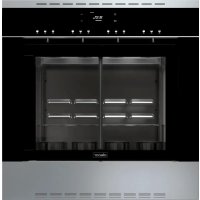
DWS4000BB - Fridge Dacor - Free user manual and instructions
Find the device manual for free DWS4000BB Dacor in PDF.



Download the instructions for your Fridge in PDF format for free! Find your manual DWS4000BB - Dacor and take your electronic device back in hand. On this page are published all the documents necessary for the use of your device. DWS4000BB by Dacor.
USER MANUAL DWS4000BB Dacor
When using electrical appliances, you should follow basic safety precautions, including the following: CAUTION
- Use this appliance only for its intended purpose as described in this Owner’s Manual.Proper Installation - Be sure your appliance is properly installed and grounded by a quali ed technician.User Servicing - Do not repair or replace any part of the appliance unless speci cally recommended in this manual. All other servicing should be refered to a quali ed technician.Always unplug the appliance before servicingDo not leave children alone. Never leave children alone or unattended in an area where this applicance is in use. They should never be allowed to sit or stand on any part of the appliance. Avoid scratching or striking the glass doors and the control panel. Doing so may lead to glass damage. Do not use harsh abrasive cleaners or sharp metal scrapers to clean the glass door. They can scratch the surface which may result in glass shattering. CAUTION Do not attempt to operate the appliance during a power failure. If the power fails, unplug the appliance. If the power cord is damaged, contact your nearest Dacor service center.Important Safety Instructions
ENGLISH Important Safety Instructions
- Do not use or place ammable sprays or objects near the appliance.
- Flammable items or sprays can cause res or an explosion.
- Do not insert ngers, foreign substances, or metal objects such as pins or needles into inlets, outlets, or holes. If foreign substances are inserted into any of these holes, contact your Dacor Service Center.
- Do not tamper with or make any adjustments or repairs to the door. Under no circumstances should you remove the door or outer shell of the appliance.
- Do not store or use the appliance outdoors.
- Never use this appliance for purposes other than cooling and dispensing wine or other spirits.
- Do not stand on top of the appliance or place objects (such as laundry, cover, lighted candles, lighted cigarettes, dishes, chemicals, metal objects, etc.) on the appliance.
- Do not operate the appliance with wet hands, this may result in electric shock.
- Do not spray volatile substances such as insecticide onto the surface of the appliance. This may also result in electric shock, re, or problems with the product.
- Do not place heavy objects over the edge of the door.
- This may result in the glass being damaged or broken.
- Do not apply excessive pressure to the door or the inside of the appliance. Do not strike the door or the inside of the appliance.
- Hanging on to the door may result in the product falling and cause serious injury.
- If the door is damaged, do not use the appliance. Contact a Dacor Service Center.Important Safety Instructions
ENGLISH Important Safety Instructions This appliance is not intended for use by young children or unquali ed persons without the adequate supervision of a responsible adult. Young children should be supervised to ensure that they do not play with the appliance. Keep children away from the door when opening or closing it as they may bump themselves on the door or catch their ngers in the door.
If the appliance is ooded by any liquid, please contact your nearest Dacor Service Center. Failing to do so may result in electric shock or re. If the appliance produces a strange noise, a burning smell, or smoke, unplug the power cord immediately and contact your nearest Dacor Service Center. Failing to do so may result in electric shock or re. In the event of a gas leak, ventilate the area immediately. Always observe safety precautions when using the appliance. Never try to repair the Wine Dispenser on your own. If the appliance needs to be repaired, contact an authorized Dacor Service Center near you. If you use the appliance when it is contaminated by foreign substances such as food waste, it may result in a problem with the appliance. Keep ventilation openings, in the appliance enclosure or in the built-in structure, clear of obstruction. Do not use mechanical devices or other means to accelerate the defrosting process, other than those recommended by the manufacturer. Do not use electrical appliances inside the food storage compartments of the appliance, unless they are of the type &$87,21 :$51,1* recommended by the manufacturer. This appliance is intended to be used in a household, or in residential appliactions only. :$51,1* :$51,1* CHILD SAFETY :$51,1*Regulatory Notice
FCC CAUTION: Any changes or modi cations not expressly approved by the party responsible for compliance could void the user’s authority to operate the equipment. This device complies with Part 15 of FCC Rules. Operation is Subject to following two conditions:
1) This device may not cause harmful interference.
2) This device must accept any interference received including
interference that cause undesired operation. For products sold in the US and Canadian markets, only channels 1~11 are available. You cannot select any other channels. FCC STATEMENT: This equipment has been tested and found to comply within the limits for a Class B digital device, pursuant to part 15 of the FCC Rules. These limits are designed to provide reasonable protection against harmful interference in a residential installation. This equipment generates, uses, and can radiate radio frequency energy and, if not installed and used in accordance with the instructions, may cause harmful interference to radio communications. However, there is no guarantee that interference will not occur in a particular installation. If this equipment does cause harmful interference to radio or television reception, which can be determined by turning the equipment off and on, the user is encouraged to try to correct the interference by one or more of the following measures:
- Reorienting or relocating the receiving antenna.
- Increasing the separation between the equipment and receiver.
- Connecting the equipment to an outlet that is on a different circuit than the radio or TV.
- Consulting the dealer or an experienced radio/TV technician for help.Regulatory Notice
ENGLISH Regulatory Notice FCC RADIATION EXPOSURE STATEMENT: This equipment complies with FCC radiation exposure limits set forth for an uncontrolled environment. This equipment should be installed and operated so there is at least 8 inches (20 cm) between the radiator and your body. This device and its antenna(s) must not be co-located or operated in conjunction with any other antenna or transmitter.
The term “IC” before the radio certi cation number only signi es that Industry Canada technical speci cations were met. Operation is subject to the following two conditions: (1) this device may not cause interference, and (2) this device must accept any interference, including interference that may cause undesired operation of the device. This Class B digital apparatus complies with Canadian ICES-
003. For products sold in the US and Canadian markets,
only channels 1~11 are available. You cannot select any other channels.
3. Disposal of the Appliance
Dispose of the appliance according to local regulations, paying particular attention to the presence of ammable refrigerant. :$51,1* R-600a is used as a refrigerant. This product contains ammable gas (Refrigerant R-600), contact your local authority in regards to safe disposal of this product.
- Introducing your new Wine Dispenser
ENGLISH Introducing your new Wine Dispenser the argon, not oxygen. The unit’s cooling system and tinted door minimize the effects of temperature and UV light on the wine as well. The operating temperature of the machine is adjustable allowing you to serve both red and white wines under optimum conditions. The dispenser is equipped with a cooling unit, ideal for the storage of red and white wines. These features allow you to uncork and serve multiple vintages from your personal wine collection without having to throw away left over wine at the end of the evening. The dispenser is developed using materials and components that meet strict international requirements in terms of safety and cleanliness. Dual temperature zone stores red wines at a higher temperature than white wines. The temperature for the two right bottles stays approximately 16°F higher than the temperature for the two left bottles. The dispenser has a glass touch control panel, from where you can choose the wine and the desired portion to be dispensed. What is a Wine Dispenser? This wine dispensing unit is designed to store, cool and preserve up to four bottles of wine. Wine is preserved by stopping any oxygen from reaching it through the use of food grade argon gas. The dispenser is designed and manufactured to dispense and enjoy high quality wines by the glass. The dispenser uses a static cooling system. Wine is dispensed by food grade (NSF compliant) pickup tubes directly from inside the bottles and pushed out by the Argon pressure through solenoid driven taps. The main feature of the dispenser is not to alter the taste of the wine, followed by these main objectives:
1. Preserve the scent and avors
Your wine dispensing system uses argon gas, which is heavier than air. The system injects argon into the wine bottle and displaces any residual air so that the wine is exposed only toIntroducing your new Wine Dispenser
ENGLISH Introducing your new Wine Dispenser Technical Speci cation Dimensions Height 24 in Width 23 ⁄ in Depth 15 ⁄ in Weight 85 lbs Min bottle height (using supplied adaptors) Max bottle height 13 ⁄ in Maximum neck diameter 1 ⁄ in Electrical Data Voltage 120V Frequency 60 Hz Fuses 2 x 4A Max power consumption 55W Minimum power consumption 14W Clock memory unplugged 6 hrs Preservation Gas Argon Gas pressure min 50 psi - max 65 psi Wine preservation time Up to 60 days
1 Results may vary with different type of wines 11 inIntroducing your new Wine Dispenser ENGLISH Introducing your new Wine Dispenser A. Spouts B. Control Panel C. Handle D. Drip Trays E. Air inlet F. Bottle Bay G. Spring Piston H. Bottle Adaptor
J. Divider K. Glass side panels BOX CONTENT1 x 10 ft Gas Supply Line4 x Spout protective Caps1 x Graphite Stainless Trim Kit4 x 3.5 mm x 30 mm Wood Screws2 x Glass Side Panels1 x Gas Regulator What’s included with your Wine Dispenser Overview
SAVE THESE INSTRUCTIONS
KOperating the Wine Dispenser
Door This Wine Dispenser features an Electronic Door Lock that automatically locks the door 3 seconds after it has been closed. This option can be deactivated in the System Menu under “Door Lock”. Unlocking the door. To unlock the door press the Menu Button.
If the Child Lock Code has been activated, enter the required code rst. CAUTION Do not, under any circumstances force the door open to avoid damage to the dispenser and to prevent the dispenser from tipping over, causing harm to yourself and others.Operating the Wine Dispenser ENGLISH Operating the Wine Dispenser Child Lock Code In order to prevent unwanted use of the dispenser, you can activate a Child Lock Code. In order to create a Lock Code, you need to enter the Menu, select “Child Lock” and choose between a 2 digit Lock Code or a 4 digit Lock Code. The Child Lock Code is a sequence of the four buttons surrounding the display:
You will be prompted to repeat the sequence, then it will be activated. When the lock is active, a red closed lock icon will appear on the display. To unlock the dispenser, enter the memorized sequence when prompted. It will remain unlocked for 60 seconds. When the dispenser is unlocked, a green open lock icon will appear on the display. When a wrong sequence is entered, you will be prompted to repeat it. If the wrong sequence is entered 3 times, a timer starts that delays the code entry in an incremental rate: rst 20 seconds, then 40 seconds and nally 120 seconds. When activated, the Child Lock Code is required for any operation on the appliance. Display
A. Child Lock Status
1. If the Child Lock Code has been activated, it shows the
status of the dispenser.
2. Dispenser unlocked (green)3. Dispenser locked (red)
B. Operational Mode Shows the functioning mode set for the dispenser.
1. Standard: All the features of the dispenser are activated
2. Vacation: Lights and fridge are off and dispensing is
3. Sleep: Lights are dimmed4. Sabbath: In this mode all the lights are off while cooling is
5. Demo: Lights are on while dispensing and cooling are
1. Shows the set temperature (if the fridge is set to off it will
show “Off”) F. Door Status
1. Shows if the door is open or closed and if in single or dual
temperature zone mode
HOperating the Wine Dispenser ENGLISH Operating the Wine Dispenser G. Cooling Status1. Shows if the unit is cooling or notH. Defrost1. Shows if the unit is defrosting or not Main Menu
- In order to access the main menu, press the MENU button.
- Use the up and down arrows to move between settings
Child Lock Language Operational Mode Date & Time Cooling Brightness Bottle & Dispensing Volume Main Menu
- Open the bottle and make sure that the top of the bottle is free of foil. • Insert a pickup tube into the bottle with the lter inserted into the bottle.
- Press “Menu” to unlock and open the door.• Connect the loose end of the pickup tube by inserting into the tap connection.Operating the Wine Dispenser
ENGLISH Operating the Wine Dispenser set between 59°F to 71°F
This mode is for red wines that are best served at this temperature range. Dual Temperature In dual temperature mode, the temperature can be set between 44°F to 71°F
. This is ideal when using red and white wine. In order to activate this mode, slide the divider into its guides. Lower Slider Upper Slider Upper Slider 1 Highest temperature depends on room temperature
- Push the spring piston to accomodate the bottle.
- Place the bottle on the rubber mat and push to release.
- Close the door and press Menu button to exit. The default bottle volume is 750mL, if inserting a bottle with volume of 375mL, 500mL or 750mL, change the bottle volume settings under the Settings Menu (see page 19). Setting the Temperature There are two different cooling modes, single or dual temperature. The dispenser switches automatically between the two cooling modes by inserting or removing the divider. Single Temperature In single temperature mode the dispenser temperature can beOperating the Wine Dispenser
ENGLISH Operating the Wine Dispenser Door Status Fridge Icons Door Closed (Door Lock ON) Cooling: The fridge compressor is running and actively cooling. Door Closed with Divider Installed (Door Lock On) Stopped/Pause: The cooling system is paused between cooling cycles or for one minute after settings changes, and at startup to protect the compressor. Door Closed (Door Lock OFF) Door Closed with Divider Installed (Door Lock Off) Door Open (Cooling will turn off) Defrosting: The cooling system is paused for defrosting. Settings Menu IconsEnjoying your Wine When the gas is connected, the bottles are in and the temperature is set, you’re ready to enjoy your rst glass of wine from your Wine Dispenser.
- Put the glass under the spout.
- Press one of the three dispensing options, the button will blink for the duration of the pour while dispensing.
- Wait until the LED button turns off before removing the glass from the spout. Button 1 Always set as Free Pour, it will dispense wine as long as it’s pressed (approx. 13.2oz max) Button 2 Default set amount is 2 oz. It can be set between 0.35oz to 13.25 oz. Other options are Free Pour and Off Button 3 Default set amount is 4 oz. It can be set between 0.35oz to 13.25 oz. Other options are Free Pour and Off To change the amounts, check the Glass paragraph in the Bottle and Dispensing Volume section of the manual. When using Button 1 you need to release the button to stop dispensing, Button 2 and Button 3 will automatically dispense the set amount and stop. Every time wine is dispensed, the tap automaticaly cleans the spout by purging a small amount of gas. If dispensing buttons blink three times and no wine is dispensed, check for empty bottle of wine or Argon gas. Settings MenuSettings Menu
1. Bottle & Dispensing Volume
- Paste Volume Setting To
- Copy Volume Setting From
- Defrosting Frequency
Child LockLanguageOperational ModeDate & TimeCoolingBrightnessBottle & Dispensing VolumeMain Menu Settings go from bottom to top, use the arrows to navigate the menu and press OK to con rm and the menu button to go back.
1. Bottle & Dispensing Volume
In this menu set the volume of wine dispensed by spout 2 and 3 or to copy the settings from a spout to the others. MAIN MENUPaste Volume Setting ToCopy Volume Setting FromBottle Glass Bottle & Dispensing Volume a. Paste Volume Setting To Select which spout to copy the volume settings to. To select the spout use the arrows or the dispense buttons, then press OK to con rm. b. Copy Volume Setting From Select which spout to copy the volume settings from. To select the spout use the arrows or the dispense buttons, then press OK to con rm, then use the Paste function. c. Bottle In this setting, set the bottle volume. Typically it’s 750mL, other options are 500mL or 375mL. Use the Up and Down arrow to adjust, then press OK to con rm. d. Glass This sets the volume dispensed by each button (Button 1 is always set as Free Pour). Choose any button and set the volume by using the up and down arrows, from 0.35 oz. to 13.25 oz. then press OK to con rm each volume. Other settings are Off and Free Pour.Settings Menu ENGLISH Settings Menu
Set the dispenser’s temperature and the defrosting cycle. When the zone divider is inserted, the dual temperature mode is active. In single temperature mode, the lowest programmable temperature is 59°F. The dispenser will automatically switch to dual temperature mode when the divider is inserted. TemperatureDefrosting FrequencyCooling b. Temperature
(Temperature of the wine)
- Dual temperature mode range: left side can be set to OFF or 44°F to 71°F¹. Right side temperature will range from 59°F to 71°F (Temperature of the wine) 1 The highest temperature is subjected to the room temperature.
Set the brightness of the dispenser’s LEDs. MAIN MENUControl PanelInterior LED LightsDisplay Brightness a. Control Panel Changes the brightness of the touch controls. The values are from 0 to 100. Press OK to con rm and press MENU button to go back. b. Interior LED Lights Changes the brightness of the interior LED lights. The values are from 0 to 100. Press OK to con rm and press MENU button to go back. c. Display Changes the brightness of the display. The values are from 20 to 100. Press OK to con rm and press MENU button to go back.Settings Menu
ENGLISH Settings Menu a. Defrosting Frequency Sets the frequency of the defrosting cycle: from 1 to 3. 1 Every 48 hours 2 Every 24 hours 3 Every 12 hours
To change the Date and Time settings. Day Month Year Hour MinuteDate & Time
Demo SabbathSleepVacationStandardOperational Mode a. Demo All the lights are activated, cooling and dispensing are disabled. b. Sabbath All the lights are off, dispensing buttons are disabled only cooling and preservation are enabled. c. Sleep Cooling and the dispensing buttons are active, but the lights are dimmed. d. Vacation Cooling and dispensing buttons are disabled and the lights are dimmed. Only the preservation is enabled. e. Standard All features are active.
Set the language EnglishFrenchSpanish Language
CAUTION Accidental change of crucial settings might result in the mulfunctioning of the dispenser. if you are not sure about this section please contact Dacor for assistance. Reset Factory ValueDoor Lock F/C CalibrationmL/ozSystem a. Reset Factory Value To reset the settings of the Wine Dispenser to factory standard All settings modi cations will be lost. b. Door Lock Activates or deactivates the automatic door lock.
- No c. F/C This changes the standard unit of the temperature used in the dispenser.
- C d. Calibration The calibration procedure is needed in case the dispenser is not dispensing the correct amount of wine. To setup a Child Lock Code, enter the Child Lock menu and choose between a 2 Digit and a 4 digit code. Use the 4 buttons around the display to generate a sequence, then con rm by repeating the sequence.
a. Disable To deactivate the Child Lock Code, enter this menu and choose DISABLE. Enter the code created. b. 4 Digit Code In order to activate the Child Lock Code, enter this menu and create a four digit Code. c. 2 Digit Code In order to activate the Child Lock Code, enter this menu and create a two digit Code. d. In case you forget your Child Lock Code To reset the Child Lock Code:
- Press the Up arrow button for 12 seconds
- This will deactivate the Lock
ENGLISH Settings Menu In order to proceed with this task, the following items are required:
- A graduated canister or a scale
- A Bordeaux shape bottle (this is needed to ensure that the results are in line with factory standards).
- Insert the full bottle into the dispenser, press Menu to access the menu and choose “Calibration” from the menu.
- Select the spout to calibrate by pressing the pour buttons.
- Place a graduated glass under the selected spout and use the center button to pour.
- 3.52 ounces of liquid will be served
- The display will show this amount with a question mark.
- oz 1 Measurement is based on red wine at room temperature, results may vary.Care and maintenance
ENGLISH Care and maintenance Daily Maintenance
- Clean the machine of wine residues with a soft sponge and neutral detergents that do not affect the stainless steel parts.
- Remove the tray as shown in the gure and remove the drip trays underneath. Wash the trays and clean the interior cabinet of the machine.
- Pickup tubes can be washed in the dishwasher.
- When the Wine Dispenser is not in use, we recommend to use the provided spout protective caps. CAUTION Thoroughly clean the dispenser to preserve the quality of the wine. Periodic Maintenance
1. Clean every spout and pickup tube every 10 bottles or 20
days which ever comes rst.
2. It is a recommended to clean the spout before inserting a new
3. Remove the bottle of wine and insert a 750mL bottle
containing 2% by volume of Citric Acid and tap water solution.
4. Dispense the citric solution through the spout, waiting 10 to
15 seconds between each dispense and repeat until empty.
5. Replace the bottle of citric solution with a 750mL bottle of
6. Dispense the entire bottle of tap water.
7. Replace the bottle of water with a bottle of wine and dispense
once to remove the remaining water in the pickup tube.Care and maintenance ENGLISH Care and maintenance Argon Gas Supply (sold separately) The pressure of the food grade argon gas is used for the operation of the dispensing and preservation system. The Wine Dispenser must be supplied with food grade argon gas with a degree of purity of at least 99.5%. The argon gas canister must be placed in a safe, well-ventilated area.
1. Use the gas regulator that comes with the wine dispenser.
2. Insert the top of the gas canister into the bottom of the gas
regulator and turn it clockwise, by hand, until it is tight. Do not use a wrench or over tighten.
3. Connect the gas supply line from the Wine Dispenser to the
outlet connection on the regulator. Make sure the line is not twisted or obstructed.
4. Completely open the regulator valve and outlet valve.
To avoid personal injury, only use the included gas regulator or a Dacor speci ed replacement.
- Before carrying out any operation, make sure that the argon canister is closed by the regulator valve.
- If any parts are worn they should be replaced, please use only original spare parts.
- Do not use any materials not authorized by the manufacturer.
ENGLISH Troubleshooting Problem Possible Cause Solution Nothing works, Nothing appears on display. System not connected to electrical power. Check to make sure power cord is connected to electrical outlet. Power to electrical outlet is off. Turn on power at circuit breaker or fuse box for electrical outlet. Check for tripped breaker or blown fuse. Power outage. Contact power company. Nothing works, display is lit. No gas pressure. Although system may continue to work, gas canister needs to be replaced as soon as possible. Problem Possible Cause Solution Wine not dispensing. Wine bottle is empty. Replace the wine bottle. Pickup tube not installed. Remove bottle and check to make sure pickup tube is connected. Gas regulator knob in turned OFF. Turn gas regulator knob in the ON direction until it stops. Gas pressure too low for system to function. Replace gas canister. Dispenser Buttons blink three times when pressed. Wine bottle is empty. Replace the wine bottle. Pickup tube not installed. Remove bottle and check to make sure pickup tube is connected. Gas regulator knob in turned OFF. Turn gas regulator knob in the ON direction until it stops. Gas pressure too low for system to function. Replace gas canister.Troubleshooting
ENGLISH Troubleshooting Problem Possible Cause Solution Possible gas leak/gas canister emptying too quickly. Leak in gas supply system. Call for service. Wine is warm Temperature has not been set up correctly Set the right temperature in the Cooling Settings Door is open. Close the door Problem in the cooling circuit. Call for service There is frost in the dispenser The humidity and temperature in the room are too high Raise the Defrosting Frequency in the Cooling SettingsWarranty and Service
ENGLISH United States - Warranty and Service Customer Service Before you request help or schedule service:
1. Try the Solutions offered in the Problem—Solution table in
the “Troubleshooting” section.
2. Become familiar with the warranty terms and conditions of
3. If none of these tips or suggestions resolves your problem,
This warranty covers any defects in materials or workmanship in the Dacor-branded new appliance purchased from a Dacor Authorized Dealer or other seller authorized by Dacor. This full warranty runs for two years starting from the date of original retail purchase receipt or closing date for new construction, whichever period is longer. Dacor will repair or replace your product. Limited Warranty Cosmetic Defects. In addition, for 60 days from the date of purchase, your product is warranted to be free from cosmetic defects in material and workmanship (such as scratches of stainless steel, paint/porcelain blemishes, chip, dents, or other damage to the nish). Color variations are excluded, and display, oor-model, “as-is” or refurbished products are speci cally excluded. Coverage Limitations Service will be provided by a Dacor designated service company during regular business hours. Please note service providers are independent entities and are not agents of Dacor. The owner must provide proof-of-purchase or a closing statement for new construction upon request. All Dacor products must be accessible for service. Warranty will be null and void on product that has altered, defaced, or missing serial numbers and tags. Warranty is null and void if non-CSA approved product is transported from the U.S.A.Warranty and Service
ENGLISH United States - Warranty and Service Service fees for travel to islands and remote areas, which include but are not limited to, ferries, toll roads, or other travel expenses. Consequential or incidental damage, including but not limited to: food or medicine loss, time away from work, or restaurant meals. Due to differences in painted parts, kitchen lighting, product placement, and other factors; this warranty does not apply to color variation. Service calls to educate the customer on proper use and care of the product. Replacement of house fuses, fuse boxes, or resetting of circuit breakers. Damage caused by accident, re, ood, power interruption, power surges, or acts of God. Liability or responsibility for damage to surrounding property including cabinetry, oors, ceilings and other structures or objects. Breakage, discoloration or damage to glass, metal surfaces, plastic components, trim, paint, or other cosmetic nish caused by improper usage, care, abuse, or neglect. Except as noted above, consumable parts such as lters and light bulbs are not covered and are the responsibility of the purchaser. THE REMEDIES PROVIDED IN THE ABOVE EXPRESS WARRANTIES ARE THE SOLE AND EXCLUSIVE REMEDIES. THEREFORE, NO OTHER EXPRESS WARRANTIES ARE MADE, AND OUTSIDE THE FIFTY STATES OF THE UNITED STATES AND CANADA, ALL IMPLIED WARRANTIES, INCLUDING BUT NOT LIMITED TO, ANY IMPLIED WARRANTY OF MERCHANTABILITY OR FITNESS FOR A PARTICULAR USE OR PURPOSE, ARE LIMITED IN DURATION TO ONE YEAR FROM THE DATE OF ORIGINAL PURCHASE. IN NO EVENT SHALL DACOR BE LIABLE FOR INCIDENTAL EXPENSE OR CONSEQUENTIAL DAMAGES. IN THE EVENT DACOR PREVAILS IN ANY LAWSUIT, DACOR SHALL BE ENTITLED TO REIMBURSEMENT OF ALL COSTS AND EXPENSES, INCLUDING ATTORNEY’S FEES, FROM THE DACOR CUSTOMER. NO WARRANTIES, EXPRESS OR IMPLIED, ARE MADE TO ANY BUYER FOR RESALE. Some states do not allow limitations on how long an implied warranty lasts, or do not allow the exclusion or limitation of inconsequential damages, therefore the above limitations or exclusions may not apply to you. This warranty gives you speci c legal rights, and you may also have other rights that vary from state-to-state. Warrantor: Samsung Electronics America, Ridge eld Park, NJ, 07660
Commercial, business, or rental use, or any application other than residential consumer use. Failure of the product caused by improper product installation.Warranty and Service
ENGLISH Canada - Warranty and Service
CERTIFICATE OF WARRANTY ON DACOR
WINE DISPENSER - CANADA: This Limited Warranty covers only those Products supplied and distributed in Canada by us and delivered new, in the original carton or packaging, to the original consumer purchaser that are purchased from an authorized reseller or distributor, except as otherwise stated herein. Except where prohibited by applicable provincial law, only the original consumer purchaser of the Product has any rights under this Limited Warranty and this Limited Warranty may not be transferred or assigned. Any additional statements such as dealer advertising or presentation, whether oral or written, that make additional warranties or modi cations to this Limited Warranty do not constitute warranties by us and should not be relied upon.
1. WHAT IS COVERED AND FOR HOW LONG
We warrant to the original purchaser (“Purchaser”) that your Dacor Wine Dispenser purchased from an authorized reseller or distributor in Canada (the “Products”) is free from defects in material and workmanship encountered in normal use for the warranty period identi ed below, effective as of the date of purchase or closing date for new construction, whichever period is longer. Dacor Product or Part Warranty Period and Warranty Coverage Wine Dispenser Two (2) Years: Parts and Labour Cosmetic Defects. For sixty (60) days from the date of purchase, the Product is warranted to be free from cosmetic defects in material and workmanship (such as scratches of stainless steel, paint/porcelain blemishes, chip, dents, or other damage to the nish). Color variations are excluded, and display, oor-model, “as-is” or refurbished products are speci cally excluded.
2. COVERAGE LIMITATIONS
If the Product fails to operate according to the Product’s speci cations during the applicable warranty period and the failure is due to improper workmanship or defective material, we will repair or replace, at our sole option, and without charge to the Purchaser, the Product or any defective component part of the Product. We may, at our sole option, use rebuilt, reconditioned, or new parts or components when repairing any Product. If the same model Product or part is not available for replacement, we may, at our sole option, replace the Product or part with any rebuilt, refurbished, reconditioned or new Product or part of similar utility and value to the Product or part being replaced. We expressly reserve the exclusive right, at our sole option, and in lieu of any service, repair or replacement of a Product under this Limited Warranty, to offer the Purchaser a partial refund of the original purchase price paid by the Purchaser for that Product (a “Partial Refund”). The amount of any Partial Refund to be offered shall be determined in our discretion based on the fair market value of the Product given its age and condition. If Purchaser accepts that offer of a Partial Refund, the Purchaser shall be deemed to have released us from any claim or liability whatsoever under this Limited Warranty or under any other applicable express or implied warranty or condition in respect of that Product.Warranty and Service
ENGLISH Canada - Warranty and Service instructions contained in any instruction booklet or owner’s manual available in connection with the Product; (iv) service fees for travel to islands and remote areas, which include but are not limited to, ferries, toll roads, or other travel expenses; (v) replacement of house fuses, fuse boxes, or resetting of circuit breakers; (vi) liability or responsibility for damage to surrounding property including cabinetry, oors, ceilings and other structures or objects; (vii) the cost of service calls for instructions, for the correction of installation errors, for customer adjustments that are explained in the Product owner’s manual, or where the Product operates according to the Product’s speci cations. There may be a service charge for service calls made for issues not covered under this Limited Warranty; (viii) breakage, discoloration or damage to glass, metal surfaces, plastic components, trim, paint, or other cosmetic nish caused by improper usage, care, abuse, or neglect; (ix) except as noted above, consumable parts such as lters and light bulbs are not covered and are the responsibility of the Purchaser; (x) commercial, business, or rental use, or any application other than residential consumer use; (xi) colour variation due to differences in painted parts, kitchen lighting, product placement, and other factors; We do not warrant or guarantee uninterrupted or error-free operation of the Product.
4. WHAT ARE THE LIMITATIONS ON IN-HOME WARRANTY
SERVICE? In-home service is subject to availability, and it is not available in all areas of Canada. In-home service will only be provided if the Product is unobstructed and easily accessible from oor All repaired parts or replaced Products will be warranted for a period equal to the remainder of the original Limited Warranty on the original Product or for 90 days, whichever is longer.
3. WHAT IS NOT COVERED
The remedies provided for in this Limited Warranty are available only within Canada. This Limited Warranty does not cover any defect, malfunction, failure or damage caused by or resulting from any of the following: (a) removal, installation, re-installation, maintenance, or service of the Product that was not authorized by us; (b) accident, re, ood, power interruption, power surges, incorrect line voltage or supply or electrical current, fuses, house wiring, circuit breakers, connectors not supplied by us, unusual electrical or electromechanical stress, acts of God, or acts of nature; (c) misuse, abuse, neglect, mishandling, misapplication, alteration or modi cation of the Product or any part of the Product; (d) use of the Product in conjunction with products, equipment, utilities, services, parts, supplies, accessories, applications, external wiring, connectors, or ancillary or peripheral equipment not supplied or authorized by us; (e) uses for which the Product was not intended. Further, this Limited Warranty does not cover: (i) any Product or part from which the serial number has been removed or on which the serial number has been made illegible. Removing the serial number on any Product or rendering it illegible on any Product will immediately void the Limited Warranty for that Product; (ii) any damage whatsoever that occurs during shipment of the Product once the Product has been accepted by the Purchaser; (iii) any damage whatsoever resulting from any failure to follow operating, maintenance or environmentalWarranty and Service
ENGLISH (B) THERE ARE NO CONDITIONS, EXPRESS OR IMPLIED, STATUTORY OR OTHERWISE, WITH RESPECT TO THE PRODUCT (C) IN PARTICULAR, AND WITHOUT LIMITING THE GENERALITY OF THE FOREGOING PARAGRAPHS (A) AND (B), WE MAKE NO WARRANTY, CONDITION OR REPRESENTATION AS TO ANY OF THE FOLLOWING: (i) THE MERCHANTABILITY OF THE PRODUCT OR ITS FITNESS FOR ANY PARTICULAR PURPOSE OR USE; (ii) TITLE OR NON-INFRINGEMENT; (iii) DESIGN, CONDITION, QUALITY, OR PERFORMANCE OF THE PRODUCT; (iv) THE WORKMANSHIP OF THE PRODUCT OR THE COMPONENTS CONTAINED THEREIN; (v) COMPLIANCE OF THE PRODUCT WITH THE REQUIREMENTS OF ANY LAW, RULE, SPECIFICATION OR CONTRACT PERTAINING TO THE PRODUCT. (D) NOTHING CONTAINED IN ANY INSTRUCTION MANUAL OR OWNER’S MANUAL SHALL BE CONSTRUED TO CREATE AN EXPRESS WARRANTY OF ANY KIND WHATSOEVER WITH RESPECT TO THE PRODUCT. THE PROVISIONS FOUND IN PARAGRAPHS (E) AND (F) BELOW DO NOT APPLY IN CIRCUMSTANCES WHERE THIS LIMITED WARRANTY IS GOVERNED BY THE LAWS OF THE PROVINCE OF QUEBEC. (E) ALL IMPLIED WARRANTIES AND CONDITIONS THAT MAY ARISE BY OPERATION OF LAW, INCLUDING ANY APPLICABLE IMPLIED WARRANTY OR CONDITION OF MERCHANTABILITY OR FITNESS FOR A PARTICULAR PURPOSE, ARE HEREBY LIMITED TO THE SAME DURATION OF TIME AS THIS LIMITED WARRANTY. SOME PROVINCES PROHIBIT LIMITATIONS ON HOW LONG AN IMPLIED WARRANTY LASTS, AND THE LIMITATION ON THE level to service personnel. If repair cannot be completed during in-home service or if in-home service is not available in your area, you may be directed to deliver the Product to a Dacor Authorized Service Center for warranty service. The cost of transportation of the Product to and from a Dacor Authorized Service Centre shall be paid by the Purchaser unless we elect to provide that transportation at our discretion. To receive in-home service, the Purchaser must rst contact Dacor Customer Care for problem determination and service procedures. All in-home warranty repairs must be performed by a Dacor Authorized Service Center. Valid proof of purchase must be presented to us at the time that service is requested and before warranty services are rendered. When in-home service is not available, the Purchaser must return the Product to a Dacor Authorized Service Center for analysis. Assistance on where to deliver the Product can be obtained by contacting our Customer Service center. The cost of transporting the Product to or from the Authorized Service Center must be paid by the Purchaser.
5. WHAT ARE THE LIMITS OF OUR LIABILITY?
EXCEPT AS EXPRESSLY SET FORTH IN THIS LIMITED WARRANTY, OUR LIABILITY IS SUBJECT TO THE FOLLOWING LIMITATIONS: (A) THE PURCHASER TAKES THE PRODUCT “AS IS” AND WE MAKE NO WARRANTY OR REPRESENTATION OF ANY KIND WHATSOEVER WITH RESPECT TO THE PRODUCT. Canada - Warranty and ServiceWarranty and Service