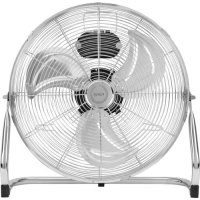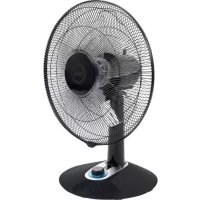
FV5010 - Fan Fuave - Free user manual and instructions
Find the device manual for free FV5010 Fuave in PDF.


User questions about FV5010 Fuave
0 question about this device. Answer the ones you know or ask your own.
Ask a new question about this device
Download the instructions for your Fan in PDF format for free! Find your manual FV5010 - Fuave and take your electronic device back in hand. On this page are published all the documents necessary for the use of your device. FV5010 by Fuave.
USER MANUAL FV5010 Fuave
natural_image
Black and white photo of a standard open fan with visible blades and a black base, against a solid teal background (no text or symbols)Tafelventilator
Table fan
text_image
Technical diagram of a front-end fan with numbered parts for identificationnatural_image
Three white flower-like shapes on a black background, resembling stylized petals or petals (no text or symbols)Problemen en oplossingen
natural_image
Symbol of a trash bin with crossed handle and weight, no text or numbers presentINDEX
Technical Specifications 13.
General safety guidelines 14.
Putting together and assembling 17.
Drawing of the parts 18.
Assembly 18.
Operating the Fuave SV7010 19.
Cleaning and maintenance 20.
Problems and solutions 21.
Removal 22.
Technical Specifications
| Type Fuave FV5010 | |
| Connected power 220-240V~50Hz | |
| Power consumption 60W | |
| ∅ 16" | |
| Weight 2,9 kg | |
| Dimensions 33 x 45 x 60 cm | |
General safety guidelines
- This device is only to be used indoors.
- Before using the fan, assemble it completely. Always keep the plug out of the socket when assembling/dissembling.
- This device should only be used for the purposes (ventilating a domestic space) and in the way as set out in the booklet. Any other usage may be dangerous (could cause fire, injury, damage, electric shock etc.), will invalidate the guarantee.
- Check fan, plug and cable for damage before use Do not turn on the appliance if you have discovered damage to the appliance, cord or plug, if the appliance is malfunctioning, if it has been dropped or if there are signs of any other defect. Return the complete product to the vendor or to a certified electrician for inspection and/or repair. Always ask for original parts. The appliance (incl. cord and plug) may only be opened and/or repaired by properly authorised and qualified persons.
- If you hear strange noises, smell something or see smoke, switch off the fan immediately and remove the plug from the socket.
- Before every use, check that the voltage on the socket to be used matches the voltage indicated on the device's specification plate: 220/240V\~50Hz.
- Avoid the use of extension cables. If unavoidable, use an approved cable with sufficient power. Completely unroll the cable.
- The electrical cable may never come into contact with sharp, hot or moving objects, must not be wound around the fan and must not be bent or rolled up too tightly.
- If the electric cable of the plug is damaged, it needs to be replaced by a qualified person. Never repair it yourself.
• Always ensure that the floor is sturdy, flat and horizontal. - Do not leave a fan operating unsupervised in a room.
- This device in not suitable for use in wet or damp spaces such as bathrooms and laundry rooms. Do not place the device in the vicinity of taps, bathtub, shower, pool, fountains or other sources of moisture.
- Make sure it cannot fall into water and prevent water from getting into the device itself. If, at any time, the device does fall into water, unplug it immediately! Do not use a device that has a damp interior but have it repaired.
- Never immerse the device, cord or plug in water and never touch it with wet hands or feet.
- Do not place the appliance in an open window to avoid rain or on wet surfaces and avoid that no moisture spillage.
- Never hang things over the device. Ensure that curtains, clothings and other materials do not come into the vicinity of the fan.
- Watch out that long hair is not sucked into the fan.
- Keep the suction and extraction grill clean and free from dust and make sure that a minimum of 30 cm of free space is left around the fan.
- Make sure there are no objects in the vicinity of the fan that could hinder it from oscillating (swivelling).
- Never insert a finger, pen or any other object through the protective grille when the fan is in use!
- Never spray any products (anti-insect, cleaning agent etc) on or in the fan.
- Do not store or use the fan:
- in locations where it could become wet or fall into water;
- near flammable, explosive or gaseous substances. A spark from the switch can start a fire;
- near acids, alkalis, oil or other corrosive substances.
- Never connect the fan to a timer or dimmer.
- Do not use the fan at temperatures above 40^ C, not in the vicinity of heating apparatuses and not in dusty areas.
- First turn off the fan and then remove the plug from the socket before moving, cleaning or carrying out maintenance. Do that when the fan is not in use as well. Pull on the plug to remove from the socket, never pull on the cord!
- Make sure that the plug has been pulled out of the socket before you remove the protective grill for cleaning or any maintenance tasks.
• Always remove the plug from the socket after use.
- This appliance can be used by children aged from 8 years and above and persons with reduced physical, sensory or mental capabilities or lack of experience and knowledge if they have been given supervision or instruction concerning use of the appliance in a safe way and understand the hazards involved.
• Children shall not play with the appliance.
- Be sure that the plug has been disconnected from the power outlet before removing the protective grill from the fan for cleaning and maintenance work.
- Prevent the fan from blowing continuously on small children, patients or people that have difficulties in moving aside.
- Cleaning and user maintenance shall not be made by children without supervision.
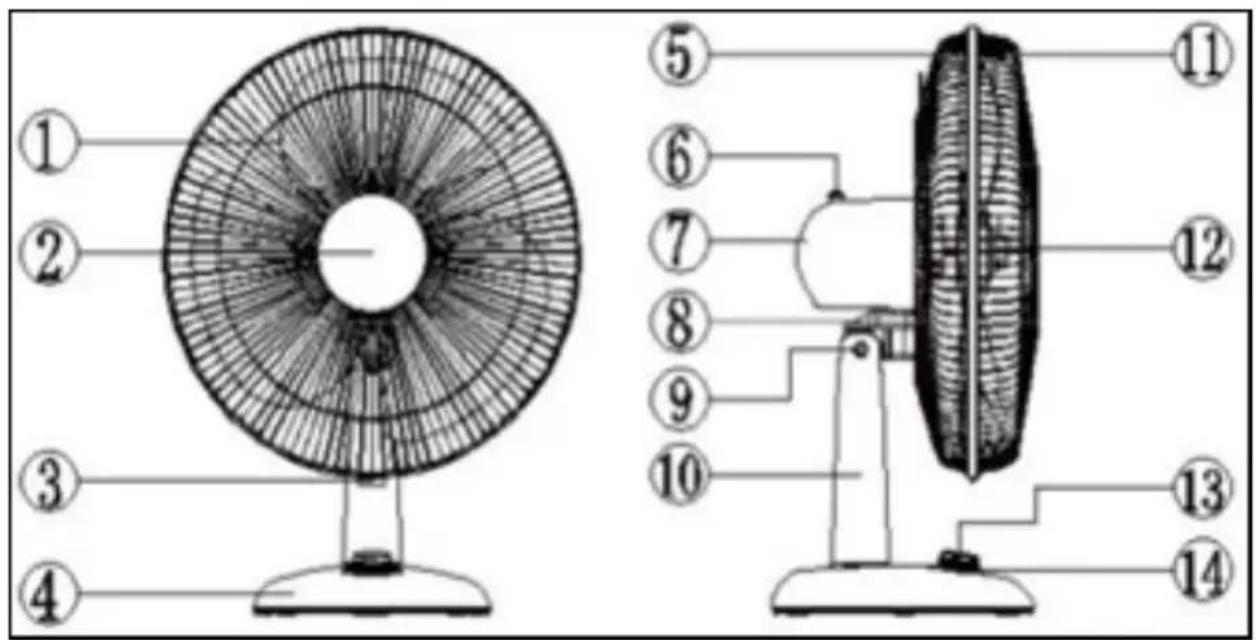
Drawing of the parts
text_image
Technical diagram of a front-end fan with numbered parts for identification- Fan blade
- Motor axle
- Lock for the protective grill
- Plastic base
- Rear protective grill
- Oscillation (swivel) knob
-
Motor housing
-
Tilt support plate
- Tilt axle
- Stand
- Front protective grill
- Plastic screw cap for affixing the fan blade
- Control button
- LED lighting
Assembly
Step 1 Remove the packing material and keep it away from children.
Step 2 Before continuing, check that the plug is not plugged into the socket and the control button is on '0' (off).
Step 3 Mount the plastic base to the motor housing (including the stand).
Pull the electric cable with the plug through the opening in the plastic base and affix to the base using the three screws included in the delivery.
Step 4 Pull the electric cable through the holder and the opening in the plastic base.
Step 5 Tighten the plastic screw cap (that affixes the fan blade) of the fan axle.
Attention: you must turn it clockwise to dismount the screw cap (to loosen it).
Step 6 Tighten the threaded turnbuckle (that affixes the protective grill) of the motor housing; turn it counter-clockwise to dismount the guard nut (to loosen it).
Step 7 Place the rear protective grill against the front side of the motor housing with the carrier bracket on the protective grill facing upwards. Make sure that the positioning pins of the motor housing are placed correctly in the slots of the protective grill.
Step 8 Now tighten the guard nut (that affixes the protective grill) firmly clockwise onto the screw thread of the motor housing.
Step 9 Remove the PVC sleeve of the motor axle.
Step 10 Place the fan blade onto the motor axle. Important! Make sure that the pins of the motor align properly with the appropriate recesses in the fan blade.
Step 11 Tighten the plastic spinner (for affixing the fan blade) firmly counterclockwise onto the motor axle to secure the fan blade.
Step 12 Check to see that the fan blade rotates properly.
Step 13 Turn the screw of the locking ring almost entirely loose and loosely place the plastic locking ring with the rear groove around the rear protective grill.
Step 14 Now mount the rear protective grill in the front groove of the plastic locking ring and tighten the screw firmly. Both protective grills are now solidly connected to each other.
Operating
- The fan is completed assembled;
- All the connections are tightened firmly;
- All the safety instructions have been observed;
- The fan is positioned on a stable and flat ground.
- Check whether the fan speed is set to
- Set the fan in the correct position.
- Insert the plug into an appropriate socket.
- Use the control button to choose the desired speed ( ^① off, low, ^② medium, turbo, silent).

- The fan will start operating and the LED lighting will turn on.
- If necessary, press the oscillation (swivel) knob (6): the fan will now swivel in an angle of 45^ . By pulling out this knob, you stop the oscillation (swivel) function.
- To switch off the fan, set the On/Off button to 0 (off). If you want to disrupt the operation for longer than a few minutes, then also remove the plug form the socket.
Cleaning and maintenance
Switch the fan off and remove the plug from the socket if you wish to clean the device or perform maintenance.
The fan only needs general, exterior maintenance. Dust it regularly with a soft cloth or duster or use a vacuum cleaner with a soft brush to clean. If it is very dirty, open the grille and clean grilles and blades using a soft, damp cloth and a mild household cleaning agent. Dry everything thoroughly and allow the fan to dry properly before reassembling and using again. Ensure that water does not come into contact with anything other than the grille and blades. Never rinse or spray the fan!
In order to prevent material discolouration or deformities, never use aggressive or corrosive (cleaning) products.
If the fan is to be stored at the end of the season, repack in its original packaging: this offers the best protection. Store it in a safe and dry place that is not subject to extremes of heat or cold.
natural_image
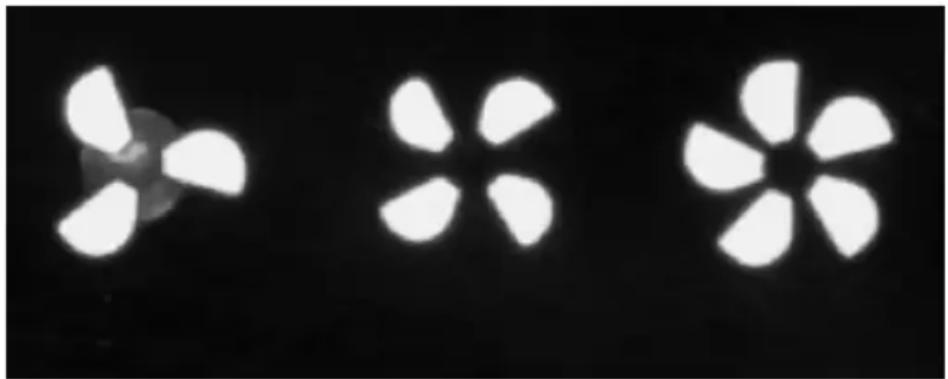
Three white fan-shaped light patterns on a black background, resembling stylized petals or geometric shapes (no text or symbols)Problems and solutions
The fan blades do not rotate even though the device is switched on
- Is the plug in the socket?
• Is there power to the socket? - Is the blade blocked, e.g. by damage, a deformity on the grille or a foreign object?
There is strange noise when starting
- Check to ensure the blades are placed as far over the motor axle as possible.
- Check if there are any burrs around the edges of the blades.
- Check whether the blades have become deformed and are touching the protective grille.
Warning: Repairs must be carried out by qualified engineers. This also applies to replacing or repairing the electrical cable and plug. Please request original parts if the device needs to be repaired.
If the device is subjected to modifications or repairs are carried out by unqualified persons, the guarantees from the supplier, importer and manufacturer will become null and void.
Removal
In the EU this symbol indicates that this product may not be disposed of as ordinary household waste. Old equipment contains valuable materials, suitable for recycling. These materials should be made suitable for reuse in order to prevent any adverse effects to health and the environment caused by unregulated waste collection.
Therefore, please make sure that you bring old equipment to a designated collection point. Alternatively, contact the original
supplier, who can make sure that as many of the com- ponents as possible can be recycled.