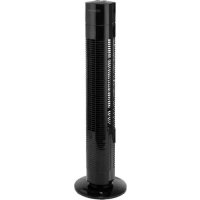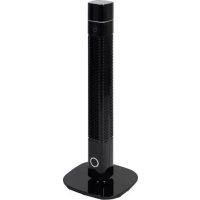
TV7010 - Fan Fuave - Free user manual and instructions
Find the device manual for free TV7010 Fuave in PDF.


User questions about TV7010 Fuave
0 question about this device. Answer the ones you know or ask your own.
Ask a new question about this device
Download the instructions for your Fan in PDF format for free! Find your manual TV7010 - Fuave and take your electronic device back in hand. On this page are published all the documents necessary for the use of your device. TV7010 by Fuave.
USER MANUAL TV7010 Fuave
General safety guidelines 13.
Putting together and assembling 15.
Operating 17.
Cleaning and maintenance 19.
Problems and solutions 20.
Removal 21.
Technical data
| Connected power 220-240V~50 Hz | |
| Output capacity 60 W | |
| Weight 3,5 kg | |
| Dimensions 90 x 31 x 31 cm |
General safety guidelines
- This device is only to be used indoors.
- Use this device only for the purpose for which it was designed (ventilating a household space) and in the manner described in this booklet. Any other use can be dangerous and can cause fire, injury, damage, electric shock, etc., and will void the warranty.
- Check the fan, plug and electrical cable for damage before use.
- Assemble the fan completely before using it. Always remove the plug from the socket when mounting / dismantling.
- Do not operate the device if you notice any damage to the device, electrical cable or plug, or if it malfunctions, has been dropped or otherwise malfunctions. Return the complete device to your supplier or an authorized electrician for inspection and / or repair. Always ask for original parts. The device (incl. Electrical cable and plug) may only be opened and / or repaired by authorized and qualified persons. Never carry out repairs yourself.
- Remove the plug from the wall socket and immediately switch off the fan when you hear strange noises, smell or see smoke.
- Before use, check that the voltage supplied by the outlet to which you want to connect the fan is the same as the voltage on the rating plate of the fan: 220 / 240V - 50Hz .
- Prevent the use of extension cables. If this is unavoidable, use an approved cable of sufficient capacity and unwind it completely.
- Prevent the electrical cable from coming into contact with sharp, hot or moving objects. Do not wind it around the fan and do not wind it too tightly.
- Never use the fan with a damaged electrical cable. Never repair this yourself, but contact your supplier or an authorized service point for repair.
- Make sure the fan is on a firm, level and horizontal surface during use.
-
Do not leave a working fan unattended in a room.
-
This device is not suitable for use in wet or damp areas such as bathrooms, washrooms, etc. Do not place it in the vicinity of a tap, bathtub, shower, swimming pool, wash basin or similar, make sure it can never fall into water and prevent water enters the device. Should the device ever fall into water, first remove the plug from the socket! Stop using an internally wet device but offer it for repair.
-
Never immerse the device, cord or plug in water or other liquid and do not touch the device, cord or plug with wet hands or feet.
-
Do not place the device in an open window in connection with. rain, not on wet surfaces and prevent moisture from being spilled on it.
-
Do not hang anything over or over the fan and do not use it in the vicinity of curtains, clothing or other materials that could cause the engine to crash. This can result in overheating or fire.
-
Ensure that long hair is not sucked into the fan.
-
Keep the suction and discharge grille clean and dust-free and ensure a minimum of 30~cm free space around the fan.
-
Make sure that there are no objects in the vicinity of the fan that can prevent oscillation.
-
Never put a finger, pen, stick or anything else through the protective grille into the working fan!
-
Do not spray any agents (anti-insect, cleaning or whatever) on or in the fan; this can cause physical complaints (especially with children!) or damage parts.
-
Do not store or use the device:
-
In places where it can get wet or fall into water
- Near to highly flammable, explosive or gaseous substances
-
Near acids, alkali, oil and other substances that can cause corrosion.
-
Do not connect the fan to a timer or a dimmer.
-
Do not use the fan at temperatures above 40^ , near heating equipment and in dusty areas.
-
Always remove the plug from the socket before moving, cleaning or servicing the fan. Do the same when the fan is not in use. To do this, hold the plug in your hand; never pull the cord!
-
Always unplug the appliance after use.
- This device can be used by children 8 years of age and older and persons with limited physical, sensory or mental abilities or lack of experience and knowledge if they have been supervised or have instructions on how to use the device in a safe manner and understand the associated dangers.
Children must not play with the device. - Prevent the device from constantly blowing on small children, patients or people who have difficulty moving.
- Cleaning and user maintenance shall not be made by children without supervision.
Putting together and assembly
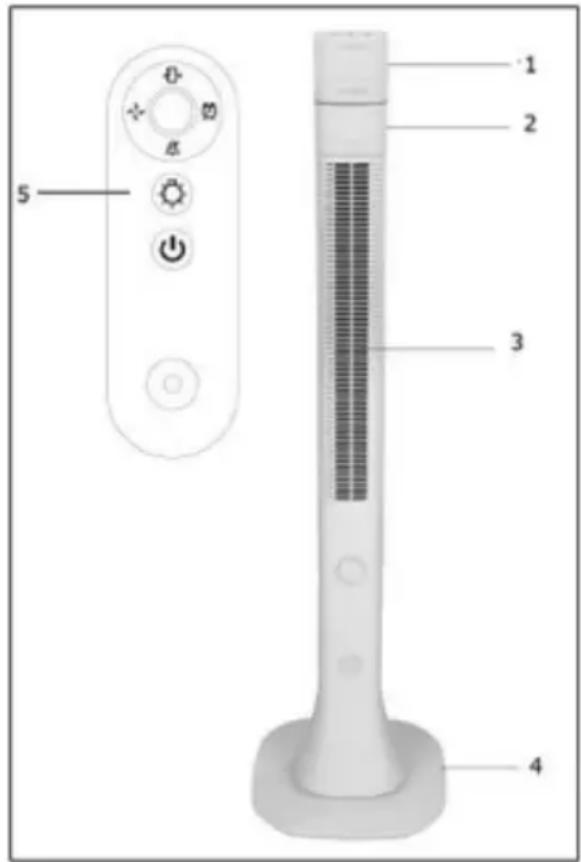
- Control panel
- Fan house
- Air outlet
- Base
- Remote control
- Remove the packing material and keep it away from children.
- Before continuing, check that the plug is not plugged into the socket.
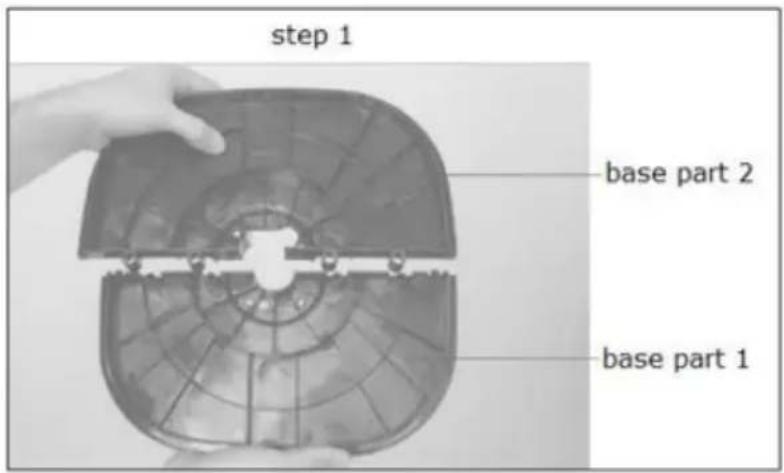
- Mount the base according to the following steps:
Step 1: Securely attach base part 1 to base part 2 until you hear a click.
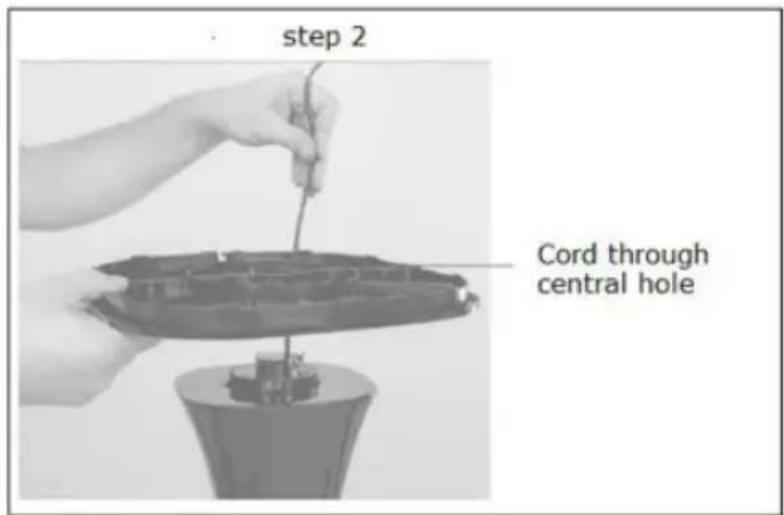
Step 2: Route the cord and plug through the central hole in the base.
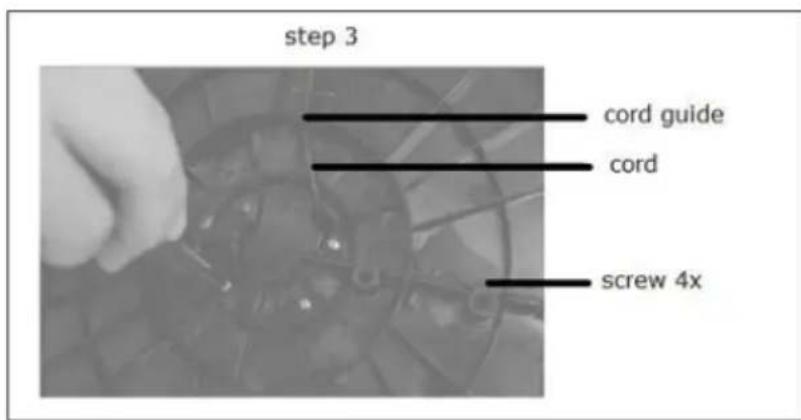
Step 3: Using the 4 screws supplied, mount the base to the fan and guide the cord through the cord guide (strain relief).
Operating
- Use the fan only when:
- All packaging has been removed and placed away from children;
- All the safety instructions have been observed;
The fan is positioned on a stable and flat ground; -
The base according to the above steps is mounted.
-
Insert a button cell battery CR2025 in the remote control.
- Insert the plug into a suitable socket, the display shows the ambient temperature, the LED lighting comes on.
- The control panel and the remote control work with the same functions.
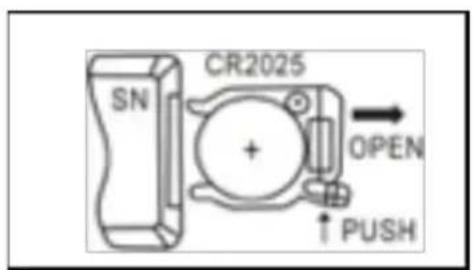
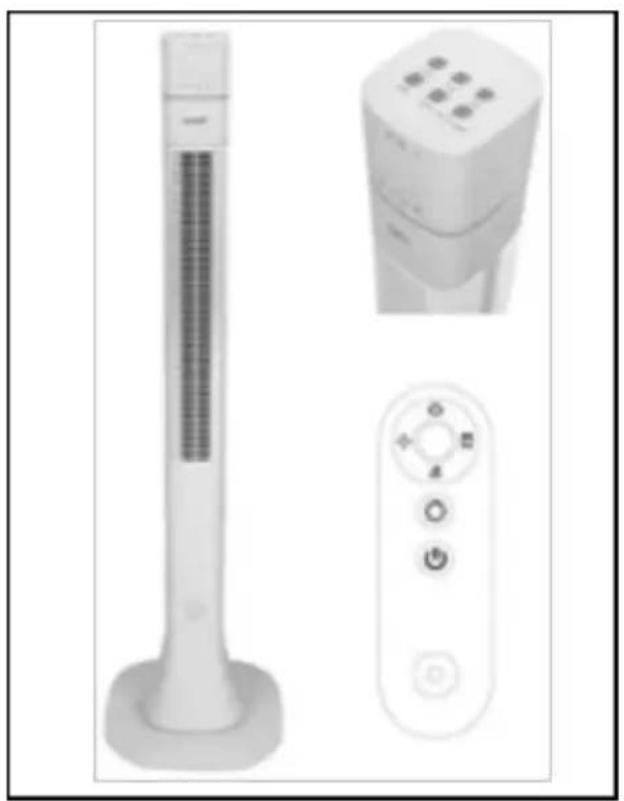
Image control panel Image remote control
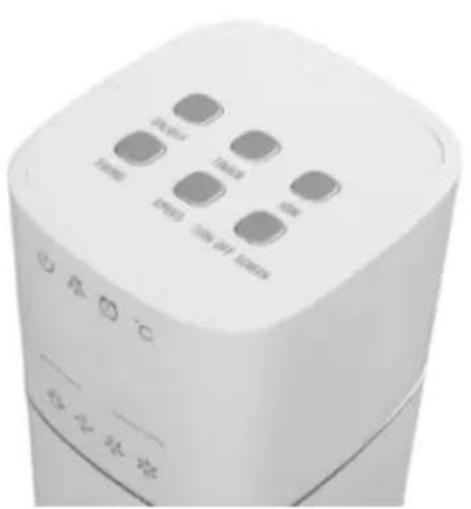
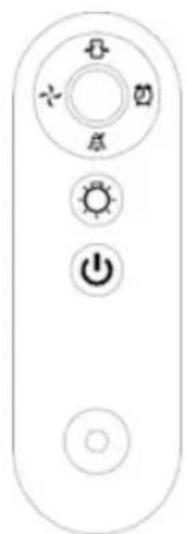
| Image Function | |
| ON/OFF On and Off button to | switch the fan on / off. |
| SPEED | Stetting the fan speed (low, medium, high). Default setting is medium. |
| SWING | Switch on / off oscillation (swing) function. |
| ION | On / off ion generator (ionization = air enrichment with negative ions for better air quality = improved well-being) |
| TIMER | Set the number of hours (1 to 12 hours) that the fan must ventilate. Fan switches off automatically when the set hours have elapsed. (Press this button several times to set the number of hours, the display shows the set number of hours). |
| TURN OFF SCREEN | LED display on / off. |
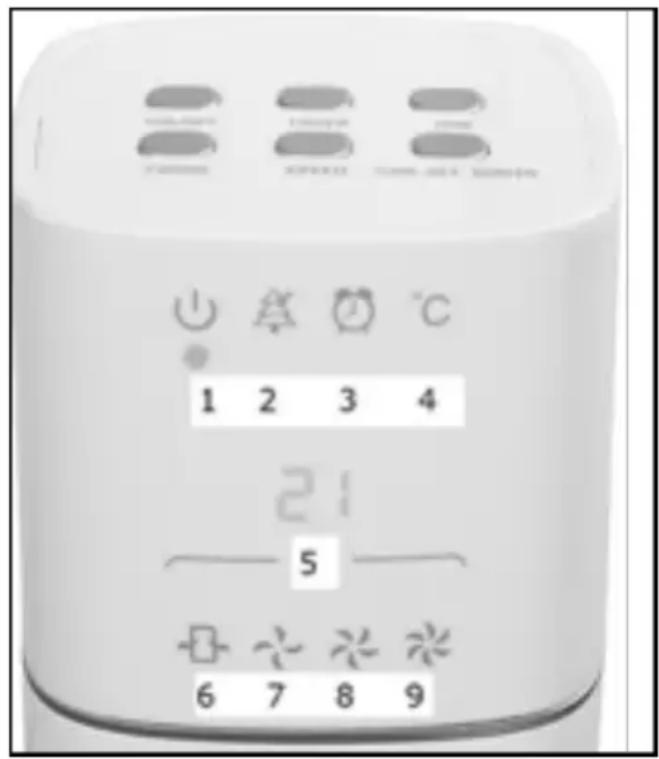
The following functions are shown on the LED display:
- Fan connected to power supply
- ION function
- Timer function set (on / off)
- Ambient temperature light on/Timer light off
- Ambient temperature or timer setting (1 to 12h)
- Oscillate (pivot)
- Fan speed low
- Fan speed medium
- Fan speed high
Cleaning and maintenance
Switch off the fan and remove the plug from the wall socket when you want to clean it or carry out maintenance.
The fan only requires some general, external maintenance. Dust it regularly with a soft cloth or feather duster or vacuum it with a soft vacuum cleaner brush. If it is very dirty, clean the fan with a slightly damp cloth. Dry everything thoroughly, let the fan dry well. Make sure that no water gets onto parts other than the housing! Never rinse or spray the fan!
To avoid damage, damage or distortion of the material, never use abrasive, aggressive or corrosive (cleaning) agents.
If you want to clean up the fan at the end of the season, do so in the original packaging: it offers the best protection. Put it away in a safe, dry, not extremely hot or cold place.
Problems and solutions
Display shows ambient temperature but the control buttons on the fan do not work
- Display does show ambient temperature but the fan is still in stand by mode.
- First press the on / off button to switch on the fan.
Remote control does not work
- No battery or battery empty, replace battery.
- Display does show ambient temperature but the fan is still in stand by mode. First press the on / off button to switch on the fan.
- Remote control is not aimed at the receiving sensor on the fan. Point the remote control (pointing with the light on the side of the remote control) at the receiving sensor, next to the display where the ambient temperature is displayed.
Fan vibrates
- Imbalance in fan blade. Clean fan blade carefully with a vacuum cleaner.
Fan gives insufficient capacity
- Air inlet and / or air outlet openings are contaminated. Clean air inlet and air outlet openings.
Fan display is not working
- Display is switched off. Switch on the display with the "Turn off screen" button.
Warning: Repairs must be carried out by trained technicians. Always ask for original parts for repairs. Changes made to the device and improper repairs carried out invalidate the warranty and liability of the supplier, importer and manufacturer.
Removal
In the EU this symbol indicates that this product may not be disposed of as ordinary household waste. Old equipment contains valuable materials, suitable for recycling. These materials should be made suitable for reuse in order to prevent any adverse effects to health and the environment caused by unregulated waste collection. Therefore, please make sure that you bring old equipment to a designated collection point. Alternatively, contact the original supplier, who can make sure that as many of the components as possible can be recycled.