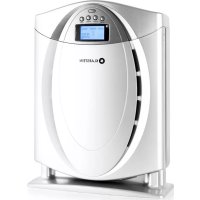
10021654 - Air purifier Klarstein - Free user manual and instructions
Find the device manual for free 10021654 Klarstein in PDF.


| Product type | Air purifier |
| Brand | Klarstein |
| Model | 10021654 |
| Dimensions (approx.) | 35 x 35 x 50 cm |
| Weight (approx.) | 5 kg |
| Power supply | 220-240 V, 50/60 Hz |
| Power consumption (approx.) | 30 W |
| Noise level (approx.) | 30-50 dB |
| Recommended area | Up to 30 m² |
| Filters | Pre-filter, HEPA, cold catalyst, carbon fibers |
| Ionizer | Yes, with ANION button |
| Fan speeds | 3 (Low, Medium, High) |
| Timer | 1 to 12 hours |
| Display | LCD screen |
| Remote control | Yes, with CR2025 battery |
| Maintenance | Clean with a soft, damp cloth |
| Filter replacement | Every 12 months |
| Safety | Do not open, repair by a professional |
| Warranty | Void if unauthorized opening |
| Standards | CE (EMC, LVD, RoHS) |
Frequently Asked Questions - 10021654 Klarstein
User questions about 10021654 Klarstein
0 question about this device. Answer the ones you know or ask your own.
Ask a new question about this device
Download the instructions for your Air purifier in PDF format for free! Find your manual 10021654 - Klarstein and take your electronic device back in hand. On this page are published all the documents necessary for the use of your device. 10021654 by Klarstein.
USER MANUAL 10021654 Klarstein
natural_image
Hand holding a white cylindrical device with a small screen, no visible text or symbols
natural_image
3D rendering of a white industrial machine with a circular emblem on the front panel (no visible text or symbols)natural_image
Person holding a dark textured object next to a white industrial machine (no visible text or symbols)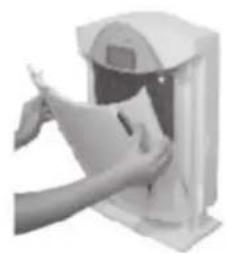
natural_image
Person inserting a card into a device (no visible text or symbols)Ionisator
natural_image
Symbol of a trash bin crossed with a diagonal line, no text or numbers presentGeneral Safety Information
- Read carefully these instructions before using this appliance.
- Before using the appliance check that the technical data declared on the nameplate conform to the voltage of the electrical supply network.
- Place the appliance on a stable and flat surface. Keep at least 60 cm distance from curtains, furniture, walls and other surfaces which may be an obstacle to the air flow.
- For a better air circulation it is advisable to set the air purifier at least at 90 cm from the floor.
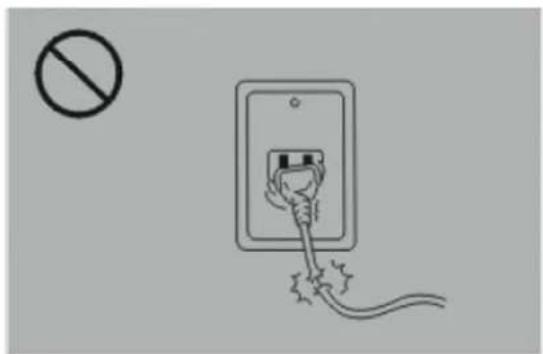
- Do not employ the air purifier if the cord is damaged or if the electrical socket is loose, in order to prevent electric shock, short circuits or fire hazards.
- Do not damage the cable pulling the appliance by the cable, do not run it around sharp edges, do not wind it, do not set heavy objects above the cable, do not set it near hot surfaces.
- In order to remove the plug, pull by the plug and not by the cable.
- Before extracting the plug, switch off the appliance.
- In order to move the appliance use the side handles. Do not use extensions cords.
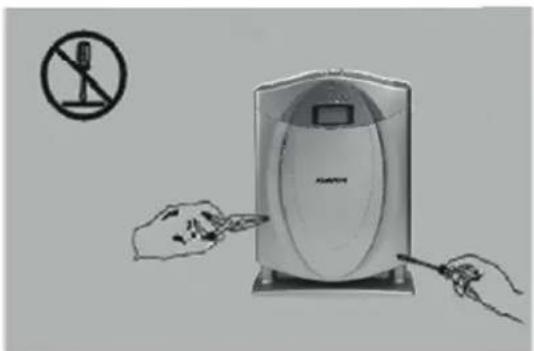
- Do not modify the appliance. If the appliance needs to be serviced or the cable needs to be substituted, please contact an argo service center.
- Before cleaning the appliance or substituting the filters, switch off it and remove the plug from the socket.
- Never touch the plug or the air punfier with wet hands. Do not operate the appliance while using antimosquito spray.
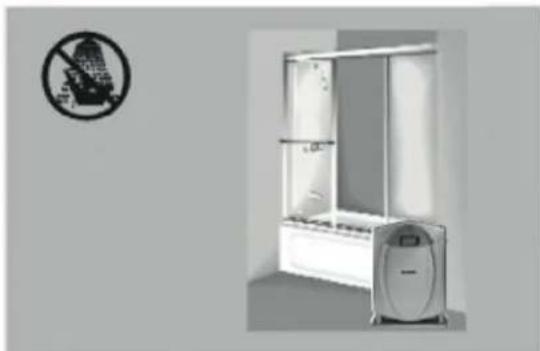
- The appliance is equipped with a protection against the humidity, therefore it should be used only inside houses and far away from rocks, washing basins or similar places where there could be presence of humidity.
- Do not immerse the appliance into water or other liquids. Do not operate the appliance near a heater. Do not use the appliance near flammable gases, such as natural gas or propane.
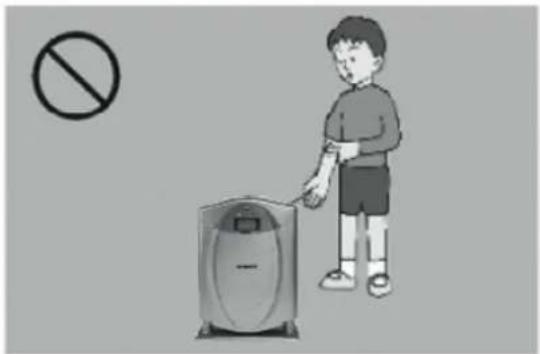
- Keep the appliance away from children and invalids in order to avoid accidents.
- Do clean the appliance with solvents or petroline. Use ony dry clothes.
- Do not insert your fingers and/or any objects into air inlet openings.
- During long periods of inactivity, please remove the plug from the socket.
- The batteries must be removed from the remote control before scrapping the appliance and must be thrown away in the proper bins for batteries.
Description of the Air Purifier
Ionizer
This air purifier can produce negative ions. Negative ions abound in natural ambients such as forests, waterfalls, the mountains or the seaside.
Negative ions are useful in order to increase the metabolism and and the equilibrium of the human body.
This air purifier is equipped with a generator of negative ions that process a high quantity of negative ions.
Advanced filter system
One of the special features of this machine lies in the advanced four stages filtration system which comprises the pre-filter, the HEPA filter, the cold catalyst filter and the activated carbon filter, all included in a single piece, easy to substitute.
LCD display
Ionization function, ventilation and time of functioning can be shown on the screen in a very immediate way.
Control Panel
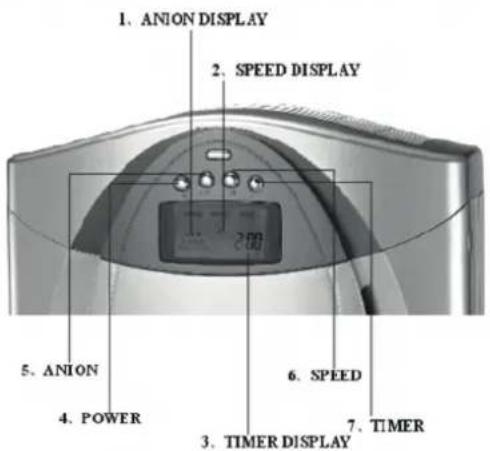
- SETHNG THE SPEED: When the appliance starts to run, the velocity of the fan is low and the signal of the low speed fan switches on the display. If you need to purify the air urgently, press the button SPEED once or twice, then the velocity of the fan will turn to the medium velocity and then to the maximum and the signal of air speed will appear on top of the display.
- TIMER SETTING: The minimum running of the timer is 1 hour. Press the TIMER once, the timer will increase one hour. The longest period that you can set automatically is 12 hours. After setting the timer it will reduce continually the time of running minute per minute. The appliance will switch off automatically when the timer displays the last minute.
- IONIZATION FUNCTION: When you need that both the ionizer and the HEPA filter work, press the button ANION, the signal of negative ions will appear on the display.
- REMOTE CONTROL: This appliance is equipped with a remote control besides the manual controls on the display.
- MEMORY FUNCTION: The previous settings are registered automatically so that the way of running that has been settled previously will be repeated when the air purifier is restarted after switching it off with the button ON/OFF.
Structure
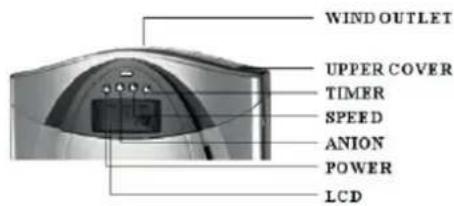
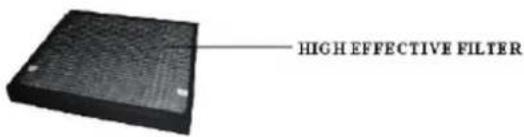
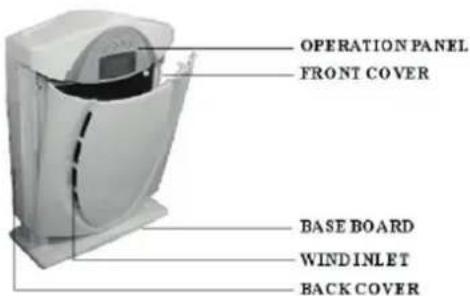
Remote Control
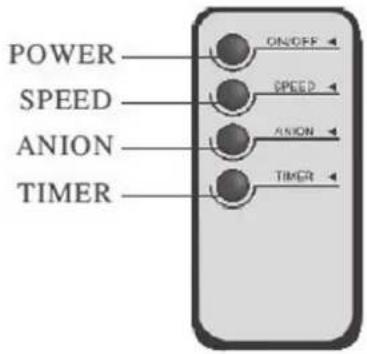
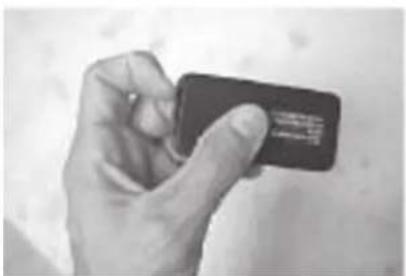
How to change batteries in the remote control:
- Flip the remote on its side.
- Press the battery release on the bottom edge of the remote.
- Grasp the battery socket and pull the battery out.
- Replace battery with lithium battery CR2025.
natural_image
Hand holding a dark rectangular object with a small label, against a plain background (no readable text or symbols)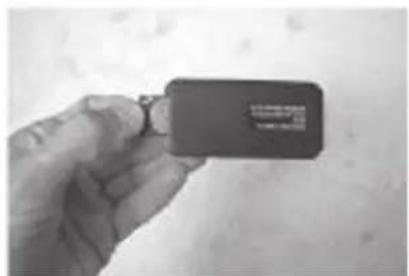
natural_image
Hand holding a small black rectangular object with a white label, against a plain background (no readable text or symbols)Technical details
- Input voltage: AC 220-240 V
- Frequency: 50/60 Hz
- Consumption power: ≤40w
- Noise level: ≤30dB
- Negative ions: 3.0 million / cm' (10cm far from the wind exit)
- Rate of absorbed CO2: ≥50% PPM
- Applicable area: 30-40m²
- Remote control distance: ≤5m
- Operating condition: Temperature—10°C\~55°C Humidity: ≤ 95°/ORH
- Power of motor: ≤1,300 RPM
Installation of the Filter
natural_image
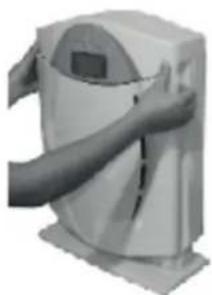
Person holding a white cylindrical device with a digital display, no visible text or symbolsPull the upper part of the front cover, then the front cover opens.
natural_image
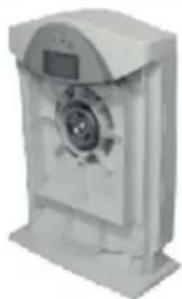
Exterior view of a white industrial machine or device with a circular vent and control panel (no visible text or symbols)Remove the front cover.
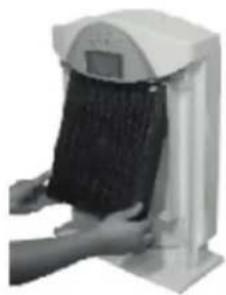
natural_image
Person holding a black textured object next to a white industrial machine (no visible text or symbols)Install the upper part of the filter first, then push the bottom.
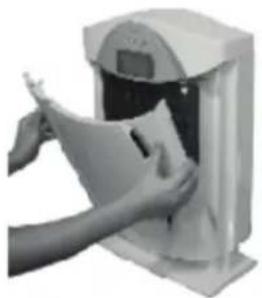
natural_image
Person holding a document inside a machine (no visible text or symbols)Fix the bottom first, then push the upper part of the front cover.
Warning
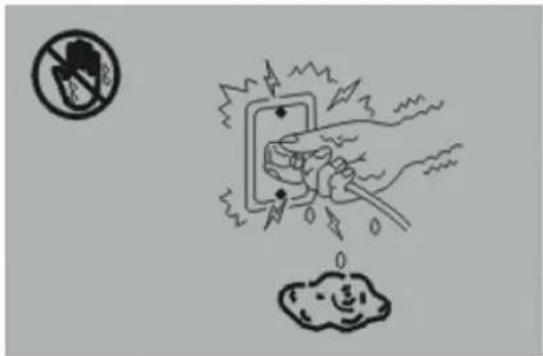
Do not plug in or plug out the power cable with wet hands.
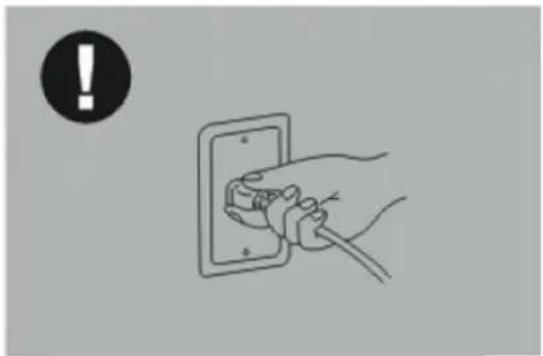
natural_image
Illustration of a hand inserting a plug into an electrical outlet, with a black exclamation mark in the corner (no text or symbols on the diagram itself)Put plug into the socket properly and tightly to avoid any danger.
natural_image
Simple line drawing of an electrical outlet with a plug and cable, no text or symbols present.Replace if found the power cable damaged. Do not use the machine with damaged cable.
natural_image
Illustration of a portable electronic device with hands inserting a cable to its side, no text or symbols present.Switch off the appliance before you change the filter. Only professional workers can open the back cover and upper cover.
natural_image
Illustration of a child using a trash bin with a no-smoking symbol nearby (no text or labels)It is forbidden to put fingers and metals into the wind exit.
natural_image
Exterior view of a modern office building (no signage)Do not use the machine in the bathroom and other rooms with high humidity.
Attention
natural_image
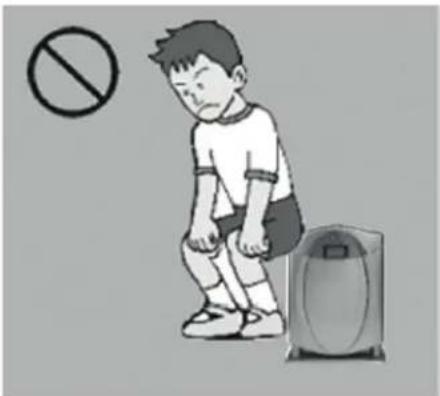
Illustration of a boy sitting with a device and a prohibition symbol above (no text or labels)Do not sit on the air purifier.
natural_image
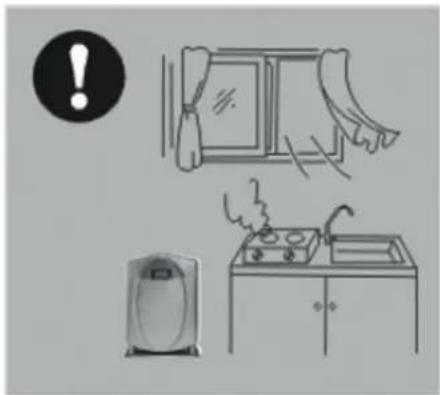
Illustration of a kitchen scene with a refrigerator, shower, and sink (no text or symbols)Please open the window when use this machine in the kitchen.
natural_image
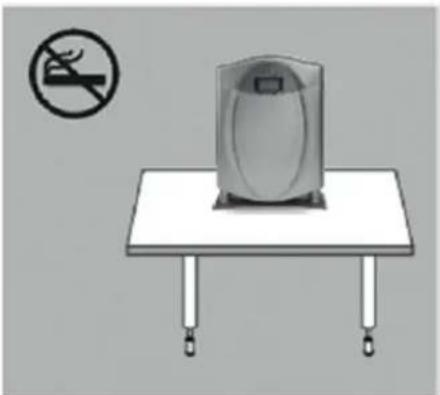
Illustration of a portable device on a table with no visible text or symbolsDo not put combustible things (such as tabacco, fire) near the machine to avoid fire.
natural_image
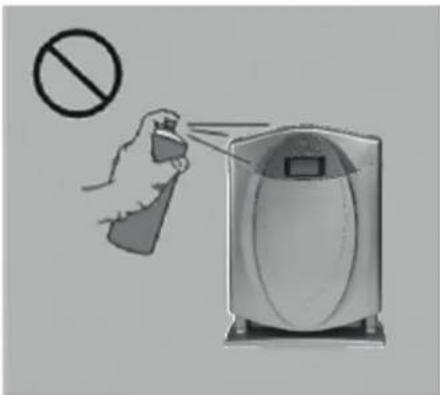
Illustration of a hand spraying a spray bottle near a portable air purifier (no text or symbols)Do not spray any liquid on this machine.
Hints on Disposal
natural_image
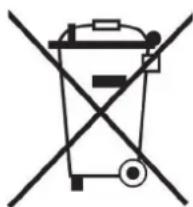
Symbol of a trash bin crossed with a diagonal line, representing no waste or discharge (no text or labels)According to the European waste regulation 2002/96/EG this symbol on the product or on its packaging indicates that this product may not be treated as household waste. Instead it should be taken to the appropriate collection point for the recycling of electrical and electronic equipment. By ensuring this product is disposed of correctly, you will help prevent potential negative consequences for the environment and human health, which could otherwise be caused by inappropriate waste handling of this product. For more detailed information about recycling of this product, please contact your local council or your household waste disposal service.
Declaration of Conformity
Producer: Chal-Tec GmbH, Wallstraße 16, 10179 Berlin, Germany.

This product is conform to the following European Directives:
2014/30/EU (EMC)
2014/35/EU (LVD)
2011/65/EU (RoHS)
Chère cliente, cher client,
natural_image
Diagram of a curved device or enclosure with internal components, no visible text or symbolsnatural_image
Illustration of a white electronic device with a digital display and ventilation slots (no text or symbols)natural_image
Hand holding a white cylindrical device with a small square panel, no visible text or symbols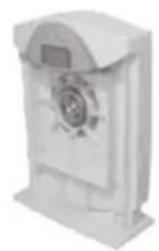
natural_image
3D rendering of a white industrial machine with a circular emblem on the front panel (no visible text or symbols)natural_image
Person holding a dark textured object next to a white industrial machine (no visible text or symbols)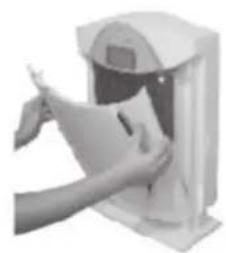
natural_image
Person inserting a card into a device (no visible text or symbols)Ionisateur
natural_image
Symbol of a trash bin crossed with a diagonal line, representing no waste or discharge (no text or labels)
- Ionisator
- General Safety Information
- Description of the Air Purifier
- Ionizer
- Advanced filter system
- LCD display
- Control Panel
- Structure
- Remote Control
- How to change batteries in the remote control:
- Technical details
- Installation of the Filter
- Warning
- Attention
- Hints on Disposal
- Declaration of Conformity
- Chère cliente, cher client,
- Ionisateur
Brand : Klarstein
Model : 10021654
Category : Air purifier