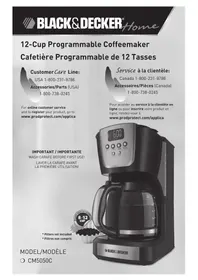
CM5050C - Coffee machine BLACK & DECKER - Free user manual and instructions

Find the device manual for free CM5050C BLACK & DECKER in PDF.

📄 17 pages English EN 💬 AI Question
Notice BLACK & DECKER CM5050C - page 2
View the manual : Français FR English EN
Manual assistant
Powered by ChatGPT
Waiting for your message
Product information

Brand : BLACK & DECKER

Model : CM5050C

Category : Coffee machine

Download the instructions for your Coffee machine in PDF format for free! Find your manual CM5050C - BLACK & DECKER and take your electronic device back in hand. On this page are published all the documents necessary for the use of your device. CM5050C by BLACK & DECKER.
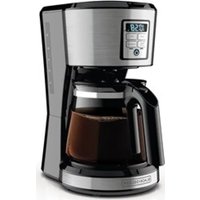
USER MANUAL CM5050C BLACK & DECKER

Please Read and Save this Use and Care Book IMPORTANT SAFEGUARDS When using electrical appliances, basic safety precautions should always be followed to reduce the risk of fire, electric shock and/or injury to persons, including the following:

Read all instructions.

To protect against electric shock, do not place cord, plug or appliance in water or other liquids.

Close supervision is necessary when any appliance is used by or near children.

Unplug from outlet when not in use and before cleaning. Allow to cool before putting on or taking off parts and before cleaning the appliance.

Do not operate any appliance with a damaged cord or plug or after the appliance malfunctions, or has been damaged in any manner. Return the appliance to the nearest authorized service facility for examination, repair or adjustment. Or, call the appropriate toll-free number on the cover of this manual.

The use of an accessory not evaluated for use with this appliance may cause injuries.

Do not use outdoors.

Do not let cord hang over the edge of table or counter, or touch hot surfaces.

Do not place on or near a hot gas or electric burner or in a heated oven.

To disconnect, turn any control to OFF, then remove plug from wall outlet.

Do not use this appliance for other than intended use.

Scalding may occur if the lid is removed during the brewing cycles.

The carafe is designed for use with this appliance. It must never be used on a range top.

Do not set a hot carafe on a wet or cold surface. ENGLISH

Do not use a cracked carafe or a carafe having a loose or weakened handle.

Do not clean carafe with cleansers, steel wool pads or other abrasive material. SAVE THESE INSTRUCTIONS. This product is for household use only. POLARIZED PLUG (120V Models Only) This appliance has a polarized plug (one blade is wider than the other). To reduce the risk of electric shock, this plug is intended to fit into a polarized outlet only one way. If the plug does not fit fully into the outlet, reverse the plug. If it still does not fit, contact a qualified electrician. Do not attempt to modify the plug in any way. TAMPER-RESISTANT SCREW

Warning: This appliance is equipped with a tamper-resistant screw to

prevent removal of the outer cover. To reduce the risk of fire or electric shock, do not attempt to remove the outer cover. There are no user- serviceable parts inside. Repair should be done only by authorized service personnel. ELECTRICAL CORD a) A short power-supply cord (or detachable power-supply cord) is to be provided to reduce the risk resulting from becoming entangled in or tripping over a longer cord. b) Longer detachable power-supply cords or extension cords are available and may be used if care is exercised in their use. c) If a long detachable power-supply cord or extension cord is used,

1) The marked electrical rating of the detachable power-supply cord

or extension cord should be at least as great as the electrical rating of the appliance,

2) If the appliance is of the grounded type, the extension cord should

be a grounding-type 3-wire cord, and

3) The longer cord should be arranged so that it will not drape over

the countertop or tabletop where it can be pulled on by children or tripped over. Note: If the power supply cord is damaged, it should be replaced by qualified personnel; in Latin America, by an authorized service center.4

Product may vary slightly from what is illustrated.

† 2. Removable filter basket (not shown) (Part # CM5050-01) † 3. Removable water filter (not shown) (Part # CM5050-02)

4. Water reservoir with cup level markings (both sides)

8. Cord storage (inside of unit)

9. “Keep Hot” carafe plate

10. Control panel (see A2 for details)

† 11. Permanent filter (not shown) (Part # CM5050-05) †12. Removable water filter holder with carbon filter (not shown) (Part # CM5050-06) Note: † indicates consumer replaceable/removable parts Note: Call the 800 number on the front cover for carbon filter replacements. ENGLISH CONTROL PANEL

How to Use This product is for household use only. GETTING STARTED

  • Openone-piececoverandpourfreshcoldwaterintothewater reservoir up to 12-cup (MAX) mark (B).
  • Placepermanentnylonfilterorpaper8–12cupbasket-style paper filter into filter basket holder (C).
  • Closeone-piececover.
  • Makesurethelidofthecarafeisinplaceandplaceempty carafe on the “Keep Hot” carafe plate.
  • Pullpowercordoutofthecordstorageinthebackof coffeemaker and plug into an outlet.
  • BrewwaterthroughappliancefollowingtheBREWINGCOFFEE instructions–withoutaddingcoffeegrounds. Note: This removes any dust or residue that may remain in the system during the manufacturing process.

Note: You can adjust the length of the power cord to suit your needs.

  • Toincreasethelengthofthepowercord,simplygraspthecord (not the plug) in the rear of the coffeemaker and gently pull down and out of the slot away from the coffeemaker (D).
  • Todecreasethelengthofthepowercord,simplyfeedany excess cord into the slot in the rear of the coffeemaker. WATER FILTER

1. Remove carbon filter from packing material.

2. Press latch on filter holder to open (E).

3. Place carbon filter inside.

4. Close the filter holder tightly until it snaps into place (F).

5. Place filter holder inside the water reservoir and insert it

into the recess at the bottom right hand corner (G). Note: Replace carbon filter every 60 brewing cycles or every 2 months after removing it from the sealed package. Call the 800 number on the front cover for replacements

WATER FILTER REPLACEMENT

1. Press latch on filter holder to open (see illustration E).

2. Dispose of old carbon filter.

3. Remove new carbon filter from packing material.

4. Place new carbon filter inside filter holder.

5. Close the filter holder tightly until it snaps into place (see illustration F).

6. Place filter holder inside the water reservoir and insert it into the recess at the

bottom right hand corner (see illustration G). Note: Replace carbon filter every 60 brewing cycles or every 2 months after removing it from the sealed package. Call the 800 number on the front cover for replacements.

1. Plug appliance into standard electrical outlet.

3. To change the time: Press HOUR button until the correct

time appears (H). Note: When the time passes noon the letters “PM” will appear in the lower right corner of the display to let you know you are in P.M. time. If the PM is not shown in the display, the time is AM.

4. Repeat with the minute (MIN) button.

Tip: Hold the buttons down to make the hours and minutes change rapidly after a short delay. To change the time in 1-hour or 1-minute increments, tap the button. Note: If the appliance is unplugged or power is interrupted even momentarily, the time may need to be reset.

ENGLISH BREWING COFFEE Note: It is not necessary to set the clock to brew coffee unless you want to use DELAYED BREWING.

1. Open one-piece cover.

2. Fill water reservoir with desired amount of cold tap water. Do not exceed the 12-cup

(MAX) level on the water reservoir. Important: There is an overflow hole at the back of the coffeemaker. Be careful not to overfill the water reservoir to avoid leaking onto the counter or work surface.

3. Placepermanentfilteroran8–12cupbasket-stylepaperfilterintotheremovablefilter

basket, making sure the filter is centered.

4. Add desired amount of ground coffee.

5. InsertbrewbasketintobrewbasketholderfollowingdirectionsinGETTINGSTARTED.

6. Close one-piece cover.

7. Make sure carafe lid is properly attached to the empty carafe. Close the lid.

Note: Coffee may overflow if carafe lid is not properly placed.

8. Place empty carafe on the “Keep Hot” carafe plate.

9. Plug cord into an outlet.

10. Select the brew strength desired by pressing the BREW

  • STRONG Note: During first use, your coffeemaker is set to brew at REGULARbrewstrength.

11. Press ON/OFF button; blue light around the button turns on.

Brewing begins OR for delayed brewing set the AUTO function before pressing the ON/OFF button. (See below for DELAYED BREWING.)(K).

12. When coffee stops flowing into carafe, the brew cycle is complete.

13. Once coffee grounds have cooled, carefully open one-piece cover and, using basket

handle, remove and discard used grounds. Close one-piece cover.

14. The coffeemaker will keep brewed coffee hot for 2 hours and then automatically

Note: This feature slows down the brewing to extract the best flavor when brewing a small amount of coffee. 1.Addtheappropriateamountofwaterforthenumberofcupstobebrewed(from1–4)

2. Fill the permanent filter or paper filter with desired amount of coffee grounds.

3. Pressthe1–4CUPbutton.Thebluelightwillturnon

around the button and a small coffee cup icon will appear on the left side of the display (L). Note:BREWSTRENGTHcannotbeselectedinthismode. Coffee will be brewed at regular strength. SNEAK-A-CUP

feature allows you to pour a cup of coffee from the carafe while the coffee is brewing. When the carafe is removed the brewing process is paused. Simply replace the carafe on the “Keep Hot” carafe plate within 30 seconds and brewing resumes. Note: If the carafe is not replaced within 30 seconds the filter basket may overflow.

Once the coffee has brewed, the coffeemaker will keep the “Keep Hot” carafe plate hot for up to 2 hours, and then shut off automatically. To turn the “Keep Hot” carafe plate off, simply press the ON/OFF button. DELAYED BREWING

1. Followsteps1through9underBREWINGCOFFEE.

2. Make sure clock has been set to correct time of day.

3. PressthePROG/AUTObutton.ThebluelightaroundthePROG/AUTObuttonwill

flash several times and a clock icon will appear and flash in the top left corner of the display.

4. The digital clock will display 12:00 or the previous preset delayed brewing start time.

Note: If the coffeemaker has not been unplugged the last delayed brewing time will appear on the digital display.

5. To change the time: Immediately press HOUR button until the desired correct time

appears on the display. Repeat with the MIN button. Note:IfthehourisnotchangedbeforethePROG/AUTOlightstopsflashingtheclock willreverttocorrecttimeofday.YoumustpressthePROG/AUTObuttonagainand re-enter the desired delayed brewing time.

light and the clock on the digital display will flash and the time selected for delayed brewingwillbedisplayed.PressPROG/AUTObuttontoacceptorsimplywaitseveral seconds for the display to the correct time of day.

8. To cancel delayed brewing, press the ON/OFF button to brew coffee immediately or

press the ON/OFF button again to turn the coffeemaker OFF. All lights will turn off.

Care and Cleaning This product contains no user serviceable parts. Refer service to qualified service personnel. CLEANING

1. Make sure the unit is unplugged and has cooled.

2. Open the one-piece cover.

3. To remove the filter basket, grip the handle and lift straight up.

4. Discard the paper filter, if used, and the coffee grounds.

5. Wash the filter basket, permanent filter, carafe and carafe lid in dishwasher, top rack

or wash by hand in hot, sudsy water.

6. Wipe the appliance’s exterior surface, control panel and “Keep Hot” plate with a soft

8. To clean the inside of the cover, open the cover and leave in the open position.

9. Pull out the showerhead from the locking tab, wipe

surfaces with a damp cloth then push it back to insert firmly in place (M).

To clean water filter holder:

1. Press latch on filter holder to open (see illustration E).

2. Take out carbon filter.

3. Place carbon filter on top of a paper towel.

4. Filter holder is top rack dishwasher safe or it may be hand washed in warm, sudsy

5. Rinse carbon filter with tap water.

6. Place carbon filter back inside filter holder.

7. Close the filter holder tightly until it snaps into place (see illustration F).

8. Place filter holder inside the water reservoir and insert it into the recess at the

bottom right hand corner (see illustration G). Note: To replace filter see WATER FILTER REPLACEMENT section. Note: Replace carbon filter every 60 brewing cycles or every 2 months after removing it from the sealed packaging. Call the 800 number on the front cover or replacements.

CLEANING WITH VINEGAR

Mineral deposits left by hard water can clog your coffeemaker. Cleaning is recommended once a month.

1. Pour white vinegar into the water reservoir up to the 6-cup level on the water

window. Add cold water up to the 10-cup line.

2. Put the permanent filter or a paper filter in the filter basket and close the cover.

  • Coffeethatispouredduringbrewingcyclemayvaryinstrengthfromthefinishedbrew.
  • Notsurehowmuchcoffeetouse?Beginbyusing1levelscoopofmediumgrindcoffee for each cup of coffee to be brewed.
  • Neverreusepapercoffeefilters;theyabsorbflavorsfromthebrewedcoffeeandwillgive the newly brewed coffee a stale flavor. They may also tear and allow grinds to drip into the newly brewed coffee.
  • Opencoffeegroundsarebeststoredinatightlysealedcontainerinadarkplace.Ideally coffee should be ground just before it is brewed.
  • Ifcarafefilledwithcoffeeisleftonthehotplatemakesuretoremovethecoffeegrounds from the filter basket as soon as they have cooled slightly. This will keep the coffee from developing a bitter taste.
  • Ifyoulikeflavoredcoffee,avoidthepre-flavoredandpackagedbeans.Buyflavored syrups and add them to the hot brewed coffee before adding milk, cream or sugar.
  • Foraspecialoccasion,whipsomeheavycreamwith1or2tablespoonsofhazelnut, chocolate or almond liqueur. Use to top off each cup of coffee.
  • Rinseboththecarafeandthebrewbasketwithwarmwaterimmediatelyaftereachuse to maintain good coffee flavor.
  • Keepyourcoffeemakerveryclean;itaffectstheflavorofthecoffee.
  • Foricedcoffeebrewthecoffeewithtwicethenormalamountofgrounds.Theicedilutes the coffee flavor. Or make coffee ice cubes from left over coffee and brew your coffee at its normal strength.
  • Rememberwhenpouringhotliquidintoaglass,alwaysputaspoonintheglassbefore adding the hot liquid to prevent the glass from breaking. M12

PROBLEM POSSIBLE CAUSE SOLUTION

Coffeemaker does not turn on. Coffeemaker is not plugged in. Make sure appliance is plugged in to a working outlet and the ON/OFF button is ON. Coffeemaker is leaking.

  • Theremaybetoo much water in the reservoir.
  • Covermaynotbe correctly placed on carafe.
  • Carafemaynotbein place on “Keep Hot” carafe plate.
  • Donotfillreservoirabove the MAX fill line.
  • Makesurecoveriscorrectly placed and tightened on carafe.
  • Makesurecarafeisplaced correctly on “Keep Hot” carafe plate and is centered under the filter basket holder. Brewing takes too long. The coffeemaker might need cleaning. Follow procedure under CLEANINGWITHVINEGAR. Coffee is not brewing. Water reservoir might be empty. Make sure water reservoir has enough water to brew desired number of cups of coffee. The coffeemaker brews clear water. There may be no coffee grounds in the removable filter basket. Add coffee grounds to paper lined filter basket. The cover does not close. Removable filter basket may not be correctly placed. Remove filter basket and replace correctly into holder. Filter basket overflows.
  • Covermaynotbe correctly placed on carafe.
  • Carafemaybe improperly placed on the “Keep Hot” carafe plate.
  • Makesurecoveriscorrectly placed and tightened on carafe.
  • Removecarafeandreplace so carafe rests within the grooves on the “Keep Hot” carafe plate. Groundsinthebrewed coffee. The filter and/or the filter basket are not properly placed. Insert paper filter into filter basket and insert basket properly into holder. Coffeemaker is brewing slowly; brewed coffee tastes bad. Coffeemaker needs cleaning; wrong grind being used. Follow directions for cleaning coffeemaker. Use only coffee ground for automatic drip coffeemaker.

3. Turn on the coffeemaker and let half the cleaning solution brew into the carafe (until

water level goes down to around “5”). Turn off the coffeemaker and let it soak for at least 15 minutes to soften the deposits.

4. Turn on the coffeemaker and brew the remaining cleaning solution into the carafe.

5. Turn off the coffeemaker; empty the carafe and discard the paper filter, if used.

6. Fill the reservoir with cold water to the 12-cup line, replace the empty carafe and then

turn on the coffeemaker for a complete brew cycle to flush out the remaining cleaning solution. You may have to repeat this to eliminate the vinegar smell/taste.

7. Washthefilterbasket,permanentfilterandcarafeasinstructedinCLEANING.

CARAFE CARE A damaged carafe may result in possible burns from a hot liquid. To avoid breaking:

ENGLISH NEED HELP? For service, repair or any questions regarding your appliance, call the appropriate 800 number on cover of this book. Please DO NOT return the product to the place of purchase. Also, please DO NOT mail product back to manufacturer, nor bring it to a service center. You may also want to consult the website listed on the cover of this manual. Two-Year Limited Warranty (Applies only in the United States and Canada) What does it cover?

  • Anydefectinmaterialorworkmanshipprovided;however,Applica’sliabilitywillnot exceed the purchase price of product. For how long?
  • Twoyearsafterdateofpurchase. What will we do to help you?
  • Provideyouwithareasonablysimilarreplacementproductthatiseithernewor factory refurbished. How do you get service?
  • Ifyouneedpartsoraccessories,pleasecall1-800-738-0245. What does your warranty not cover?
  • Productsthathavebeenmodifiedinanyway
  • Consequentialorincidentaldamages(Pleasenote,however,thatsomestatesdo not allow the exclusion or limitation of consequential or incidental damages, so this limitation may not apply to you.) How does state law relate to this warranty?
  • Thiswarrantygivesyouspecificlegalrights.Youmayalsohaveotherrightsthatvary from state to state or province to province. is a trademark of The Black & Decker Corporation, Towson, Maryland, USA Made in People’s Republic of China Printed in People’s Republic of China The lightning symbol refers to “dangerous voltage”; the exclamation symbol refers to maintenance instructions. See below.

Warning: To reduce the risk of fire or electric shock, do not remove the cover

of the coffeemaker. There are no user-serviceable parts inside. Repair should be done by authorized service personnel only. WARNING RISK OF FIRE OR ELECTRIC SHOCK. DO NOT OPEN.16

PROBLÈME CAUSE POSSIBLE SOLUTION