New Play Control! Pikmin (Wii) - Game NINTENDO - Free user manual and instructions
Find the device manual for free New Play Control! Pikmin (Wii) NINTENDO in PDF.


| Product type | Video game for Wii console |
| Platform | Nintendo Wii |
| Genre | Strategy / Action |
| Game mode | Single player |
| Number of players | 1 |
| Compatible controller | Wii Remote + Nunchuk (GameCube controller not compatible) |
| Media | Wii disc (12 cm) |
| Available languages | English, French, Spanish (multilingual) |
| Number of save files | Up to 3 ship logs |
| Required memory | More than 31 blocks on the Wii console |
| Pikmin types | 3 (red, yellow, blue) |
| Maximum number of Pikmin | 100 in the field |
| Playtime (story) | 30 days (in-game limit) |
| Main features | Explore, pluck, throw, lead Pikmin, fight, carry objects, build bridges, destroy walls |
| Special features | Pointer control, built-in Wii Remote speaker, mandatory use of wrist strap |
| Maintenance and cleaning | Clean the disc with a soft, dry cloth, avoid scratches and dust |
| Safety | Risk of epilepsy (flashing lights), repetitive motion injuries, use wrist strap to avoid dropping the controller |
| Warranty | 12 months for the console, 3 months for the game and accessories (Nintendo) |
| Recommended age | PEGI 3 (estimate) |
Frequently Asked Questions - New Play Control! Pikmin (Wii) NINTENDO
User questions about New Play Control! Pikmin (Wii) NINTENDO
0 question about this device. Answer the ones you know or ask your own.
Ask a new question about this device
Download the instructions for your Game in PDF format for free! Find your manual New Play Control! Pikmin (Wii) - NINTENDO and take your electronic device back in hand. On this page are published all the documents necessary for the use of your device. New Play Control! Pikmin (Wii) by NINTENDO.
USER MANUAL New Play Control! Pikmin (Wii) NINTENDO
text_image
I PIK MIN See You Later!Wii
NEED HELP WITH INSTALLATION, MAINTENANCE OR SERVICE?
Nintendo Customer Service
SUPPORT.NINTENDO.COM or call 1-800-255-3700
NEED HELP PLAYING A GAME? Recorded tips for many titles are available on Nintendo's Power Line at (425) 885-7529. This may be a long distance call, so please ask permission from whoever pays the phone bill. If the information you need is not on the Power Line, you may want to by using your favorite Internet search engine to find tips for the game you are playing. Some helpful words to include in the search, along with the game's title, are: "walk through," "FAQ," "codes," and "tips."
BESOIN D'AIDE POUR L'INSTALLATIO L'ENTRETIEN OU LA RÉPARATION?
The official seal is your assurance that this product is licensed or manufactured by Nintendo. Always look for this seal when buying video game systems, accessories, games and related products.
natural_image
Illustration of cartoon tadpoles (blue, yellow, red) surrounded by white flowers on an orange background, with no text or symbols on the main subjects.PIKMIN
INSTRUCTION BOOKLET FOLLETO DE INSTRUCCIONESMODE D'EMPLOI
PLEASE CAREFULLY READ THE Wii™ OPERATIONS MANUAL COMPLETELY BEFORE USING YOUR Wii HARDWARE SYSTEM, GAME DISC OR ACCESSORY. THIS MANUAL CONTAINS IMPORTANT HEALTH AND SAFETY INFORMATION.
IMPORTANT SAFETY INFORMATION: READ THE FOLLOWING WARNINGS BEFORE YOU OR YOUR CHILD PLAY VIDEO GAMES.
WARNING - Seizures
- Some people (about 1 in 4000) may have seizures or blackouts triggered by light flashes or patterns, and this may occur while they are watching TV or playing video games, even if they have never had a seizure before.
- Anyone who has had a seizure, loss of awareness, or other symptom linked to an epileptic condition should consult a doctor before playing a video game.
- Parents should watch their children play video games. Stop playing and consult a doctor if you or your child has any of the following symptoms:
Convulsions Eye or muscle twitching Altered vision Loss of awareness Involuntary movements Disorientation
• To reduce the likelihood of a seizure when playing video games:
- Sit or stand as far from the screen as possible.
- Play video games on the smallest available television screen.
- Do not play if you are tired or need sleep.
- Play in a well-lit room
- Take a 10 to 15 minute break every hour.
WARNING - Repetitive Motion Injuries and Eyestrain
Playing video games can make your muscles, joints, skin or eyes hurt. Follow these instructions to avoid problems such as tendinitis, carpal tunnel syndrome, skin irritation or eyestrain:
- Avoid excessive play. Parents should monitor their children for appropriate play.
Take a 10 to 15 minute break every hour, even if you don't think you need it. - If your hands, wrists, arms or eyes become tired or sore while playing, or if you feel symptoms such as tingling, numbness, burning or stiffness, stop and rest for several hours before playing again.
- If you continue to have any of the above symptoms or other discomfort during or after play, stop playing and see a doctor.
CAUTION - Motion Sickness
Playing video games can cause motion sickness in some players. If you or your child feel dizzy or nauseous when playing video games, stop playing and rest. Do not drive or engage in other demanding activity until you feel better.
IMPORTANT LEGAL INFORMATION
This Nintendo game is not designed for use with
any unauthorized device. Use of any such device will invalidate your Nintendo product warranty. Copying of any Nintendo game is illegal and is strictly prohibited by domestic and international intellectual property laws. "Back-up" or "archival" copies are not authorized and are not necessary to protect your software. Violators will be prosecuted.
REV-E
WARRANTY & SERVICE INFORMATION
REV-D
You may need only simple instructions to correct a problem with your product. Try our website at support.nintendo.com or call our Consumer Assistance Hotline at 1-800-255-3700, rather than going to your retailer. Hours of operation are 6 a.m. to 7 p.m., Pacific Time, Monday - Sunday (times subject to change). If the problem cannot be solved with the troubleshooting information available online or over the telephone, you will be offered express factory service through Nintendo. Please do not send any products to Nintendo without contacting us first.
HARDWARE WARRANTY
Nintendo of America Inc. ("Nintendo") warrants to the original purchaser that the hardware product shall be free from defects in material and workmanship for twelve (12) months from the date of purchase. If a defect covered by this warranty occurs during this warranty period, Nintendo will repair or replace the defective hardware product or component, free of charge.* The original purchaser is entitled to this warranty only if the date of purchase is registered at point of sale or the consumer can demonstrate, to Nintendo's satisfaction, that the product was purchased within the last 12 months.
GAME & ACCESSORY WARRANTY
Nintendo warrants to the original purchaser that the product (games and accessories) shall be free from defects in material and workmanship for a period of three (3) months from the date of purchase. If a defect covered by this warranty occurs during this three (3) month warranty period, Nintendo will repair or replace the defective product, free of charge.*
SERVICE AFTER EXPIRATION OF WARRANTY
Please try our website at support.nintendo.com or call the Consumer Assistance Hotline at 1-800-255-3700 for troubleshooting information and repair or replacement options and pricing.*
*In some instances, it may be necessary for you to ship the complete product, FREIGHT PREPAID AND INSURED FOR LOSS OR DAMAGE, to Nintendo. Please do not send any products to Nintendo without contacting us first.
WARRANTY LIMITATIONS
THIS WARRANTY SHALL NOT APPLY IF THIS PRODUCT: (a) IS USED WITH PRODUCTS NOT SOLD OR LICENSED BY NINTENDO (INCLUDING, BUT NOT LIMITED TO, NON-LICENSED GAME ENHANCEMENT AND COPIER DEVICES, ADAPTERS, AND POWER SUPPLIES); (b) IS USED FOR COMMERCIAL PURPOSES (INCLUDING RENTAL); (c) IS MODIFIED OR TAMPERED WITH; (d) IS DAMAGED BY NEGLIGENCE, ACCIDENT, UNREASONABLE USE, OR BY OTHER CAUSES UNRELATED TO DEFECTIVE MATERIALS OR WORKMANSHIP; OR (e) HAS HAD THE SERIAL NUMBER ALTERED, DEFACED OR REMOVED.
ANY APPLICABLE IMPLIED WARRANTIES, INCLUDING WARRANTIES OF MERCHANTABILITY AND FITNESS FOR A PARTICULAR PURPOSE, ARE HEREBY LIMITED IN DURATION TO THE WARRANTY PERIODS DESCRIBED ABOVE (12 MONTHS OR 3 MONTHS, AS APPLICABLE). IN NO EVENT SHALL NINTENDO BE LIABLE FOR CONSEQUENTIAL OR INCIDENTAL DAMAGES RESULTING FROM THE BREACH OF ANY IMPLIED OR EXPRESS WARRANTIES. SOME STATES DO NOT ALLOW LIMITATIONS ON HOW LONG AN IMPLIED WARRANTY LASTS OR EXCLUSION OF CONSEQUENTIAL OR INCIDENTAL DAMAGES, SO THE ABOVE LIMITATIONS MAY NOT APPLY TO YOU.
This warranty gives you specific legal rights. You may also have other rights which vary from state to state or province to province.
Nintendo's address is: Nintendo of America Inc., P.O. Box 957, Redmond, WA 98073-0957 U.S.A.
This warranty is only valid in the United States and Canada.

© 2001-2009 Nintendo. TM, * and the Wii logo are trademarks of Nintendo. © 2009 Nintendo.
CONTROLS
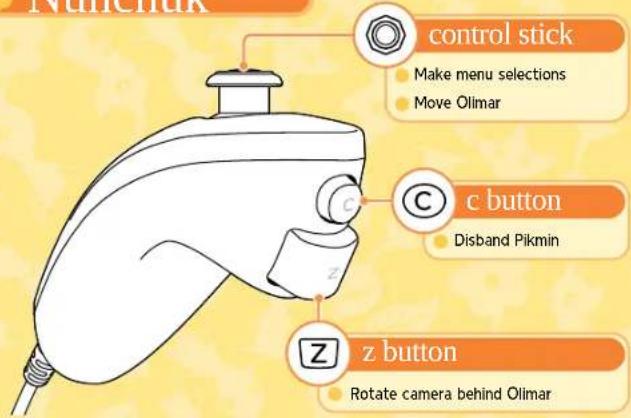
You play New Play Control! Pikmin with the Wii Remote and Nunchuk controllers.
Nunchuk
text_image
Nunchak control stick Make menu selections Move Olimar c button Disband Pikmin z button Rotate camera behind Olimar
Pointing
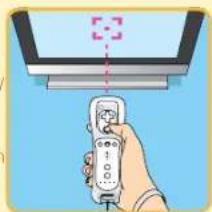
In this game, you'll control much of the action by pointing the Wii Remote controller at the TV screen. The 🎨 icon will appear where you are pointing. Press A#o throw Pikmin to this spot, or press → to order your Pikmin there. You can also point at idle Pikmin and press B to call them to you.
natural_image
Illustration of a hand holding a remote control device above a screen (no text or symbols visible)You cannot use a Nintendo GameCube controller with this game.
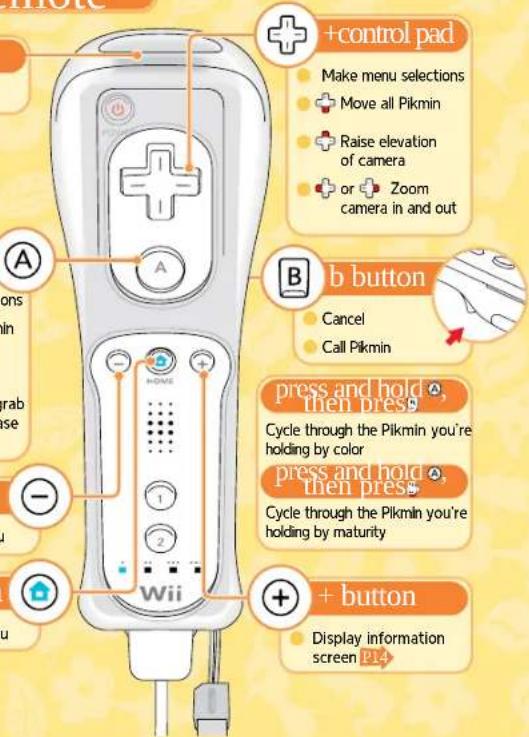
Wii Remote
pointer
Move cursor
a button
Confirm menu selections
Punch (when no Pikmin are being led)
Pluck planted Pikmin
Press and hold to grab a Pikmin, then release to throw
- button
Display pause menu
home button
Display HOME Menu
text_image
+control pad Make menu selections Move all Pikmin Raise elevation of camera or Zoom camera in and out A B button Cancel Call Pikmin press and hold , then press Cycle through the Pikmin you're holding by color press and hold , then press Cycle through the Pikmin you're holding by maturity + button Display information screen P14Some of the sounds in the game are played through the Wii Remote speaker. If you turn the Wii Remote speaker volume off, all of the game sounds will come from the TV speakers. For more details, see the Wii Operations Manual.

Caution: Wrist Strap Use
Please use the wrist strap to help prevent injury to other people or damage to surrounding objects or the Wii Remote in case you accidentally let go of the Wii Remote during game play,
Also remember the following:
- Make sure all players put on the wrist strap properly when it is their turn.
- Do not let go of the Wi Remote during game play.
- Dry your hands if they become moist.
- Allow adequate room around you during game play and make sure that all areas you might move into are clear of other people and objects.
- Stay at least three feet from the television.
• Use the Wii Remote Jacket.
GETTING STARTED

Insert the New Play Control! Pikmin Game Disc into the Wii console and turn the power on.
SYSTEM MENU UPDATE
Please note that when first loading the Game Disc into the Wii console, the Wii will check if you have the latest system menu, and if necessary a Wii System Update screen will appear. Press OK to proceed.

1 Read the screen pictured to the right and then press Ⓐ to confirm. *This screen will appear even if you insert the Game Disc when the Wii console is already turned on.

text_image
WARNING-HEALTH AND SAFETY BEETURE PLAYING READ YOUR OPERATIONS ANNUAL FOR INFORMATION INFORMATION ABOUT YOUR HEALTH AND SAFETY Please notify you www.enerals.com/healthcare/ Press #s: e-#rithys2 On the Wii Menu, point at the Disc Channel and press Ⓐ.
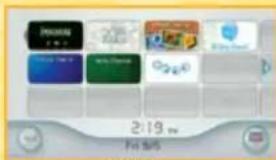
text_image
2:19 Fis 5/53 When the Channel Preview screen is displayed, point the cursor at Start and press Ⓐ.
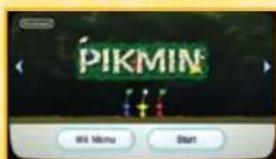
text_image
PIKMIN Wl Menu StartChannel Preview Screen
4 A screen will appear that shows you how to attach the wrist strap. Press ① when you have finished putting on the wrist strap to move to the title screen.
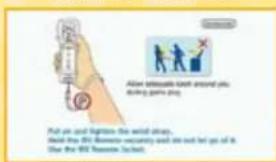
text_image
Allow accurate each around you during games play Put me and Eggrine the wind straw. Stand that 95% B#### security and she not let go of it. Over the 95th Summer (set).Strap Usage Screen
TITLE SCREEN
On the title screen, press Ⓐ to display the menu. Select Start to access the file-selection screen and play the game. Select Options to choose from the following settings:
Sound Adjust the volume of sound effects and music.
High Score View the top scores for completed games.
*Once you've reached a certain point in the game, Challenge Mode will be added to the menu. In this mode, the goal is to grow as many Pikmin as you can in a single day.
File Selection Screen
When playing for the first time, choose a New file. If you're continuing a saved game, choose that Ship's Log.
*Choose a file and press ① to copy that saved file to an empty location.
*Choose a file and press ② to erase that file.
RESTART FROM A PREVIOUS DAY
While you have a Ship's Log selected, you can press or to choose from any of the previous days you have already played. This feature is a great way to restart from an earlier day if your 30-day deadline is looming and you haven't been quite as productive as you wanted. However, please remember that if you choose to restart from a previous day, play through a day, and then save your game, you will lose your original progress.
Saving Your Progress
You can save your progress after the sun sets by choosing Save. Saving requires that there be more than 31 free blocks of memory available in Wii system memory. Data that has been deleted or overwritten cannot be restored, so proceed carefully.
*For instructions on deleting files from Wii system memory, see the Wii Operations Manual.
ABOUT PIKMIN
Captain Olimar has crash-landed on an alien world, and he soon encounters strange creatures called Pikmin. These Pikmin are found in three different colors. Understanding the special abilities of each type of Pikmin is Olimar's first step in collecting his spaceship parts and escaping the planet.

JUST WHAT ARE PIKMIN?
Pikmin are mysterious life-forms Olimar meets on his adventure. For some reason, they seem eager to help him. Pikmin are very intelligent—they can be thrown, ordered to carry objects, fight dangerous predators, and even use their own judgment to carry out various other tasks.
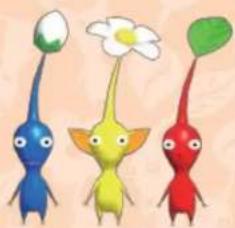
natural_image
Three colorful cartoon figurines shaped like flowers and a green leaf, with no text or symbols present.
Lead UP TO 100 PIKMIN
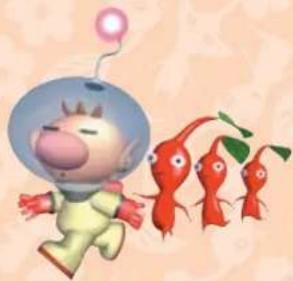
Olimar can lead a group of up to 100 Pikmin at a time. This number includes Pikmin still in the ground, Pikmin performing tasks, and idle Pikmin too.
natural_image
Cartoon astronaut character with blue helmet and red fish, surrounded by green leaves (no text or symbols)
PIKMIN CAN DO MANY THINGS!
Depending on the circumstances, Pikmin will do different things when they are thrown or ordered to move in a group. Pikmin are at their best when they are working together.
FIGHT ENEMIES BRE
natural_image
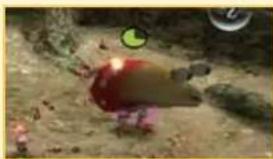
Illustration of a red and yellow object on sandy ground with greenery and a small green circle in the top left corner (no text or symbols)Pikmin can fight and defeat native creatures.
ALLS
natural_image
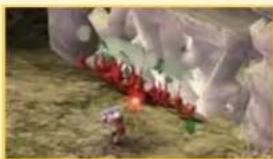
Close-up of a person holding a red and white object with a small purple object nearby (no visible text or symbols)Pikmin can attack walls to bring them tumbling down.
CARRY THINGS CAR
natural_image
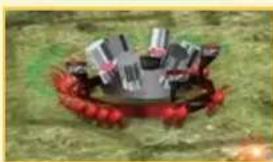
Illustration of a crab with red berries and a tray of lipsticks (no text or symbols)Pikmin can carry pellets and defeated enemies back to Onions. They can also carry spaceship parts back to the spaceship.
OCKS
natural_image
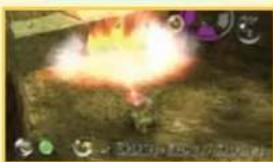
Game scene showing a bright explosion with smoke rising from a central character, surrounded by grass and small icons (no readable text or symbols)Yellow Pikmin can carry and strategically place bomb-rocks to cause serious damage to walls and enemies.
MOVE OBSTACLES BU
natural_image
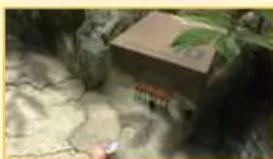
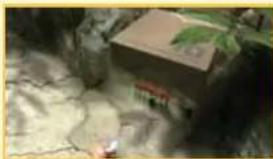
Illustration of a brown box placed on a rocky surface with green foliage (no text or symbols visible)Pikmin can band together to move path-blocking obstacles.
5
natural_image
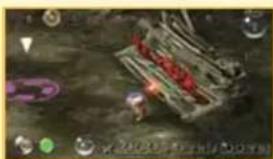
Illustration of a stylized creature with red hair and green eyes, set against a dark background with floating icons (no readable text or symbols)Pikmin can construct bridges to allow for passage across rivers and other bodies of water.
DIFFERENT PIKMIN, DIFFERENT SKILLS
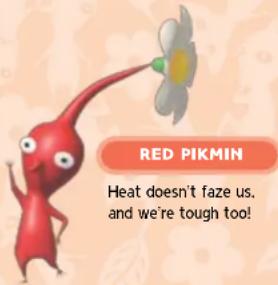
Pikmin come in three color variations and inhabit Onions that match their color. Pikmin have different characteristics depending on their color, so keep that in mind when you're issuing commands.
text_image
RED PIKMIN Heat doesn't faze us, and we're tough too!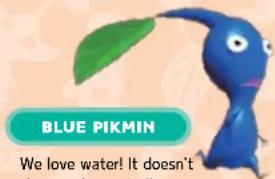
text_image
BLUE PIKMIN We love water! It doesn't how you're looking up!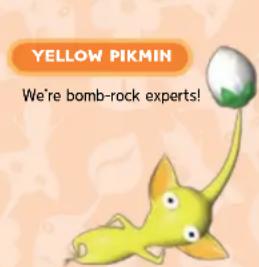
text_image
YELLOW PIKMIN We're bomb-rock experts!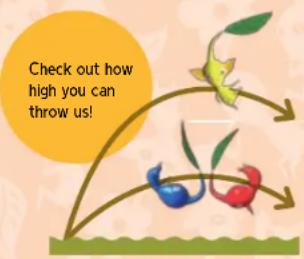
text_image
Check out how high you can throw us!
Warning
- When thrown near an obstacle, yellow Pikmin carrying bomb-rocks will set their bombs.
- Don't stand too close! If it stands idly when thrown, call back a bomb-carrying Pikmin to have it drop the bomb.
How to Make More Pikmin
To create more Pikmin, you need to order your Pikmin to carry pellets of defeated enemies to an Onion. Then the Onion will produce more Pikmin seeds.
natural_image
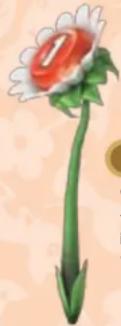
Illustration of a daisy flower with red center and green stem (no text or symbols)PELLET POSY
When a Pikmin smacks this flower and knocks it to the ground, it will turn into a pellet.
PELLET
Pellets are the energy source that Onions use to create new seeds. The number on top shows how many Pikmin are needed to carry the pellet.
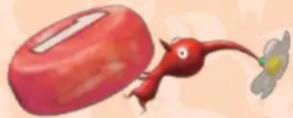
Pikmin will carry objects back to the Onions of their own color. When Pikmin of all three colors are carrying an object, whichever color has the most Pikmin will take it to their Onion.
How Pikmin Grow
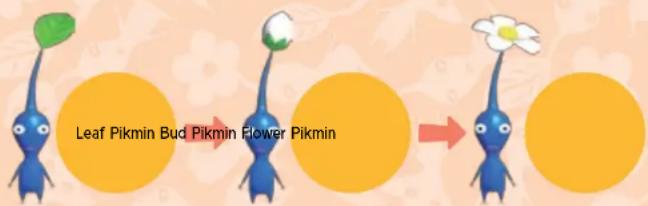
If you leave Pikmin in the ground for a while without picking them, they will extract more nutrients from the soil and grow as shown below. More mature Pikmin can move faster and can carry pellets and defeated enemies faster too.
text_image
Leaf Pikmin Bud Pikmin Flower PikminSEARCHING FOR SPACESHIP PARTS

Captain Olimar has been stranded on an alien planet! To get home, he has to find all of the missing parts of his spaceship, the Dolphin. It's time to enlist the aid of the Pikmin and start searching.
BASIC RULES
The planet is divided into different areas, and Olimar can explore one area per day. Time passes automatically, and when the sun sets, Olimar's day of adventure also comes to an end. Once a certain number of parts are collected, the spaceship will regain some abilities, and new areas will open up for exploration.
*You cannot explore more than one area per day.
Find All 30 Parts!
As Olimar's spaceship entered the atmosphere, 30 critical parts broke off and were scattered across the planet. Olimar will need every part to repair the Dolphin and fly back to his home planet of Hocotate. Explore all of the areas and find the parts.
natural_image
Illustration of a campfire with a large fire and red firecracker in the foreground (no text or symbols)THE 30-DAY TIME LIMIT
Because of toxins in the planet's atmosphere, Olimar has no time to waste in completing his task. The life-support system in Olimar's space suit will protect him from the planet's toxins for only 30 days. If he doesn't find all the parts to his spaceship within 30 days, it's game over!
text_image
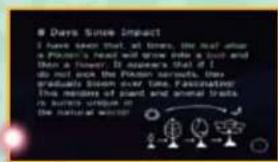
8 Days Since Impact I have seen that, at times, the head after a Pukon's head will grow into a tool and then a flower. It appears that if I do not see the Pukon manifests, thus gradually shown over time. Pukon's trail is visible in the natural world.How to Use Each Day
Pick an area and start exploring. When the sun goes down, exploration time is over.
SELECT AN AREA
First, choose an area to explore. Press—to return to the title screen.
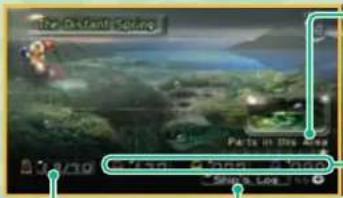
text_image
De Fi Parts in this area 12/7/10 50% 50% 50% 50%NUMBER OF PARTS
COLLECTED
OLIMAR'S JOURNAL
PARTS IN THE SELECTED AREA
indicates found parts, and shows parts yet to be found.
NUMBER OF PIKMIN INSIDE THE ONIONS
From left to right, the numbers indicate the number of red, yellow, and blue Pikmin.
Press ⊕ to see Olimar's journal entry from the previous day's sunset.
EXPLORING
Work with the Pikmin to explore areas and find the missing spaceship parts.
SUNSET
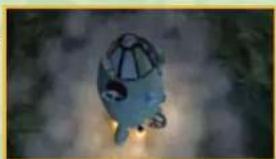
The native creatures are highly aggressive after dark. so Olimar must pilot his spaceship to the safety of the skies at sunset. The Pikmin board their Onions and follow him. However, there are some restrictions about which Pikmin can board their Onions at night and which Pikmin will be left behind.
natural_image
Illustration of a stylized blue helmet with a dome structure, set against a blurred natural background (no text or symbols)• Pikmin traveling with Olimar will board their Onions.
- Pikmin idling near the spaceship or Onions will board their Onions.
* Pikmin who've not yet been picked will remain safely in that area.
*Pikmin who are busy working, fighting, or idle away from the ship will not board the Onions and will get left behind and eaten by enemies in the night!
GAME SCREEN
The game screen is used for exploring areas. Access Olimar's monitor to view information on Pikmin and parts.
MAIN SCREEN
text_image
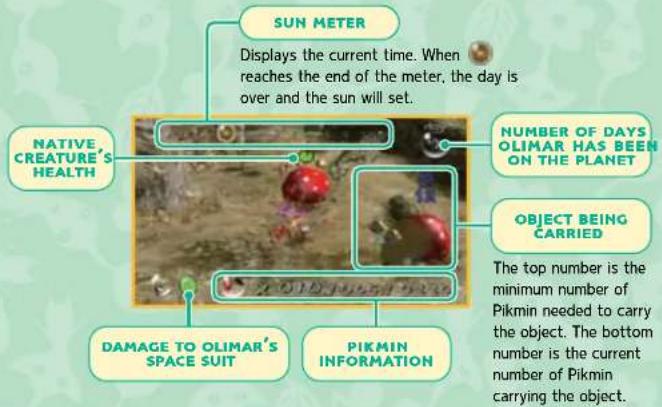
SUN METER Displays the current time. When reaches the end of the meter, the day is over and the sun will set. NATIVE CREATURE'S HEALTH NUMBER OF DAYS OLIMAR HAS BEEN ON THE PLANET OBJECT BEING CARRIED DAMAGE TO OLIMAR'S SPACE SUIT PIKMIN INFORMATION The top number is the minimum number of Pikmin needed to carry the object. The bottom number is the current number of Pikmin carrying the object.VIEWING PIKMIN INFORMATION
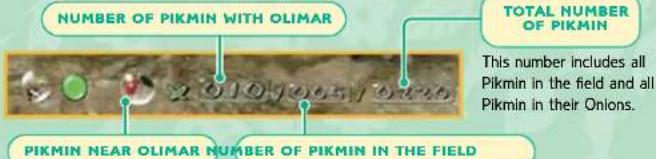
text_image
NUMBER OF PIKMIN WITH OLIMAR TOTAL NUMBER OF PIKMIN This number includes all Pikmin in the field and all Pikmin in their Onions. PIKMIN NEAR OLIMAR NUMBER OF PIKMIN IN THE FIELDThis indicates which Pikmin is closest to Olimar. It will be the next Pikmin Olimar will throw.
A maximum of 100 Pikmin can be in the field at any given time.
OLIMAR'S MONITOR
Press +to display Olimar's monitor and check Pikmin information, as well as other data.
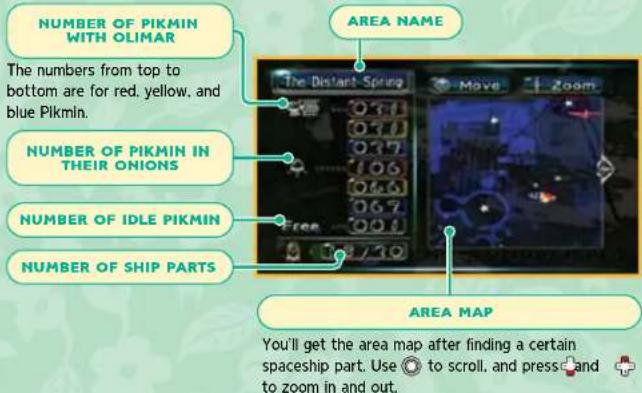
text_image
NUMBER OF PIKMIN WITH OLIMAR The numbers from top to bottom are for red, yellow, and blue Pikmin. NUMBER OF PIKMIN IN THEIR ONIONS NUMBER OF IDLE PIKMIN NUMBER OF SHIP PARTS AREA NAME The Distart Spring Move Zoom Free 0.7/10 AREA MAP You'll get the area map after finding a certain spaceship part. Use ⚙ to scroll, and press + and to zoom in and out.VIEWING ICONS ON THE AREA MAP
| Olimar's current location and the direction he is facing. | |
| Current location of the Dolphin. | |
| Locations of ship parts. | |
| Location of each Onion. | |
| Location of Pikmin by color. | |
| Location of unpicked Pikmin/working Pikmin/idle Pikmin |
CONTROLLER SCREEN
Press + to display the controller screen and check the controller settings.
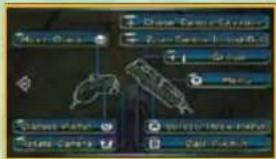
text_image
Close Camera Run Camera Search Play Name Player Save Camera Call MethodEXPLORING WITH PIKMIN
When you discover a new area, take your Pikmin out and go exploring. The Pikmin you command will surely help you overcome any obstacles you encounter.
SURVEYING AREAS
When you land in an area, the first thing to do is pull up any Pikmin you find, then unload Pikmin from your Onions. Next, use your Pikmin to search out missing ship parts and carry them back to the Dolphin.
ABOUT THE PAUSE MENU
Press ☐ to stop the game and display the pause menu shown below. To return to the game, press ☐ or ☐ select Continue from the menu.
Continue Return to the game in progress.
Go to Sunset End the current day and return to the Dolphin.
Continue from Previous Save Replay the current day. You'll return to the data-selection screen without saving.
Olimar's Energy and Taking Damage
If Olimar is attacked, he will take damage and lose energy. If he loses all of his energy, he will be automatically transported back to his ship and the day ends. If this happens, the majority of the Pikmin traveling with him will be eaten, so please keep track of Olimar's energy.
* Pikmin near Onions or the spaceship will escape safely to the Onions, and Pikmin buried in the ground will remain where they are.
*You can restore Olimar's energy by standing in front of the spaceship and pressing A. His energy is automatically restored at the beginning of each day.
ALL ABOUT ONIONS
Onions are strange objects that both expel Pikmin seeds and act as Pikmin nests. There are three colors of Onions: yellow, blue, and red. The color of an Onion tells you which color Pikmin seed it will produce. You'll need to return the Pikmin to their Onions at the end of each day, and call them out at the beginning of the next. Every Onion you discover will follow your ship around from that point forward.
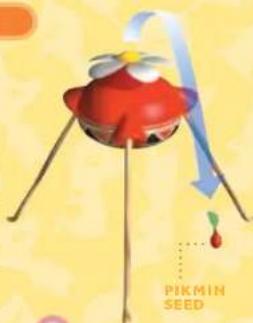
natural_image
Illustration of a red cartoon character with blue arrows and a small droplet labeled 'PIKMIN SEED' (no other text or symbols)Picking Pikmin
Onions will produce Pikmin seeds after receiving pellets or defeated enemies. After a short while the seeds will sprout into Pikmin. To pick a planted Pikmin, stand near it and press A. Once a Pikmin has been pulled from the ground, it will follow Olimar.
*If there are already 100 Pikmin in the field, Onions will not expel new seeds; instead, newly created seeds will be stored inside the Onions.
natural_image
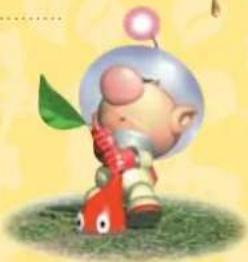
Cartoon character with a green leaf and red body, sitting on grass (no text or symbols)CALLING PIKMIN FROM ONIONS / RETURNING
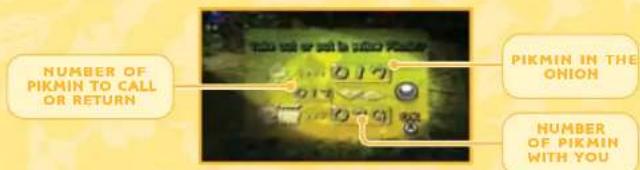
Stand beneath an Onion and press Ato call Pikmin out. You can return Pikmin to an Onion the same way. Tilt Cup and down to adjust the number of Pikmin you're calling or returning.
text_image
NUMBER OF PIKMIN TO CALL OR RETURN PIKMIN IN THE ONION NUMBER OF PIKMIN WITH YOUOLIMAR'S ACTIONS

Control Olimar and use Pikmin to progress through the game. In addition to being able to throw Pikmin, you can also command them to move in groups.

Move Punch

Tilt In the direction you want Olimar to travel.
If Olimar has no Pikmin ready to toss, press Ⓐ to make him punch.

Adjusting the Camera


Press +to change the camera angle. Press + to zoom in and out. Use ⑦ to place the camera behind Olimar.

Using Pikmin

Ⓐ Picking Pikmin
Stand near a Pikmin planted in the ground and press A to pull it up. Press A repeatedly to pull up all planted Pikmin in an area.

A Throwing Pikmin
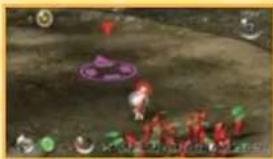
When traveling with Pikmin, press Ato grab the nearest one. Release to throw the Pikmin in the direction of the cursor. In certain situations, Pikmin will act on their own.
natural_image
Illustration of two red figures on a textured surface with a purple circular overlay (no text or symbols)
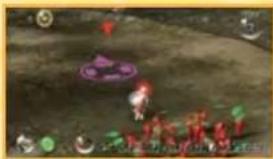
USE A TO THROW PIKMIN.
*Press and hold A to order your Pikmin to group by color. While holding A, press B to throw Pikmin by color group, or press + to throw them by maturity level. Don't forget you have to press and release A to actually throw the Pikmin. While your Pikmin are separated into groups, you can continue to throw them by group with A.


Dismissing Pikmin
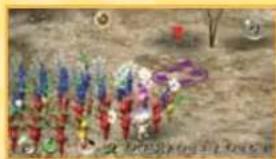
Press Cto dismiss your Pikmin into groups by color. Dismissed Pikmin are idle Pikmin.
natural_image
Group of colorful children playing outdoors on a dirt field, no visible text or symbols
natural_image
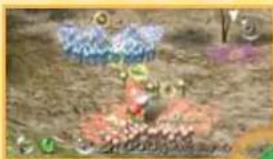
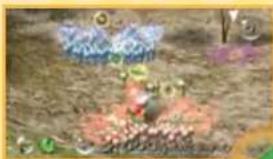
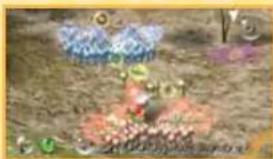
Illustration of a cartoon character with colorful wings and flowers, set in a grassy outdoor setting (no text or symbols)Idle Pikmin are Pikmin that have been separated from or dismissed by Olimar. Idle Pikmin will stop where they are and no longer follow Olimar. To call idle Pikmin, point at them and press ☐, or simply run into them.


B CALLING PIKMIN
Point the cursor at idle Pikmin, then press B to call them to Olimar's side. Once called, these Pikmin will follow Olimar and take orders from him.
natural_image
Top-down view of a colorful cartoon character in a garden setting (no visible text or symbols)
natural_image
Game scene with character in red outfit on a dirt path, no visible text or symbols

LINING UP PIKMIN
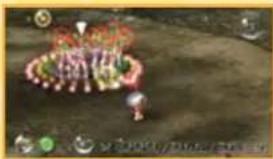
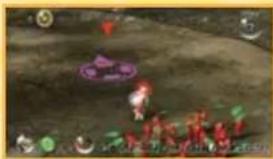
Press to have Pikmin line up in the direction of the cursor. Once the Pikmin are lined up, you can move them together as a group.
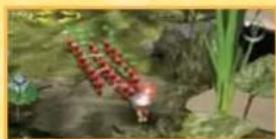
MOVE PIKMIN IN A GROUP!
VEUILLEZ LIRE ATTENTIVEMENT L'INTÉGRALITÉ DU MODE D'EMPLOI DE LA Wii™ AVANT D'UTILISER VOTRE SYSTÈME, VOTRE DISQUE DE JEU, OU VOS ACCESSOIRES Wii. CE MODE D'EMPLOI COMPREND D'IMPORTANTES INFORMATIONS SUR VOTRE SANTÉ ET VOTRE SÉCURITÉ.
INFORMATIONS IMPORTANTES CONCERNANT VOTRE SÉCURITÉ : VEUILLEZ LIRE LES PRÉCAUTIONS SUIVANTES AVANT QUE VOUS OU VOTRE ENFANT NE JOUIEZ À VOS JEUX VIDÉO.
natural_image
Illustration of a hand holding a remote control device with a digital display (no text or symbols)CLOTHOCHEN CHINHON (Methanol) and Methylbutane (Methanol) are collected at 23.00% each of the
COMMENCER UNE PARTIE
text_image
WARNING-HEALTH AND SAFETY BEETLE PLAYING READ YOUR OPERATIONS GENERAL FOR INFORMATION INFORMATION ABOUT YOUR HEALTH AND SAFETY Press your own website: www.msfunds.com/healthcare/ Press 📁 for certificate.text_image
2:19 AM Pills/Stext_image
All an accurate touch around you. Acting gains 20g Pull us and lightning the world line. Read the 95% B#### security and she next let you of it. Use the 95% B#### system.natural_image
Three colorful cartoon figurines with stylized faces and a flower, no text or symbols presentGROUPE DE 100 PIKMIN
natural_image
Cartoon astronaut character with a helmet and three red fish characters (no text or symbols)LES PIKMIN PEUVENT FAIRE BEAUCOUP DE CHoses!
natural_image
Illustration of a small red and yellow object on sandy ground with greenery and a small circular emblem (no text or symbols)natural_image
Illustration of a crab-shaped container with a tray holding a small object, set against a grassy background (no text or symbols)DEPLACER DES OBSTACLES
natural_image
Aerial view of a small brown building surrounded by rocky terrain with green foliage (no visible text or symbols)natural_image
Illustration of a gift bag with red flowers and a small figure, set against a textured ground (no text or symbols)natural_image
Game scene showing a bright explosion or fire in a grassy field with no visible text or symbolsnatural_image
Underwater scene with a red fish on a boat, surrounded by water and floating objects (no visible text or symbols)natural_image
Illustration of a stylized flower with red center, green stem, and white petals (no text or symbols)FLEUR-GALETTE
natural_image
Game scene showing a campfire with red flowers and a glowing light source (no visible text or symbols)LA LIMITE DE 30 JOURS
text_image
8 Days Since Impact I have seen that all trees, the leaf after a Piken's head will grow into a tool and then a flower. It appears that if I do not each the Piken surrouts, they gradually become over time. Fertilizer. The recovery of plant and animal traits is surey unique in the natural world.
ORGANISER LES JOURNÉES
text_image
The Distant Square Parts in this area 0/7/10 Step 5 LogNOMBRE DE PIÈCES RETROUVÉES
LE JOURNAL D'OLIMAR
natural_image
Illustration of a futuristic spacecraft or spacecraft with visible exhaust plume and propeller (no text or symbols)natural_image
Cartoon character with a green leaf and red body, standing on grass (no text or symbols)FAIRE MONTER / DESCENDRE LES PIKMIN DE L'OIGNON
natural_image
Two red, stylized creatures floating on a purple surface with a white arrow pointing to them (no text or symbols visible)POINTEZ L'ÉCRAN POUR DÉPLACER LE CURSEUR ET...

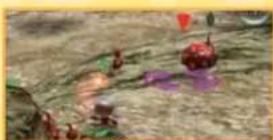
UTILISEZ A POUR LANCER
UN PIKMIN.
natural_image
Group of children in colorful clothing standing outdoors on a dirt path, with trees and a flag visible (no readable text or symbols)
natural_image
Illustration of a cartoon character with flowers and green leaves on grassy ground (no text or symbols)natural_image
Illustration of a colorful, flower-like creature on a textured ground surface (no text or symbols visible)
natural_image
Game scene with character in red outfit on grassy terrain, no visible text or symbols
ALIGNER LES PIKMIN
natural_image
Illustration of a hand holding a remote control device above a screen (no text or symbols visible)text_image
WARNING-HEALTH AND SAFETY BEFORE PLAYING READ YOUR OPERATIONS GENERAL FOR IMPORTANT INFORMATION ABOUT YOUR HEALTH AND SAFETY Any other at www.inferred.com/healthcare/ Press ② for certificate.text_image
2:19 pm Fri 5/6text_image
PIKMIN Will More StartPantalla del Canal
text_image
Alve silhouetica each around you Asling gone dry Put me and tighten the wind lines. Hold the 8% protection security and do not let go of it. Try the 8% protection.natural_image
Three colorful cartoon characters with facial features and a single flower, no text or symbols presentGuía A 100 Pikmin
natural_image
Cartoon illustration of a smiling astronaut with a balloon and three red fish-like creatures (no text or symbols)natural_image
Illustration of a small red object on sandy ground with green background (no text or symbols)natural_image
Close-up of a floral arrangement with red and white flowers, no visible text or symbolsnatural_image
Illustration of a crab-shaped container with red berries and a tray of small items, set against a green background (no text or symbols)natural_image
Game scene showing a bright explosion or fire in an outdoor setting with no visible text or symbolsnatural_image
Illustration of a small brown box with green leafy top placed on rocky terrain (no text or symbols visible)natural_image
Game scene with a character in a boat navigating water, surrounded by floating objects and UI icons (no readable text or symbols)natural_image
Illustration of a daisy flower with red center and green stem (no text or symbols)natural_image
Top-down view of a small island with people gathered around a central pond, surrounded by greenery (no visible text or symbols)text_image
8 Days Since Impact I have seen that, at times, the leaf shop a Pikan's head will grow into a bull and then a flower. It appears that if it do not reach the Pikan surrouts, then gradually become over time. Fertilization! The members of grand and animal traits is surely unique in the natural world!
QUE HACER CADA DÍA
text_image
The Distant Figure Parts in this area 03/19 4:20:00 - 45,000 Stop's Lot 1PIEZAS DE LA ZONA ELEGIDA
natural_image
Illustration of a cartoon character with a helmet and glasses, floating against a blurred natural background (no text or symbols)text_image
as jo. SEMILLA DE PIKMINCómo recoger Pikmin
natural_image
Cartoon character with a green leaf and red limbs, sitting on grass (no text or symbols)SACAR A LOS PIKMIN DE LAS CEBOLLAS Y HACER QUE ENTREN
SEPARAR A LOS PIKMIN
natural_image
Group of colorful children playing outdoors in a rural setting (no visible text or symbols)
natural_image
Illustration of a cartoon character with colorful flowers and green accents, set in a sandy outdoor setting (no text or symbols)natural_image
Game scene with character holding a ball, no visible text or symbols
natural_image
Game scene with red characters and a purple circular character on the ground (no readable text or symbols)