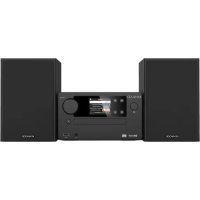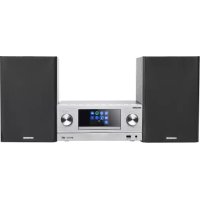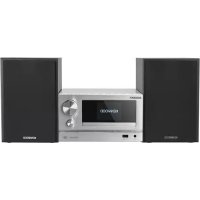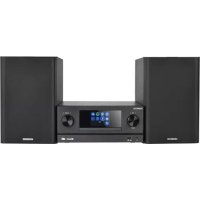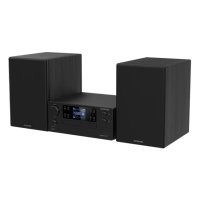
KENWOOD M9500S - Audio System

M9500S - Audio System KENWOOD - Free user manual and instructions

Find the device manual for free M9500S KENWOOD in PDF.

📄 160 pages English EN Download 💬 AI Question 10 questions ⚙️ Specs
Notice KENWOOD M9500S - page 35
View the manual : Français FR Deutsch DE English EN Italiano IT Nederlands NL
Pick your language and provide your email: we'll send you a specifically translated version.
Product Type Smart Micro HiFi System
Brand Kenwood
Model M9500S
Dimensions (main unit) 260 x 116 x 260 mm
Weight (main unit) 2.0 kg
Dimensions (speaker) 172 x 263 x 242 mm
Weight (speaker) 2.4 kg
Power supply 100-240 V ~ 50/60 Hz
Power consumption 40 W (standby 0.9 W)
Audio sources CD, USB, Bluetooth 5.2, DAB+, FM, Internet radio, Spotify, Podcasts, Optical, Auxiliary
Output power 2 x 50 W / 6 Ω
Frequency response 60 Hz - 20 kHz
Network connectivity WiFi 802.11 a/b/g/n (2.4 and 5 GHz), WPS
Supported audio formats MP3, AAC/AAC+ (48 kHz/16 bit)
Additional functions Dual alarm, Timer, Equalizer, Auto standby mode, Control via UNDOK app
Maintenance and cleaning Clean with a dry or slightly damp cloth. Do not use abrasive products.
Safety Read the safety instructions. Do not open the casing. Use only in a dry, well-ventilated place.
Spare parts and repairability Repair by qualified technician only. Use approved spare parts.
Warranty 2 years (according to conditions)
General information Manufactured by JVCKENWOOD Corporation. Manual available for download.

Frequently Asked Questions - M9500S KENWOOD

Why is there no sound?
Check that the device is turned on, the volume is not at minimum, and the audio source (CD, Bluetooth, etc.) is correctly selected. Also ensure the speakers are connected.
How to connect a Bluetooth device?
Select the Bluetooth Audio source on the system. Enable Bluetooth on your device (smartphone, tablet) and search for devices. Choose M-9500S from the list. If a PIN is requested, enter 0000.
How to set the alarm?
Press the ALARM button on the remote or go to the main menu > Alarm. You can configure two independent alarms with day, time, source (radio, CD, etc.), and duration.
Why is the radio reception poor?
Try repositioning the supplied antenna (wire antenna). Move the system away from other electronic devices. For DAB+ and FM, an external antenna may improve reception.
How to connect the system to the Internet via WiFi?
Go to System settings > Network > Network assistant. The system searches for available WiFi networks. Select your network and enter the password if required. You can also use WPS.
What file formats are readable via USB?
The USB port supports MP3 files (32-320 kbps) on drives formatted in FAT16 or FAT32, with a maximum current consumption of 500 mA.
How to use the UNDOK app?
Download the UNDOK app from the Google Play Store or App Store. For initial setup, the system creates a temporary WiFi network. Connect your phone to this network (named M-9500S) and follow the app instructions.
What to do if the device stops responding?
Unplug the power cable for a few seconds, then plug it back in. If the problem persists, perform a factory reset via the Factory settings menu (note: all personal data will be erased).
How to clean the system?
Use a soft, dry cloth. For stubborn dirt, slightly dampen the cloth with a mild detergent. Never use abrasive products, alcohol, or ammonia.
Can I connect a subwoofer?
Yes, an active subwoofer can be connected to the Subwoofer jack (RCA output) located on the back. Cutoff frequency and level settings are made directly on the subwoofer.

User questions about M9500S KENWOOD

0 question about this device. Answer the ones you know or ask your own.

Ask a new question about this device

The email remains private: it is only used to notify you if someone responds to your question.

No questions yet. Be the first to ask one.

Download the instructions for your Audio System in PDF format for free! Find your manual M9500S - KENWOOD and take your electronic device back in hand. On this page are published all the documents necessary for the use of your device. M9500S by KENWOOD.

USER MANUAL M9500S KENWOOD

First Floor, Gleneagles, The Belfry, Colonial Way, Watford, Hertfordshire WD24 4WH

UNITED KINGDOM

https://uk.jvckenwood.com

Foshan Jiaying Battery Co., Ltd.

3F-1& 3, Bldg C3, No.2, Shizhou Section, Baichen Road, Gangbei Industrial Zone, Chencun Town, Shunde District, Foshan, Guangdong, CHINA

http://www.jybjiaying.com/
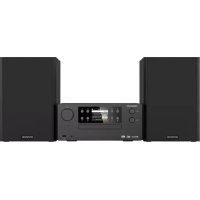
Manual assistant
Powered by Anthropic
Waiting for your message
Product information

Brand : KENWOOD

Model : M9500S

Category : Audio System