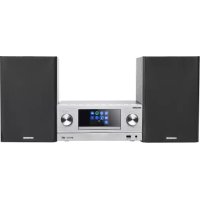
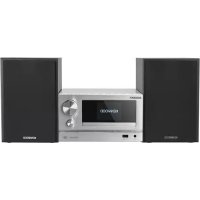
KENWOOD M9000S - Audio System

M9000S - Audio System KENWOOD - Free user manual and instructions

Find the device manual for free M9000S KENWOOD in PDF.

📄 160 pages English EN Download 💬 AI Question 10 questions ⚙️ Specs
Notice KENWOOD M9000S - page 35
View the manual : Français FR Deutsch DE English EN Italiano IT Nederlands NL
Pick your language and provide your email: we'll send you a specifically translated version.
Product Type Hi-Fi Micro System with CD player, DAB+/FM tuner, Bluetooth, Wi-Fi, USB and auxiliary input
Dimensions (main unit) 260 x 115 x 260 mm (L x H x D)
Dimensions (speaker) 173 x 263 x 240 mm (L x H x D) per speaker
Weight (main unit) 2.0 kg
Weight (speaker) 2.4 kg per speaker
Power supply 100 – 240 V AC, 50/60 Hz
Power consumption 40 W operation, 0.8 W standby, 0.8 W network standby
Output power 2 x 50 W into 6 ohms
Radio receiver FM (87.5 – 108 MHz) and DAB+ (band III, 174.928 – 239.2 MHz)
CD player Audio CD and MP3-CD
USB input MP3 playback from USB flash drive (FAT16/32, 500 mA max)
Bluetooth Version 4.2, class 1, range approx. 10 m, profiles A2DP and AVRCP
Wi-Fi IEEE 802.11 a/b/g/n, bands 2.4 GHz and 5 GHz
Streaming services Internet Radio, Podcasts, Spotify Connect
Remote control UNDOK app (iOS/Android) and IR remote control included
Special features Sleep timer, dual alarm, built-in equalizer, track information display
Auxiliary input 3.5 mm jack socket
Supported audio formats MP3, AAC/AAC+ (up to 48 kHz, 16-bit)
Cleaning and maintenance Clean with a dry cloth; avoid liquids and aerosols
Operating temperature 0 °C to +35 °C
Warranty 2 years (parts and labor)

Frequently Asked Questions - M9000S KENWOOD

How do I connect the Kenwood M9000S to my Wi-Fi network?
Go to the System > Internet Settings > Network Wizard menu. The system searches for available networks. Select yours, enter the password, and confirm. You can also use the WPS button on your router if supported.
How do I set the alarm on the M9000S?
Press the ALARM button on the remote or go to main menu > Alarm. Choose Alarm 1 or 2, then set the days, time, source (e.g., DAB, FM, Internet Radio), and volume. Confirm with OK.
Why is the sound weak or absent?
Check that the volume is high enough (+ or - buttons) and the correct source is selected (CD, USB, Bluetooth...). Make sure Mute is not activated (icon crossed out). If the problem persists, unplug and plug the unit back in.
How do I pair a smartphone via Bluetooth?
Select the Bluetooth Audio source in the menu. Enable Bluetooth on your phone and search for devices. Choose M-9000S. If a PIN is requested, enter 0000. Once connected, audio streaming is possible.
Can I listen to Spotify directly on the speaker?
Yes, via Spotify Connect. Select the Spotify source in the menu. On your smartphone, open Spotify, start playback, and tap the Devices Available icon. Choose M-9000S to stream the music.
How do I reset the system to factory settings?
Go to System > Factory Settings and select YES. All personal data (network, favorites, alarms) will be erased. This operation cannot be undone.
What should I do if the DAB+ tuner finds no stations?
Make sure the antenna is properly connected and extended. Perform a full scan from the DAB menu. If the problem persists, move the system away from interference sources (screens, other devices) or use an outdoor antenna.
How do I update the firmware of the M9000S?
Connect the unit to the Internet. Go to System > Software Update. Enable Automatic Update or select Check Now. If a new version is available, follow on-screen instructions. Do not power off during the update.
Can I use speakers other than the ones supplied?
Yes, you can connect passive speakers with a minimum impedance of 6 ohms. Use the speaker outputs on the back. Ensure correct polarity (black wire = black terminal, red wire = red terminal). Lower impedance could damage the amplifier.
How do I set the sleep timer?
From any source, press MENU, select Sleep Timer. Choose a duration: 15, 30, 45, or 60 minutes. Once elapsed, the system switches to standby automatically.

User questions about M9000S KENWOOD

0 question about this device. Answer the ones you know or ask your own.

Ask a new question about this device

The email remains private: it is only used to notify you if someone responds to your question.

No questions yet. Be the first to ask one.

Download the instructions for your Audio System in PDF format for free! Find your manual M9000S - KENWOOD and take your electronic device back in hand. On this page are published all the documents necessary for the use of your device. M9000S by KENWOOD.

USER MANUAL M9000S KENWOOD
text_image ① ② ③ U700 R2 SRAVOR CUT-962 KENWOOD CO-MONO EXTERIOR AC/DC (Cable-Emitter) Power consumption/kWh USB (5.0V) = 1200ms Description: 20kW/1000000000000000000000000000000000000000000000000000000000000000000 S/N: L_ CLASS 1 Laser Product CAUTION R2 OF ELECTRIC SWITCH REDADED 88 34W-5626Hz R2 18A 49A
Manual assistant
Powered by Anthropic
Waiting for your message
Product information

Brand : KENWOOD

Model : M9000S

Category : Audio System