
GBH 18V36 C Professional - Drill BOSCH - Free user manual and instructions
Find the device manual for free GBH 18V36 C Professional BOSCH in PDF.
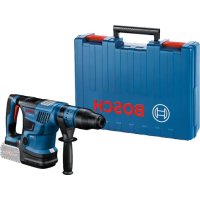



| Product type | Cordless rotary hammer |
| Brand | Bosch |
| Model | GBH 18V36 C Professional |
| Rated voltage | 18 V |
| Battery type | Li-Ion (compatible with Bosch Professional 18V range) |
| Max. drilling capacity in concrete | 36 mm |
| Max. drilling capacity in steel | 13 mm |
| Max. drilling capacity in wood | 40 mm |
| Chuck | SDS-plus |
| No-load speed | 0 - 775 rpm |
| Impact rate | 0 - 3200 bpm |
| Impact energy | 2.1 J |
| Weight (without battery) | 3.4 kg |
| Dimensions (L x H) | 328 x 215 mm |
| Functions | Drilling, hammer drilling, chiselling |
| Connectivity | Bluetooth via GCY 42 module (optional) |
| Protection | Overload protection system |
| Sound level | 95 dB(A) |
| Vibration | 15 m/s² |
| Maintenance and cleaning | Clean with a brush, do not use solvents |
| Safety | Read safety instructions before use |
| Spare parts and repairability | Spare parts available from Bosch after-sales service |
Frequently Asked Questions - GBH 18V36 C Professional BOSCH
User questions about GBH 18V36 C Professional BOSCH
0 question about this device. Answer the ones you know or ask your own.
Ask a new question about this device
Download the instructions for your Drill in PDF format for free! Find your manual GBH 18V36 C Professional - BOSCH and take your electronic device back in hand. On this page are published all the documents necessary for the use of your device. GBH 18V36 C Professional by BOSCH.
USER MANUAL GBH 18V36 C Professional BOSCH
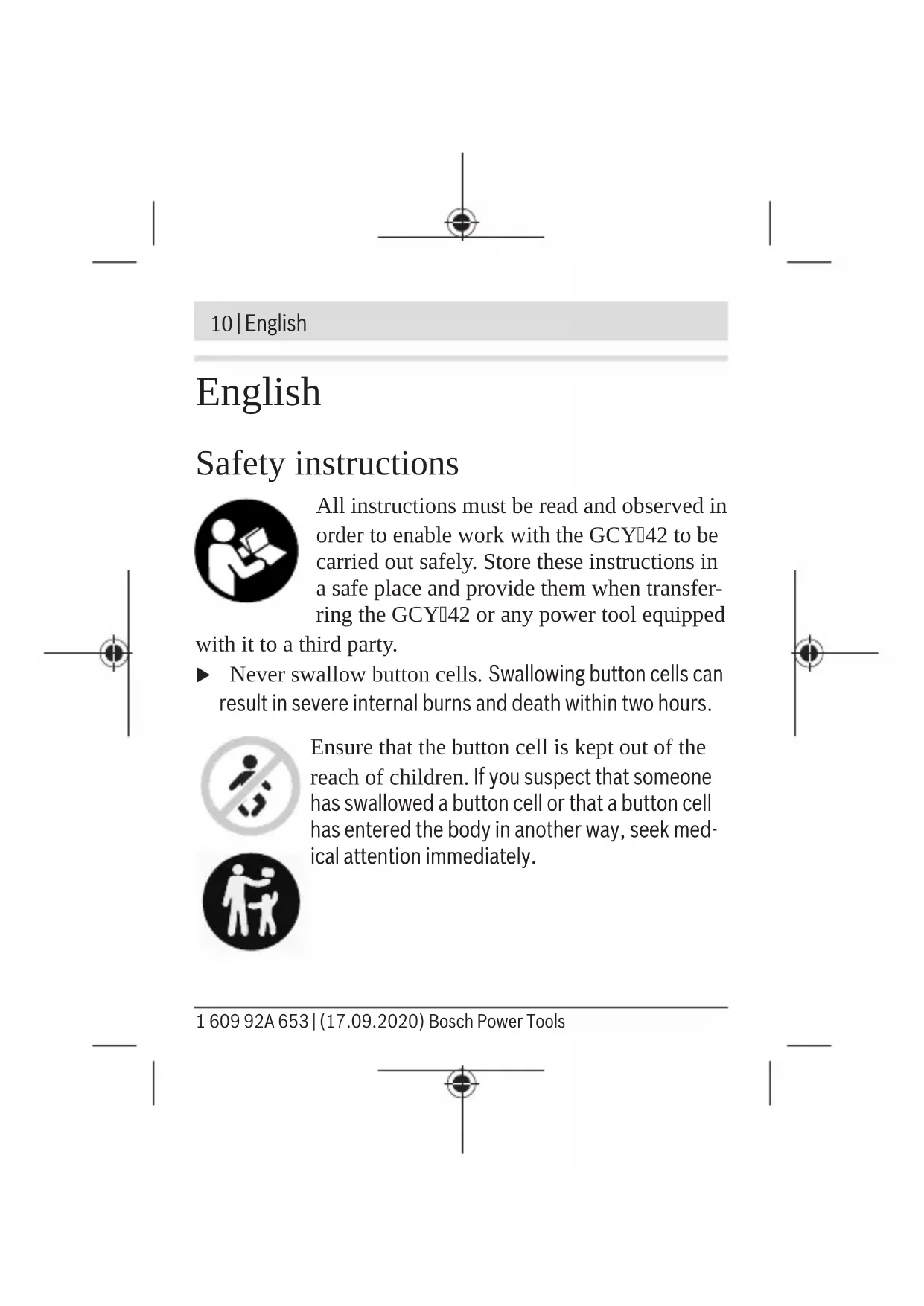
All instructions must be read and observed in order to enable work with the GCY42 to be carried out safely. Store these instructions in a safe place and provide them when transferring the GCY42 or any power tool equipped
with it to a third party.
- Never swallow button cells. Swallowing button cells can result in severe internal burns and death within two hours.

Ensure that the button cell is kept out of the reach of children. If you suspect that someone has swallowed a button cell or that a button cell has entered the body in another way, seek medical attention immediately.

English | 11
- Ensure that battery replacement is carried out properly. There is a risk of explosion.
Do not attempt to recharge the button cell and do not short circuit the button cell. The button cell may leak, explode, catch fire and cause personal injury. - Remove and dispose of drained button cells correctly. Drained button cells may leak and damage the product or cause personal injury.
Do not overheat the button cell or throw it into fire. The button cell may leak, explode, catch fire and cause personal injury.
Do not damage the button cell and or take the button cell apart. The button cell may leak, explode, catch fire and cause personal injury.
Do not allow damaged button cells to come into contact with water. Leaking lithium may mix with water to create hydrogen, which could cause a fire, an explosion, or personal injury.
If you cannot close the cover, stop using the Bluetooth® module, remove the button cell and have the module repaired.
12 | English
Protect any object marked with GCY 42 against heat and fire. Prolonged exposure to sunlight and high temperatures (>70°C) may cause the battery to leak, explode, catch fire and cause personal injury
The Bluetooth® Low Energy Module GCY 42 is equipped with a wireless interface. Local operating restrictions, e.g. in aircraft or hospitals, must be observed.
Only use the Bluetooth® Low Energy Module GCY 42 in power tools in which it is intended to be used. Read the operating manual of the power tool you are using.
Product description and specifications
The Bluetooth® word mark and logos are registered trademarks owned by Bluetooth SIG, Inc. and any use of such marks by Robert Bosch Power Tools GmbH is under license.
Intended Use
The Bluetooth® Low Energy Module GCY 42 enables users to personalise a power tool and check its status, as well as trans
English | 13
fer settings and data, using wireless Bluetooth® technology. The data transfer must be approved by the user.
Information about the connectivity functions offered can be found in the Bosch Toolbox application (app) or in the operating manual of the power tool you are using.
Product Features
The numbering of the components shown refers to the illustrations on the graphic pages.
(1) Button cell
(2) Bluetooth® Low Energy Module GCY 42
(3) Placeholder A)
(4) Cover for the Bluetooth® Low Energy Module GCY 42A
A) Accessories shown or described are not included with the product as standard. You can find the complete selection of accessories in our accessories range.
Technical Data
| Bluetooth® | GCY 42 |
| Low Energy Module |
Article number
1600A01ZE2
Bosch Power Tools 1609 92A 653|(17.09.2020)
14|English
| Bluetooth® Low Energy Module | GCY 42 |
| Operating temperature -10 °C to +40 °C | |
| Storage temperature -20 °C to +70 °C | |
| Dimensions 7 x 30 x 30 mm | |
| Weight according to EPTA Procedure 01:2014 | 0.01 kg |
| Data transmission | |
| Bluetooth® Bluetooth® 4.2 (Low Energy) | A) |
| Signal range Max. 30 m | B) |
| Frequency range used 2402–2480 MHz | |
| Output power < 1 mW | |
| Power supply | |
| Battery Button cell (3 V lithium battery, CR 2032) | |
English | 15
Bluetooth®
GCY42
Low Energy Module
Battery life approx. 24 months
A) The mobile terminal devices must be compatible with Bluetooth Low Energy devices (version 4.2) and support the Generic Access Profile (GAP).
B) The signal range may vary greatly depending on external conditions, including the receiving device used. The Bluetooth® range may be significantly weaker inside closed rooms and through metallic barriers (e.g. walls, shelving units, cases, etc.).
System requirements GCY 42
Mobile device (tablet, smartphone)
Android 5.1 (and newer)
iOS 10 (and newer)
Assembly and Operation
Power Supply
Remove the cover for the Bluetooth® Low Energy Module GCY 42 on the power tool, e.g. using a screwdriver or a
Bosch Power Tools 1609 92A 653|(17.09.2020)
16 | English
large coin. Using unsuitable objects can damage the electronics or the cover.
- To start using the product after purchasing it or to change the battery (1), follow the illustrations on the graphics pages. Observe the following advice when doing so.
Initial Starting Operation
(see figures A1-A5)
Note: Store the placeholder (3) of the GCY 42 in a safe place. Refit the placeholder when passing the power tool on without the GCY 42.
Place the battery (1) in the GCY 42 (2) with the plus terminal facing upwards. You do not need to push the battery in as the battery does not engage. It is simply secured in the correct position when you close the cover.
To initialise the GCY 42 after inserting the battery, press the on/off switch of the power tool.
Changing the Battery
(see figures B1-B4)
Only remove the used battery (1) with your fingers.
A warning will be displayed in the app before the battery is fully used up.
English | 17
Removing the GCY 42
(see figures C1-C2)
Do not use force to remove the GCY 42 (2). Do not use any sharp or pointed tools.
Note: Turning the power tool over may make it easier to remove the GCY 42.
Starting operation
Once you have inserted the battery (1) and pressed the on/off switch on the power tool, the GCY 42 will transmit a signal continuously. The Bluetooth® signal will only stop the battery is drained or faulty, or if the battery is removed.
You can find further information directly in the app from Bosch.
Installing and Setting up the App
You will need to install the Bosch Toolbox app before you can use the GCY 42.
- Download the Bosch Toolbox app from the relevant app store (Apple App Store, Google Play Store).
Note: You will need to have a user account with the relevant app store to do this.
18|English
- Then select the MyTools sub-item in the app.
- The display of your mobile terminal device will show you all subsequent steps required to connect the power tool to the terminal device.
Data Transfer via Bluetooth®
The GCY 42 transmits a signal at regular intervals. The ambient conditions may mean it takes several transmission intervals for the GCY 42 to be detected. If the GCY 42 is not detected, check the following:
- Is the distance to the mobile terminal device too great? Reduce the distance between the mobile device and the GCY 42.
Is the battery too low or drained? Change the battery. - Switch Bluetooth® off and on again on your mobile device. Check whether the GCY 42 has now been detected.
English | 19
Maintenance and Service
Maintenance and Cleaning
Remove any dirt using a brush. Do not use any detergents or solvents.
After-Sales Service and Application Service
Our after-sales service responds to your questions concerning maintenance and repair of your product as well as spare parts. You can find explosion drawings and information on spare parts at: www.bosch-pt.com
The Bosch product use advice team will be happy to help you with any questions about our products and their accessories. In all correspondence and spare parts orders, please always include the 10-digit article number given on the nameplate of the product.
Malaysia
Robert Bosch Sdn. Bhd.(220975-V) PT/SMY
No. 8A, Jalan 13/6
46200 Petaling Jaya
Selangor
Tel.: (03) 79663194
Bosch Power Tools 1609 92A 653|(17.09.2020)
20|English
Toll-Free: 1800 880188
Fax: (03) 79583838
E-Mail: kiathoe.chong@my.bosch.com
www.bosch-pt.com.my
You can find further service addresses at:
www.bosch-pt.com/serviceaddresses
Disposal
GCY 42 modules, accessories and packaging should be recycled in an environmentally friendly manner.
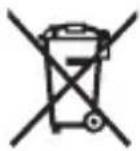
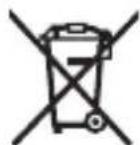
Do not dispose of electronic components and batteries into household waste!
Français | 21
Français
www.bosch-pt.com/serviceaddresses
www.bosch-pt.com/serviceaddresses
Eliminação
Calle Robert Bosch No. 405
C.P. 50071 Zona Industrial, Toluca - Estado de Mexico
Tel.: (52) 55 528430-62
Tel.: 8006271286
www.bosch-pt.com/serviceaddresses
Eliminación
www.bosch-pt.com/serviceaddresses
Descarte
www.bosch-pt.com/serviceaddresses
废弃处理
www.bosch-pt.com/serviceaddresses
Bosch Power Tools 1609 92A 653|(17.09.2020)
90|繁體中文
廢棄物處理
GCY 42 nnnnapp Bosch Toolbox
- App Bosch Toolbox App Store (Apple App Store, Google Play Store)
nnuuunnuuunnuuunnuuunnuuuuuuuuuuuuuuuuuuuuuuuuuuuuuuuuuuuuuuuuuuuuuuuuuuuuuuuuuuuuuuuuuuuuuuuuuuuuuuuuuuuuuuuuuuuuuuuuuuuuuuuuuuuuuuuuuuuuuuuuuuuuuuuuuuuuuuuuuuuuuuuuuuuuuuuuuuuuuuuuuuuuuuuuuuuuuuuuuuuuuuuuuuuuuuuuuuuuuuuuuUU: www.bosch-pt.com
y
10 1
105
#
nynnnn nnnnnnnnnnnnn
5
2525 4
10110
In: +66 2012 8888
wn: +66 2064 5800
www.bosch.co.th
H
2
10/11 16
nunnnnnnnnnnnnnnnnnnnnnnnnnnnnnnnnnnnnnnnnnnnnnnnnnnnnnnnnnnnnnnnnnnnnnnnnnnnnnnnnnnnnnnnnnnnnnnnnnnnnnnnnnnn
10540
Jn
Innn 027587555
027587525
n
www.bosch-pt.com/serviceaddresses
Bosch Power Tools 1609 92A 653| (17.09.2020)
Palma Tower 10th Floor
Jalan RA Kartini II-S Kaveling 6
Pondok Pinang, Kebayoran Lama
www.bosch-pt.com/serviceaddresses
Pembuangan
www.bosch-pt.com/serviceaddresses
Su thai bo
gJ gJyJU JdAoo Jc dJooJI. 1uJU JU JU JU
A
.
WJI I 100000000000000000000000000000000000000000000000000000
aJIbJI IJla
J 1
g g uuul d aos o c a yol a ly. a uu u u u u u u u u u u u u u u u
AaJJI aJb
LgSkaa yguc aolab
Loo Jg gJg jyj yJyJyJyJyJy
1609 92A 653 | (17.09.2020) Bosch Power Tools

134|
g aai
B/luotthg 1w h
aJ W L g g JbL bTlOoth SIG, Inc. jn no J Robert Bosch F
Jusss
BbxtEneydMogale
GCY 42JbIbipo aul
Joglu Bluetooth Low Energy
Module
.aaaiJ 1s sssI pI ssI Jn
a 9 o goll aaggl JkWg
gwl
.duu|U|LwJg
JgX oJal J
JgJbJI)A1-A5(
:JlJ 1KJI JcIe
UgJGcy42JcW
JU JU JU JU JU JU JU JU JU JU JU JU JU JU JU JU JU JU JU JU JU JU JU JU JU
UGGCY42
g 1 (1) a b
pJx.((2Gcy 42 JgJgJgJgJgJg
gJx 8 aJbU: JdU aJbU Uc b
140|
gI IgI aJbUJI aJsh Jg SiC X! Bluetooth®
logola
Bosch.
aagg bbl
UgJgJgJgJgJgJgJgJgJgJgJgJgJgJgJgJgJgJgJgJgJgJgJgJgJgJgJgJgJgJgJgJgJgJgJgJgJgJgJgJgJgJgJg
Bosch Toolbox
- 1
) wlllApple App Store
Play Store.()
:J
.
-
Ugblal aks Ulgll jle c oag g jbb
Jjglg 0auiyll 0d lI
UgJ
aagg qucuull jai
Bluetooth
Jaaa aal GCY 42 Jgds
unabaiiaa.1wJ
JU JU UUUUUUUUUUUUUUUUUUUUUUUUUUUUUUUUUUUUUUUUUUUUUUUUUUUUUUUUUUUUUUUUUUUUUUUUUUUUUUUUUUUUUUUUUUUUUUUUUUUUUUUUUUUUUUUUUUUUUUUUUUUUUUUUUUUUUUUUUUUUUUUUUUUUUUUUUUUUUUUUUUUUUUUUUUUUUUUUUUUUUuuuuuuuuuuuuuuuuuuuuuuuuuuuuuuuuuuuuuuuuuuuuuuuuuuuuuuuuuuuuuuuuuuuuuuuuuuuuuuuuuuuuuuuuuuuuuuuuuuuuuuuuuuuuuuuuuuuuuuuuuuuuuuuuuuuuuuuuuuuuuuuuuuuuuuuuuuuuuuuuuuuuuuuuuuuuuuuuuuuuuuuuuuuuuuuuuuuuuuuu uu
UgJgJgJgJgJgJgJgJgJgJgJgJgJgJgJgJgJgJgJgJgJgJgJgJgJgJgJgJgJgJgJgJgJgJgJgJgJgJgJgJgJgJgJgJgJgJgJgJgJgJg
JgDgJGcy42:JXI a
-ooJgJlq
dU
UgJg jIJI I GCY 42.
-5acjgl gldo
.aaJbUJJuuu
Bjteogthduaew aagggl
.
Ugogolj GCY 42.1dulc
aJg aJ
1go pssw 2. oWj9 pI ssu ly cLwJx dJlu p
.aaJoo 1go gI aB
pIaWlUJluuWlgdo
Robert Bosch Morocco SARL
53 jgjoo
20300LJU|J|J|
:J+21259314;
: gJ JAsav.outillage@n
:ddglicn jd
www.bosch-pt.com/serviceaddresses
aJl
Gy 42
JgIgaiuuii aiiiaaiaaaiaaiaaiaaiaiaiaiaiaiaiaiaiaiaiaiaiaiaiaiaiaiaiaiaiaiaiaiaiaiaiaiaiaiaiaiaiaiaiaiaiaiaiaiaiaiaiaiaiaiaiaiaiaiaiaiaiaiaiaiaiaiaiaiaiaiaiaiaiaiaiaia
.ugd| oJc| jS1j0
J 1
.dujiaoldoa
1609 92A 653 | (17.09.2020) Bosch Power Tools
ω|143
GwJ
Gai! UJgW
yJgJyJy
. 1

GCY 42. i<j wgoJg <.
JgbswI Jsclw yjly s2uclw .Sg g JaLggsaia
sdo slo yd aS goo
.
.du ygoalgdslguysgdo
I laIg w Jd slaWsi IJ Js. iS aGj jwJau
Bare Energy Module GCY 4
. 1 J k o d s u g i y j l j 1 g o J
o I a w I J g o q j l j 1 g aowl J d j
. 1 J o
JgS g Ugso Lg
sL CLOc Dlalw Bluetooth Lul CLO c 0o g o w b l j (Lg) s y d g .d. h. b1 o Bluetooth SIG, Inc d b w g /u/ u
146|
≤ Robert Bosch F
.
oLswjI oJawl jJgO
Low Energy Module GCY 42 Bluetooth
Jlai jg g jjIjI jI g JjSg Sjw
g 1
L o s l Jlai .Jlw 0 nSoo Ij ®Bluetooth
.
Low Energy Bluetooth
(A)Module GCY 42
4(1g
A(1wol doj
l. g. oai djl olk s ojg jog b j 1 aolj j l j tao Jol k .dai j w
G
| GCY 42 ®Bluetooth Low Energy Module | |
| 1600 A01 ZE2 | شامعه |
| -10℃...+40℃ | سالمی |
| -20℃...+70℃ | دستانی نهادی رزه |
| 7x30x30mm | دالدال |
| 0,01kg | شامعه |
| Procedure 01:2014 | |
| النبات | |
Bosch Power Tools 1609 92A 653|(17.09.2020)
148|
| GCY 42 Bluetooth Low Energy Module | |
| (A) | Bluetooth® 4.2 (Low Energy®) |
| (B) | 30 μs 30 ms |
| 2402 - 2480 MHz | ### |
| >1 mW | ### |
| ### | |
| 3 s (###) | ### |
ω |149
GCY 42
Bluetooth
Low Energy
Module
24 lo
Jac Ugb 2do
gaa 5jlu
1sLkssu y ssu ly IJw 1sLkssu (A
- Low-Energy (Version 4.2 Bluetooth
g GenericAccessPro
.
i j 1
Jusddu dss solal do Jolo) gilgo bwg g aaw slqilo .siS
JSoO (oJc g I JSoA, L dawg, I Jg S Jg jgb 8Bluetooth cJyJ sJd
.
GCY42
www b|
( µu g)Android5.1
oljoad
iOS 10) g jxU
()
(
jLg oaiog
sjjl nol
BovetEnergy ModulG
42U U
JgI JJJj dWJlw j1 oJaiw I
y jgjI 1wJnS00 wliol
.
-5jU Lg
Jd d J .dS dJg
.duai dggj
jIjI jIJILJ Jn
(A5-A1gIwJdSgJ)
GCAY42a bgo (3) 1d jj:diSj
a 1 j 1 1 1 1 1 1 1 1 1 1 1 1
GCY42gds
((2GCY 42 JxL a b c b b b (1)
yjL:wwj jJ jJ.
JJJJ JJJJJJJJJJJJJJJJ
.
g bgs 42 j s
.
ωj|151
y
(B4-B1 gJd
aS (s)1(..g
jJlwhwS,clwSjI Jolk jI J
.
UgGCGY42
(C2-C1gawdSg)
J42 GQY (2)
oJaiw|Jg jj gJjJl.
.
IJ JJI GCY 42 JwJ JgJ JgJdSj
.
olssg g jilol
1 (1) 1
JiGy 42 jg g
Bluetooth JliSsW .siS 0 JwJ Sss
g 1 jj j g l g j j j j j j
..gw
Bosch 5u j1 pioo o l J cbl u
.
152|w
Sulj pabg uai
jloaiwI GCY 42 Solj
Toolbox.
-SojBosch To
www.bosch-pt.com/serviceaddresses
olss jS Jl oJ jI
GCGY 42u
gddj bdo bfo fjj jJwI
.
-1sduj jds JgJgJgJg
!jJlJU JU

- ENGLISH
- PRODUCT DESCRIPTION AND SPECIFICATIONS
- INTENDED USE
- PRODUCT FEATURES
- TECHNICAL DATA
- BLUETOOTH®
- LOW ENERGY MODULE
- SYSTEM REQUIREMENTS GCY
- ASSEMBLY AND OPERATION
- POWER SUPPLY
- INITIAL STARTING OPERATION
- CHANGING THE BATTERY
- REMOVING THE GCY
- STARTING OPERATION
- INSTALLING AND SETTING UP THE APP
- DATA TRANSFER VIA BLUETOOTH®
- MAINTENANCE AND SERVICE
- MAINTENANCE AND CLEANING
- AFTER-SALES SERVICE AND APPLICATION SERVICE
- MALAYSIA
- YOU CAN FIND FURTHER SERVICE ADDRESSES AT
- DISPOSAL
- FRANÇAIS
- ELIMINAÇÃO
- ELIMINACIÓN
- DESCARTE
- 废弃处理
- 繁體中文
- 廢棄物處理
- PEMBUANGAN
- SU THAI BO
- G AAI
- JUSSS
- AJG AJ
- AJL
- GWJ
- GAI! UJGW
- JGS G UGSO LG
- OLSWJI OJAWL JJGO
- JLG OAIOG
- ΩJ
- OLSSG G JILOL
- SULJ PABG UAI
Brand : BOSCH
Model : GBH 18V36 C Professional
Category : Drill